warning NISSAN TITAN 2016 2.G Repair Manual
[x] Cancel search | Manufacturer: NISSAN, Model Year: 2016, Model line: TITAN, Model: NISSAN TITAN 2016 2.GPages: 636, PDF Size: 7.17 MB
Page 109 of 636
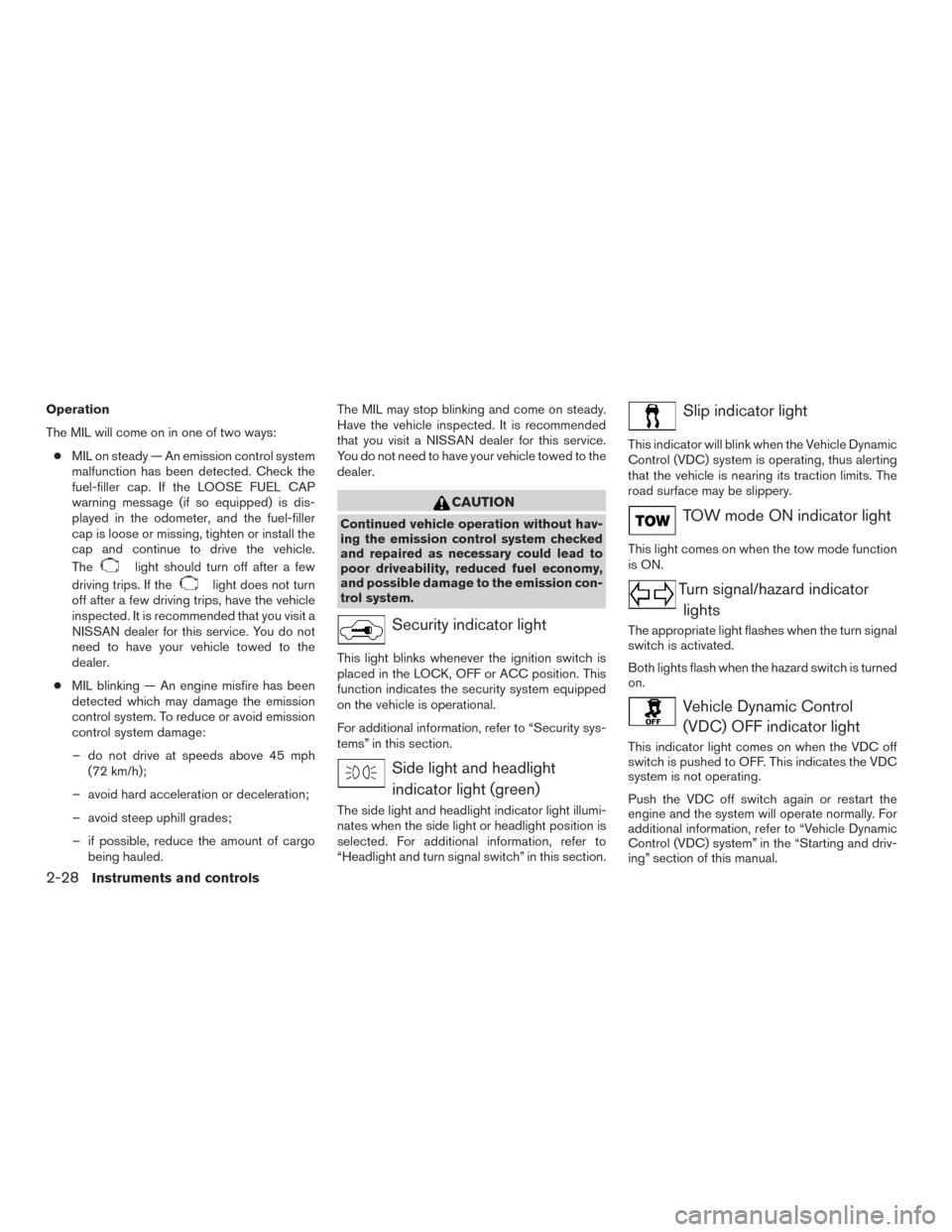
Operation
The MIL will come on in one of two ways:● MIL on steady — An emission control system
malfunction has been detected. Check the
fuel-filler cap. If the LOOSE FUEL CAP
warning message (if so equipped) is dis-
played in the odometer, and the fuel-filler
cap is loose or missing, tighten or install the
cap and continue to drive the vehicle.
The
light should turn off after a few
driving trips. If the
light does not turn
off after a few driving trips, have the vehicle
inspected. It is recommended that you visit a
NISSAN dealer for this service. You do not
need to have your vehicle towed to the
dealer.
● MIL blinking — An engine misfire has been
detected which may damage the emission
control system. To reduce or avoid emission
control system damage:
– do not drive at speeds above 45 mph (72 km/h);
– avoid hard acceleration or deceleration;
– avoid steep uphill grades;
– if possible, reduce the amount of cargo being hauled. The MIL may stop blinking and come on steady.
Have the vehicle inspected. It is recommended
that you visit a NISSAN dealer for this service.
You do not need to have your vehicle towed to the
dealer.
CAUTION
Continued vehicle operation without hav-
ing the emission control system checked
and repaired as necessary could lead to
poor driveability, reduced fuel economy,
and possible damage to the emission con-
trol system.
Security indicator light
This light blinks whenever the ignition switch is
placed in the LOCK, OFF or ACC position. This
function indicates the security system equipped
on the vehicle is operational.
For additional information, refer to “Security sys-
tems” in this section.
Side light and headlight
indicator light (green)
The side light and headlight indicator light illumi-
nates when the side light or headlight position is
selected. For additional information, refer to
“Headlight and turn signal switch” in this section.
Slip indicator light
This indicator will blink when the Vehicle Dynamic
Control (VDC) system is operating, thus alerting
that the vehicle is nearing its traction limits. The
road surface may be slippery.
TOW mode ON indicator light
This light comes on when the tow mode function
is ON.
Turn signal/hazard indicator lights
The appropriate light flashes when the turn signal
switch is activated.
Both lights flash when the hazard switch is turned
on.
Vehicle Dynamic Control(VDC) OFF indicator light
This indicator light comes on when the VDC off
switch is pushed to OFF. This indicates the VDC
system is not operating.
Push the VDC off switch again or restart the
engine and the system will operate normally. For
additional information, refer to “Vehicle Dynamic
Control (VDC) system” in the “Starting and driv-
ing” section of this manual.
2-28Instruments and controls
Page 110 of 636
The VDC light also comes on when you place the
ignition switch in the ON position. The light will
turn off after about 2 seconds if the system is
operational. If the light stays on or comes on
along with the
indicator light while you are
driving, have the VDC system checked. It is rec-
ommended you visit a NISSAN dealer for this
service.
While the VDC system is operating, you might
feel a slight vibration or hear the system working
when starting the vehicle or accelerating, but this
is normal.
AUDIBLE REMINDERS
Brake pad wear warning
The disc brake pads have audible wear warnings.
When a disc brake pad requires replacement, it
makes a high pitched scraping sound when the
vehicle is in motion, whether or not the brake
pedal is depressed. Have the brakes checked as
soon as possible if the warning sound is heard.
Light reminder chime
With the ignition switch placed in the OFF posi-
tion, a chime sounds when the driver’s door is
opened if the headlights or parking lights are on.
Turn the headlight control switch off before leav-
ing the vehicle.
NISSAN Intelligent Key® door buzzer
The Intelligent Key door buzzer sounds if the
Intelligent Key is left inside the vehicle when
locking the doors. When the buzzer sounds, be
sure to check both the vehicle and the Intelligent
Key. For additional information, refer to “NISSAN
Intelligent Key®” in the “Pre-driving checks and
adjustments” section of this manual.
The vehicle information display is located to the
left of the speedometer. It displays such items as:● Vehicle settings
● Trip computer information
● Drive system warnings and settings (if so
equipped)
● Cruise control system information
● Blind Spot Warning (BSW) system (if so
equipped)
● Rear Cross Traffic Alert (RCTA) system (if so
equipped)
LIC2630
VEHICLE INFORMATION DISPLAY (if
so equipped)
Instruments and controls2-29
Page 111 of 636
●NISSAN Intelligent Key® operation informa-
tion
● Indicators and warnings
● Tire Pressure information
HOW TO USE THE VEHICLE
INFORMATION DISPLAY
The vehicle information display can be navigated
using the ENTER and
buttons located on
the steering wheel.
1. ENTER — press to select the vehicle infor- mation menu items. Additionally, use the
UP/DOWN
function to navigate the
menu items
2.
— move LEFT/RIGHT to navigate
through the items in the vehicle information
display The ENTER button also controls audio functions.
For additional information, refer to “Steering
wheel switch for audio control” in the “Monitor,
climate, audio, phone and voice recognition sys-
tems” section of this manual.
STARTUP DISPLAY
When the vehicle is placed in the ON or ACC (if
so equipped) position, the vehicle information
display may display the following screens:
● Home
● Off Road
● Auxiliary Gauges (if so equipped)
● DEF Level (if so equipped)
● Trip
● Fuel Economy
● Navigation (if so equipped)
● Audio
● Driving Aids (if so equipped)
● Tire Pressures
● Warning Confirmation
● Settings
LIC3391
2-30Instruments and controls
Page 112 of 636
Warning Confirmation will only display if there are
any warnings present. For additional information,
refer to “Vehicle information display warnings and
indicators” in this section.
To control which items display in the vehicle
information display, refer to “Settings” in this sec-
tion.SETTINGS
The setting mode allows you to change the infor-
mation displayed in the vehicle information dis-
play:● Driver Assistance (if so equipped)
● Meter Settings
● Vehicle Settings
● Towing Settings (if so equipped) ●
Alarm (if so equipped)
● Maintenance
● Unit
● Language
● Factory Reset
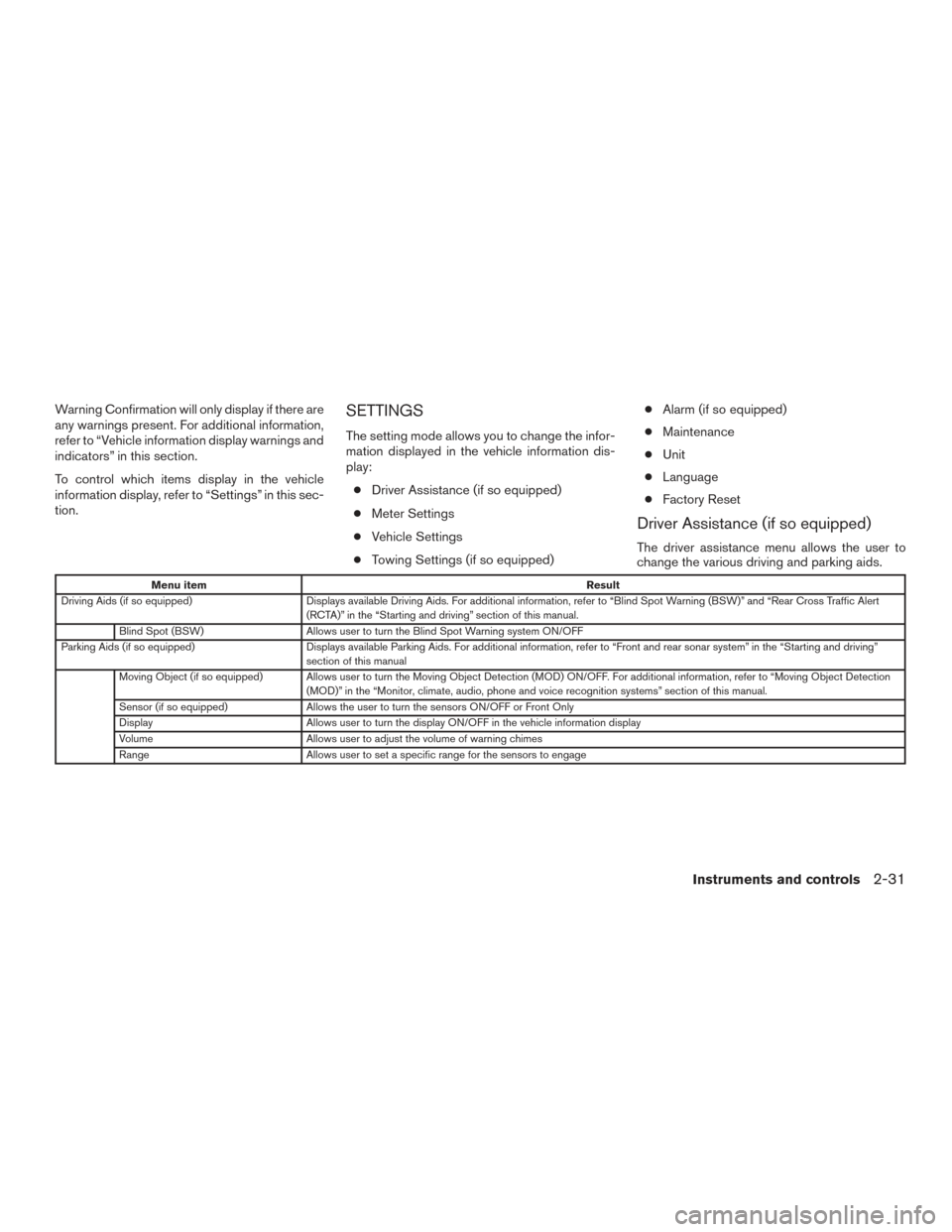
Driver Assistance (if so equipped)
The driver assistance menu allows the user to
change the various driving and parking aids.
Menu item Result
Driving Aids (if so equipped) Displays available Driving Aids. For additional information, refer to “Blind Spot Warning (BSW)” and “Rear Cross Traff ic Alert
(RCTA)” in the “Starting and driving” section of this manual.
Blind Spot (BSW) Allows user to turn the Blind Spot Warning system ON/OFF
Parking Aids (if so equipped) Displays available Parking Aids. For additional information, refer to “Front and rear sonar system” in the “Starting and driving”
section of this manual
Moving Object (if so equipped) Allows user to turn the Moving Object Detection (MOD) ON/OFF. For additional information, refer to “Moving Object Detection (MOD)” in the “Monitor, climate, audio, phone and voice recognition systems” section of this manual.
Sensor (if so equipped) Allows the user to turn the sensors ON/OFF or Front Only
Display Allows user to turn the display ON/OFF in the vehicle information display
Volume Allows user to adjust the volume of warning chimes
Range Allows user to set a specific range for the sensors to engage
Instruments and controls2-31
Page 116 of 636
Maintenance
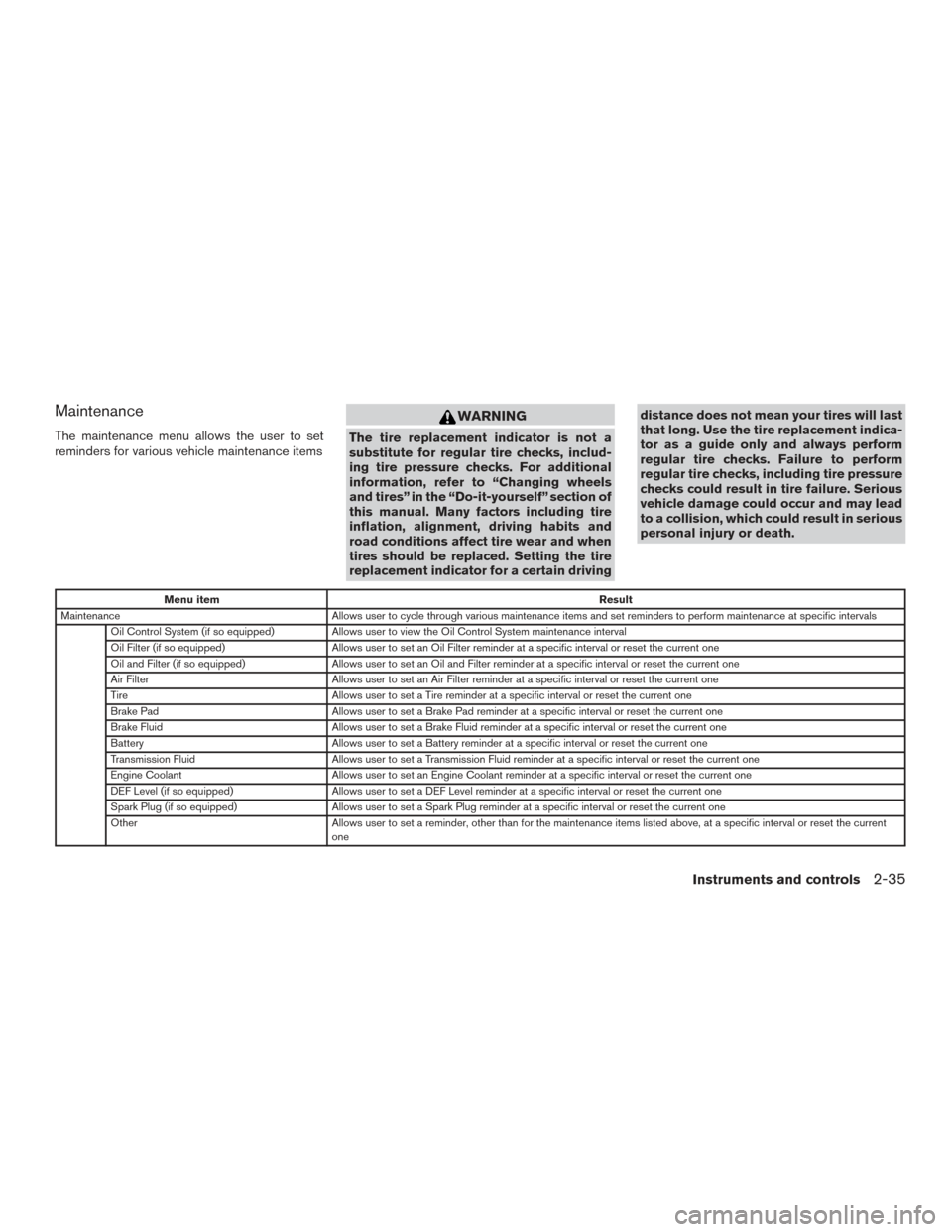
The maintenance menu allows the user to set
reminders for various vehicle maintenance items
WARNING
The tire replacement indicator is not a
substitute for regular tire checks, includ-
ing tire pressure checks. For additional
information, refer to “Changing wheels
and tires” in the “Do-it-yourself” section of
this manual. Many factors including tire
inflation, alignment, driving habits and
road conditions affect tire wear and when
tires should be replaced. Setting the tire
replacement indicator for a certain drivingdistance does not mean your tires will last
that long. Use the tire replacement indica-
tor as a guide only and always perform
regular tire checks. Failure to perform
regular tire checks, including tire pressure
checks could result in tire failure. Serious
vehicle damage could occur and may lead
to a collision, which could result in serious
personal injury or death.
Menu item
Result
Maintenance Allows user to cycle through various maintenance items and set reminders to perform maintenance at specific intervals
Oil Control System (if so equipped) Allows user to view the Oil Control System maintenance interval
Oil Filter (if so equipped) Allows user to set an Oil Filter reminder at a specific interval or reset the current one
Oil and Filter (if so equipped) Allows user to set an Oil and Filter reminder at a specific interval or reset the current one
Air Filter Allows user to set an Air Filter reminder at a specific interval or reset the current one
Tire Allows user to set a Tire reminder at a specific interval or reset the current one
Brake Pad Allows user to set a Brake Pad reminder at a specific interval or reset the current one
Brake Fluid Allows user to set a Brake Fluid reminder at a specific interval or reset the current one
Battery Allows user to set a Battery reminder at a specific interval or reset the current one
Transmission Fluid Allows user to set a Transmission Fluid reminder at a specific interval or reset the current one
Engine Coolant Allows user to set an Engine Coolant reminder at a specific interval or reset the current one
DEF Level (if so equipped) Allows user to set a DEF Level reminder at a specific interval or reset the current one
Spark Plug (if so equipped) Allows user to set a Spark Plug reminder at a specific interval or reset the current one
Other Allows user to set a reminder, other than for the maintenance items listed above, at a specific interval or reset the current
one
Instruments and controls2-35
Page 120 of 636
VEHICLE INFORMATION DISPLAY
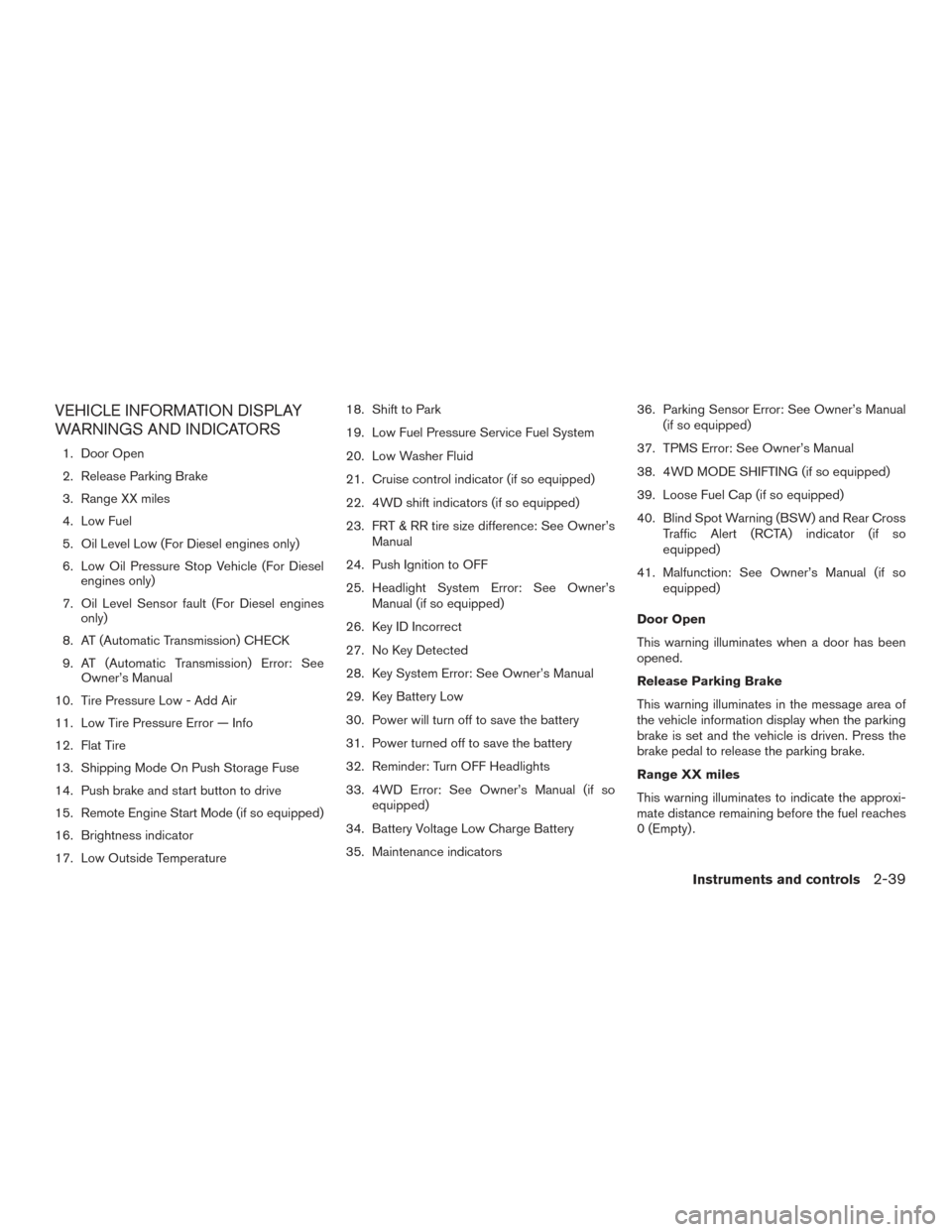
WARNINGS AND INDICATORS
1. Door Open
2. Release Parking Brake
3. Range XX miles
4. Low Fuel
5. Oil Level Low (For Diesel engines only)
6. Low Oil Pressure Stop Vehicle (For Dieselengines only)
7. Oil Level Sensor fault (For Diesel engines only)
8. AT (Automatic Transmission) CHECK
9. AT (Automatic Transmission) Error: See Owner’s Manual
10. Tire Pressure Low - Add Air
11. Low Tire Pressure Error — Info
12. Flat Tire
13. Shipping Mode On Push Storage Fuse
14. Push brake and start button to drive
15. Remote Engine Start Mode (if so equipped)
16. Brightness indicator
17. Low Outside Temperature 18. Shift to Park
19. Low Fuel Pressure Service Fuel System
20. Low Washer Fluid
21. Cruise control indicator (if so equipped)
22. 4WD shift indicators (if so equipped)
23. FRT & RR tire size difference: See Owner’s
Manual
24. Push Ignition to OFF
25. Headlight System Error: See Owner’s Manual (if so equipped)
26. Key ID Incorrect
27. No Key Detected
28. Key System Error: See Owner’s Manual
29. Key Battery Low
30. Power will turn off to save the battery
31. Power turned off to save the battery
32. Reminder: Turn OFF Headlights
33. 4WD Error: See Owner’s Manual (if so equipped)
34. Battery Voltage Low Charge Battery
35. Maintenance indicators 36. Parking Sensor Error: See Owner’s Manual
(if so equipped)
37. TPMS Error: See Owner’s Manual
38. 4WD MODE SHIFTING (if so equipped)
39. Loose Fuel Cap (if so equipped)
40. Blind Spot Warning (BSW) and Rear Cross Traffic Alert (RCTA) indicator (if so
equipped)
41. Malfunction: See Owner’s Manual (if so equipped)
Door Open
This warning illuminates when a door has been
opened.
Release Parking Brake
This warning illuminates in the message area of
the vehicle information display when the parking
brake is set and the vehicle is driven. Press the
brake pedal to release the parking brake.
Range XX miles
This warning illuminates to indicate the approxi-
mate distance remaining before the fuel reaches
0 (Empty) .
Instruments and controls2-39
Page 121 of 636
Low Fuel
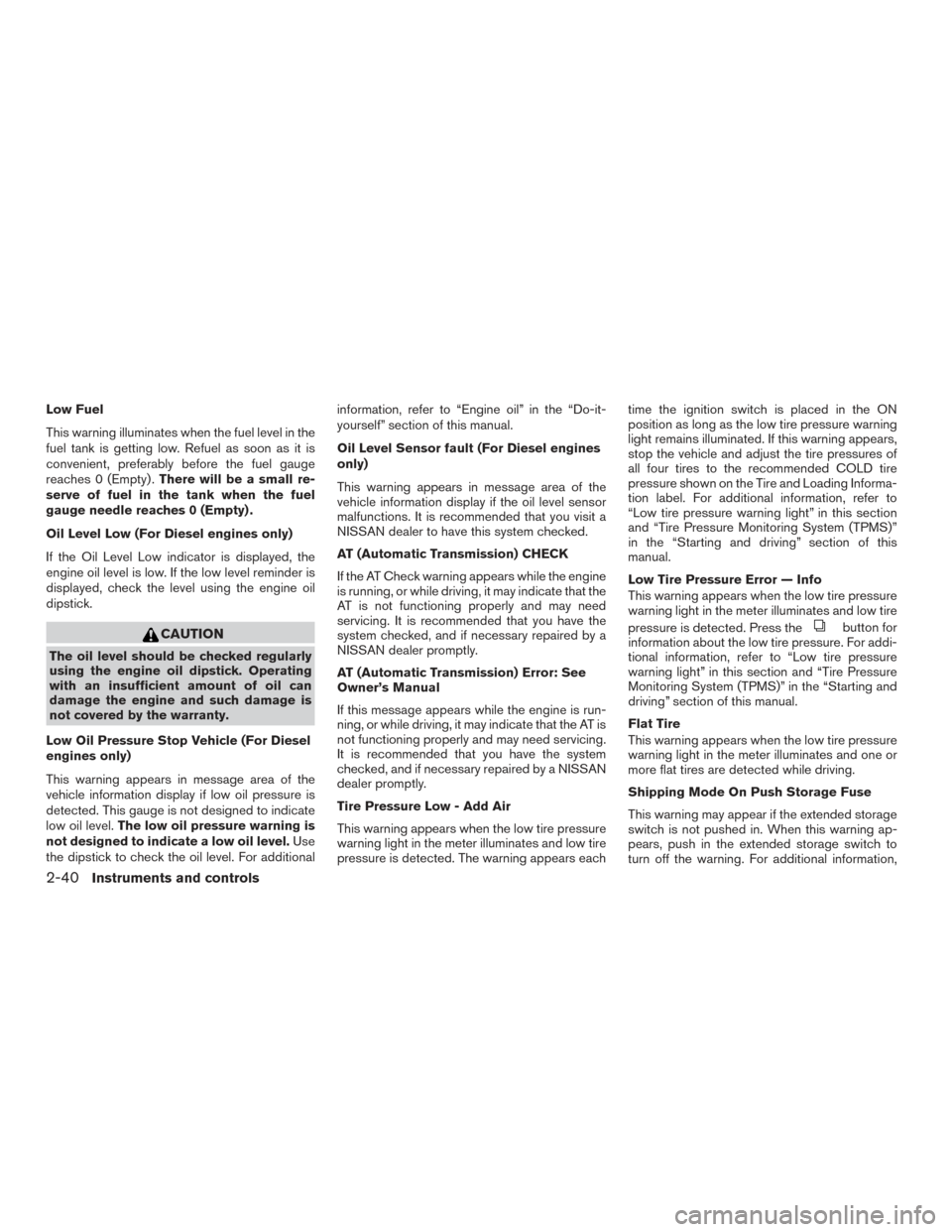
This warning illuminates when the fuel level in the
fuel tank is getting low. Refuel as soon as it is
convenient, preferably before the fuel gauge
reaches 0 (Empty) .There will be a small re-
serve of fuel in the tank when the fuel
gauge needle reaches 0 (Empty) .
Oil Level Low (For Diesel engines only)
If the Oil Level Low indicator is displayed, the
engine oil level is low. If the low level reminder is
displayed, check the level using the engine oil
dipstick.
CAUTION
The oil level should be checked regularly
using the engine oil dipstick. Operating
with an insufficient amount of oil can
damage the engine and such damage is
not covered by the warranty.
Low Oil Pressure Stop Vehicle (For Diesel
engines only)
This warning appears in message area of the
vehicle information display if low oil pressure is
detected. This gauge is not designed to indicate
low oil level. The low oil pressure warning is
not designed to indicate a low oil level. Use
the dipstick to check the oil level. For additional information, refer to “Engine oil” in the “Do-it-
yourself” section of this manual.
Oil Level Sensor fault (For Diesel engines
only)
This warning appears in message area of the
vehicle information display if the oil level sensor
malfunctions. It is recommended that you visit a
NISSAN dealer to have this system checked.
AT (Automatic Transmission) CHECK
If the AT Check warning appears while the engine
is running, or while driving, it may indicate that the
AT is not functioning properly and may need
servicing. It is recommended that you have the
system checked, and if necessary repaired by a
NISSAN dealer promptly.
AT (Automatic Transmission) Error: See
Owner’s Manual
If this message appears while the engine is run-
ning, or while driving, it may indicate that the AT is
not functioning properly and may need servicing.
It is recommended that you have the system
checked, and if necessary repaired by a NISSAN
dealer promptly.
Tire Pressure Low - Add Air
This warning appears when the low tire pressure
warning light in the meter illuminates and low tire
pressure is detected. The warning appears eachtime the ignition switch is placed in the ON
position as long as the low tire pressure warning
light remains illuminated. If this warning appears,
stop the vehicle and adjust the tire pressures of
all four tires to the recommended COLD tire
pressure shown on the Tire and Loading Informa-
tion label. For additional information, refer to
“Low tire pressure warning light” in this section
and “Tire Pressure Monitoring System (TPMS)”
in the “Starting and driving” section of this
manual.
Low Tire Pressure Error — Info
This warning appears when the low tire pressure
warning light in the meter illuminates and low tire
pressure is detected. Press the
button for
information about the low tire pressure. For addi-
tional information, refer to “Low tire pressure
warning light” in this section and “Tire Pressure
Monitoring System (TPMS)” in the “Starting and
driving” section of this manual.
Flat Tire
This warning appears when the low tire pressure
warning light in the meter illuminates and one or
more flat tires are detected while driving.
Shipping Mode On Push Storage Fuse
This warning may appear if the extended storage
switch is not pushed in. When this warning ap-
pears, push in the extended storage switch to
turn off the warning. For additional information,
2-40Instruments and controls
Page 122 of 636
refer to “Extended storage switch” in the “Instru-
ments and controls” section of this manual.
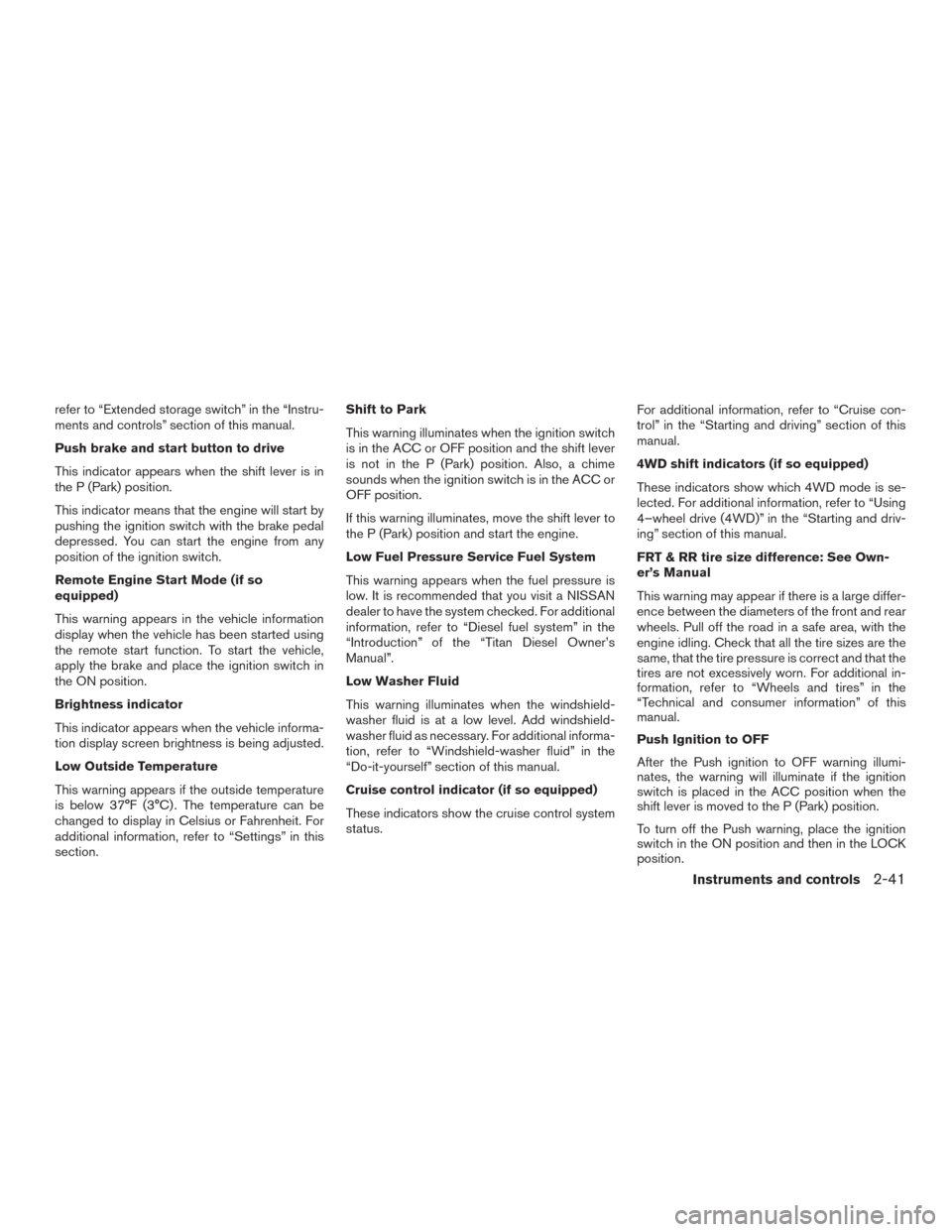
Push brake and start button to drive
This indicator appears when the shift lever is in
the P (Park) position.
This indicator means that the engine will start by
pushing the ignition switch with the brake pedal
depressed. You can start the engine from any
position of the ignition switch.
Remote Engine Start Mode (if so
equipped)
This warning appears in the vehicle information
display when the vehicle has been started using
the remote start function. To start the vehicle,
apply the brake and place the ignition switch in
the ON position.
Brightness indicator
This indicator appears when the vehicle informa-
tion display screen brightness is being adjusted.
Low Outside Temperature
This warning appears if the outside temperature
is below 37°F (3°C) . The temperature can be
changed to display in Celsius or Fahrenheit. For
additional information, refer to “Settings” in this
section.Shift to Park
This warning illuminates when the ignition switch
is in the ACC or OFF position and the shift lever
is not in the P (Park) position. Also, a chime
sounds when the ignition switch is in the ACC or
OFF position.
If this warning illuminates, move the shift lever to
the P (Park) position and start the engine.
Low Fuel Pressure Service Fuel System
This warning appears when the fuel pressure is
low. It is recommended that you visit a NISSAN
dealer to have the system checked. For additional
information, refer to “Diesel fuel system” in the
“Introduction” of the “Titan Diesel Owner’s
Manual”.
Low Washer Fluid
This warning illuminates when the windshield-
washer fluid is at a low level. Add windshield-
washer fluid as necessary. For additional informa-
tion, refer to “Windshield-washer fluid” in the
“Do-it-yourself” section of this manual.
Cruise control indicator (if so equipped)
These indicators show the cruise control system
status.
For additional information, refer to “Cruise con-
trol” in the “Starting and driving” section of this
manual.
4WD shift indicators (if so equipped)
These indicators show which 4WD mode is se-
lected. For additional information, refer to “Using
4–wheel drive (4WD)” in the “Starting and driv-
ing” section of this manual.
FRT & RR tire size difference: See Own-
er’s Manual
This warning may appear if there is a large differ-
ence between the diameters of the front and rear
wheels. Pull off the road in a safe area, with the
engine idling. Check that all the tire sizes are the
same, that the tire pressure is correct and that the
tires are not excessively worn. For additional in-
formation, refer to “Wheels and tires” in the
“Technical and consumer information” of this
manual.
Push Ignition to OFF
After the Push ignition to OFF warning illumi-
nates, the warning will illuminate if the ignition
switch is placed in the ACC position when the
shift lever is moved to the P (Park) position.
To turn off the Push warning, place the ignition
switch in the ON position and then in the LOCK
position.
Instruments and controls2-41
Page 123 of 636
Headlight System Error: See Owner’s
Manual (if so equipped)
This warning appears when the LED headlights
are not functioning properly.
If this warning appears, have your system
checked. It is recommended that you visit a
NISSAN dealer for this service.
Key ID Incorrect
This warning appears when the ignition switch is
placed from the OFF position and the Intelligent
Key is not recognized by the system. You cannot
start the engine with an unregistered key.
For additional information, refer to “NISSAN In-
telligent Key®” in the “Pre-driving checks and
adjustments” section of this manual.
No Key Detected
This warning appears when the Intelligent Key is
left outside the vehicle with the ignition switch in
the ON position. Make sure the Intelligent Key is
inside the vehicle.
For additional information, refer to “NISSAN In-
telligent Key®” in the “Pre-driving checks and
adjustments” section of this manual.Key System Error: See Owner’s Manual
After the ignition switch is pushed to the ON
position, this light comes on for about 2 seconds
and then turns off.
The Key System Error message warns of a mal-
function with the Intelligent Key system. If the light
comes on while the engine is stopped, it may be
impossible to start the engine.
If the light comes on while the engine is running,
you can drive the vehicle. However in these
cases, have the system checked. It is recom-
mended that you visit a NISSAN dealer for this
service.
Key Battery Low
This indicator illuminates when the Intelligent Key
battery is running out of power.
If this indicator illuminates, replace the battery
with a new one. For additional information, refer
to “Battery replacement” in the “Do-it-yourself”
section of this manual.
Power will turn off to save the battery
This message appears in the vehicle information
display after a period of time if the ignition switch
is in the ACC or the ON position and if the vehicle
is in P (Park) . For additional information, refer to
“Push-button ignition switch positions” in the
“Starting and driving” section of this manual.Power turned off to save the battery
This warning appears after the ignition switch is
automatically turned off to save the battery.
Reminder: Turn OFF Headlights
This warning appears when the headlights are
left in the ON position when exiting the vehicle.
Place the headlight switch in the OFF or AUTO
position. For additional information, refer to
“Headlight” in this section.
4WD Error: See Owner’s Manual (if so
equipped)
This warning appears when the 4-wheel drive
system is not functioning properly while the en-
gine is running.
Battery Voltage Low Charge Battery
This warning appears when the battery is low and
needs to be charged.
Maintenance indicators
When engine oil service is due, one or more of
these icons will appear automatically to remind
you. For additional information, refer to “Engine
oil” in the “Do-it-yourself” section of this manual.
These will also appear when the user-set remind-
ers are met. For additional information, refer to
“Vehicle information display” in this section.
2-42Instruments and controls
Page 124 of 636
Parking Sensor Error: See Owner’s
Manual (if so equipped)
This warning illuminates when there is an error
with the system. For additional information, refer
to “Front and rear sonar system” in the “Starting
and driving” section of this manual.
TPMS Error: See Owner’s Manual
This warning appears when there is an error with
your TPMS. If this warning comes on, it is recom-
mended you have the system checked by a
NISSAN dealer.
4WD MODE SHIFTING (if so equipped)
This message appears when the vehicle is shift-
ing into 4WD. For additional information, refer to
“Using 4–wheel drive (4WD)” in the “Starting
and driving” section of this manual.
Loose Fuel Cap (if so equipped)
This warning appears when the fuel-filler cap is
not tightened correctly after the vehicle has been
refueled. For additional information, refer to
“Fuel-filler cap” in the “Pre-driving checks and
adjustments” section of this manual.Blind Spot Warning (BSW) and Rear Cross
Traffic Alert (RCTA) indicator (if so
equipped)
This indicator shows when the BSW and RCTA
systems are engaged.
For additional information, refer to “Blind Spot
Warning (BSW)” and “Rear Cross Traffic Alert
(RCTA)” in the “Starting and driving” section of
this manual.
Malfunction: See Owner’s Manual (if so
equipped)
This warning appears when one or more of the
following systems (if so equipped) is not func-
tioning properly:
● Blind Spot Warning (BSW)
● Rear Cross Traffic alert (RCTA)
If one or more of these warning appears, have the
system checked. It is recommended that you visit
a NISSAN dealer for this service.
Instruments and controls2-43