remote control NISSAN TITAN 2017 2.G Owner's Guide
[x] Cancel search | Manufacturer: NISSAN, Model Year: 2017, Model line: TITAN, Model: NISSAN TITAN 2017 2.GPages: 671, PDF Size: 7.96 MB
Page 347 of 671
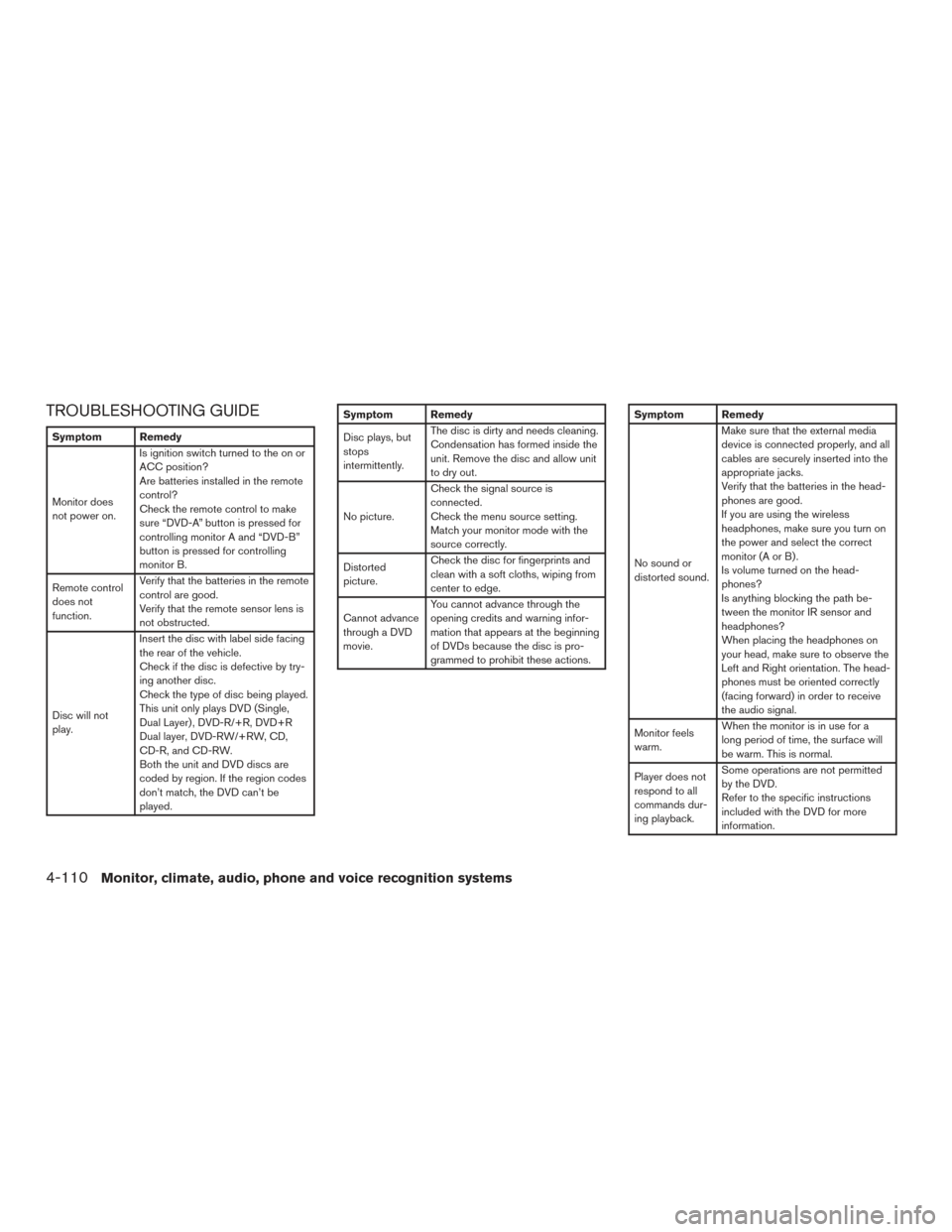
TROUBLESHOOTING GUIDE
Symptom Remedy
Monitor does
not power on.Is ignition switch turned to the on or
ACC position?
Are batteries installed in the remote
control?
Check the remote control to make
sure “DVD-A” button is pressed for
controlling monitor A and “DVD-B”
button is pressed for controlling
monitor B.
Remote control
does not
function. Verify that the batteries in the remote
control are good.
Verify that the remote sensor lens is
not obstructed.
Disc will not
play. Insert the disc with label side facing
the rear of the vehicle.
Check if the disc is defective by try-
ing another disc.
Check the type of disc being played.
This unit only plays DVD (Single,
Dual Layer) , DVD-R/+R, DVD+R
Dual layer, DVD-RW/+RW, CD,
CD-R, and CD-RW.
Both the unit and DVD discs are
coded by region. If the region codes
don’t match, the DVD can’t be
played.
Symptom Remedy
Disc plays, but
stops
intermittently.
The disc is dirty and needs cleaning.
Condensation has formed inside the
unit. Remove the disc and allow unit
to dry out.
No picture. Check the signal source is
connected.
Check the menu source setting.
Match your monitor mode with the
source correctly.
Distorted
picture. Check the disc for fingerprints and
clean with a soft cloths, wiping from
center to edge.
Cannot advance
through a DVD
movie. You cannot advance through the
opening credits and warning infor-
mation that appears at the beginning
of DVDs because the disc is pro-
grammed to prohibit these actions.Symptom Remedy
No sound or
distorted sound.Make sure that the external media
device is connected properly, and all
cables are securely inserted into the
appropriate jacks.
Verify that the batteries in the head-
phones are good.
If you are using the wireless
headphones, make sure you turn on
the power and select the correct
monitor(AorB).
Is volume turned on the head-
phones?
Is anything blocking the path be-
tween the monitor IR sensor and
headphones?
When placing the headphones on
your head, make sure to observe the
Left and Right orientation. The head-
phones must be oriented correctly
(facing forward) in order to receive
the audio signal.
Monitor feels
warm. When the monitor is in use for a
long period of time, the surface will
be warm. This is normal.
Player does not
respond to all
commands dur-
ing playback. Some operations are not permitted
by the DVD.
Refer to the specific instructions
included with the DVD for more
information.
4-110Monitor, climate, audio, phone and voice recognition systems
Page 348 of 671
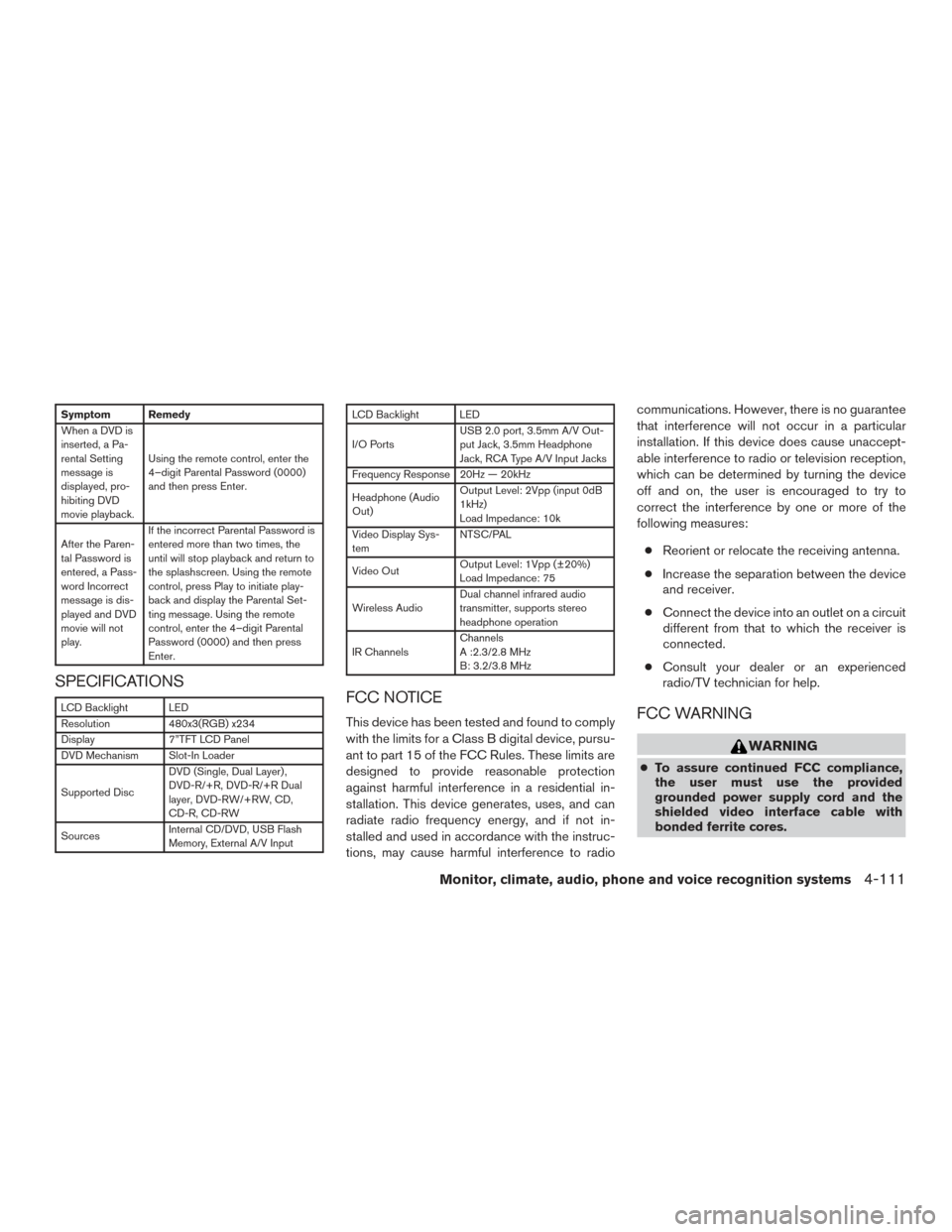
Symptom Remedy
When a DVD is
inserted, a Pa-
rental Setting
message is
displayed, pro-
hibiting DVD
movie playback.Using the remote control, enter the
4–digit Parental Password (0000)
and then press Enter.
After the Paren-
tal Password is
entered, a Pass-
word Incorrect
message is dis-
played and DVD
movie will not
play. If the incorrect Parental Password is
entered more than two times, the
until will stop playback and return to
the splashscreen. Using the remote
control, press Play to initiate play-
back and display the Parental Set-
ting message. Using the remote
control, enter the 4–digit Parental
Password (0000) and then press
Enter.
SPECIFICATIONS
LCD Backlight LED
Resolution
480x3(RGB) x234
Display 7”TFT LCD Panel
DVD Mechanism Slot-In Loader
Supported Disc DVD (Single, Dual Layer) ,
DVD-R/+R, DVD-R/+R Dual
layer, DVD-RW/+RW, CD,
CD-R, CD-RW
Sources Internal CD/DVD, USB Flash
Memory, External A/V Input
LCD Backlight LED
I/O PortsUSB 2.0 port, 3.5mm A/V Out-
put Jack, 3.5mm Headphone
Jack, RCA Type A/V Input Jacks
Frequency Response 20Hz — 20kHz
Headphone (Audio
Out) Output Level: 2Vpp (input 0dB
1kHz)
Load Impedance: 10k
Video Display Sys-
tem NTSC/PAL
Video Out Output Level: 1Vpp (±20%)
Load Impedance: 75
Wireless Audio Dual channel infrared audio
transmitter, supports stereo
headphone operation
IR Channels Channels
A :2.3/2.8 MHz
B: 3.2/3.8 MHz
FCC NOTICE
This device has been tested and found to comply
with the limits for a Class B digital device, pursu-
ant to part 15 of the FCC Rules. These limits are
designed to provide reasonable protection
against harmful interference in a residential in-
stallation. This device generates, uses, and can
radiate radio frequency energy, and if not in-
stalled and used in accordance with the instruc-
tions, may cause harmful interference to radio communications. However, there is no guarantee
that interference will not occur in a particular
installation. If this device does cause unaccept-
able interference to radio or television reception,
which can be determined by turning the device
off and on, the user is encouraged to try to
correct the interference by one or more of the
following measures:
● Reorient or relocate the receiving antenna.
● Increase the separation between the device
and receiver.
● Connect the device into an outlet on a circuit
different from that to which the receiver is
connected.
● Consult your dealer or an experienced
radio/TV technician for help.FCC WARNING
WARNING
● To assure continued FCC compliance,
the user must use the provided
grounded power supply cord and the
shielded video interface cable with
bonded ferrite cores.
Monitor, climate, audio, phone and voice recognition systems4-111
Page 349 of 671
●Any unauthorized change or modifica-
tions to this device would void the us-
er’s authority to operate this device.
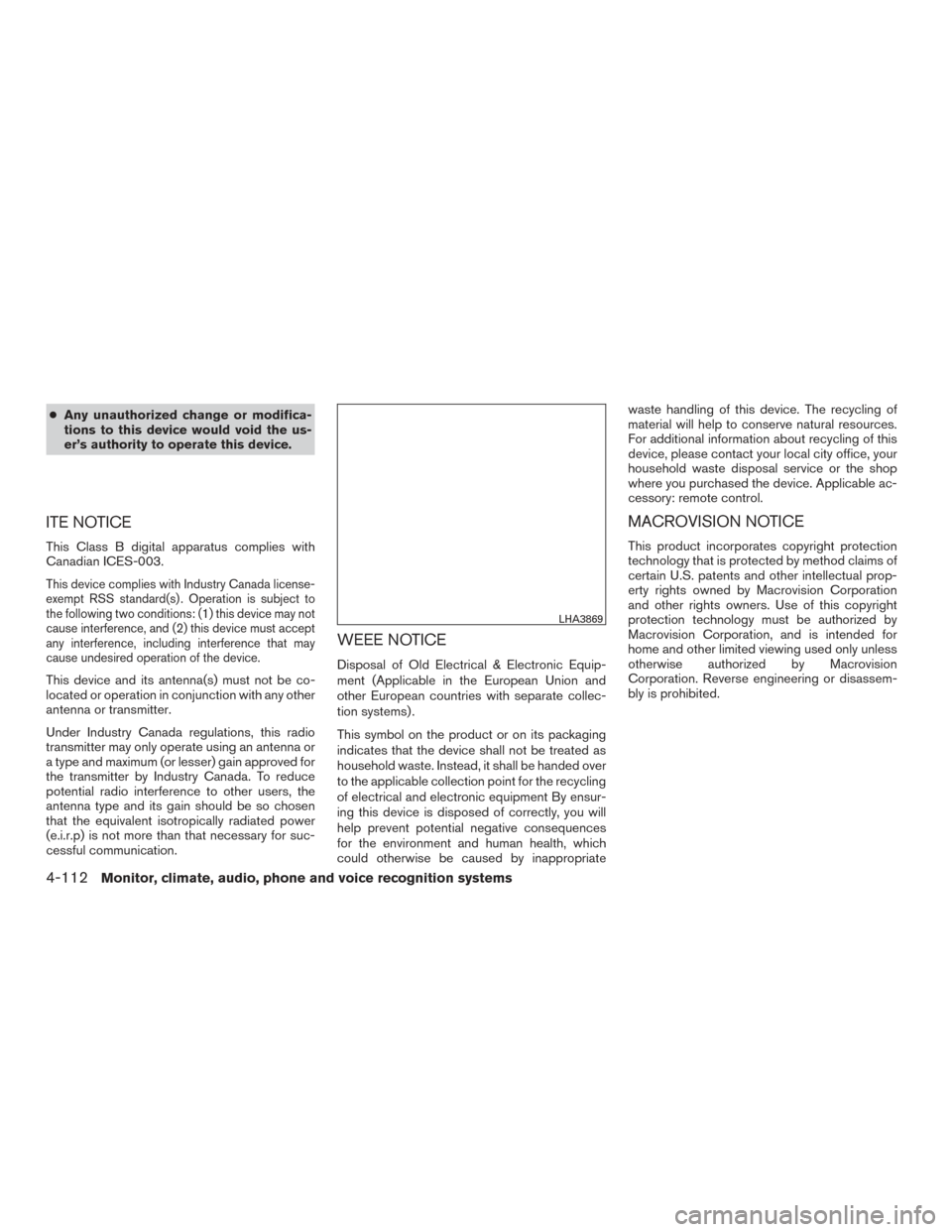
ITE NOTICE
This Class B digital apparatus complies with
Canadian ICES-003.
This device complies with Industry Canada license-
exempt RSS standard(s) . Operation is subject to
the following two conditions: (1) this device may not
cause interference, and (2) this device must accept
any interference, including interference that may
cause undesired operation of the device.
This device and its antenna(s) must not be co-
located or operation in conjunction with any other
antenna or transmitter.
Under Industry Canada regulations, this radio
transmitter may only operate using an antenna or
a type and maximum (or lesser) gain approved for
the transmitter by Industry Canada. To reduce
potential radio interference to other users, the
antenna type and its gain should be so chosen
that the equivalent isotropically radiated power
(e.i.r.p) is not more than that necessary for suc-
cessful communication.
WEEE NOTICE
Disposal of Old Electrical & Electronic Equip-
ment (Applicable in the European Union and
other European countries with separate collec-
tion systems) .
This symbol on the product or on its packaging
indicates that the device shall not be treated as
household waste. Instead, it shall be handed over
to the applicable collection point for the recycling
of electrical and electronic equipment By ensur-
ing this device is disposed of correctly, you will
help prevent potential negative consequences
for the environment and human health, which
could otherwise be caused by inappropriate waste handling of this device. The recycling of
material will help to conserve natural resources.
For additional information about recycling of this
device, please contact your local city office, your
household waste disposal service or the shop
where you purchased the device. Applicable ac-
cessory: remote control.
MACROVISION NOTICE
This product incorporates copyright protection
technology that is protected by method claims of
certain U.S. patents and other intellectual prop-
erty rights owned by Macrovision Corporation
and other rights owners. Use of this copyright
protection technology must be authorized by
Macrovision Corporation, and is intended for
home and other limited viewing used only unless
otherwise authorized by Macrovision
Corporation. Reverse engineering or disassem-
bly is prohibited.
LHA3869
4-112Monitor, climate, audio, phone and voice recognition systems
Page 377 of 671
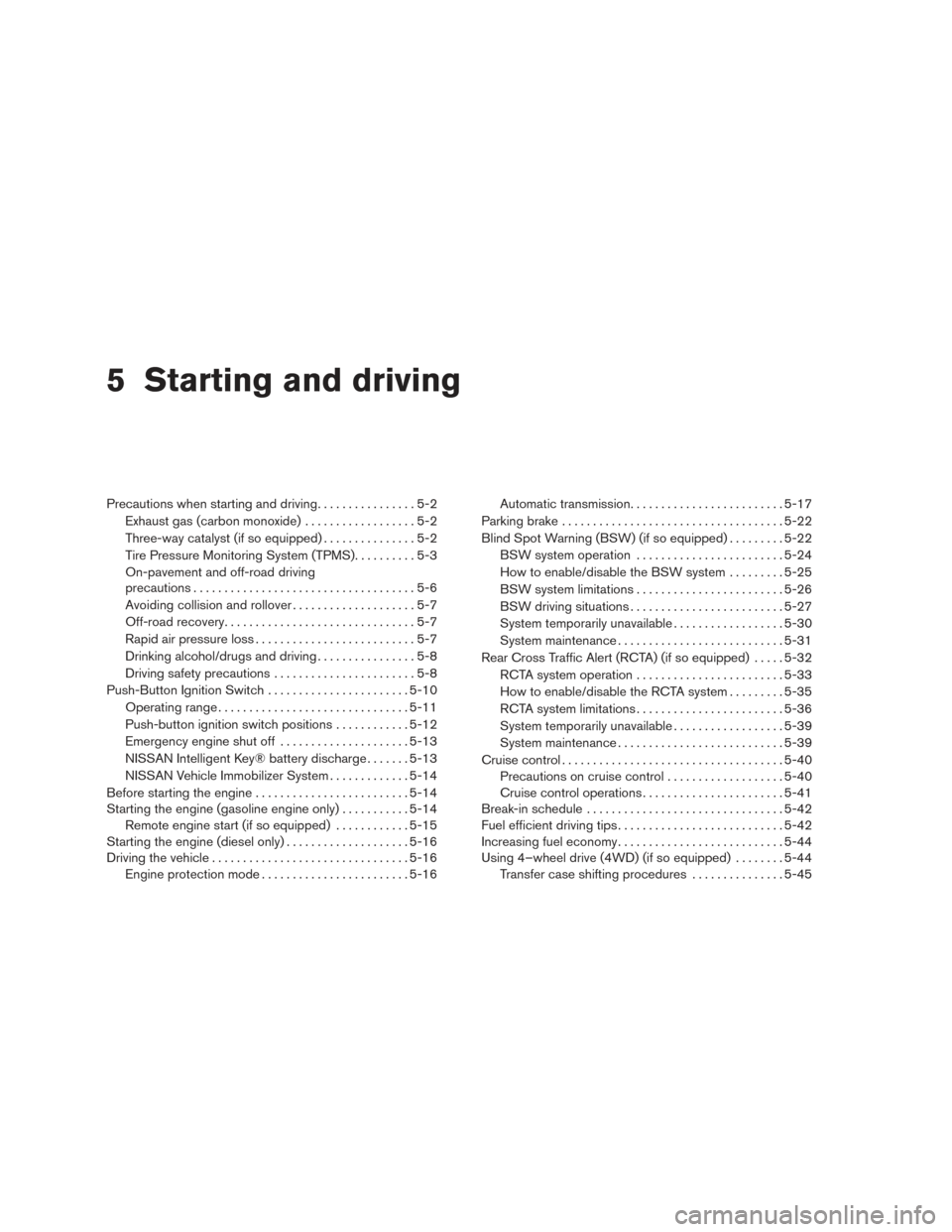
5 Starting and driving
Precautions when starting and driving................5-2
Exhaust gas (carbon monoxide) ..................5-2
Three-way catalyst (if so equipped) ...............5-2
Tire Pressure Monitoring System (TPMS) ..........5-3
On-pavement and off-road driving
precautions ....................................5-6
Avoiding collision and rollover . . ..................5-7
Off-road recovery ...............................5-7
Rapid air pressure loss ..........................5-7
Drinking alcohol/drugs and driving ................5-8
Driving safety precautions .......................5-8
Push-Button Ignition Switch .......................5-10
Operating range ............................... 5-11
Push-button ignition switch positions . . . .........5-12
Emergency engine shut off .....................5-13
NISSAN Intelligent Key® battery discharge .......5-13
NISSAN Vehicle Immobilizer System .............5-14
Before starting the engine ......................... 5-14
Starting the engine (gasoline engine only) ...........5-14
Remote engine start (if so equipped) . . . .........5-15
Starting the engine (diesel only) ....................5-16
Driving the vehicle ................................ 5-16
Engine protection mode ........................ 5-16Automatic transmission
......................... 5-17
Parking brake .................................... 5-22
Blind Spot Warning (BSW) (if so equipped) .........5-22
BSW system operation ........................ 5-24
How to enable/disable the BSW system .........5-25
BSW system limitations ........................ 5-26
BSW driving situations ......................... 5-27
System temporarily unavailable ..................5-30
System maintenance ........................... 5-31
Rear Cross Traffic Alert (RCTA) (if so equipped) .....5-32
RCTA system operation ........................ 5-33
How to enable/disable the RCTA system .........5-35
RCTA system limitations ........................ 5-36
System temporarily unavailable ..................5-39
System maintenance ........................... 5-39
Cruise
control .................................... 5-40
Precautions on cruise control ...................5-40
Cruise control operations .......................5-41
Break-in schedule ................................ 5-42
Fuel efficient driving tips ........................... 5-42
Increasing fuel economy ........................... 5-44
Using 4–wheel drive (4WD) (if so equipped) ........5-44
Transfer case shifting procedures . . .............5-45
Page 601 of 671
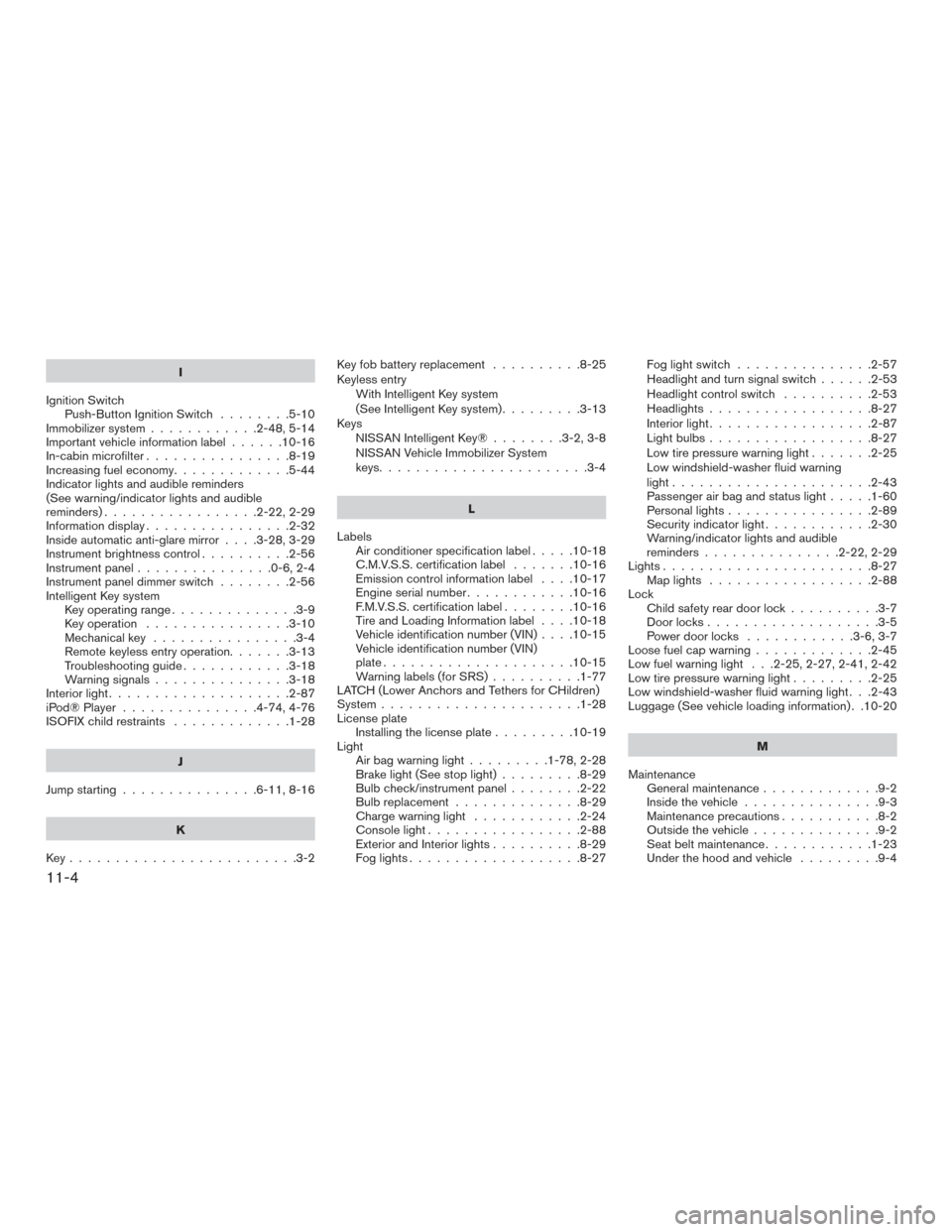
I
Ignition Switch Push-Button Ignition Switch ........5-10
Immobilizer system ............2-48,5-14
Important vehicle information label ......10-16
In-cabin microfilter ................8-19
Increasing fuel economy .............5-44
Indicator lights and audible reminders
(See warning/indicator lights and audible
reminders).................2-22,2-29
Informationdisplay................2-32
Inside automatic anti-glare mirror ....3-28,3-29
Instrument brightness control ..........2-56
Instrument panel ...............0-6,2-4
Instrument panel dimmer switch ........2-56
Intelligent Key system Key operating range ..............3-9
Key operation ................3-10
Mechanicalkey ................3-4
Remote keyless entry operation.......3-13
Troubleshooting guide ............3-18
Warning signals ...............3-18
Interiorlight....................2-87
iPod®Player ...............4-74,4-76
ISOFIX child restraints .............1-28
J
Jump starting ...............6-11,8-16
K
Key.........................3-2 Keyfobbatteryreplacement ..........8-25
Keyless entry
With Intelligent Key system
(See Intelligent Key system) .........3-13
Keys NISSAN Intelligent Key® ........3-2,3-8
NISSAN Vehicle Immobilizer System
keys.......................3-4
L
Labels Air conditioner specification label .....10-18
C.M.V.S.S. certification label .......10-16
Emission control information label ....10-17
Engine serial number ............10-16
F.M.V.S.S. certification label ........10-16
Tire and Loading Information label ....10-18
Vehicle identification number (VIN) ....10-15
Vehicle identification number (VIN)
plate.....................10-15
Warning labels (for SRS) ..........1-77
LATCH (Lower Anchors and Tethers for CHildren)
System ......................1-28
License plate Installing the license plate .........10-19
Light Air bag warning light .........1-78,2-28
Brake light (See stop light) .........8-29
Bulb check/instrument panel ........2-22
Bulbreplacement..............8-29
Charge warning light ............2-24
Consolelight.................2-88
Exterior and Interior lights ..........8-29
Foglights...................8-27 Fog light switch
...............2-57
Headlightandturnsignalswitch......2-53
Headlight control switch ..........2-53
Headlights..................8-27
Interiorlight..................2-87
Lightbulbs..................8-27
Low tire pressure warning light .......2-25
Low windshield-washer fluid warning
light......................2-43
Passenger air bag and status light .....1-60
Personal lights ................2-89
Security indicator light ............2-30
Warning/indicator lights and audible
reminders ...............2-22,2-29
Lights.......................8-27 Maplights ..................2-88
Lock Child safety rear door lock ..........3-7
Door locks ...................3-5
P
ower door locks ............3-6,3-7
Loose fuel cap warning .............2-45
Low fuel warning light . . .2-25, 2-27, 2-41, 2-42
Low tire pressure warning light .........2-25
Low windshield-washer fluid warning light . . .2-43
Luggage (See vehicle loading information) . .10-20
M
Maintenance General maintenance .............9-2
Insidethevehicle...............9-3
Maintenance precautions ...........8-2
Outside the vehicle ..............9-2
Seat belt maintenance ............1-23
Under the hood and vehicle .........9-4
11-4
Page 603 of 671
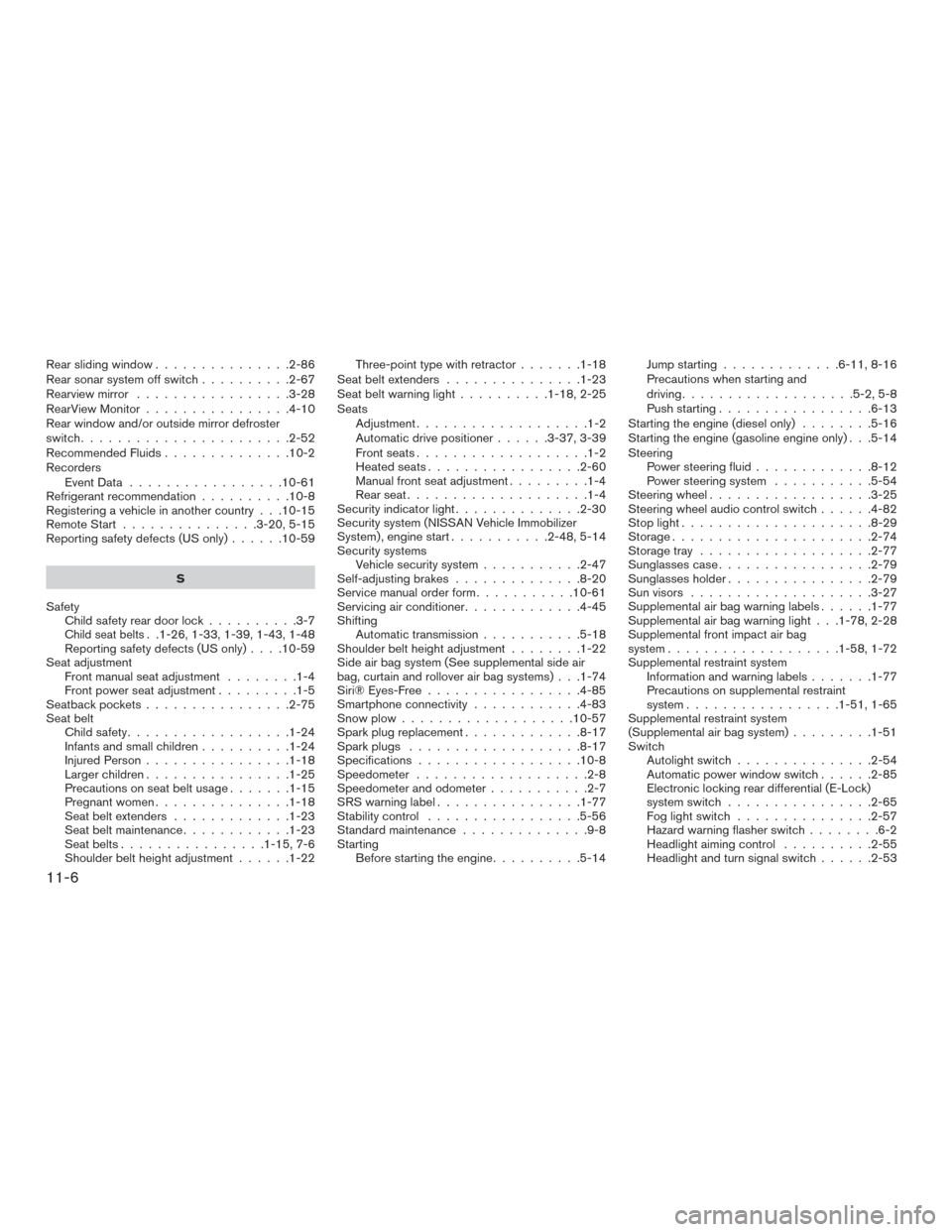
Rear sliding window...............2-86
Rear sonar system off switch ..........2-67
Rearview mirror .................3-28
RearViewMonitor................4-10
Rear window and/or outside mirror defroster
switch .......................2-52
Recommended Fluids ..............10-2
Recorders EventData .................10-61
Refrigerant recommendation ..........10-8
Registering a vehicle in another country . . .10-15
Remote Start ...............3-20,5-15
Reporting safety defects (US only) ......10-59
S
Safety Child safety rear door lock ..........3-7
Child seat belts. .1-26, 1-33, 1-39, 1-43, 1-48
Reporting safety defects (US only) ....10-59
Seat adjustment Front manual seat adjustment ........1-4
Front power seat adjustment .........1-5
Seatback pockets ................2-75
Seat belt Childsafety..................1-24
Infantsandsmallchildren..........1-24
Injured Person ................1-18
Largerchildren................1-25
Precautionsonseatbeltusage.......1-15
Pregnant women ...............1-18
Seat belt extenders .............1-23
Seat belt maintenance ............1-23
Seat belts ................1-15,7-6
Shoulder belt height adjustment ......1-22Three-point type with retractor
.......1-18
Seatbeltextenders ...............1-23
Seat belt warning light ..........1-18,2-25
Seats Adjustment...................1-2
Automatic drive positioner ......3-37,3-39
Frontseats...................1-2
Heatedseats.................2-60
Manual front seat adjustment .........1-4
Rearseat....................1-4
Security indicator light ..............2-30
Security system (NISSAN Vehicle Immobilizer
System) , engine start ...........2-48,5-14
Security systems Vehicle security system ...........2-47
Self-adjusting brakes ..............8-20
Service manual order form ...........10-61
Servicing air conditioner .............4-45
Shifting Automatic transmission ...........5-18
Shoulder belt height adjustment ........1-22
Side air bag system (See supplemental side air
bag, curtain and rollover air bag systems) . . .1-74
Siri® Eyes-Free .................4-85
Smartphone connectivity ............4-83
Snow plow ...................10-57
Sparkplugreplacement.............8-17
Sparkplugs ...................8-17
Specifications ..................10-8
Speedometer ...................2-8
Speedometer and odometer ...........2-7
SRSwarninglabel................1-77
Stability control .................5-56
Standard maintenance ..............9-8
Starting Before starting the engine ..........5-14 Jump starting
.............6-11,8-16
Precautions when starting and
driving ...................5-2,5-8
Push starting .................6-13
Starting the engine (diesel only) ........5-16
Starting the engine (gasoline engine only) . . .5-14
Steering Power steering fluid .............8-12
Power steering system ...........5-54
Steering wheel ..................3-25
Steering wheel audio control switch ......4-82
Stoplight.....................8-29
Storage......................2-74
Storage tray ...................2-77
Sunglasses case .................2-79
Sunglasses holder ................2-79
Sun visors ....................3-27
Supplemental air bag warning labels ......1-77
Supplemental air bag warning light . . .1-78, 2-28
Supplemental front impact air bag
system ...................1-58,1-72
Supplemental restraint system Information and warning labels .......
1-77
Precautions on supplemental restraint
system .................1-51,1-65
Supplemental restraint system
(Supplemental air bag system) .........1-51
Switch Autolightswitch...............2-54
Automatic power window switch ......2-85
Electronic locking rear differential (E-Lock)
system switch ................2-65
Fog light switch ...............2-57
Hazard warning flasher switch ........6-2
Headlightaimingcontrol ..........2-55
Headlightandturnsignalswitch......2-53
11-6