4WD NISSAN TITAN 2018 Owner´s Manual
[x] Cancel search | Manufacturer: NISSAN, Model Year: 2018, Model line: TITAN, Model: NISSAN TITAN 2018Pages: 650, PDF Size: 7.54 MB
Page 146 of 650
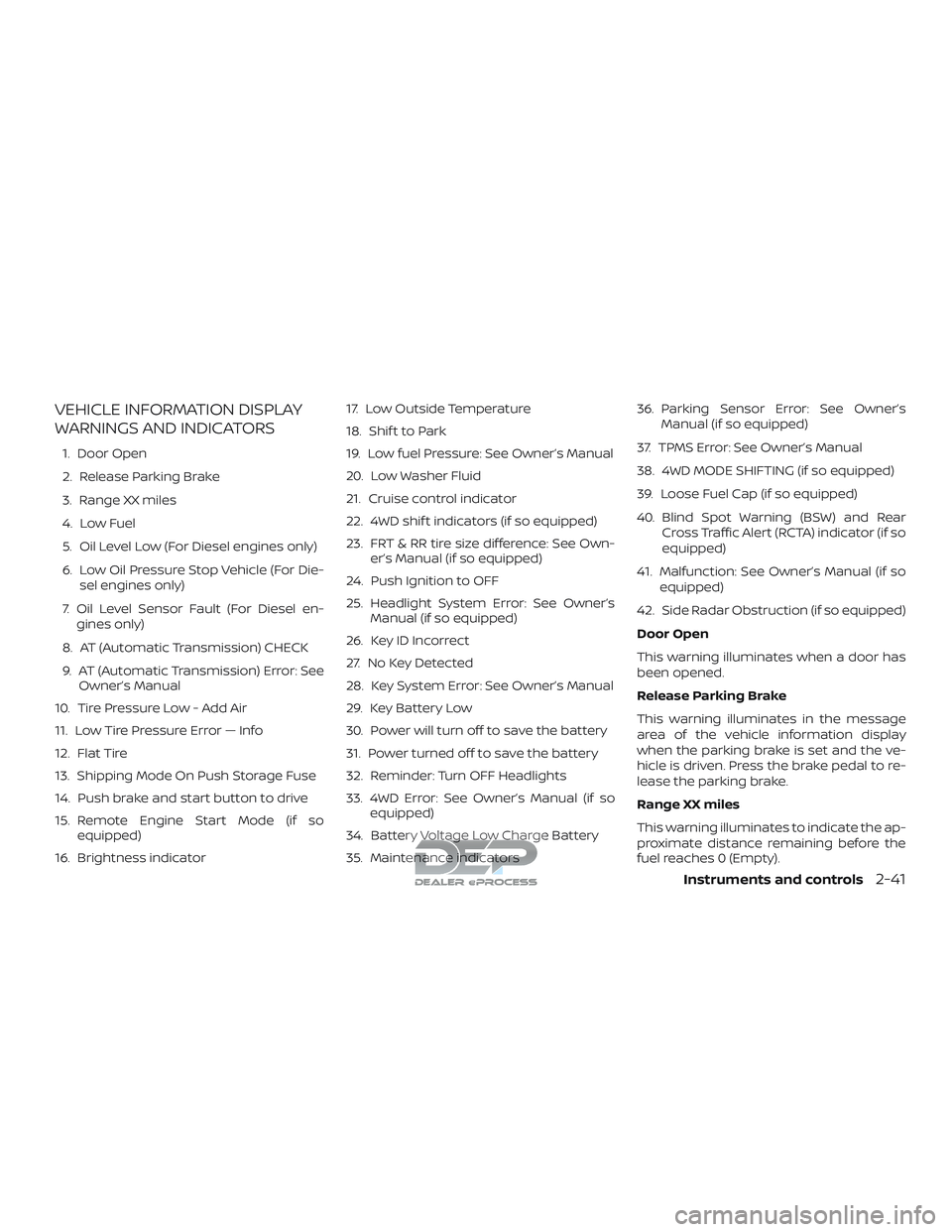
VEHICLE INFORMATION DISPLAY
WARNINGS AND INDICATORS
1. Door Open
2. Release Parking Brake
3. Range XX miles
4. Low Fuel
5. Oil Level Low (For Diesel engines only)
6. Low Oil Pressure Stop Vehicle (For Die-sel engines only)
7. Oil Level Sensor Fault (For Diesel en- gines only)
8. AT (Automatic Transmission) CHECK
9. AT (Automatic Transmission) Error: See Owner’s Manual
10. Tire Pressure Low - Add Air
11. Low Tire Pressure Error — Info
12. Flat Tire
13. Shipping Mode On Push Storage Fuse
14. Push brake and start button to drive
15. Remote Engine Start Mode (if so equipped)
16. Brightness indicator 17. Low Outside Temperature
18. Shif t to Park
19. Low fuel Pressure: See Owner’s Manual
20. Low Washer Fluid
21. Cruise control indicator
22. 4WD shif t indicators (if so equipped)
23. FRT & RR tire size difference: See Own-
er’s Manual (if so equipped)
24. Push Ignition to OFF
25. Headlight System Error: See Owner’s Manual (if so equipped)
26. Key ID Incorrect
27. No Key Detected
28. Key System Error: See Owner’s Manual
29. Key Battery Low
30. Power will turn off to save the battery
31. Power turned off to save the battery
32. Reminder: Turn OFF Headlights
33. 4WD Error: See Owner’s Manual (if so equipped)
34. Battery Voltage Low Charge Battery
35. Maintenance indicators 36. Parking Sensor Error: See Owner’s
Manual (if so equipped)
37. TPMS Error: See Owner’s Manual
38. 4WD MODE SHIFTING (if so equipped)
39. Loose Fuel Cap (if so equipped)
40. Blind Spot Warning (BSW) and Rear Cross Traffic Alert (RCTA) indicator (if so
equipped)
41. Malfunction: See Owner’s Manual (if so equipped)
42. Side Radar Obstruction (if so equipped)
Door Open
This warning illuminates when a door has
been opened.
Release Parking Brake
This warning illuminates in the message
area of the vehicle information display
when the parking brake is set and the ve-
hicle is driven. Press the brake pedal to re-
lease the parking brake.
Range XX miles
This warning illuminates to indicate the ap-
proximate distance remaining before the
fuel reaches 0 (Empty).
Instruments and controls2-41
Page 148 of 650
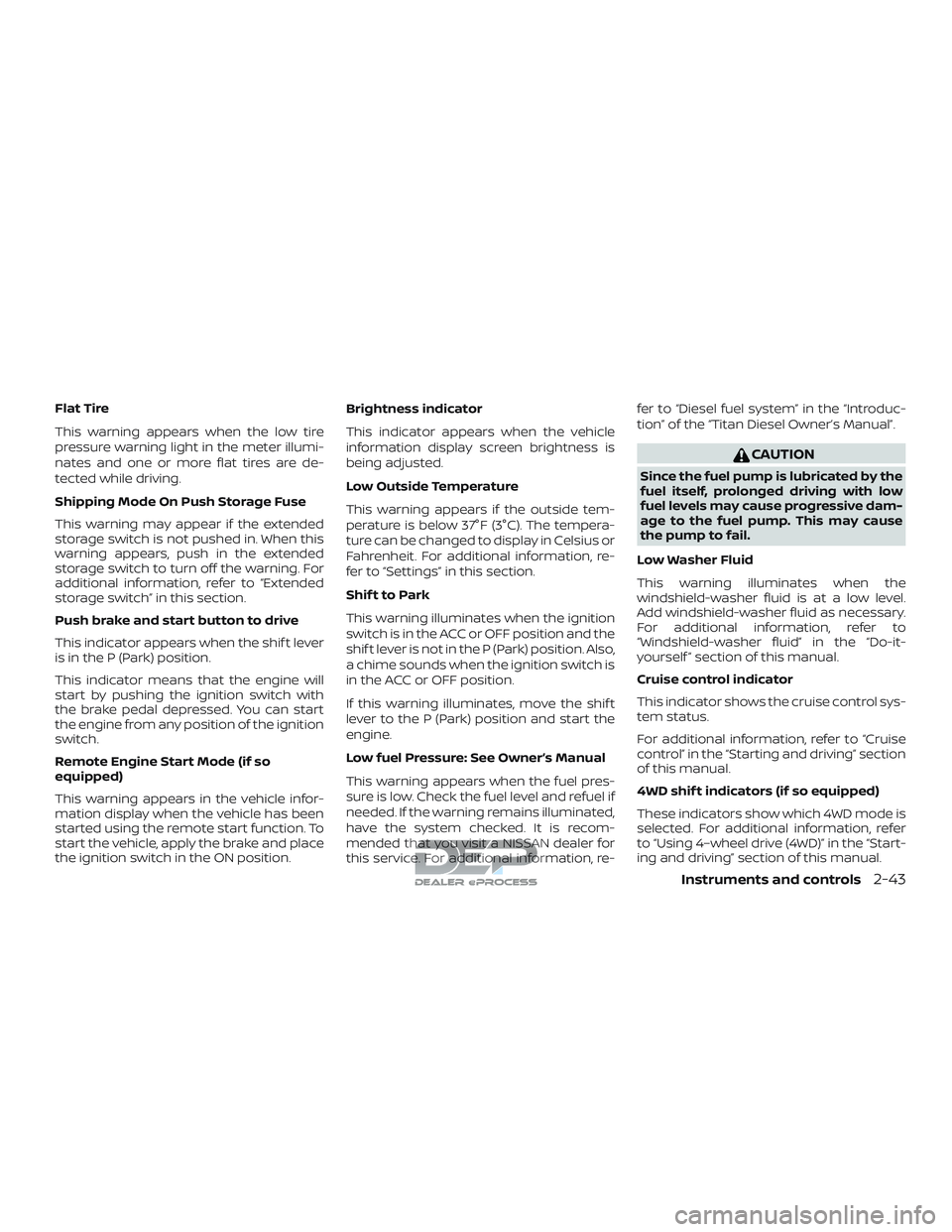
Flat Tire
This warning appears when the low tire
pressure warning light in the meter illumi-
nates and one or more flat tires are de-
tected while driving.
Shipping Mode On Push Storage Fuse
This warning may appear if the extended
storage switch is not pushed in. When this
warning appears, push in the extended
storage switch to turn off the warning. For
additional information, refer to “Extended
storage switch” in this section.
Push brake and start button to drive
This indicator appears when the shif t lever
is in the P (Park) position.
This indicator means that the engine will
start by pushing the ignition switch with
the brake pedal depressed. You can start
the engine from any position of the ignition
switch.
Remote Engine Start Mode (if so
equipped)
This warning appears in the vehicle infor-
mation display when the vehicle has been
started using the remote start function. To
start the vehicle, apply the brake and place
the ignition switch in the ON position.Brightness indicator
This indicator appears when the vehicle
information display screen brightness is
being adjusted.
Low Outside Temperature
This warning appears if the outside tem-
perature is below 37°F (3°C). The tempera-
ture can be changed to display in Celsius or
Fahrenheit. For additional information, re-
fer to “Settings” in this section.
Shif t to Park
This warning illuminates when the ignition
switch is in the ACC or OFF position and the
shif t lever is not in the P (Park) position. Also,
a chime sounds when the ignition switch is
in the ACC or OFF position.
If this warning illuminates, move the shif t
lever to the P (Park) position and start the
engine.
Low fuel Pressure: See Owner’s Manual
This warning appears when the fuel pres-
sure is low. Check the fuel level and refuel if
needed. If the warning remains illuminated,
have the system checked. It is recom-
mended that you visit a NISSAN dealer for
this service. For additional information, re-fer to “Diesel fuel system” in the “Introduc-
tion” of the “Titan Diesel Owner’s Manual”.
CAUTION
Since the fuel pump is lubricated by the
fuel itself, prolonged driving with low
fuel levels may cause progressive dam-
age to the fuel pump. This may cause
the pump to fail.
Low Washer Fluid
This warning illuminates when the
windshield-washer fluid is at a low level.
Add windshield-washer fluid as necessary.
For additional information, refer to
“Windshield-washer fluid” in the “Do-it-
yourself ” section of this manual.
Cruise control indicator
This indicator shows the cruise control sys-
tem status.
For additional information, refer to “Cruise
control” in the “Starting and driving” section
of this manual.
4WD shif t indicators (if so equipped)
These indicators show which 4WD mode is
selected. For additional information, refer
to “Using 4–wheel drive (4WD)” in the “Start-
ing and driving” section of this manual.
Instruments and controls2-43
Page 150 of 650
Power turned off to save the battery
This warning appears af ter the ignition
switch is automatically turned off to save
the battery.
Reminder: Turn OFF Headlights
This warning appears when the headlights
are lef t in the ON position when exiting the
vehicle. Place the headlight switch in the
OFF or AUTO position. For additional infor-
mation, refer to “Headlight switch” in this
section.
4WD Error: See Owner’s Manual (if so
equipped)
This warning appears when the 4-wheel
drive system is not functioning properly
while the engine is running.
Battery Voltage Low Charge Battery
This warning appears when the battery is
low and needs to be charged.
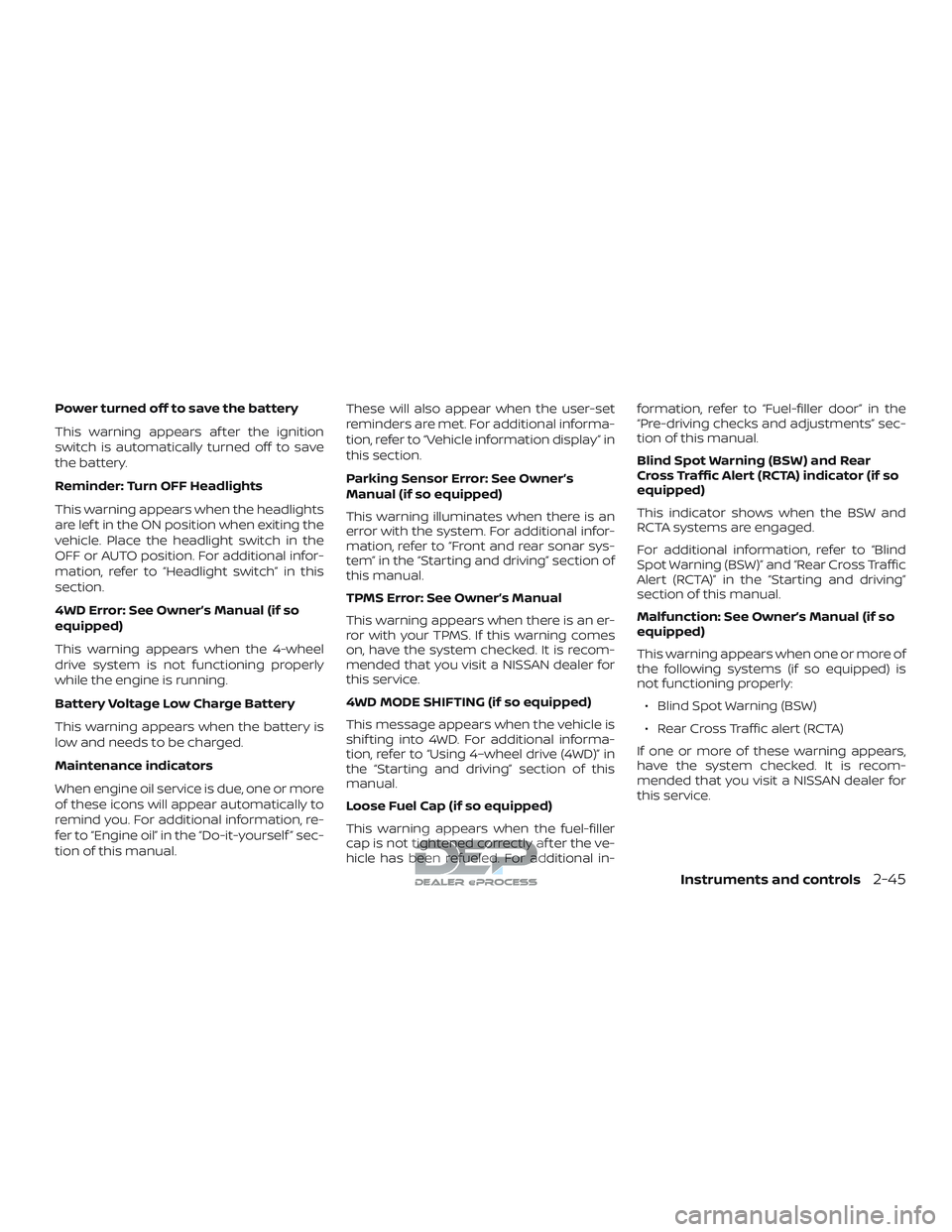
Maintenance indicators
When engine oil service is due, one or more
of these icons will appear automatically to
remind you. For additional information, re-
fer to “Engine oil” in the “Do-it-yourself ” sec-
tion of this manual.These will also appear when the user-set
reminders are met. For additional informa-
tion, refer to “Vehicle information display” in
this section.
Parking Sensor Error: See Owner’s
Manual (if so equipped)
This warning illuminates when there is an
error with the system. For additional infor-
mation, refer to “Front and rear sonar sys-
tem” in the “Starting and driving” section of
this manual.
TPMS Error: See Owner’s Manual
This warning appears when there is an er-
ror with your TPMS. If this warning comes
on, have the system checked. It is recom-
mended that you visit a NISSAN dealer for
this service.
4WD MODE SHIFTING (if so equipped)
This message appears when the vehicle is
shif ting into 4WD. For additional informa-
tion, refer to “Using 4–wheel drive (4WD)” in
the “Starting and driving” section of this
manual.
Loose Fuel Cap (if so equipped)
This warning appears when the fuel-filler
cap is not tightened correctly af ter the ve-
hicle has been refueled. For additional in-formation, refer to “Fuel-filler door” in the
“Pre-driving checks and adjustments” sec-
tion of this manual.
Blind Spot Warning (BSW) and Rear
Cross Traffic Alert (RCTA) indicator (if so
equipped)
This indicator shows when the BSW and
RCTA systems are engaged.
For additional information, refer to “Blind
Spot Warning (BSW)” and “Rear Cross Traffic
Alert (RCTA)” in the “Starting and driving”
section of this manual.
Malfunction: See Owner’s Manual (if so
equipped)
This warning appears when one or more of
the following systems (if so equipped) is
not functioning properly:
∙ Blind Spot Warning (BSW)
∙ Rear Cross Traffic alert (RCTA)
If one or more of these warning appears,
have the system checked. It is recom-
mended that you visit a NISSAN dealer for
this service.
Instruments and controls2-45
Page 172 of 650
To turn off the hill descent control system,
push the switch to the OFF position.
For additional information, refer to “Hill de-
scent control system ON indicator light” in
this section and “Hill descent control sys-
tem” in the “Starting and driving” section of
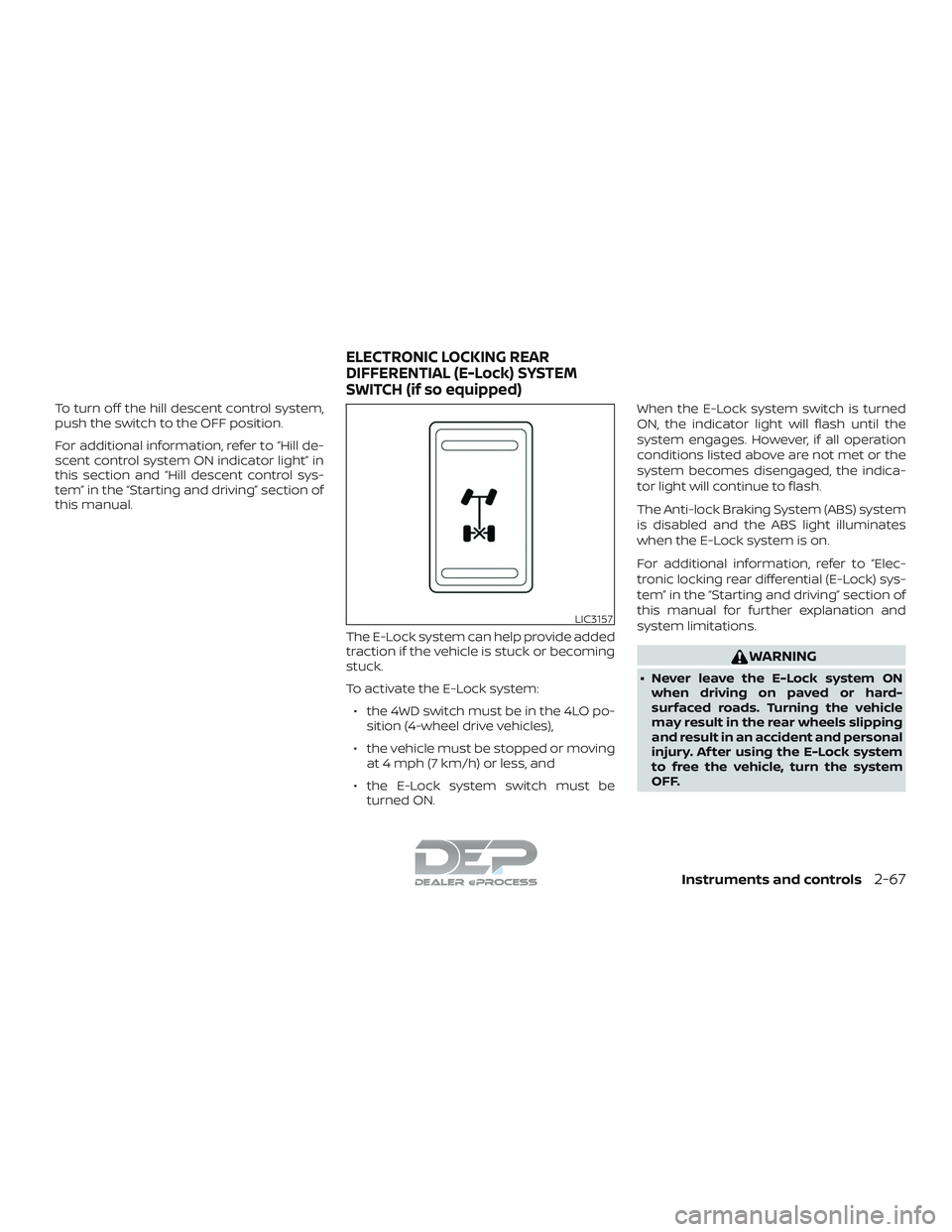
this manual.The E-Lock system can help provide added
traction if the vehicle is stuck or becoming
stuck.
To activate the E-Lock system:∙ the 4WD switch must be in the 4LO po- sition (4-wheel drive vehicles),
∙ the vehicle must be stopped or moving at 4 mph (7 km/h) or less, and
∙ the E-Lock system switch must be turned ON. When the E-Lock system switch is turned
ON, the indicator light will flash until the
system engages. However, if all operation
conditions listed above are not met or the
system becomes disengaged, the indica-
tor light will continue to flash.
The Anti-lock Braking System (ABS) system
is disabled and the ABS light illuminates
when the E-Lock system is on.
For additional information, refer to “Elec-
tronic locking rear differential (E-Lock) sys-
tem” in the “Starting and driving” section of
this manual for further explanation and
system limitations.
WARNING
∙ Never leave the E-Lock system ON
when driving on paved or hard-
surfaced roads. Turning the vehicle
may result in the rear wheels slipping
and result in an accident and personal
injury. Af ter using the E-Lock system
to free the vehicle, turn the system
OFF.
LIC3157
ELECTRONIC LOCKING REAR
DIFFERENTIAL (E-Lock) SYSTEM
SWITCH (if so equipped)
Instruments and controls2-67
Page 398 of 650
Using 4–wheel drive (4WD) (if so equipped)......5-45
Transfer case shif ting procedures ...........5-46
Electronic locking rear differential (E-Lock)
system (if so equipped) ......................... 5-52
Eco Drive Report (if so equipped) ...............5-54
Parking/parking on hills ........................5-55
Power steering ................................. 5-56
Brake system ................................... 5-56
Brake precautions ........................... 5-56
Anti-lock Braking System (ABS) ..............5-57
Brake assist ................................. 5-58
Active brake limited slip (ABLS) system ..........5-59
Vehicle Dynamic Control (VDC) system .........5-60
Brake force distribution ......................5-61
Hill Descent Control System (if so equipped) ....5-62
Hill start assist system .......................... 5-63Front and rear sonar system (if so equipped) . . . 5-64
System operation ........................... 5-65
How to enable/disable the Sonar
system ...................................... 5-67
Sonar limitations ............................ 5-68
System maintenance ........................ 5-69
Cold weather driving ........................... 5-69
Freeing a frozen door lock ...................5-69
Antifreeze ................................... 5-69
Battery...................................... 5-69
Draining of coolant water ....................5-70
Tire equipment .............................. 5-70
Special winter equipment ...................5-70
Driving on snow or ice .......................5-70
Engine block heater (if so equipped) .........5-71
Page 407 of 650
∙ Lower your speed when encounteringstrong crosswinds. With a higher cen-
ter of gravity, your NISSAN is more af-
fected by strong side winds. Slower
speeds ensure better vehicle control.
∙ Do not drive beyond the performance capability of the tires, even with 4WD
engaged.
∙ For 4WD equipped vehicles, do not at- tempt to raise two wheels off the
ground and shif t the transmission to
any drive or reverse position with the
engine running. Doing so may result
in drivetrain damage or unexpected
vehicle movement which could result
in serious vehicle damage or personal
injury. ∙ Do not attempt to test a 4WD
equipped vehicle on a 2-wheel dyna-
mometer (such as the dynamometers
used by some states for emissions
testing), or similar equipment even if
the other two wheels are raised off the
ground. Make sure you inform test fa-
cility personnel that your vehicle is
equipped with 4WD before it is placed
on a dynamometer. Using the wrong
test equipment may result in drive-
train damage or unexpected vehicle
movement which could result in seri-
ous vehicle damage or personal
injury.
∙ Accelerating quickly, sharp steering maneuvers or sudden braking may
cause loss of control.
∙ If at all possible, avoid sharp turning maneuvers, particularly at high
speeds. Your NISSAN 4-wheel drive
vehicle has a higher center of gravity
than a passenger car. The vehicle is
not designed for cornering at the
same speeds as passenger cars. Fail-
ure to operate this vehicle correctly
could result in loss of control and/or a
rollover accident. ∙ Always use tires of the same type,
size, brand, construction (bias, bias-
belted, or radial), and tread pattern on
all four wheels. Install tire chains on
the rear wheels when driving on slip-
pery roads and drive carefully.
∙ Be sure to check the brakes immedi- ately af ter driving in mud or water. For
additional information, refer to “Wet
brakes” in this section.
∙ Avoid parking your vehicle on steep hills. If you get out of the vehicle and it
rolls forward, backward or sideways,
you could be injured.
∙ Whenever you drive off-road through sand, mud or water as deep as the
wheel hub, more frequent mainte-
nance may be required. For additional
information, refer to “Maintenance
schedules” in the “Maintenance and
schedules” section of this manual.
5-10Starting and driving
Page 442 of 650
∙ Keep your engine tuned up.
∙ Follow the recommended scheduledmaintenance.
∙ Keep the tires inflated to the correct pressure. Low tire pressure increases
tire wear and lowers fuel economy.
∙ Keep the wheels in correct alignment. Improper alignment increases tire wear
and lowers fuel economy.
∙ For vehicles equipped with
, use
4H or 4L position only when necessary.
4-wheel drive operation lowers fuel
economy.
∙ Use the recommended viscosity engine oil. For additional information, refer to
“Engine oil and oil filter recommenda-
tions” in the “Technical and consumer
information” section of this manual.
WARNING
∙ For 4WD equipped vehicles, do not at-tempt to raise two wheels off the
ground and shif t the transmission to
any drive or reverse position with the
engine running. Doing so may result
in drivetrain damage or unexpected
vehicle movement which could result
in serious vehicle damage or personal
injury.
∙ Do not attempt to test a 4WD equipped vehicle on a 2-wheel dyna-
mometer (such as the dynamometers
used by some states for emissions
testing), or similar equipment even if
the other two wheels are raised off the
ground. Make sure you inform test fa-
cility personnel that your vehicle is
equipped with 4WD before it is placed
on a dynamometer. Using the wrong
test equipment may result in drive-
train damage or unexpected vehicle
movement which could result in seri-
ous vehicle damage or personal
injury.
CAUTION
∙ Do not drive the vehicle in the 4H or4LO position on dry hard surface
roads. Driving on dry, hard surfaces in
4H or 4LO may cause unnecessary
noise, tire wear and increased fuel
consumption.
If the 4WD warning light or vehicle in-
formation display warning message
turns on when you are driving on dry
hard surface roads:
– in the 4H position, shif t the 4WD shif t switch to 2WD.
– in the 4LO position, stop the ve- hicle, move the shif t lever to the N
(Neutral) position with the brake
pedal depressed, and shif t the
4WD shif t switch to 2WD.
∙ If the warning light or vehicle infor- mation display warning message is
still on af ter the above operation,
have your vehicle checked as soon as
possible. It is recommended that you
visit a NISSAN dealer for this service.
INCREASING FUEL ECONOMY USING 4–WHEEL DRIVE (4WD) (if so
equipped)
Starting and driving5-45
Page 443 of 650
TRANSFER CASE SHIFTING
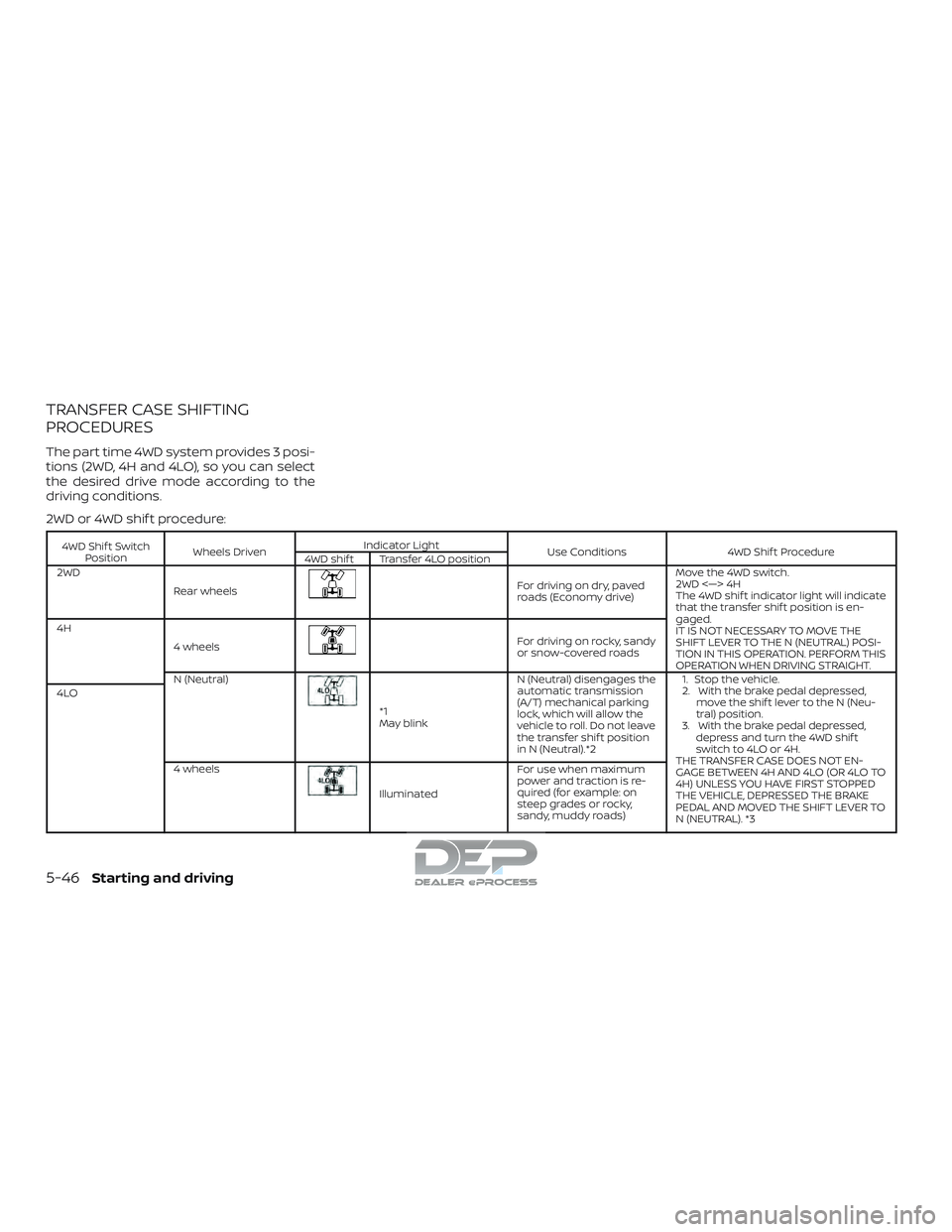
PROCEDURES
The part time 4WD system provides 3 posi-
tions (2WD, 4H and 4LO), so you can select
the desired drive mode according to the
driving conditions.
2WD or 4WD shif t procedure:
4WD Shif t SwitchPosition Wheels Driven Indicator Light
Use Conditions4WD Shif t Procedure
4WD shif t Transfer 4LO position
2WD
Rear wheels
For driving on dry, paved
roads (Economy drive) Move the 4WD switch.
2WD <—> 4H
The 4WD shif t indicator light will indicate
that the transfer shif t position is en-
gaged.
IT IS NOT NECESSARY TO MOVE THE
SHIFT LEVER TO THE N (NEUTRAL) POSI-
TION IN THIS OPERATION. PERFORM THIS
OPERATION WHEN DRIVING STRAIGHT.
4H
4 wheels
For driving on rocky, sandy
or snow-covered roads
N (Neutral)
*1
May blink N (Neutral) disengages the
automatic transmission
(A/T) mechanical parking
lock, which will allow the
vehicle to roll. Do not leave
the transfer shif t position
in N (Neutral).*2 1. Stop the vehicle.
2. With the brake pedal depressed,
move the shif t lever to the N (Neu-
tral) position.
3. With the brake pedal depressed, depress and turn the 4WD shif t
switch to 4LO or 4H.
THE TRANSFER CASE DOES NOT EN-
GAGE BETWEEN 4H AND 4LO (OR 4LO TO
4H) UNLESS YOU HAVE FIRST STOPPED
THE VEHICLE, DEPRESSED THE BRAKE
PEDAL AND MOVED THE SHIFT LEVER TO
N (NEUTRAL). *3
4LO
4 wheels
Illuminated For use when maximum
power and traction is re-
quired (for example: on
steep grades or rocky,
sandy, muddy roads)
5-46Starting and driving
Page 444 of 650
*1: Before moving the shif t lever from N (Neutral), wait until the 4LO indicator light stays on steady. This indicates that the 4WD shif tprocedure is completed and the transfer gear is correctly set in the 4LO position. If the vehicle is shif ted into gear before the indicator
is on steady, the transfer gear may grind, not engage correctly or stay in the N (Neutral) position.
- If the 4WD warning light or vehicle information display warning message illuminates, perform the following procedure to return the
transfer case to the correct operating condition.
1. Turn off the engine by placing the ignition switch in the OFF position.
2. Start the engine.
- Check that the 4WD warning light or vehicle information display warning message turns off. If the 4WD light illuminates, have the
system checked. It is recommended that you visit a NISSAN dealer for this service.
3. Apply the parking brake, depress the brake pedal and move the shif t lever to the N (Neutral) position.
4. With the brake pedal depressed, move the 4WD shif t switch to the desired mode.
- Be sure to wait until the transfer gear change completes before shif ting the shif t lever from the N (Neutral) position.
*2: While changing in and out of 4LO, the ignition switch must be in the ON position and the vehicle’s engine must be running for a shif t to take place and for the indicator lights (4WD shif t and 4LO position indicator) to be operable. Otherwise, the shif t will not take place and
no indicator lights will be on or flashing.
*3: Make sure the transfer 4LO position indicator light turns on when you shif t the 4WD shif t switch to 4LO. The
indicator light will also
turn on when 4LO is selected. For additional information, refer to “Vehicle Dynamic Control (VDC) system” in this section.
Starting and driving5-47
Page 445 of 650
The transfer case 4WD shif t switch is used
to select either 2WD or 4WD depending on
the driving conditions. There are three
types of drive modes available: 2WD, 4H and
4LO.
The 4WD shif t switch electronically controls
the transfer case operation. Rotate the
switch to move between each mode: 2WD,
4H and 4LO.
To change into or out of 4LO, the vehicle
MUST be stationary, move the shif t lever
to N (Neutral), and depress the brake
pedal. The switch must be pushed and
turned to select 4LO.
WARNING
∙ When parking, apply the parkingbrake before stopping the engine and
make sure that the 4WD shif t indica-
tor light is on and the Automatic
Transmission park (ATP) warning light
goes off. Otherwise, the vehicle could
unexpectedly move even if the A/T is
in the P position. ∙ The 4LO indicator light must stop
blinking and remain illuminated or
turn off before shif ting the transmis-
sion into gear. If the shif t lever is
shif ted from the N (Neutral) position
to any other gear when the 4LO indi-
cator light is blinking, the vehicle may
move unexpectedly.
CAUTION
∙ Never shif t the 4WD shif t switch be-tween 4LO and 4H while driving.
∙ The 4H position provides greater trac- tion. Avoid excessive speed, as it will
cause increased fuel consumption
and higher oil temperatures, and
could damage drivetrain compo-
nents. Speeds over 62 mph
(100 km/h) in 4H is not recommended.
∙ The 4LO position provides maximum power and traction. Avoid raising ve-
hicle speed excessively, as the maxi-
mum speed is approximately 31 mph
(50 km/h).
∙ When driving straight, shif t the 4WD shif t switch to the 2WD or 4H position.
Do not move the 4WD shif t switch
when making a turn or reversing. ∙ Do not shif t the 4WD shif t switch (be-
tween 2WD and 4H) while driving on
steep downhill grades. Use the engine
brake and low A/T gears (M1 or M2) for
engine braking.
∙ Do not operate the 4WD shif t switch (between 2WD and 4H) with the rear
wheels spinning.
∙ Do not drive on dry hard surface roads in the 4H or 4LO position. Driving on
dry hard surfaces in 4H or 4LO may
cause unnecessary noise and tire
wear. NISSAN recommends driving in
the 2WD position under these
conditions.
∙ The 4WD transfer case may not be shif ted between 4H and 4LO at low
ambient temperatures and the trans-
fer 4LO position indicator light may
blink even when the 4WD shif t switch
is shif ted. Af ter driving for a while you
can change the 4WD transfer case be-
tween 4H and 4LO.
When driving on rough roads, ∙ Set the 4WD shif t switch to 4H or 4LO.
∙ Drive carefully according to the road surface conditions.
5-48Starting and driving