tire pressure NISSAN TITAN 2018 Owner´s Manual
[x] Cancel search | Manufacturer: NISSAN, Model Year: 2018, Model line: TITAN, Model: NISSAN TITAN 2018Pages: 650, PDF Size: 7.54 MB
Page 12 of 650
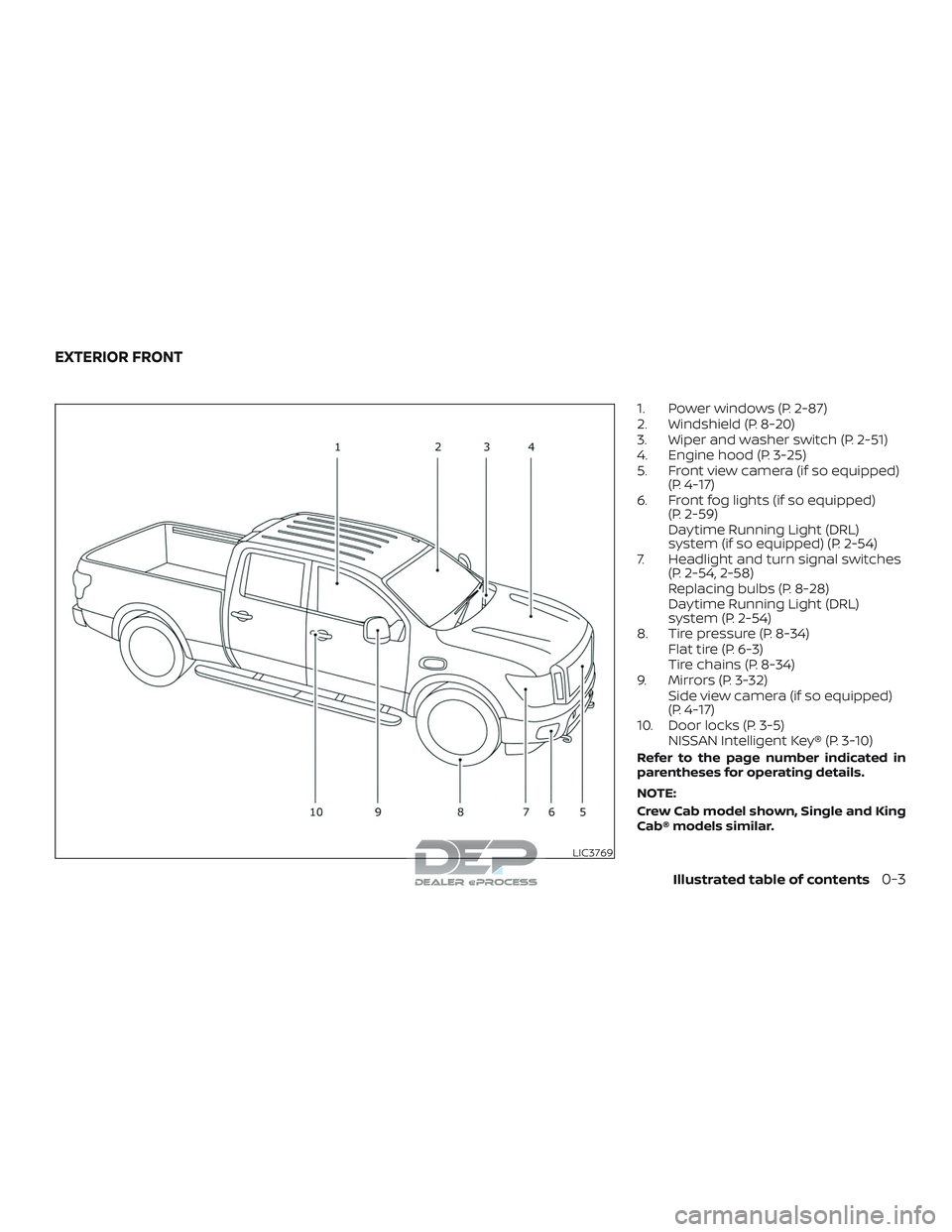
1. Power windows (P. 2-87)
2. Windshield (P. 8-20)
3. Wiper and washer switch (P. 2-51)
4. Engine hood (P. 3-25)
5. Front view camera (if so equipped)(P. 4-17)
6. Front fog lights (if so equipped) (P. 2-59)
Daytime Running Light (DRL)
system (if so equipped) (P. 2-54)
7. Headlight and turn signal switches (P. 2-54, 2-58)
Replacing bulbs (P. 8-28)
Daytime Running Light (DRL)
system (P. 2-54)
8. Tire pressure (P. 8-34) Flat tire (P. 6-3)
Tire chains (P. 8-34)
9. Mirrors (P. 3-32) Side view camera (if so equipped)
(P. 4-17)
10. Door locks (P. 3-5) NISSAN Intelligent Key® (P. 3-10)
Refer to the page number indicated in
parentheses for operating details.
NOTE:
Crew Cab model shown, Single and King
Cab® models similar.
LIC3769
EXTERIOR FRONT
Illustrated table of contents0-3
Page 20 of 650
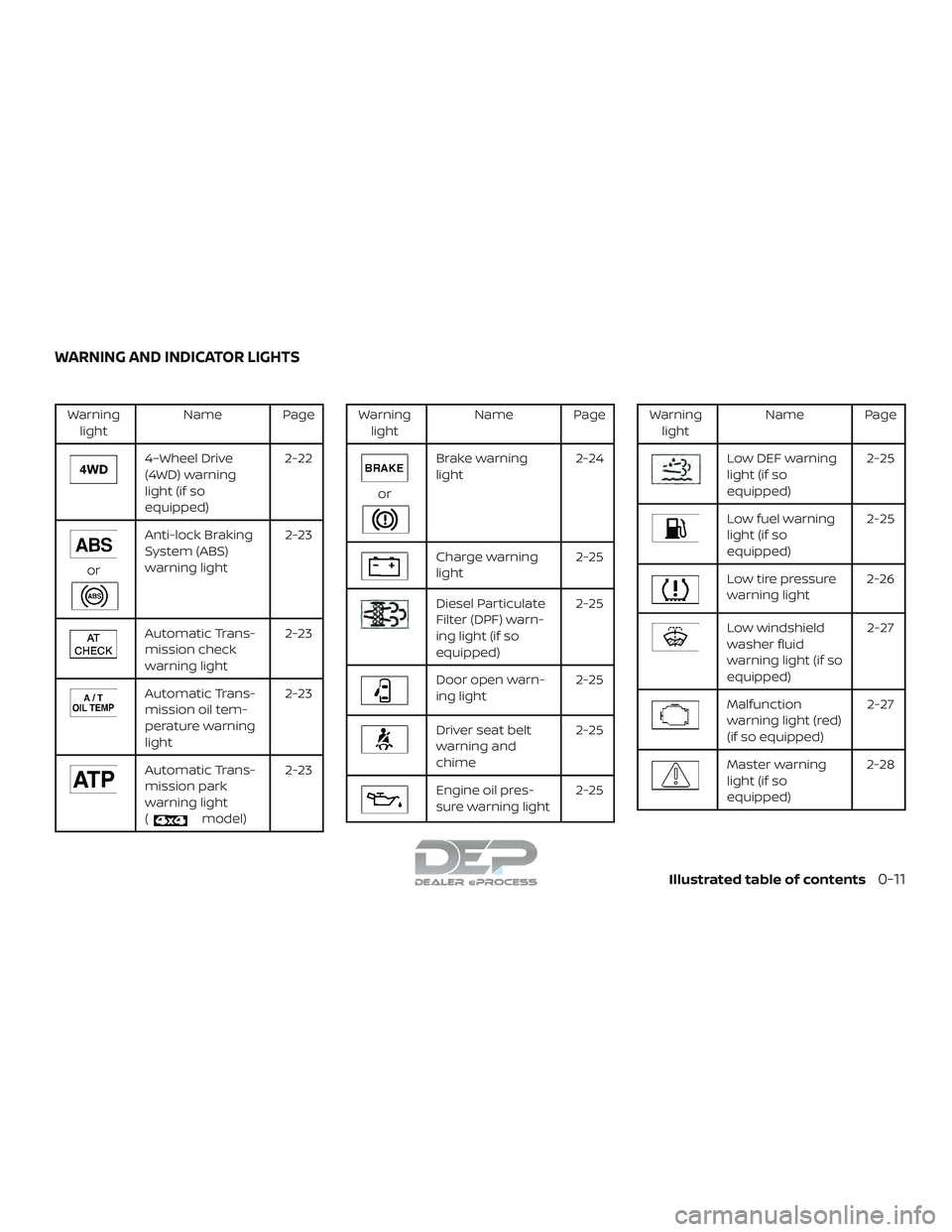
Warninglight Name Page
4–Wheel Drive
(4WD) warning
light (if so
equipped) 2-22
or
Anti-lock Braking
System (ABS)
warning light
2-23
Automatic Trans-
mission check
warning light2-23
Automatic Trans-
mission oil tem-
perature warning
light2-23
Automatic Trans-
mission park
warning light
(
model)2-23
Warning
light Name Page
or
Brake warning
light 2-24
Charge warning
light 2-25
Diesel Particulate
Filter (DPF) warn-
ing light (if so
equipped)2-25
Door open warn-
ing light
2-25
Driver seat belt
warning and
chime2-25
Engine oil pres-
sure warning light
2-25
Warning
light Name Page
Low DEF warning
light (if so
equipped) 2-25
Low fuel warning
light (if so
equipped)2-25
Low tire pressure
warning light
2-26
Low windshield
washer fluid
warning light (if so
equipped) 2-27
Malfunction
warning light (red)
(if so equipped)
2-27
Master warning
light (if so
equipped)2-28
WARNING AND INDICATOR LIGHTS
Illustrated table of contents0-11
Page 120 of 650
Time
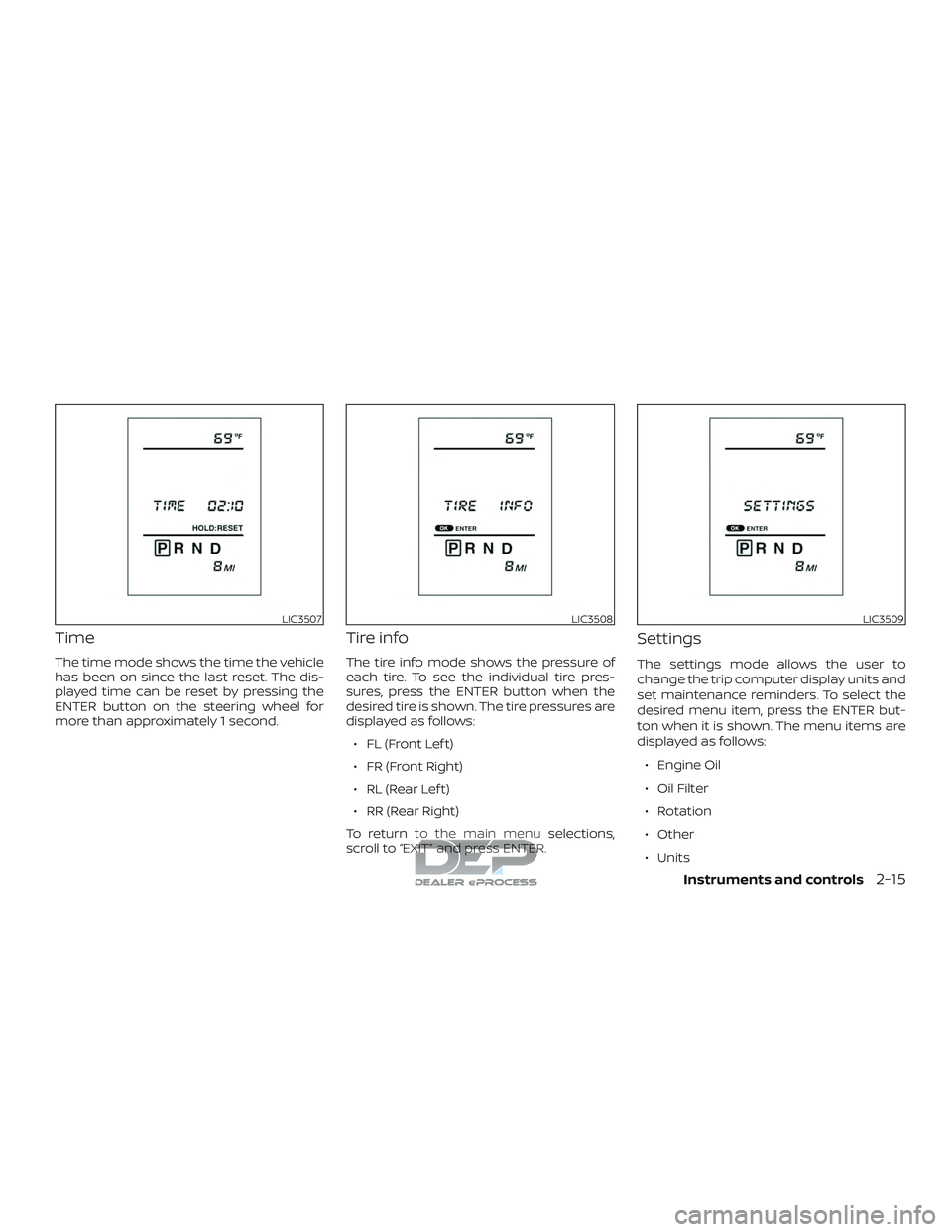
The time mode shows the time the vehicle
has been on since the last reset. The dis-
played time can be reset by pressing the
ENTER button on the steering wheel for
more than approximately 1 second.
Tire info
The tire info mode shows the pressure of
each tire. To see the individual tire pres-
sures, press the ENTER button when the
desired tire is shown. The tire pressures are
displayed as follows:∙ FL (Front Lef t)
∙ FR (Front Right)
∙ RL (Rear Lef t)
∙ RR (Rear Right)
To return to the main menu selections,
scroll to “EXIT” and press ENTER.
Settings
The settings mode allows the user to
change the trip computer display units and
set maintenance reminders. To select the
desired menu item, press the ENTER but-
ton when it is shown. The menu items are
displayed as follows:
∙ Engine Oil
∙ Oil Filter
∙ Rotation
∙ Other
∙ Units
LIC3507LIC3508LIC3509
Instruments and controls2-15
Page 121 of 650
To return to the main menu selections,
scroll to “EXIT” and press ENTER.
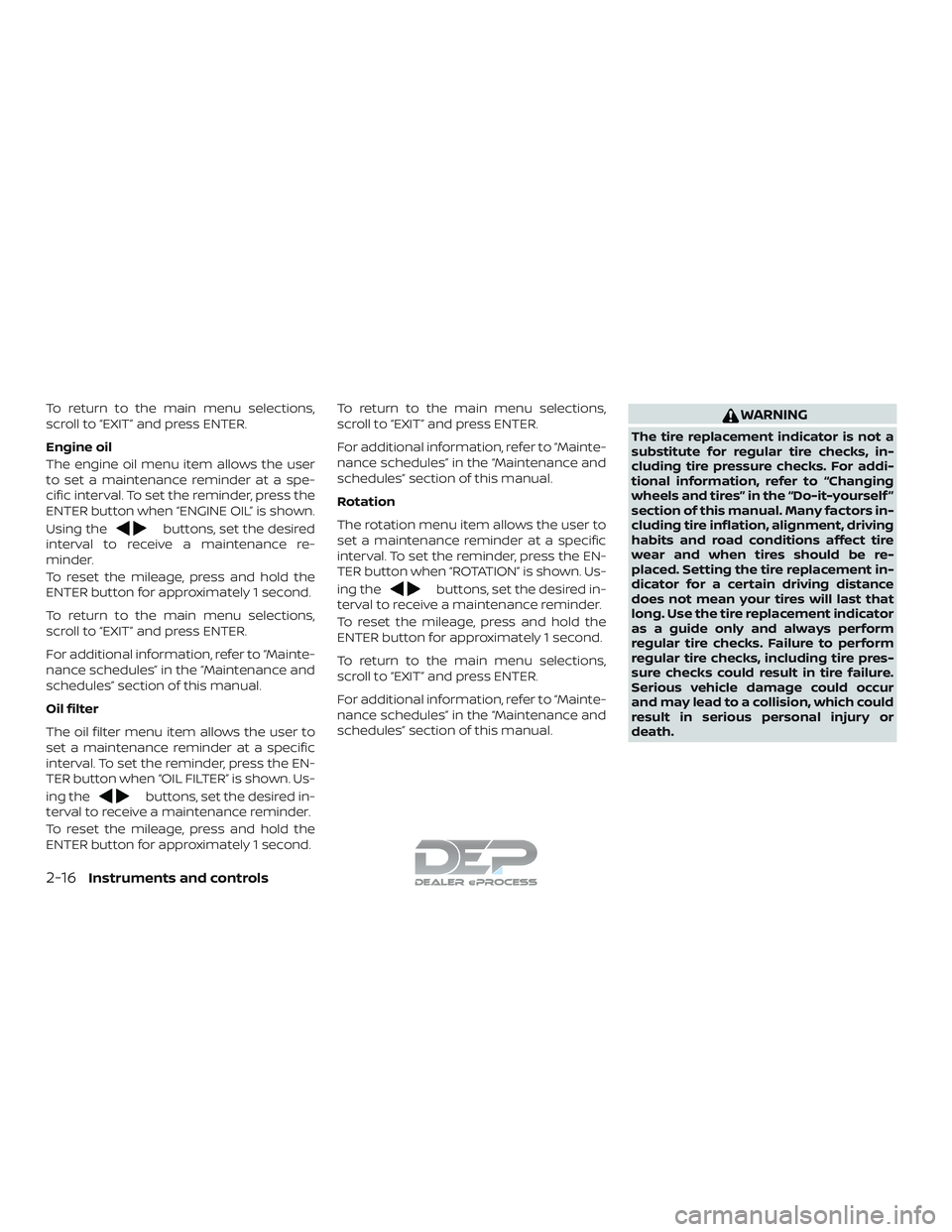
Engine oil
The engine oil menu item allows the user
to set a maintenance reminder at a spe-
cific interval. To set the reminder, press the
ENTER button when “ENGINE OIL” is shown.
Using the
buttons, set the desired
interval to receive a maintenance re-
minder.
To reset the mileage, press and hold the
ENTER button for approximately 1 second.
To return to the main menu selections,
scroll to “EXIT” and press ENTER.
For additional information, refer to “Mainte-
nance schedules” in the “Maintenance and
schedules” section of this manual.
Oil filter
The oil filter menu item allows the user to
set a maintenance reminder at a specific
interval. To set the reminder, press the EN-
TER button when “OIL FILTER” is shown. Us-
ing the
buttons, set the desired in-
terval to receive a maintenance reminder.
To reset the mileage, press and hold the
ENTER button for approximately 1 second. To return to the main menu selections,
scroll to “EXIT” and press ENTER.
For additional information, refer to “Mainte-
nance schedules” in the “Maintenance and
schedules” section of this manual.
Rotation
The rotation menu item allows the user to
set a maintenance reminder at a specific
interval. To set the reminder, press the EN-
TER button when “ROTATION” is shown. Us-
ing the
buttons, set the desired in-
terval to receive a maintenance reminder.
To reset the mileage, press and hold the
ENTER button for approximately 1 second.
To return to the main menu selections,
scroll to “EXIT” and press ENTER.
For additional information, refer to “Mainte-
nance schedules” in the “Maintenance and
schedules” section of this manual.
WARNING
The tire replacement indicator is not a
substitute for regular tire checks, in-
cluding tire pressure checks. For addi-
tional information, refer to “Changing
wheels and tires” in the “Do-it-yourself ”
section of this manual. Many factors in-
cluding tire inflation, alignment, driving
habits and road conditions affect tire
wear and when tires should be re-
placed. Setting the tire replacement in-
dicator for a certain driving distance
does not mean your tires will last that
long. Use the tire replacement indicator
as a guide only and always perform
regular tire checks. Failure to perform
regular tire checks, including tire pres-
sure checks could result in tire failure.
Serious vehicle damage could occur
and may lead to a collision, which could
result in serious personal injury or
death.
2-16Instruments and controls
Page 126 of 650
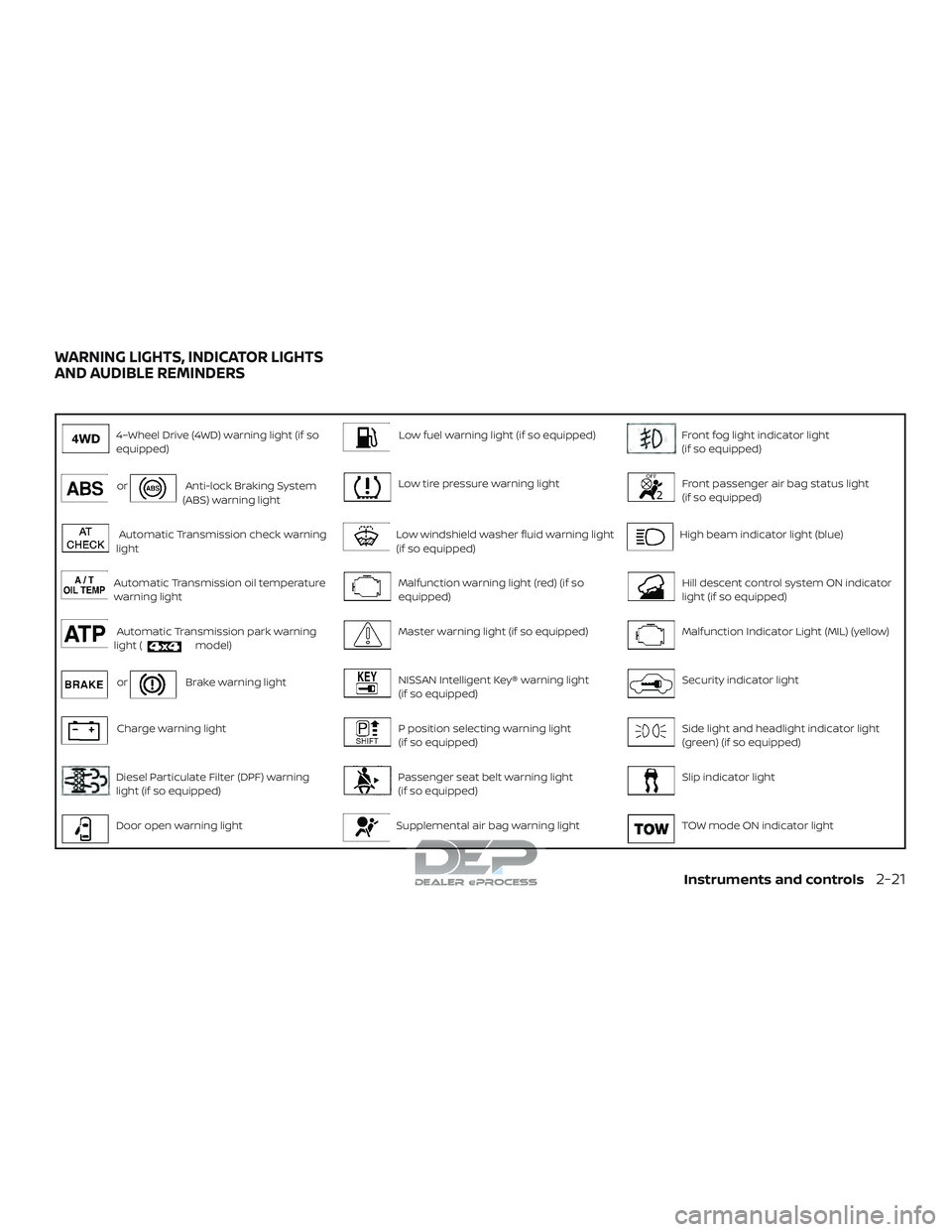
4–Wheel Drive (4WD) warning light (if so
equipped)Low fuel warning light (if so equipped)Front fog light indicator light
(if so equipped)
orAnti-lock Braking System
(ABS) warning lightLow tire pressure warning lightFront passenger air bag status light
(if so equipped)
Automatic Transmission check warning
lightLow windshield washer fluid warning light
(if so equipped)High beam indicator light (blue)
Automatic Transmission oil temperature
warning lightMalfunction warning light (red) (if so
equipped)Hill descent control system ON indicator
light (if so equipped)
Automatic Transmission park warning
light (model)Master warning light (if so equipped)Malfunction Indicator Light (MIL) (yellow)
orBrake warning lightNISSAN Intelligent Key® warning light
(if so equipped)Security indicator light
Charge warning lightP position selecting warning light
(if so equipped)Side light and headlight indicator light
(green) (if so equipped)
Diesel Particulate Filter (DPF) warning
light (if so equipped)Passenger seat belt warning light
(if so equipped)Slip indicator light
Door open warning lightSupplemental air bag warning lightTOW mode ON indicator light
WARNING LIGHTS, INDICATOR LIGHTS
AND AUDIBLE REMINDERS
Instruments and controls2-21
Page 131 of 650
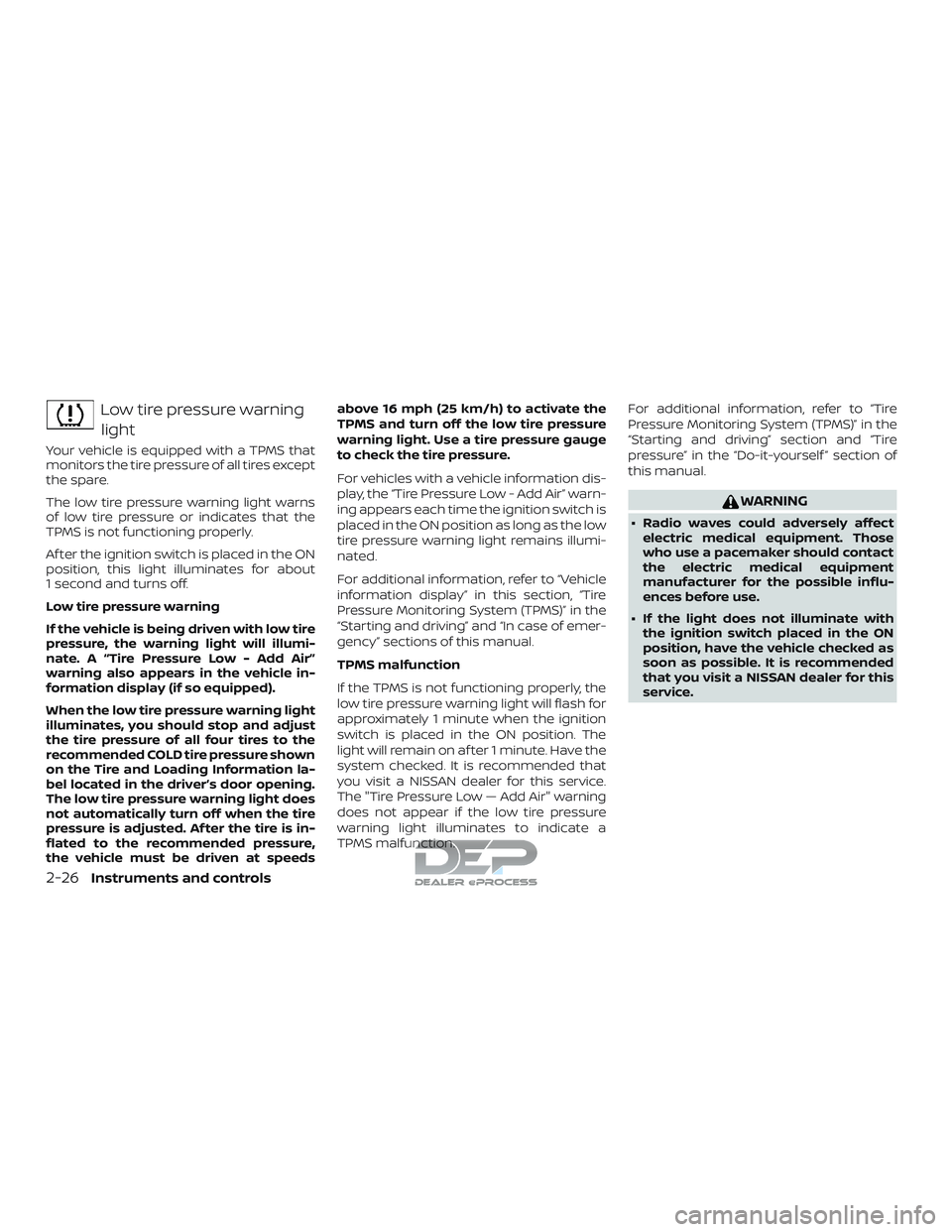
Low tire pressure warninglight
Your vehicle is equipped with a TPMS that
monitors the tire pressure of all tires except
the spare.
The low tire pressure warning light warns
of low tire pressure or indicates that the
TPMS is not functioning properly.
Af ter the ignition switch is placed in the ON
position, this light illuminates for about
1 second and turns off.
Low tire pressure warning
If the vehicle is being driven with low tire
pressure, the warning light will illumi-
nate. A “Tire Pressure Low - Add Air”
warning also appears in the vehicle in-
formation display (if so equipped).
When the low tire pressure warning light
illuminates, you should stop and adjust
the tire pressure of all four tires to the
recommended COLD tire pressure shown
on the Tire and Loading Information la-
bel located in the driver’s door opening.
The low tire pressure warning light does
not automatically turn off when the tire
pressure is adjusted. Af ter the tire is in-
flated to the recommended pressure,
the vehicle must be driven at speeds above 16 mph (25 km/h) to activate the
TPMS and turn off the low tire pressure
warning light. Use a tire pressure gauge
to check the tire pressure.
For vehicles with a vehicle information dis-
play, the “Tire Pressure Low - Add Air” warn-
ing appears each time the ignition switch is
placed in the ON position as long as the low
tire pressure warning light remains illumi-
nated.
For additional information, refer to “Vehicle
information display” in this section, “Tire
Pressure Monitoring System (TPMS)” in the
“Starting and driving” and “In case of emer-
gency” sections of this manual.
TPMS malfunction
If the TPMS is not functioning properly, the
low tire pressure warning light will flash for
approximately 1 minute when the ignition
switch is placed in the ON position. The
light will remain on af ter 1 minute. Have the
system checked. It is recommended that
you visit a NISSAN dealer for this service.
The "Tire Pressure Low — Add Air" warning
does not appear if the low tire pressure
warning light illuminates to indicate a
TPMS malfunction.
For additional information, refer to “Tire
Pressure Monitoring System (TPMS)” in the
“Starting and driving” section and “Tire
pressure” in the “Do-it-yourself ” section of
this manual.
WARNING
∙ Radio waves could adversely affect
electric medical equipment. Those
who use a pacemaker should contact
the electric medical equipment
manufacturer for the possible influ-
ences before use.
∙ If the light does not illuminate with the ignition switch placed in the ON
position, have the vehicle checked as
soon as possible. It is recommended
that you visit a NISSAN dealer for this
service.
2-26Instruments and controls
Page 132 of 650
∙ If the light illuminates while driving,avoid sudden steering maneuvers or
abrupt braking, reduce vehicle speed,
pull off the road to a safe location and
stop the vehicle as soon as possible.
Driving with under-inflated tires may
permanently damage the tires and in-
crease the likelihood of tire failure. Se-
rious vehicle damage could occur and
may lead to an accident and could re-
sult in serious personal injury or
death. Check the tire pressure for all
four tires. Adjust the tire pressure to
the recommended COLD tire pressure
show on the Tire and Loading Infor-
mation label located in the driver’s
door opening to turn the low tire pres-
sure warning light off. If the light still
illuminates while driving af ter adjust-
ing the tire pressure, a tire may be flat
or the TPMS may be malfunctioning. If
you have a flat tire, replace it with a
spare tire as soon as possible. If no tire
is flat and all tires are properly in-
flated, have the vehicle checked. It is
recommended that you visit a NISSAN
dealer for this service. ∙ When replacing a wheel without the
TPMS such as the spare tire, the TPMS
will not function and the low tire pres-
sure warning light will flash for ap-
proximately 1 minute. The light will re-
main on af ter 1 minute. Have your
tires replaced and/or TPMS system
reset as soon as possible. It is recom-
mended that you visit a NISSAN dealer
for these services.
∙ Replacing tires with those not origi- nally specified by NISSAN could affect
the proper operation of the TPMS.
CAUTION
∙ The TPMS is not a substitute for theregular tire pressure check. Be sure to
check the tire pressure regularly.
∙ If the vehicle is being driven at speeds of less than 16 mph (25 km/h), the
TPMS may not operate correctly.
∙ Be sure to install the specified size of tires to the four wheels correctly.
Low windshield-washer
fluid warning light (if so
equipped)
This light comes on when the windshield-
washer fluid is at a low level. Add
windshield-washer fluid as necessary. For
additional information, refer to “Windshield-
washer fluid” in the “Do-it-yourself ” section
of this manual.
Malfunction warning light(red) (if so equipped)
If this warning light illuminates this indi-
cates either the coolant temperature is
above a critical threshold or the exhaust
temperatures are above a critical thresh-
old. When illuminated this lamp indicates
the need to stop the engine as soon as it
can be safely done. The engine must re-
main shut down until the engine can be
repaired. For additional information, refer
to the “Titan Diesel Owner’s Manual”.
Instruments and controls2-27
Page 133 of 650
CAUTION
∙ Continuing vehicle operation withoutproper servicing of the engine control
system could lead to poor driveability,
reduced fuel economy, and damage
to the engine control system, which
may affect the vehicle’s warranty
coverage.
∙ Failure to drain the water from the fuel filter can cause serious damage
to the engine. It is recommended that
you contact a NISSAN dealer as soon
as possible.
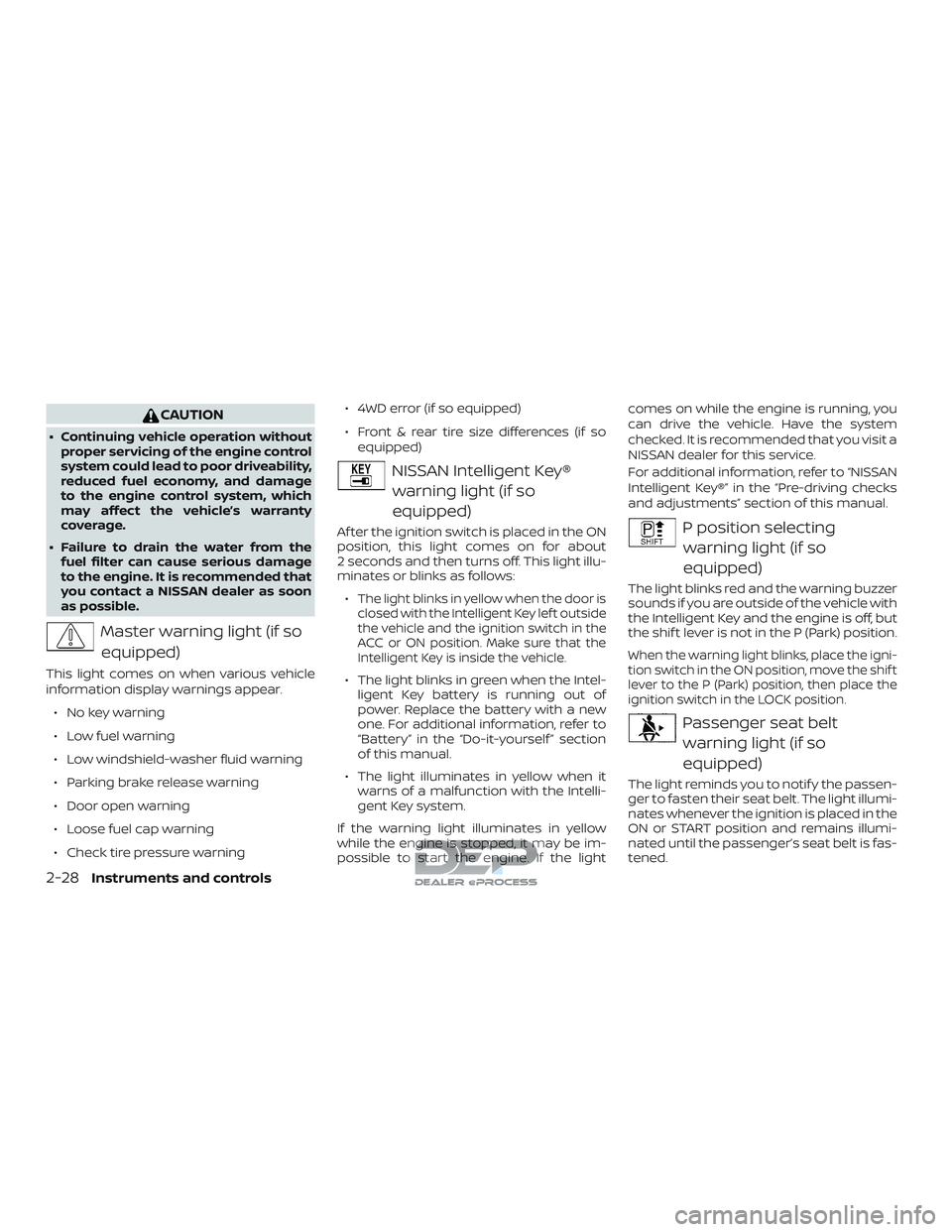
Master warning light (if so
equipped)
This light comes on when various vehicle
information display warnings appear.
∙ No key warning
∙ Low fuel warning
∙ Low windshield-washer fluid warning
∙ Parking brake release warning
∙ Door open warning
∙ Loose fuel cap warning
∙ Check tire pressure warning ∙ 4WD error (if so equipped)
∙ Front & rear tire size differences (if so
equipped)
NISSAN Intelligent Key®
warning light (if so
equipped)
Af ter the ignition switch is placed in the ON
position, this light comes on for about
2 seconds and then turns off. This light illu-
minates or blinks as follows:
∙
The light blinks in yellow when the door is
closed with the Intelligent Key lef t outside
the vehicle and the ignition switch in the
ACC or ON position. Make sure that the
Intelligent Key is inside the vehicle.
∙ The light blinks in green when the Intel- ligent Key battery is running out of
power. Replace the battery with a new
one. For additional information, refer to
“Battery” in the “Do-it-yourself ” section
of this manual.
∙ The light illuminates in yellow when it warns of a malfunction with the Intelli-
gent Key system.
If the warning light illuminates in yellow
while the engine is stopped, it may be im-
possible to start the engine. If the light comes on while the engine is running, you
can drive the vehicle. Have the system
checked. It is recommended that you visit a
NISSAN dealer for this service.
For additional information, refer to “NISSAN
Intelligent Key®” in the “Pre-driving checks
and adjustments” section of this manual.
P position selecting
warning light (if so
equipped)
The light blinks red and the warning buzzer
sounds if you are outside of the vehicle with
the Intelligent Key and the engine is off, but
the shif t lever is not in the P (Park) position.
When the warning light blinks, place the igni-
tion switch in the ON position, move the shif t
lever to the P (Park) position, then place the
ignition switch in the LOCK position.
Passenger seat beltwarning light (if so
equipped)
The light reminds you to notif y the passen-
ger to fasten their seat belt. The light illumi-
nates whenever the ignition is placed in the
ON or START position and remains illumi-
nated until the passenger’s seat belt is fas-
tened.
2-28Instruments and controls
Page 138 of 650
∙ NISSAN Intelligent Key® operation infor-mation
∙ Indicators and warnings
∙ Tire Pressure information
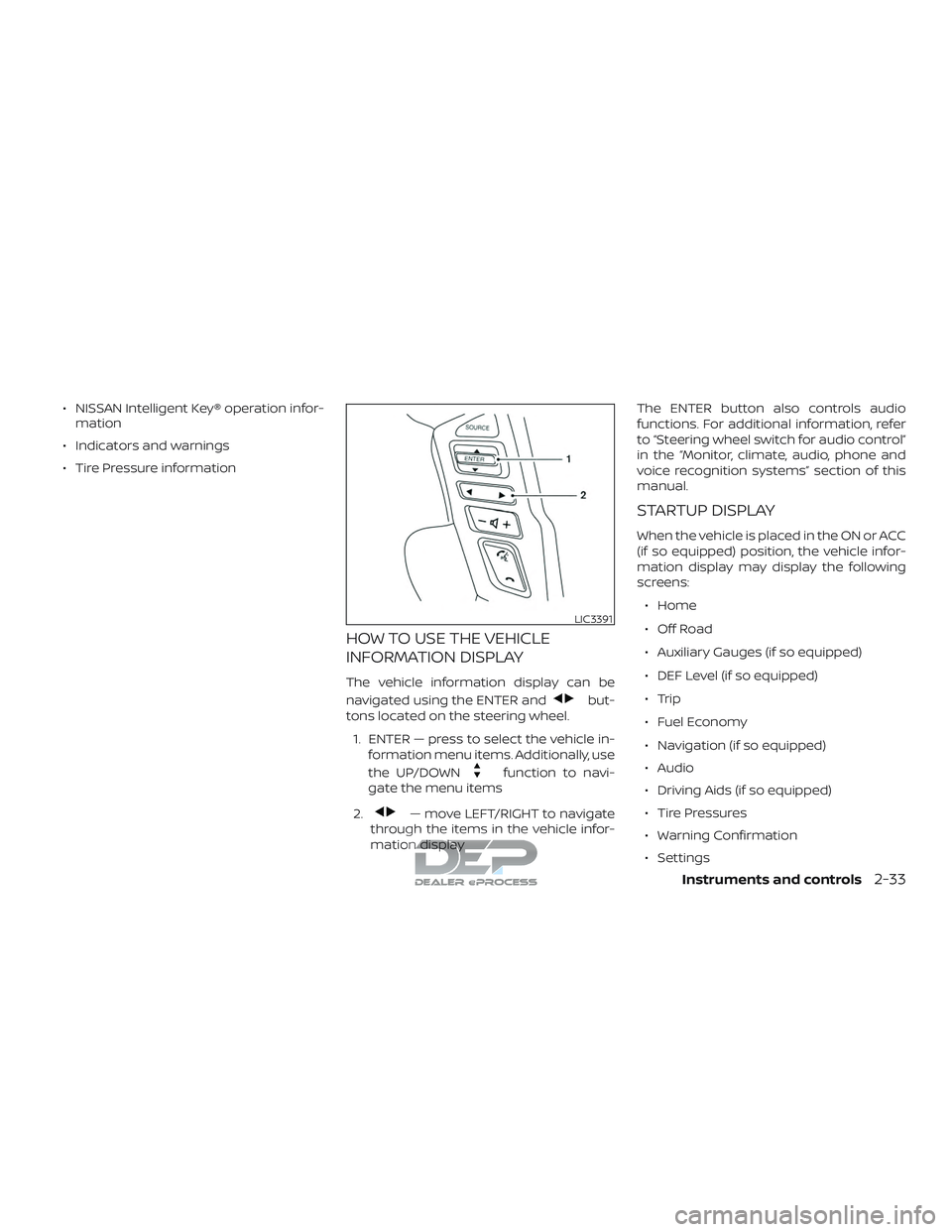
HOW TO USE THE VEHICLE
INFORMATION DISPLAY
The vehicle information display can be
navigated using the ENTER and
but-
tons located on the steering wheel.
1. ENTER — press to select the vehicle in- formation menu items. Additionally, use
the UP/DOWN
function to navi-
gate the menu items
2.
— move LEFT/RIGHT to navigate
through the items in the vehicle infor-
mation display The ENTER button also controls audio
functions. For additional information, refer
to “Steering wheel switch for audio control”
in the “Monitor, climate, audio, phone and
voice recognition systems” section of this
manual.
STARTUP DISPLAY
When the vehicle is placed in the ON or ACC
(if so equipped) position, the vehicle infor-
mation display may display the following
screens:
∙ Home
∙ Off Road
∙ Auxiliary Gauges (if so equipped)
∙ DEF Level (if so equipped)
∙ Trip
∙ Fuel Economy
∙ Navigation (if so equipped)
∙ Audio
∙ Driving Aids (if so equipped)
∙ Tire Pressures
∙ Warning Confirmation
∙ Settings
LIC3391
Instruments and controls2-33
Page 140 of 650
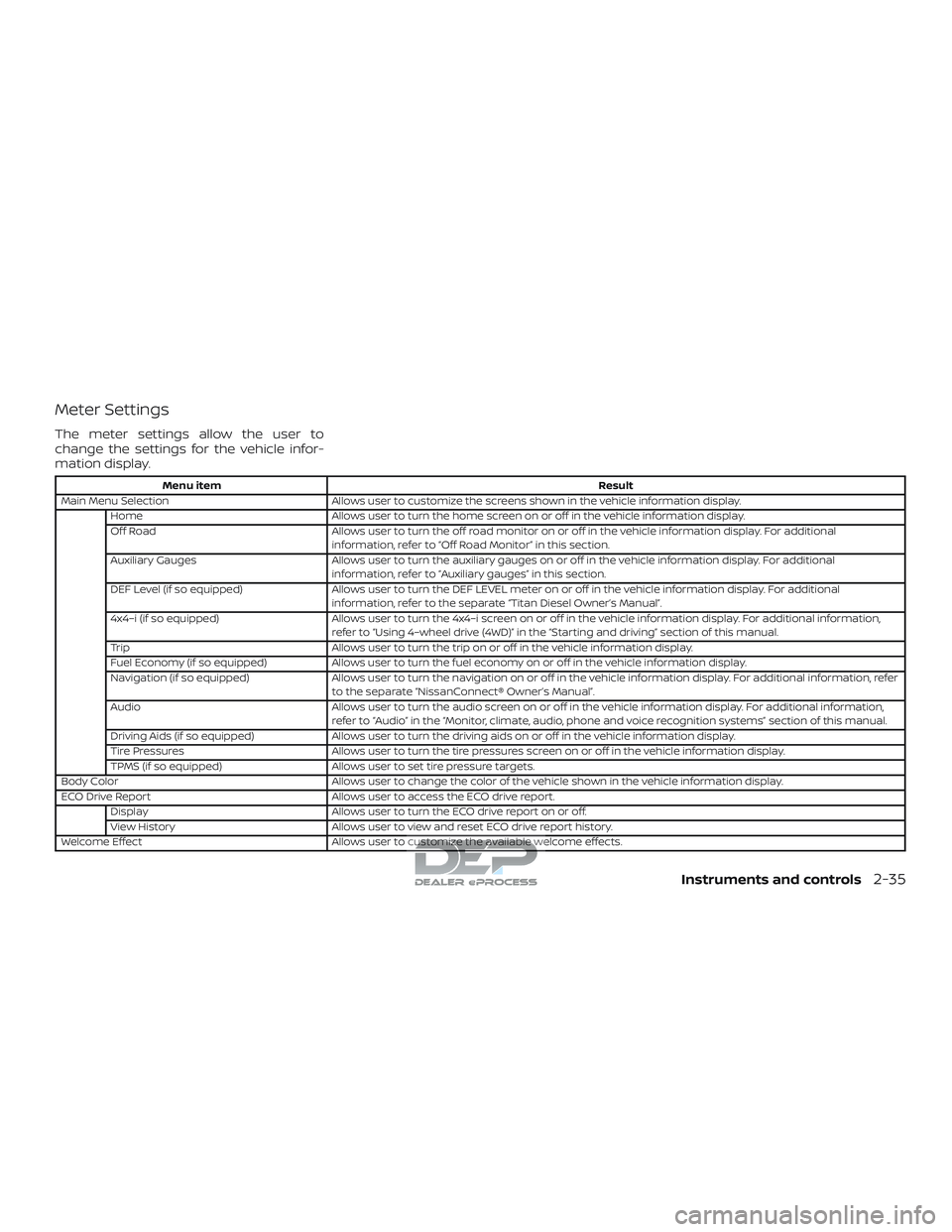
Meter Settings
The meter settings allow the user to
change the settings for the vehicle infor-
mation display.
Menu itemResult
Main Menu Selection Allows user to customize the screens shown in the vehicle information display.
Home Allows user to turn the home screen on or off in the vehicle information display.
Off Road Allows user to turn the off road monitor on or off in the vehicle information display. For additional
information, refer to “Off Road Monitor” in this section.
Auxiliary Gauges Allows user to turn the auxiliary gauges on or off in the vehicle information display. For additional
information, refer to “Auxiliary gauges” in this section.
DEF Level (if so equipped) Allows user to turn the DEF LEVEL meter on or off in the vehicle information display. For additional
information, refer to the separate “Titan Diesel Owner’s Manual”.
4x4–i (if so equipped) Allows user to turn the 4x4–i screen on or off in the vehicle information display. For additional information,
refer to “Using 4–wheel drive (4WD)” in the “Starting and driving” section of this manual.
Trip Allows user to turn the trip on or off in the vehicle information display.
Fuel Economy (if so equipped) Allows user to turn the fuel economy on or off in the vehicle information display.
Navigation (if so equipped) Allows user to turn the navigation on or off in the vehicle information display. For additional information, refer
to the separate “NissanConnect® Owner’s Manual”.
Audio Allows user to turn the audio screen on or off in the vehicle information display. For additional information,
refer to “Audio” in the “Monitor, climate, audio, phone and voice recognition systems” section of this manual.
Driving Aids (if so equipped) Allows user to turn the driving aids on or off in the vehicle information display.
Tire Pressures Allows user to turn the tire pressures screen on or off in the vehicle information display.
TPMS (if so equipped) Allows user to set tire pressure targets.
Body Color Allows user to change the color of the vehicle shown in the vehicle information display.
ECO Drive Report Allows user to access the ECO drive report.
Display Allows user to turn the ECO drive report on or off.
View History Allows user to view and reset ECO drive report history.
Welcome Effect Allows user to customize the available welcome effects.
Instruments and controls2-35