ECO mode NISSAN TITAN 2019 Owner´s Manual
[x] Cancel search | Manufacturer: NISSAN, Model Year: 2019, Model line: TITAN, Model: NISSAN TITAN 2019Pages: 682, PDF Size: 7.99 MB
Page 310 of 682
∙ Inability to eject a disc due to a labelor sticker peeling off and jamming
the disc mechanism.
∙ Inability to read audio data correctly (i.e., playback skipping, or no play-
back) due to heat shrinking of a
sticker or label causing a disc to
warp.
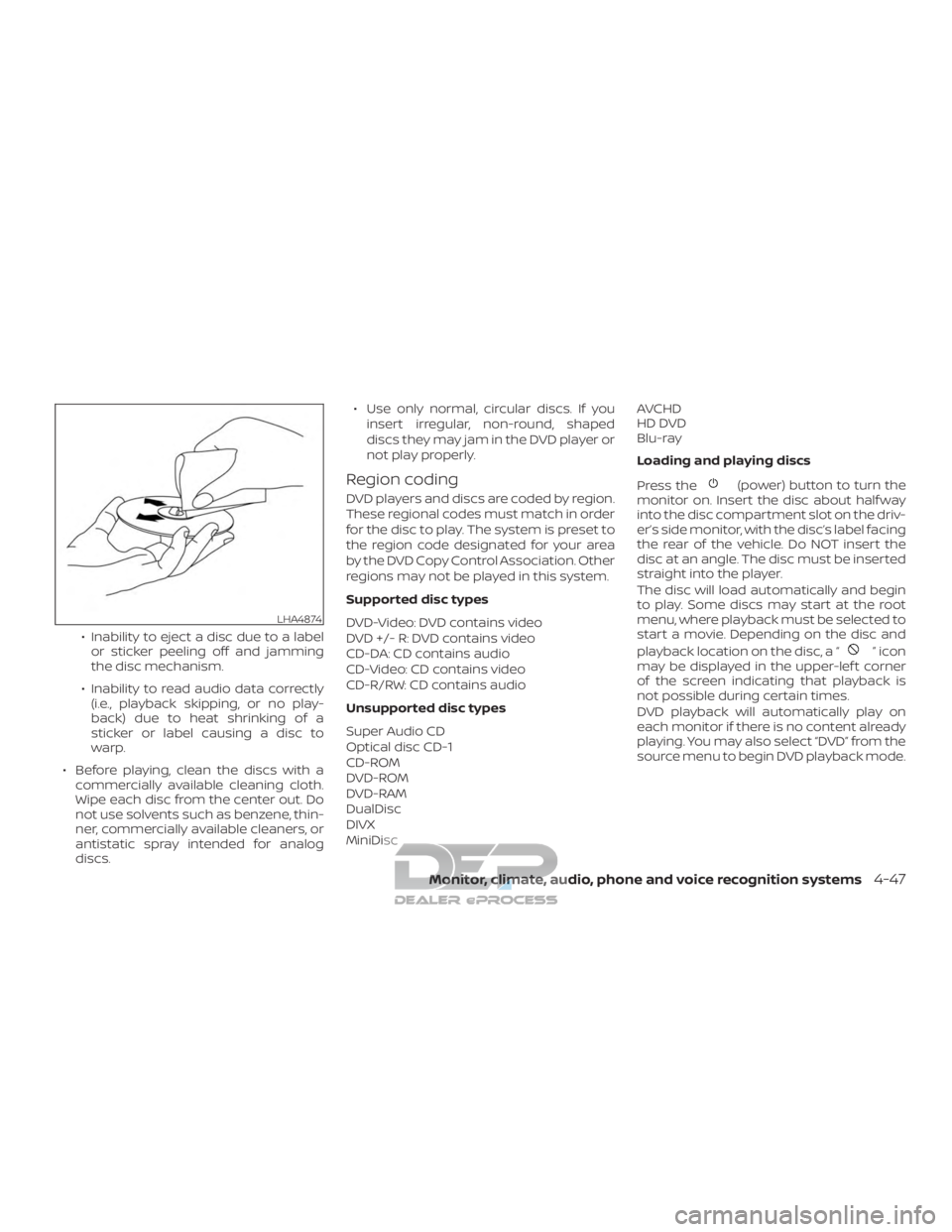
∙ Before playing, clean the discs with a commercially available cleaning cloth.
Wipe each disc from the center out. Do
not use solvents such as benzene, thin-
ner, commercially available cleaners, or
antistatic spray intended for analog
discs. ∙ Use only normal, circular discs. If you
insert irregular, non-round, shaped
discs they may jam in the DVD player or
not play properly.
Region coding
DVD players and discs are coded by region.
These regional codes must match in order
for the disc to play. The system is preset to
the region code designated for your area
by the DVD Copy Control Association. Other
regions may not be played in this system.
Supported disc types
DVD-Video: DVD contains video
DVD +/- R: DVD contains video
CD-DA: CD contains audio
CD-Video: CD contains video
CD-R/RW: CD contains audio
Unsupported disc types
Super Audio CD
Optical disc CD-1
CD-ROM
DVD-ROM
DVD-RAM
DualDisc
DIVX
MiniDisc AVCHD
HD DVD
Blu-ray
Loading and playing discs
Press the(power) button to turn the
monitor on. Insert the disc about half way
into the disc compartment slot on the driv-
er’s side monitor, with the disc’s label facing
the rear of the vehicle. Do NOT insert the
disc at an angle. The disc must be inserted
straight into the player.
The disc will load automatically and begin
to play. Some discs may start at the root
menu, where playback must be selected to
start a movie. Depending on the disc and
playback location on the disc, a “
”icon
may be displayed in the upper-lef t corner
of the screen indicating that playback is
not possible during certain times.
DVD playback will automatically play on
each monitor if there is no content already
playing. You may also select “DVD” from the
source menu to begin DVD playback mode.
LHA4874
Monitor, climate, audio, phone and voice recognition systems4-47
Page 322 of 682
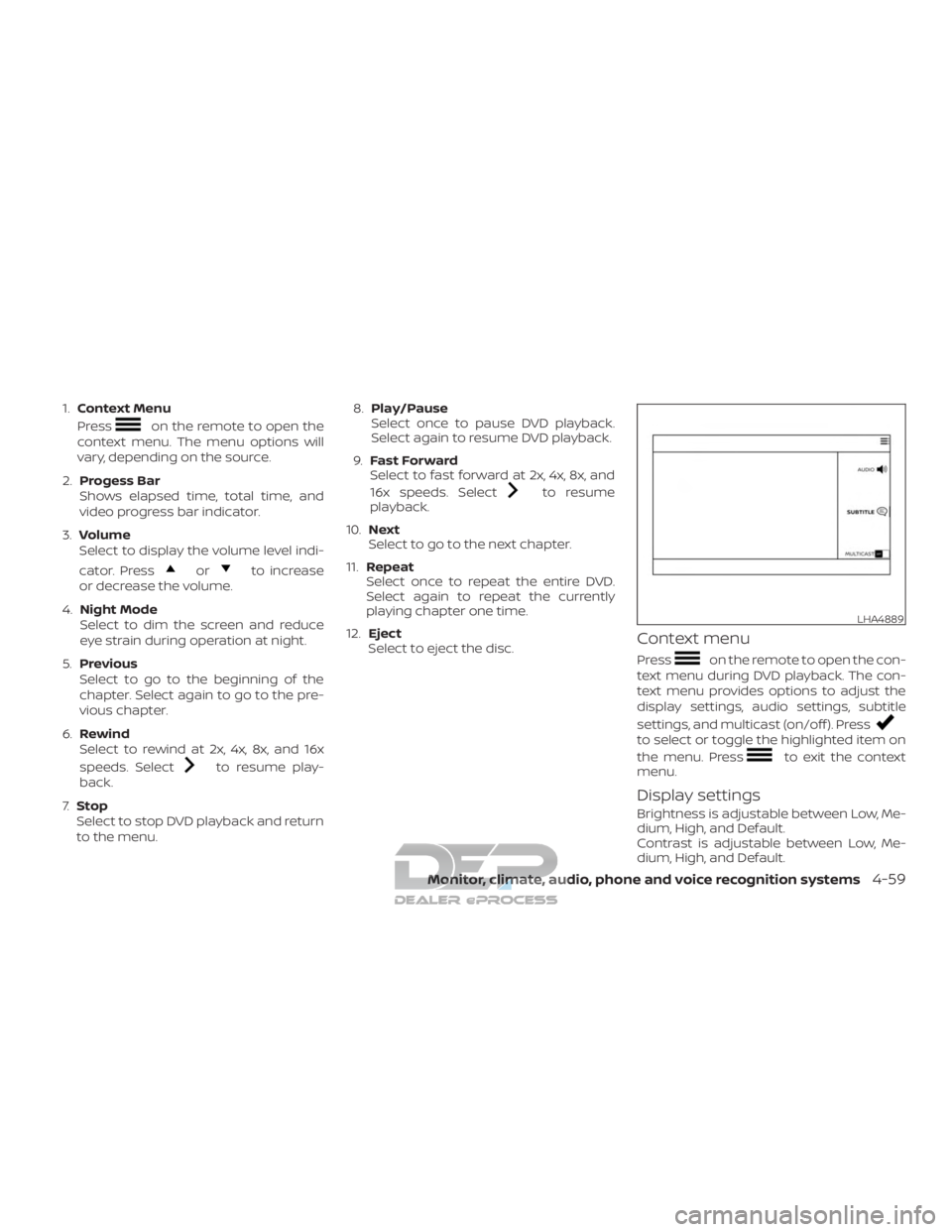
1.Context Menu
Press
on the remote to open the
context menu. The menu options will
vary, depending on the source.
2. Progess Bar
Shows elapsed time, total time, and
video progress bar indicator.
3. Volume
Select to display the volume level indi-
cator. Press
orto increase
or decrease the volume.
4. Night Mode
Select to dim the screen and reduce
eye strain during operation at night.
5. Previous
Select to go to the beginning of the
chapter. Select again to go to the pre-
vious chapter.
6. Rewind
Select to rewind at 2x, 4x, 8x, and 16x
speeds. Select
to resume play-
back.
7. Stop
Select to stop DVD playback and return
to the menu. 8.
Play/Pause
Select once to pause DVD playback.
Select again to resume DVD playback.
9. Fast Forward
Select to fast forward at 2x, 4x, 8x, and
16x speeds. Select
to resume
playback.
10. Next
Select to go to the next chapter.
11. Repeat
Select once to repeat the entire DVD.
Select again to repeat the currently
playing chapter one time.
12. Eject
Select to eject the disc.
Context menu
Presson the remote to open the con-
text menu during DVD playback. The con-
text menu provides options to adjust the
display settings, audio settings, subtitle
settings, and multicast (on/off ). Press
to select or toggle the highlighted item on
the menu. Press
to exit the context
menu.
Display settings
Brightness is adjustable between Low, Me-
dium, High, and Default.
Contrast is adjustable between Low, Me-
dium, High, and Default.
LHA4889
Monitor, climate, audio, phone and voice recognition systems4-59
Page 325 of 682
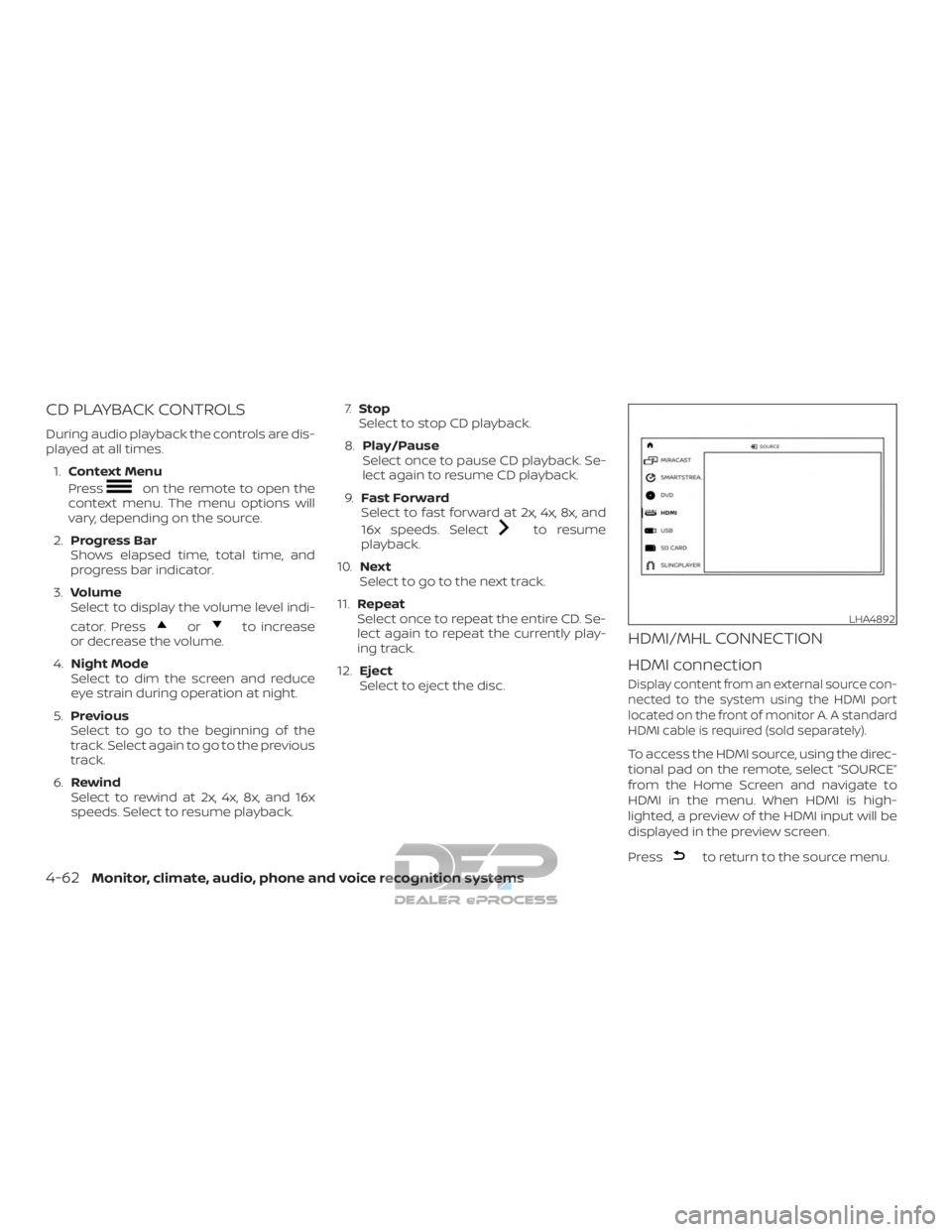
CD PLAYBACK CONTROLS
During audio playback the controls are dis-
played at all times.1. Context Menu
Press
on the remote to open the
context menu. The menu options will
vary, depending on the source.
2. Progress Bar
Shows elapsed time, total time, and
progress bar indicator.
3. Volume
Select to display the volume level indi-
cator. Press
orto increase
or decrease the volume.
4. Night Mode
Select to dim the screen and reduce
eye strain during operation at night.
5. Previous
Select to go to the beginning of the
track. Select again to go to the previous
track.
6. Rewind
Select to rewind at 2x, 4x, 8x, and 16x
speeds. Select to resume playback. 7.
Stop
Select to stop CD playback.
8. Play/Pause
Select once to pause CD playback. Se-
lect again to resume CD playback.
9. Fast Forward
Select to fast forward at 2x, 4x, 8x, and
16x speeds. Select
to resume
playback.
10. Next
Select to go to the next track.
11. Repeat
Select once to repeat the entire CD. Se-
lect again to repeat the currently play-
ing track.
12. Eject
Select to eject the disc.
HDMI/MHL CONNECTION
HDMI connection
Display content from an external source con-
nected to the system using the HDMI port
located on the front of monitor A. A standard
HDMI cable is required (sold separately).
To access the HDMI source, using the direc-
tional pad on the remote, select “SOURCE”
from the Home Screen and navigate to
HDMI in the menu. When HDMI is high-
lighted, a preview of the HDMI input will be
displayed in the preview screen.
Press
to return to the source menu.
LHA4892
4-62Monitor, climate, audio, phone and voice recognition systems
Page 327 of 682
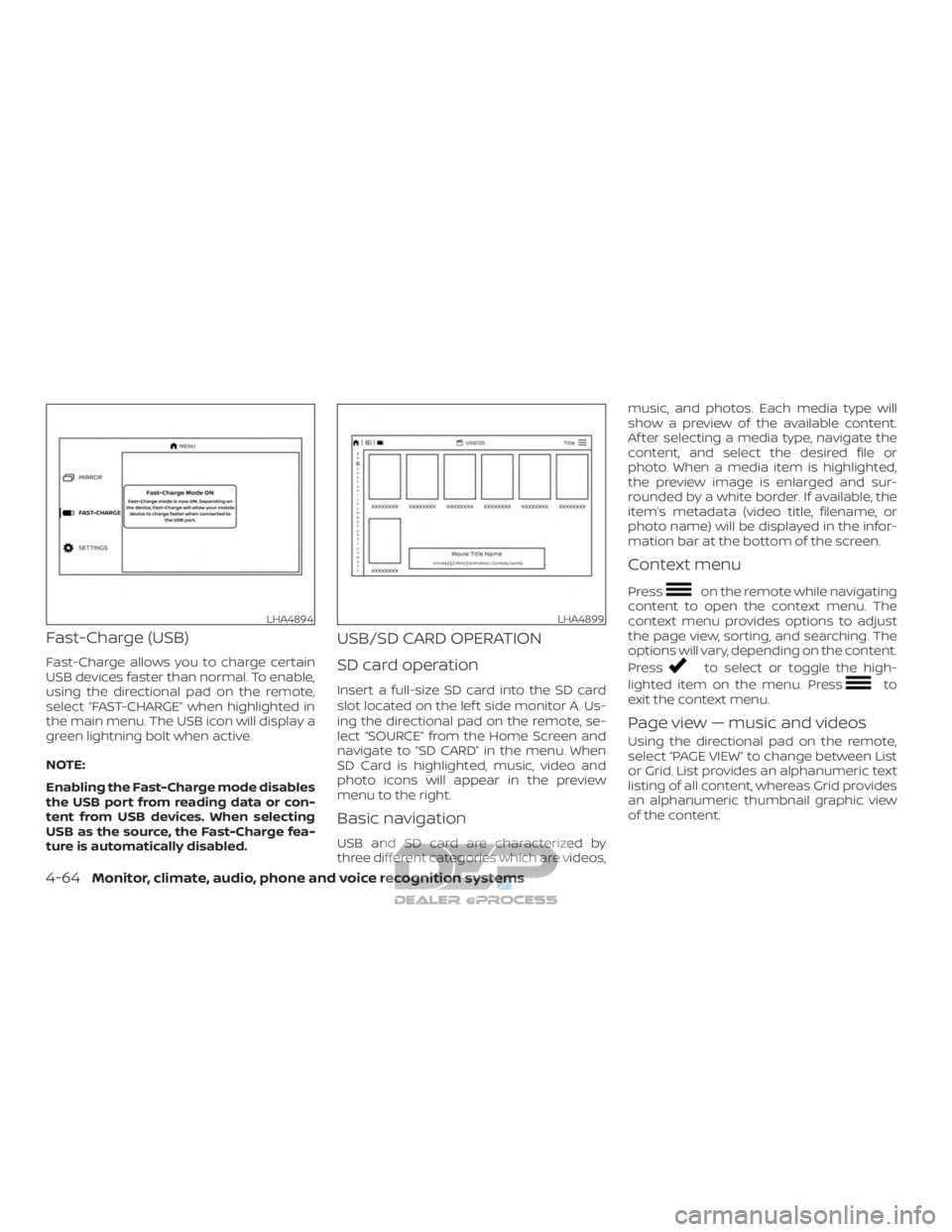
Fast-Charge (USB)
Fast-Charge allows you to charge certain
USB devices faster than normal. To enable,
using the directional pad on the remote,
select “FAST-CHARGE” when highlighted in
the main menu. The USB icon will display a
green lightning bolt when active.
NOTE:
Enabling the Fast-Charge mode disables
the USB port from reading data or con-
tent from USB devices. When selecting
USB as the source, the Fast-Charge fea-
ture is automatically disabled.
USB/SD CARD OPERATION
SD card operation
Insert a full-size SD card into the SD card
slot located on the lef t side monitor A. Us-
ing the directional pad on the remote, se-
lect “SOURCE” from the Home Screen and
navigate to “SD CARD” in the menu. When
SD Card is highlighted, music, video and
photo icons will appear in the preview
menu to the right.
Basic navigation
USB and SD card are characterized by
three different categories which are videos,music, and photos. Each media type will
show a preview of the available content.
Af ter selecting a media type, navigate the
content, and select the desired file or
photo. When a media item is highlighted,
the preview image is enlarged and sur-
rounded by a white border. If available, the
item’s metadata (video title, filename, or
photo name) will be displayed in the infor-
mation bar at the bottom of the screen.
Context menu
Presson the remote while navigating
content to open the context menu. The
context menu provides options to adjust
the page view, sorting, and searching. The
options will vary, depending on the content.
Press
to select or toggle the high-
lighted item on the menu. Press
to
exit the context menu.
Page view — music and videos
Using the directional pad on the remote,
select “PAGE VIEW ” to change between List
or Grid. List provides an alphanumeric text
listing of all content, whereas Grid provides
an alphanumeric thumbnail graphic view
of the content.
LHA4894LHA4899
4-64Monitor, climate, audio, phone and voice recognition systems
Page 329 of 682
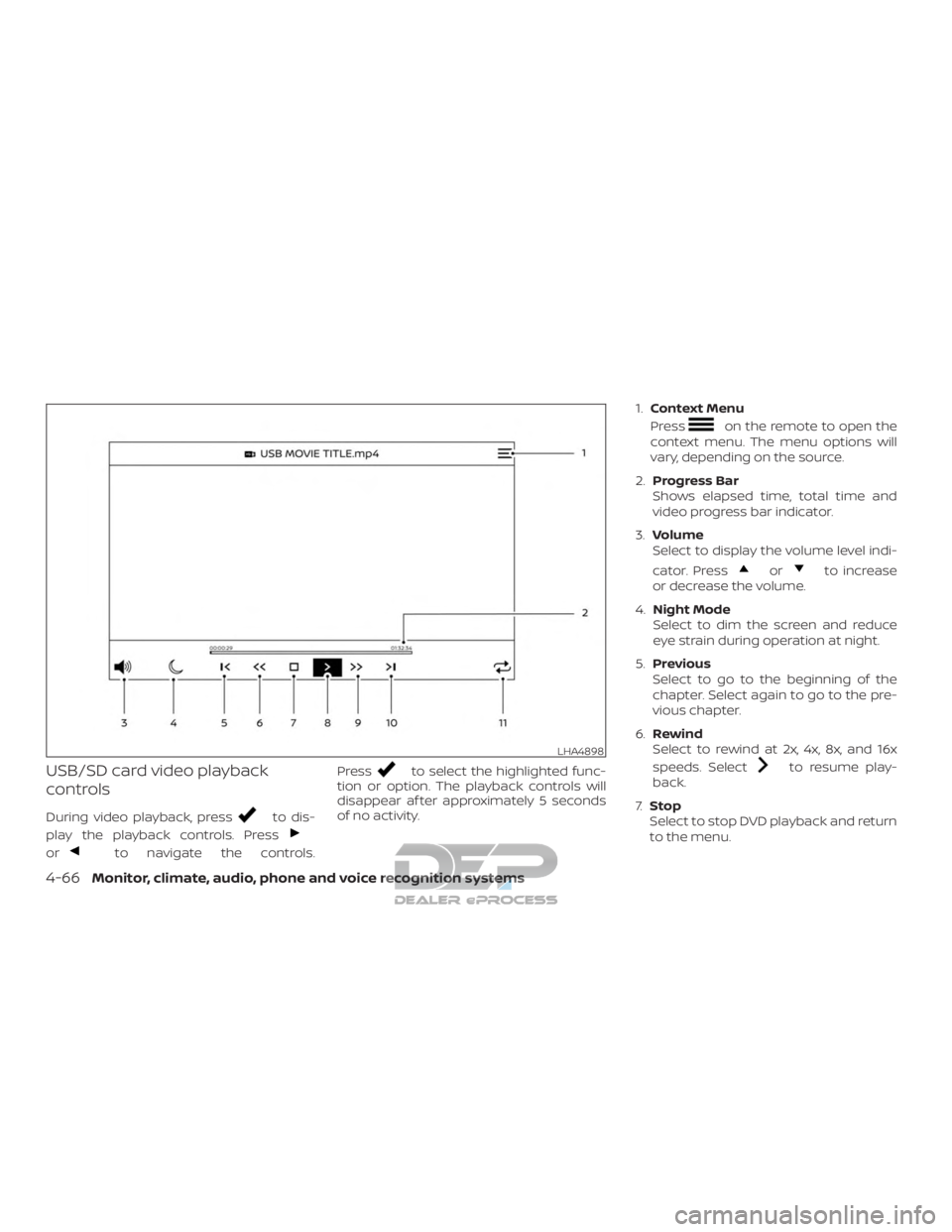
USB/SD card video playback
controls
During video playback, pressto dis-
play the playback controls. Press
orto navigate the controls. Press
to select the highlighted func-
tion or option. The playback controls will
disappear af ter approximately 5 seconds
of no activity. 1.
Context Menu
Press
on the remote to open the
context menu. The menu options will
vary, depending on the source.
2. Progress Bar
Shows elapsed time, total time and
video progress bar indicator.
3. Volume
Select to display the volume level indi-
cator. Press
orto increase
or decrease the volume.
4. Night Mode
Select to dim the screen and reduce
eye strain during operation at night.
5. Previous
Select to go to the beginning of the
chapter. Select again to go to the pre-
vious chapter.
6. Rewind
Select to rewind at 2x, 4x, 8x, and 16x
speeds. Select
to resume play-
back.
7. Stop
Select to stop DVD playback and return
to the menu.
LHA4898
4-66Monitor, climate, audio, phone and voice recognition systems
Page 330 of 682
8.Play/Pause
Select once to pause DVD playback.
Select again to resume DVD playback.
9. Fast Forward
Select to fast forward at 2x, 4x, 8x, and
16x speeds. Select
to resume
playback.
10. Next
Select to go to the next chapter.
11. Repeat
Select once to repeat the entire DVD.
Select again to repeat the currently
playing chapter one time.
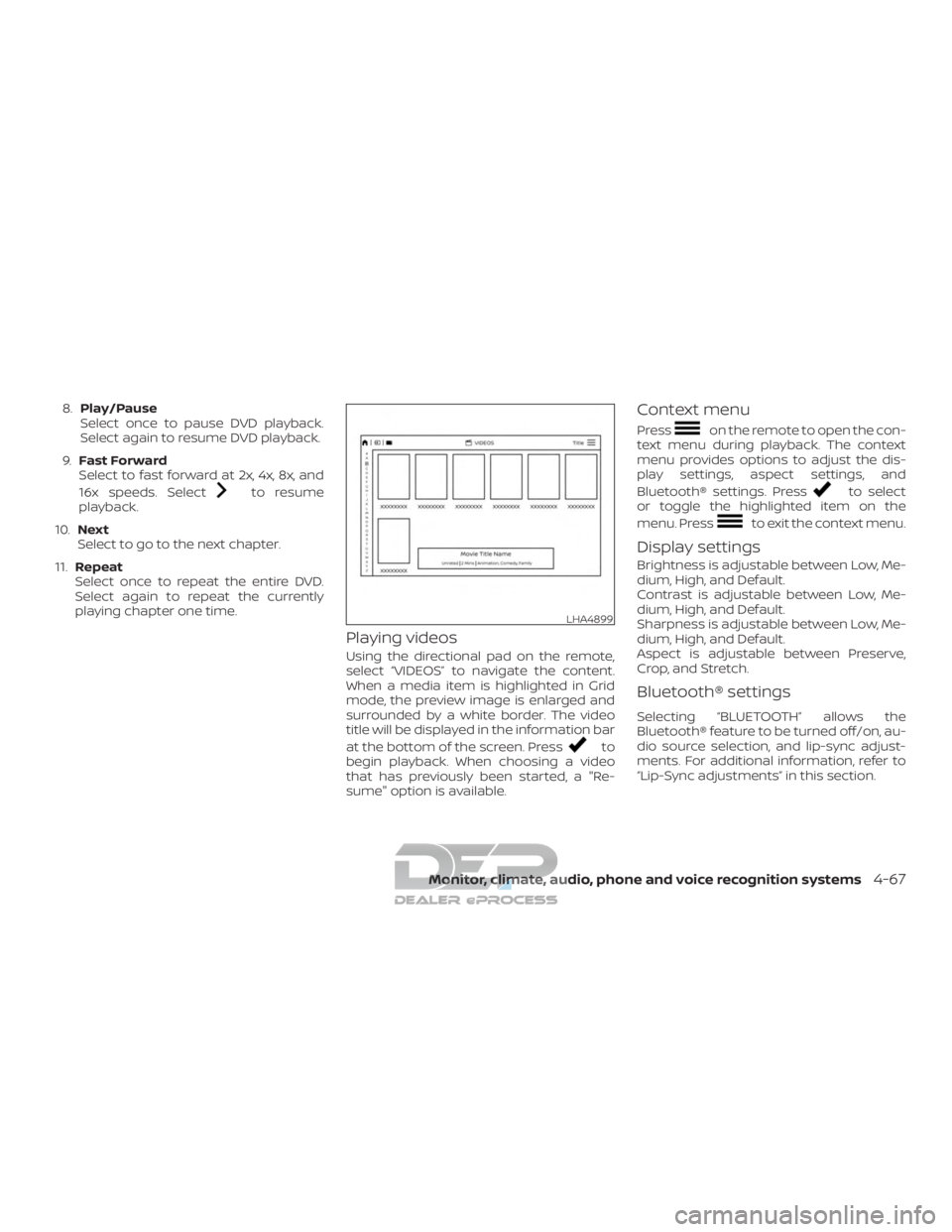
Playing videos
Using the directional pad on the remote,
select “VIDEOS” to navigate the content.
When a media item is highlighted in Grid
mode, the preview image is enlarged and
surrounded by a white border. The video
title will be displayed in the information bar
at the bottom of the screen. Press
to
begin playback. When choosing a video
that has previously been started, a "Re-
sume" option is available.
Context menu
Presson the remote to open the con-
text menu during playback. The context
menu provides options to adjust the dis-
play settings, aspect settings, and
Bluetooth® settings. Press
to select
or toggle the highlighted item on the
menu. Press
to exit the context menu.
Display settings
Brightness is adjustable between Low, Me-
dium, High, and Default.
Contrast is adjustable between Low, Me-
dium, High, and Default.
Sharpness is adjustable between Low, Me-
dium, High, and Default.
Aspect is adjustable between Preserve,
Crop, and Stretch.
Bluetooth® settings
Selecting “BLUETOOTH” allows the
Bluetooth® feature to be turned off/on, au-
dio source selection, and lip-sync adjust-
ments. For additional information, refer to
“Lip-Sync adjustments” in this section.
LHA4899
Monitor, climate, audio, phone and voice recognition systems4-67
Page 331 of 682
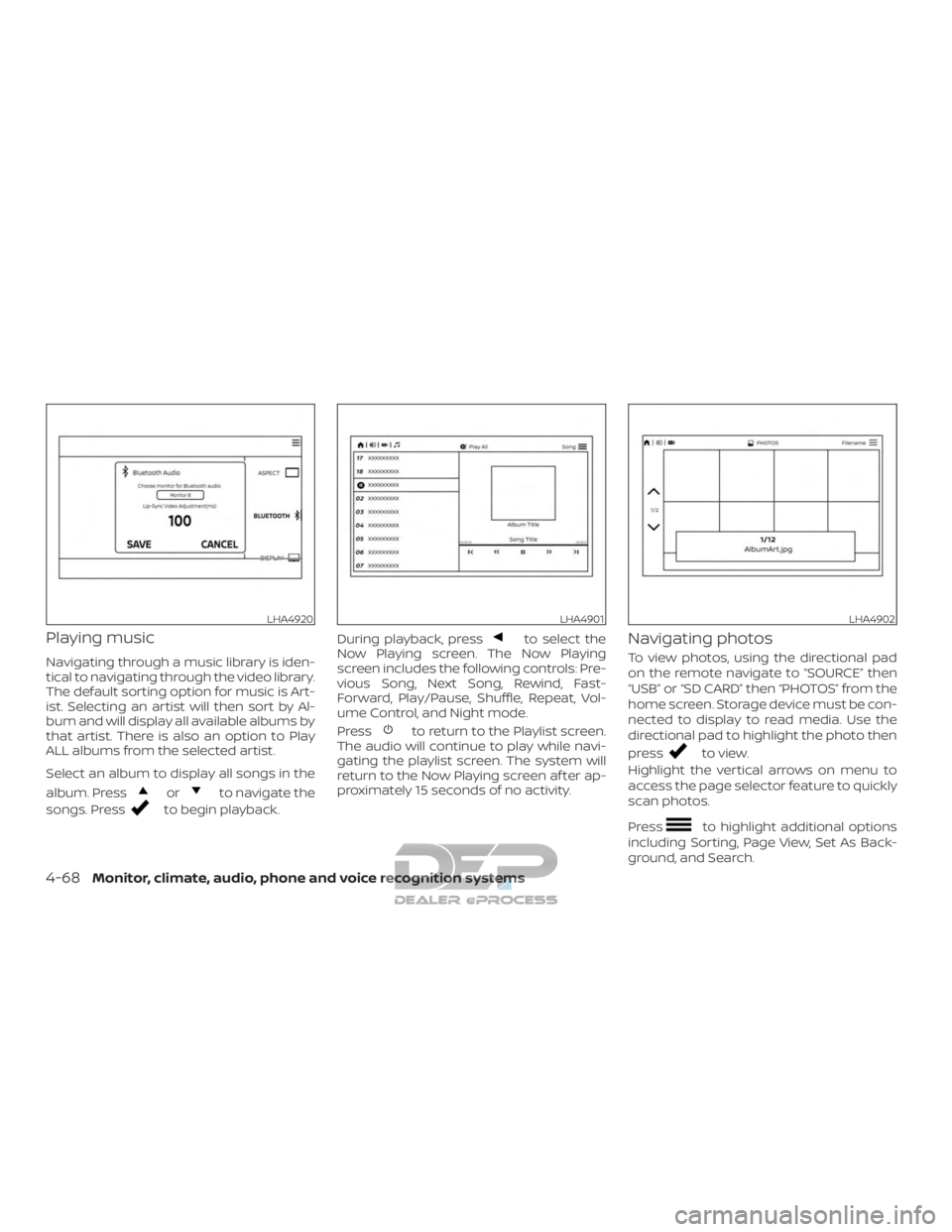
Playing music
Navigating through a music library is iden-
tical to navigating through the video library.
The default sorting option for music is Art-
ist. Selecting an artist will then sort by Al-
bum and will display all available albums by
that artist. There is also an option to Play
ALL albums from the selected artist.
Select an album to display all songs in the
album. Press
orto navigate the
songs. Press
to begin playback. During playback, press
to select the
Now Playing screen. The Now Playing
screen includes the following controls: Pre-
vious Song, Next Song, Rewind, Fast-
Forward, Play/Pause, Shuffle, Repeat, Vol-
ume Control, and Night mode.
Press
to return to the Playlist screen.
The audio will continue to play while navi-
gating the playlist screen. The system will
return to the Now Playing screen af ter ap-
proximately 15 seconds of no activity.
Navigating photos
To view photos, using the directional pad
on the remote navigate to “SOURCE” then
“USB” or “SD CARD” then “PHOTOS” from the
home screen. Storage device must be con-
nected to display to read media. Use the
directional pad to highlight the photo then
press
to view.
Highlight the vertical arrows on menu to
access the page selector feature to quickly
scan photos.
Press
to highlight additional options
including Sorting, Page View, Set As Back-
ground, and Search.
LHA4920LHA4901LHA4902
4-68Monitor, climate, audio, phone and voice recognition systems
Page 332 of 682
Sorting lets you arrange the photos by file-
name or date.
Page View allows the user to view photos in
Fullscreen, Grid, Overview, or Slideshow.
Set As Background sets the selected photo
as the home screen background.
Search prompts the user to input a file-
name or date to find a photo.
SLINGPLAYER®
About Slingplayer®
A Slingbox® (sold separately) connects to
your home network and sits between your
cable or set-top box and your TV. When
accessed remotely, your Slingbox® slings
your content to the RSI system. To use
Slingplayer®, an external internet connec-
tion is required. For additional information,
refer to “Using Wi-Fi” in this section to en-
able Client Mode in the Wi-Fi Settings and
allow the system to connect to a Wi-Fi
hotspot.
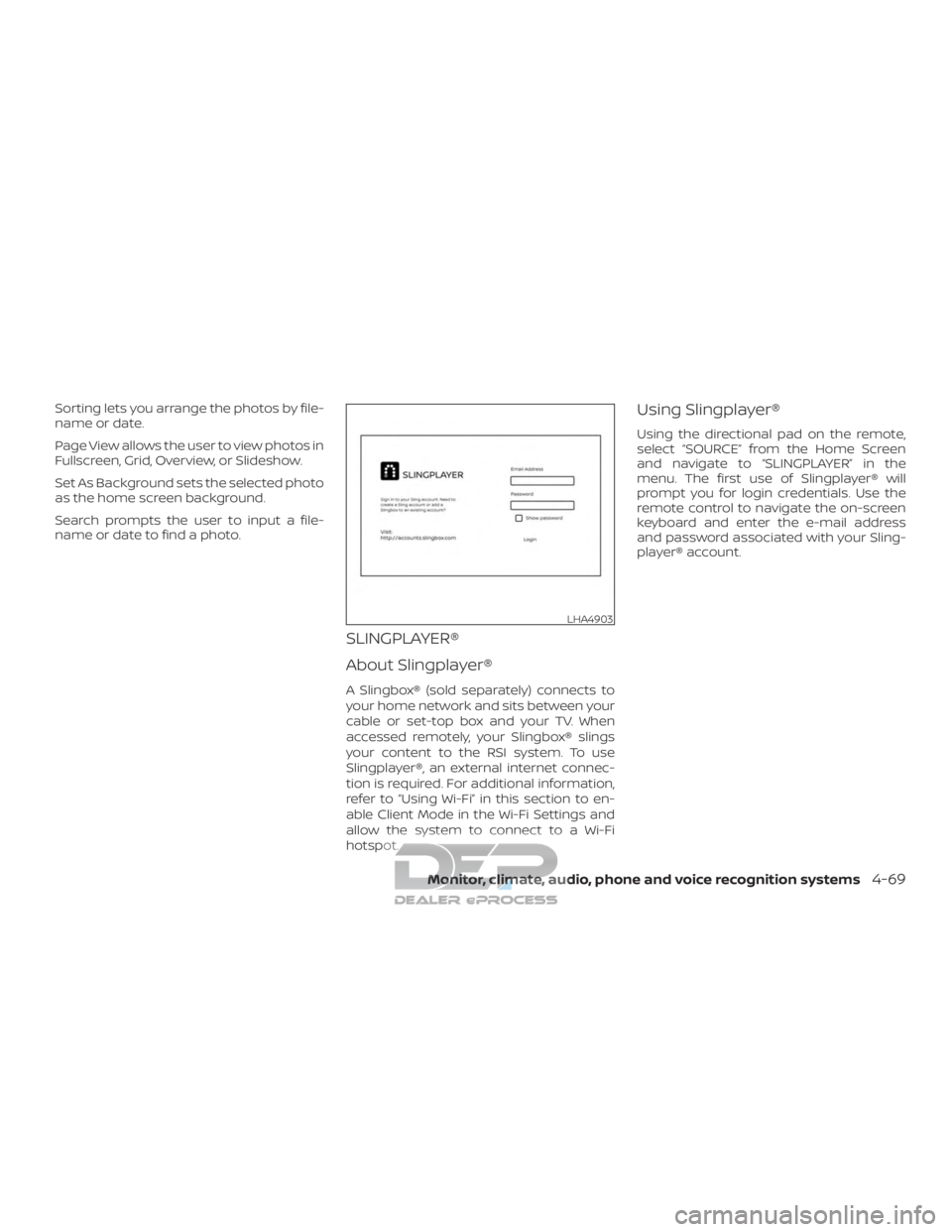
Using Slingplayer®
Using the directional pad on the remote,
select “SOURCE” from the Home Screen
and navigate to “SLINGPLAYER” in the
menu. The first use of Slingplayer® will
prompt you for login credentials. Use the
remote control to navigate the on-screen
keyboard and enter the e-mail address
and password associated with your Sling-
player® account.
LHA4903
Monitor, climate, audio, phone and voice recognition systems4-69
Page 337 of 682
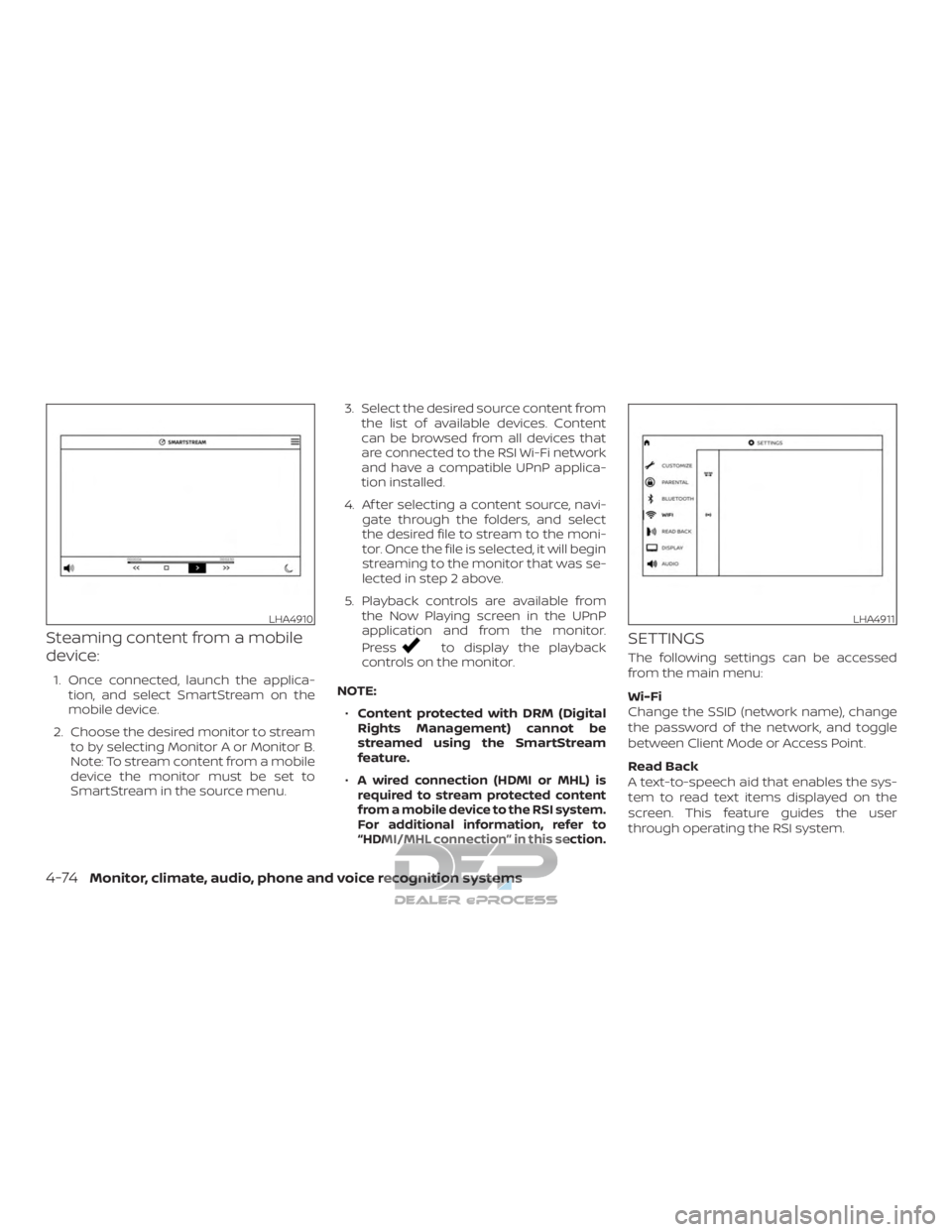
Steaming content from a mobile
device:
1. Once connected, launch the applica-tion, and select SmartStream on the
mobile device.
2. Choose the desired monitor to stream to by selecting Monitor A or Monitor B.
Note: To stream content from a mobile
device the monitor must be set to
SmartStream in the source menu. 3. Select the desired source content from
the list of available devices. Content
can be browsed from all devices that
are connected to the RSI Wi-Fi network
and have a compatible UPnP applica-
tion installed.
4. Af ter selecting a content source, navi- gate through the folders, and select
the desired file to stream to the moni-
tor. Once the file is selected, it will begin
streaming to the monitor that was se-
lected in step 2 above.
5. Playback controls are available from the Now Playing screen in the UPnP
application and from the monitor.
Press
to display the playback
controls on the monitor.
NOTE: ∙ Content protected with DRM (Digital
Rights Management) cannot be
streamed using the SmartStream
feature.
∙
A wired connection (HDMI or MHL) is
required to stream protected content
from a mobile device to the RSI system.
For additional information, refer to
“HDMI/MHL connection” in this section.
SETTINGS
The following settings can be accessed
from the main menu:
Wi-Fi
Change the SSID (network name), change
the password of the network, and toggle
between Client Mode or Access Point.
Read Back
A text-to-speech aid that enables the sys-
tem to read text items displayed on the
screen. This feature guides the user
through operating the RSI system.
LHA4910LHA4911
4-74Monitor, climate, audio, phone and voice recognition systems
Page 338 of 682
Display
Adjust Brightness, Contrast, and Sharp-
ness settings.
Audio
Select the monitor to use for Bluetooth®
audio streaming and set the maximum
volume level when using wired head-
phones.
Advanced
Change the language of the GUI (Graphic
User Interface), reset the RSI system, and
update the sof tware.
Customize
Change the background image of the
home screen using content from an SD
card or USB storage device.
Parental
Set or change the password to limit DVD
content playback using parental control
based on the Motion Picture Association of
America (MPAA) ratings.
Bluetooth
Control Bluetooth® audio streaming
(On/Off ) and select from the available list of
paired devices.
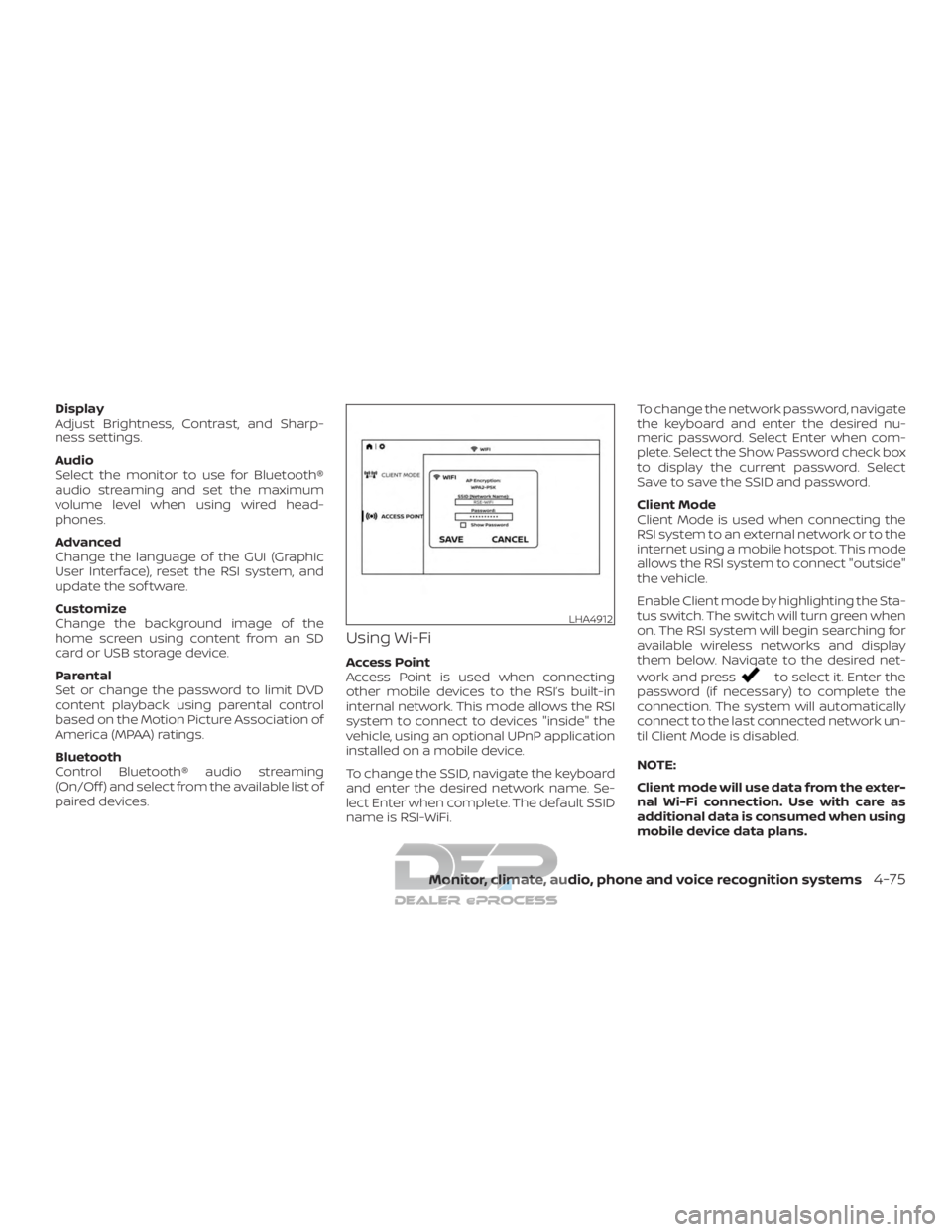
Using Wi-Fi
Access Point
Access Point is used when connecting
other mobile devices to the RSI’s built-in
internal network. This mode allows the RSI
system to connect to devices "inside" the
vehicle, using an optional UPnP application
installed on a mobile device.
To change the SSID, navigate the keyboard
and enter the desired network name. Se-
lect Enter when complete. The default SSID
name is RSI-WiFi.To change the network password, navigate
the keyboard and enter the desired nu-
meric password. Select Enter when com-
plete. Select the Show Password check box
to display the current password. Select
Save to save the SSID and password.
Client Mode
Client Mode is used when connecting the
RSI system to an external network or to the
internet using a mobile hotspot. This mode
allows the RSI system to connect "outside"
the vehicle.
Enable Client mode by highlighting the Sta-
tus switch. The switch will turn green when
on. The RSI system will begin searching for
available wireless networks and display
them below. Navigate to the desired net-
work and pressto select it. Enter the
password (if necessary) to complete the
connection. The system will automatically
connect to the last connected network un-
til Client Mode is disabled.
NOTE:
Client mode will use data from the exter-
nal Wi-Fi connection. Use with care as
additional data is consumed when using
mobile device data plans.
LHA4912
Monitor, climate, audio, phone and voice recognition systems4-75