warning NISSAN TITAN 2019 Owner´s Manual
[x] Cancel search | Manufacturer: NISSAN, Model Year: 2019, Model line: TITAN, Model: NISSAN TITAN 2019Pages: 682, PDF Size: 7.99 MB
Page 123 of 682
Repair and replacement
procedure
The front air bags, side air bags, curtain air
bags and pretensioner(s) are designed to
inflate on a one-time-only basis. As a re-
minder, unless it is damaged, the supple-
mental air bag warning light remains illu-
minated af ter inflation has occurred. These
systems should be repaired and/or re-
placed as soon as possible. It is recom-
mended that you visit a NISSAN dealer for
this service.
When maintenance work is required on the
vehicle, the front air bags, side air bags,
curtain air bags, pretensioner(s) and re-
lated parts should be pointed out to the
person performing the maintenance. The
ignition switch should always be placed in
the LOCK position when working under the
hood or inside the vehicle.
WARNING
∙ Once a front air bag, side air bag, orcurtain air bag has inflated, the air
bag module will not function again
and must be replaced. Additionally,
the activated pretensioner(s) must
also be replaced. The air bag module
and pretensioner(s) should be re-
placed. It is recommended that you
visit a NISSAN dealer for this service.
However, the air bag module and pre-
tensioner(s) cannot be repaired.
∙ The front air bag, side air bag, curtain air bag systems and the pretensioner
system should be inspected if there is
any damage to the front end or side
portion of the vehicle. It is recom-
mended that you visit a NISSAN dealer
for this service.
∙ If you need to dispose of the supple- mental air bag or pretensioner sys-
tems or scrap the vehicle, it is recom-
mended that you visit a NISSAN
dealer. Incorrect disposal procedures
could cause personal injury. ∙ If there is an impact to your vehicle
from any direction, your Occupant
Classification Sensor (OCS) (if so
equipped) should be checked to verif y
it is still functioning correctly. It is rec-
ommended that you visit a NISSAN
dealer for this service. The OCS
(weight sensor) (if so equipped)
should be checked even if no air bags
deploy as a result of the impact. Fail-
ure to verif y proper OCS (weight sen-
sor) (if so equipped) function may re-
sult in an improper air bag
deployment resulting in injury or
death.
1-82Safety—Seats, seat belts and supplemental restraint system
Page 124 of 682
2 Instruments and controls
Instrument panel................................2-4
Meters and gauges ..............................2-6
Speedometer and odometer .................2-6
Tachometer ..................................2-8
Engine coolant temperature gauge ..........2-8
Fuel gauge ...................................2-9
Auxiliary gauges (if so equipped) .............2-10
Diesel Exhaust Fluid (DEF) Level
(if so equipped) ............................... 2-11
Off-road monitor (if so equipped) ............2-12
Compass (if so equipped) ......................2-12
Warning lights, indicator lights and audible
reminders ...................................... 2-16
Checking lights .............................. 2-17
Warning lights ............................... 2-17
Indicator lights .............................. 2-23
Audible reminders ........................... 2-25
Vehicle information display .....................2-26
How to use the vehicle information
display ...................................... 2-27
Startup display .............................. 2-27
Settings ..................................... 2-27
Vehicle information display warnings
and indicators ............................... 2-36Diesel warnings and indicators
(if so equipped)
.............................. 2-42
Security systems ............................... 2-43
Vehicle security system .....................2-43
NISSAN Vehicle Immobilizer System .........2-44
Wiper and washer switch .......................2-46
Switch operation ............................ 2-46
Rain-sensing auto wiper system
(if so equipped) ..............................2-47
Rear window and/or outside mirror defroster
switch (if so equipped) .......................... 2-48
Headlight switch ............................... 2-49
Headlight control switch .....................2-49
Daytime Running Lights (DRL) system
(Type A) (if so equipped) .....................2-52
LED Daytime Running Lights (DRL)
system (Type B) (if so equipped) .............2-52
Instrument brightness control ...............2-53
Turn signal switch ........................... 2-53
F og light
switch (if so equipped) ................2-54
Horn ........................................... 2-54
Cargo lamp switch ............................. 2-55
Climate controlled seat switches
(if so equipped) ................................. 2-55
Page 125 of 682
Heated seat switches (if so equipped)..........2-56
Heated rear seat switches (if so equipped) ......2-57
Heated steering wheel switch (if so equipped) . . 2-59
Warning systems switch (if so equipped) .......2-59
Vehicle Dynamic Control (VDC) OFF switch ......2-60
Hill descent control switch (if so equipped) ......2-61
Electronic locking rear differential (E-Lock)
system switch (if so equipped) ..................2-62
Power inverter switch (if so equipped) ..........2-63
Front and rear sonar system OFF switch
(if so equipped) ................................. 2-64
Tow mode switch .............................. 2-65
E-call (SOS) button (if so equipped) .............2-65
Trailer Brake Controller Unit (TBCU)
(if so equipped) ................................. 2-66
Rear Door Alert (if so equipped) .................2-66
Power outlets .................................. 2-67
12v Outlets .................................. 2-67
120v outlets (if so equipped) .................2-69
Extended storage switch .......................2-70
Storage ........................................ 2-71
Front-door pockets .......................... 2-71
Rear-door pockets (if so equipped) ..........2-72
Console side pockets (if so equipped) ........2-72 Seatback pockets (if so equipped)
...........2-72
Under-seat storage (if so equipped) .........2-73
Console box storage trays
(if so equipped) ..............................2-74
Glovebox.................................... 2-75
Console box (if so equipped) .................2-75
Center armrest storage (if so equipped) .....2-76
Under front seat storage bin
(if so equipped) .............................. 2-77
Overhead sunglasses storage
(if so equipped) .............................. 2-77
Cup holders ................................. 2-78
Grocery hooks (if so equipped) ...............2-81
Bed liner storage bins (if so equipped) .......2-81
Cargo hooks (if so equipped) ................2-82
C-Channel cargo hooks (if so equipped) .....2-82
Window s....................................... 2-83
P o
wer windows ............................. 2-83
Rear power window switch
(if so equipped) .............................. 2-85
Rear sliding window (if so equipped) .........2-86
Interior lights ................................... 2-87
Console light (if so equipped) ................2-88
Map lights (if so equipped) ...................2-88
Page 127 of 682
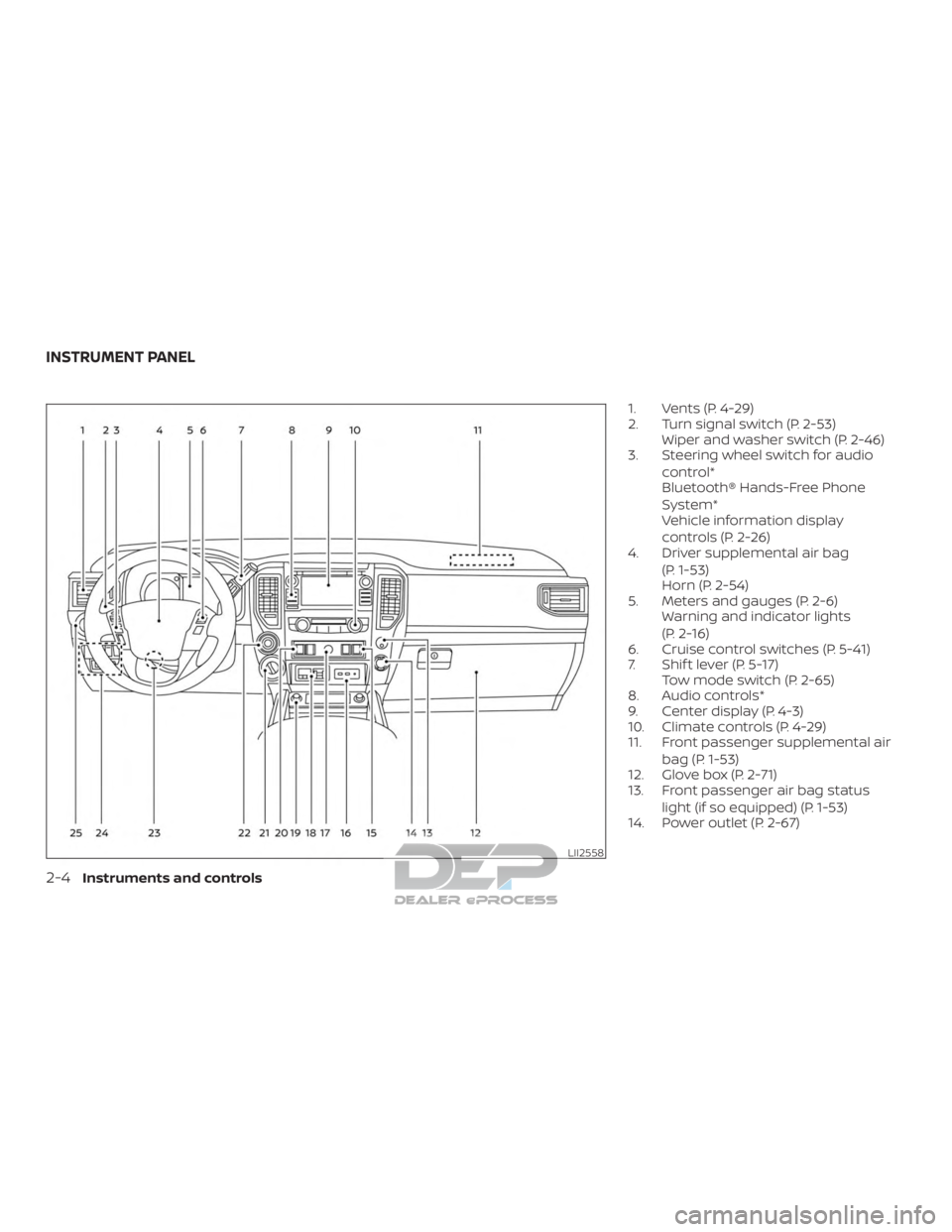
1. Vents (P. 4-29)
2. Turn signal switch (P. 2-53)Wiper and washer switch (P. 2-46)
3. Steering wheel switch for audio
control*
Bluetooth® Hands-Free Phone
System*
Vehicle information display
controls (P. 2-26)
4. Driver supplemental air bag
(P. 1-53)
Horn (P. 2-54)
5. Meters and gauges (P. 2-6) Warning and indicator lights
(P. 2-16)
6. Cruise control switches (P. 5-41)
7. Shif t lever (P. 5-17) Tow mode switch (P. 2-65)
8. Audio controls*
9. Center display (P. 4-3)
10. Climate controls (P. 4-29)
11. Front passenger supplemental air
bag (P. 1-53)
12. Glove box (P. 2-71)
13. Front passenger air bag status
light (if so equipped) (P. 1-53)
14. Power outlet (P. 2-67)
LII2558
INSTRUMENT PANEL
2-4Instruments and controls
Page 128 of 682
15. Heated steering wheel switch(if so equipped) (P. 2-59)
Warning systems switch
(if so equipped) (P. 2-59)
16. Auxiliary jack* USB port*
17. Hazard warning flasher switch
(P. 6-2)
18. Trailer Brake Controller Unit (TBCU)
(if so equipped) (P. 2-66)
19. Climate control seat switch
(if so equipped) (P. 2-55)
Heated front seat switches
(if so equipped) (P. 2-56)
20. Vehicle Dynamic Control (VDC) OFF
switch (P. 2-60)
Front and rear sonar system OFF
switch (if so equipped) (P. 2-64)
21. 4WD shif t switch (if so equipped)
(P. 5-45)
22. Push-button ignition switch
(P. 5-11)
23. Tilt and telescopic steering wheel
control (P. 3-30) 24. Headlight aiming control
(if so equipped) (P. 2-49)
Power inverter switch
(if so equipped) (P. 2-63)
Cargo lamp switch (P. 2-55)
Electronic locking rear differential
(E-Lock) system switch
(if so equipped) (P. 2-62)
Hill descent control system switch
(if so equipped) (P. 2-61)
25. Headlight switch (P. 2-49) Fog light switch (if so equipped)
(P. 2-54)
Instrument brightness control
switches (P. 2-49)
Trip reset switch (P. 2-6)
*Refer to the separate NissanConnect®
Owner’s Manual
Refer to the page number indicated in
parenthesis for operating details.
Instruments and controls2-5
Page 129 of 682
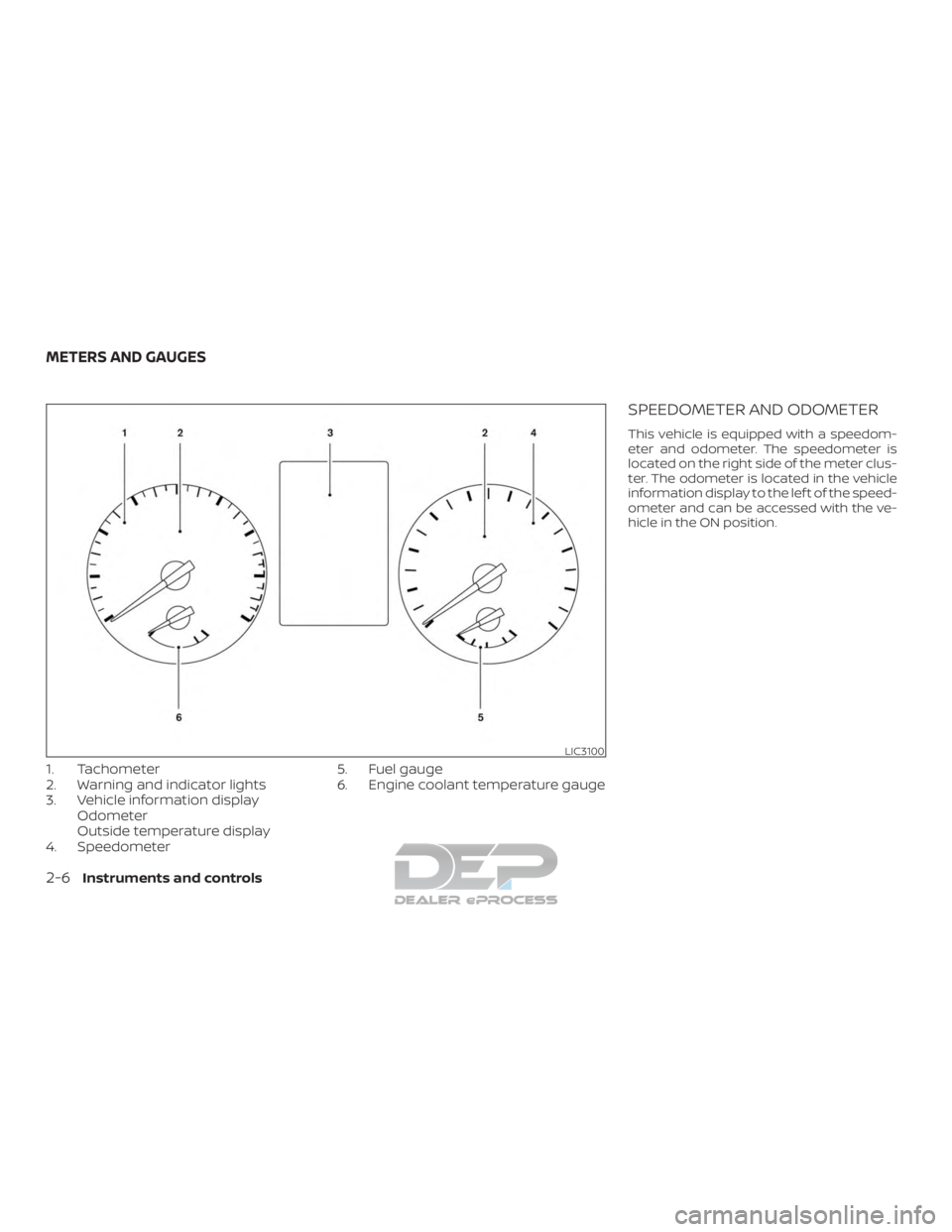
1. Tachometer
2. Warning and indicator lights
3. Vehicle information displayOdometer
Outside temperature display
4. Speedometer 5. Fuel gauge
6. Engine coolant temperature gauge
SPEEDOMETER AND ODOMETER
This vehicle is equipped with a speedom-
eter and odometer. The speedometer is
located on the right side of the meter clus-
ter. The odometer is located in the vehicle
information display to the lef t of the speed-
ometer and can be accessed with the ve-
hicle in the ON position.
LIC3100
METERS AND GAUGES
2-6Instruments and controls
Page 132 of 682
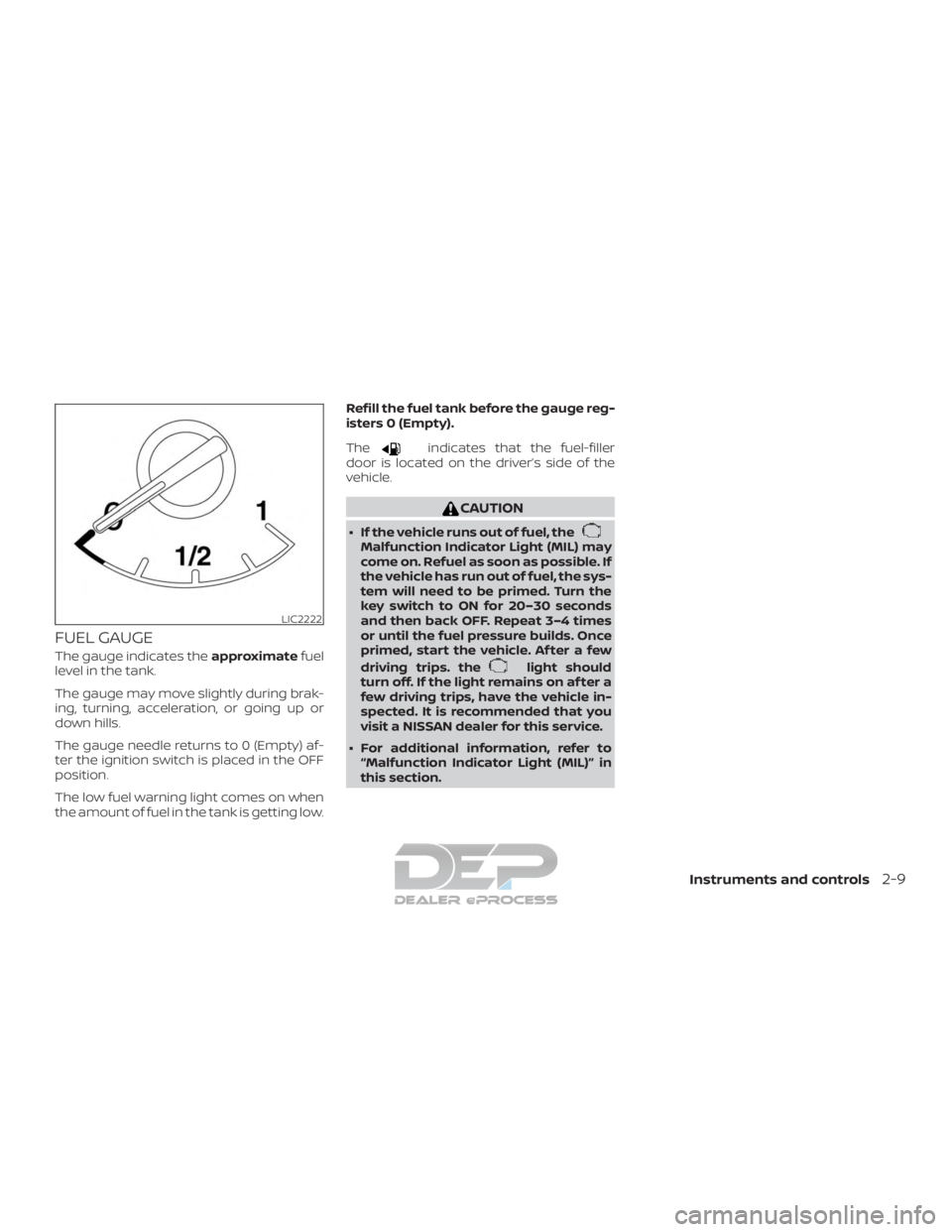
FUEL GAUGE
The gauge indicates theapproximatefuel
level in the tank.
The gauge may move slightly during brak-
ing, turning, acceleration, or going up or
down hills.
The gauge needle returns to 0 (Empty) af-
ter the ignition switch is placed in the OFF
position.
The low fuel warning light comes on when
the amount of fuel in the tank is getting low. Refill the fuel tank before the gauge reg-
isters 0 (Empty).
The
indicates that the fuel-filler
door is located on the driver’s side of the
vehicle.
CAUTION
∙ If the vehicle runs out of fuel, theMalfunction Indicator Light (MIL) may
come on. Refuel as soon as possible. If
the vehicle has run out of fuel, the sys-
tem will need to be primed. Turn the
key switch to ON for 20–30 seconds
and then back OFF. Repeat 3–4 times
or until the fuel pressure builds. Once
primed, start the vehicle. Af ter a few
driving trips. the
light should
turn off. If the light remains on af ter a
few driving trips, have the vehicle in-
spected. It is recommended that you
visit a NISSAN dealer for this service.
∙ For additional information, refer to “Malfunction Indicator Light (MIL)” in
this section.
LIC2222
Instruments and controls2-9
Page 139 of 682
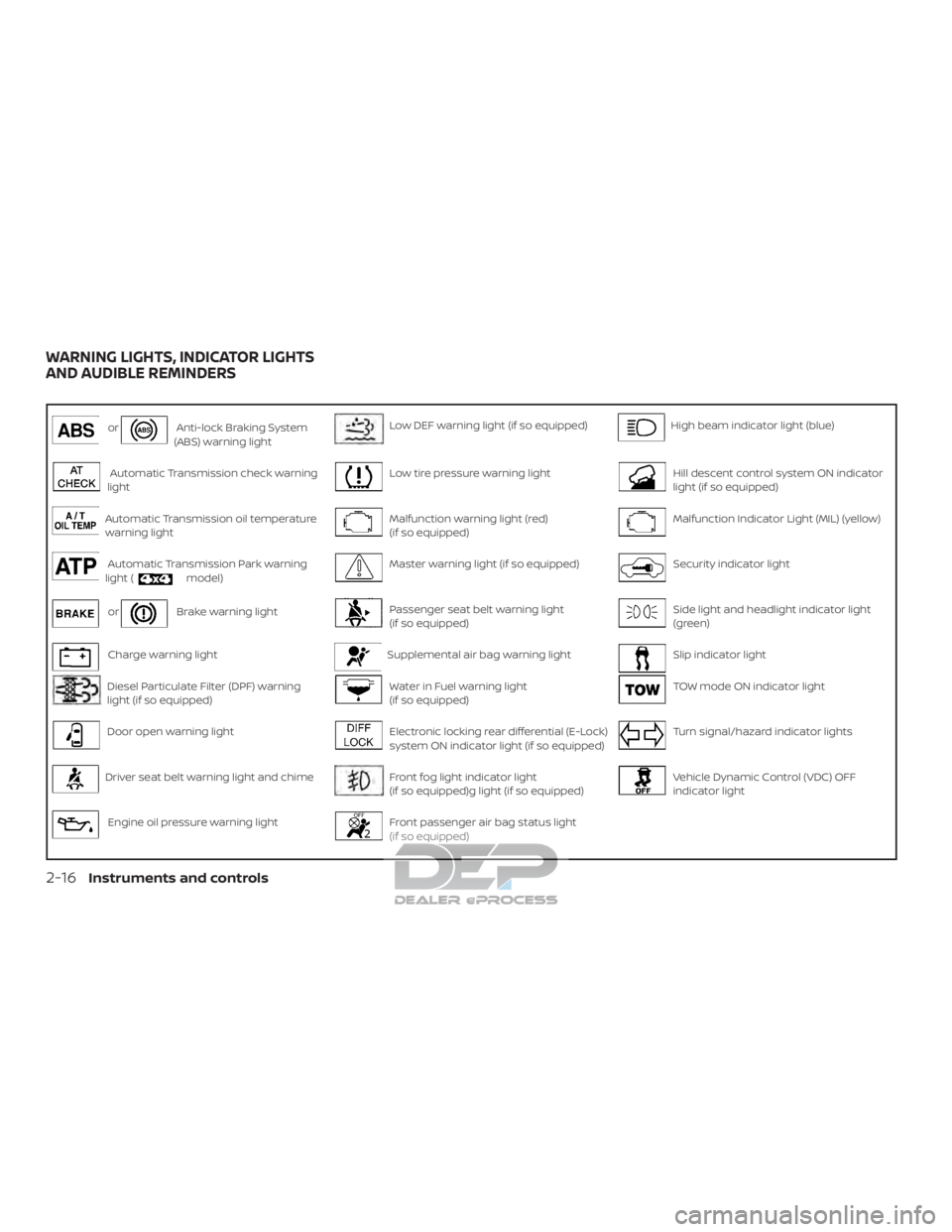
orAnti-lock Braking System
(ABS) warning lightLow DEF warning light (if so equipped)High beam indicator light (blue)
Automatic Transmission check warning
lightLow tire pressure warning lightHill descent control system ON indicator
light (if so equipped)
Automatic Transmission oil temperature
warning lightMalfunction warning light (red)
(if so equipped)Malfunction Indicator Light (MIL) (yellow)
Automatic Transmission Park warning
light (model)Master warning light (if so equipped)Security indicator light
orBrake warning lightPassenger seat belt warning light
(if so equipped)Side light and headlight indicator light
(green)
Charge warning lightSupplemental air bag warning lightSlip indicator light
Diesel Particulate Filter (DPF) warning
light (if so equipped)Water in Fuel warning light
(if so equipped)TOW mode ON indicator light
Door open warning lightElectronic locking rear differential (E-Lock)
system ON indicator light (if so equipped)Turn signal/hazard indicator lights
Driver seat belt warning light and chimeFront fog light indicator light
(if so equipped)g light (if so equipped)Vehicle Dynamic Control (VDC) OFF
indicator light
Engine oil pressure warning lightFront passenger air bag status light
(if so equipped)
WARNING LIGHTS, INDICATOR LIGHTS
AND AUDIBLE REMINDERS
2-16Instruments and controls
Page 140 of 682
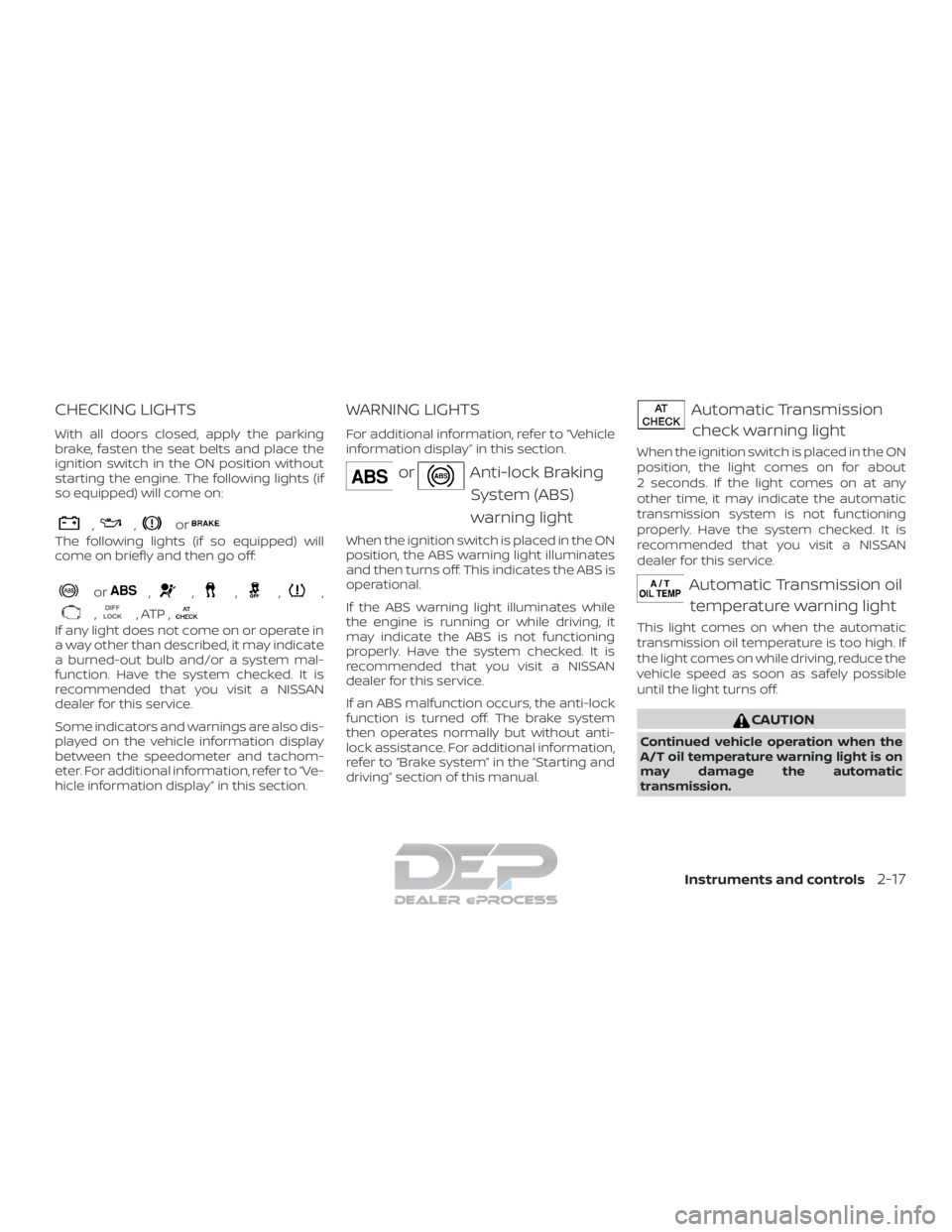
CHECKING LIGHTS
With all doors closed, apply the parking
brake, fasten the seat belts and place the
ignition switch in the ON position without
starting the engine. The following lights (if
so equipped) will come on:
,,or
The following lights (if so equipped) will
come on briefly and then go off:
or,,,,,
,, ATP ,
If any light does not come on or operate in
a way other than described, it may indicate
a burned-out bulb and/or a system mal-
function. Have the system checked. It is
recommended that you visit a NISSAN
dealer for this service.
Some indicators and warnings are also dis-
played on the vehicle information display
between the speedometer and tachom-
eter. For additional information, refer to “Ve-
hicle information display” in this section.
WARNING LIGHTS
For additional information, refer to “Vehicle
information display” in this section.
orAnti-lock BrakingSystem (ABS)
warning light
When the ignition switch is placed in the ON
position, the ABS warning light illuminates
and then turns off. This indicates the ABS is
operational.
If the ABS warning light illuminates while
the engine is running or while driving, it
may indicate the ABS is not functioning
properly. Have the system checked. It is
recommended that you visit a NISSAN
dealer for this service.
If an ABS malfunction occurs, the anti-lock
function is turned off. The brake system
then operates normally but without anti-
lock assistance. For additional information,
refer to “Brake system” in the “Starting and
driving” section of this manual.
Automatic Transmissioncheck warning light
When the ignition switch is placed in the ON
position, the light comes on for about
2 seconds. If the light comes on at any
other time, it may indicate the automatic
transmission system is not functioning
properly. Have the system checked. It is
recommended that you visit a NISSAN
dealer for this service.
Automatic Transmission oiltemperature warning light
This light comes on when the automatic
transmission oil temperature is too high. If
the light comes on while driving, reduce the
vehicle speed as soon as safely possible
until the light turns off.
CAUTION
Continued vehicle operation when the
A/T oil temperature warning light is on
may damage the automatic
transmission.
Instruments and controls2-17
Page 141 of 682
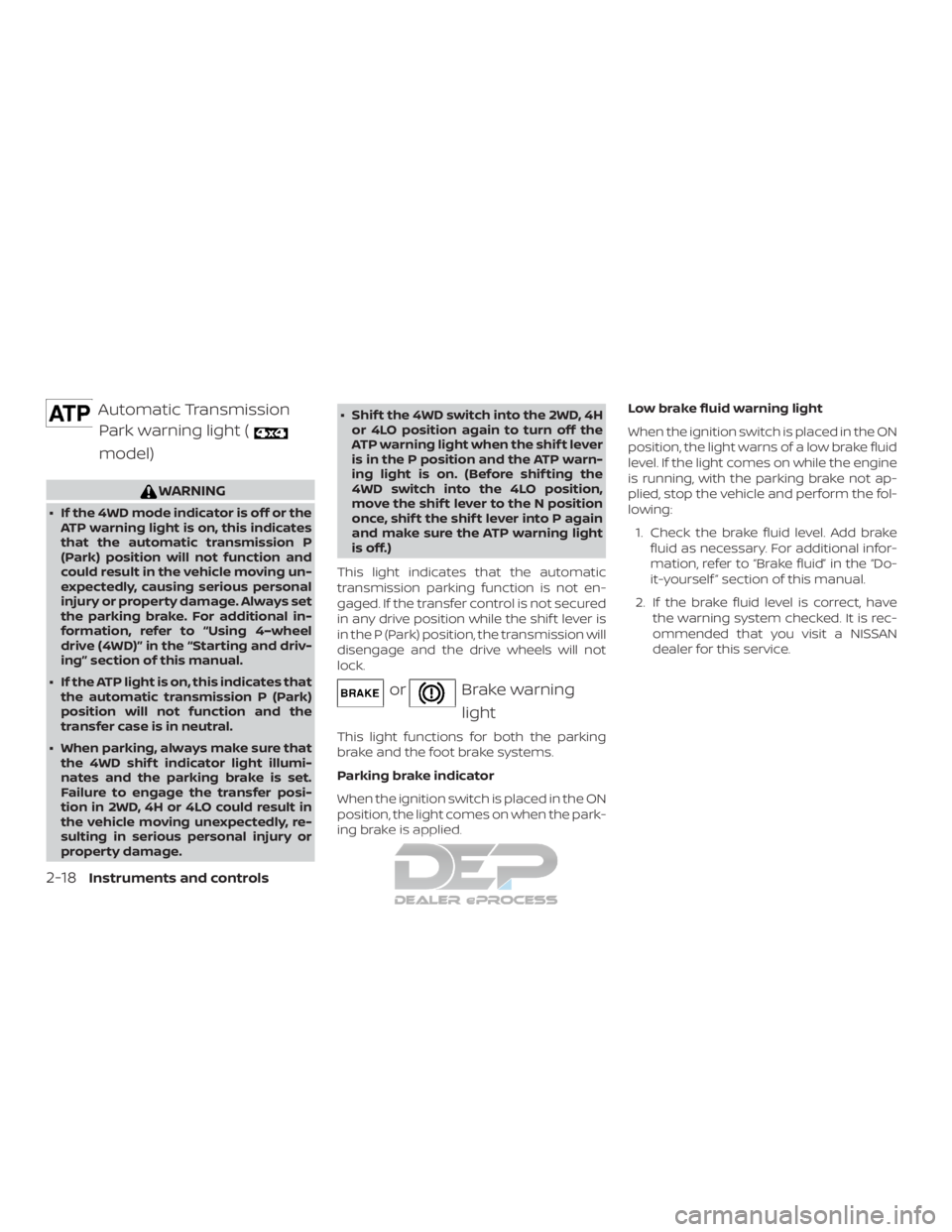
Automatic TransmissionPark warning light (
model)
WARNING
∙ If the 4WD mode indicator is off or the ATP warning light is on, this indicates
that the automatic transmission P
(Park) position will not function and
could result in the vehicle moving un-
expectedly, causing serious personal
injury or property damage. Always set
the parking brake. For additional in-
formation, refer to “Using 4–wheel
drive (4WD)” in the “Starting and driv-
ing” section of this manual.
∙ If the ATP light is on, this indicates that the automatic transmission P (Park)
position will not function and the
transfer case is in neutral.
∙ When parking, always make sure that the 4WD shif t indicator light illumi-
nates and the parking brake is set.
Failure to engage the transfer posi-
tion in 2WD, 4H or 4LO could result in
the vehicle moving unexpectedly, re-
sulting in serious personal injury or
property damage. ∙ Shif t the 4WD switch into the 2WD, 4H
or 4LO position again to turn off the
ATP warning light when the shif t lever
is in the P position and the ATP warn-
ing light is on. (Before shif ting the
4WD switch into the 4LO position,
move the shif t lever to the N position
once, shif t the shif t lever into P again
and make sure the ATP warning light
is off.)
This light indicates that the automatic
transmission parking function is not en-
gaged. If the transfer control is not secured
in any drive position while the shif t lever is
in the P (Park) position, the transmission will
disengage and the drive wheels will not
lock.
orBrake warning light
This light functions for both the parking
brake and the foot brake systems.
Parking brake indicator
When the ignition switch is placed in the ON
position, the light comes on when the park-
ing brake is applied. Low brake fluid warning light
When the ignition switch is placed in the ON
position, the light warns of a low brake fluid
level. If the light comes on while the engine
is running, with the parking brake not ap-
plied, stop the vehicle and perform the fol-
lowing:
1. Check the brake fluid level. Add brake fluid as necessary. For additional infor-
mation, refer to “Brake fluid” in the “Do-
it-yourself ” section of this manual.
2. If the brake fluid level is correct, have the warning system checked. It is rec-
ommended that you visit a NISSAN
dealer for this service.
2-18Instruments and controls