check oil NISSAN TITAN 2020 Owner´s Manual
[x] Cancel search | Manufacturer: NISSAN, Model Year: 2020, Model line: TITAN, Model: NISSAN TITAN 2020Pages: 657, PDF Size: 5.1 MB
Page 19 of 657
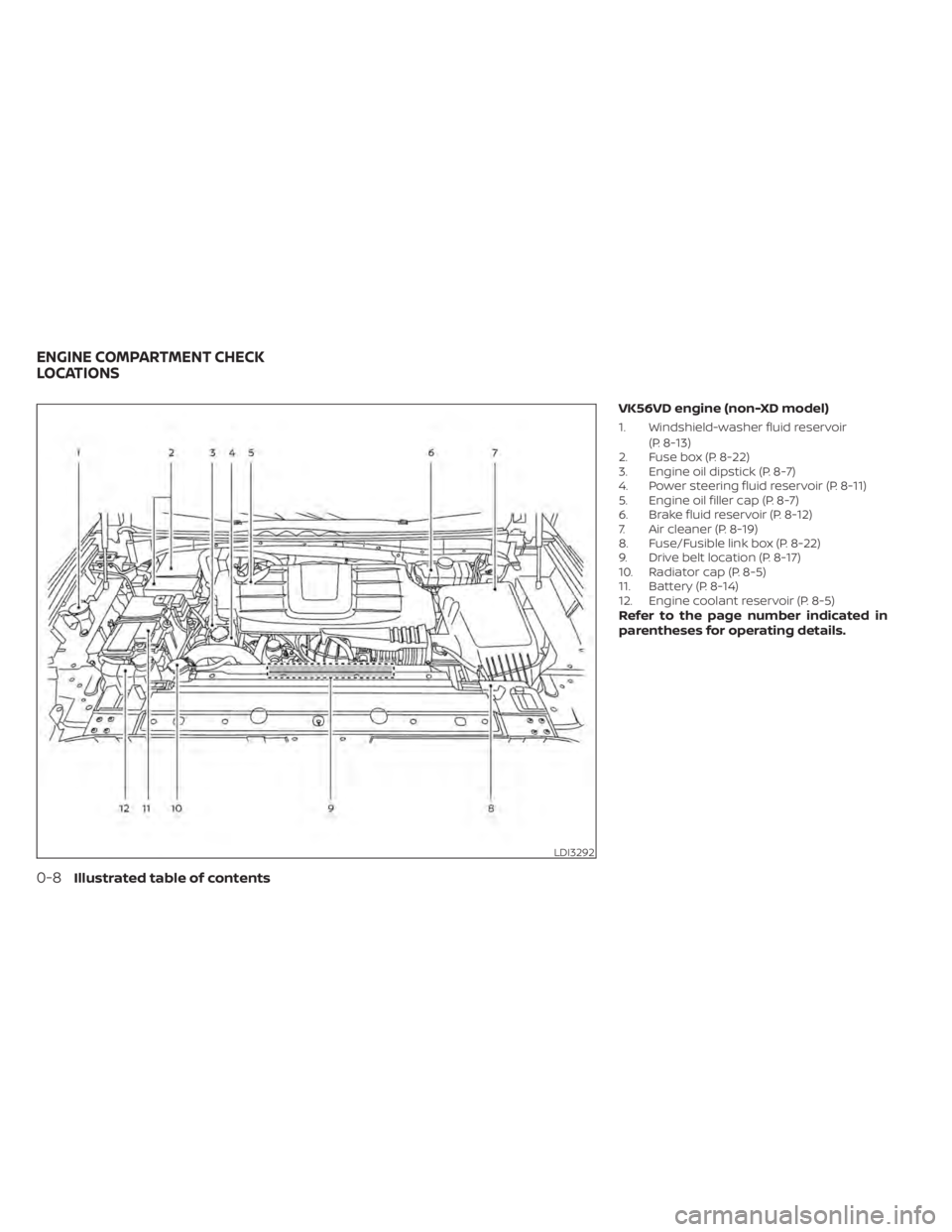
VK56VD engine (non-XD model)
1. Windshield-washer fluid reservoir(P. 8-13)
2. Fuse box (P. 8-22)
3. Engine oil dipstick (P. 8-7)
4. Power steering fluid reservoir (P. 8-11)
5. Engine oil filler cap (P. 8-7)
6. Brake fluid reservoir (P. 8-12)
7. Air cleaner (P. 8-19)
8. Fuse/Fusible link box (P. 8-22)
9. Drive belt location (P. 8-17)
10. Radiator cap (P. 8-5)
11. Battery (P. 8-14)
12. Engine coolant reservoir (P. 8-5)
Refer to the page number indicated in
parentheses for operating details.
LDI3292
ENGINE COMPARTMENT CHECK
LOCATIONS
0-8Illustrated table of contents
Page 21 of 657
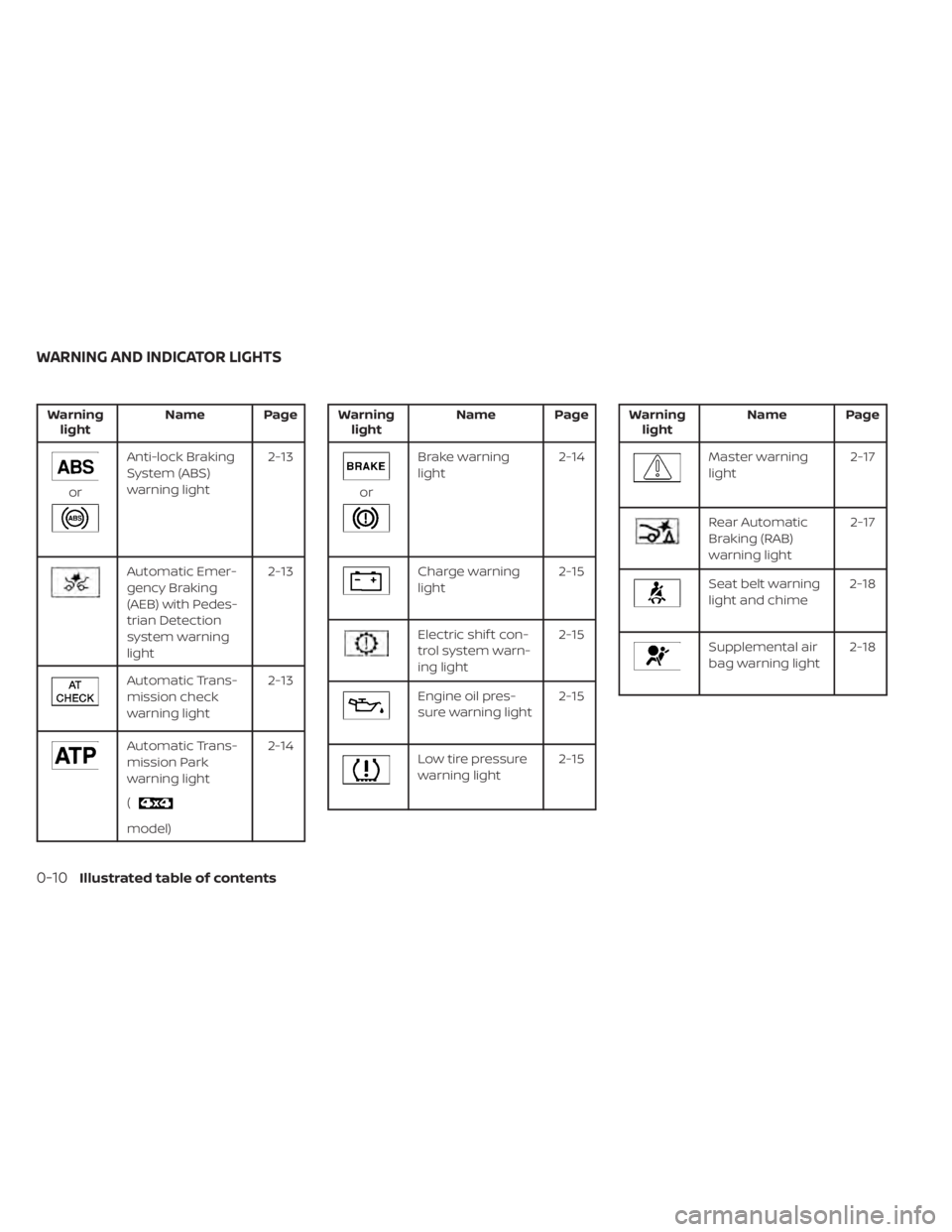
Warninglight Name Page
or
Anti-lock Braking
System (ABS)
warning light 2-13
Automatic Emer-
gency Braking
(AEB) with Pedes-
trian Detection
system warning
light2-13
Automatic Trans-
mission check
warning light
2-13
Automatic Trans-
mission Park
warning light
(
model)2-14
Warning
light Name Page
or
Brake warning
light 2-14
Charge warning
light 2-15
Electric shif t con-
trol system warn-
ing light2-15
Engine oil pres-
sure warning light
2-15
Low tire pressure
warning light2-15
Warning
light Name Page
Master warning
light 2-17
Rear Automatic
Braking (RAB)
warning light2-17
Seat belt warning
light and chime
2-18
Supplemental air
bag warning light2-18
WARNING AND INDICATOR LIGHTS
0-10Illustrated table of contents
Page 117 of 657
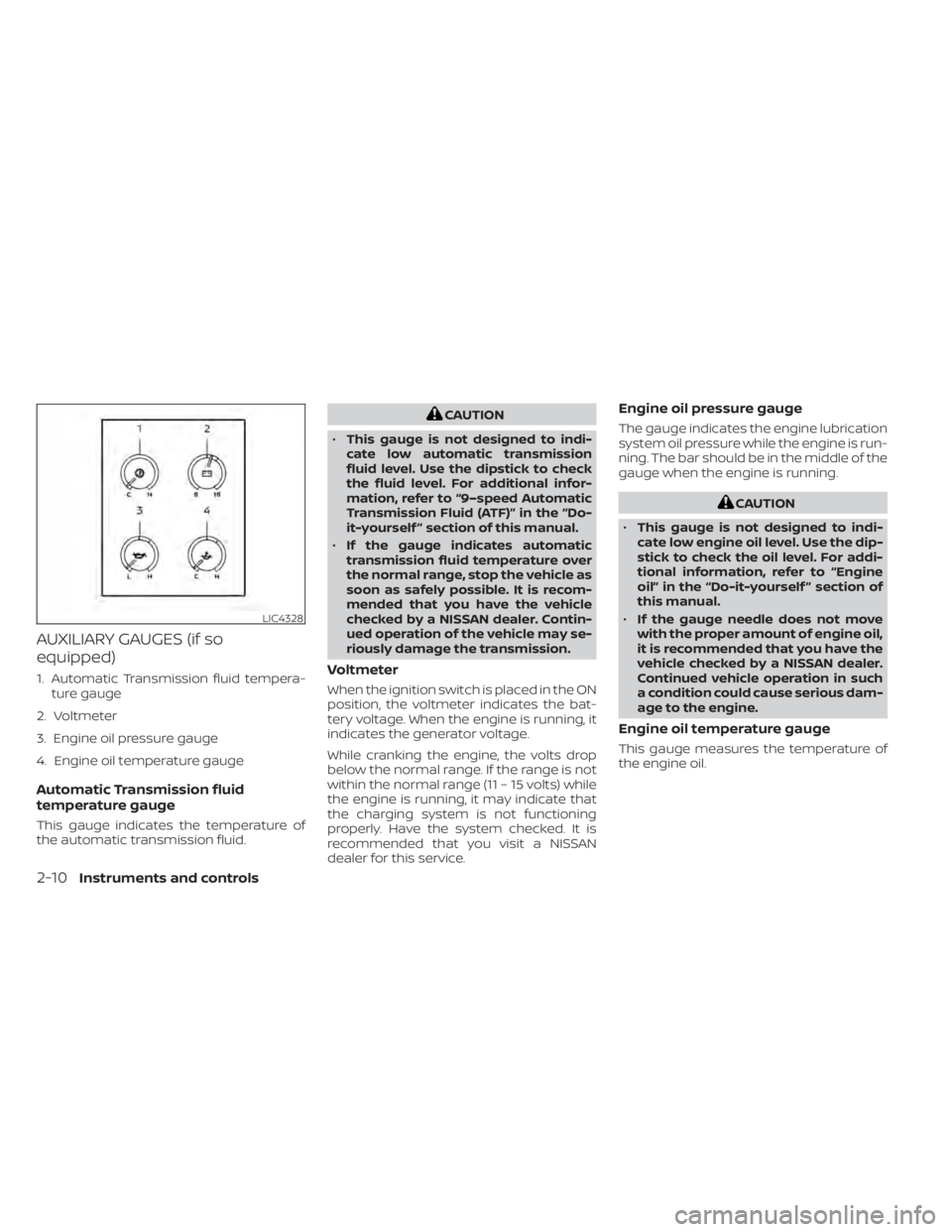
AUXILIARY GAUGES (if so
equipped)
1. Automatic Transmission fluid tempera-ture gauge
2. Voltmeter
3. Engine oil pressure gauge
4. Engine oil temperature gauge
Automatic Transmission fluid
temperature gauge
This gauge indicates the temperature of
the automatic transmission fluid.
CAUTION
• This gauge is not designed to indi-
cate low automatic transmission
fluid level. Use the dipstick to check
the fluid level. For additional infor-
mation, refer to “9–speed Automatic
Transmission Fluid (ATF)” in the “Do-
it-yourself ” section of this manual.
• If the gauge indicates automatic
transmission fluid temperature over
the normal range, stop the vehicle as
soon as safely possible. It is recom-
mended that you have the vehicle
checked by a NISSAN dealer. Contin-
ued operation of the vehicle may se-
riously damage the transmission.
Voltmeter
When the ignition switch is placed in the ON
position, the voltmeter indicates the bat-
tery voltage. When the engine is running, it
indicates the generator voltage.
While cranking the engine, the volts drop
below the normal range. If the range is not
within the normal range (11 – 15 volts) while
the engine is running, it may indicate that
the charging system is not functioning
properly. Have the system checked. It is
recommended that you visit a NISSAN
dealer for this service.
Engine oil pressure gauge
The gauge indicates the engine lubrication
system oil pressure while the engine is run-
ning. The bar should be in the middle of the
gauge when the engine is running.
CAUTION
• This gauge is not designed to indi-
cate low engine oil level. Use the dip-
stick to check the oil level. For addi-
tional information, refer to “Engine
oil” in the “Do-it-yourself ” section of
this manual.
• If the gauge needle does not move
with the proper amount of engine oil,
it is recommended that you have the
vehicle checked by a NISSAN dealer.
Continued vehicle operation in such
a condition could cause serious dam-
age to the engine.
Engine oil temperature gauge
This gauge measures the temperature of
the engine oil.
LIC4328
2-10Instruments and controls
Page 119 of 657
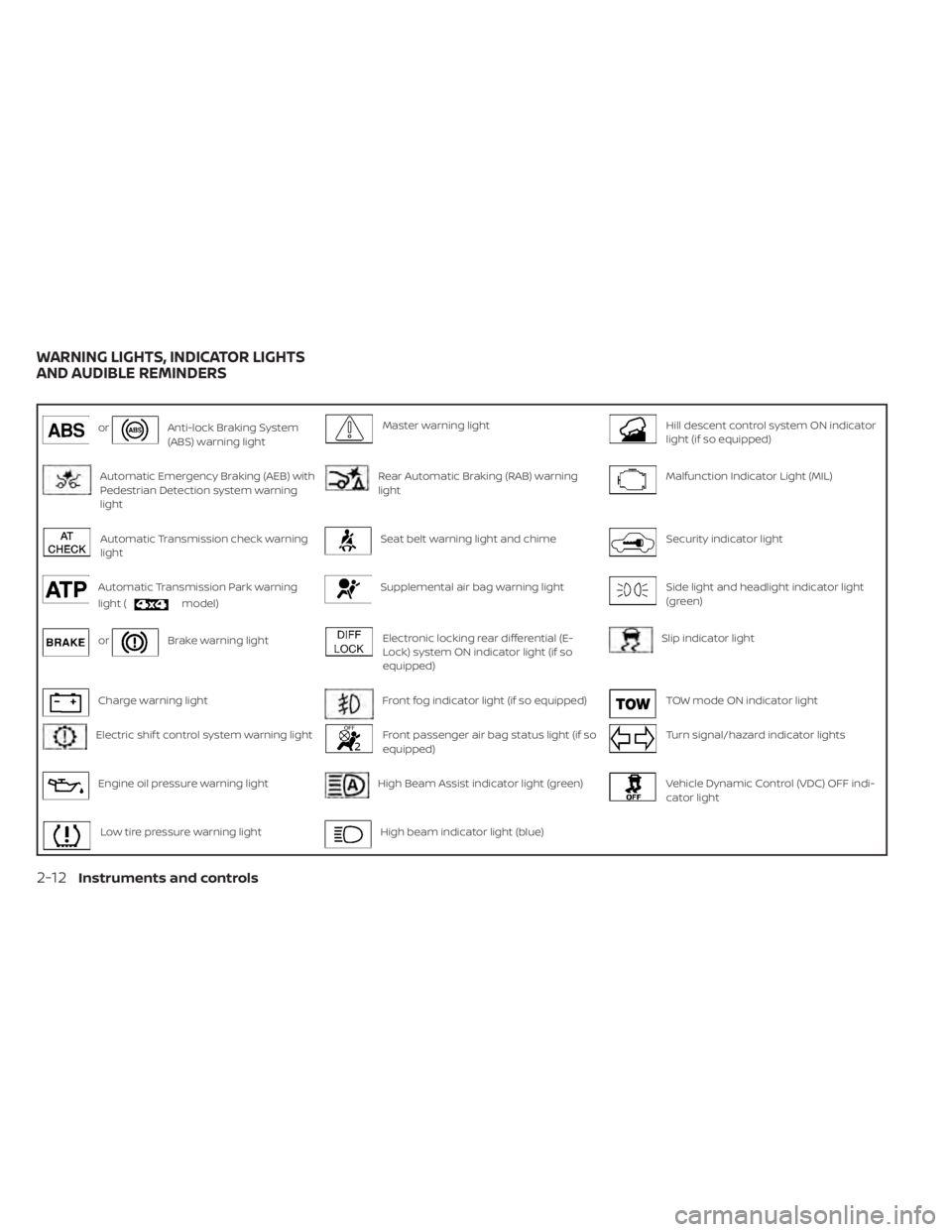
orAnti-lock Braking System
(ABS) warning lightMaster warning lightHill descent control system ON indicator
light (if so equipped)
Automatic Emergency Braking (AEB) with
Pedestrian Detection system warning
lightRear Automatic Braking (RAB) warning
lightMalfunction Indicator Light (MIL)
Automatic Transmission check warning
lightSeat belt warning light and chimeSecurity indicator light
Automatic Transmission Park warning
light (
model)
Supplemental air bag warning lightSide light and headlight indicator light
(green)
orBrake warning lightElectronic locking rear differential (E-
Lock) system ON indicator light (if so
equipped)Slip indicator light
Charge warning lightFront fog indicator light (if so equipped)TOW mode ON indicator light
Electric shif t control system warning lightFront passenger air bag status light (if so
equipped)Turn signal/hazard indicator lights
Engine oil pressure warning lightHigh Beam Assist indicator light (green)Vehicle Dynamic Control (VDC) OFF indi-
cator light
Low tire pressure warning lightHigh beam indicator light (blue)
WARNING LIGHTS, INDICATOR LIGHTS
AND AUDIBLE REMINDERS
2-12Instruments and controls
Page 122 of 657
•Pressing the brake pedal with the en-
gine stopped and/or a low brake
fluid level may increase your stop-
ping distance and braking will re-
quire greater pedal effort and pedal
travel.
• If the brake fluid level is below the
MINIMUM or MIN mark on the brake
fluid reservoir, do not drive until the
brake system has been checked. It is
recommended that you visit a
NISSAN dealer for this service.
Charge warning light
If this light comes on while the engine is
running, it may indicate the charging sys-
tem is not functioning properly. Turn the
engine off and check the generator belt. If
the belt is loose, broken, missing, or if the
light remains on, have the system checked.
It is recommended that you visit a NISSAN
dealer for this service.
CAUTION
• Do not ground electrical accessories
directly to the battery terminal. Do-
ing so will bypass the variable volt-
age control system (if so equipped)
and the vehicle battery may not
charge completely. For additional in-
formation, refer to “Variable voltage
control system” in the “Do-it-
yourself ” section of this manual.
• Do not continue driving if the genera-
tor belt is loose, broken or missing.
Electric shif t control system
warning light
This light illuminates when a malfunction
occurs in the electric shif t control system.
When the master warning light illuminates,
the chime sounds and the following mes-
sage is displayed in the vehicle information
display: “When parked apply parking brake”.
When the ignition is placed in the OFF posi-
tion, the chime sounds continuously. En-
sure the parking brake is applied
Have the system checked. It is recom-
mended that you visit a NISSAN dealer for
this service.
Engine oil pressure
warning light
This light warns of low engine oil pressure. If
the light flickers or comes on during nor-
mal driving, pull off the road in a safe area,
stop the engine immediately,and call a
NISSAN dealer or other authorized repair
shop.
The engine oil pressure warning light is
not designed to indicate a low oil level.
Use the dipstick to check the oil level. For
additional information, refer to “Engine oil”
in the “Do-it-yourself ” section of this
manual.
CAUTION
Running the engine with the engine oil
pressure warning light on could cause
serious damage to the engine almost
immediately. Such damage is not cov-
ered by warranty. Turn off the engine as
soon as it is safe to do so.
Low tire pressure warning
light
Your vehicle is equipped with a Tire Pres-
sure Monitoring System (TPMS) that moni-
tors the tire pressure of all tires except the
spare.
Instruments and controls2-15
Page 136 of 657
Maintenance
The maintenance menu allows the user to set reminders for various vehicle maintenance items.
WARNING
The tire replacement indicator is not a substitute for regular tire checks, including tire pressure checks. For additional informa-
tion, refer to “Changing wheels and tires” in the “Do-it-yourself ” section of this manual. Many factors including tire inflation,
alignment, driving habits and road conditions affect tire wear and when tires should be replaced. Setting the tire replacement
indicator for a certain driving distance does not mean your tires will last that long. Use the tire replacement indicator as a guide
only and always perform regular tire checks. Failure to perform regular tire checks, including tire pressure checks could result in
tire failure. Serious vehicle damage could occur and may lead to a collision, which could result in serious personal injury or death.
Menu item Result
Maintenance Allows user to cycle through various maintenance items and set reminders to perform maintenance at spe-
cific intervals.
Oil and Filter (if so equipped) Allows user to set an oil and filter reminder at a specific interval or reset the current one.
Air Filter Allows user to set an air filter reminder at a specific interval or reset the current one.
Tire Allows user to set a tire reminder at a specific interval or reset the current one.
Brake Pad Allows user to set a brake pad reminder at a specific interval or reset the current one.
Brake Fluid Allows user to set a brake fluid reminder at a specific interval or reset the current one.
Battery Allows user to set a battery reminder at a specific interval or reset the current one.
Transmission Fluid Allows user to set a transmission fluid reminder at a specific interval or reset the current one.
Engine Coolant Allows user to set an engine coolant reminder at a specific interval or reset the current one.
Spark Plug (if so equipped) Allows user to set a spark plug reminder at a specific interval or reset the current one.
Other Allows user to set a reminder, other than for the maintenance items listed above, at a specific interval or re-
set the current one.
Instruments and controls2-29
Page 143 of 657
Key ID Incorrect
This warning appears when the ignition
switch is placed from the OFF position and
the Intelligent Key is not recognized by the
system. You cannot start the engine with
an unregistered key.
For additional information, refer to “NISSAN
Intelligent Key®” in the “Pre-driving checks
and adjustments” section of this manual.
No Key Detected
This warning appears when the Intelligent
Key is lef t outside the vehicle with the igni-
tion switch in the ON position. Make sure
the Intelligent Key is inside the vehicle.
For additional information, refer to “NISSAN
Intelligent Key®” in the “Pre-driving checks
and adjustments” section of this manual.
Key System Error: See Owner’s
Manual
Af ter the ignition switch is pushed to the
ON position, this light comes on for a period
of time and then turns off.
The Key System Error message warns of a
malfunction with the Intelligent Key sys-
tem. If the light comes on while the engine
is stopped, it may be impossible to start
the engine.If the light comes on while the engine is
running, you can drive the vehicle. However,
in these cases, have the system checked. It
is recommended that you visit a NISSAN
dealer for this service.
Key Battery Low
This indicator illuminates when the Intelli-
gent Key battery is running out of power.
If this indicator illuminates, replace the bat-
tery with a new one. For additional infor-
mation, refer to “Battery replacement” in
the “Do-it-yourself ” section of this manual.
Power will turn off to save the battery
This message appears in the vehicle infor-
mation display af ter a period of time if the
ignition switch is in the ACC or the ON po-
sition and if the vehicle is in P (Park). For
additional information, refer to “Push-
button ignition switch positions” in the
“Starting and driving” section of this
manual.
Power turned off to save the battery
This warning appears af ter the ignition
switch is automatically turned off to save
the battery.
Reminder: Turn OFF Headlights
This warning appears when the headlights
are lef t in the ON position when exiting the
vehicle. Place the headlight switch in the
OFF or AUTO position. For additional infor-
mation, refer to “Headlight switch” in this
section.
4WD Error: See Owner’s Manual (if so
equipped)
This warning appears when the 4-wheel
drive system is not functioning properly
while the engine is running.
Battery Voltage Low Charge battery
This warning appears when the battery is
low and needs to be charged.
Maintenance indicators
When engine oil service is due, one or more
of these icons will appear automatically to
remind you. For additional information, re-
fer to “Engine oil” in the “Do-it-yourself ” sec-
tion of this manual.
These will also appear when the user-set
reminders are met. For additional informa-
tion, refer to “Vehicle information display” in
this section.
2-36Instruments and controls
Page 349 of 657
NISSAN VEHICLE IMMOBILIZER
SYSTEM
The NISSAN Vehicle Immobilizer System
will not allow the engine to start without
the use of the registered key.
If the engine fails to start using a registered
key (for example, when interference is
caused by another registered key, an auto-
mated toll road device or automatic pay-
ment device on the key ring), restart the
engine using the following procedures:
1. Leave the ignition switch in the ON posi-tion for approximately 5 seconds.
2. Place the ignition switch in the OFF or LOCK position, and wait approximately
10 seconds.
3. Repeat steps 1 and 2.
4. Restart the engine while holding the de- vice (which may have caused the inter-
ference) separate from the registered
key.
If the no start condition re-occurs, NISSAN
recommends placing the registered key on
a separate key ring to avoid interference
from other devices. • Make sure the area around the vehicle is
clear.
• Check fluid levels such as engine oil, cool- ant, brake fluid and windshield-washer
fluid as frequently as possible, or at least
whenever you refuel.
• Check that all windows and lights are clean.
• Visually inspect tires for their appearance and condition. Also check tires for proper
inflation.
• Check that all doors are closed.
• Position seat and adjust head restraints/ headrests.
• Adjust inside and outside mirrors.
• Fasten seat belts and ask all passengers to do likewise.
• Check the operation of warning lights when the ignition switch is placed in the
ON position. For additional information,
refer to “Warning lights, indicator lights
and audible reminders” in the “Instru-
ments and controls” section of this
manual. 1. Apply the parking brake.
2. Move the shif t lever to P (Park) or N (Neu-
tral). P (Park) is recommended.
The starter is designed not to operate
unless the shif t lever is in either P
(Park) or N (Neutral).
3. Push the ignition switch to the ON posi- tion. Depress the brake pedal and push
the ignition switch to start the engine.
To start the engine immediately, push
and release the ignition switch while de-
pressing the brake pedal with the igni-
tion switch in any position.
• If the engine is very hard to start in extremely cold weather or when re-
starting, depress the accelerator
pedal a little (approximately 1/3 to the
floor) and while holding, crank the en-
gine. Release the accelerator pedal
when the engine starts.
• If the engine is very hard to start be- cause it is flooded, depress the accel-
erator pedal all the way to the floor
and hold it. Push the ignition switch to
the ON position to start cranking the
engine. Af ter 5 or 6 seconds, stop
cranking by pushing the ignition
switch to the LOCK position. Af ter
BEFORE STARTING THE ENGINE STARTING THE ENGINE
5-16Starting and driving
Page 482 of 657
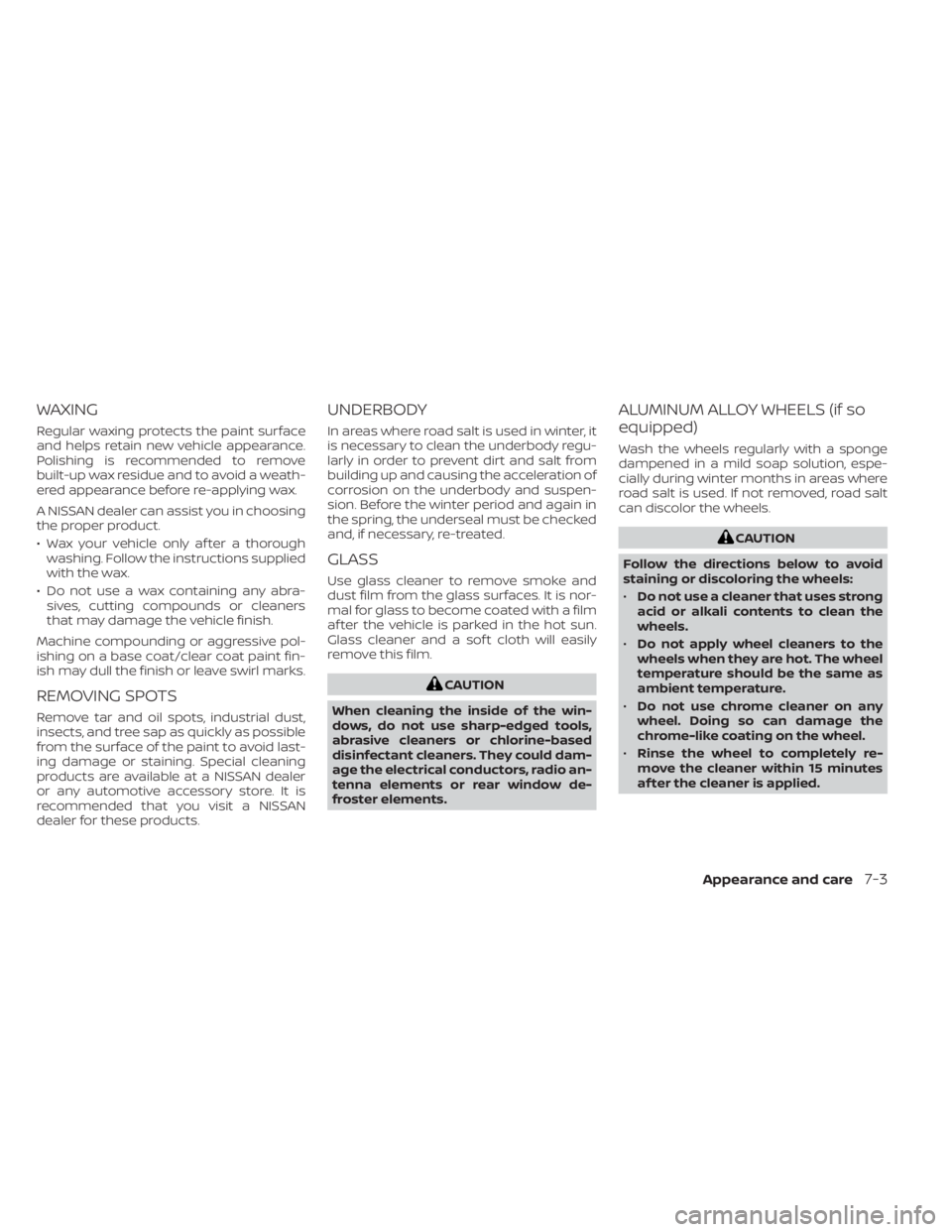
WAXING
Regular waxing protects the paint surface
and helps retain new vehicle appearance.
Polishing is recommended to remove
built-up wax residue and to avoid a weath-
ered appearance before re-applying wax.
A NISSAN dealer can assist you in choosing
the proper product.
• Wax your vehicle only af ter a thoroughwashing. Follow the instructions supplied
with the wax.
• Do not use a wax containing any abra- sives, cutting compounds or cleaners
that may damage the vehicle finish.
Machine compounding or aggressive pol-
ishing on a base coat/clear coat paint fin-
ish may dull the finish or leave swirl marks.
REMOVING SPOTS
Remove tar and oil spots, industrial dust,
insects, and tree sap as quickly as possible
from the surface of the paint to avoid last-
ing damage or staining. Special cleaning
products are available at a NISSAN dealer
or any automotive accessory store. It is
recommended that you visit a NISSAN
dealer for these products.
UNDERBODY
In areas where road salt is used in winter, it
is necessary to clean the underbody regu-
larly in order to prevent dirt and salt from
building up and causing the acceleration of
corrosion on the underbody and suspen-
sion. Before the winter period and again in
the spring, the underseal must be checked
and, if necessary, re-treated.
GLASS
Use glass cleaner to remove smoke and
dust film from the glass surfaces. It is nor-
mal for glass to become coated with a film
af ter the vehicle is parked in the hot sun.
Glass cleaner and a sof t cloth will easily
remove this film.
CAUTION
When cleaning the inside of the win-
dows, do not use sharp-edged tools,
abrasive cleaners or chlorine-based
disinfectant cleaners. They could dam-
age the electrical conductors, radio an-
tenna elements or rear window de-
froster elements.
ALUMINUM ALLOY WHEELS (if so
equipped)
Wash the wheels regularly with a sponge
dampened in a mild soap solution, espe-
cially during winter months in areas where
road salt is used. If not removed, road salt
can discolor the wheels.
CAUTION
Follow the directions below to avoid
staining or discoloring the wheels:
• Do not use a cleaner that uses strong
acid or alkali contents to clean the
wheels.
• Do not apply wheel cleaners to the
wheels when they are hot. The wheel
temperature should be the same as
ambient temperature.
• Do not use chrome cleaner on any
wheel. Doing so can damage the
chrome-like coating on the wheel.
• Rinse the wheel to completely re-
move the cleaner within 15 minutes
af ter the cleaner is applied.
Appearance and care7-3
Page 488 of 657
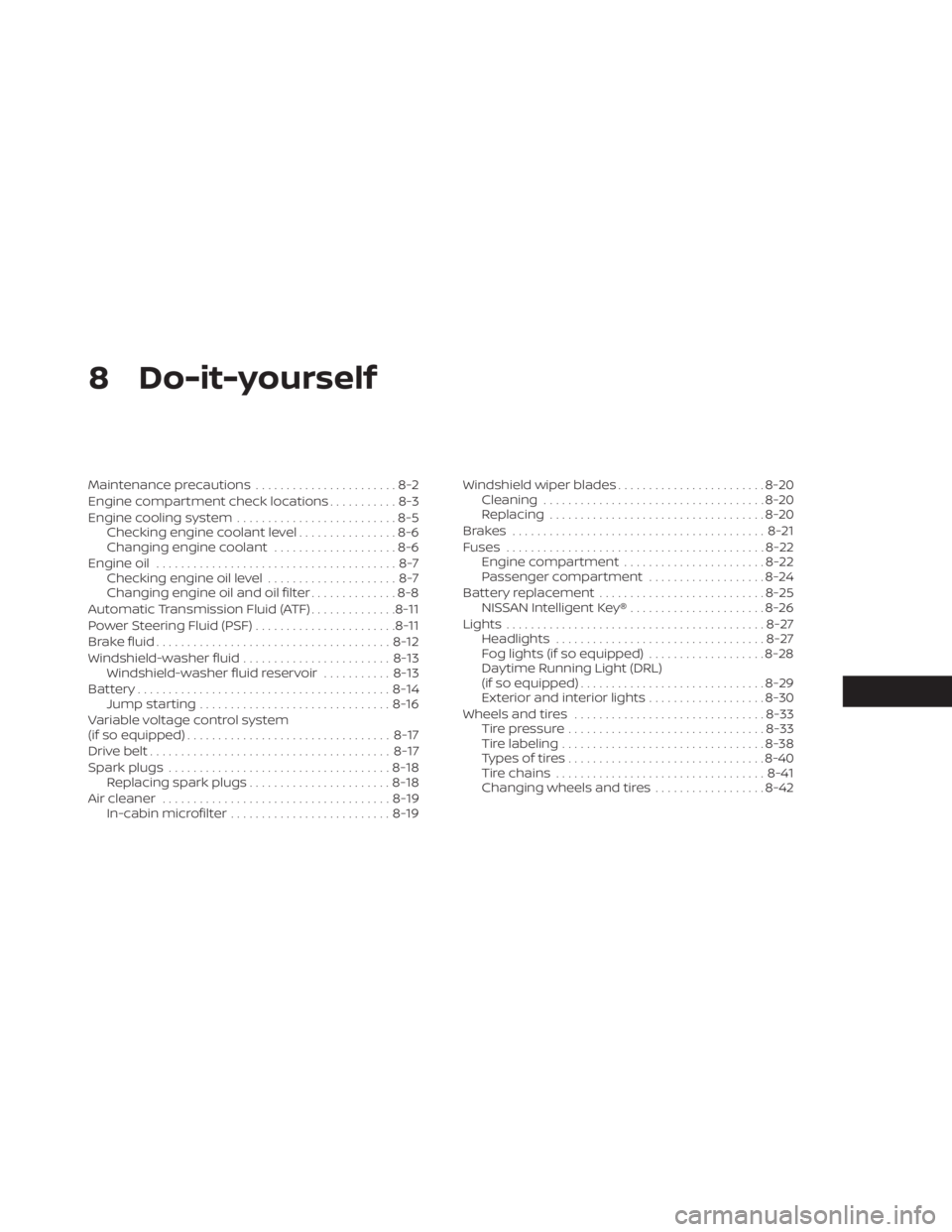
8 Do-it-yourself
Maintenance precautions.......................8-2
Engine compartment check locations ...........8-3
Engine cooling system ..........................8-5
Checking engine coolant level ................8-6
Changing engine coolant ....................8-6
Engine oil .......................................8-7
Checking engine oil level .....................8-7
Changing engine oil and oil filter ..............8-8
Automatic Transmission Fluid (ATF) ..............8-11
Power Steering Fluid (PSF) .......................8-11
Brake fluid ...................................... 8-12
Windshield-washer fluid ........................8-13
Windshield-washer fluid reservoir ...........8-13
Battery......................................... 8-14
Jump starting ............................... 8-16
Variable voltage control system
(if so equipped) ................................. 8-17
Drive belt ....................................... 8-17
Spark plugs .................................... 8-18
Replacing spark plugs .......................8-18
Air cleaner ..................................... 8-19
In-cabin microfilter .......................... 8-19Windshield wiper blades
........................8-20
Cleaning .................................... 8-20
Replacing ................................... 8-20
Brakes ......................................... 8-21
Fuses .......................................... 8-22
Engine compartment .......................8-22
Passenger compartment ...................8-24
Battery replacement ........................... 8-25
NISSAN Intelligent Key® ......................8-26
Lights .......................................... 8-27
Headlights .................................. 8-27
Fog lights (if so equipped) ...................8-28
Daytime Running Light (DRL)
(if so equipped) .............................. 8-29
Exterior and interior lights ...................8-30
Wheels and tires ............................... 8-33
Tire pressure ................................
8-33
Tir
e labeling ................................. 8-38
Types of tires ................................ 8-40
Tire chains .................................. 8-41
Changing wheels and tires ..................8-42