manual transmission NISSAN TITAN 2020 Owner´s Manual
[x] Cancel search | Manufacturer: NISSAN, Model Year: 2020, Model line: TITAN, Model: NISSAN TITAN 2020Pages: 657, PDF Size: 5.1 MB
Page 3 of 657
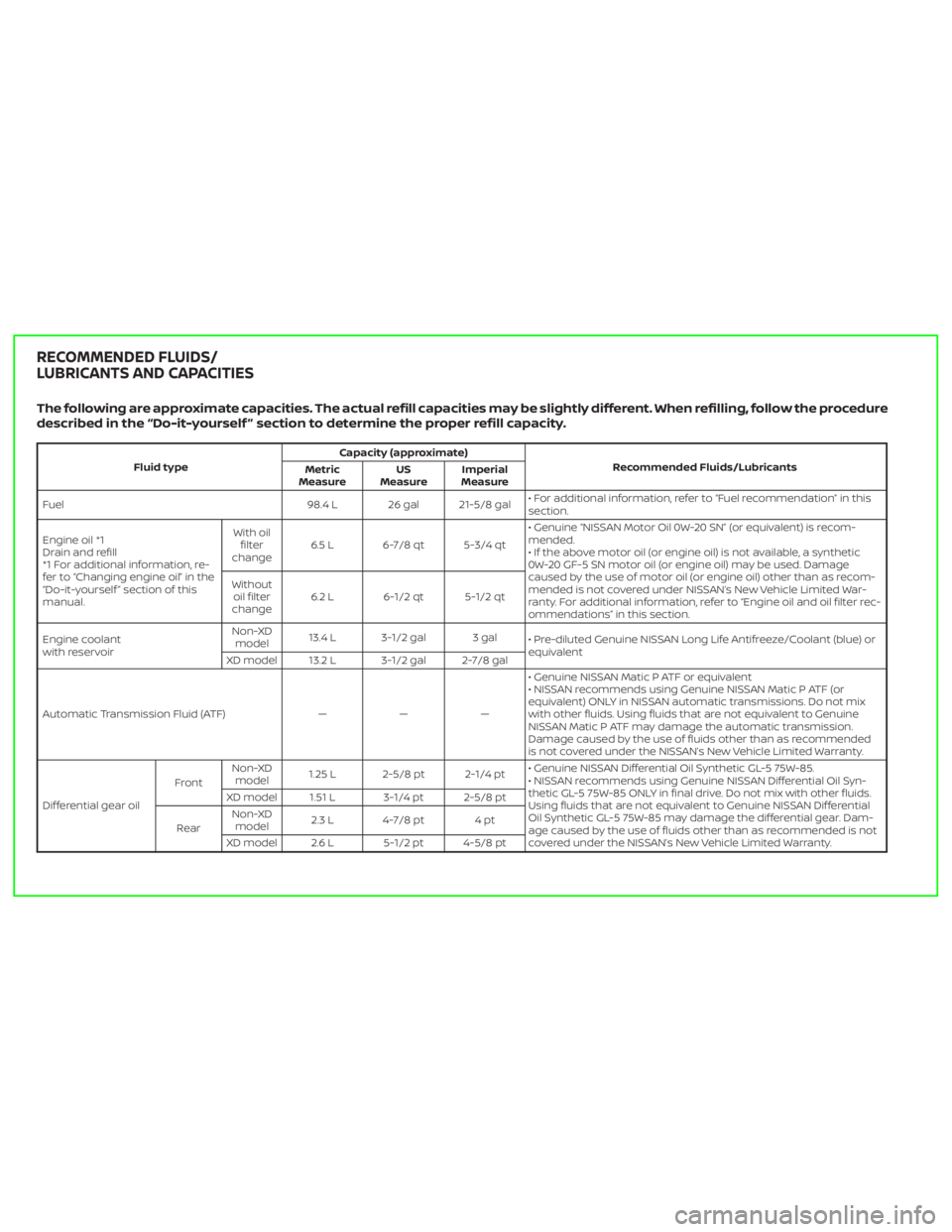
The following are approximate capacities. The actual refill capacities may be slightly different. When refilling, follow the procedure
described in the “Do-it-yourself ” section to determine the proper refill capacity.
Fluid typeCapacity (approximate)
Recommended Fluids/Lubricants
Metric
MeasureUS
MeasureImperial
Measure
Fuel 98.4 L 26 gal 21-5/8 gal• For additional information, refer to “Fuel recommendation” in this
section.
Engine oil *1
Drain and refill
*1 For additional information, re-
fer to “Changing engine oil” in the
“Do-it-yourself ” section of this
manual.With oil
filter
change6.5 L 6-7/8 qt 5-3/4 qt• Genuine “NISSAN Motor Oil 0W-20 SN” (or equivalent) is recom-
mended.
• If the above motor oil (or engine oil) is not available, a synthetic
0W-20 GF-5 SN motor oil (or engine oil) may be used. Damage
caused by the use of motor oil (or engine oil) other than as recom-
mended is not covered under NISSAN’s New Vehicle Limited War-
ranty. For additional information, refer to “Engine oil and oil filter rec-
ommendations” in this section. Without
oil filter
change6.2 L 6-1/2 qt 5-1/2 qt
Engine coolant
with reservoirNon-XD
model13.4 L 3-1/2 gal 3 gal
• Pre-diluted Genuine NISSAN Long Life Antifreeze/Coolant (blue) or
equivalent
XD model 13.2 L 3-1/2 gal 2-7/8 gal
Automatic Transmission Fluid (ATF) — — —• Genuine NISSAN Matic P ATF or equivalent
• NISSAN recommends using Genuine NISSAN Matic P ATF (or
equivalent) ONLY in NISSAN automatic transmissions. Do not mix
with other fluids. Using fluids that are not equivalent to Genuine
NISSAN Matic P ATF may damage the automatic transmission.
Damage caused by the use of fluids other than as recommended
is not covered under the NISSAN’s New Vehicle Limited Warranty.
Differential gear oilFrontNon-XD
model1.25 L 2-5/8 pt 2-1/4 pt• Genuine NISSAN Differential Oil Synthetic GL-5 75W-85.
• NISSAN recommends using Genuine NISSAN Differential Oil Syn-
thetic GL-5 75W-85 ONLY in final drive. Do not mix with other fluids.
Using fluids that are not equivalent to Genuine NISSAN Differential
Oil Synthetic GL-5 75W-85 may damage the differential gear. Dam-
age caused by the use of fluids other than as recommended is not
covered under the NISSAN’s New Vehicle Limited Warranty. XD model 1.51 L 3-1/4 pt 2-5/8 pt
RearNon-XD
model2.3 L 4-7/8 pt 4 pt
XD model 2.6 L 5-1/2 pt 4-5/8 pt
RECOMMENDED FLUIDS/
LUBRICANTS AND CAPACITIES
Page 117 of 657
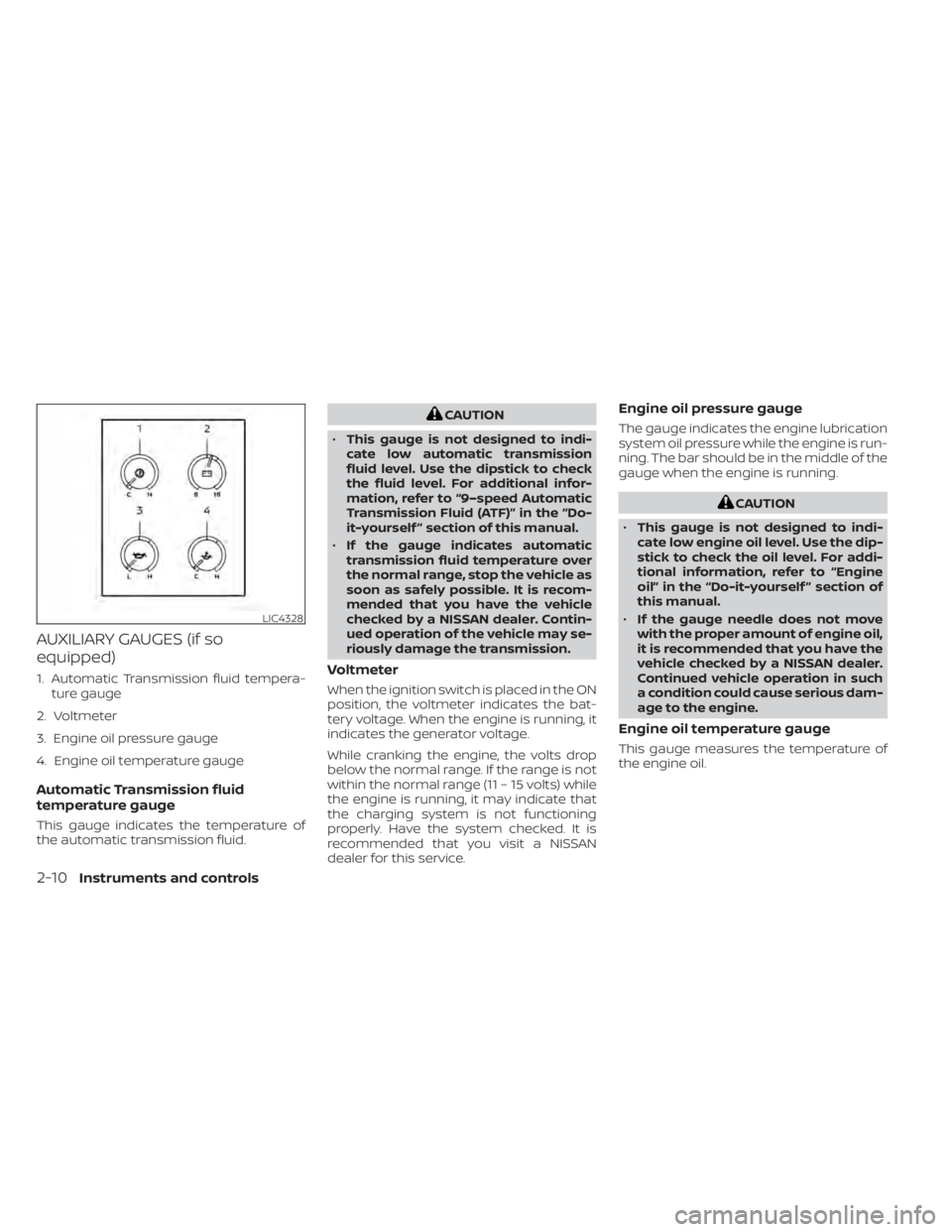
AUXILIARY GAUGES (if so
equipped)
1. Automatic Transmission fluid tempera-ture gauge
2. Voltmeter
3. Engine oil pressure gauge
4. Engine oil temperature gauge
Automatic Transmission fluid
temperature gauge
This gauge indicates the temperature of
the automatic transmission fluid.
CAUTION
• This gauge is not designed to indi-
cate low automatic transmission
fluid level. Use the dipstick to check
the fluid level. For additional infor-
mation, refer to “9–speed Automatic
Transmission Fluid (ATF)” in the “Do-
it-yourself ” section of this manual.
• If the gauge indicates automatic
transmission fluid temperature over
the normal range, stop the vehicle as
soon as safely possible. It is recom-
mended that you have the vehicle
checked by a NISSAN dealer. Contin-
ued operation of the vehicle may se-
riously damage the transmission.
Voltmeter
When the ignition switch is placed in the ON
position, the voltmeter indicates the bat-
tery voltage. When the engine is running, it
indicates the generator voltage.
While cranking the engine, the volts drop
below the normal range. If the range is not
within the normal range (11 – 15 volts) while
the engine is running, it may indicate that
the charging system is not functioning
properly. Have the system checked. It is
recommended that you visit a NISSAN
dealer for this service.
Engine oil pressure gauge
The gauge indicates the engine lubrication
system oil pressure while the engine is run-
ning. The bar should be in the middle of the
gauge when the engine is running.
CAUTION
• This gauge is not designed to indi-
cate low engine oil level. Use the dip-
stick to check the oil level. For addi-
tional information, refer to “Engine
oil” in the “Do-it-yourself ” section of
this manual.
• If the gauge needle does not move
with the proper amount of engine oil,
it is recommended that you have the
vehicle checked by a NISSAN dealer.
Continued vehicle operation in such
a condition could cause serious dam-
age to the engine.
Engine oil temperature gauge
This gauge measures the temperature of
the engine oil.
LIC4328
2-10Instruments and controls
Page 120 of 657
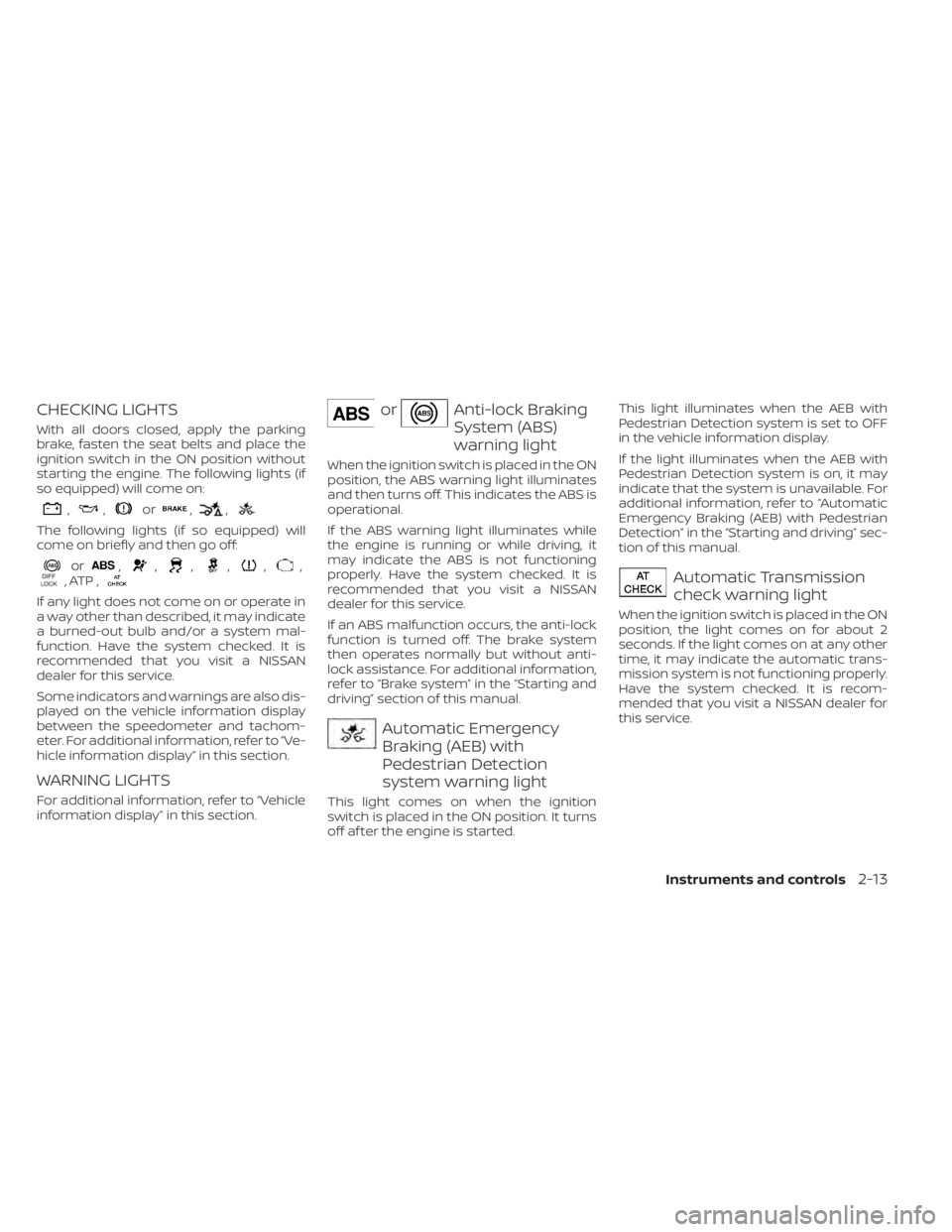
CHECKING LIGHTS
With all doors closed, apply the parking
brake, fasten the seat belts and place the
ignition switch in the ON position without
starting the engine. The following lights (if
so equipped) will come on:
,,or,,
The following lights (if so equipped) will
come on briefly and then go off:
or,,,,,,, ATP ,
If any light does not come on or operate in
a way other than described, it may indicate
a burned-out bulb and/or a system mal-
function. Have the system checked. It is
recommended that you visit a NISSAN
dealer for this service.
Some indicators and warnings are also dis-
played on the vehicle information display
between the speedometer and tachom-
eter. For additional information, refer to “Ve-
hicle information display” in this section.
WARNING LIGHTS
For additional information, refer to “Vehicle
information display” in this section.
orAnti-lock Braking
System (ABS)
warning light
When the ignition switch is placed in the ON
position, the ABS warning light illuminates
and then turns off. This indicates the ABS is
operational.
If the ABS warning light illuminates while
the engine is running or while driving, it
may indicate the ABS is not functioning
properly. Have the system checked. It is
recommended that you visit a NISSAN
dealer for this service.
If an ABS malfunction occurs, the anti-lock
function is turned off. The brake system
then operates normally but without anti-
lock assistance. For additional information,
refer to “Brake system” in the “Starting and
driving” section of this manual.
Automatic Emergency
Braking (AEB) with
Pedestrian Detection
system warning light
This light comes on when the ignition
switch is placed in the ON position. It turns
off af ter the engine is started.This light illuminates when the AEB with
Pedestrian Detection system is set to OFF
in the vehicle information display.
If the light illuminates when the AEB with
Pedestrian Detection system is on, it may
indicate that the system is unavailable. For
additional information, refer to “Automatic
Emergency Braking (AEB) with Pedestrian
Detection” in the “Starting and driving” sec-
tion of this manual.
Automatic Transmission
check warning light
When the ignition switch is placed in the ON
position, the light comes on for about 2
seconds. If the light comes on at any other
time, it may indicate the automatic trans-
mission system is not functioning properly.
Have the system checked. It is recom-
mended that you visit a NISSAN dealer for
this service.
Instruments and controls2-13
Page 121 of 657
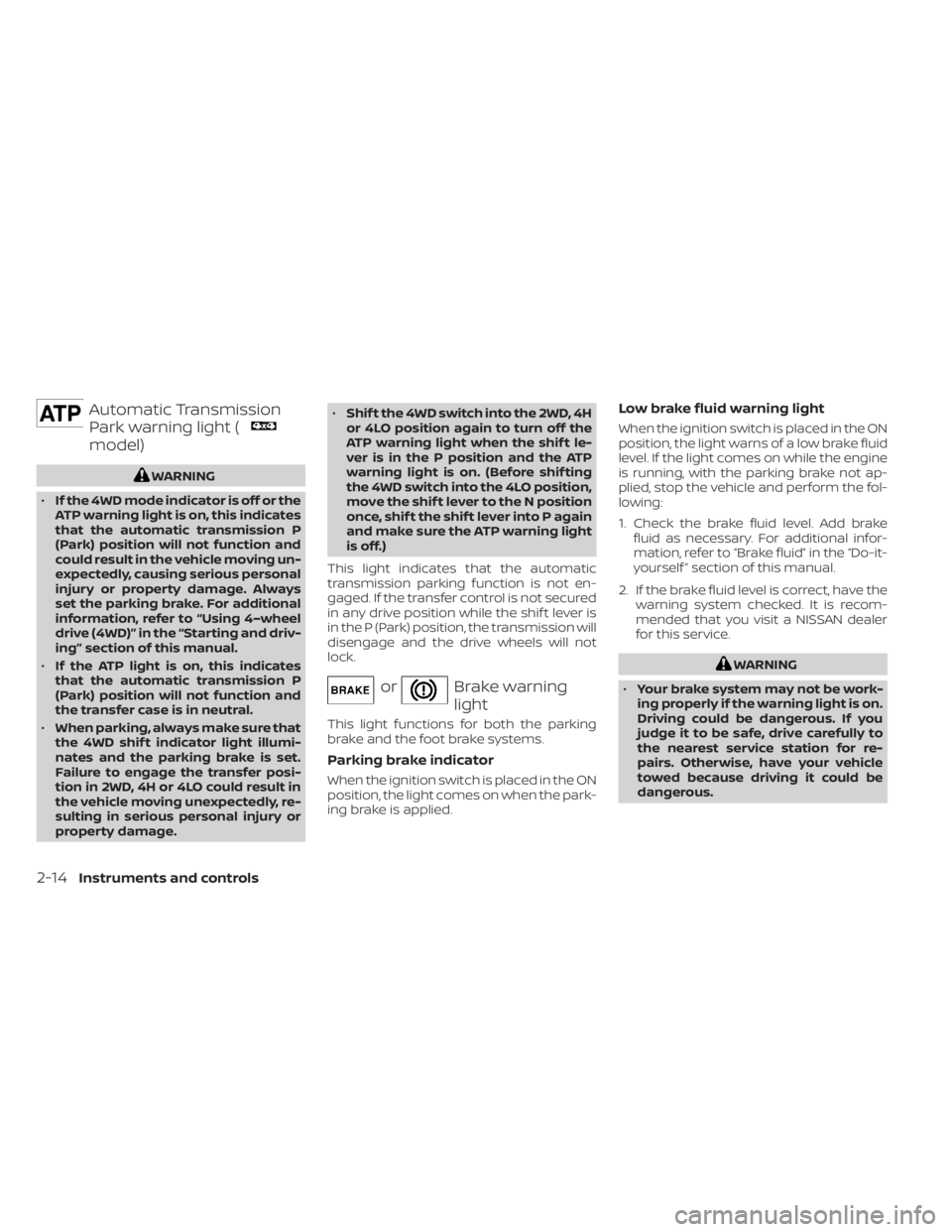
Automatic Transmission
Park warning light (
model)
WARNING
• If the 4WD mode indicator is off or the
ATP warning light is on, this indicates
that the automatic transmission P
(Park) position will not function and
could result in the vehicle moving un-
expectedly, causing serious personal
injury or property damage. Always
set the parking brake. For additional
information, refer to “Using 4–wheel
drive (4WD)” in the “Starting and driv-
ing” section of this manual.
• If the ATP light is on, this indicates
that the automatic transmission P
(Park) position will not function and
the transfer case is in neutral.
• When parking, always make sure that
the 4WD shif t indicator light illumi-
nates and the parking brake is set.
Failure to engage the transfer posi-
tion in 2WD, 4H or 4LO could result in
the vehicle moving unexpectedly, re-
sulting in serious personal injury or
property damage. •
Shif t the 4WD switch into the 2WD, 4H
or 4LO position again to turn off the
ATP warning light when the shif t le-
ver is in the P position and the ATP
warning light is on. (Before shif ting
the 4WD switch into the 4LO position,
move the shif t lever to the N position
once, shif t the shif t lever into P again
and make sure the ATP warning light
is off.)
This light indicates that the automatic
transmission parking function is not en-
gaged. If the transfer control is not secured
in any drive position while the shif t lever is
in the P (Park) position, the transmission will
disengage and the drive wheels will not
lock.
orBrake warning
light
This light functions for both the parking
brake and the foot brake systems.
Parking brake indicator
When the ignition switch is placed in the ON
position, the light comes on when the park-
ing brake is applied.
Low brake fluid warning light
When the ignition switch is placed in the ON
position, the light warns of a low brake fluid
level. If the light comes on while the engine
is running, with the parking brake not ap-
plied, stop the vehicle and perform the fol-
lowing:
1. Check the brake fluid level. Add brake fluid as necessary. For additional infor-
mation, refer to “Brake fluid” in the “Do-it-
yourself ” section of this manual.
2. If the brake fluid level is correct, have the warning system checked. It is recom-
mended that you visit a NISSAN dealer
for this service.
WARNING
• Your brake system may not be work-
ing properly if the warning light is on.
Driving could be dangerous. If you
judge it to be safe, drive carefully to
the nearest service station for re-
pairs. Otherwise, have your vehicle
towed because driving it could be
dangerous.
2-14Instruments and controls
Page 136 of 657
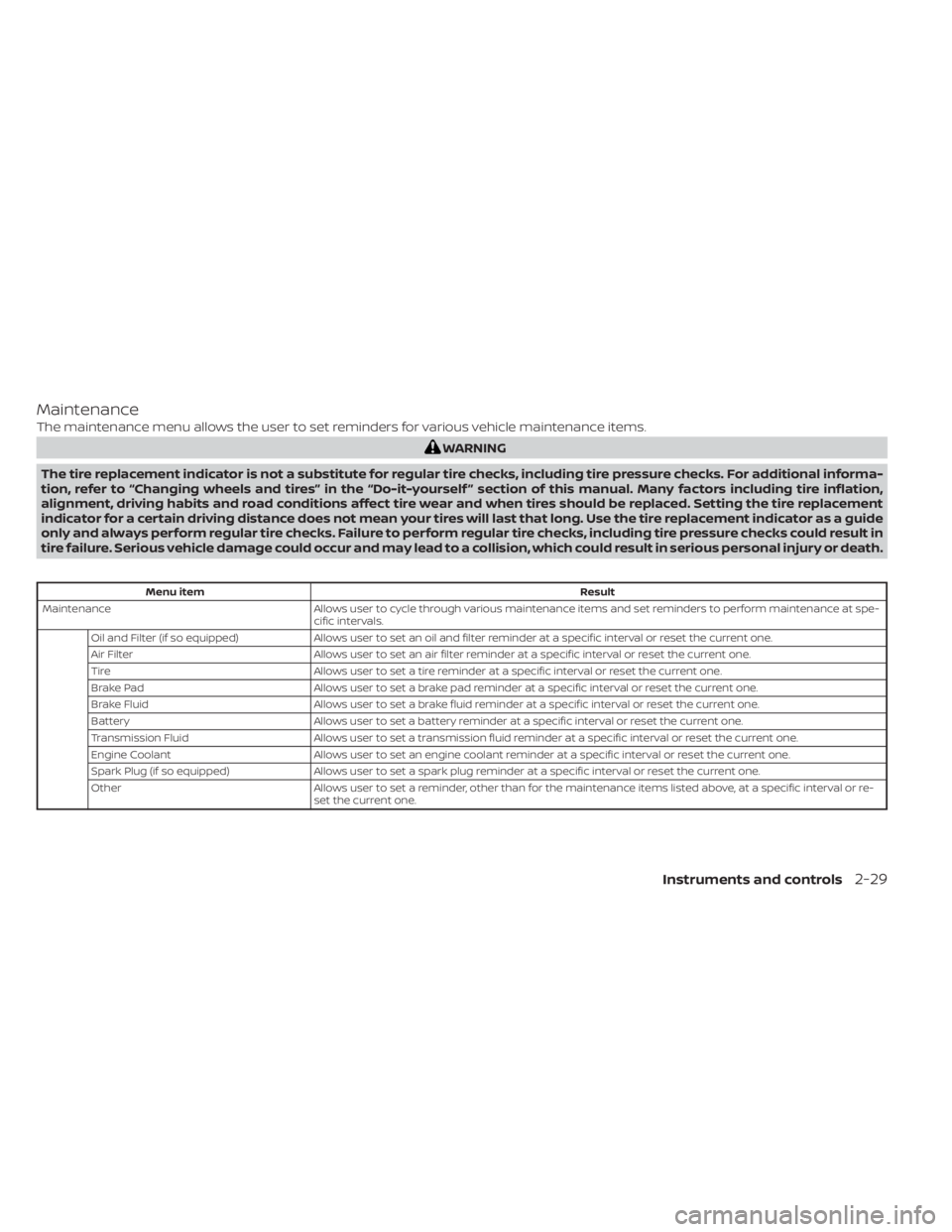
Maintenance
The maintenance menu allows the user to set reminders for various vehicle maintenance items.
WARNING
The tire replacement indicator is not a substitute for regular tire checks, including tire pressure checks. For additional informa-
tion, refer to “Changing wheels and tires” in the “Do-it-yourself ” section of this manual. Many factors including tire inflation,
alignment, driving habits and road conditions affect tire wear and when tires should be replaced. Setting the tire replacement
indicator for a certain driving distance does not mean your tires will last that long. Use the tire replacement indicator as a guide
only and always perform regular tire checks. Failure to perform regular tire checks, including tire pressure checks could result in
tire failure. Serious vehicle damage could occur and may lead to a collision, which could result in serious personal injury or death.
Menu item Result
Maintenance Allows user to cycle through various maintenance items and set reminders to perform maintenance at spe-
cific intervals.
Oil and Filter (if so equipped) Allows user to set an oil and filter reminder at a specific interval or reset the current one.
Air Filter Allows user to set an air filter reminder at a specific interval or reset the current one.
Tire Allows user to set a tire reminder at a specific interval or reset the current one.
Brake Pad Allows user to set a brake pad reminder at a specific interval or reset the current one.
Brake Fluid Allows user to set a brake fluid reminder at a specific interval or reset the current one.
Battery Allows user to set a battery reminder at a specific interval or reset the current one.
Transmission Fluid Allows user to set a transmission fluid reminder at a specific interval or reset the current one.
Engine Coolant Allows user to set an engine coolant reminder at a specific interval or reset the current one.
Spark Plug (if so equipped) Allows user to set a spark plug reminder at a specific interval or reset the current one.
Other Allows user to set a reminder, other than for the maintenance items listed above, at a specific interval or re-
set the current one.
Instruments and controls2-29
Page 140 of 657
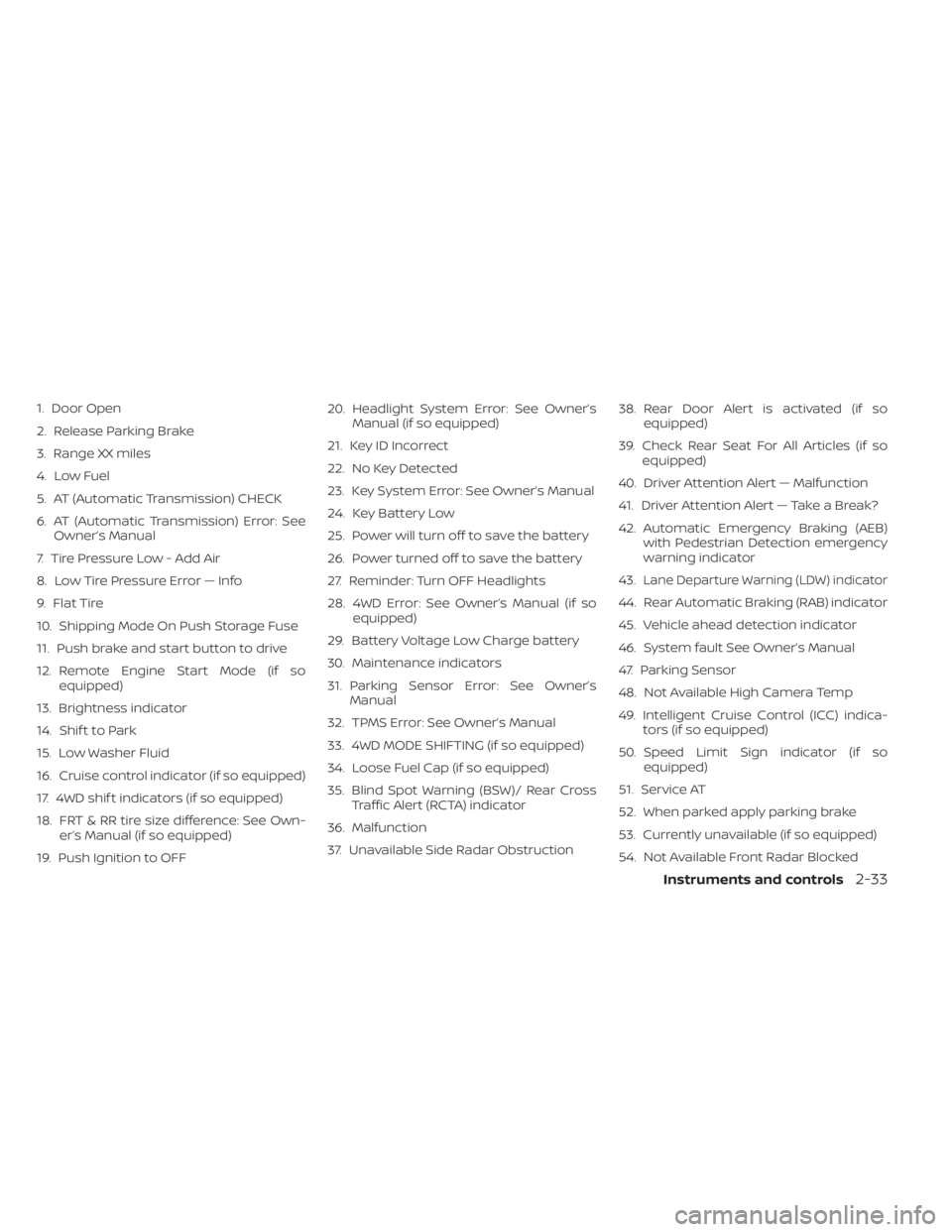
1. Door Open
2. Release Parking Brake
3. Range XX miles
4. Low Fuel
5. AT (Automatic Transmission) CHECK
6. AT (Automatic Transmission) Error: SeeOwner’s Manual
7. Tire Pressure Low - Add Air
8. Low Tire Pressure Error — Info
9. Flat Tire
10. Shipping Mode On Push Storage Fuse
11. Push brake and start button to drive
12. Remote Engine Start Mode (if so equipped)
13. Brightness indicator
14. Shif t to Park
15. Low Washer Fluid
16. Cruise control indicator (if so equipped)
17. 4WD shif t indicators (if so equipped)
18. FRT & RR tire size difference: See Own- er’s Manual (if so equipped)
19. Push Ignition to OFF 20. Headlight System Error: See Owner’s
Manual (if so equipped)
21. Key ID Incorrect
22. No Key Detected
23. Key System Error: See Owner’s Manual
24. Key Battery Low
25. Power will turn off to save the battery
26. Power turned off to save the battery
27. Reminder: Turn OFF Headlights
28. 4WD Error: See Owner’s Manual (if so equipped)
29. Battery Voltage Low Charge battery
30. Maintenance indicators
31. Parking Sensor Error: See Owner’s Manual
32. TPMS Error: See Owner’s Manual
33. 4WD MODE SHIFTING (if so equipped)
34. Loose Fuel Cap (if so equipped)
35. Blind Spot Warning (BSW)/ Rear Cross Traffic Alert (RCTA) indicator
36. Malfunction
37. Unavailable Side Radar Obstruction 38. Rear Door Alert is activated (if so
equipped)
39. Check Rear Seat For All Articles (if so equipped)
40. Driver Attention Alert — Malfunction
41. Driver Attention Alert — Take a Break?
42. Automatic Emergency Braking (AEB) with Pedestrian Detection emergency
warning indicator
43.
Lane Departure Warning (LDW) indicator
44. Rear Automatic Braking (RAB) indicator
45. Vehicle ahead detection indicator
46. System fault See Owner’s Manual
47. Parking Sensor
48. Not Available High Camera Temp
49. Intelligent Cruise Control (ICC) indica- tors (if so equipped)
50. Speed Limit Sign indicator (if so equipped)
51. Service AT
52. When parked apply parking brake
53. Currently unavailable (if so equipped)
54. Not Available Front Radar Blocked
Instruments and controls2-33
Page 141 of 657
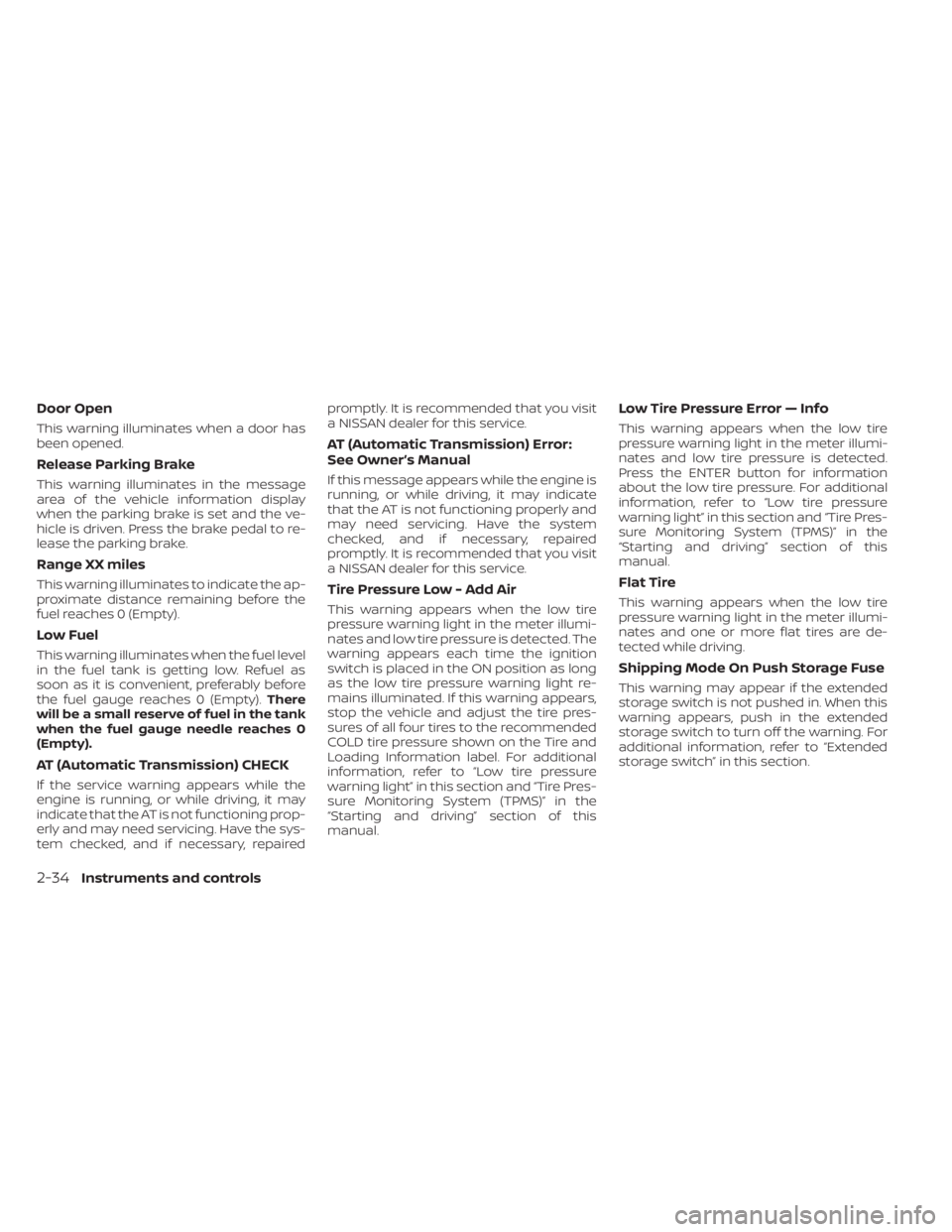
Door Open
This warning illuminates when a door has
been opened.
Release Parking Brake
This warning illuminates in the message
area of the vehicle information display
when the parking brake is set and the ve-
hicle is driven. Press the brake pedal to re-
lease the parking brake.
Range XX miles
This warning illuminates to indicate the ap-
proximate distance remaining before the
fuel reaches 0 (Empty).
Low Fuel
This warning illuminates when the fuel level
in the fuel tank is getting low. Refuel as
soon as it is convenient, preferably before
the fuel gauge reaches 0 (Empty).There
will be a small reserve of fuel in the tank
when the fuel gauge needle reaches 0
(Empty).
AT (Automatic Transmission) CHECK
If the service warning appears while the
engine is running, or while driving, it may
indicate that the AT is not functioning prop-
erly and may need servicing. Have the sys-
tem checked, and if necessary, repaired promptly. It is recommended that you visit
a NISSAN dealer for this service.
AT (Automatic Transmission) Error:
See Owner’s Manual
If this message appears while the engine is
running, or while driving, it may indicate
that the AT is not functioning properly and
may need servicing. Have the system
checked, and if necessary, repaired
promptly. It is recommended that you visit
a NISSAN dealer for this service.
Tire Pressure Low - Add Air
This warning appears when the low tire
pressure warning light in the meter illumi-
nates and low tire pressure is detected. The
warning appears each time the ignition
switch is placed in the ON position as long
as the low tire pressure warning light re-
mains illuminated. If this warning appears,
stop the vehicle and adjust the tire pres-
sures of all four tires to the recommended
COLD tire pressure shown on the Tire and
Loading Information label. For additional
information, refer to “Low tire pressure
warning light” in this section and “Tire Pres-
sure Monitoring System (TPMS)” in the
“Starting and driving” section of this
manual.
Low Tire Pressure Error — Info
This warning appears when the low tire
pressure warning light in the meter illumi-
nates and low tire pressure is detected.
Press the ENTER button for information
about the low tire pressure. For additional
information, refer to “Low tire pressure
warning light” in this section and “Tire Pres-
sure Monitoring System (TPMS)” in the
“Starting and driving” section of this
manual.
Flat Tire
This warning appears when the low tire
pressure warning light in the meter illumi-
nates and one or more flat tires are de-
tected while driving.
Shipping Mode On Push Storage Fuse
This warning may appear if the extended
storage switch is not pushed in. When this
warning appears, push in the extended
storage switch to turn off the warning. For
additional information, refer to “Extended
storage switch” in this section.
2-34Instruments and controls
Page 146 of 657
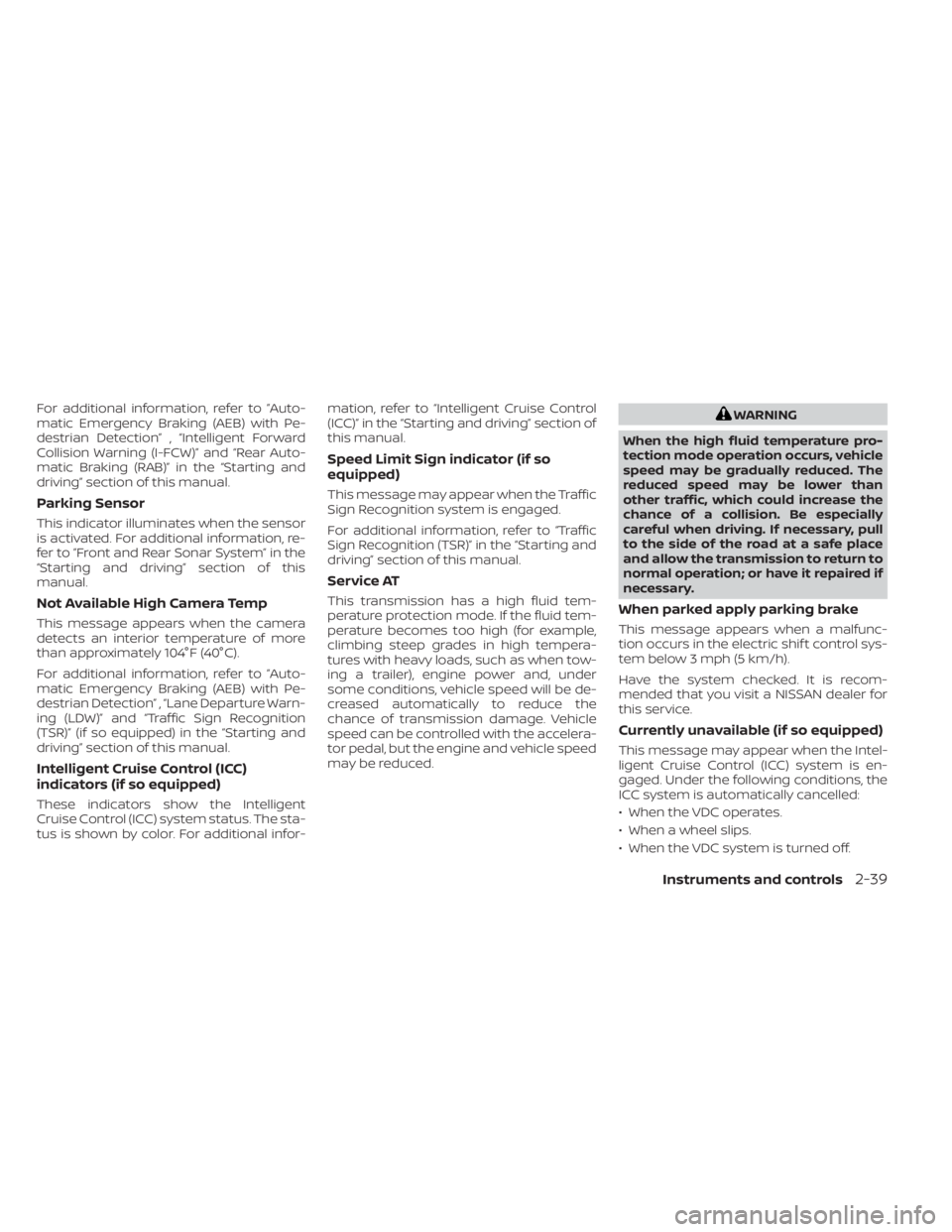
For additional information, refer to ”Auto-
matic Emergency Braking (AEB) with Pe-
destrian Detection” , “Intelligent Forward
Collision Warning (I-FCW)” and “Rear Auto-
matic Braking (RAB)” in the “Starting and
driving” section of this manual.
Parking Sensor
This indicator illuminates when the sensor
is activated. For additional information, re-
fer to ”Front and Rear Sonar System” in the
“Starting and driving” section of this
manual.
Not Available High Camera Temp
This message appears when the camera
detects an interior temperature of more
than approximately 104°F (40°C).
For additional information, refer to ”Auto-
matic Emergency Braking (AEB) with Pe-
destrian Detection” , “Lane Departure Warn-
ing (LDW)” and “Traffic Sign Recognition
(TSR)” (if so equipped) in the “Starting and
driving” section of this manual.
Intelligent Cruise Control (ICC)
indicators (if so equipped)
These indicators show the Intelligent
Cruise Control (ICC) system status. The sta-
tus is shown by color. For additional infor-mation, refer to “Intelligent Cruise Control
(ICC)” in the “Starting and driving” section of
this manual.
Speed Limit Sign indicator (if so
equipped)
This message may appear when the Traffic
Sign Recognition system is engaged.
For additional information, refer to “Traffic
Sign Recognition (TSR)” in the “Starting and
driving” section of this manual.
Service AT
This transmission has a high fluid tem-
perature protection mode. If the fluid tem-
perature becomes too high (for example,
climbing steep grades in high tempera-
tures with heavy loads, such as when tow-
ing a trailer), engine power and, under
some conditions, vehicle speed will be de-
creased automatically to reduce the
chance of transmission damage. Vehicle
speed can be controlled with the accelera-
tor pedal, but the engine and vehicle speed
may be reduced.
WARNING
When the high fluid temperature pro-
tection mode operation occurs, vehicle
speed may be gradually reduced. The
reduced speed may be lower than
other traffic, which could increase the
chance of a collision. Be especially
careful when driving. If necessary, pull
to the side of the road at a safe place
and allow the transmission to return to
normal operation; or have it repaired if
necessary.
When parked apply parking brake
This message appears when a malfunc-
tion occurs in the electric shif t control sys-
tem below 3 mph (5 km/h).
Have the system checked. It is recom-
mended that you visit a NISSAN dealer for
this service.
Currently unavailable (if so equipped)
This message may appear when the Intel-
ligent Cruise Control (ICC) system is en-
gaged. Under the following conditions, the
ICC system is automatically cancelled:
• When the VDC operates.
• When a wheel slips.
• When the VDC system is turned off.
Instruments and controls2-39
Page 169 of 657
To activate the hill descent control system:
• activate the 4H or 4LO switch,
• the transmission shif t lever must be inforward or reverse gear,
• the hill descent control system switch must be ON.
The vehicle speed must be kept below 15
mph (25 km/h).
The hill descent control indicator light will
come on when the system is activated.
Also, the stop/tail lights illuminate while the
hill descent control system applies the
brakes to control vehicle speed.
You may hear a noise from under the hood
or feel a vibration from the actuator when it
is operating. This is normal and indicates
the hill descent control system is working
properly.
If the accelerator or brake pedal is de-
pressed while the hill descent control sys-
tem is on, the system will stop operating
temporarily. As soon as the accelerator or
brake pedal is released, the hill descent
control system begins to function again if
the hill descent control operating condi-
tions are fulfilled. The hill descent control indicator light
blinks if the switch is on and all conditions
for system activation are not met or if the
system becomes disengaged for any rea-
son.
To turn off the hill descent control system,
push the switch to the OFF position.
For additional information, refer to “Hill de-
scent control system ON indicator light” in
this section and “Hill descent control sys-
tem” in the “Starting and driving” section of
this manual.
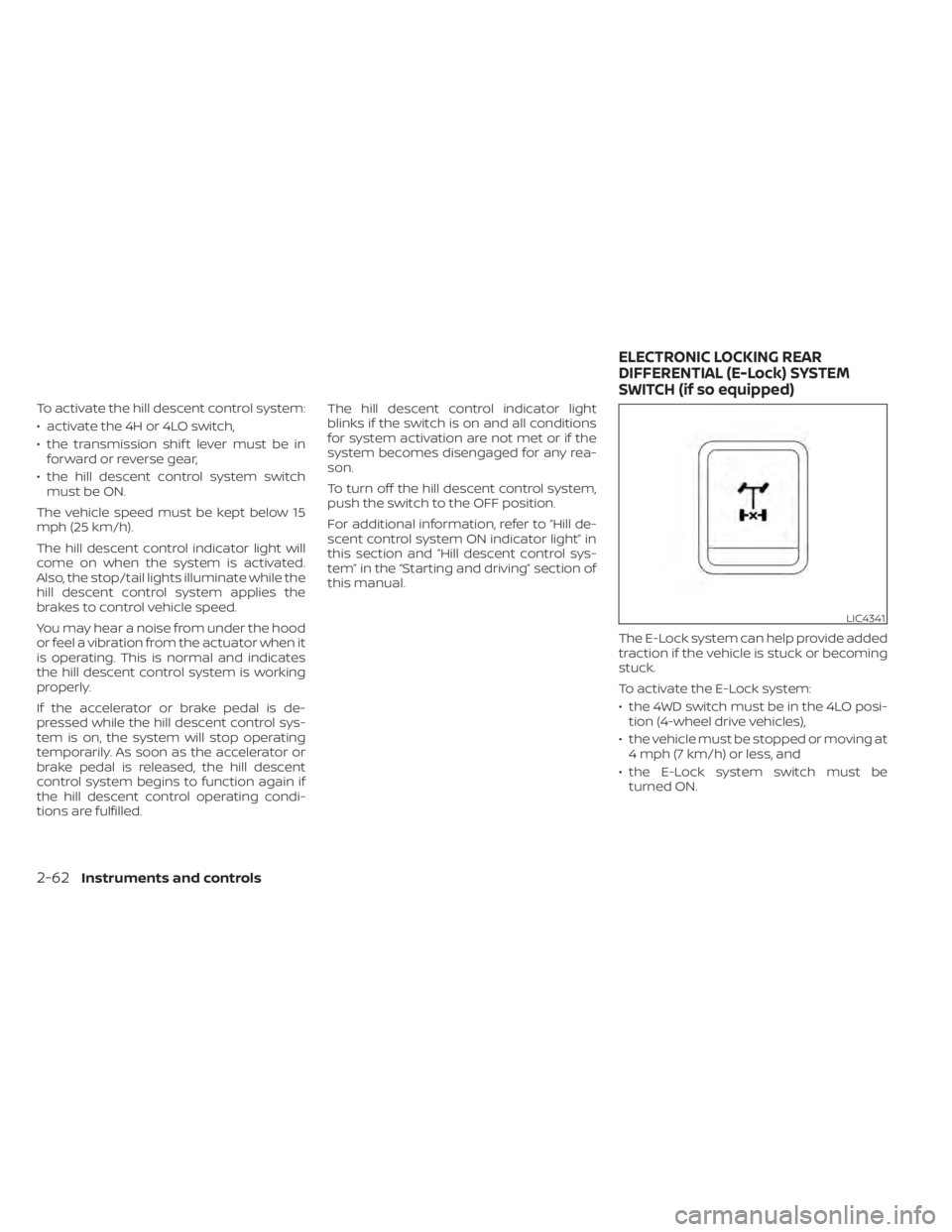
The E-Lock system can help provide added
traction if the vehicle is stuck or becoming
stuck.
To activate the E-Lock system:
• the 4WD switch must be in the 4LO posi-tion (4-wheel drive vehicles),
• the vehicle must be stopped or moving at 4 mph (7 km/h) or less, and
• the E-Lock system switch must be turned ON.
LIC4341
ELECTRONIC LOCKING REAR
DIFFERENTIAL (E-Lock) SYSTEM
SWITCH (if so equipped)
2-62Instruments and controls
Page 172 of 657
If the indicator light flashes when the Front
and rear sonar system, MOD, RAB, or RCTA
systems are not turned off, it may indicate
a malfunction in one or more of these sys-
tems (if so equipped).
The Front and rear sonar system, MOD,
RAB, or RCTA systems will be turned on
automatically under the following condi-
tions:
• When the ignition switch is switched fromthe OFF position to the ON position.
• When the shif t lever is shif ted into the R (Reverse) position.
The automatic turning on function can be
turned on and off for these systems in the
vehicle information display. For additional
information, refer to “Settings” in the “In-
strument and controls” section of this
manual.
For additional information, refer to “Front
and rear sonar system”, ”Rear Automatic
Braking (RAB)” or “Rear Cross Traffic Alert
(RCTA)” in the “Starting and driving” section
of this manual, or the “Moving Object De-
tection (MOD)” in the “Monitor, climate, au-
dio, phone and voice recognition systems”
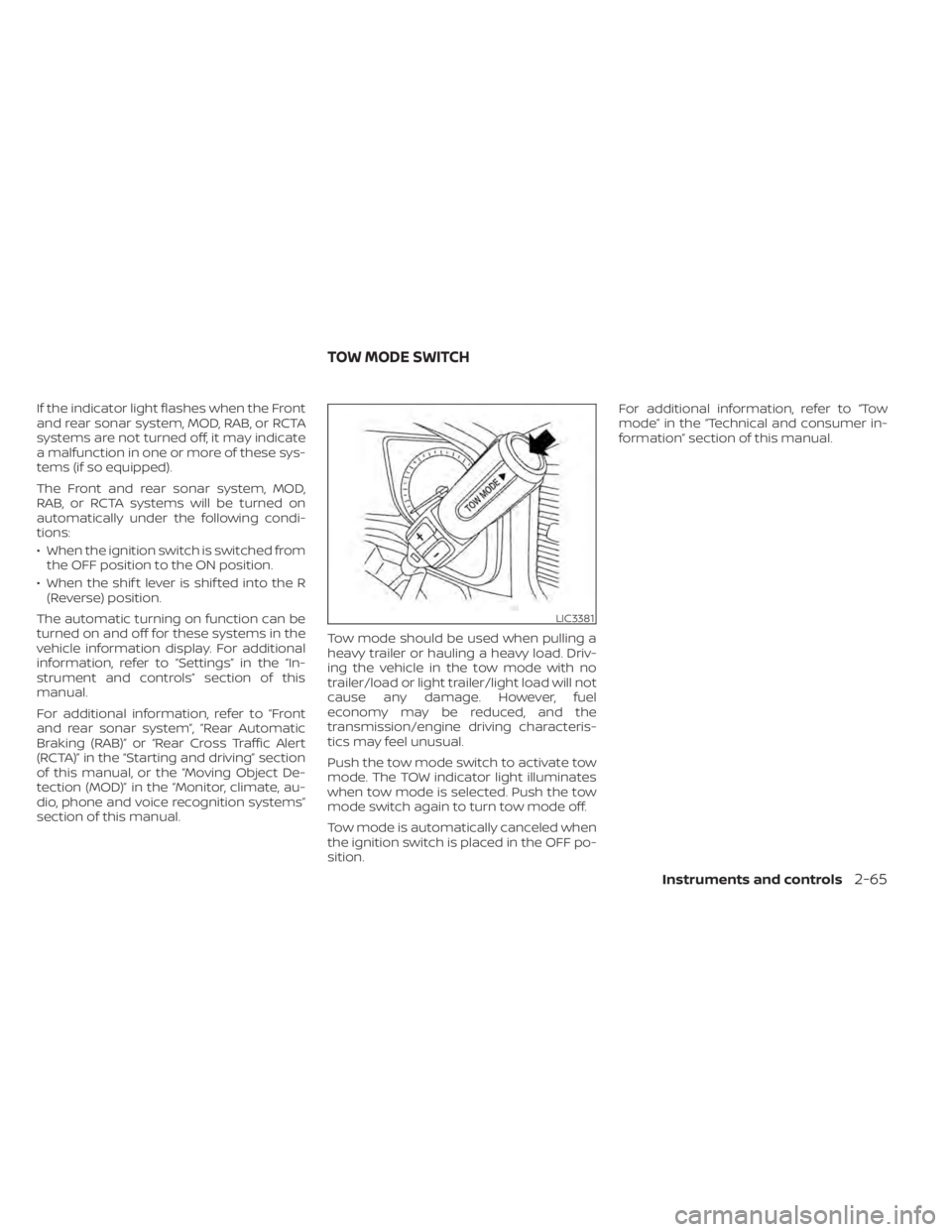
section of this manual. Tow mode should be used when pulling a
heavy trailer or hauling a heavy load. Driv-
ing the vehicle in the tow mode with no
trailer/load or light trailer/light load will not
cause any damage. However, fuel
economy may be reduced, and the
transmission/engine driving characteris-
tics may feel unusual.
Push the tow mode switch to activate tow
mode. The TOW indicator light illuminates
when tow mode is selected. Push the tow
mode switch again to turn tow mode off.
Tow mode is automatically canceled when
the ignition switch is placed in the OFF po-
sition.For additional information, refer to “Tow
mode” in the “Technical and consumer in-
formation” section of this manual.
LIC3381
TOW MODE SWITCH
Instruments and controls2-65