park assist NISSAN TITAN 2020 Owner´s Manual
[x] Cancel search | Manufacturer: NISSAN, Model Year: 2020, Model line: TITAN, Model: NISSAN TITAN 2020Pages: 657, PDF Size: 5.1 MB
Page 119 of 657
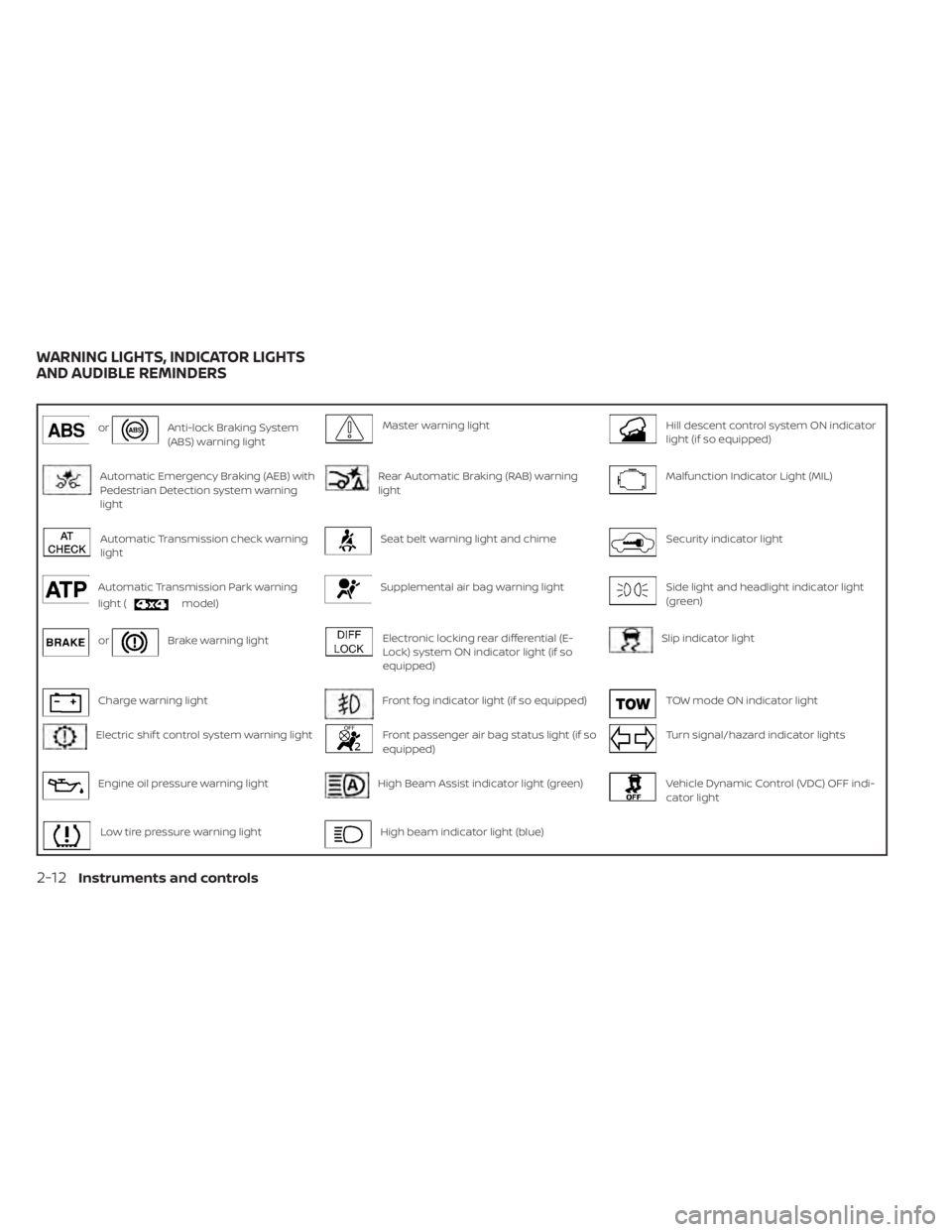
orAnti-lock Braking System
(ABS) warning lightMaster warning lightHill descent control system ON indicator
light (if so equipped)
Automatic Emergency Braking (AEB) with
Pedestrian Detection system warning
lightRear Automatic Braking (RAB) warning
lightMalfunction Indicator Light (MIL)
Automatic Transmission check warning
lightSeat belt warning light and chimeSecurity indicator light
Automatic Transmission Park warning
light (
model)
Supplemental air bag warning lightSide light and headlight indicator light
(green)
orBrake warning lightElectronic locking rear differential (E-
Lock) system ON indicator light (if so
equipped)Slip indicator light
Charge warning lightFront fog indicator light (if so equipped)TOW mode ON indicator light
Electric shif t control system warning lightFront passenger air bag status light (if so
equipped)Turn signal/hazard indicator lights
Engine oil pressure warning lightHigh Beam Assist indicator light (green)Vehicle Dynamic Control (VDC) OFF indi-
cator light
Low tire pressure warning lightHigh beam indicator light (blue)
WARNING LIGHTS, INDICATOR LIGHTS
AND AUDIBLE REMINDERS
2-12Instruments and controls
Page 120 of 657
CHECKING LIGHTS
With all doors closed, apply the parking
brake, fasten the seat belts and place the
ignition switch in the ON position without
starting the engine. The following lights (if
so equipped) will come on:
,,or,,
The following lights (if so equipped) will
come on briefly and then go off:
or,,,,,,, ATP ,
If any light does not come on or operate in
a way other than described, it may indicate
a burned-out bulb and/or a system mal-
function. Have the system checked. It is
recommended that you visit a NISSAN
dealer for this service.
Some indicators and warnings are also dis-
played on the vehicle information display
between the speedometer and tachom-
eter. For additional information, refer to “Ve-
hicle information display” in this section.
WARNING LIGHTS
For additional information, refer to “Vehicle
information display” in this section.
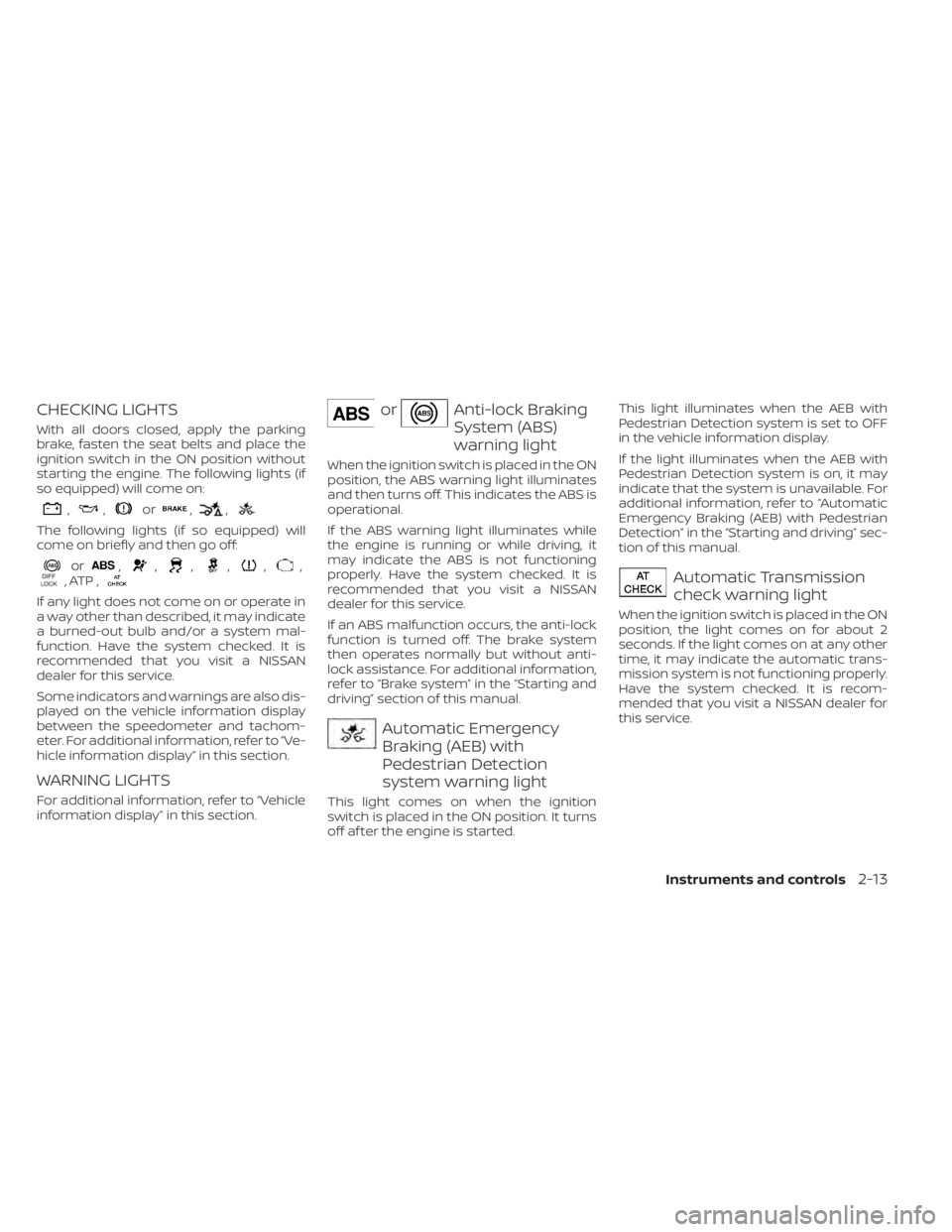
orAnti-lock Braking
System (ABS)
warning light
When the ignition switch is placed in the ON
position, the ABS warning light illuminates
and then turns off. This indicates the ABS is
operational.
If the ABS warning light illuminates while
the engine is running or while driving, it
may indicate the ABS is not functioning
properly. Have the system checked. It is
recommended that you visit a NISSAN
dealer for this service.
If an ABS malfunction occurs, the anti-lock
function is turned off. The brake system
then operates normally but without anti-
lock assistance. For additional information,
refer to “Brake system” in the “Starting and
driving” section of this manual.
Automatic Emergency
Braking (AEB) with
Pedestrian Detection
system warning light
This light comes on when the ignition
switch is placed in the ON position. It turns
off af ter the engine is started.This light illuminates when the AEB with
Pedestrian Detection system is set to OFF
in the vehicle information display.
If the light illuminates when the AEB with
Pedestrian Detection system is on, it may
indicate that the system is unavailable. For
additional information, refer to “Automatic
Emergency Braking (AEB) with Pedestrian
Detection” in the “Starting and driving” sec-
tion of this manual.
Automatic Transmission
check warning light
When the ignition switch is placed in the ON
position, the light comes on for about 2
seconds. If the light comes on at any other
time, it may indicate the automatic trans-
mission system is not functioning properly.
Have the system checked. It is recom-
mended that you visit a NISSAN dealer for
this service.
Instruments and controls2-13
Page 131 of 657
Driver Assistance
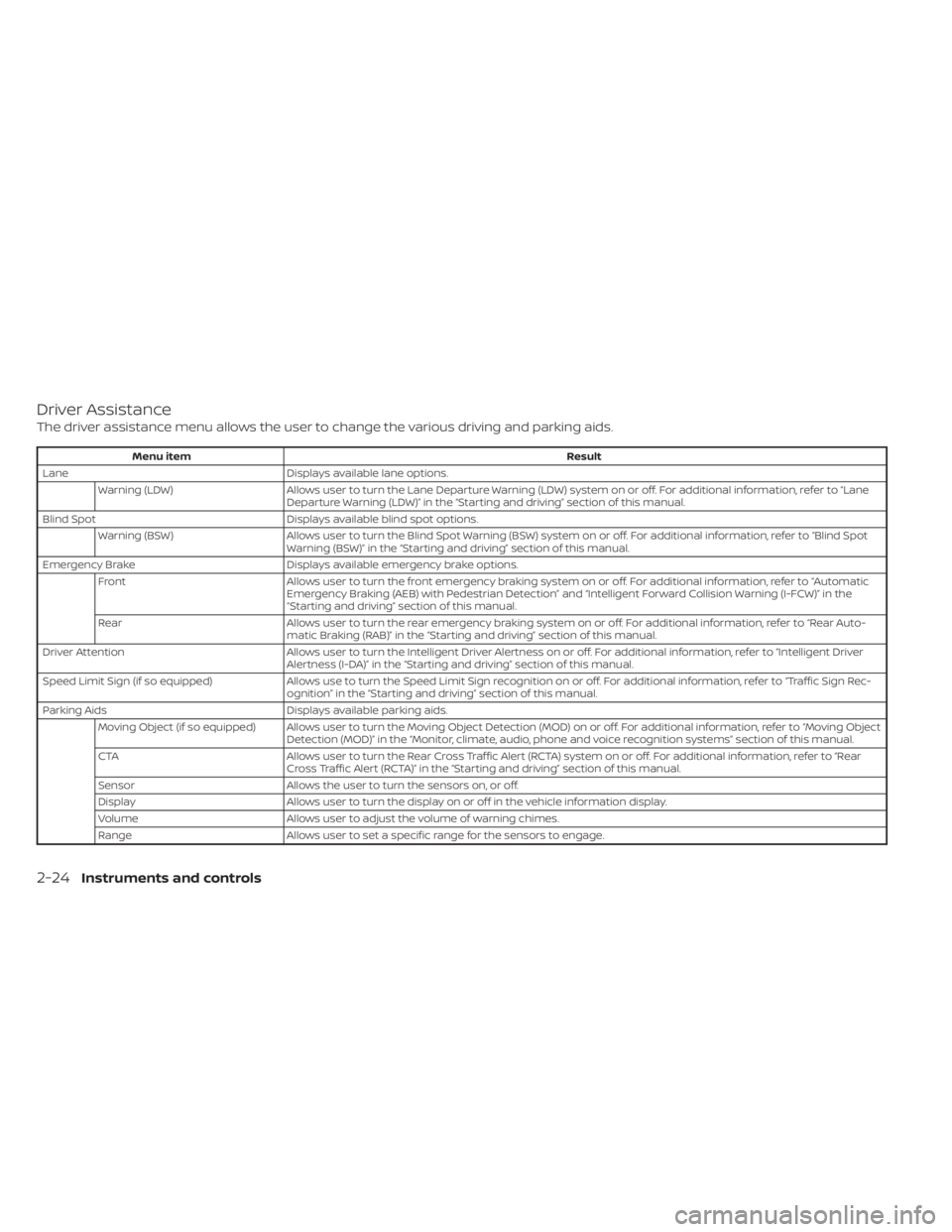
The driver assistance menu allows the user to change the various driving and parking aids.
Menu itemResult
Lane Displays available lane options.
Warning (LDW) Allows user to turn the Lane Departure Warning (LDW) system on or off. For additional information, refer to “Lane
Departure Warning (LDW)” in the “Starting and driving” section of this manual.
Blind Spot Displays available blind spot options.
Warning (BSW) Allows user to turn the Blind Spot Warning (BSW) system on or off. For additional information, refer to “Blind Spot
Warning (BSW)” in the “Starting and driving” section of this manual.
Emergency Brake Displays available emergency brake options.
Front Allows user to turn the front emergency braking system on or off. For additional information, refer to “Automatic
Emergency Braking (AEB) with Pedestrian Detection” and “Intelligent Forward Collision Warning (I-FCW)” in the
“Starting and driving” section of this manual.
Rear Allows user to turn the rear emergency braking system on or off. For additional information, refer to “Rear Auto-
matic Braking (RAB)” in the “Starting and driving” section of this manual.
Driver Attention Allows user to turn the Intelligent Driver Alertness on or off. For additional information, refer to “Intelligent Driver
Alertness (I-DA)” in the “Starting and driving” section of this manual.
Speed Limit Sign (if so equipped) Allows use to turn the Speed Limit Sign recognition on or off. For additional information, refer to “Traffic Sign Rec-
ognition” in the “Starting and driving” section of this manual.
Parking Aids Displays available parking aids.
Moving Object (if so equipped) Allows user to turn the Moving Object Detection (MOD) on or off. For additional information, refer to “Moving Object Detection (MOD)” in the “Monitor, climate, audio, phone and voice recognition systems” section of this manual.
CTA Allows user to turn the Rear Cross Traffic Alert (RCTA) system on or off. For additional information, refer to “Rear
Cross Traffic Alert (RCTA)” in the “Starting and driving” section of this manual.
Sensor Allows the user to turn the sensors on, or off.
Display Allows user to turn the display on or off in the vehicle information display.
Volume Allows user to adjust the volume of warning chimes.
Range Allows user to set a specific range for the sensors to engage.
2-24Instruments and controls
Page 271 of 657
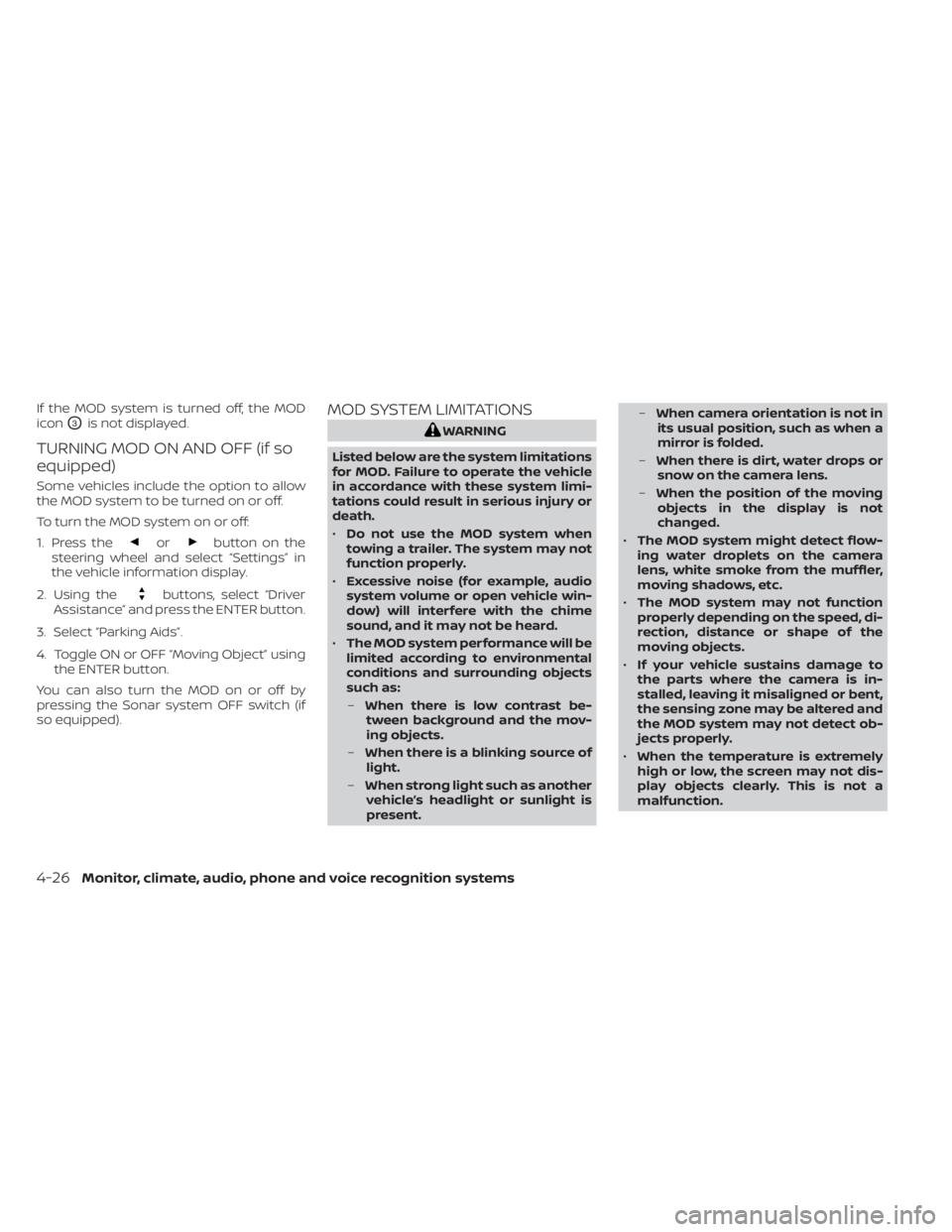
If the MOD system is turned off, the MOD
icon
O3is not displayed.
TURNING MOD ON AND OFF (if so
equipped)
Some vehicles include the option to allow
the MOD system to be turned on or off.
To turn the MOD system on or off:
1. Press the
orbutton on the
steering wheel and select “Settings” in
the vehicle information display.
2. Using the
buttons, select “Driver
Assistance” and press the ENTER button.
3. Select “Parking Aids”.
4. Toggle ON or OFF “Moving Object” using the ENTER button.
You can also turn the MOD on or off by
pressing the Sonar system OFF switch (if
so equipped).
MOD SYSTEM LIMITATIONS
WARNING
Listed below are the system limitations
for MOD. Failure to operate the vehicle
in accordance with these system limi-
tations could result in serious injury or
death.
• Do not use the MOD system when
towing a trailer. The system may not
function properly.
• Excessive noise (for example, audio
system volume or open vehicle win-
dow) will interfere with the chime
sound, and it may not be heard.
• The MOD system performance will be
limited according to environmental
conditions and surrounding objects
such as:
– When there is low contrast be-
tween background and the mov-
ing objects.
– When there is a blinking source of
light.
– When strong light such as another
vehicle’s headlight or sunlight is
present. –
When camera orientation is not in
its usual position, such as when a
mirror is folded.
– When there is dirt, water drops or
snow on the camera lens.
– When the position of the moving
objects in the display is not
changed.
• The MOD system might detect flow-
ing water droplets on the camera
lens, white smoke from the muffler,
moving shadows, etc.
• The MOD system may not function
properly depending on the speed, di-
rection, distance or shape of the
moving objects.
• If your vehicle sustains damage to
the parts where the camera is in-
stalled, leaving it misaligned or bent,
the sensing zone may be altered and
the MOD system may not detect ob-
jects properly.
• When the temperature is extremely
high or low, the screen may not dis-
play objects clearly. This is not a
malfunction.
4-26Monitor, climate, audio, phone and voice recognition systems
Page 336 of 657
I-FCW system operation.....................5-92
Turning the I-FCW system on/off ............5-93
I-FCW system limitations ....................5-94
System temporarily unavailable .............5-98
System malfunction ......................... 5-99
System maintenance .......................5-99
Intelligent Driver Alertness (I-DA) ...............5-101
Intelligent Driver Alertness system
operation .................................. 5-101
How to enable/disable the Intelligent
Driver Alertness (I-DA) system ..............5-102
Intelligent Driver Alertness (I-DA)
system limitations ......................... 5-103
Break-in schedule ............................. 5-104
Fuel efficient driving tips .......................5-104
Increasing fuel economy ......................5-105
Using 4–Wheel Drive (4WD) (if so equipped) ....5-105
Transfer case shif ting procedures ..........5-106
Electronic locking rear differential (E-Lock)
system (if so equipped) ........................ 5-112
Eco Drive Report (if so equipped) ..............5-113
Parking/parking on hills .......................5-114
Power steering ................................ 5-115
Brake system ................................. 5-116Brake precautions
.......................... 5-116
Anti-lock Braking System (ABS) .............5-116
Brake Assist ................................. 5-117
Active Brake Limited Slip (ABLS) system .......5-118
Vehicle Dynamic Control (VDC) system ........5-119
Brake force distribution ....................5-120
Hill descent control system (if so equipped) . . . 5-121
Hill start assist system ........................5-122
Front and rear sonar system (if so equipped) . . 5-123 System operation .......................... 5-124
How to enable/disable the sonar
system ..................................... 5-126
Sonar limitations ........................... 5-127
System maintenance ......................5-128
Cold weather driving .......................... 5-128
Freeing a frozen door lock ..................5-128
Antifreeze .................................. 5-128
B
attery..................................... 5-128
Draining of coolant water ..................5-128
Tire equipment ............................. 5-129
Special winter equipment ..................5-129
Driving on snow or ice ......................5-129
Engine block heater (if so equipped) ........5-129
Page 356 of 657
•In the manual shif t mode, the trans-
mission may not shif t to the selected
gear immediately because of vehicle
speed. The transmission will upshif t or
downshif t when vehicle speed
matches the programmed transmis-
sion shif t points. This helps maintain
driving performance and reduces the
chance of vehicle damage or loss of
control.
• In the manual shif t mode, the trans-
mission will not upshif t to a higher
gear than is manually selected. When
the vehicle speed decreases, the trans-
mission automatically shif ts down and
shif ts to 1st gear before the vehicle
comes to a stop.
Accelerator downshif t
— in D (Drive) position —
For passing or hill climbing, depress the
accelerator pedal to the floor. This shif ts
the transmission down into a lower gear,
depending on the vehicle speed.
Fail-safe
When the fail-safe operation occurs, please
note that the transmission will be locked in
any of the forward gears according to the
condition. If the vehicle is driven under extreme
conditions, such as excessive wheel
spinning and subsequent hard braking,
the fail-safe system may be activated.
This will occur even if all electrical cir-
cuits are functioning properly. In this
case, place the ignition switch in the OFF
position and wait for 3 seconds. Then
place the ignition switch back in the ON
position. The vehicle should return to its
normal operating condition. If it does not
return to its normal operating condition,
have the transmission checked and re-
paired, if necessary. It is recommended
that you visit a NISSAN dealer for this
service.
WARNING
• Be sure the parking brake is fully re-
leased before driving. Failure to do so
can cause brake failure and lead to
an accident.
• Do not release the parking brake
from outside the vehicle.
• Do not use the shif t lever in place of
the parking brake. When parking, be
sure the parking brake is fully
engaged.
• To help avoid risk of injury or death
through unintended operation of the
vehicle and/or its systems, do not
leave children, people who require
the assistance of others or pets unat-
tended in your vehicle. Additionally,
the temperature inside a closed ve-
hicle on a warm day can quickly be-
come high enough to cause a signifi-
cant risk of injury or death to people
and pets.
PARKING BRAKE
Starting and driving5-23
Page 374 of 657
For Canada
Model: SRR3–B
Canada 310
This device complies with Industry Cana-
da’s RSS — 310. Operation is subject to the
condition that this device must not cause
harmful interference and must accept any
interferences, including interference that
may cause undesired operation of the de-
vice.
Cet appareil est conforme au RSS — 310
d’Industrie Canada. Le fonctionnement est
soumis à la condition que cet appareil ne
provoque pas d’interférences nuisibles et
accepte toute interférence, y compris les
interférences susceptibles de provoquer
un fonctionnement indésirable de
L’appareil.WARNING
Failure to follow the warnings and in-
structions for proper use of the RCTA
system could result in serious injury or
death.
• The RCTA system is not a replace-
ment for proper driving procedures
and is not designed to prevent con-
tact with vehicles or objects. When
backing out of a parking space, al-
ways use the side and rear mirrors
and turn and look in the direction
your vehicle will move. Never rely
solely on the RCTA system.
• Do not use the RCTA system when
towing a trailer. The system may not
function properly. The RCTA system will assist you when
backing out from a parking space. When
the vehicle is in reverse, the system is de-
signed to detect other vehicles approach-
ing from the right or lef t of the vehicle. If the
system detects cross traffic, it will alert you.
REAR CROSS TRAFFIC ALERT (RCTA)
Starting and driving5-41
Page 408 of 657
WARNING
Failure to follow the warnings and in-
structions for proper use of the RAB
system could result in serious injury or
death.
• The RAB system is a supplemental
aid to the driver. It is not a replace-
ment for proper driving procedures.
Always use the side and rear mirrors
and turn and look in the direction you
will move before and while backing
up. Never rely solely on the RAB sys-
tem. It is the driver’s responsibility to
stay alert, drive safely, and be in con-
trol of the vehicle at all times.
• There is a limitation to the RAB sys-
tem capability. The RAB system is not
effective in all situations.
The RAB system can assist the driver when
the vehicle is backing up and approaching
objects directly behind the vehicle. The RAB system detects obstacles behind
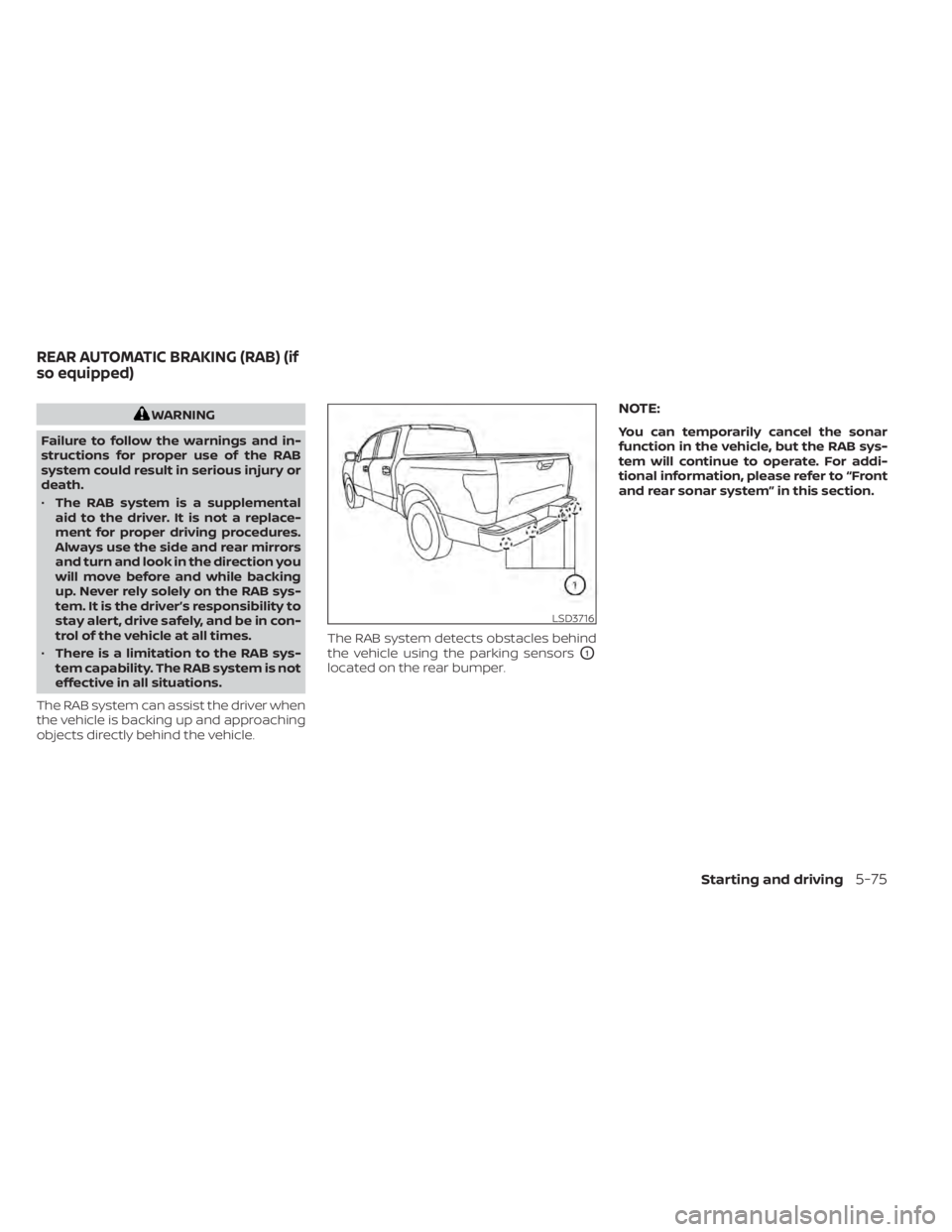
the vehicle using the parking sensors
O1
located on the rear bumper.
NOTE:
You can temporarily cancel the sonar
function in the vehicle, but the RAB sys-
tem will continue to operate. For addi-
tional information, please refer to “Front
and rear sonar system” in this section.
LSD3716
REAR AUTOMATIC BRAKING (RAB) (if
so equipped)
Starting and driving5-75
Page 413 of 657
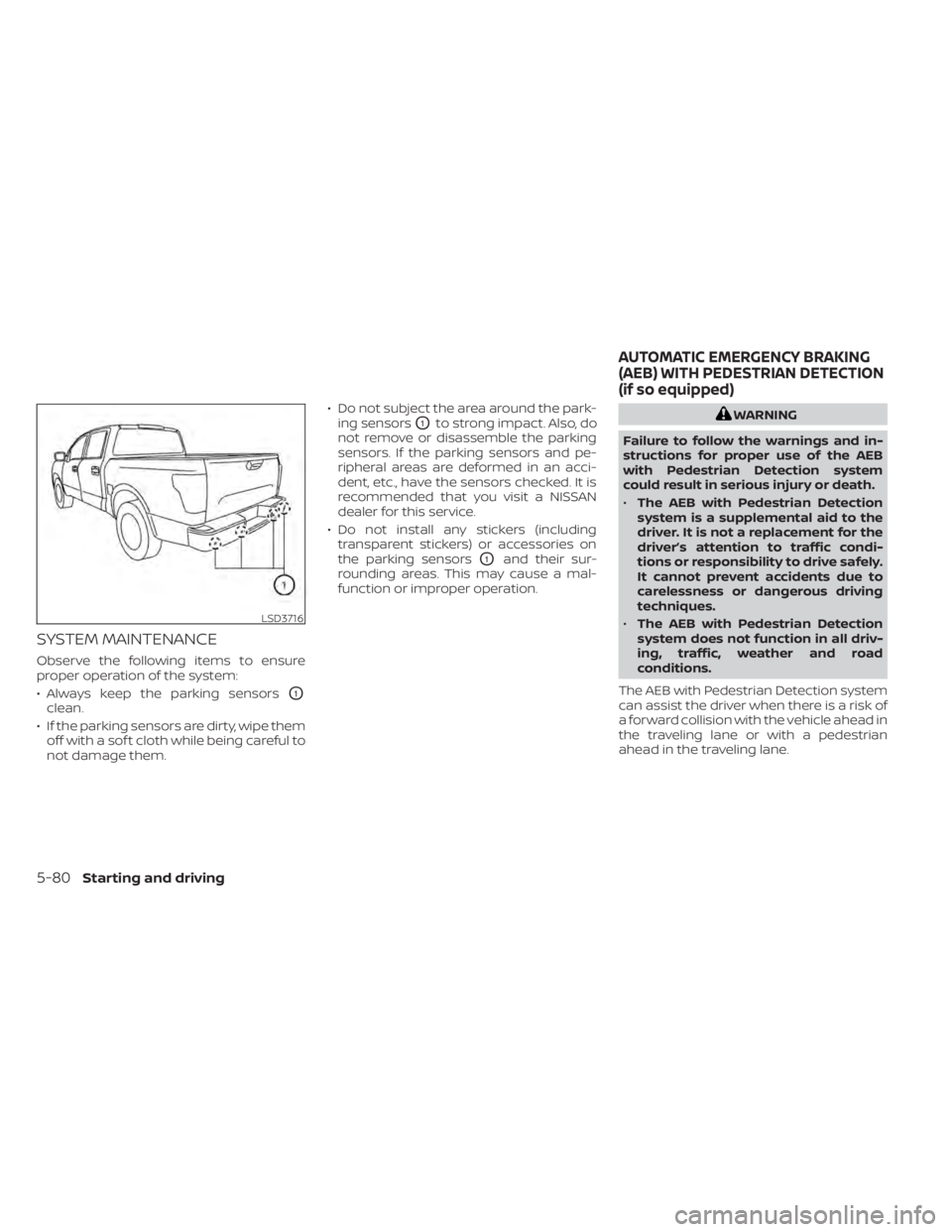
SYSTEM MAINTENANCE
Observe the following items to ensure
proper operation of the system:
• Always keep the parking sensors
O1
clean.
• If the parking sensors are dirty, wipe them off with a sof t cloth while being careful to
not damage them. • Do not subject the area around the park-
ing sensors
O1to strong impact. Also, do
not remove or disassemble the parking
sensors. If the parking sensors and pe-
ripheral areas are deformed in an acci-
dent, etc., have the sensors checked. It is
recommended that you visit a NISSAN
dealer for this service.
• Do not install any stickers (including transparent stickers) or accessories on
the parking sensors
O1and their sur-
rounding areas. This may cause a mal-
function or improper operation.
WARNING
Failure to follow the warnings and in-
structions for proper use of the AEB
with Pedestrian Detection system
could result in serious injury or death.
• The AEB with Pedestrian Detection
system is a supplemental aid to the
driver. It is not a replacement for the
driver’s attention to traffic condi-
tions or responsibility to drive safely.
It cannot prevent accidents due to
carelessness or dangerous driving
techniques.
• The AEB with Pedestrian Detection
system does not function in all driv-
ing, traffic, weather and road
conditions.
The AEB with Pedestrian Detection system
can assist the driver when there is a risk of
a forward collision with the vehicle ahead in
the traveling lane or with a pedestrian
ahead in the traveling lane.
LSD3716
AUTOMATIC EMERGENCY BRAKING
(AEB) WITH PEDESTRIAN DETECTION
(if so equipped)
5-80Starting and driving
Page 448 of 657
•Do not leave children unattended in-
side the vehicle. They could unknow-
ingly activate switches or controls or
make the vehicle move. Unattended
children could become involved in
serious accidents.
• To help avoid risk of injury or death
through unintended operation of the
vehicle and/or its systems, do not
leave children, people who require
the assistance of others or pets unat-
tended in your vehicle. Additionally,
the temperature inside a closed ve-
hicle on a warm day can quickly be-
come high enough to cause a signifi-
cant risk of injury or death to people
and pets.
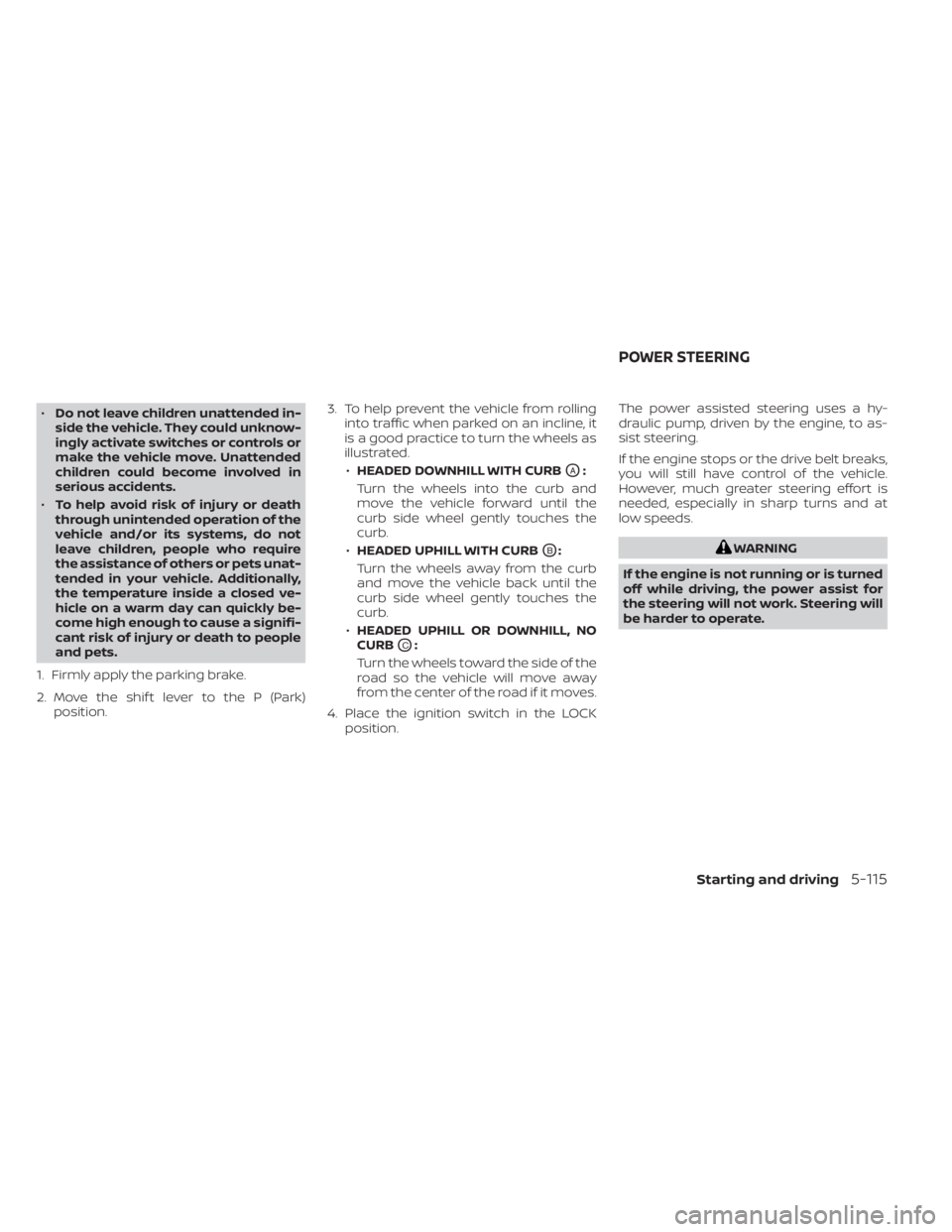
1. Firmly apply the parking brake.
2. Move the shif t lever to the P (Park) position. 3. To help prevent the vehicle from rolling
into traffic when parked on an incline, it
is a good practice to turn the wheels as
illustrated.
• HEADED DOWNHILL WITH CURB
OA:
Turn the wheels into the curb and
move the vehicle forward until the
curb side wheel gently touches the
curb.
• HEADED UPHILL WITH CURB
OB:
Turn the wheels away from the curb
and move the vehicle back until the
curb side wheel gently touches the
curb.
• HEADED UPHILL OR DOWNHILL, NO
CURB
OC:
Turn the wheels toward the side of the
road so the vehicle will move away
from the center of the road if it moves.
4. Place the ignition switch in the LOCK position. The power assisted steering uses a hy-
draulic pump, driven by the engine, to as-
sist steering.
If the engine stops or the drive belt breaks,
you will still have control of the vehicle.
However, much greater steering effort is
needed, especially in sharp turns and at
low speeds.
WARNING
If the engine is not running or is turned
off while driving, the power assist for
the steering will not work. Steering will
be harder to operate.
POWER STEERING
Starting and driving5-115