charging NISSAN TITAN 2023 Owners Manual
[x] Cancel search | Manufacturer: NISSAN, Model Year: 2023, Model line: TITAN, Model: NISSAN TITAN 2023Pages: 644, PDF Size: 7.8 MB
Page 106 of 644
Electronic locking rear differential (E-Lock)
system switch (if so equipped).................2-61
Power inverter switch (if so equipped) ..........2-62
Parking Aids system switch ....................2-63
Tow mode switch .............................. 2-63
Emergency call (SOS) button (if so equipped) . . . 2-64 Emergency support ......................... 2-64
Trailer Brake Controller Unit (TBCU)
(if so equipped) ................................. 2-65
Rear Door Alert ................................. 2-66
Power outlets .................................. 2-67
12v Outlets .................................. 2-67
120v outlets (if so equipped) .................2-68
USB/iPod® charging ports ......................2-70
Extended storage switch .......................2-71
Storage ........................................ 2-72
Front-door pockets ......................... 2-72
Rear-door pockets .......................... 2-72
Console side pockets (if so equipped) .......2-73
Seatback pockets ........................... 2-73
Under-seat storage (if so equipped) .........2-74
Console box storage trays
(if so equipped) .............................. 2-75
Cell phone storage tray (if so equipped) .....2-76
Glovebox ................................... 2-76Console box (if so equipped)
................2-76
Center armrest storage (if so equipped) .....2-77
Under front seat storage bin
(if so equipped) .............................. 2-78
Overhead sunglasses storage
(if so equipped) .............................. 2-78
Cup holders ................................. 2-79
Grocery hooks (if so equipped) ..............2-82
Bed liner storage bins (if so equipped) .......2-82
Cargo hooks (if so equipped) ................2-83
C-Channel cargo hooks (if so equipped) .....2-83
Windows ....................................... 2-84
Power windows ............................. 2-84
Rear power window switch
(if so equipped) .............................. 2-86
Rear sliding window (if so equipped) .........
2-87
Moonr
oof (if so equipped) ...................... 2-88
Power moonroof ............................ 2-88
Interior lights ................................... 2-90
Console light (if so equipped) ................2-91
Map lights (if so equipped) ...................2-91
Personal Lights (if so equipped) .............2-92
HomeLink® Universal Transceiver (Type A)
(if so equipped) ................................. 2-92
Programming HomeLink® ...................2-93
Page 114 of 644
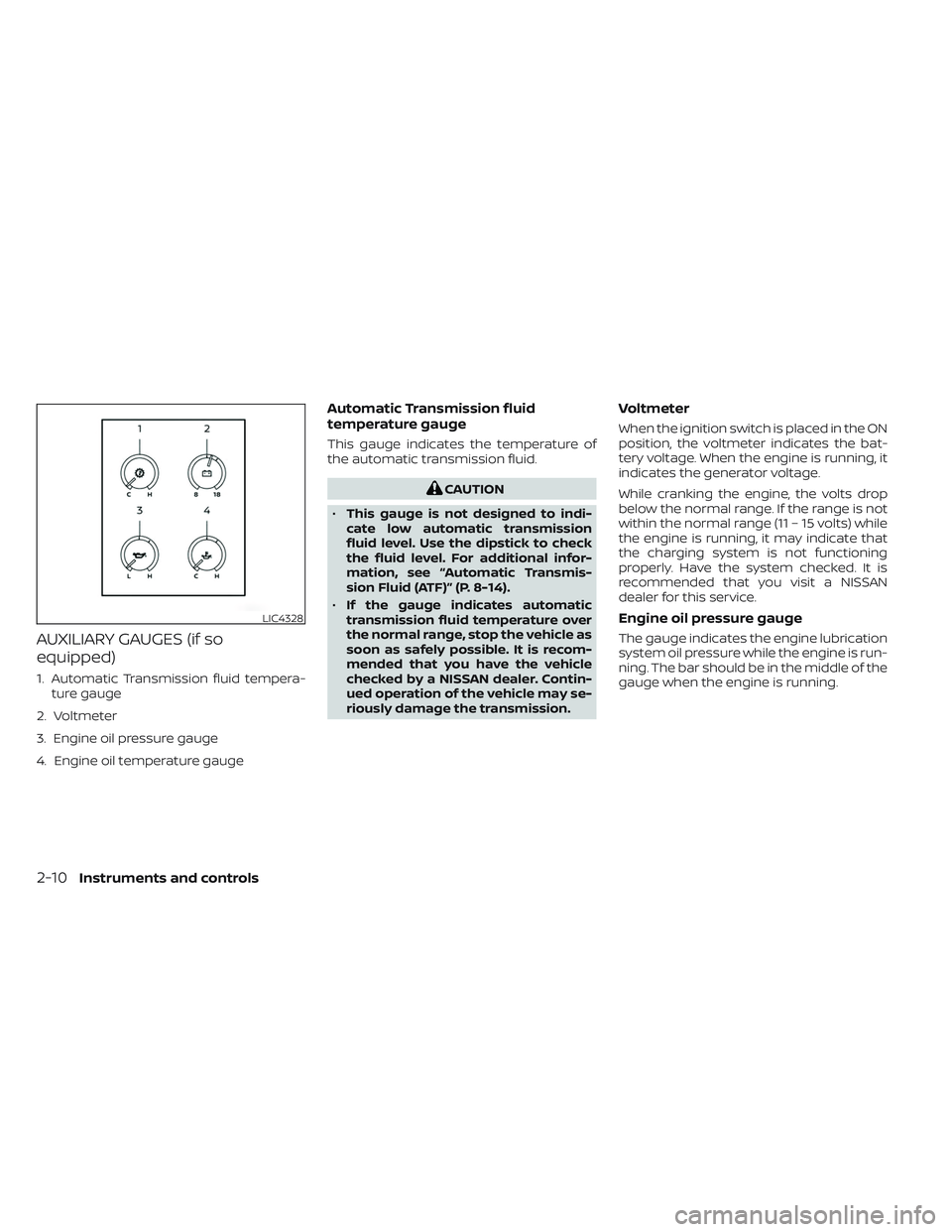
AUXILIARY GAUGES (if so
equipped)
1. Automatic Transmission fluid tempera-ture gauge
2. Voltmeter
3. Engine oil pressure gauge
4. Engine oil temperature gauge
Automatic Transmission fluid
temperature gauge
This gauge indicates the temperature of
the automatic transmission fluid.
CAUTION
• This gauge is not designed to indi-
cate low automatic transmission
fluid level. Use the dipstick to check
the fluid level. For additional infor-
mation, see “Automatic Transmis-
sion Fluid (ATF)” (P. 8-14).
• If the gauge indicates automatic
transmission fluid temperature over
the normal range, stop the vehicle as
soon as safely possible. It is recom-
mended that you have the vehicle
checked by a NISSAN dealer. Contin-
ued operation of the vehicle may se-
riously damage the transmission.
Voltmeter
When the ignition switch is placed in the ON
position, the voltmeter indicates the bat-
tery voltage. When the engine is running, it
indicates the generator voltage.
While cranking the engine, the volts drop
below the normal range. If the range is not
within the normal range (11 – 15 volts) while
the engine is running, it may indicate that
the charging system is not functioning
properly. Have the system checked. It is
recommended that you visit a NISSAN
dealer for this service.
Engine oil pressure gauge
The gauge indicates the engine lubrication
system oil pressure while the engine is run-
ning. The bar should be in the middle of the
gauge when the engine is running.
LIC4328
2-10Instruments and controls
Page 120 of 644
Low brake fluid warning light
When the ignition switch is placed in the ON
position, the light warns of a low brake fluid
level. If the light comes on while the engine
is running, with the parking brake not ap-
plied, stop the vehicle and perform the
following:
1. Check the brake fluid level. Add brakefluid as necessary. For additional infor-
mation, see “Brake fluid” (P. 8-15).
2. If the brake fluid level is correct, have the warning system checked. It is recom-
mended that you visit a NISSAN dealer
for this service.
WARNING
• Your brake system may not be work-
ing properly if the warning light is on.
Driving could be dangerous. If you
judge it to be safe, drive carefully to
the nearest service station for re-
pairs. Otherwise, have your vehicle
towed because driving it could be
dangerous. •
Pressing the brake pedal with the en-
gine stopped and/or a low brake
fluid level may increase your stop-
ping distance and braking will re-
quire greater pedal effort and pedal
travel.
• If the brake fluid level is below the
MINIMUM or MIN mark on the brake
fluid reservoir, do not drive until the
brake system has been checked. It is
recommended that you visit a
NISSAN dealer for this service.
Charge warning light
If this light comes on while the engine is
running, it may indicate the charging sys-
tem is not functioning properly. Turn the
engine off and check the generator belt. If
the belt is loose, broken, missing, or if the
light remains on, have the system checked.
It is recommended that you visit a NISSAN
dealer for this service.
CAUTION
• Do not ground electrical accessories
directly to the battery terminal. Do-
ing so will bypass the variable volt-
age control system (if so equipped)
and the vehicle battery may not
charge completely. For additional in-
formation, see “Variable voltage con-
trol system” (P. 8-20).
• Do not continue driving if the genera-
tor belt is loose, broken or missing.
Electric shif t control system
warning light
This light illuminates when a malfunction
occurs in the electric shif t control system.
When the master warning light illuminates,
the chime sounds and the following mes-
sage is displayed in the vehicle information
display: “When parked apply parking brake”.
When the ignition is placed in the OFF posi-
tion, the chime sounds continuously. En-
sure the parking brake is applied
Have the system checked. It is recom-
mended that you visit a NISSAN dealer for
this service.
2-16Instruments and controls
Page 150 of 644
CAUTION
Use the headlights with the engine run-
ning to avoid discharging the vehicle
battery.Autolight system
The autolight system allows the headlights
to be set so they turn on and off automati-
cally. The autolight system can:
• Turn on the headlights, front parking, tail, license plate and instrument panel lights
automatically when it is dark.
• Turn off all the lights when it is light.
• Keep all the lights on for a period of time af ter you place the ignition switch in the
OFF position and all doors are closed.
NOTE:
Autolight activation sensitivity and the
time delay for autolight shutoff can be
adjusted. For additional information, see
“How to use the vehicle information dis-
play ” (P. 2-25).
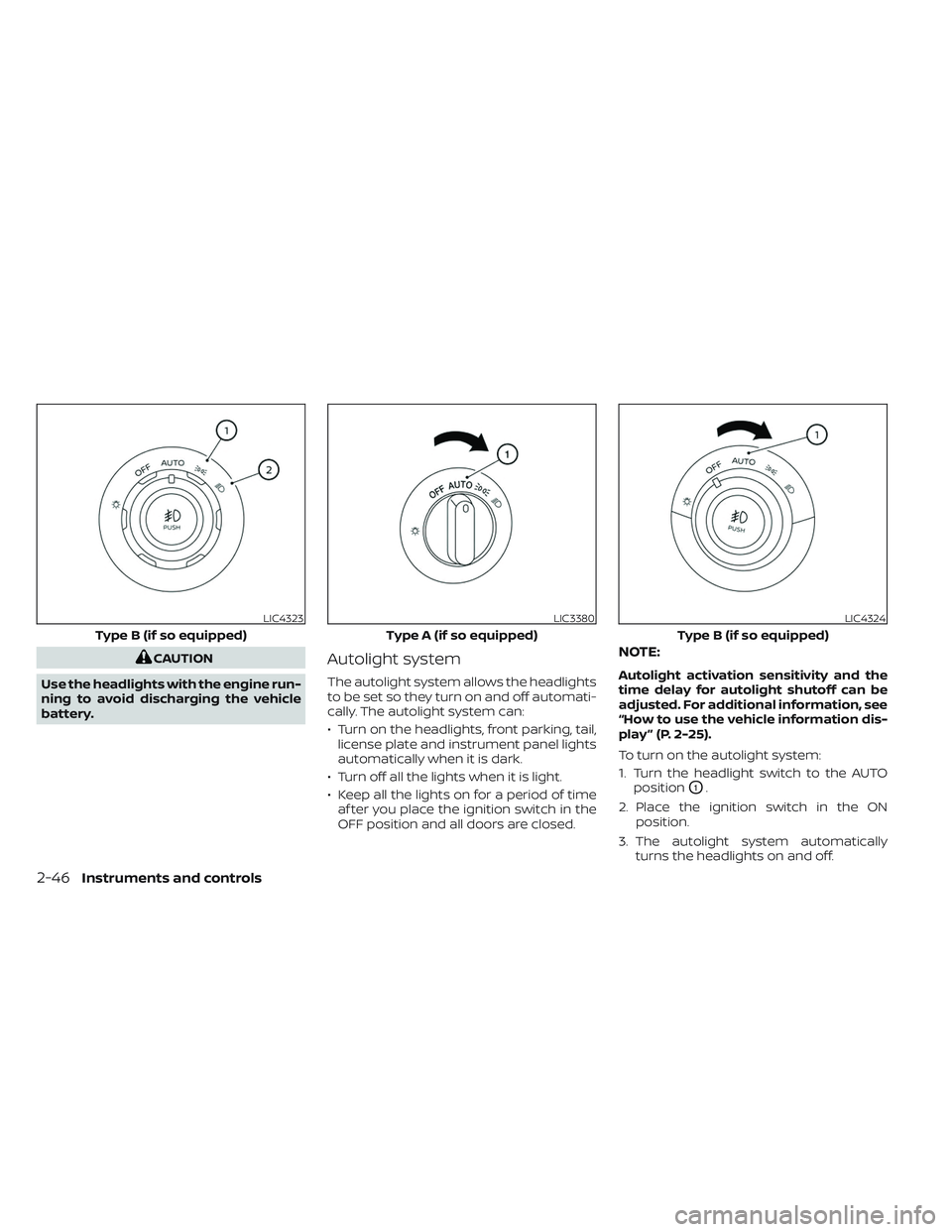
To turn on the autolight system:
1. Turn the headlight switch to the AUTO position
O1.
2. Place the ignition switch in the ON position.
3. The autolight system automatically turns the headlights on and off.
LIC4323
Type B (if so equipped)
LIC3380
Type A (if so equipped)
LIC4324
Type B (if so equipped)
2-46Instruments and controls
Page 154 of 644
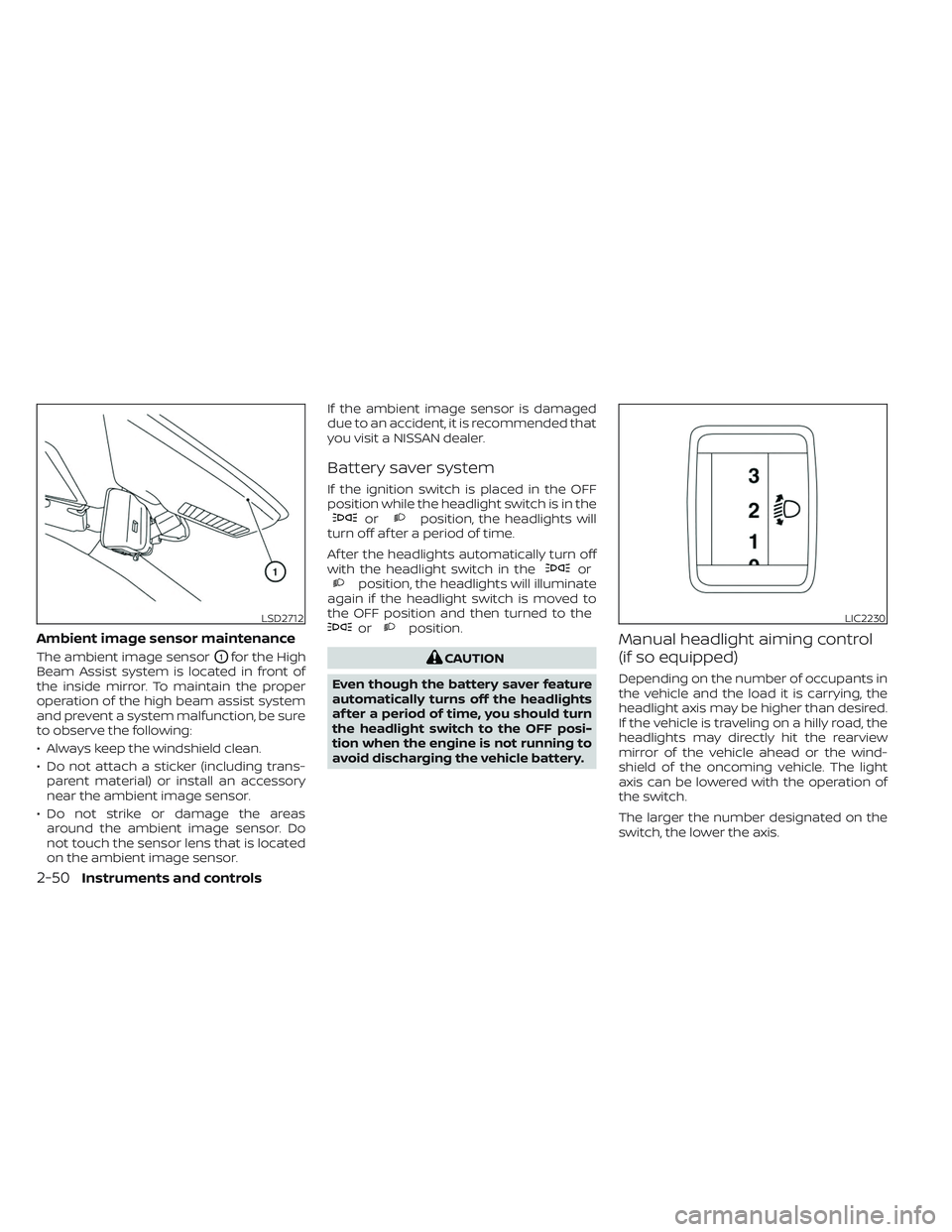
Ambient image sensor maintenance
The ambient image sensorO1for the High
Beam Assist system is located in front of
the inside mirror. To maintain the proper
operation of the high beam assist system
and prevent a system malfunction, be sure
to observe the following:
• Always keep the windshield clean.
• Do not attach a sticker (including trans- parent material) or install an accessory
near the ambient image sensor.
• Do not strike or damage the areas around the ambient image sensor. Do
not touch the sensor lens that is located
on the ambient image sensor. If the ambient image sensor is damaged
due to an accident, it is recommended that
you visit a NISSAN dealer.
Battery saver system
If the ignition switch is placed in the OFF
position while the headlight switch is in the
orposition, the headlights will
turn off af ter a period of time.
Af ter the headlights automatically turn off
with the headlight switch in the
orposition, the headlights will illuminate
again if the headlight switch is moved to
the OFF position and then turned to the
orposition.
CAUTION
Even though the battery saver feature
automatically turns off the headlights
af ter a period of time, you should turn
the headlight switch to the OFF posi-
tion when the engine is not running to
avoid discharging the vehicle battery.
Manual headlight aiming control
(if so equipped)
Depending on the number of occupants in
the vehicle and the load it is carrying, the
headlight axis may be higher than desired.
If the vehicle is traveling on a hilly road, the
headlights may directly hit the rearview
mirror of the vehicle ahead or the wind-
shield of the oncoming vehicle. The light
axis can be lowered with the operation of
the switch.
The larger the number designated on the
switch, the lower the axis.
LSD2712LIC2230
2-50Instruments and controls
Page 166 of 644
•Do not operate the E-Lock system
when the vehicle is turning or when
one side wheel is rotating. Otherwise,
the drivetrain components could be
damaged.
• The E-Lock system operates only
when the engine is running.
• In 4H mode, the E-Lock system does
not operate when the E-Lock system
switch is turned to the ON position.
(The E-Lock system indicator light
will flash.)
• Avoid quick starts while the E-Lock
system is in operation. Otherwise the
drivetrain components could be
damaged.
• Observe the above cautions. Other-
wise, loss of normal steering may
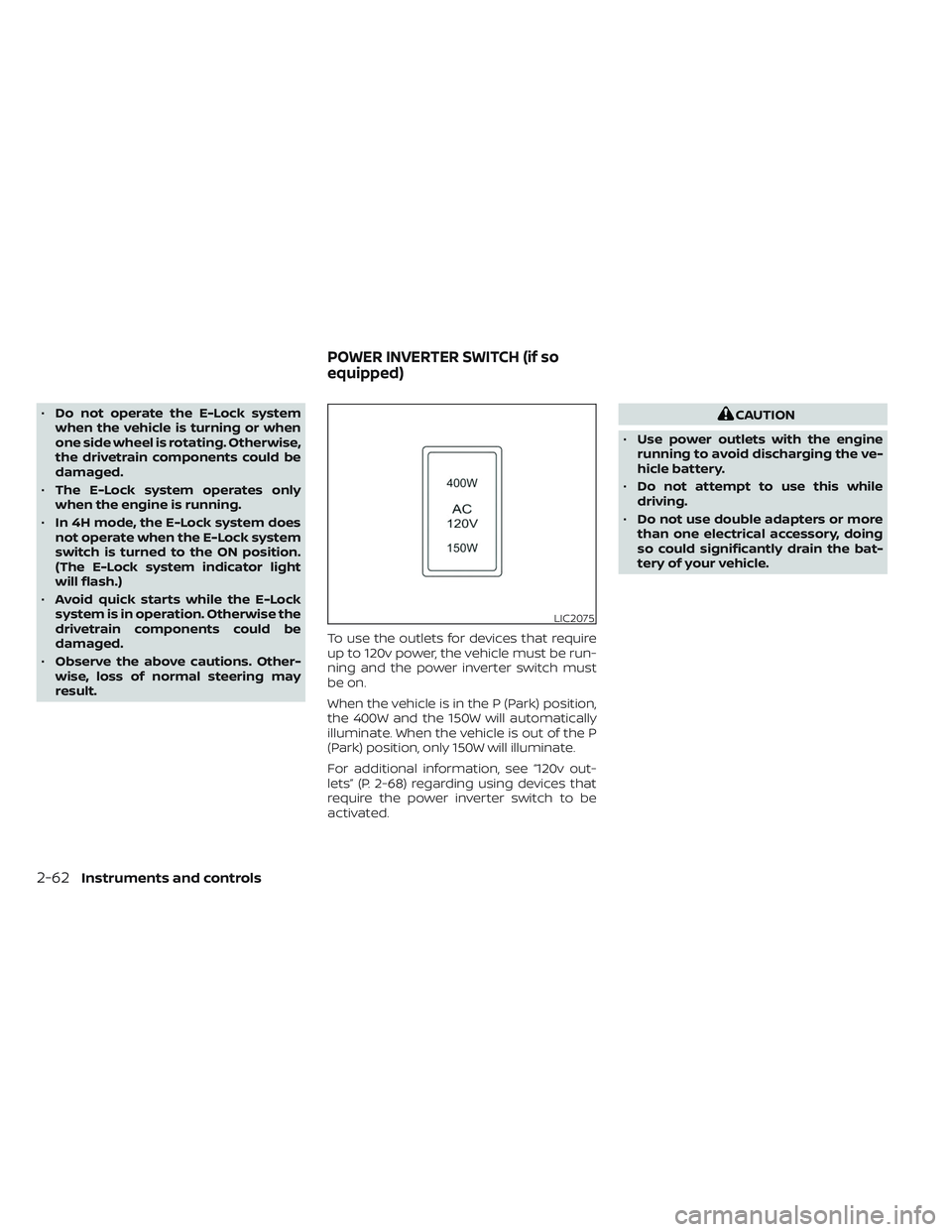
result. To use the outlets for devices that require
up to 120v power, the vehicle must be run-
ning and the power inverter switch must
be on.
When the vehicle is in the P (Park) position,
the 400W and the 150W will automatically
illuminate. When the vehicle is out of the P
(Park) position, only 150W will illuminate.
For additional information, see “120v out-
lets” (P. 2-68) regarding using devices that
require the power inverter switch to be
activated.CAUTION
• Use power outlets with the engine
running to avoid discharging the ve-
hicle battery.
• Do not attempt to use this while
driving.
• Do not use double adapters or more
than one electrical accessory, doing
so could significantly drain the bat-
tery of your vehicle.
LIC2075
POWER INVERTER SWITCH (if so
equipped)
2-62Instruments and controls
Page 171 of 644
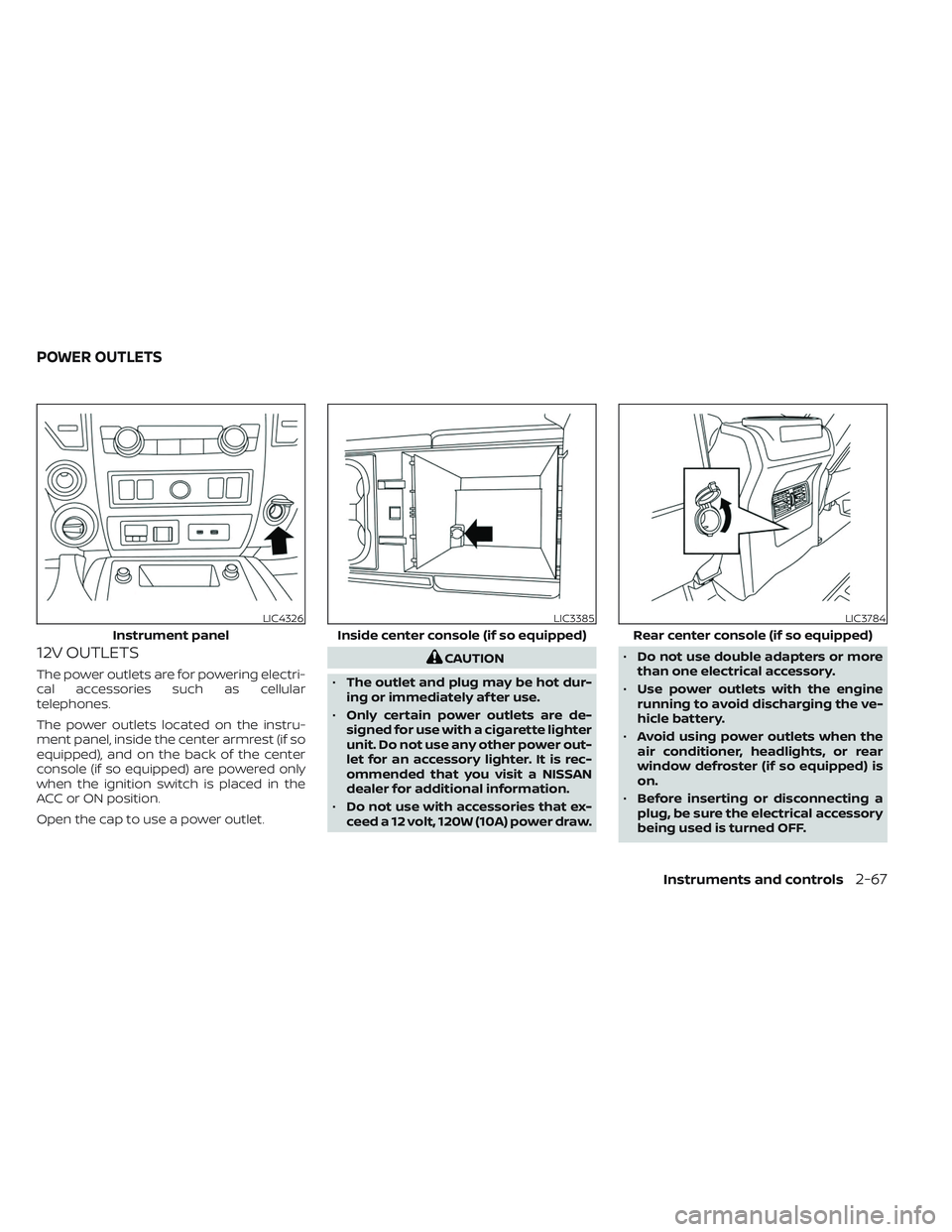
12V OUTLETS
The power outlets are for powering electri-
cal accessories such as cellular
telephones.
The power outlets located on the instru-
ment panel, inside the center armrest (if so
equipped), and on the back of the center
console (if so equipped) are powered only
when the ignition switch is placed in the
ACC or ON position.
Open the cap to use a power outlet.
CAUTION
• The outlet and plug may be hot dur-
ing or immediately af ter use.
• Only certain power outlets are de-
signed for use with a cigarette lighter
unit. Do not use any other power out-
let for an accessory lighter. It is rec-
ommended that you visit a NISSAN
dealer for additional information.
• Do not use with accessories that ex-
ceed a 12 volt, 120W (10A) power draw. •
Do not use double adapters or more
than one electrical accessory.
• Use power outlets with the engine
running to avoid discharging the ve-
hicle battery.
• Avoid using power outlets when the
air conditioner, headlights, or rear
window defroster (if so equipped) is
on.
• Before inserting or disconnecting a
plug, be sure the electrical accessory
being used is turned OFF.
LIC4326
Instrument panel
LIC3385
Inside center console (if so equipped)
LIC3784
Rear center console (if so equipped)
POWER OUTLETS
Instruments and controls2-67
Page 174 of 644
Do not use the outlet located in the truck
box with accessories that exceed 120 volt.
Do not use double adapters or more than
one electrical accessory. When the dual
wall bed liner is installed (if so equipped),
the power outlet is still accessible through
the access door in the bed liner.
CAUTION
• Operation of the 120 volt system with
the ignition in the ON position and
the engine not running (idle) will
drain the battery charge. This could
lead to a dead battery or no start
condition.
• The outlet and plug may be hot dur-
ing or immediately af ter use.
• Use power outlets with the engine
running to avoid discharging the ve-
hicle battery.
• Do not use double adaptors or more
than one electrical accessory.
• Avoid using power outlets when the
air conditioner, headlights or rear
window defroster is on.
• Before inserting or disconnecting a
plug, be sure the electrical accessory
being used is turned OFF. •
Push the plug in as far as it will go. If
good contact is not made, the plug
may overheat or the internal tem-
perature fuse may open.
• When not in use, be sure to close the
cap. Do not allow water or any other
liquid to contact the outlet.
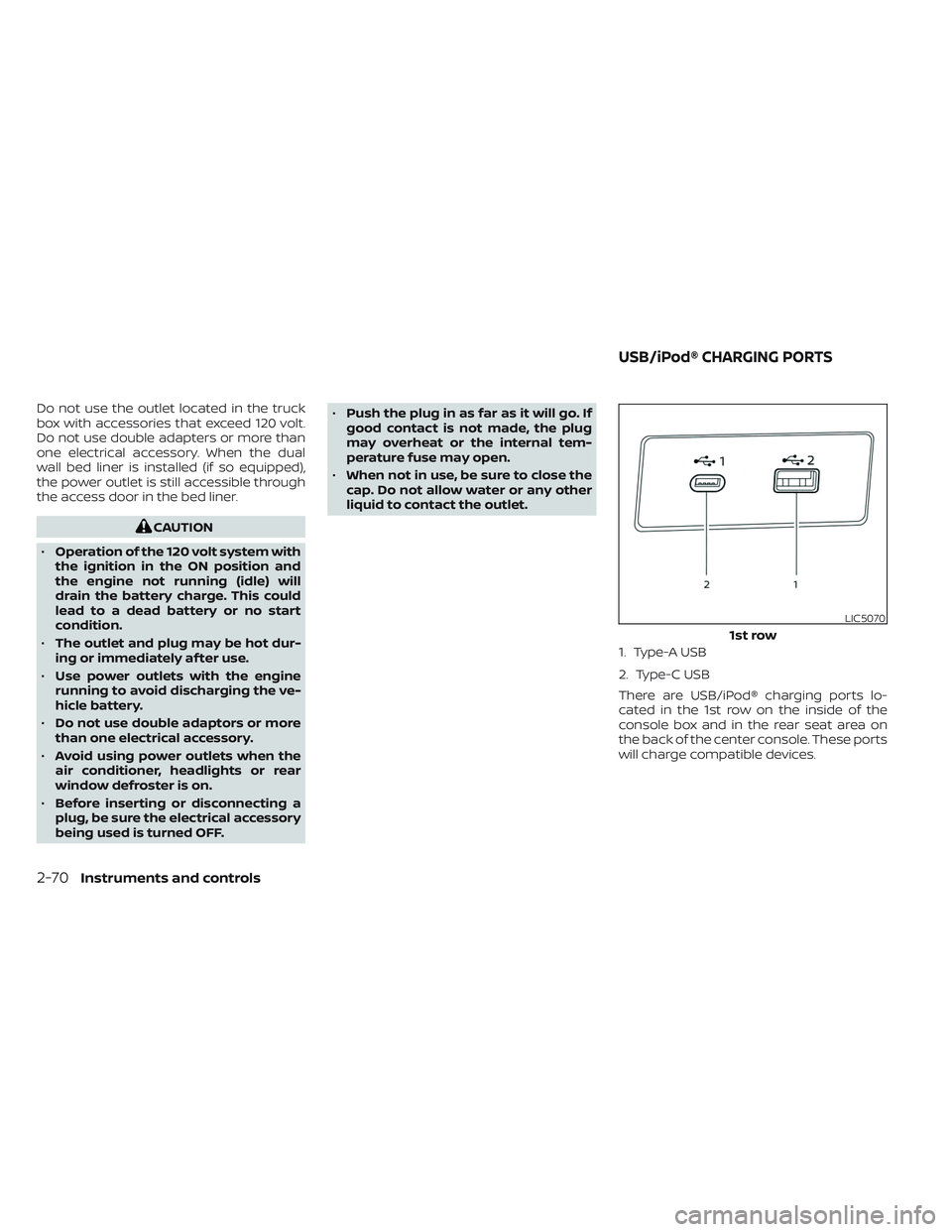
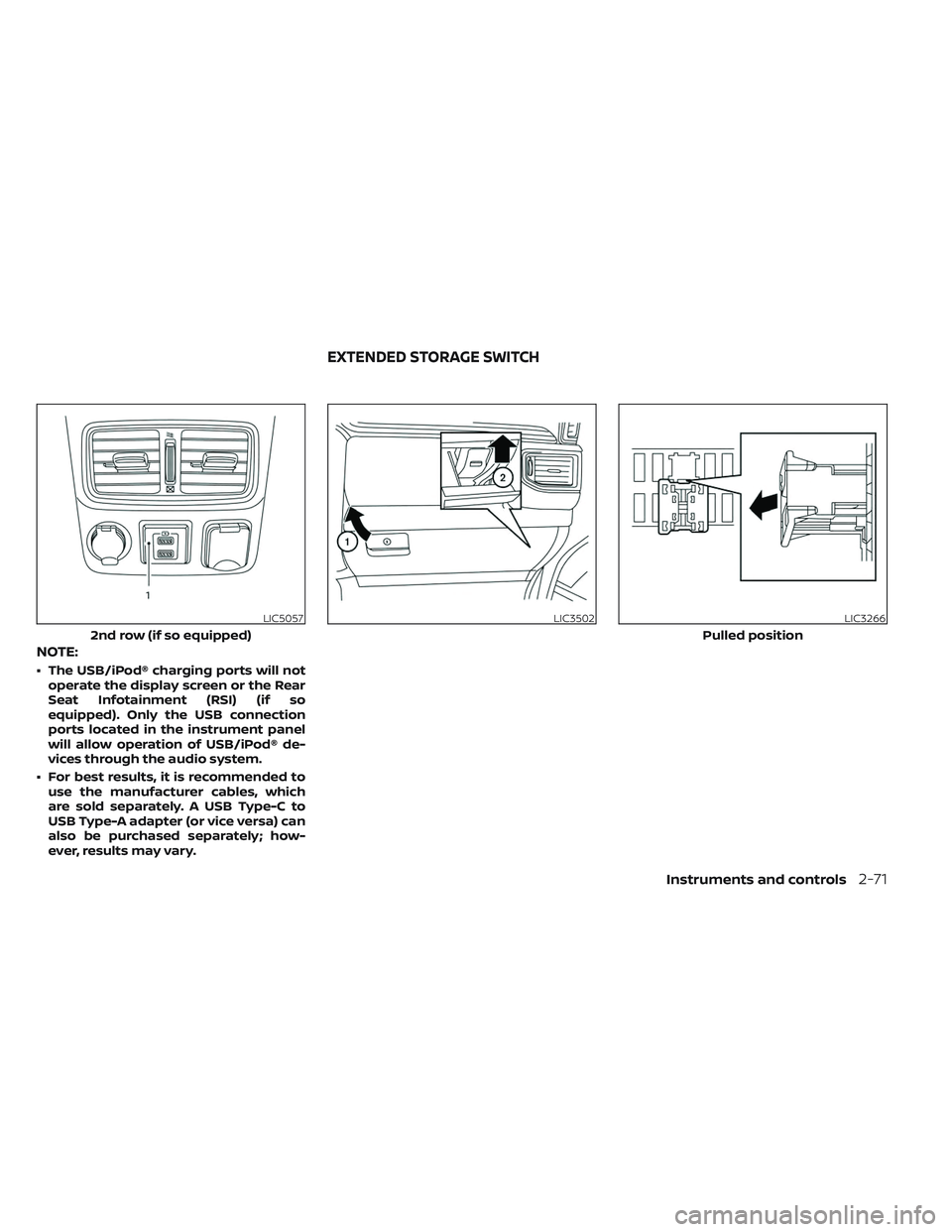
1. Type-A USB
2. Type-C USB
There are USB/iPod® charging ports lo-
cated in the 1st row on the inside of the
console box and in the rear seat area on
the back of the center console. These ports
will charge compatible devices.
LIC5070
1st row
USB/iPod® CHARGING PORTS
2-70Instruments and controls
Page 175 of 644
NOTE:
• The USB/iPod® charging ports will notoperate the display screen or the Rear
Seat Infotainment (RSI) (if so
equipped). Only the USB connection
ports located in the instrument panel
will allow operation of USB/iPod® de-
vices through the audio system.
• For best results, it is recommended to use the manufacturer cables, which
are sold separately. A USB Type-C to
USB Type-A adapter (or vice versa) can
also be purchased separately; how-
ever, results may vary.
LIC5057
2nd row (if so equipped)
LIC3502LIC3266
Pulled position
EXTENDED STORAGE SWITCH
Instruments and controls2-71
Page 292 of 644
• When you change the air flow mode, youmay feel air flow from the foot outlets for
just a moment. This is not a malfunction.
• When the ignition is placed in the ON po- sition, in some fogging or high cabin
temp conditions, air may flow automati-
cally to the foot outlets for 3 to 7 seconds
to purge the hot air in the system. The air conditioner system in your NISSAN
vehicle is charged with a refrigerant de-
signed with the environment in mind.
This refrigerant does not harm the
earth's ozone layer.
Special charging equipment and lubricant
is required when servicing your NISSAN air
conditioner. Using improper refrigerants or
lubricants will cause severe damage to
your air conditioner system. For additional
information, see “Air conditioner system re-
frigerant and oil recommendations”
(P. 10-8).
It is recommended that you visit a NISSAN
dealer to service your “environmentally
friendly” air conditioner system.
WARNING
The air conditioner system contains re-
frigerant under high pressure. To avoid
personal injury, any air conditioner ser-
vice should be done only by an experi-
enced technician with proper
equipment.
ROOF MOUNTED ANTENNA
The antenna is located on the rear part of
the vehicle roof.
CAUTION
• A build-up of ice on the antenna can
affect radio performance. Remove
the ice to restore radio reception.
• When removing snow from the roof,
do not apply strong force to the an-
tenna. That may cause broken an-
tenna and roof panel dent.
• When using a high pressure car wash,
keep the high pressure nozzle away
from the antenna. The seal may be
deformed or damaged.
• The radio performance may be af-
fected if cargo carried on the roof
blocks the radio signal. If possible, do
not put cargo near the antenna.
SERVICING AIR CONDITIONER ANTENNA
4-42Monitor, climate, audio, phone and voice recognition systems