warning NISSAN VERSA 2008 1.G Workshop Manual
[x] Cancel search | Manufacturer: NISSAN, Model Year: 2008, Model line: VERSA, Model: NISSAN VERSA 2008 1.GPages: 304, PDF Size: 3.99 MB
Page 90 of 304
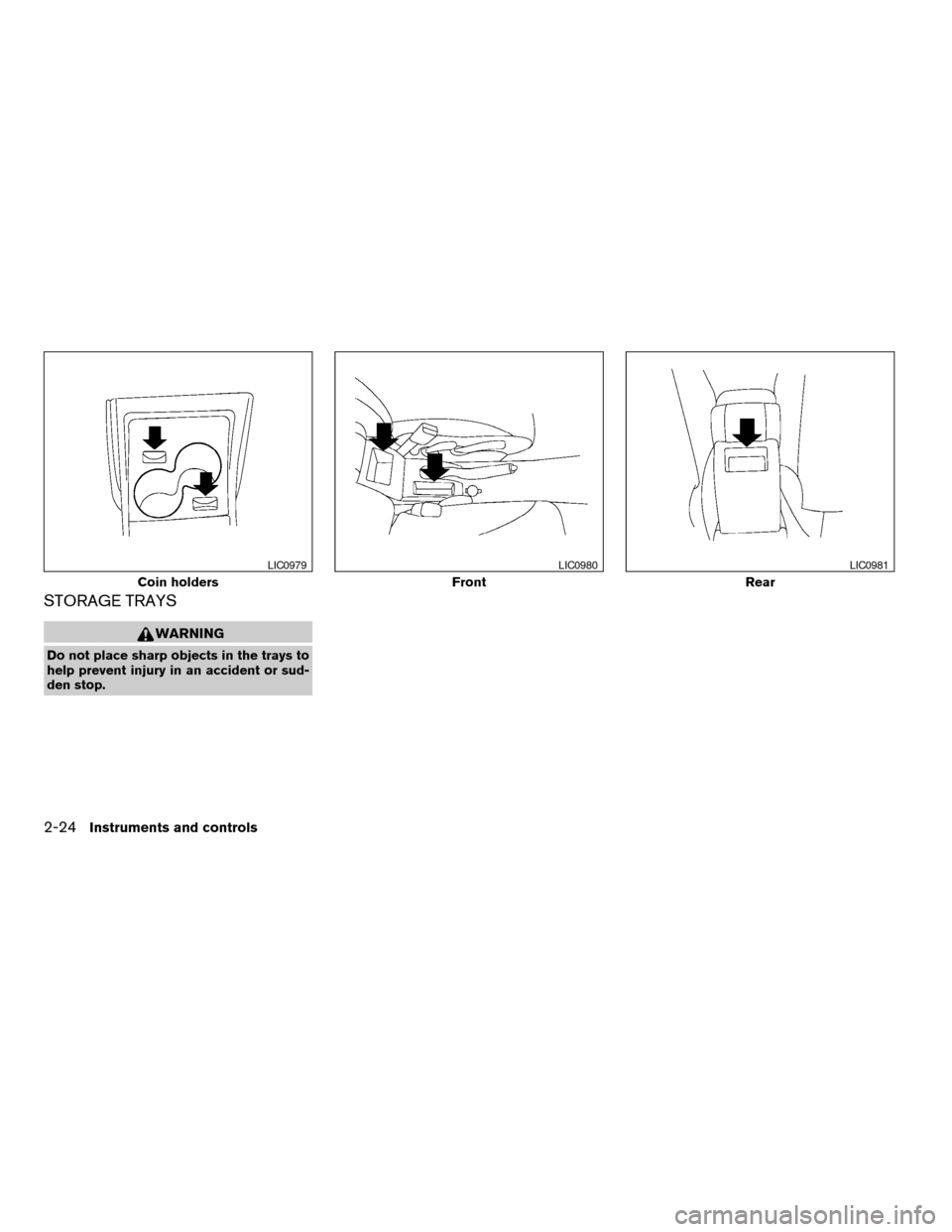
STORAGE TRAYS
WARNING
Do not place sharp objects in the trays to
help prevent injury in an accident or sud-
den stop.
Coin holders
LIC0979
Front
LIC0980
Rear
LIC0981
2-24Instruments and controls
ZREVIEW COPYÐ2008 Versa(vrs)
Owners ManualÐUSA_English(nna)
01/02/08Ðdebbie
X
Page 91 of 304
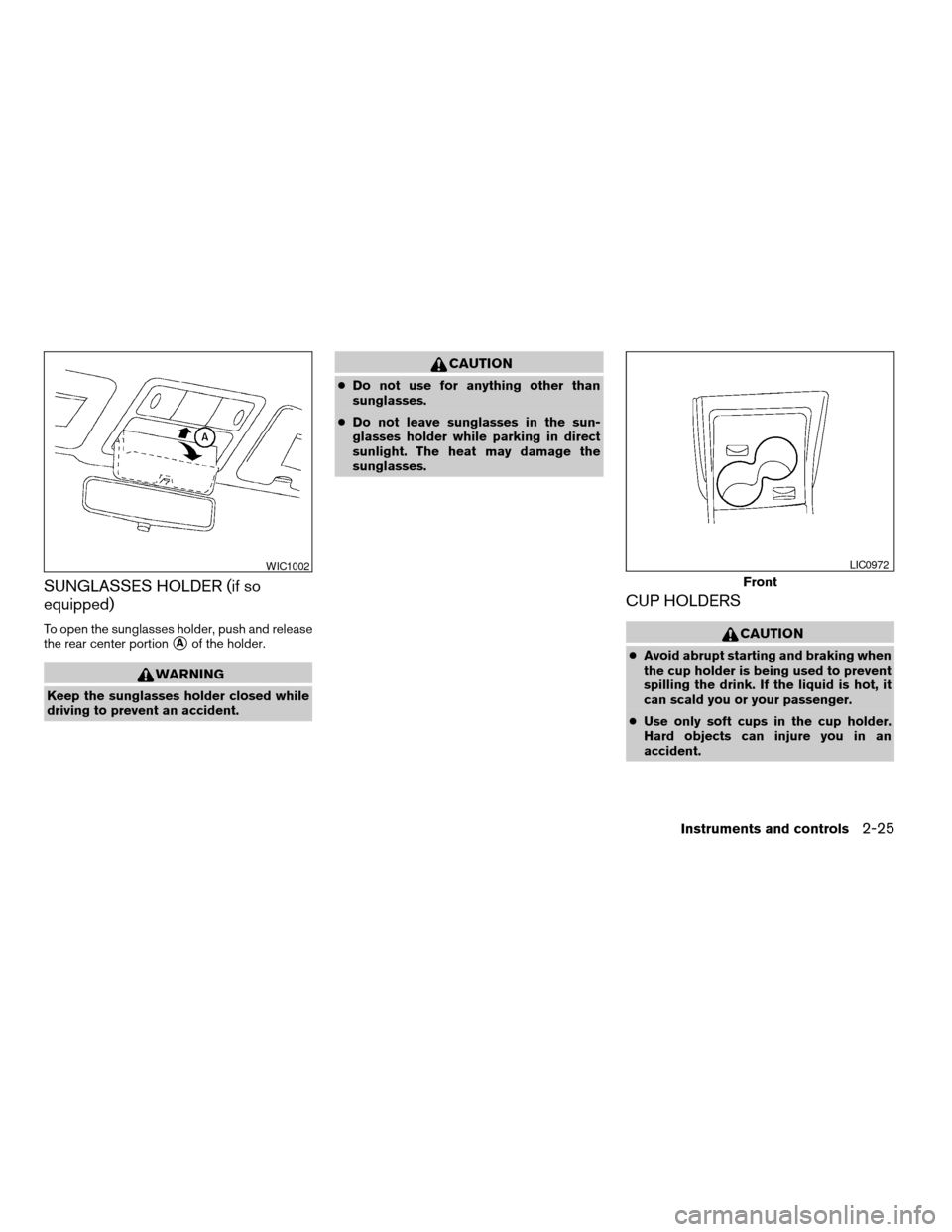
SUNGLASSES HOLDER (if so
equipped)
To open the sunglasses holder, push and release
the rear center portion
sAof the holder.
WARNING
Keep the sunglasses holder closed while
driving to prevent an accident.
CAUTION
cDo not use for anything other than
sunglasses.
cDo not leave sunglasses in the sun-
glasses holder while parking in direct
sunlight. The heat may damage the
sunglasses.
CUP HOLDERS
CAUTION
cAvoid abrupt starting and braking when
the cup holder is being used to prevent
spilling the drink. If the liquid is hot, it
can scald you or your passenger.
cUse only soft cups in the cup holder.
Hard objects can injure you in an
accident.
WIC1002
Front
LIC0972
Instruments and controls2-25
ZREVIEW COPYÐ2008 Versa(vrs)
Owners ManualÐUSA_English(nna)
01/02/08Ðdebbie
X
Page 92 of 304

Lower the rear center armrest to access the cup
holders.GLOVE BOX
Open the glove box by pulling the handle.
WARNING
Keep glove box lid closed while driving to
help prevent injury in an accident or a
sudden stop.
Rear — Type A
LIC0973
Rear — Type B
LIC0974LIC0975
2-26Instruments and controls
ZREVIEW COPYÐ2008 Versa(vrs)
Owners ManualÐUSA_English(nna)
01/02/08Ðdebbie
X
Page 93 of 304
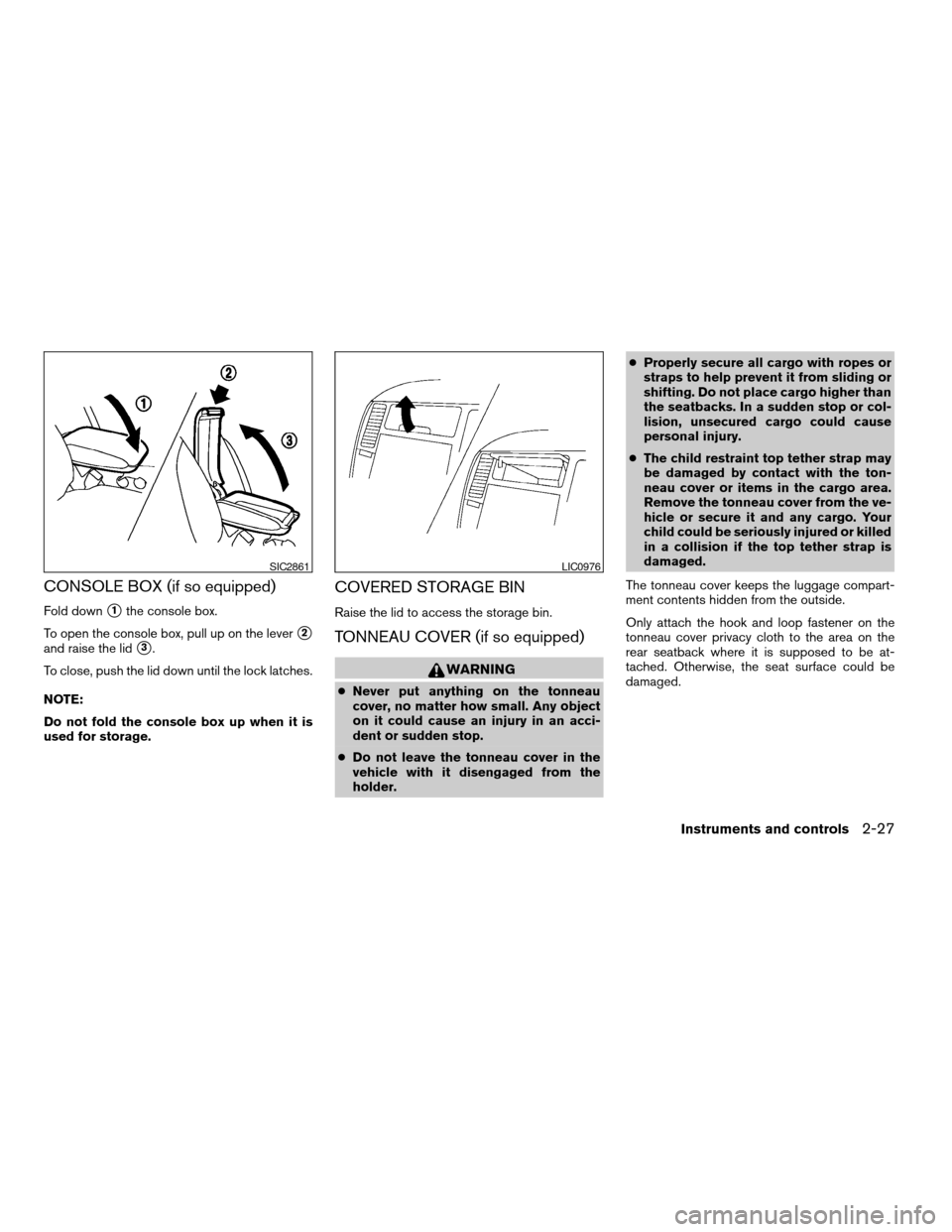
CONSOLE BOX (if so equipped)
Fold downs1the console box.
To open the console box, pull up on the lever
s2
and raise the lids3.
To close, push the lid down until the lock latches.
NOTE:
Do not fold the console box up when it is
used for storage.
COVERED STORAGE BIN
Raise the lid to access the storage bin.
TONNEAU COVER (if so equipped)
WARNING
cNever put anything on the tonneau
cover, no matter how small. Any object
on it could cause an injury in an acci-
dent or sudden stop.
cDo not leave the tonneau cover in the
vehicle with it disengaged from the
holder.cProperly secure all cargo with ropes or
straps to help prevent it from sliding or
shifting. Do not place cargo higher than
the seatbacks. In a sudden stop or col-
lision, unsecured cargo could cause
personal injury.
cThe child restraint top tether strap may
be damaged by contact with the ton-
neau cover or items in the cargo area.
Remove the tonneau cover from the ve-
hicle or secure it and any cargo. Your
child could be seriously injured or killed
in a collision if the top tether strap is
damaged.
The tonneau cover keeps the luggage compart-
ment contents hidden from the outside.
Only attach the hook and loop fastener on the
tonneau cover privacy cloth to the area on the
rear seatback where it is supposed to be at-
tached. Otherwise, the seat surface could be
damaged.
SIC2861LIC0976
Instruments and controls2-27
ZREVIEW COPYÐ2008 Versa(vrs)
Owners ManualÐUSA_English(nna)
01/02/08Ðdebbie
X
Page 94 of 304
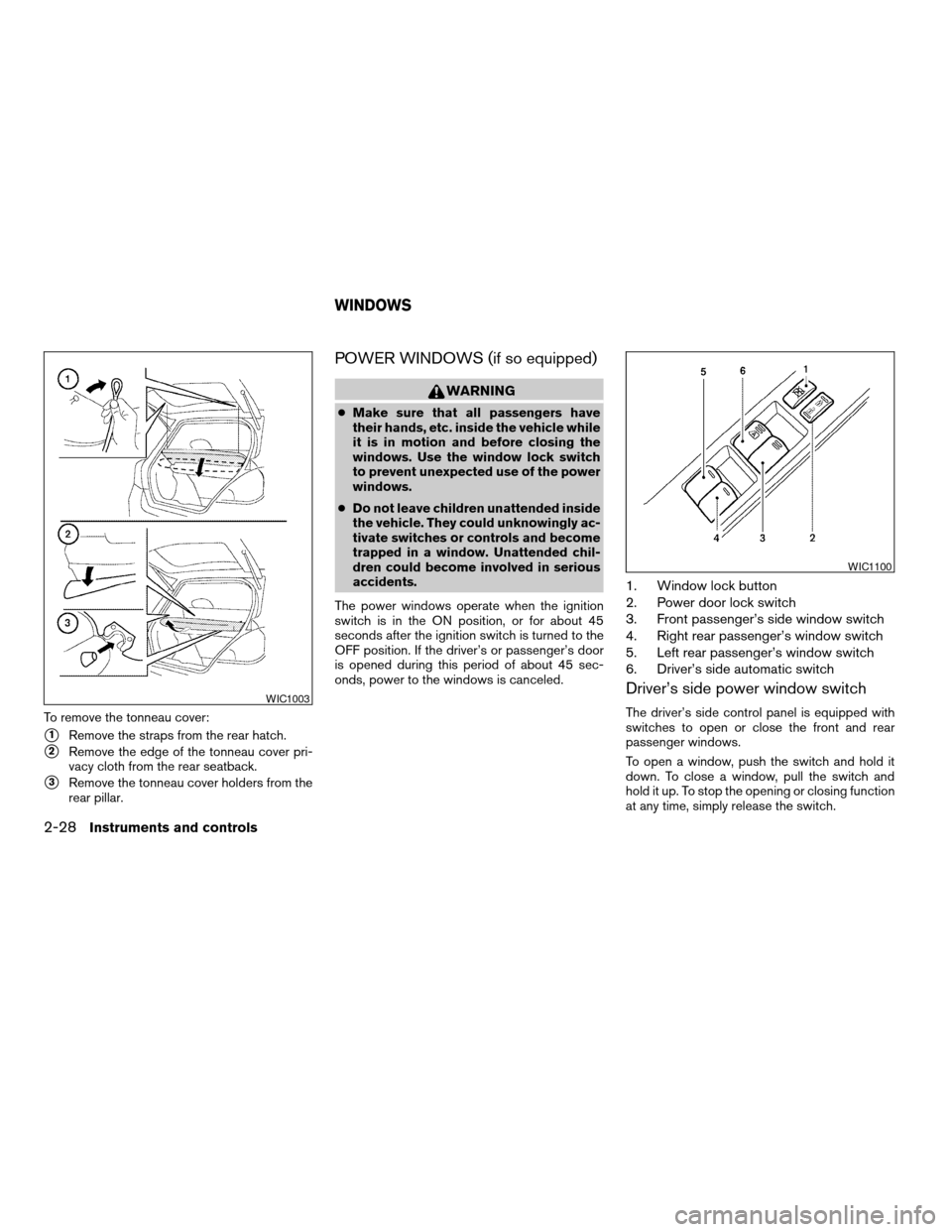
To remove the tonneau cover:
s1Remove the straps from the rear hatch.
s2Remove the edge of the tonneau cover pri-
vacy cloth from the rear seatback.
s3Remove the tonneau cover holders from the
rear pillar.
POWER WINDOWS (if so equipped)
WARNING
cMake sure that all passengers have
their hands, etc. inside the vehicle while
it is in motion and before closing the
windows. Use the window lock switch
to prevent unexpected use of the power
windows.
cDo not leave children unattended inside
the vehicle. They could unknowingly ac-
tivate switches or controls and become
trapped in a window. Unattended chil-
dren could become involved in serious
accidents.
The power windows operate when the ignition
switch is in the ON position, or for about 45
seconds after the ignition switch is turned to the
OFF position. If the driver’s or passenger’s door
is opened during this period of about 45 sec-
onds, power to the windows is canceled.
1. Window lock button
2. Power door lock switch
3. Front passenger’s side window switch
4. Right rear passenger’s window switch
5. Left rear passenger’s window switch
6. Driver’s side automatic switch
Driver’s side power window switch
The driver’s side control panel is equipped with
switches to open or close the front and rear
passenger windows.
To open a window, push the switch and hold it
down. To close a window, pull the switch and
hold it up. To stop the opening or closing function
at any time, simply release the switch.WIC1003
WIC1100
WINDOWS
2-28Instruments and controls
ZREVIEW COPYÐ2008 Versa(vrs)
Owners ManualÐUSA_English(nna)
01/02/08Ðdebbie
X
Page 96 of 304
Auto-reverse function
The auto-reverse function can be activated when
a window is closed by automatic operation.
Depending on the environment or driving
conditions, the auto-reverse function may
be activated if an impact or load similar to
something being caught in the window oc-
curs.
WARNING
There are some small distances immedi-
ately before the closed position which
cannot be detected. Make sure that all
passengers have their hands, etc., inside
the vehicle before closing the window.
If the control unit detects something caught in a
window equipped with automatic operation as it
is closing, the window will be immediately low-
ered.
When power window switch does not
operate
If the power window automatic function (closing
only) does not operate properly, perform the fol-
lowing procedure to initialize the power window
system.
1. Turn the ignition switch to the ON position.2. Open the window more than halfway by
operating the power window switch.
3. Pull up and hold the window switch and hold
it to close the window, and then hold the
switch for more than 3 seconds after the
window is closed completely.
4. Release the power window switch. Operate
the window by automatic function to confirm
the initialization is complete.
5. Perform steps 2 through 4 above for other
windows.
If the power window automatic function does not
operate properly after performing the above pro-
cedure, see a NISSAN dealer for assistance.
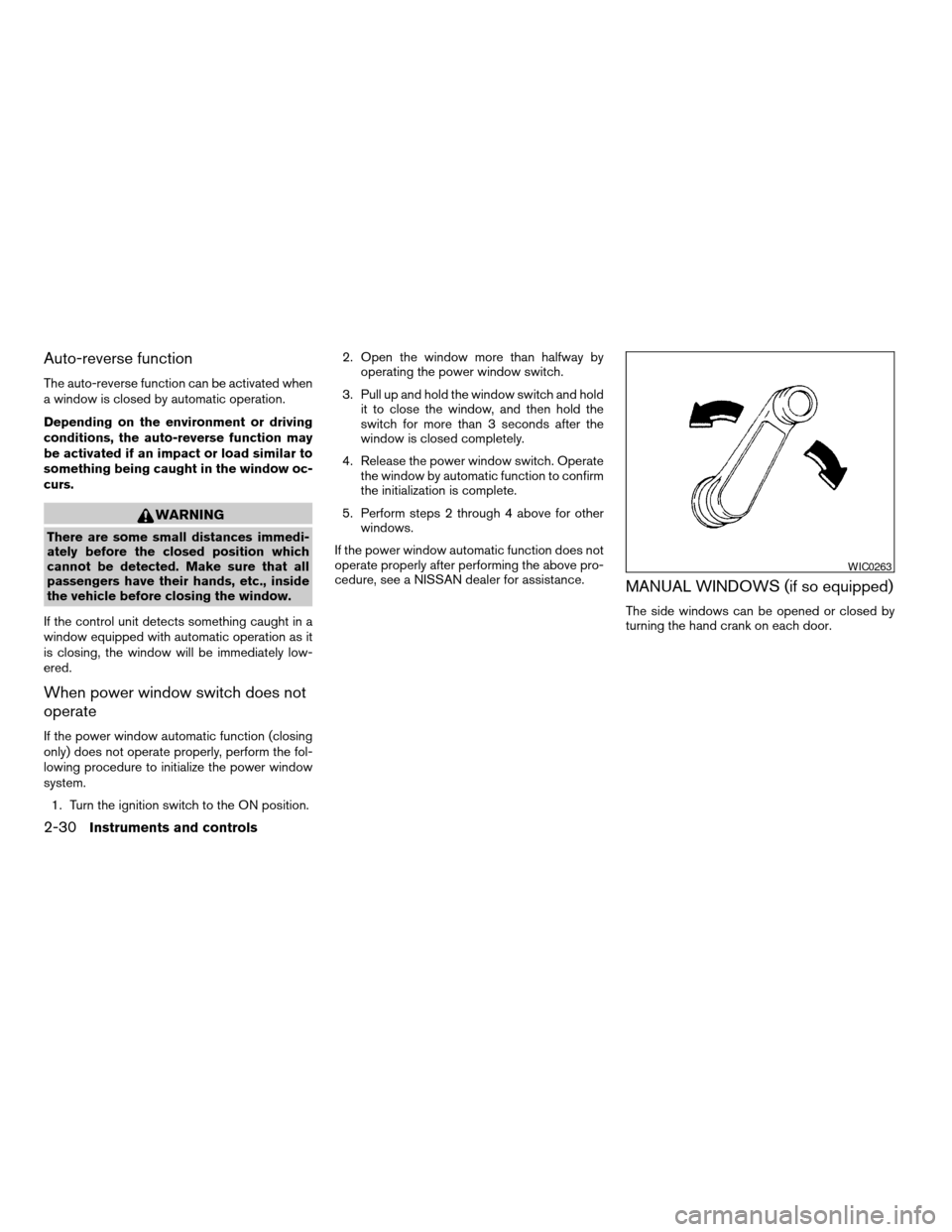
MANUAL WINDOWS (if so equipped)
The side windows can be opened or closed by
turning the hand crank on each door.
WIC0263
2-30Instruments and controls
ZREVIEW COPYÐ2008 Versa(vrs)
Owners ManualÐUSA_English(nna)
01/02/08Ðdebbie
X
Page 97 of 304
AUTOMATIC MOONROOF
The moonroof will only operate when the ignition
switch is in the ON position. The automatic
moonroof is operational for about 45 seconds,
even if the ignition switch is turned to the ACC or
OFF position. If the driver’s door or the front
passenger’s door is opened during this period of
about 45 seconds, power to the moonroof is
canceled.
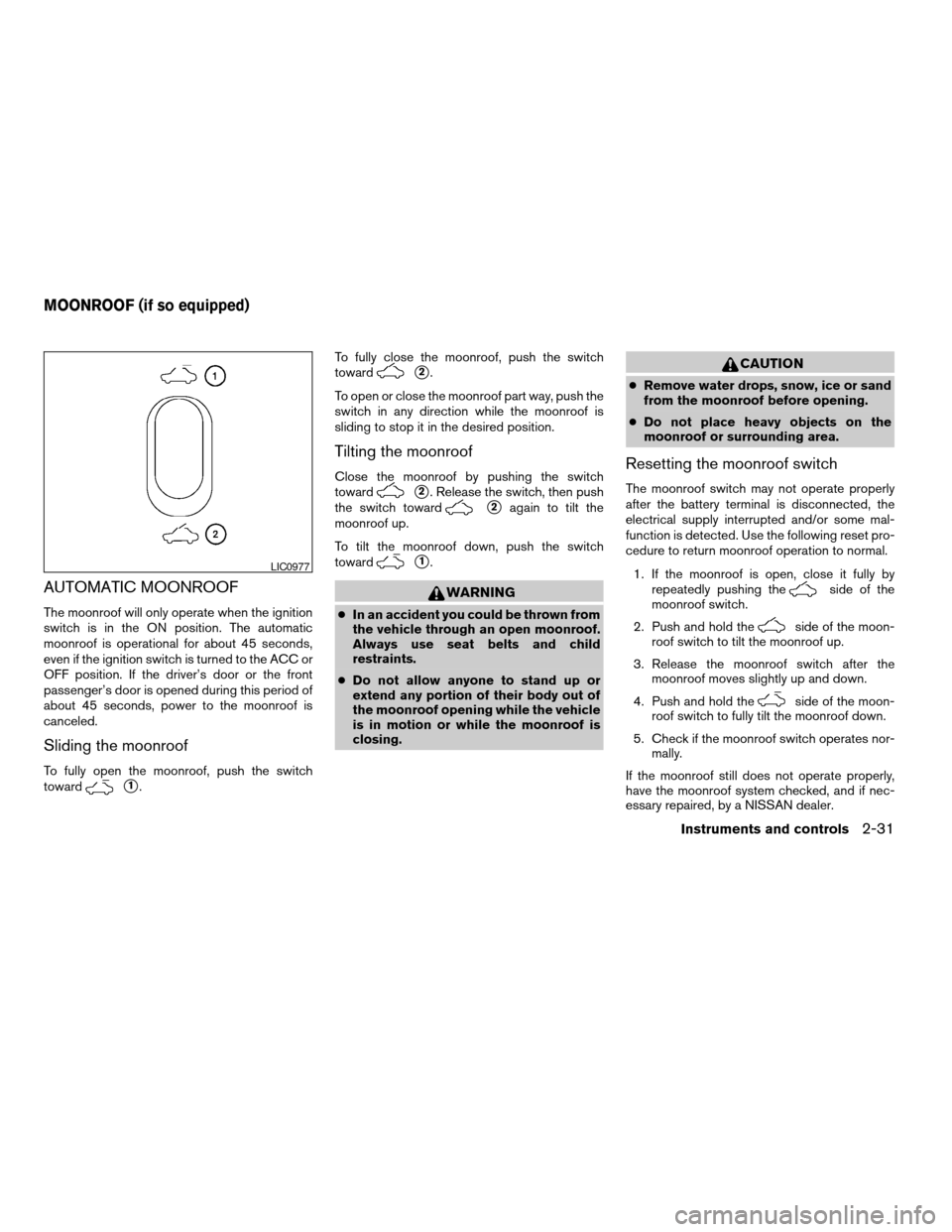
Sliding the moonroof
To fully open the moonroof, push the switch
toward
s1.To fully close the moonroof, push the switch
toward
s2.
To open or close the moonroof part way, push the
switch in any direction while the moonroof is
sliding to stop it in the desired position.
Tilting the moonroof
Close the moonroof by pushing the switch
toward
s2. Release the switch, then push
the switch toward
s2again to tilt the
moonroof up.
To tilt the moonroof down, push the switch
toward
s1.
WARNING
cIn an accident you could be thrown from
the vehicle through an open moonroof.
Always use seat belts and child
restraints.
cDo not allow anyone to stand up or
extend any portion of their body out of
the moonroof opening while the vehicle
is in motion or while the moonroof is
closing.
CAUTION
cRemove water drops, snow, ice or sand
from the moonroof before opening.
cDo not place heavy objects on the
moonroof or surrounding area.
Resetting the moonroof switch
The moonroof switch may not operate properly
after the battery terminal is disconnected, the
electrical supply interrupted and/or some mal-
function is detected. Use the following reset pro-
cedure to return moonroof operation to normal.
1. If the moonroof is open, close it fully by
repeatedly pushing the
side of the
moonroof switch.
2. Push and hold the
side of the moon-
roof switch to tilt the moonroof up.
3. Release the moonroof switch after the
moonroof moves slightly up and down.
4. Push and hold the
side of the moon-
roof switch to fully tilt the moonroof down.
5. Check if the moonroof switch operates nor-
mally.
If the moonroof still does not operate properly,
have the moonroof system checked, and if nec-
essary repaired, by a NISSAN dealer.
LIC0977
MOONROOF (if so equipped)
Instruments and controls2-31
ZREVIEW COPYÐ2008 Versa(vrs)
Owners ManualÐUSA_English(nna)
01/02/08Ðdebbie
X
Page 98 of 304
Auto reverse function (when closing or
tilting down the moonroof)
The auto reverse function can be activated when
the moonroof is closed or tilted down by auto-
matic operation when the ignition key is in the ON
position or for about 45 seconds after the ignition
key is turned to the OFF position.
Depending on the environment or driving
conditions, the auto reverse function may
be activated if an impact or load similar to
something being caught in the moonroof
occurs.
WARNING
There are some small distances immedi-
ately before the closed position which
cannot be detected. Make sure that all
passengers have their hands, etc., inside
the vehicle before closing the moonroof.
When closing:
If the control unit detects something caught in the
moonroof as it moves to the front, the moonroof
will immediately open backward.
When tilting down:
If the control unit detects something caught in the
moonroof as it tilts down, the moonroof will im-
mediately tilt up.If the auto reverse function malfunctions and re-
peats opening or tilting up the moonroof, keep
pushing the tilt down switch within 5 seconds
after it happens; the moonroof will fully close
gradually. Make sure nothing is caught in the
moonroof.
WARNING
cIn an accident you could be thrown from
the vehicle through an open moonroof.
Always use seat belts and child
restraints.
cDo not allow anyone to stand up or
extend any portion of their body out of
the moonroof opening while the vehicle
is in motion or while the moonroof is
closing.
CAUTION
cRemove water drops, snow, ice or sand
from the moonroof before opening.
cDo not place heavy objects on the
moonroof or surrounding area.
Sunshade
Open and close the sunshade by sliding it for-
ward or backward.
If the moonroof does not close
Have your NISSAN dealer check and repair the
moonroof.
2-32Instruments and controls
ZREVIEW COPYÐ2008 Versa(vrs)
Owners ManualÐUSA_English(nna)
01/02/08Ðdebbie
X
Page 101 of 304

3 Pre-driving checks and adjustments
Keys .............................................3-2
NISSAN vehicle immobilizer system keys
(if so equipped)................................3-2
Intelligent keys (if so equipped)..................3-3
Doors............................................3-4
Locking with key................................3-4
Locking with inside lock knob....................3-5
Locking with power door lock switch
(if so equipped)................................3-5
Child safety rear door lock.......................3-6
Remote keyless entry system (models without
Intelligent Key system) (if so equipped)...............3-6
How to use remote keyless entry system..........3-7
Intelligent Key system (if so equipped)...............3-9
Operating range...............................3-11
Door locks/unlocks precaution..................3-11
Intelligent Key operation........................3-12
How to use the remote keyless entry
function......................................3-15
Warning lights and audible reminders............3-18Warning signals...............................3-19
Troubleshooting guide.........................3-20
Hood...........................................3-21
Rear hatch (Hatchback)...........................3-22
Opening the rear hatch.........................3-22
Rear hatch release.............................3-23
Trunk lid (Sedan).................................3-24
Opening the trunk lid...........................3-24
Key operation.................................3-25
Interior trunk lid release........................3-25
Fuel-filler door...................................3-26
Opener operation..............................3-26
Fuel-filler cap.................................3-26
Steering wheel...................................3-27
Tilt operation..................................3-27
Sun visors.......................................3-28
Vanity mirrors (if so equipped)...................3-28
Mirrors..........................................3-28
Rearview mirror...............................3-28
Outside mirrors...............................3-29
ZREVIEW COPYÐ2008 Versa(vrs)
Owners ManualÐUSA_English(nna)
01/03/08Ðcathy
X
Page 104 of 304
CAUTION
Always carry the mechanical key installed
in the Intelligent Key slot.
WARNING
cAlways have the doors locked while
driving. Along with the use of seat belts,
this provides greater safety in the event
of an accident by helping to prevent
persons from being thrown from the
vehicle. This also helps keep children
and others from unintentionally open-
ing the doors, and will help keep out
intruders.
cBefore opening any door, always look
for and avoid oncoming traffic.
cDo not leave children unattended inside
the vehicle. They could unknowingly ac-
tivate switches or controls. Unattended
children could become involved in seri-
ous accidents.
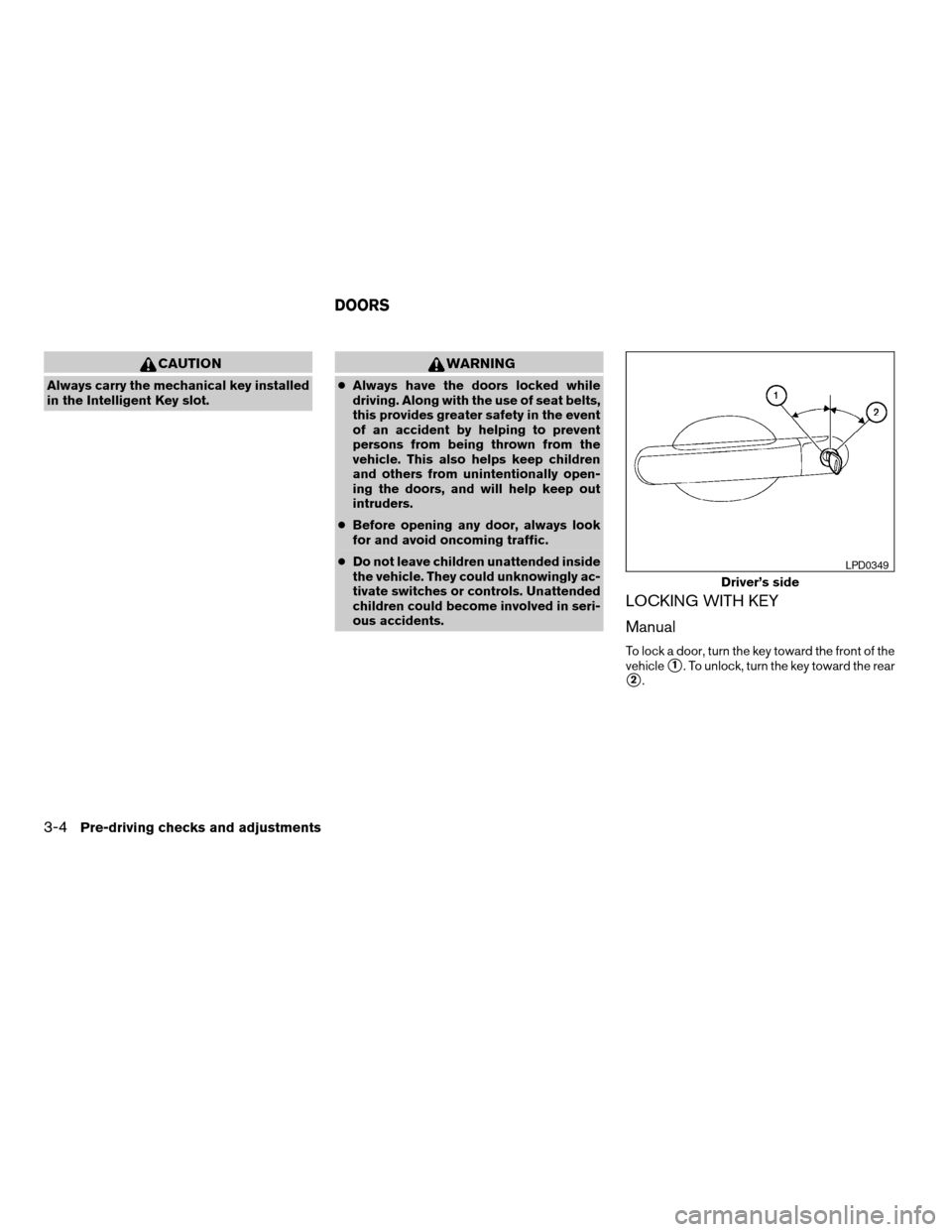
LOCKING WITH KEY
Manual
To lock a door, turn the key toward the front of the
vehicle
s1. To unlock, turn the key toward the rear
s2.
Driver’s side
LPD0349
DOORS
3-4Pre-driving checks and adjustments
ZREVIEW COPYÐ2008 Versa(vrs)
Owners ManualÐUSA_English(nna)
01/02/08Ðdebbie
X