headrest NISSAN VERSA NOTE 2016 2.G User Guide
[x] Cancel search | Manufacturer: NISSAN, Model Year: 2016, Model line: VERSA NOTE, Model: NISSAN VERSA NOTE 2016 2.GPages: 402, PDF Size: 4.58 MB
Page 53 of 402
If the seating position does not have an
adjustable head restraint/headrest and it is
interfering with the proper child restraint fit,
try another seating position or a different
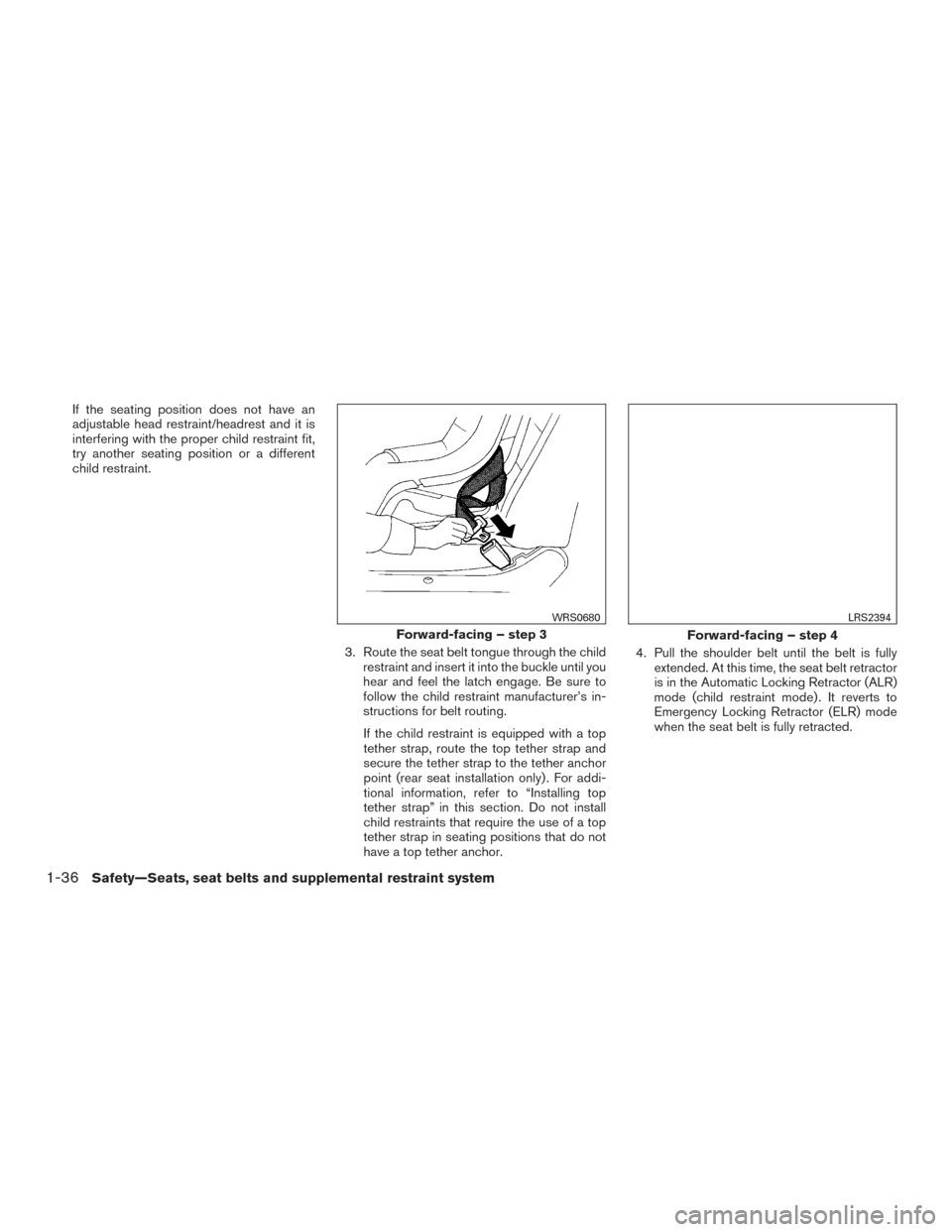
child restraint.3. Route the seat belt tongue through the childrestraint and insert it into the buckle until you
hear and feel the latch engage. Be sure to
follow the child restraint manufacturer’s in-
structions for belt routing.
If the child restraint is equipped with a top
tether strap, route the top tether strap and
secure the tether strap to the tether anchor
point (rear seat installation only) . For addi-
tional information, refer to “Installing top
tether strap” in this section. Do not install
child restraints that require the use of a top
tether strap in seating positions that do not
have a top tether anchor. 4. Pull the shoulder belt until the belt is fully
extended. At this time, the seat belt retractor
is in the Automatic Locking Retractor (ALR)
mode (child restraint mode) . It reverts to
Emergency Locking Retractor (ELR) mode
when the seat belt is fully retracted.
Forward-facing – step 3
WRS0680
Forward-facing – step 4
LRS2394
1-36Safety—Seats, seat belts and supplemental restraint system
Page 56 of 402
Rear bench seat
OUTBOARD SEATING POSITIONS1. Remove the head restraint/headrest and store it in a secure place. Be sure to reinstall
the head restraint/headrest when the child
restraint is removed. For additional informa-
tion about head restraint/headrest adjust-
ment, removal and installation, refer to
“Head restraints/headrests” in this section.
2. Position the top tether strap over the seat- back.
3. Secure the tether strap to the tether anchor point on the back side of the seatback be-
hind the child restraint.
4. Tighten the tether strap according to the manufacturer’s instructions to remove any
slack.
CENTER SEATING POSITION 1. Position the top tether strap over the seat- back.
2. Secure the tether strap to the tether anchor point on the back side of the seatback be-
hind the child restraint.
3. Tighten the tether strap according to the manufacturer’s instructions to remove any
slack. If you have any questions when installing a
top tether strap, it is recommended that
you visit a NISSAN dealer for this service.
WARNING
Child restraint anchorages are designed
to withstand only those loads imposed by
correctly fitted child restraints. Under no
circumstances are they to be used to at-
tach adult seat belts, or other items or
equipment to the vehicle. Doing so could
damage the child restraint anchorages.
The child restraint will not be properly
installed using the damaged anchorage,
and a child could be seriously injured or
killed in a collision.
BOOSTER SEATS
For additional information on installing a booster
seat in your vehicle, follow the instructions out-
lined in this section.
Precautions on booster seats
WARNING
If a booster seat and seat belt are not used
properly, the risk of a child being injured
or killed in a sudden stop or collision
greatly increases:
– Make sure the shoulder portion of the belt is away from the child’s face
and neck and the lap portion of the
belt does not cross the stomach.
– Make sure the shoulder belt is not behind the child or under the child’s
arm.
– A booster seat must only be installed in a seating position that has a
lap/shoulder belt.
Safety—Seats, seat belts and supplemental restraint system1-39
Page 58 of 402
All U.S. states and Canadian provinces or
territories require that infants and small
children be restrained in an approved child
restraint at all times while the vehicle is
being operated.
The instructions in this section apply to booster
seat installation in the rear seats or the front
passenger seat.
Booster seat installation
WARNING
To avoid injury to child, do not use the
lap/shoulder belt in the Automatic Lock-
ing Retractor (ALR) mode when using a
booster seat with the seat belts.
For additional information, refer to all Warnings
and Cautions in the “Child safety”, “Child re-
straints” and “Booster seats” sections of this
manual before installing a child restraint.
Follow these steps to install a booster seat in the
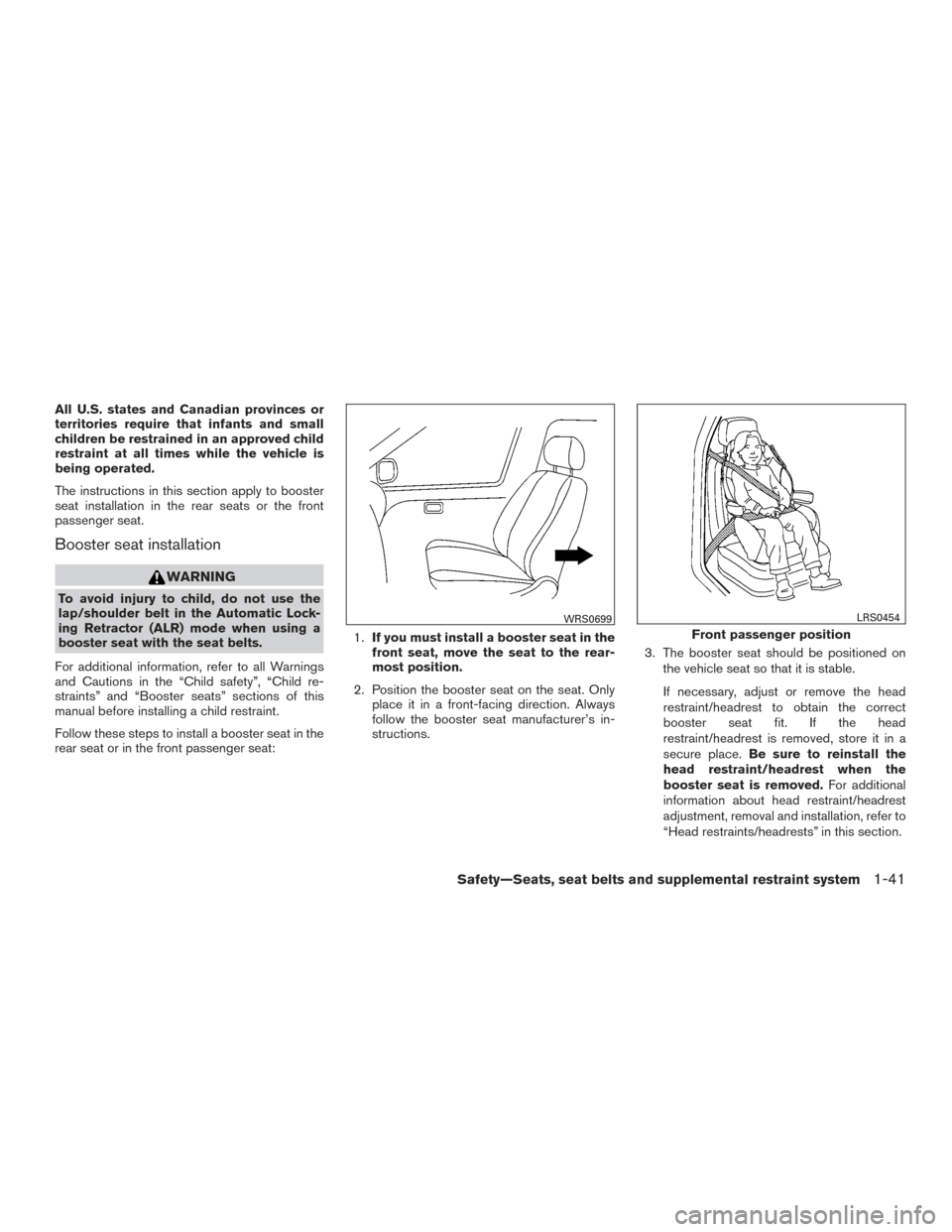
rear seat or in the front passenger seat: 1.
If you must install a booster seat in the
front seat, move the seat to the rear-
most position.
2. Position the booster seat on the seat. Only place it in a front-facing direction. Always
follow the booster seat manufacturer’s in-
structions. 3. The booster seat should be positioned on
the vehicle seat so that it is stable.
If necessary, adjust or remove the head
restraint/headrest to obtain the correct
booster seat fit. If the head
restraint/headrest is removed, store it in a
secure place. Be sure to reinstall the
head restraint/headrest when the
booster seat is removed. For additional
information about head restraint/headrest
adjustment, removal and installation, refer to
“Head restraints/headrests” in this section.
WRS0699
Front passenger position
LRS0454
Safety—Seats, seat belts and supplemental restraint system1-41
Page 59 of 402
If the seating position does not have an
adjustable head restraint/headrest and it is
interfering with the proper booster seat fit,
try another seating position or a different
booster seat.
4. Position the lap portion of the seat belt low and snug on the child’s hips. Be sure to
follow the booster seat manufacturer’s in-
structions for adjusting the seat belt routing.
5. Pull the shoulder belt portion of the seat belt toward the retractor to take up extra slack.
Be sure the shoulder belt is positioned
across the top, middle portion of the child’s
shoulder. Be sure to follow the booster seat
manufacturer’s instructions for adjusting the
seat belt routing.
6. Follow the warnings, cautions and instruc- tions for properly fastening a seat belt
shown in “Three-point type seat belt with
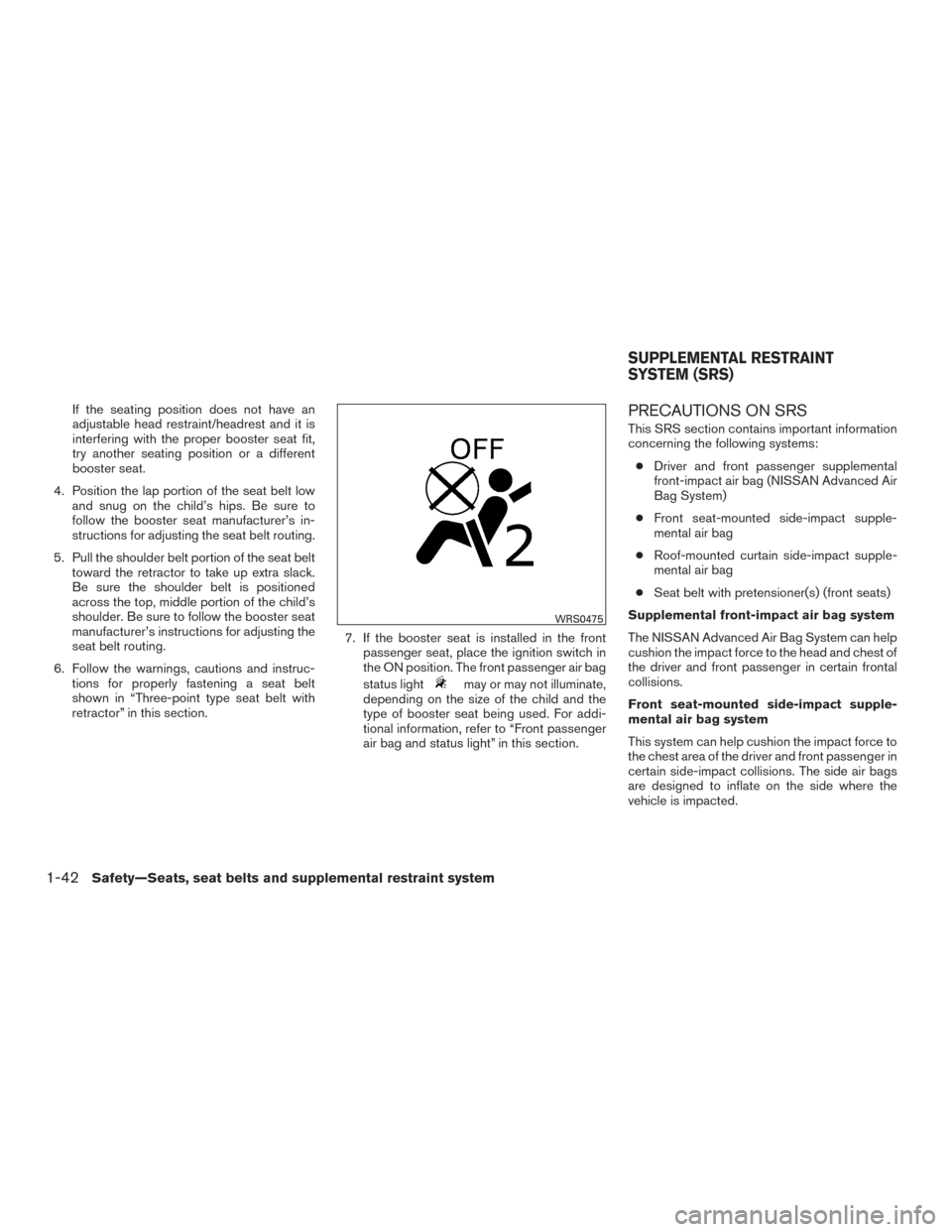
retractor” in this section. 7. If the booster seat is installed in the front
passenger seat, place the ignition switch in
the ON position. The front passenger air bag
status light
may or may not illuminate,
depending on the size of the child and the
type of booster seat being used. For addi-
tional information, refer to “Front passenger
air bag and status light” in this section.
PRECAUTIONS ON SRS
This SRS section contains important information
concerning the following systems:
● Driver and front passenger supplemental
front-impact air bag (NISSAN Advanced Air
Bag System)
● Front seat-mounted side-impact supple-
mental air bag
● Roof-mounted curtain side-impact supple-
mental air bag
● Seat belt with pretensioner(s) (front seats)
Supplemental front-impact air bag system
The NISSAN Advanced Air Bag System can help
cushion the impact force to the head and chest of
the driver and front passenger in certain frontal
collisions.
Front seat-mounted side-impact supple-
mental air bag system
This system can help cushion the impact force to
the chest area of the driver and front passenger in
certain side-impact collisions. The side air bags
are designed to inflate on the side where the
vehicle is impacted.
WRS0475
SUPPLEMENTAL RESTRAINT
SYSTEM (SRS)
1-42Safety—Seats, seat belts and supplemental restraint system
Page 66 of 402
NISSAN Advanced Air Bag System
(front seats)
1. Crash zone sensor
2. Supplemental front-impact air bag modules
3. Air bag Control Unit (ACU)
4. Occupant classification sensor (weight sen-sor — located in the front passenger seat
cushion frame)
5. Front seat-mounted side-impact supple- mental air bag modules
6. Roof-mounted curtain side-impact supple- mental air bag 7. Rear side satellite sensor
8. Side satellite sensor
9. Seat belt with pretensioner(s) (front seats)
10. Front door satellite sensor (driver’s side shown; front passenger side similar)
WARNING
To ensure proper operation of the passen-
ger’s NISSAN Advanced Air Bag System,
please observe the following items.
●Do not allow a passenger in the rear
seat to push or pull on the seatback
pocket.
● Do not place heavy loads heavier than
2.2 lb (1 kg) on the seatback, head
restraint/headrest or in the seatback
pocket.
● Do not store luggage behind the seat
that can press into the seatback.
● Confirm the operating condition with
the front passenger air bag status light.
● If you notice that the front passenger air
bag status light is not operating, check
the occupant classification system. It is
recommended you visit a NISSAN
dealer for this service.
● Until you have confirmed with your
dealer that your passenger seat occu-
pant classification system is working
properly, position the occupants in the
rear seating positions.
LRS8106
Safety—Seats, seat belts and supplemental restraint system1-49
Page 109 of 402
SEATBACK POCKET
The seatback pocket is located on the back of the
front passenger seat. The pocket can be used to
store maps.
WARNING
To ensure proper operation of the passen-
ger’s NISSAN Advanced Air Bag System,
please observe the following items:
●Do not allow a passenger in the rear
seat to push or pull on the seatback
pocket or head restraint/headrest. ●
Do not place heavy loads heavier than
2.2 lbs. (1 kg) on the seatback, head
restraint/headrest, or in the seatback
pocket.
STORAGE TRAYS
WARNING
Do not place sharp objects in the trays to
help prevent injury in an accident or sud-
den stop.
LIC2782LIC2112
2-32Instruments and controls
Page 282 of 402
4. Push the ignition switch while depressingthe brake pedal within 10 seconds after the
chime sounds. The engine will start.
After step 3 is performed, when the ignition
switch is pushed without depressing the brake
pedal, the ignition switch position will change to
ACC.
NOTE: ● When the ignition switch is pushed to
the ACC or ON position or the engine is
started by the above procedures, the
NISSAN Intelligent Key® system warn-
ing light may blink in yellow (on the
meter) even if the NISSAN Intelligent
Key® is inside the vehicle. This is not a
malfunction. To stop the warning light
from blinking, touch the ignition switch
with the NISSAN Intelligent Key®
again.
● If the NISSAN Intelligent Key® system
warning light in the meter is blinking in
green, replace the battery as soon as
possible. For additional information,
refer to “Battery replacement” in the
“Maintenance and do-it-yourself” sec-
tion of this manual.NISSAN VEHICLE IMMOBILIZER
SYSTEM (if so equipped)
The NISSAN Vehicle Immobilizer System will not
allow the engine to start without the use of the
registered key.
If the engine fails to start using a registered key
(for example, when interference is caused by
another registered key, an automated toll road
device or automatic payment device on the key
ring) , restart the engine using the following pro-
cedure:
1. Leave the ignition switch in the ON position for approximately 5 seconds.
2. Place the ignition switch in the OFF or LOCK position, and wait approximately
10 seconds.
3. Repeat Steps 1 and 2.
4. Restart the engine while holding the device (which may have caused the interference)
separate from the registered key.
If the no start condition re-occurs, NISSAN rec-
ommends placing the registered key on a sepa-
rate key ring to avoid interference from other
devices. ●
Make sure the area around the vehicle is
clear.
● Check fluid levels such as engine oil, cool-
ant, brake and clutch fluid (if so equipped) ,
and windshield-washer fluid as frequently as
possible, or at least whenever you refuel.
● Check that all windows and lights are clean.
● Visually inspect tires for their appearance
and condition. Also check tires for proper
inflation.
● Lock all doors.
● Position seat and adjust head
restraints/headrests.
● Adjust inside and outside mirrors.
● Fasten seat belts and ask all passengers to
do likewise.
● Check the operation of warning lights when
the ignition switch is placed in the ON posi-
tion. For additional information, refer to
“Warning lights, indicator lights and audible
reminders” in the “Instruments and controls”
section of this manual.
BEFORE STARTING THE ENGINE
Starting and driving5-13
Page 331 of 402
on a fairly steep hill with only the parking brake
applied. If the parking brake needs adjustment, it
is recommended that you visit a NISSAN dealer
for this service.
SeatsCheck seat position controls such as seat
adjusters, seat back recliner, etc. to ensure they
operate smoothly and all latches lock securely in
every position. Check that the head
restraints/headrests move up and down
smoothly and the locks hold securely in all
latched positions.
Seat belts Check that all parts of the seat belt
system (for example, buckles, anchors, adjusters
and retractors) operate properly and smoothly,
and are installed securely. Check the belt web-
bing for cuts, fraying, wear or damage.
Steering wheel Check for changes in the steer-
ing system, such as excessive freeplay, hard
steering or strange noises.
Warning lights and chimes Make sure all
warning lights and chimes are operating properly.
Windshield wiper and washer* Check that
the wipers and washer operate properly and that
the wipers do not streak.
Windshield defroster Check that the air
comes out of the defroster outlets properly and in
sufficient quantity when operating the heater or
air conditioner.Under the hood and vehicle
The maintenance items listed here should be
checked periodically (for example, each time you
check the engine oil or refuel) .
Battery* Check the fluid level in each cell. It
should be between the MAX and MIN lines. Ve-
hicles operated in high temperatures or under
severe conditions require frequent checks of the
battery fluid level.
NOTE:
Care should be taken to avoid situations
that can lead to potential battery discharge
and potential no-start conditions such as:
1. Installation or extended use of electronic accessories that consume battery power
when the engine is not running (Phone char-
gers, GPS, DVD players, etc.)
2. Vehicle is not driven regularly and/or only driven short distances. In these cases, the
battery may need to be charged to maintain
battery health.
Brake and clutch (if so equipped) fluid lev-
els* Make sure that the brake and clutch fluid
level is between the MIN and MAX lines on the
reservoir. Engine coolant level*
Check the coolant level
when the engine is cold.
Engine drive belts* Make sure the drive belts
are not frayed, worn, cracked or oily.
Engine oil level* Check the level after parking
the vehicle on a level surface with the engine off.
Wait more than 10 minutes for the oil to drain
back into the oil pan.
Exhaust system Make sure there are no loose
supports, cracks or holes. If the sound of the
exhaust seems unusual or there is a smell of
exhaust fumes, immediately have the exhaust
system inspected. It is recommended that you
visit a NISSAN dealer for this service. For addi-
tional information, refer to “Exhaust gas (carbon
monoxide)” in the “Starting and driving” section of
this manual.
Fluid leaks Check under the vehicle for fuel, oil,
water or other fluid leaks after the vehicle has
been parked for a while. Water dripping from the
air conditioner (if so equipped) after use is nor-
mal. If you should notice any leaks or if gasoline
fumes are evident, check for the cause and have
it corrected immediately.
8-4Maintenance and do-it-yourself