engine NISSAN VERSA NOTE 2019 Owner´s Manual
[x] Cancel search | Manufacturer: NISSAN, Model Year: 2019, Model line: VERSA NOTE, Model: NISSAN VERSA NOTE 2019Pages: 388, PDF Size: 4.46 MB
Page 182 of 388
2. Turn the air flow control dial tothe
position.
3. Turn the
fan speed control dial to
the desired position.
4. Turn the temperature control dial to the desired position.
Heating and defogging
This mode heats the interior and defogs
the windshield.
1. Move the air intake lever to the
position.
2. Turn the air flow control dial to the
position.
3. Turn the
fan speed control dial to
the desired position.
4. Turn the temperature control dial to the desired position between the
middle and the hot position.
∙ When
orare selected, the air
conditioner turns on (the
indica-
tor light may not illuminate). This will
dehumidif y the air and help defog the
windows.
Operating tips
Clear snow and ice from the wiper blades
and air inlet in front of the windshield.
This improves heater operation.
AIR CONDITIONER OPERATION
Start the engine, turn thefan speed
control dial to the desired position, and
press the
button to activate the air
conditioner. When the air conditioner is on,
cooling and dehumidif ying functions are
added to the heater operation.
The air conditioner cooling function op-
erates only when the engine is running.
Cooling
This mode is used to cool and dehumidif y
the air.
1. Move the air intake lever to the
position.
2. Turn the air flow control dial to the
position.
3. Turn the
fan speed control dial to
the desired position.
4. Press the
button. The indicator
light comes on. 5. Turn the temperature control dial to
the desired position.
∙ For quick cooling when the outside temperature is high, move the air intake
lever to the
position. Be sure to
return to the
position for normal
cooling.
Dehumidified heating
This mode is used to heat and dehumidif y
the air.
1. Move the air intake lever to the
position.
2. Turn the air flow control dial to the
position.
3. Turn the
fan speed control dial to
the desired position.
4. Press the
button. The indicator
light comes on.
5. Turn the temperature control dial to the desired position.
Dehumidified defogging
This mode is used to defog the windows
and dehumidif y the air.
1. Move the air intake lever to the
position.
4-18Monitor, climate, audio, phone and voice recognition systems
Page 183 of 388
2. Turn the air flow control dial tothe
position.
3. Turn the
fan speed control dial to
the desired position.
4. Turn the temperature control dial to the desired position.
Operating tips
∙ Keep the windows closed while the airconditioner is in operation.
∙ Af ter parking in the sun, drive for 2 or 3 minutes with the windows open to
vent hot air from the passenger com-
partment. Then, close the windows.
This allows the air conditioner to cool
the interior more quickly.
∙ The air conditioning system should
be operated for approximately
10 minutes at least once a month.
This helps prevent damage to the
system due to lack of lubrication.
∙ A visible mist may be seen coming from the ventilators in hot, humid conditions
as the air is cooled rapidly. This does not
indicate a malfunction. ∙
If the engine coolant temperature
gauge indicates engine coolant tem-
perature over the normal range, turn
the air conditioner off. For additional
information, refer to “If your vehicle
overheats” in the “In case of emer-
gency ” section of this manual.
AIR FLOW CHARTS
The following charts show the button and
dial positions for MAXIMUM AND QUICK
heating, cooling or defrosting. The air in-
take lever should always be in the
position for heating and defrosting.
Monitor, climate, audio, phone and voice recognition systems4-19
Page 187 of 388
The air conditioner system in your NISSAN
vehicle is charged with a refrigerant de-
signed with the environment in mind.
This refrigerant does not harm the
earth’s ozone layer.
Special charging equipment and lubricant
is required when servicing your NISSAN air
conditioner. Using improper refrigerants or
lubricants will cause severe damage to
your air conditioner system. For additional
information, refer to “Air conditioner sys-
tem refrigerant and oil recommendations”
in the “Technical and consumer informa-
tion” section of this manual.
It is recommended that you visit a NISSAN
dealer to service your “environmentally
friendly” air conditioning system.
WARNING
The air conditioner system contains re-
frigerant under high pressure. To avoid
personal injury, any air conditioner ser-
vice should be done only by an experi-
enced technician with proper
equipment.
RADIO
With the ignition placed in the ACC or ON
position, press the PUSH
(power) or
ON•OFF button to turn the radio on. If you
listen to the radio with the engine not run-
ning, the ignition should be placed in the
ACC position.
Radio reception is affected by station sig-
nal strength, distance from radio transmit-
ter, buildings, bridges, mountains and other
external influences. Intermittent changes
in reception quality normally are caused by
these external influences.
Using a cellular phone in or near the ve-
hicle may influence radio reception qual-
ity.
Radio reception
Your NISSAN radio system is equipped with
state-of-the-art electronic circuits to en-
hance radio reception. These circuits are
designed to extend reception range, and to
enhance the quality of that reception.
However, there are some general charac-
teristics of both FM and AM radio signals
that can affect radio reception quality in a
moving vehicle, even when the finest
equipment is used. These characteristics
are completely normal in a given reception area and do not indicate any malfunction
in your NISSAN radio system.
Reception conditions will constantly
change because of vehicle movement.
Buildings, terrain, signal distance and inter-
ference from other vehicles can work
against ideal reception. Described below
are some of the factors that can affect your
radio reception.
Some cellular phones or other devices may
cause interference or a buzzing noise to
come from the audio system speakers.
Storing the device in a different location
may reduce or eliminate the noise.
FM RADIO RECEPTION
Range: FM range is normally limited to 25 –
30 mi (40 – 48 km), with monaural (single
channel) FM having slightly more range
than stereo FM. External influences may
sometimes interfere with FM station re-
ception even if the FM station is within 25
mi (40 km). The strength of the FM signal is
directly related to the distance between
the transmitter and receiver. FM signals fol-
low a line-of-sight path, exhibiting many of
the same characteristics as light. For ex-
ample, they will reflect off objects.
SERVICING AIR CONDITIONER
AUDIO SYSTEM
Monitor, climate, audio, phone and voice recognition systems4-23
Page 210 of 388
When installing a CB, ham radio or car
phone in your vehicle, be sure to observe
the following precautions; otherwise, the
new equipment may adversely affect the
engine control system and other electronic
parts.
WARNING
∙ A cellular phone should not be usedfor any purpose while driving so full
attention may be given to vehicle op-
eration. Some jurisdictions prohibit
the use of cellular phones while
driving.
∙ If you must make a call while your ve- hicle is in motion, the hands free cellu-
lar phone operational mode is highly
recommended. Exercise extreme cau-
tion at all times so full attention may
be given to vehicle operation.
∙ If you are unable to devote full atten- tion to vehicle operation while talking
on the phone, pull off the road to a
safe location and stop your vehicle.
CAUTION
∙ Keep the antenna as far away as pos-sible from the electronic control
modules.
∙ Keep the antenna wire more than 8 in (20 cm) away from the electronic con-
trol system harnesses. Do not route
the antenna wire next to any harness.
∙ Adjust the antenna standing-wave ratio as recommended by the
manufacturer.
∙ Connect the ground wire from the CB radio chassis to the body.
∙ For additional information, it is rec- ommended that you visit a NISSAN
dealer for servicing.
WARNING
∙ Use a phone af ter stopping your ve-hicle in a safe location. If you have to
use a phone while driving, exercise ex-
treme caution at all times so full at-
tention may be given to vehicle
operation.
∙ If you are unable to devote full atten- tion to vehicle operation while talking
on the phone, pull off the road to a
safe location and stop your vehicle.
CAUTION
To avoid discharging the vehicle bat-
tery, use a phone af ter starting the
engine.
CAR PHONE OR CB RADIO BLUETOOTH® HANDS-FREE PHONE
SYSTEM
4-46Monitor, climate, audio, phone and voice recognition systems
Page 230 of 388
5 Starting and driving
Precautions when starting and driving..........5-2
Exhaust gas (carbon monoxide) ..............5-2
Three-way catalyst ...........................5-2
Tire Pressure Monitoring System
(TPMS) (if so equipped) ........................5-3
Avoiding collision and rollover ................5-7
Off-roadrecovery ............................5-7
Rapid air pressure loss .......................5-8
Drinking alcohol/drugs and driving ...........5-9
Ignition switch (if so equipped) ...................5-9
Continuously Variable Transmission
(if so equipped) .............................. 5-10
Manual transmission (if so equipped) ........5-10
Ignition switch positions ......................5-11
NISSAN Vehicle Immobilizer System
(if so equipped) ............................... 5-11
Push-button ignition switch (if so equipped) .....5-11
Operating range ............................. 5-12
Push-button ignition switch positions .......5-13
Emergency engine shut off ..................5-14
NISSAN Intelligent Key® battery
discharge (if so equipped) ...................5-14
NISSAN Vehicle Immobilizer System
(if so equipped) .............................. 5-15Before starting the engine
......................5-15
Starting the engine ............................. 5-16
Driving the vehicle .............................. 5-17
Continuously Variable Transmission
(CVT) (if so equipped) ........................ 5-17
Manual transmission (if so equipped) ........5-22
Parking brake .................................. 5-23
Cruise control (if so equipped) ..................5-24
Precautions on cruise control ................5-24
Cruise control operations ....................5-25
Break-in schedule .............................. 5-26
Fuel efficient driving tips ........................5-27
Increasing fuel economy .......................5-28
Parking/parking on hills ........................5-29
Power steering ................................. 5-30
Brake system ................................... 5-31
Brake precautions ........................... 5-31
Anti-lock Braking System (ABS) ..............5-31
Br
ake Assist ................................. 5-32
Vehicle Dynamic Control (VDC) system .........5-33
Brake force distribution ......................5-35
Cold weather driving ........................... 5-36
Freeing a frozen door lock ...................5-36
Page 231 of 388
Antifreeze................................... 5-36
Battery...................................... 5-36
Draining of coolant water ....................5-36
Tire equipment .............................. 5-36Special winter equipment
...................5-36
Driving on snow or ice .......................5-37
Engine block heater (if so equipped) .........5-37
Page 232 of 388
WARNING
∙ Do not leave children or adults whowould normally require the assis-
tance of others alone in your vehicle.
Pets should also not be lef t alone.
They could accidentally injure them-
selves or others through inadvertent
operation of the vehicle. Also, on hot,
sunny days, temperatures in a closed
vehicle could quickly become high
enough to cause severe or possibly
fatal injuries to people or animals.
∙ Properly secure all cargo to help pre- vent it from sliding or shif ting. Do not
place cargo higher than the seat-
backs. In a sudden stop or collision,
unsecured cargo could cause per-
sonal injury.
EXHAUST GAS (carbon monoxide)
WARNING
∙ Do not breathe exhaust gases; theycontain colorless and odorless carbon
monoxide. Carbon monoxide is dan-
gerous. It can cause unconsciousness
or death. ∙ If you suspect that exhaust fumes are
entering the vehicle, drive with all
windows fully open, and have the ve-
hicle inspected immediately.
∙ Do not run the engine in closed spaces such as a garage.
∙ Do not park the vehicle with the en- gine running for any extended length
of time.
∙ Keep the rear vent windows, doors and trunk lids (if so equipped) closed
while driving, otherwise exhaust
gases could be drawn into the pas-
senger compartment. If you must
drive with one of these open, follow
these precautions:
1. Open all the windows.
2. Turn the air recirculation mode off and set the fan speed control to
the highest level to circulate the
air.
∙ The exhaust system and body should be inspected by a qualified mechanic
whenever:
a. The vehicle is raised for service. b. You suspect that exhaust fumes
are entering into the passenger
compartment.
c. You notice a change in the sound of the exhaust system.
d. You have had an accident involving damage to the exhaust system,
underbody, or rear of the vehicle.
THREE-WAY CATALYST
The three-way catalyst is an emission con-
trol device installed in the exhaust system.
Exhaust gases in the three-way catalyst
are burned at high temperatures to help
reduce pollutants.
WARNING
∙ The exhaust gas and the exhaust sys-tem are very hot. Keep people, ani-
mals or flammable materials away
from the exhaust system
components.
∙ Do not stop or park the vehicle over flammable materials such as dry
grass, waste paper or rags. They may
ignite and cause a fire.
PRECAUTIONS WHEN STARTING AND
DRIVING
5-2Starting and driving
Page 233 of 388
CAUTION
∙ Do not use leaded gasoline. Depositsfrom leaded gasoline will seriously re-
duce the three-way catalyst’s ability
to help reduce exhaust pollutants.
∙ Keep your engine tuned up. Malfunc- tions in the ignition, fuel injection, or
electrical systems can cause over rich
fuel flow into the three-way catalyst,
causing it to overheat. Do not keep
driving if the engine misfires, or if no-
ticeable loss of performance or other
unusual operating conditions are de-
tected. Have the vehicle inspected
promptly. It is recommended that you
visit a NISSAN dealer for this service.
∙ Avoid driving with an extremely low fuel level. Running out of fuel could
cause the engine to misfire, damag-
ing the three-way catalyst.
∙ Do not race the engine while warming it up.
∙ Do not push or tow your vehicle to start the engine.
TIRE PRESSURE MONITORING
SYSTEM (TPMS) (if so equipped)
Each tire, including the spare (if provided),
should be checked monthly when cold and
inflated to the inflation pressure recom-
mended by the vehicle manufacturer on
the vehicle placard or tire inflation pressure
label. (If your vehicle has tires of a different
size than the size indicated on the vehicle
placard or tire inflation pressure label, you
should determine the proper tire inflation
pressure for those tires.)
As an added safety feature, your vehicle
has been equipped with a Tire Pressure
Monitoring System (TPMS) that illuminates
a low tire pressure telltale when one or
more of your tires is significantly under-
inflated. Accordingly, when the low tire
pressure telltale illuminates, you should
stop and check your tires as soon as pos-
sible, and inflate them to the proper pres-
sure. Driving on a significantly under-
inflated tire causes the tire to overheat and
can lead to tire failure. Under-inflation also
reduces fuel efficiency and tire tread life,
and may affect the vehicle’s handling and
stopping ability. Please note that the TPMS is not a substi-
tute for proper tire maintenance, and it is
the driver’s responsibility to maintain cor-
rect tire pressure, even if under-inflation
has not reached the level to trigger illumi-
nation of the TPMS low tire pressure telltale.
Your vehicle has also been equipped with a
TPMS malfunction indicator to indicate
when the system is not operating properly.
The TPMS malfunction indicator is com-
bined with the low tire pressure telltale.
When the system detects a malfunction,
the telltale will flash for approximately one
minute and then remain continuously illu-
minated. This sequence will continue upon
subsequent vehicle start-ups as long as
the malfunction exists. When the malfunc-
tion indicator is illuminated, the system
may not be able to detect or signal low tire
pressure as intended. TPMS malfunctions
may occur for a variety of reasons, includ-
ing the installation of replacement or alter-
nate tires or wheels on the vehicle that
prevent the TPMS from functioning prop-
erly. Always check the TPMS malfunction
telltale af ter replacing one or more tires or
wheels on your vehicle to ensure that the
replacement or alternate tires and wheels
allow the TPMS to continue to function
properly.
Starting and driving5-3
Page 236 of 388
For IC:
NOTE:
This device complies with Industry Cana-
da’s licence-exempt RSS. Operation is
subject to the following two conditions:
(1) This device may not cause interfer-
ence; and
(2) This device must accept any interfer-
ence, including interference that may
cause undesired operation of the device.
REMARQUE:
Le présent appareil est conforme aux
CNR d’Industrie Canada applicables aux
appareils radio exempts de licence.
L’exploitation est autorisée aux deux
conditions suivantes:
(1) I’appareil ne doit pas produire de
brouillage;
(2) I’utilisateur de I’appareil doit accepter
tout brouillage radioélectrique subi,
même si le brouillage est susceptible
d’en compromettre le fonctionnement.WARNING
This equipment complies with IC radia-
tion exposure limits set forth for an un-
controlled environment and meets
RSS-102 of the IC radio frequency (RF)
Exposure rules. This equipment has
very low levels of RF energy that is
deemed to comply without maximum
permissive exposure evaluation (MPE).
But it is desirable that it should be in-
stalled and operated keeping the radia-
tor at least 20cm or more away from
person’s body.
ATTENTION:
Cet équipement est conforme aux lim-
ites d’exposition aux rayonnements
énoncées pour un environnement non
contrôlé et respecte les régles
d’exposition aux fréquences radioélec-
triques (RF) CNR-102 de I’IC. Cet équipe-
ment émet une énergie RF trés faible qui
est considérée comme conforme sans
évaluation de l’exposition maximale au-
torisée (MPE).
Cependant, il est souhaitable qu’il
devrait être installé et utilisé en gardant
une distance de 20 cm ou plus entre le
radiateur et le corps humain.
TPMS with Easy-Fill Tire Alert (if so
equipped)
When adding air to an under-inflated tire,
the TPMS with Easy-Fill Tire Alert provides
visual and audible signals outside the ve-
hicle to help you inflate the tires to the rec-
ommended COLD tire pressure.
Vehicle set-up: 1. Park the vehicle in a safe and level place.
2. Apply the parking brake and place the shif t lever in the P (Park) position.
3. Place the ignition switch in the ON po- sition. Do not start the engine.
Operation: 1. Add air to the tire.
2. Af ter a few seconds, the hazard indica- tors will start flashing.
3. When the designated pressure is reached, the horn beeps once and the
hazard indicators stop flashing.
4. Perform the above steps for each tire. ∙ If the tire is over-inflated more thanapproximately 4 psi (30 kPa), the horn
beeps and the hazard indicators
flash three times. To correct the pres-
5-6Starting and driving
Page 241 of 388
To lock the steering wheel, place the ig-
nition switch in the LOCK position. Re-
move the key. To unlock the steering
wheel, insert the key and turn it gently
while rotating the steering wheel slightly
right and lef t.
IGNITION SWITCH POSITIONS
LOCK: Normal parking position (0)
OFF: (1)
The engine can be turned off without lock-
ing the steering wheel.
ACC: (Accessories) (2)
This position activates electrical accesso-
ries such as the radio when the engine is
not running.
ON: Normal operating position (3)
This position turns on the ignition system
and the electrical accessories.
START: (4)
This position starts the engine. As soon as
the engine has started, release the key. It
automatically returns to the ON position.
NISSAN VEHICLE IMMOBILIZER
SYSTEM (if so equipped)
The NISSAN Vehicle Immobilizer System
will not allow the engine to start without
the use of the registered key.
If the engine fails to start using a registered
key (for example, when interference is
caused by another registered key, an auto-
mated toll road device or automatic pay-
ment device on the key ring), restart the
engine using the following procedure:1. Leave the ignition switch in the ON po- sition for approximately 5 seconds.
2. Place the ignition switch in the OFF or LOCK position, and wait approximately
10 seconds.
3. Repeat steps 1 and 2.
4. Restart the engine while holding the device (which may have caused the in-
terference) separate from the regis-
tered key.
If the no start condition re-occurs, NISSAN
recommends placing the registered key on
a separate key ring to avoid interference
from other devices.
WARNING
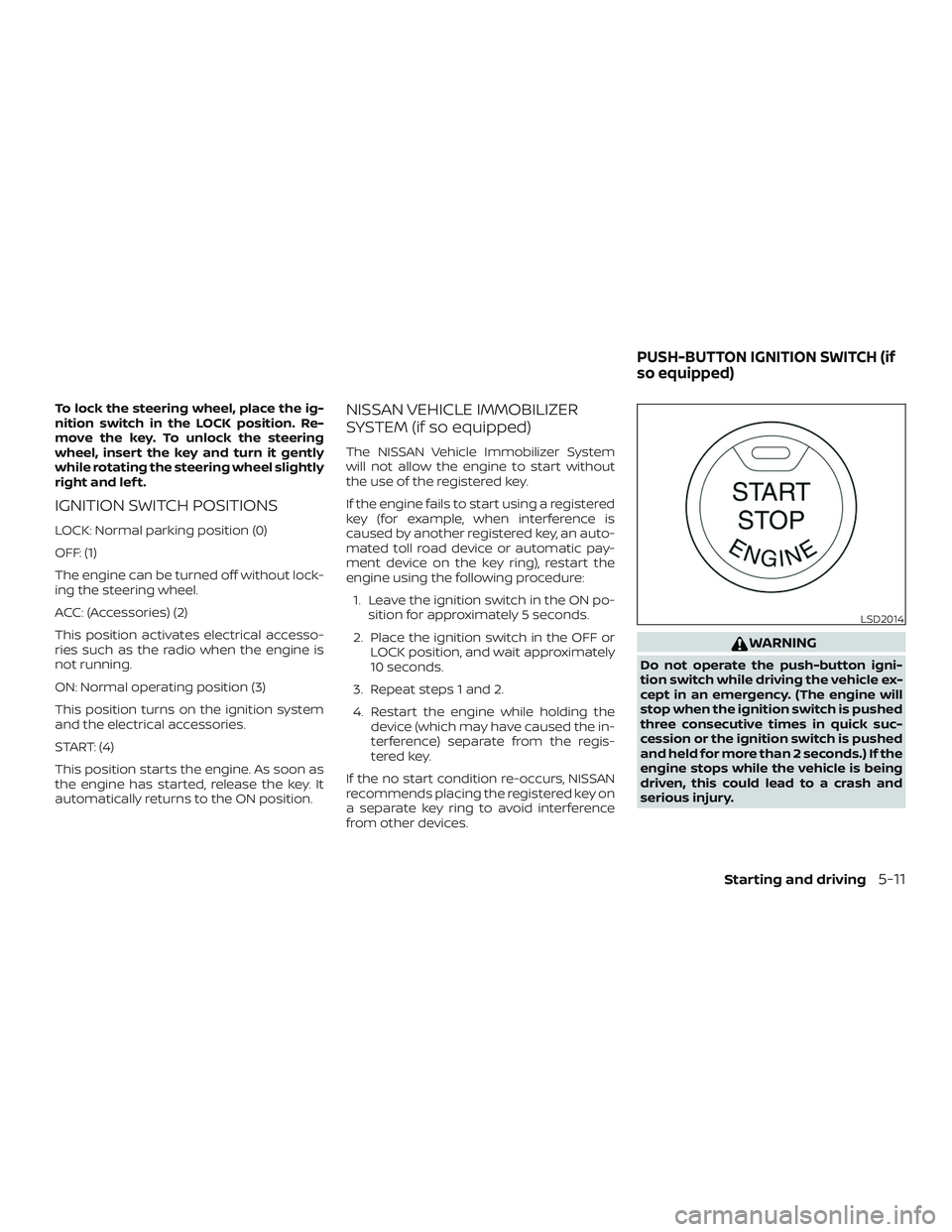
Do not operate the push-button igni-
tion switch while driving the vehicle ex-
cept in an emergency. (The engine will
stop when the ignition switch is pushed
three consecutive times in quick suc-
cession or the ignition switch is pushed
and held for more than 2 seconds.) If the
engine stops while the vehicle is being
driven, this could lead to a crash and
serious injury.
LSD2014
PUSH-BUTTON IGNITION SWITCH (if
so equipped)
Starting and driving5-11