warning Oldsmobile Achieva 1995 Owner's Manuals
[x] Cancel search | Manufacturer: OLDSMOBILE, Model Year: 1995, Model line: Achieva, Model: Oldsmobile Achieva 1995Pages: 340, PDF Size: 16.99 MB
Page 3 of 340
I The 1995 Oldsrnobile Achieva Owner’s Manual
~~ ... How to Use this Manual .............................................................. .111
This section tells you how to use your manual and includes safety \
and vehicle damage warnings
and symbols.
This section tells you how to use your
seats and safety belts properly. It also explains the ”SRS” system.
This section explains how to start and operate your Oldsmobile.\
This section tells
you how to adjust the ventilation and comfort controls and how to \
operate your
audio system.
Here you’ll find information and tips about the road and ho\
w to drive under different conditions.
This section tells you what to do
if you have a problem while driving, such as a flat tire or
overheated engine, etc.
Service and Appearance Care ......................................................... 6-1
Here the manual tells you how to keep your Oldsmobile running properly \
and looking good.
Maintenanceschedule ............................................................... 7-1
This section tells you when to perform vehicle maintenance and what fluids and lubricants t\
o use.
Customer Assistance Information ..................................................... 8-1
This section tells you how to contact Oldsmobile for assistance and how to get servic\
e publications.
It also gives you information on “Reporting Safety Defects” on page 8-4.
Index ........................................................................\
..... 9-1
Here’s an alphabetical listing of almost every subject in this manual. You can use it to quickly find
something you want to read.
Seats and Restraint Systems .......................................................... 1-1
Features and Controls
............................................................... 2-1
Comfort Controls and Audio Systems .................................................. 3-1
YourDrivingandtheRoad
........................................................... 4-1
ProblemsontheRoad ............................................................... 5-1
i
Page 5 of 340
How to Use this Manual
Many people read their owner’s manual from beginning
to end when they first receive their new vehicle. This
will help you learn about the features and controls for
your vehicle. In this manual, you’ll find that pictures
and words work together to explain things quickly.
Index
A good place to look for what you need is the Index in
the back
of the manual. It’s an alphabetical list of all
that’s in the manual, and the page number where you’ll
find it.
Safety Warnings and Symbols
You will find a number of safety cautions in this book.
We use a box with gray background and the word
CAUTION to tell you about things that could hurt you if
you were to ignore the warning.
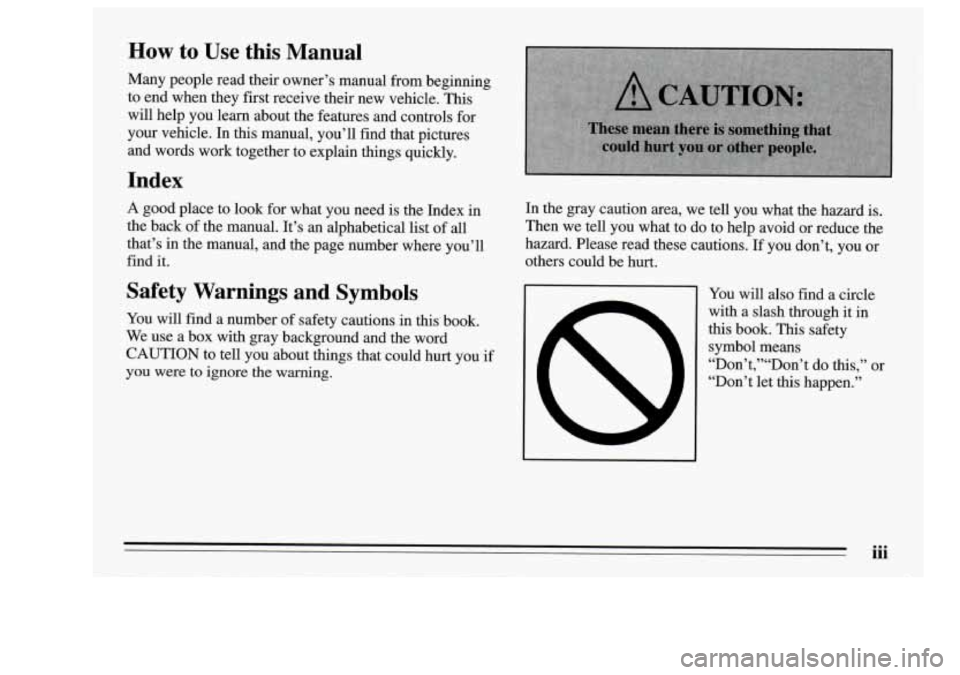
In the gray caution area, we tell you what the hazard is.
Then we tell you what to do to help avoid or reduce the
hazard. Please read these cautions. If you don’t, you or
others could be hurt.
You will also find a circle
with a slash through it in
this book. This safety
symbol means
“Don”,”“Don’t do this,” or
“Don’t let this happen.’’
iii
Page 6 of 340

Vehicle Damage Warnings
Also in this book you will find these notices: In
the notice area, we tell
you about something that can
damage your vehicle. Many times, this damage would
not be covered by your warranty, and it could be costly.
damage. But the notice will tell
you what to do to help avoid the
NOTICE:
When you read other manuals, you might see
I CAUTION and NOTICE warnings in different colors or
These mean there is something that in different words.
could damage your vehicle. You’ll also see warning labels on your vehicle. They use
yellow for cautions, blue
for notices and the words
CAUTION
or NOTICE.
iv
Page 7 of 340

Vehicle Symbols
These are some of the symbols you may find on your vehicle.
For example,
these symbols
are used on an
original battery:
POSSIBLE A
CAUTION
INJURY
PROTECT EYES BY
SHIELDING
CAUSTIC
ACID COULD BATTERY
CAUSE
BURNS
AVOID
SPARKS
OR
FLAMES
SPARK
OR ,\I/,
COULD FLAME
EXPLODE BATTERY
These symbols
are important
for you and
your passengers
whenever your
vehicle
is
driven:
DOOR LOCK
UNLOCK
FASTEN SEAT
BELTS
POWER
WINDOW
These symbols
have to do with
your lights:
SIGNALS e e
TURN
FOG LAMPS
$0
These symbols
are on some of
your controls:
WINDSHIELD
WIPER
WINDSHIELD DEFROSTER
WINDOW
DEFOGGER
VENTILATING FAN
These symbols are used on
warning and
indicator lights:
COOLANT F-
TEMP --
ENGINE
CHARGING
I-1
BATTERY SYSTEM
BRAKE
(a)
FUEL
ENGINE OIL
PRESSURE
Wd
TEMP OIL 9b
ANTI-LOCK (@)
BRAKE
Here are some
other symbols
you may see:
FUSE -%-
RELEASE
RADIO
VOLUME
CONDITIONING
A'R 43
RELEASE TRUNK e
LIGHTER n
HORN )tr
SPEAKER
b
V
Page 15 of 340
Safety Belts: They’re for Everyone
This part of the manual tells you how to use safety belts
properly. It also tells you some things you should not do
with safety belts.
And it explains the Supplemental Restraint System, or
“air bag” system.
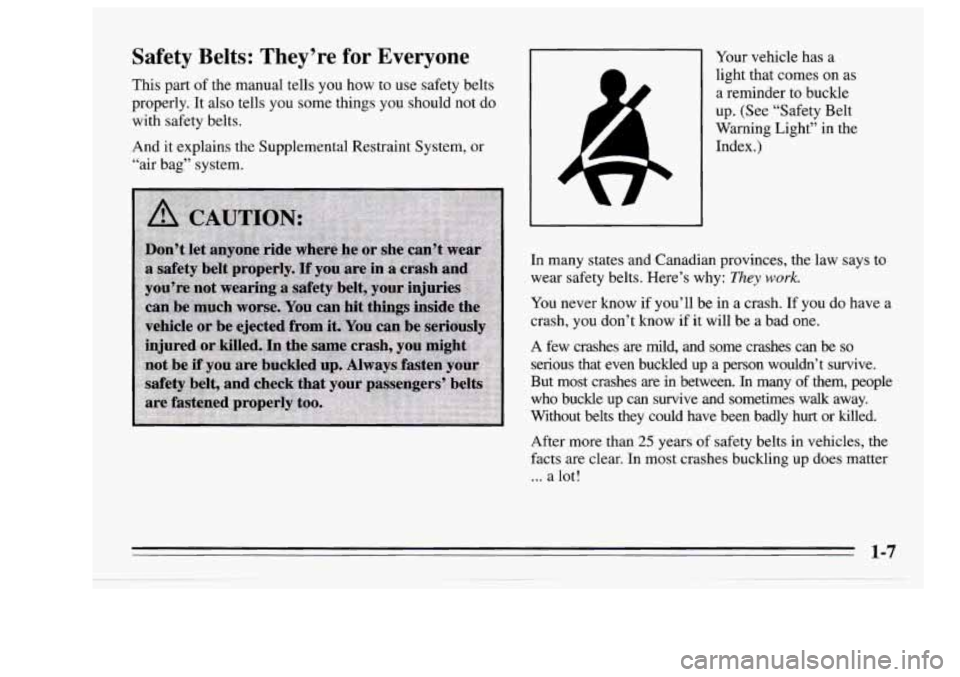
Your vehicle has a
light that comes on
as
a reminder to buckle
up. (See “Safety Belt
Warning Light” in the
Index.)
In many states and Canadian provinces, the law says to
wear safety belts. Here’s why:
They work.
You never know if you’ll be in a crash. If you do have a
crash, you don’t
know if it will be a bad one.
A few crashes are mild, and some crashes can be
so
serious that even buckled up a person wouldn’t survive.
But most crashes are in between.
In many of them, people
who buckle up can survive and sometimes walk away.
Without belts they could have been badly hurt or killed.
After more than
25 years of safety belts in vehicles, the
facts are clear. In most crashes buckling
up does matter
... a lot!
1-7
Page 55 of 340
Safety Belt Extender
If the vehicle’s safety belt will fasten around you, you
should use it. The front seat lap-shoulder belts have
plenty of extra length built in,
so they will fit almost all
people.
But if a safety belt isn’t long enough to fasten, your
retailer will order you an extender. It’s free. When you
go in to order it, take the heaviest coat you will wear,
so
the extender will be long enough for you. The extender
will be just for you, and just for the seat in your vehicle
that you choose. Don’t let someone else use it, and use it
only for the seat it is made to fit. To wear it, just attach it
to the regular safety belt.
Checking Your Restraint Systems
Now and then, make sure all your belts, buckles, latch
plates, retractors, anchorages and warning systems are working properly.
Look for any other loose or damaged
restraint system parts. If you see anything that might
keep a restraint system from doing its job, have
it
repaired.
Torn or frayed belts may not protect you in
a crash.
They can rip apart under impact forces. If a belt is torn
or frayed, get a new one right away.
1-47
Page 57 of 340

Section 2 Features and Controls
Here you can learn about the many standard and
optional features
on your Oldsmobile, and information
on starting, shifting and braking. Also explained are the
instrument panel and the warning systems that tell you
if
everything is working properly -- and what to do if you
have a problem.
Keys
2-1
Page 69 of 340
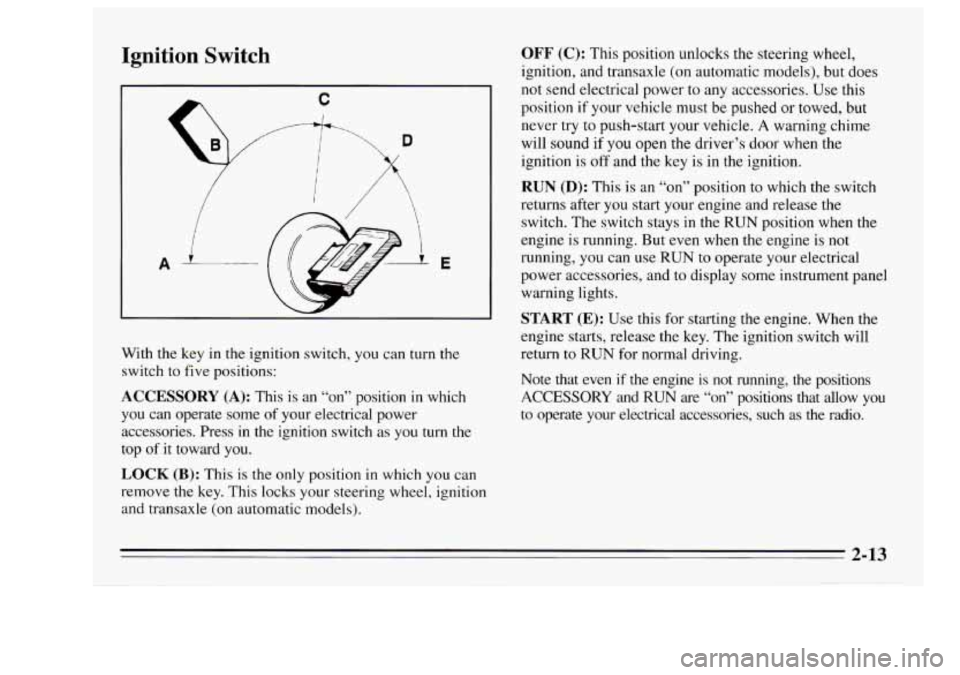
Ignition Switch
A E
With the key in the ignition switch, you can turn the
switch to five positions:
ACCESSORY (A): This is an “on” position in which
you can operate some
of your electrical power
accessories. Press in the ignition switch as you
turn the
top
of it toward you.
LOCK (B): This is the only position in which you can
remove the key. This locks your steering wheel, ignition
and transaxle (on automatic models).
OFF (C): This position unlocks the steering wheel,
ignition, and transaxle (on automatic models), but does
not send electrical power to any accessories. Use this
position
if your vehicle must be pushed or towed, but
never try to push-start your vehicle.
A warning chime
will sound if
you open the driver’s door when the
ignition is
off and the key is in the ignition.
RUN (D): This is an “on” position to which the switch
returns after you start your engine and release the
switch. The switch stays
in the RUN position when the
engine is running. But even when the engine
is not
running, you can use
RUN to operate your electrical
power accessories, and to display some instrument panel
warning lights.
START (E): Use this for starting the engine. When the
engine starts, release the key.
The ignition switch will
return to
RUN for normal driving.
Note that even
if the engine is not running, the positions
ACCESSORY and RUN are “on” positions that allow you
to operate your electrical accessories, such as the radio.
2-13
Page 82 of 340
Parking Brake
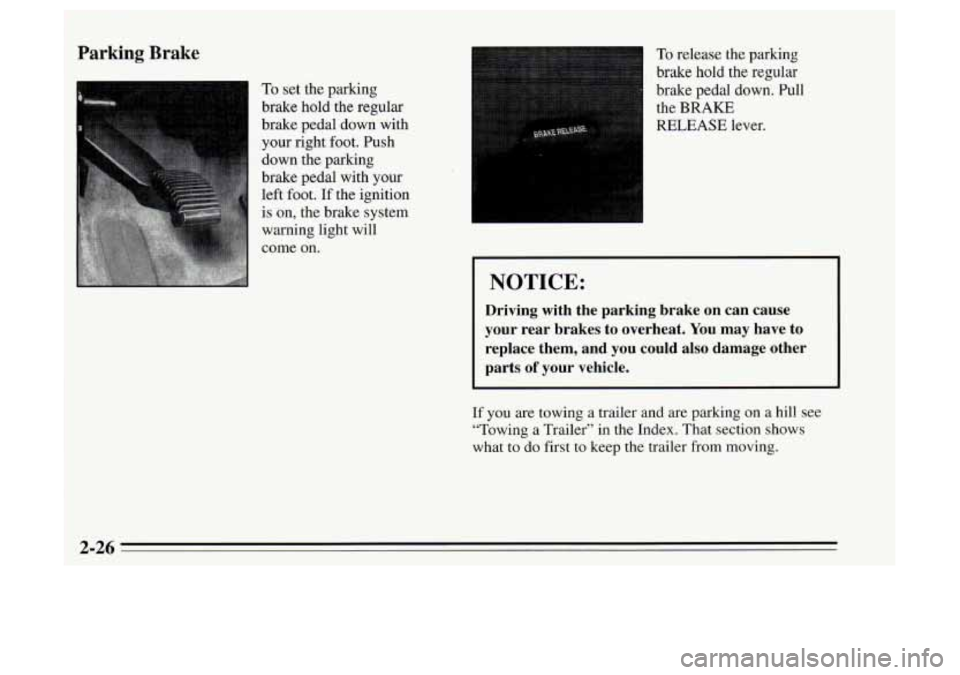
To set the parking
brake hold the regular
brake pedal down with
your right foot. Push
down the parking
brake pedal with your
left foot.
If the ignition
is on, the brake system
warning light will
come on.
To release the parking
brake
hold the regular
brake pedal down. Pull
the
BRAKE
RELEASE lever.
I NOTICE:
Driving with the parking brake on can cause
your rear brakes to overheat. You may have to
replace them, and you could also damage other
parts
of your vehicle.
If you are towing a trailer and are parking on a hill see
“Towing a Trailer” in the Index. That section shows
what to do first to keep the trailer
from moving.
2-26
Page 90 of 340
Turn Signal and Lane Change Indicator
a
0
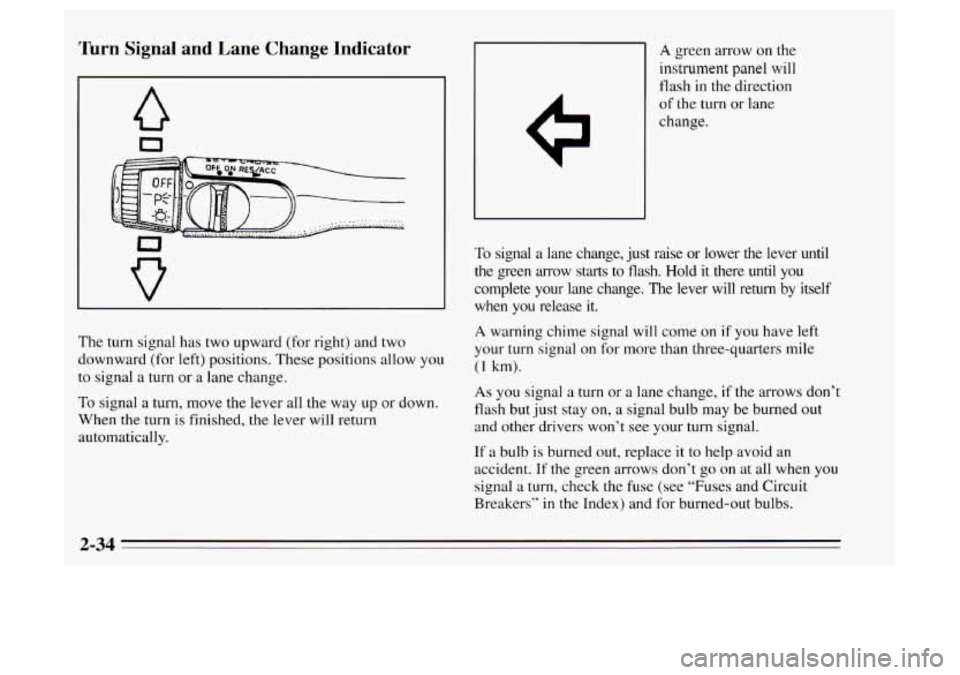
The turn signal has two upward (for right) and two
downward (for left) positions. These positions allow
you
to signal a turn or a lane change.
To signal a turn, move the lever all the way
up or down.
When
the turn is finished, the lever will return
automatically.
A green arrow on the
instrument panel will
flash in the direction
of the turn or lane
change.
To signal
a lane change, just raise or lower the lever until
the green arrow starts to flash. Hold it there until
you
complete your lane change. The lever will return by itself
when you release it.
A warning chime signal will come on if you have left
your turn signal on for more than three-quarters mile
(1 km).
As you signal a turn or a lane change, if the arrows don I:
flash but just stay on, a signal bulb may be burned out
and other drivers won’t see your
turn signal.
If a bulb is burned out, replace it to help avoid an
accident.
If the green arrows don’t go on at all when you
signal a turn, check the fuse (see “Fuses and Circuit
Breakers’’ in the Index) and for burned-out bulbs.
2-34