Section 8A Oldsmobile Achieva 1997 s User Guide
[x] Cancel search | Manufacturer: OLDSMOBILE, Model Year: 1997, Model line: Achieva, Model: Oldsmobile Achieva 1997Pages: 372, PDF Size: 18.52 MB
Page 78 of 372
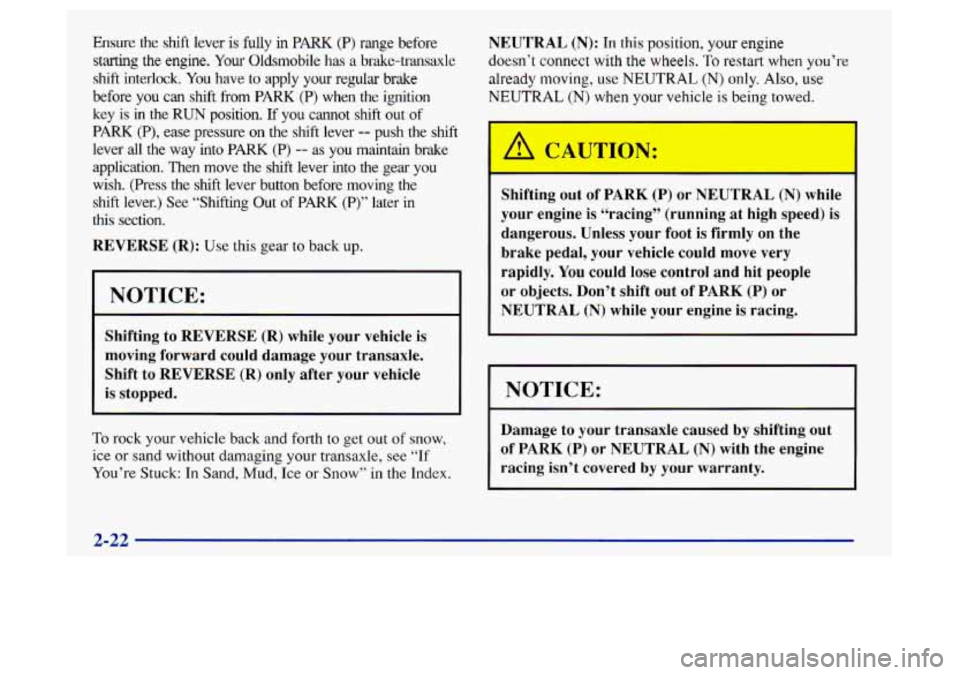
Ensure the shift lever is fully in PARK (P) range before
starting the engine.
You Oldsmobile has a brake-trmsaxle
shift interlock. You have to apply your regular brake
before you
can shift from PARK (P) when the ignition
key
is in the RUN position. If you cannot shift out of
PARK (P), ease pressure on the shift lever -- push the shift
lever
all the way into PARK (P) -- as you maintain brake
application. Then move
the shift lever into the gear you
wish. (Press the shift lever button before moving the
shift lever.) See
“Shifting Out of PARK (P)” later in
this section.
REVERSE (R): Use this gear to back up.
NOTICE:
Shifting to REVERSE (R) while your vehicle is
moving forward could damage your transaxle.
Shift to
REVERSE (R) only after your vehicle
is stopped.
To rock your vehicle back and forth to get out of snow,
ice or sand without damaging your transaxle, see “If
You’re Stuck: In Sand, Mud, Ice or Snow” in the Index.
NEUTRAL (N): In this position, your engine
doesn’t connect with the wheels.
To restart when you’re
already
moving, use NEUTRAL (N) only. Also, use
NEUTRAL (N) when your vehicle is being towed.
r
Shifting out of PARK (P) or NEUTRAL (N) while
your engine is “racing” (running
at high speed) is
dangerous. Unless your foot is firmly on the
brake pedal, your vehicle could move very
rapidly.
You could lose control and hit people
or objects. Don’t shift out of
PARK (P) or
NEUTRAL (N) while your engine is racing.
NOTICE:
Damage to your transaxle caused by shifting out
of
PARK (P) or NEUTRAL (N) with the engine
racing isn’t covered by your warranty.
2-22
Page 84 of 372
Parking Brake
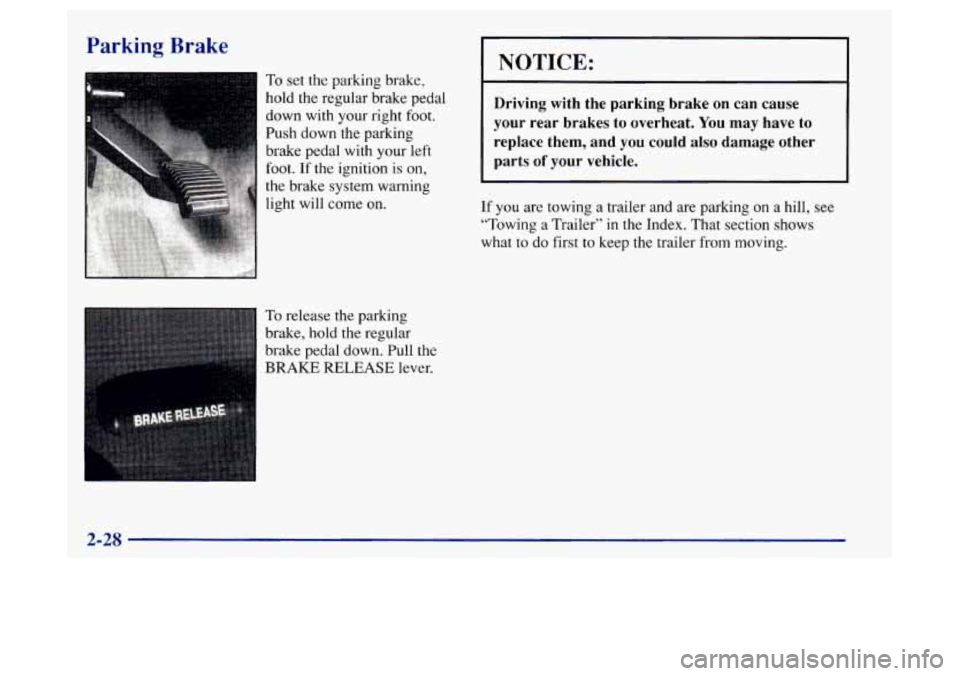
To set the parking brake,
hold the regular brake pedal
down with your right foot.
Push down the parking
brake pedal with your left
foot.
If the ignition is on,
the brake system warning
ght will come on.
To release the parking
brake, hold the regular
brake pedal down. Pull the
BRAKE RELEASE lever.
NOTICE:
Driving with the parking brake on can cause
your rear brakes
to overheat. You may have to
replace them, and you could also damage other
parts
of your vehicle.
If you are towing a trailer and are parking on a hill, see
“Towing a Trailer” in t.he Index. That section shows
what to
do first to keep the trailer from moving.
2-28
Page 107 of 372
Center Console Storage Area Center Console Cupholder
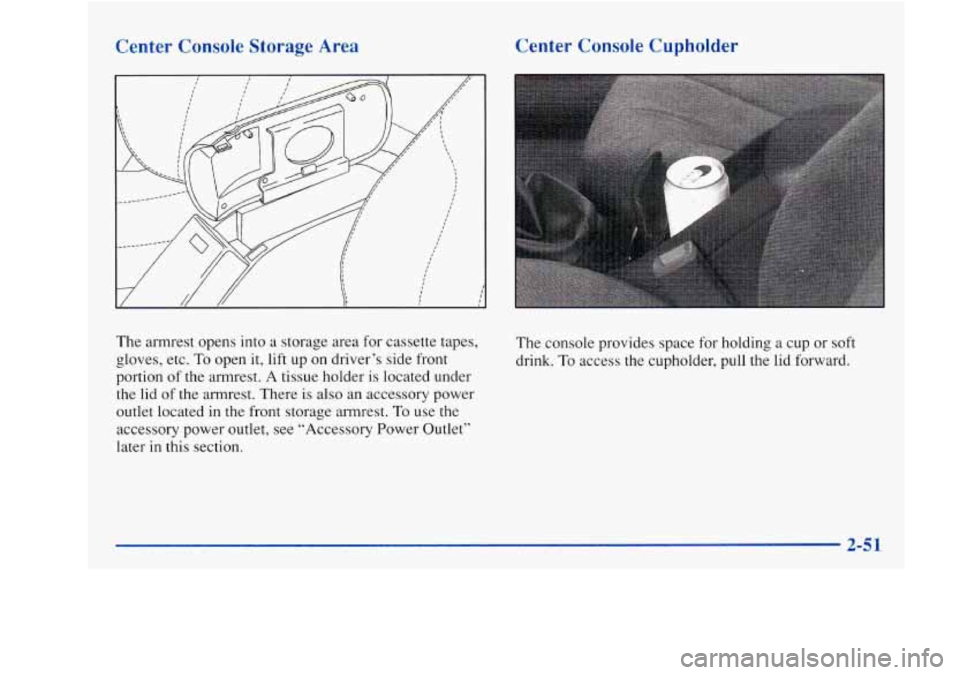
The armrest
opens into a storage area for cassette tapes,
gloves, etc.
To open it, lift up on driver’s side front
portion of
the armrest. A tissue holder is located under
the lid
of the armrest. There is also an accessory power
outlet located in
the front storage armrest. To use the
accessory power outlet, see “Accessory Power Outlet”
later in this section.
The console provides space for holding a cup or soft
drink.
To access the cupholder, pull the lid forward.
2-51
Page 116 of 372
Tachometer
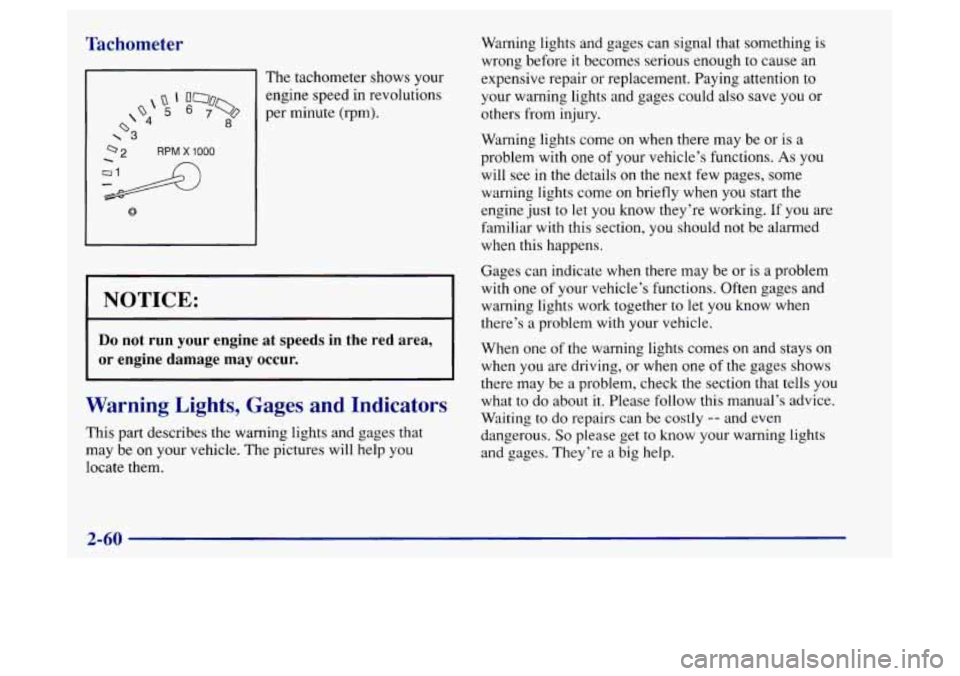
The tachometer shows your
Q‘ 000
d 8
engine speed in revolutions
o 5 6 7% per minute (rpm).
\3
NOTICE:
Do not run your engine at speeds in the red area,
or engine damage may occur.
Warning Lights, Gages and Indicators
This part describes the warning lights and gages that
may be on your vehicle. The pictures will help you
locate them. Warning lights and gages can signal that something
is
wrong before
it becomes serious enough to cause an
expensive repair or replacement. Paying attention to
your warning lights and gages could also save you
or
others from injury.
Warning lights come on when there may be or is a
problem with one
of your vehicle’s functions. As you
will see
in the details on the next few pages, some
warning lights come on briefly when you start the
engine just to let you know they’re working. If you are
familiar
with this section, you should not be alarmed
when this happens.
Gages can indicate when there may be or is a problem
with one
of your vehicle’s functions. Often gages and
warning lights work together to let you know when
there’s
a problem with your vehicle.
When one
of the warning lights comes on and stays on
when you are driving, or when one of the gages shows
there may be
a problem, check the section that tells you
what to do about it. Please follow this manual’s advice.
Waiting
to do repairs can be costly -- and even
dangerous.
So please get to know your warning lights
and gages. They’re
a big help.
2-60
Page 119 of 372
If the light comes on while you are driving, pull off the
road and stop carefully. You
may notice that the pedal is
harder to push. Or, the pedal may go closer to the floor.
It may take longer to stop.
If the light is still on, have the
vehicle towed for service. (See “Towing Your Vehicle”
in the Index.)
-: CAUTION:
Your brake system may not be working properly
if the brake system warning light is
on. Driving
with the brake system warning light
on can lead
to an accident.
If the light is still on after you’ve
pulled off the road and stopped carefully, have
the vehicle towed for service.
When the ignition is on, the brake system warning light
will also come on when you set your parking brake. The
light will stay on if your parking brake doesn’t release
fully. If
it stays on after your parking brake is fully
released,
it means you have a brake problem.
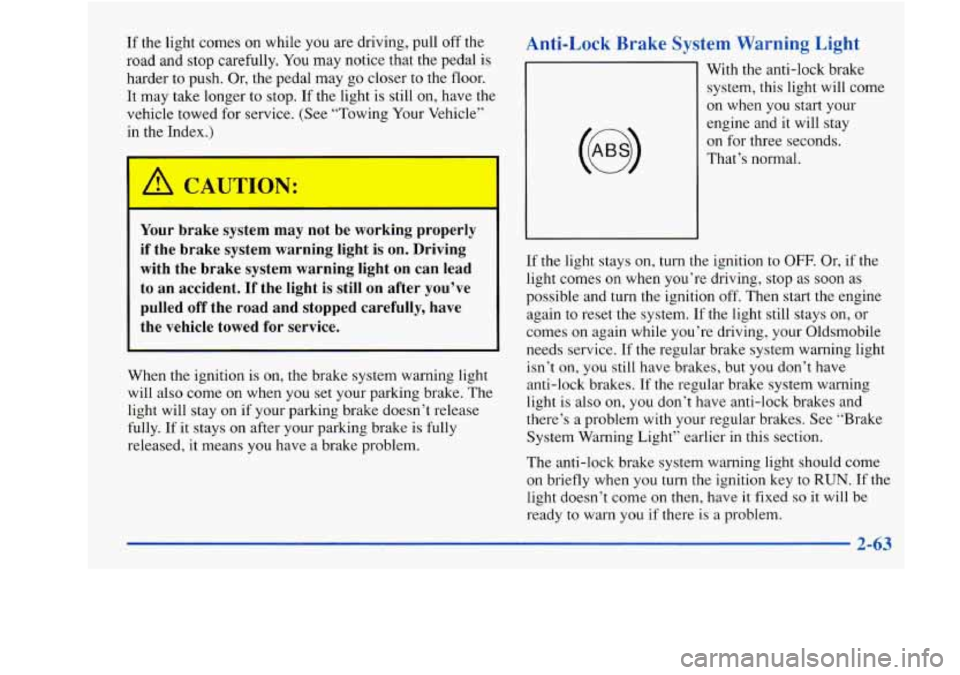
Anti-Lock Brake System Warning Light
With the anti-lock brake
system, this light will come
on when
you start your
engine and it will stay
on for three seconds.
That’s normal.
If the light stays on, turn the ignition to
OFF. Or, if the
light comes
on when you’re driving, stop as soon as
possible and turn the ignition off. Then start the engine
again to reset the system. If the light still stays on, or
comes on again while you’re driving, your Oldsmobile
needs service. If the regular brake system warning light
isn’t
on, you still have brakes, but you don’t have
anti-lock brakes.
If the regular brake system warning
light is also on, you don’t have anti-lock brakes and
there’s a problem with your regular brakes. See “Brake
System Warning Light” earlier in this section.
The anti-lock brake system warning light should come
on briefly when you turn the ignition key to
RUN. If the
light doesn’t come
on then, have it fixed so it will be
ready to warn you if there is
a problem.
2-63
Page 131 of 372
Section 3 Comfort Controls and Audio Systems
In this section, you’ll find out how to operate the comfort control and audio systems offered with your Oldsmobile.
Be sure to read about the particular systems supplied with your vehicle.
3-2
3-2
3-3 3-4
3-4
3-5
3-5
3-6
3-6 Comfort
Controls
Climate Control System
Air Conditioning
Heating Defogging and Defrosting
Rear Window Defogger
Ventilation System
Audio Systems
Setting the Clock 3
-7
3 -9
3- 19
3-2 1
3-2 1
3 -22
3-23
3-23 AM-FM
Stereo
AM-FM Stereo with Cassette Tape Player and
Automatic Tone Control
(If Equipped)
Theft-Deterrent Feature
Understanding Radio Reception
Tips About Your Audio System
Care of Your Cassette Tape Player
Care of Your Compact Discs
Rear Window Defogger Antenna
Page 132 of 372
Comfort Controls
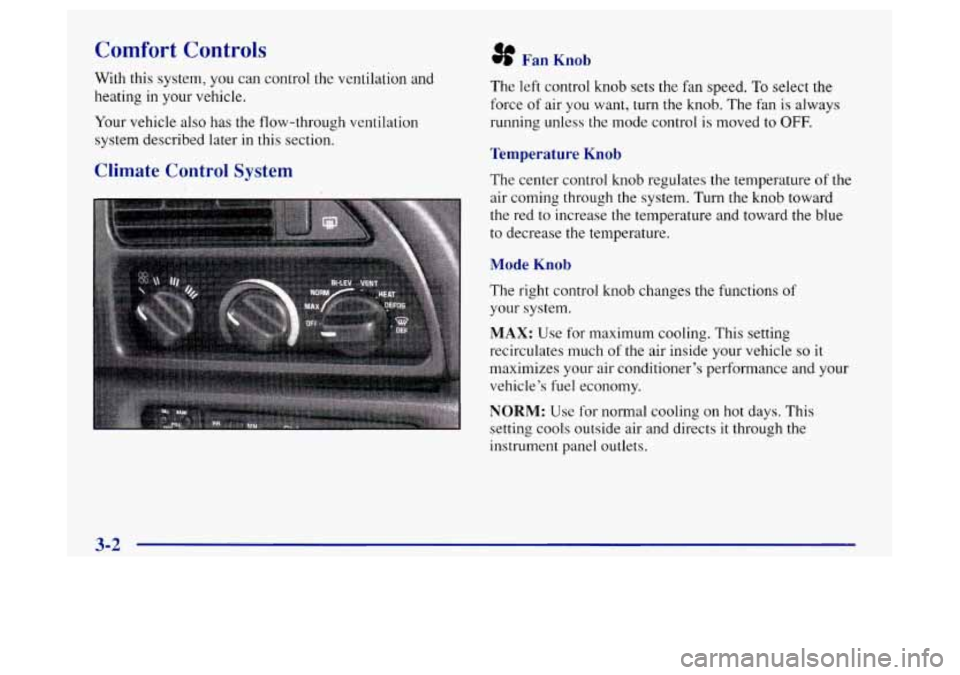
With this system, you can control the ventilation and
heating in your vehicle.
Your vehicle also has
the flow-through ventilation
system described later in this section.
Climate Control System
8 Fan Knob
The left control knob sets the fan speed. To select the
force of air you want, turn the knob. The fan is always
running unless the mode control
is moved to OFF.
Temperature Knob
The center control knob regulates the temperature of the
air coming through the system. Turn the knob toward
the red to increase the temperature and toward the blue
to decrease the temperature.
Mode Knob
The right control knob changes the functions of
your system.
MAX: Use for maximum cooling. This setting
recirculates much
of the air inside your vehicle so it
maximizes your air conditioner’s performance and your
vehicle’s fuel economy.
NORM: Use for normal cooling on hot days. This
setting cools outside air and directs it through the
instrument panel outlets.
3-2
Page 133 of 372
BI-LEV: Use on cool, but sunny days. This setting
brings in the outside air, but directs
it in two ways. The
cool air is directed to the upper portion of your body
through the instrument panel outlets, but slightly
warmer air is directed through the heater ducts and
defroster vents. At times this temperature difference
may be more apparent than others.
The air conditioner compressor
is enabled in all three air
conditioning positions.
VENT Use when outside temperatures are mild, and
little heating or cooling is needed. Airflow comes
through the instrument panel outlets. Set the center
control knob to the temperature desired.
HEAT This setting brings heated air through the heater
ducts, and some through the windshield defroster vents.
If you have the optional engine coolant heater (engine
block heater) and use it during cold weather,
0°F
(- 18 O C) or lower, your heating system will more quickly
provide heat because the engine coolant is already
warmed. See “Engine Coolant Heater” in the Index.
DEFOG: This setting divides airflow equally between
the heater ducts and the windshield defroster vents.
DEF: This setting directs air through the
windshield defroster vents located on top
of the
instrument panel.
Air Conditioning
The air conditioner and heater work best if you keep
your windows closed while using them. Your vehicle
also has the flow-through ventilation system described
later in this section.
Your system has three air conditioner settings in
addition to the standard climate control system. Before
using your air conditioner on very hot days, open the
windows long enough
to let hot inside air escape. This
reduces the amount
of work your air conditioner’s
compressor will have to do, which should help
fuel economy.
Page 151 of 372
To unlock a secured radio, see “Unlocking the
Theft-Deterrent Feature After a Power
Loss” earlier in
this section.
Understanding Radio Reception
To help avoid hearing loss or damage:
Adjust the volume control to the lowest setting.
0 Increase volume slowly until you hear comfortably
and clearly.
FM Stereo
FM stereo will give you the best sound. But FM signals
will reach only about
10 to 40 miles (16 to 65 km). Tall
buildings or hills can interfere with FM signals, causing
the sound to come and
go.
AM
The range for most
AM stations is greater than for FM,
especially at night. The longer range, however, can
cause stations to interfere with each other. AM can pick
up noise from things like stoms and power lines. Try
reducing the treble to reduce this noise if you ever get it.
Tips About Your Audio System
Hearing damage from loud noise is almost undetectable
until
it is too late. Your hearing can adapt to higher
volumes
of sound. Sound that seems normal can be loud
and harmful
to your hearing. Take precautions by
adjusting the volume control on your radio to a safe
sound level before your hearing adapts to
it.
NOTICE:
Before you add any sound equipment to your
vehicle
-- like a tape player, CB radio, mobile
telephone or two-way radio
-- be sure you can add
what
you want. If you can, it’s very important to
do it properly. Added sound equipment may
interfere with the operation of your vehicle’s
engine, Delco radio or other systems, and even
damage them. Your vehicle’s systems may
interfere with the operation
of sound equipment
that
has been added improperly.
So, before adding sound equipment, check with
your retailer and
be sure to check Federal rules
covering mobile radio and telephone units.
Page 155 of 372
Section 4 Your Driving and the Road
Here you’ll find information about driving on different kinds of roads and in varying weather conditions. We’ve also
included many other useful tips on driving.
4-2
4-3
4-6
4-6
4-11
4-13 4-13
4- 15
4-16
4-1
8
Defensive Driving
Drunken Driving
Control
of a Vehicle
Braking Steering
Off-Road Recovery
Passing
Loss of Control
Driving at Night
Driving in Rain and on Wet Roads 4-2 1
4-22
4-23
4-24
4-24
4-26
4-30
4-3 3
4-35 City
Driving
Freeway Driving
Before Leaving on a Long Trip
Highway Hypnosis
Hill and Mountain Roads
Winter Driving
Recreational Vehicle Towing
Loading Your Vehicle
Towing a Trailer