lock Oldsmobile Achieva 1998 s Owner's Guide
[x] Cancel search | Manufacturer: OLDSMOBILE, Model Year: 1998, Model line: Achieva, Model: Oldsmobile Achieva 1998Pages: 356, PDF Size: 18.04 MB
Page 109 of 356
Sunvisors
To block out glare, you can swing down the visors.
You can also swing them
to the side.
Visor Vanity Mirror
Open the visor cover to expose the vanity mirror.
Accessory Power Outlet
The accessory power outlet is located in the front
storage armrest. You can use it to plug in an additional
electrical accessory. Just open the armrest lid and
remove the plug from the outlet. Be sure to follow the
proper installation instructions that are included with
any electrical accessory you install. The accessory
power outlet
is protected by a fuse and has a maximum
current level.
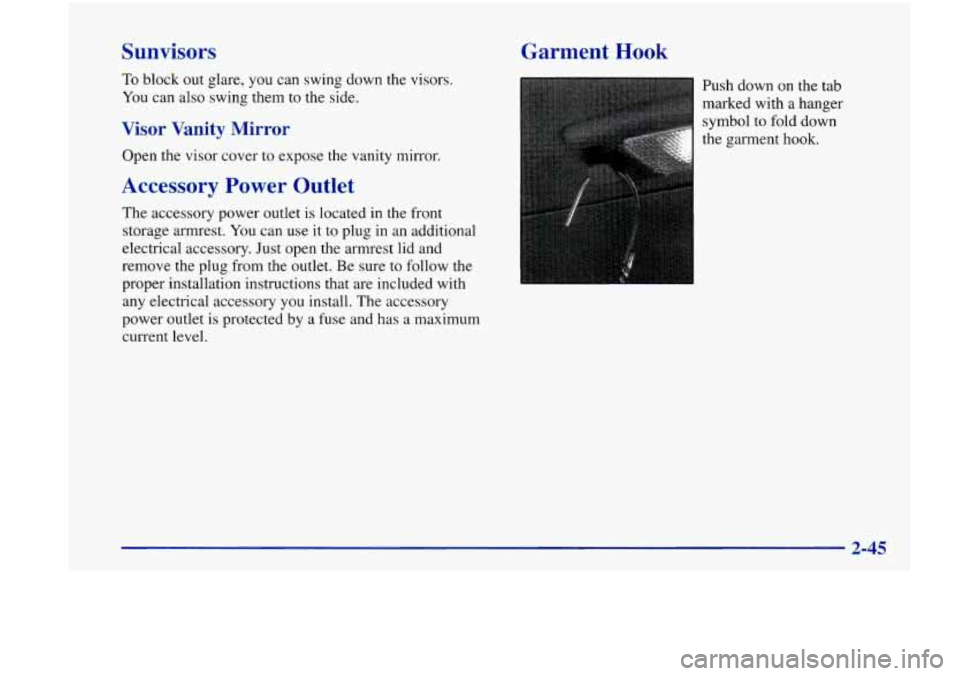
Garment Hook
Push down on the tab
marked with a hanger
symbol
to fold down
the garment
hook.
Page 117 of 356
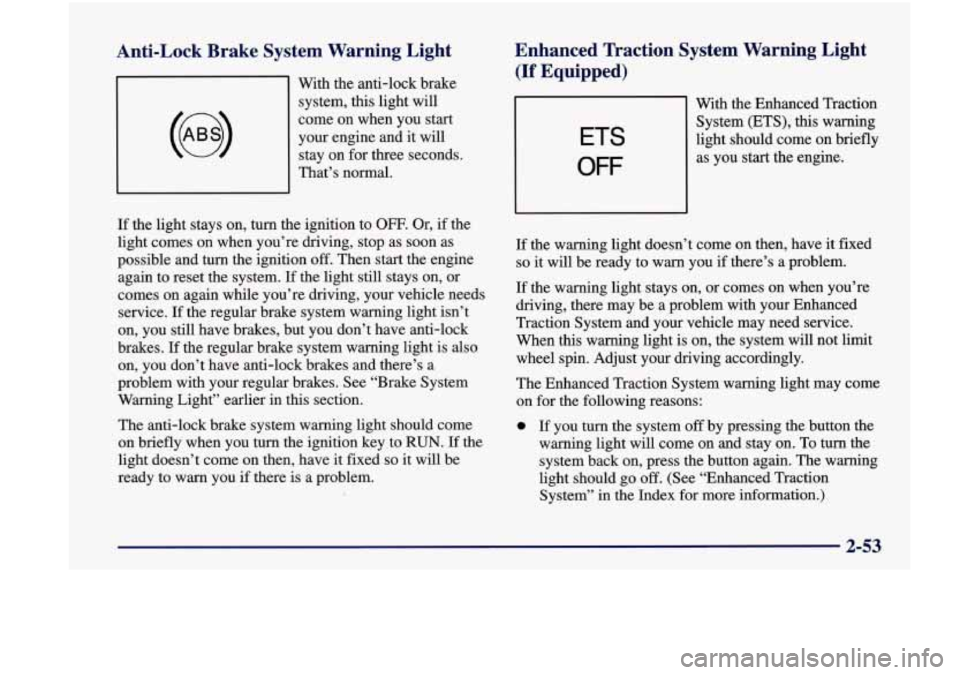
Anti-Lock Brake System Warning Light
With the anti-lock brake
system,
this light will
come on when you start
your engine and it will
stay on for three seconds.
That’s normal.
Enhanced Traction System Warning Light
(If Equipped)
ETS
OFF
With the Enhanced Traction
System (ETS),
this warning
light should come on briefly
as you start the engine.
If the light stays on, turn the ignition to
OFF. Or, if the
light comes on when you’re driving, stop as soon as
possible and turn the ignition
off. Then start the engine
again to reset the system.
If the light still stays on, or
comes on again while you’re driving, your vehicle needs
service.
If the regular brake system warning light isn’t
on, you still have brakes, but you don’t have anti-lock
brakes.
If the regular brake system warning light is also
on, you don’t have anti-lock brakes and there’s a
problem with your regular brakes. See “Brake System
Warning Light” earlier in this section.
The anti-lock brake system warning light should come
on briefly when you turn the ignition key to
RUN. If the
light doesn’t come on then, have it fixed
so it will be
ready to warn you
if there is a problem. If
the warning light doesn’t come on then, have it fixed
so it will be ready to warn you if there’s a problem.
If the warning light stays on, or comes on when you’re
driving, there may be a problem with your Enhanced
Traction System and your vehicle may need service.
When this warning light is on, the system will not limit
wheel spin. Adjust your driving accordingly.
The Enhanced Traction System warning light may come
on for the following reasons:
0 If you turn the system off by pressing the button the
warning light will come on and stay on. To turn the
system back on, press the button again. The warning
light should go
off. (See “Enhanced Traction
System” in the Index for more information.)
2-53
Page 123 of 356
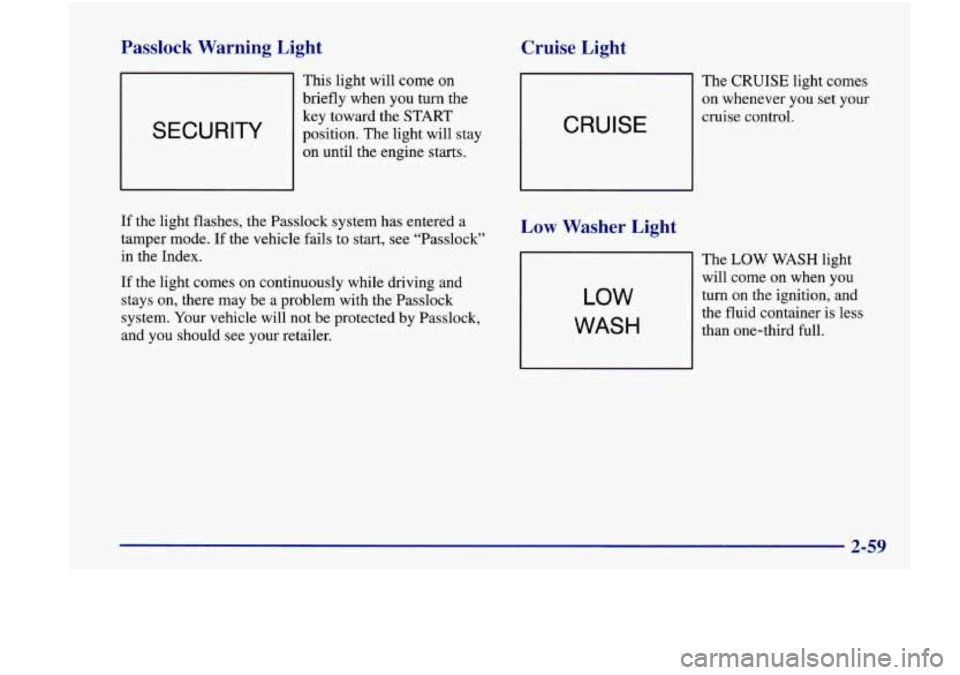
Passlock Warning Light
SECURITY
This light will come on
briefly when you turn the
key toward the
START
position. The light will stay
on until the engine starts.
Cruise Light
The CRUISE light comes
on whenever you set your
CRUISE
cruise control.
If the light flashes, the Passlock system has entered a
tamper mode. If the vehicle fails to start, see “Passlock”
in the Index.
If the light comes on continuously while driving and
stays on, there may be a problem with the Passlock
system. Your vehicle will not be protected by Passlock,
and you should see your retailer.
Low Washer Light
LOW
WASH
The LOW WASH light
will come on when you
turn on the ignition, and
the fluid container is less
than one-third full.
Page 125 of 356

Section 3 Comfort Controls and Audio Systems
In this section, you’ll find out how to operate the comfort\
control and audio systems offered with your vehicle. Be
sure to read about the particular systems supplied with your vehicle.
3-2
3-2
3-3
3-3
3-4
3-4
3-5
3-6
3-6
3-7 Comfort Controls
Climate Control System
Air Conditioning Heating
Defogging and Defrosting
Rear Window Defogger
Ventilation System
Audio Systems
Setting the Clock
AM-FM Stereo with Cassette Tape Player and
Automatic Tone Control
(If Equipped)
3-16
3-18
3-18
3-19
3
-20
3 -20
3-2
1
3-11 AM-FM Stereo with Cassette Tape and
Compact Disc with Automatic Tone Control
(If Equipped)
Theft-Deterrent Feature
Understanding Radio Reception
Tips About Your Audio System
Care of Your Cassette Tape Player
Care of Your Compact Discs
Care of Your Compact Disc Player
Rear Window Defogger Antenna
(If Equipped)
3-1
Page 127 of 356
BI-LEV: Use on cool, but sunny days. This setting
brings in the outside air, but directs it in two ways. The
cool air is directed to the upper portion of your body
through the instrument panel outlets, but slightly
warmer air is directed through the heater ducts and
defroster vents. At times this temperature difference
may be more apparent than others.
The air conditioner compressor is enabled in all three
air conditioning positions.
VENT: Use when outside temperatures are mild, and
little heating or cooling is needed. Airflow comes
through the instrument panel outlets. Set the center
control knob to the temperature desired.
HEAT This setting brings heated air through the heater
ducts, and some through the windshield defroster vents.
If you have the optional engine coolant heater (engine
block heater) and use it during cold weather,
0 “F (- 18 O C)
or lower, your heating system will more quickly provide
heat because the engine coolant
is already warmed. See
“Engine Coolant Heater” in the Index.
DEFOG: This setting divides airflow equally between
the heater ducts and the windshield defroster vents.
DEF: This setting directs air through the
windshield defroster vents located
on top of the
instrument panel.
Air Conditioning
The air conditioner and heater work best if you keep
your windows closed while using them. Your vehicle
also has the flow-through ventilation system described
later
in this section.
Your system has three air conditioner settings in
addition to the standard climate control system.
Before using your air conditioner
on very hot days,
open the windows long enough to let hot inside air
escape. This reduces the amount of work your air
conditioner’s compressor will have to do, which
should help fuel economy.
Heating
On cold days, use HEAT with the temperature knob all
the way in the red area. The system will bring in outside
air, heat it and send it to the floor ducts.
If your vehicle has an engine coolant heater, you can use
it to help your system provide warm air faster when it’s
cold outside
(0°F (-18°C) or lower). An engine coolant
heater warms the coolant your engine and heating
system
uses to provide heat. See “Engine Coolant
Heater”
in the Index.
Page 130 of 356
Ventilation Tips Audio Systems
0 Keep the hood and front air inlet free of ice, snow or
any other obstruction (such as leaves). The heater
and defroster will work far better, reducing the
chance of fogging the inside of your windows.
When you enter a vehicle in cold weather, turn the
fan control to the highest setting for a few moments
before driving off. This helps clear the intake ducts
of snow and moisture, and reduces the chance
of
fogging the inside of your windows.
Keep the air path under the front seats clear of
objects. This helps air to circulate throughout
your vehicle. Your
Delco Electronics audio system has been designed
to operate easily and give years
of listening pleasure.
You will get the most enjoyment out
of it if you acquaint
yourself with it first. Find out what your Delco
Electronics system can do and how to operate all its
controls, to be sure you’re getting the most out of the
advanced engineering that went into it.
Setting the Clock
Press and hold HR until the correct hour appears.
The letter
A or P may appear on the display for AM
or PM. Then, press and hold MN until the correct
minute appears. The clock may be set with the
ignition on
or off.
3-6
Page 131 of 356
AM-FM Stereo with Cassette Tape Player
and Automatic Tone Control
(If Equipped)
Playing the Radio
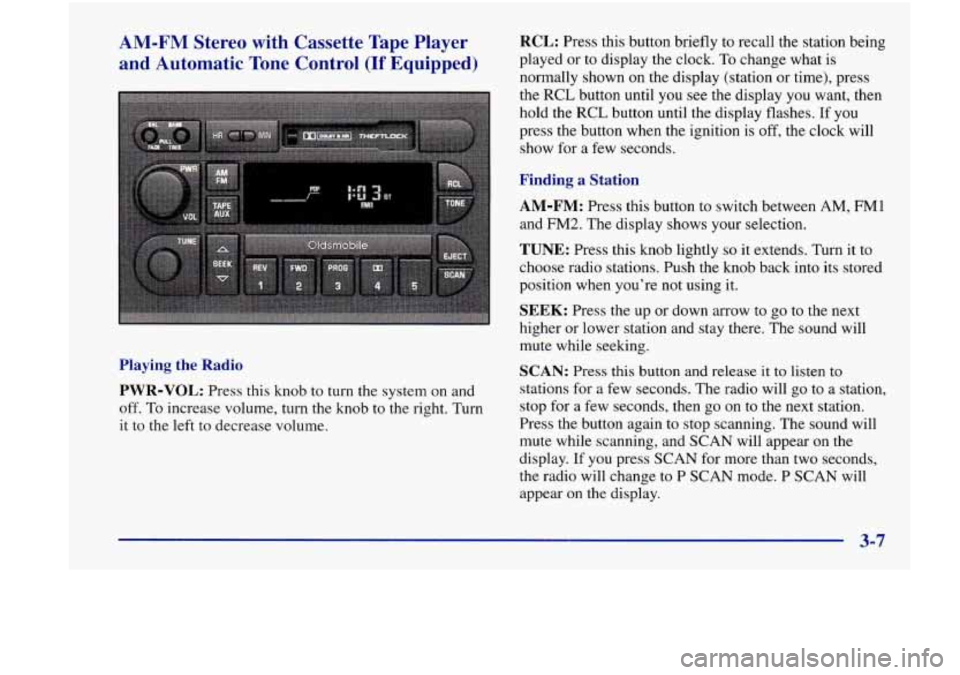
PWR-VOL:
Press this knob to turn the system on and
off. To increase volume, turn the knob to the right. Turn
it to the
left to decrease volume.
RCL: Press this button briefly to recall the station being
played or to display the clock. To change what is
normally shown on the display (station or time), press
the RCL button until you
see the display you want, then
hold the RCL button until the display flashes. If you
press the button when the ignition
is off, the clock will
show for a few seconds.
Finding a Station
AM-FM: Press this button to switch between AM, FMl
and FM2. The display shows your selection.
TUNE: Press this knob lightly so it extends. Turn it to
choose radio stations. Push the knob back into its stored
position when you’re not using it.
SEEK: Press the up or down arrow to go to the next
higher or lower station and stay there. The sound will
mute while seeking.
SCAN: Press this button and release it to listen to
stations for a few seconds. The radio will
go to a station,
stop for a few seconds, then go on to the next station.
Press the button again
to stop scanning. The sound will
mute while scanning, and SCAN will appear on the
display. If
you press SCAN for more than two seconds,
the radio will change to P SCAN mode. P SCAN will
appear
on the display.
3-7
Page 135 of 356
AM-FM Stereo with Cassette Tape and
Compact Disc Player with Automatic Tone
Control
(If Equipped)
Playing the Radio
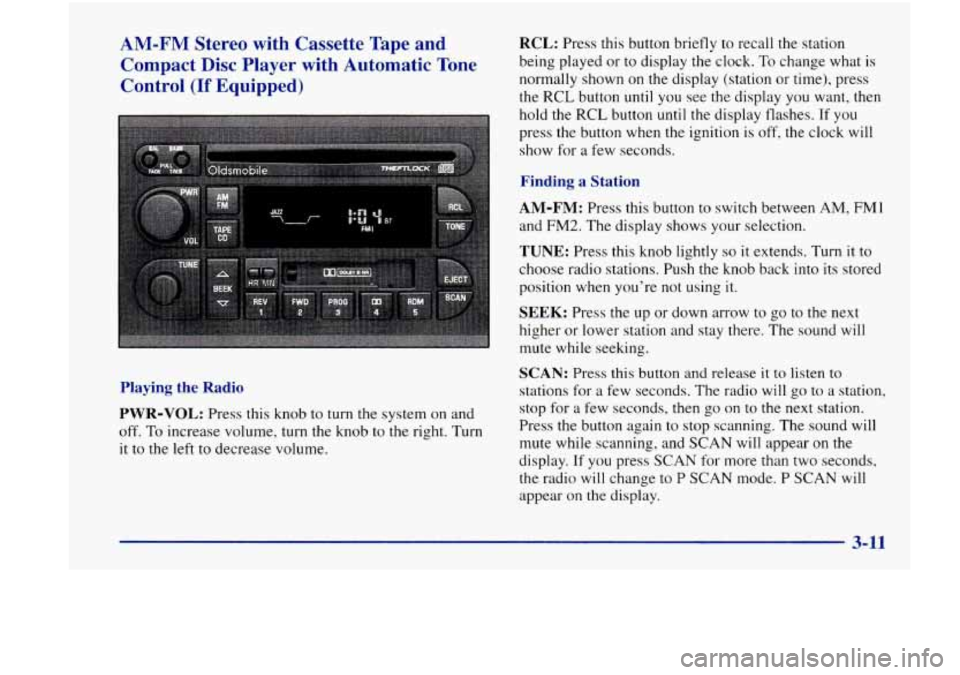
PWR-VOL: Press this knob to turn the system on and
off. To increase volume, turn the knob to the right. Turn
it to the left to decrease volume.
RCL: Press this button briefly to recall the station
being played or to display the clock.
To change what is
normally shown on the display (station or time), press
the RCL button until you see the display you want, then
hold the
RCL button until the display flashes. If you
press the button when the ignition is off, the clock will
show for a few seconds.
Finding a Station
AM-FM: Press this button to switch between AM, FM1
and FM2. The display shows your selection.
TUNE: Press this knob lightly so it extends. Turn it to
choose radio stations. Push the knob back into its stored
position when you’re not using it.
SEEK: Press the up or down arrow to go to the next
higher or lower station and stay there. The sound will
mute while seeking.
SCAN: Press this button and release it to listen to
stations for a few seconds. The radio will go to a station,
stop for a few seconds, then
go on to the next station.
Press the button again
to stop scanning. The sound will
mute while scanning, and SCAN will appear on the
display. If you press
SCAN for more than two seconds,
the radio will change to
P SCAN mode. P SCAN will
appear on the display.
3-11
Page 140 of 356
RCL: Press this button to see which track is playing.
Press it again within
five seconds to see how long it has
been playing.
To change what is normally shown on the
display (track or elapsed time), press the button until
you see the display you want, then hold the button until
the display flashes. While elapsed time is showing,
EL
TM will appear on the display.
AM-FM: Press this button to play the radio when a
disc
is in the player.
TAPE-CD: Press this button to change to the tape or
disc function when the radio is on and either a tape or
CD is inserted. Press AM-FM to return to the radio
while a CD or tape is playing. The inactive tape or CD
will remain safely inside the radio for future listening. If
you have the optional CD changer and the CD changer
is loaded, the TAPE-CD button will activate the changer
and a box will be lighted around CDC in the display.
EJECT Press this button to remove the compact disc or
cassette tape. The icon with the box around it on the
display will eject and the radio will play. EJECT may be
activated with either the ignition or radio off. Cassettes
and compact discs may be loaded with the radio and
ignition
off if this button is pressed first.
Theft-Deterrent Feature
THEFTLOCK@ is designed to discourage theft of your
radio. It works by using a secret code to disable all radio
functions whenever battery power is removed.
The THEFTLOCK feature for the radio may be used or
ignored. If ignored, the system plays normally and the
radio is not protected by the feature. If THEFTLOCK is
activated, your radio will not operate if stolen.
When THEFTLOCK is activated, the radio will display
LOC to indicate a locked condition anytime battery
power is removed.
If your battery loses power for any
reason, you must unlock the radio with the secret code
before it will operate.
Activating the Theft-Deterrent Feature
The instructions which follow explain how to enter your
secret code
to activate the THEFTLOCK system. It is
recommended that you read through all nine steps
before starting the procedure.
NOTE: If you allow more than 15 seconds to elapse
between any steps, the radio automatically reverts to
time and you must start
the procedure over at Step 4.
1. Write down any three or four-digit number from
000 to 1999 and keep it in a safe place separate
from the vehicle.
3-16
Page 141 of 356

2. Turn the ignition to ACCESSORY or RUN.
3. Turn the radio off.
4. Press the 1 and 4 buttons together. Hold them down
until
--- shows on the display. Next you will use the
secret code number which you have written down.
5. Press MN and 000 will appear on the display.
6. Press MN again to make the last two digits agree
with your code.
7. Press HR to make the first one or two digits agree
with your code.
8. Press AM-FM after you have confirmed that the
code matches the secret code you have written down.
The display will show REP to let you know that you
need to repeat Steps
5 through 7 to confirm your
secret code.
9. Press AM-FM and this time the display will show
SEC to let you know that your radio is secure.
Unlocking the Theft-Deterrent Feature After a
Power
Loss
Enter your secret code as follows; pause no more than
15 seconds between steps:
1.
LOC appears when the ignition is on.
2. Press MN and 000 will appear on the display.
3. Press MN again to make the last two digits agree
with your code.
4. Press HR to make the first one or two digits agree
with your code.
5. Press AM-FM after you have confirmed that the
code matches the secret code you have written down.
The display will show SEC, indicating the radio is
now operable and secure.
If you enter the wrong code eight times, INOP will
appear on the display. You will have
to wait an hour
with the ignition on before you can try again. When you
try again, you will only have three chances
to enter the
correct code before INOP appears.
If you lose or forget your code, contact your retailer.
3-17
-~