battery OLDSMOBILE AURORA 1996 User Guide
[x] Cancel search | Manufacturer: OLDSMOBILE, Model Year: 1996, Model line: AURORA, Model: OLDSMOBILE AURORA 1996Pages: 388, PDF Size: 20.24 MB
Page 120 of 388
Air Bag Readiness Light
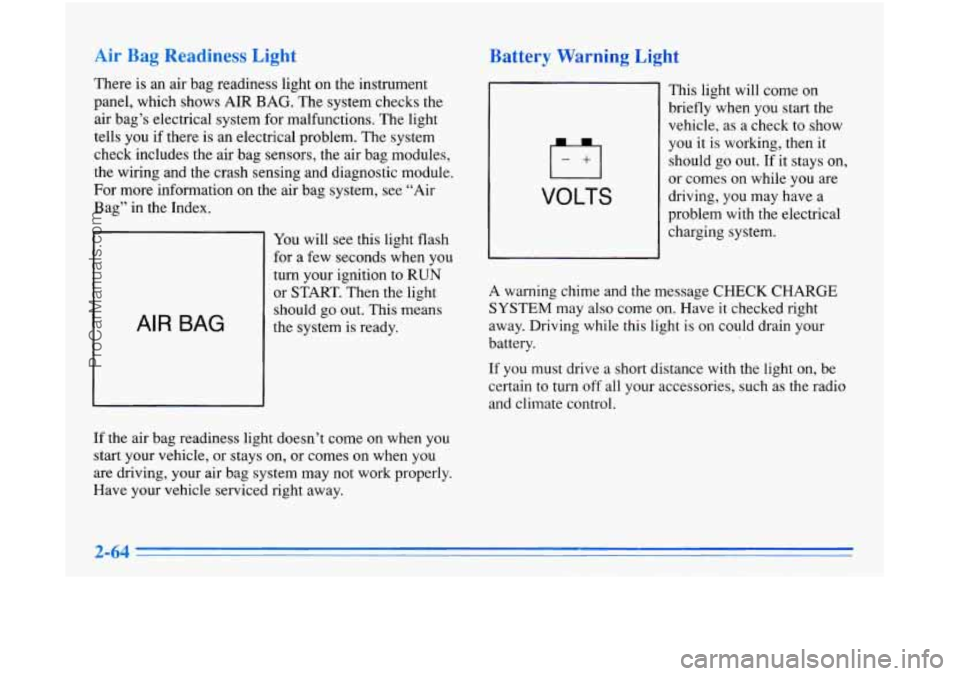
There is an air bag readiness light on the instrument
panel, which shows AIR BAG. The system checks the
air bag’s electrical system for malfunctions. The light
tells you if there is an electrical problem. The system
check includes the air bag sensors, the air bag modules,
the wiring and the crash sensing and diagnostic module.
For more infoimation on the air bag system, see “Air
Bag” in the Index.
AIR BAG
You will see this light flash
for a few seconds when you
turn your ignition to RUN
or START. Then the light
should go out. This means
the system is ready.
If the air bag readiness light doesn’t come on when you
start your vehicle, or stays on, or comes
on when you
are driving, your air bag system may not work properly.
Have your vehicle serviced right away.
Battery Warnlng Light
VOLTS
This light will come on
briefly when you start the
vehicle, as a check to show
you it is working, then it
should
go out. If it stays on,
or comes on while
you are
driving, you may have a
problem with the electrical
charging system.
A warning chime and the message CHECK CHARGE
SYSTEM may also come on. Have it checked right
away. Driving while this light is on could drain your
battery.
If you must drive a short distance with the light on, be
certain to turn off all your accessories, such as the radio
and climate control.
ProCarManuals.com
Page 132 of 388

Fuel Range
RANGE calculates the remaining distance you can drive
without refueling. It’s based on fuel economy and the
fuel remaining
in the tank. The’display will show a
reading such as:
FUEL RANGE 235 MI or
FUEL RANGE 378
KM
If the range is less than 50 miles (80 km), the display
will read
LOW FUEL RANGE.
The fuel economy data used to determine fuel range is
an average of recent driving conditions. As your driving
conditions change, this data is gradually updated.
Resetting fuel range causes the fuel economy data to
be
updated immediately. To reset fuel range, press
RANGE, then RESET.
Average Speed
The calculation for average speed begins when SPEED
is reset. Press SPEED to display the average speed,
such as:
AVG SPEED
56 MPH or
AVG SPEED
90 KM/H
To reset the average speed, press SPEED and then RESET.
Engine
The ENG button scrolls through the following functions:
Oil pressure such as:
OIL PRESSURE
40 PSI or
OIL PRESSURE
276 kPa
Battery voltage such as:
BATTERY 13.8
VOLTS
Transaxle fluid life, such as:
TRANS FLUID LIFE
40%
This is an estimate of the transaxle fluid’s remaining
useful life. It will show
100% when the system is reset
after a transaxle fluid change. It will alert you to change
your transaxle fluid on
a schedule consistent with your
driving conditions.
Engine oil life, such
as:
OIL LIFE 30%
This is an estimate of the oil’s remaining useful life. It
will show
100% when the system is reset after an oil
change.
It will alert you to change your oil on a schedule
consistent with your driving conditions.
2-76
ProCarManuals.com
Page 135 of 388

m m. .pse
When the ignition is on, the Driver Information Center
can be used as a stopwatch. The display will show hours
and minutes. The elapsed time indicator will record up
to 100 hours, then it will reset to zero and continue
counting. Press ET, and the display will show the
amount
of time that has elapsed since the elapsed time
indicator was last reset (not including time the ignition
is
off), such as:
01:08 ELAPSED TIME
To reset elapsed time to zero, press RESET while the
elapsed time
is displayed.
Press DATE to display the date.
To change the date,
press DATE then RESET. The following display will
appear:
MONTH? XX/DD/YY
MM,
DD and YY represent the month, date and year
you currently have in your system. Check to make sure
your clock
is in the correct AM or PM mode. Notice that
each key has a number. Push the key to enter
the number. The first XX’s will flash until you enter the
first digit for the month. You don’t need to enter the
leading zero if the number is under
10. Press ENTER
after you’ve entered the month. The display will
change to:
DAY? MM/XX/YY
Set the day just as you set the month. After the day entry
is made, press ENTER, and the display will change to:
YEAR? MM/DD/XX
Set the year just as you set the month and day.
If a valid
date
is entered, the display will automatically exit to the
date mode and display the day
of the week, the month
and the date. If an invalid date is entered, the display
will return to MONTH? XX/DD/YY and you’ll need to
repeat the above steps.
After a battery reconnect (loss
of power), the display
will read CONFIRM TIME AND DATE.
?-79
ProCarManuals.com
Page 161 of 388
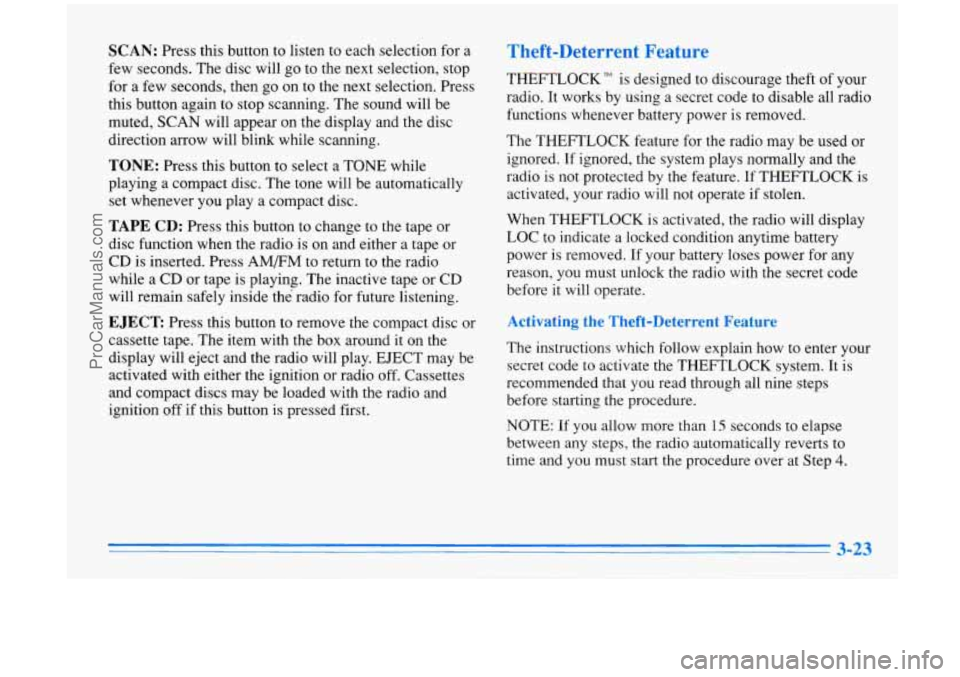
SCAN: Press this button to listen to each selection for a
few seconds. The disc will go to the next selection, stop
for a few seconds, then go on to the next selection. Press
this button again to stop scanning. The sound will be
muted, SCAN will appear on the display and the disc
direction arrow will blink while scanning.
TONE: Press this button to select a TONE while
playing a compact disc. The tone will be automatically
set whenever you play a compact disc.
TAPE CD: Press this button to change to the tape or
disc function when the radio is on and either a tape or
CD is inserted. Press
AM/FM to return to the radio
while a CD or tape is playing. The inactive tape or CD
will remain safely inside the’ radio for future listening.
EJECT Press this button to remove the compact disc or
cassette tape. The item with the box around it on the
display will eject and the radio will play. EJECT may be
activated with either the ignition or radio off. Cassettes
and compact discs may be loaded with the radio and
ignition off
if this button is pressed first.
Theft-Deterrent Feature
THEFTLOCK” is designed to discourage theft of your
radio. It works by using a secret code
to disable all radio
functions whenever battery power is removed.
The THEFTLOCK feature for the radio may be used or
ignored. If ignored, the system plays normally and the
radio
is not protected by the feature. If THEFTLOCK is
activated, your radio will not operate if stolen.
When THEFTLOCK is activated, the radio will display
LOC to indicate a locked condition anytime battery
power
is removed. If your battery loses power for any
reason, you must unlock the radio with the secret code
before it will operate.
Activating the Theft-Deterrent Feature
The instructions which follow explain how to enter your
secret code to activate the THEFTLOCK system. It is
recommended that
you read through all nine steps
before starting the procedure.
NOTE:
If you allow more than 15 seconds to elapse
between any steps, the radio automatically reverts to
time and you must start the procedure over at Step
4.
ProCarManuals.com
Page 163 of 388

Disabling the Theft-Deterrent Feature
Enter your secret code as follows; pause no more than
15 seconds between steps:
1. Turn the ignition to the ACCESSORY or
RUN position.
2. Turn the radio off.
3. Press the 1 and 4 buttons together. Hold them down
until SEC shows on the display.
4. Press MN and 000 will appear on the display.
5. Press MN again to make the last two digits agree
6. Press HR to make the first one or two digits agree
7. Press AM-FM after you have confirmed that the
with
your code.
with your code.
code matches the secret code you have written down.
The display will show
---, indicating that the radio is
no longer secured.
If the code entered is incorrect, SEC will appear on the
display. The radio will remain secured until the correct
code is entered.
When battery power is given to a secured radio, the
radio won’t turn on and
LOC will appear on the display.
Steering Wheel Controls for Audio
System (Option)
If your vehicle has this
feature, you can control
certain radio functions using
the buttons on your steering
wheel.
Some steering wheel controls operate climate controls.
See “Steering Wheel Controls for Climate Control”
earlier in this section.
VOL: Press the up arrow to increase the volume and the
down arrow to decrease volume.
SEEK: Press this button to tune to a higher radio station.
When playing a cassette tape or compact disc, press
SEEK to hear the next selection. There must be at least a
four-second gap between selections on a cassette tape.
PROG: Press this button to tune in a higher preset radio
station. When playing a cassette tape, press PROG
to
hear the other side of a tape that is playing.
3-25
ProCarManuals.com
Page 197 of 388

Run your engine only as long as you must. This saves
fuel. When you run the engine, make it go a little faster
than just idle. That is, push the accelerator slightly. This
uses less fuel for the heat that you get and it keeps the
battery charged. You will need a well-charged battery to
restart the vehicle, and possibly for signaling later on
with your headlamps. Let the heater run for awhile.
Then, shut the engine off and close the window almost
all the way to preserve the heat. Start the engine again
and repeat this only when you feel really uncomfortable
from the cold. But do it as little as possible. Preserve the
fuel as long as you can.
To help keep warm, you can get
out of the vehicle and do some fairly vigorous exercises
every half hour or
so until help comes.
Loading Your Vehicle
OCCUPANTS
VEHICLE CAP. WT.
TIRE-LOADING INFORMATION
FRT. CTR. RR. TOTAL
LBS. KG
MAX. LOADING & GVWR SAME AS VEHICLE
CAPACITY WEIGHT XXX COLD TIRE
TIRE
SIZE SPEED PRESSURE
RTG PSI/KPa
FRT.
RR.
SPA.
IF TIRES ARE HOT, ADD 4PS1/28KPa
SEE OWNER’S MANUAL FOR ADDITIONAL
\I N FOR MAT1 0 N /
Two labels on your vehicle show how much weight it
may properly carry. The Tire-Loading Information label
found on the rear edge of the driver’s door tells you the
proper size, speed rating and recommended inflation pressure for the tires on your vehicle. It also gives you
important information about the number of people that
can be in your vehicle and the total weight that you can
carry. This weight is called the Vehicle Capacity Weight
and includes the weight of all occupants, cargo, and all
nonfactory-installed options.
ProCarManuals.com
Page 210 of 388

HAZARD A
The HAZARD light on the
instrument panel will
also
come on.
Your hazard flashers work no matter what position your
key
is in, and even if the key isn’t in.
To turn off the flashers, press the button down again.
When the flashers are on, your turn signals won’t work.
Other Warning Devices
If you carry reflective triangles, you can set one up at
the side
of the road about 300 feet (100 m) behind your
vehicle.
Jump Starting
If your battery has run down, you may want to use
another vehicle and some jumper cables to start your
Aurora. But please follow the steps below to
do it safely.
NOTICE:
Ignoring these steps could result in costly damage
to your vehicle that wouldn’t be covered by your
warranty.
Trying to
start your Aurora by pushing or
pulling it won’t work, and it could damage your
vehicle.
A CAUTION:
Batteries can hurt you. They can be dangerous
because:
They contain acid that can burn you.
0 They contain gas that can explode or ignite.
They contain enough electricity to burn
If you don’t follow these steps exactly, some or all
of these things can hurt you.
you.
ProCarManuals.com
Page 211 of 388

1. Check the other vehicle. It must have a 12-volt
battery with a negative ground system.
I NOTICE:
If the other system isn’t a 12-volt system with a
negative ground, both vehicles can be damaged.
2. Get the vehicles close enough so the jumper cables
can reach, but be sure the vehicles aren’t touching
each other.
If they are, it could cause a ground
connection you don’t want.
You wouldn’t be able to
start your Aurora, and the bad grounding could
damage the electrical systems.
You could be injured
if the vehicle rolls. Set the
parking brake firmly on each vehicle. Put an
automatic transaxle in PARK (P) or a manual
transaxle in NEUTRAL
(N).
3. Turn off the ignition on both vehicles. Unplug
unnecessary accessories plugged into the cigarette
lighter or accessory power outlet. Turn
off all lamps
that aren’t needed as well as radios. This will avoid
sparks and help save both batteries. In addition, it
could save your radio.
I NOTICE:
If you leave your radio on, it could be badly
damaged. The repairs wouldn’t be covered by
your warranty.
5-3
ProCarManuals.com
Page 212 of 388

4. Open the hoods and locate the other vehicle’s battery
and the Aurora’s remote positive
(+) jump starting
terminal in the
box on the passenger side of the
engine compartment. (Your Aurora’s battery isn’t
under the hood.)
An electric fan can start up even when the engine
is not running and can injure you. Keep hands, clothing and tools away from any underhood
electric fan.
5. Find the positive (+) and negative (-) terminals on
each battery or remote terminal. You should always
use the remote positive
(+) terminal instead of the
positive
(+) terminal on your battery.
To open the remote positive (+) terminal box, pull
the tab and open the cover.
ProCarManuals.com
Page 213 of 388

I
Using a match near a battery can cause battery
gas to explode. People have been hurt doing this,
and some have been blinded. Use
a flashlight if
you need more light.
Be sure the battery
has enough water. You don’t
need to add water
to the Delco Freedom@ battery
installed in every new
GM vehicle. But if a
battery has filler caps, be sure the right amount
of fluid is there. If it is low, add water to take care
of that first.
If you don’t, explosive gas could be
present.
Battery fluid contains acid that can burn you.
Don’t get
it on you. If you accidentally get it in
your eyes or on your skin, flush the place with
1 water and get medical help immediately.
6. Check that the jumper cables don’t have loose or
missing insulation. If they do, you could get a shock.
The vehicles could be damaged too.
Before
you connect the cables, here are some things
you should know. Positive
(+) will go to positive (+)
and negative (-) will go to negative (-) or a metal
engine part. Don’t connect positive
(+) to negative (-)
or you’ll get a short that would damage the battery and
maybe other parts too.
Fans or other moving engine parts can injure you
badly. Keep your hands away from moving parts
once the engines are running.
5-5
ProCarManuals.com