instrument panel Oldsmobile Aurora 1997 s Owner's Guide
[x] Cancel search | Manufacturer: OLDSMOBILE, Model Year: 1997, Model line: Aurora, Model: Oldsmobile Aurora 1997Pages: 404, PDF Size: 20.75 MB
Page 125 of 404
Your vehicle may also have a driver information system
that works along with the warning lights and gages. See
“Driver Information Center” in the Index.
Safety Belt Reminder Light
When the key is turned to RUN or START, a chime will
come on for about eight seconds to remind people to
fasten their safety belts.
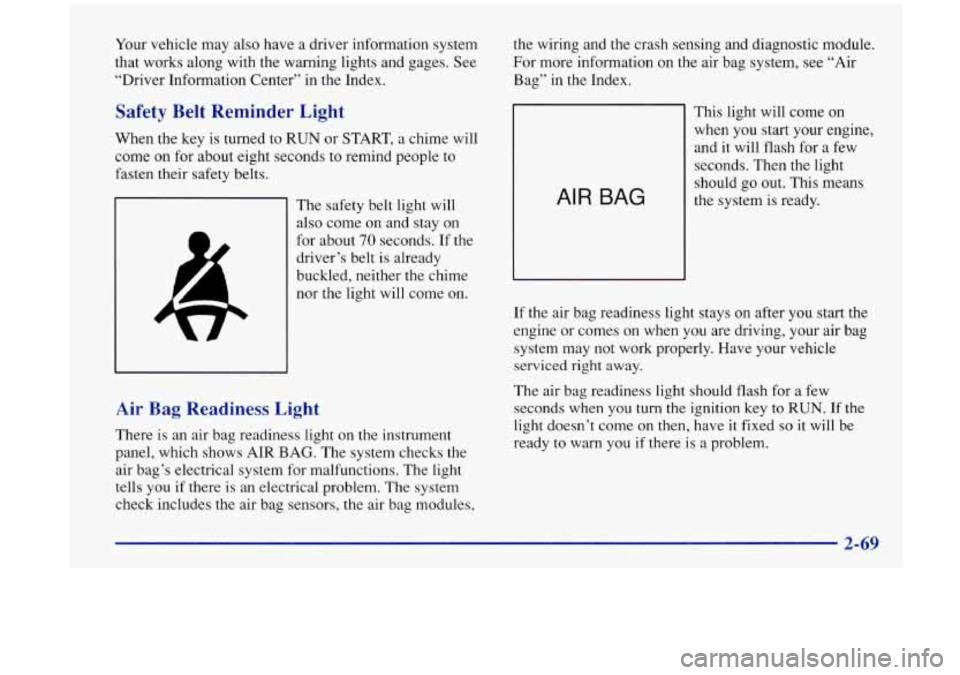
The safety belt light will
also come on and stay on
for about
70 seconds. If the
driver’s belt is already
buckled, neither the chime
nor the light will come on.
Air Bag Readiness Light
There is an air bag readiness light on the instrument
panel, which shows AIR BAG. The system checks the
air bag’s electrical system for malfunctions. The light
tells you
if there is an electrical problem. The system
check includes the air bag sensors, the air bag modules, the wiring and the crash
sensing and diagnostic module.
For more information on the air bag system, see
“Air
Bag” in the Index.
AIR BAG
This light will come on
when you start your engine,
and it will flash for a few
seconds. Then the light
should go out. This means
the system is ready.
If the air bag readiness light stays
on after you start the
engine or comes on when you are driving, your air bag
system may not work properly. Have your vehicle
serviced right away.
The air bag readiness light should flash for a few
seconds when you turn
the ignition key to RUN. If the
light doesn’t come on then, have it fixed
so it will be
ready to warn you
if there is a problem.
Page 148 of 404
Automatic Operation
Press the AUTO-PUSH knob when you want the system
to automatically adjust the interior temperature to your
preference. When the system is set for automatic
operation, air will come from the floor, upper or the
windshield outlets depending on the temperature inside
the vehicle, the outside temperature and the sun load.
Fan speed will vary as the system reaches and maintains
the comfort setting you have selected.
To find your comfort setting, start with the system in
automatic mode by pressing the AUTO-PUSH knob.
Adjust the comfort setting by using
the red and blue
buttons located below the digital display until you reach
a value of 75°F (24"C), on the display. Give the vehicle
about
20 minutes to stabilize and then readjust the
comfort setting if necessary. The display will show the
comfort setting for five seconds and then
it will show
the outside temperature.
In cold weather, the system will delay turning on the fan
to avoid blowing cold air. The length of the delay
depends
on the engine coolant temperature and the
outside temperature. Rotating the AUTO FAN knob will
override this delay by turning
off the automatic fan
mode and changing the fan speed.
I A I
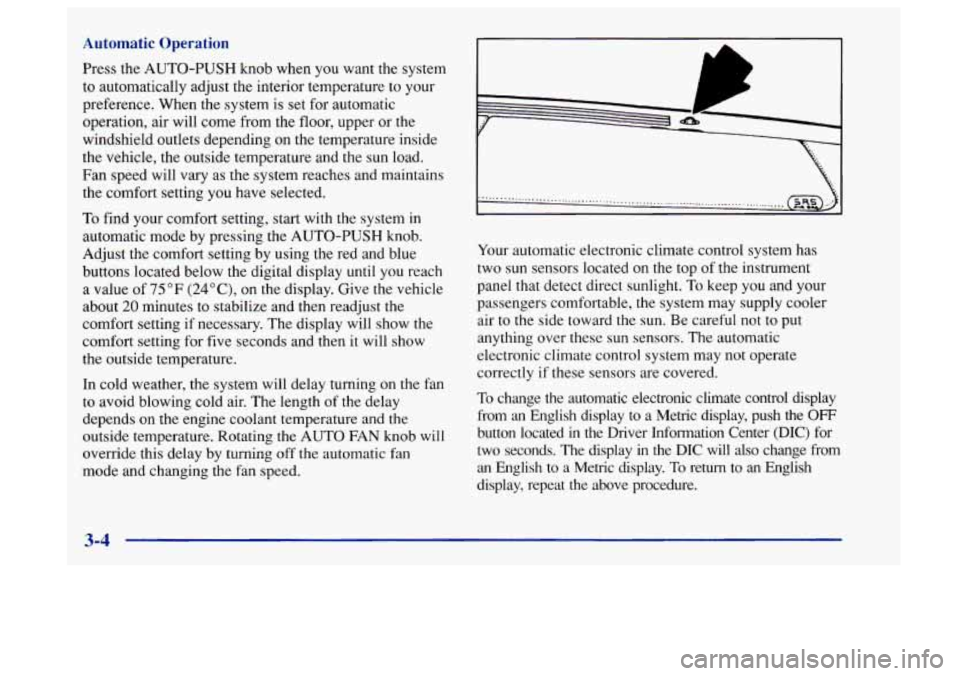
Your automatic electronic climate control system has
two sun sensors located on the top of the instrument
panel that detect direct sunlight.
To keep you and your
passengers comfortable, the system may supply cooler
air to the side toward the sun. Be careful not
to put
anything over these sun sensors. The automatic
electronic climate control system may not operate
correctly if these sensors are covered.
To change the automatic electronic climate control display
from an English display to a Metric display, push the
OFF
button located in the Driver Information Center (DIC) for
two seconds. The display
in the DIC will also change from
an English
to a Metric display. To return to an English
display, repeat
the above procedure.
3-4
Page 149 of 404
Manual Operation
You may override the automatic airflow distribution by
rotating the AUTO-PUSH knob. After you rotate this
knob, the comfort setting will be displayed for five
seconds, then the outside temperature will be displayed.
The fan control will remain
in the automatic control
mode unless you rotate the AUTO
FAN knob to select a
manual fan speed.
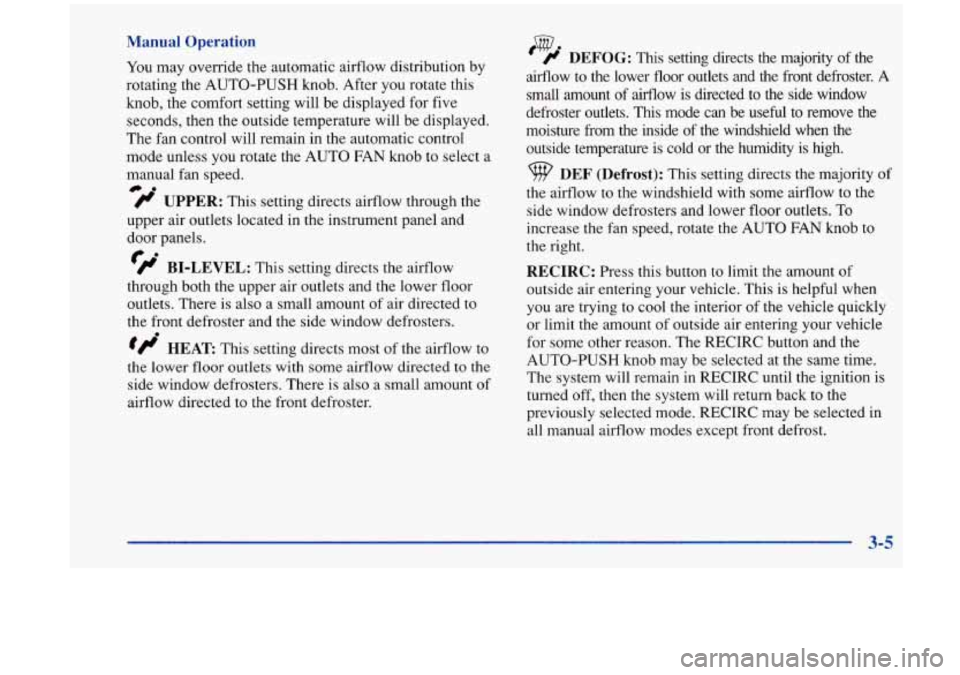
fl UPPER: This setting directs airflow through the
@.
upper air outlets located in the instrument panel and
door panels.
fl BI-LEVEL: This setting directs the airflow
through both the upper air outlets and the lower floor
outlets. There is also a small amount of air directed to
the front defroster and the side window defrosters.
tflo HEAT This setting directs most of the airflow to
the lower floor outlets with some airflow directed to the
side window defrosters. There is also a small amount of
airflow directed to the front defroster.
w ' # DEFOG: This setting directs the majority of the
airflow to the lower floor outlets and the front defroster.
A
small amount of airflow is directed to the side window
defroster outlets.
This mode can be useful to remove the
moisture from the inside of the windshield when the
outside temperature
is cold or the humidity is high.
DEF (Defrost): This setting directs the majority of
the airflow to the windshield with some airflow to the
side window defrosters and lower floor outlets. To
increase the fan speed, rotate the AUTO
FAN knob to
the right.
RECIRC: Press this button to limit the amount of
outside air entering your vehicle. This
is helpful when
you are trying to cool the interior of
the vehicle quickly
or limit the amount of outside air entering your vehicle
for some other reason. The RECIRC button and the
AUTO-PUSH knob may be selected at the same time.
The system will remain in RECIRC until the ignition is
turned off, then the system will return back to the
previously selected mode. RECIRC may be selected in
all manual airflow modes except front defrost.
3-5
Page 151 of 404
Heating
In cold weather, if the automatic mode is selected
(AUTO-PUSH knob indicator light is
on), the system
will automatically direct the airflow out of the lower
floor outlets and the temperature door will be positioned
at the full hot position. You can choose the extreme
comfort setting
of 90°F (32°C) but the system
will not warm up any faster by selecting the extreme
comfort setting.
In cold weather, the system will delay turning on the fan
to avoid blowing cold air. The length of the delay
depends on the engine coolant temperature and the
outside temperature. The fan speed will increase as the
temperature of the engine coolant increases. Rotating the
AUTO FAN knob will override this delay by turning
off the automatic fan control mode and changing the
fan speed.
Ventilation System
Your Aurora’s flow-through ventilation system always
allows outside air
to flow through your vehicle when it
is moving, even when the system is
OFF.
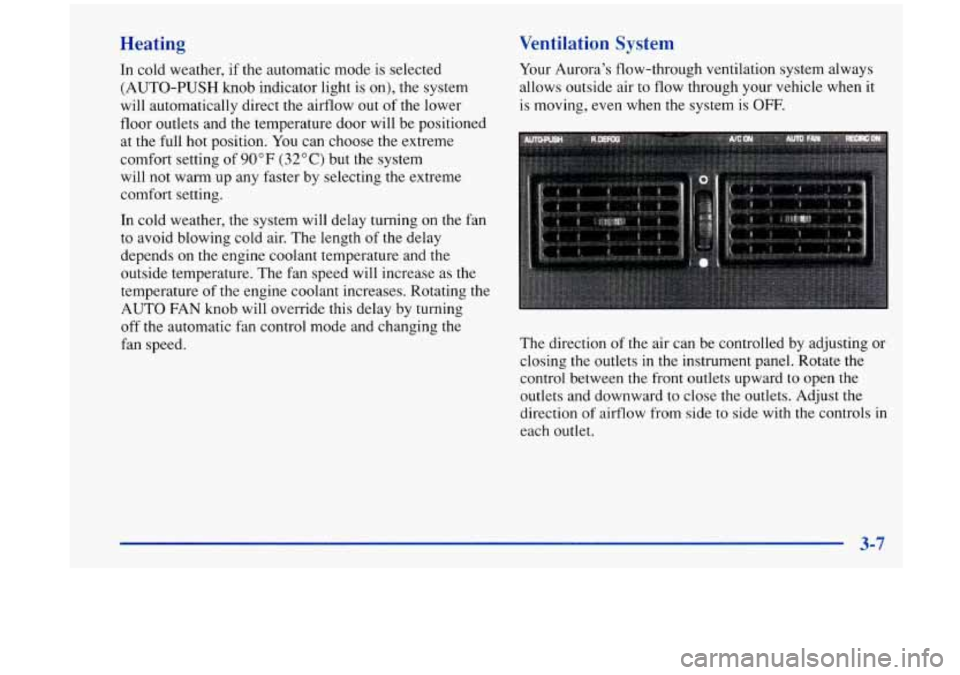
The direction of the air can be controlled by adjusting or
closing the outlets in the instrument panel. Rotate the
control between the front outlets upward to open the
outlets and downward
to close the outlets. Adjust the
direction
of airflow from side to side with the controls in
each outlet.
3-7
Page 213 of 404
Making Turns
I NOTICE:
Making very sharp turns while trailering could
cause the trailer to come in contact with the
vehicle. Your vehicle could be damaged. Avoid
making very sharp turns while trailering.
When you’re turning with a trailer, make wider turns than
normal.
Do this so your trailer won’t strike soft shoulders,
curbs, road signs,
trees or other objects. Avoid jerky or
sudden maneuvers. Signal well in advance.
Turn Signals When Towing a Trailer
The green arrows on your instrument panel will flash
whenever you signal a turn or lane change. Properly
hooked up, the trailer lamps will also flash, telling other
drivers you’re about to turn, change lanes or stop.
When towing a trailer, the green arrows
on your
instrument panel will flash for turns even
if the bulbs on
the trailer are burned out. Thus, you may think drivers
behind you
are seeing your signal when they are not. It’s
important to check occasionally to be sure the trailer
bulbs are still working. Your
vehicle may have bulb warning messages. When
you plug a trailer lighting system into your vehicle’s
lighting system, its bulb warning messages may not let
you know
if one of your lamps goes out. So, when you
have a trailer lighting system plugged in, be sure to
check your vehicle and trailer lamps from time
to time
to be sure they’re all working. Once you disconnect the
trailer lamps, the bulb warning messages again can tell
you if one
of your vehicle lamps is out.
Driving On Grades
Reduce speed and shift to a lower gear before you start
down a long or steep downgrade.
If you don’t shift
down, you might have
to use your brakes so much that
they would get hot and no longer work well.
Parking on Hills
You really should not park your vehicle, with a trailer
attached, on a hill. If something goes wrong, your rig
could start to move. People can be injured, and both
your vehicle and the trailer can be damaged.
4-37
Page 218 of 404

Hazard Warning Flashers
I
Your hazard warning flashers let you warn others. They
also let police know you have a problem. Your front and
rear turn signal lamps will flash on and
off.
The HAZARD light on the
instrument panel will also
come on.
Your hazard flashers work
your key
is in, and even if
the key isn't in. HAZARD A no matter what position
To turn off the flashers, press the button down again.
When the flashers are on, your turn signals won't work.
5-2
Page 230 of 404
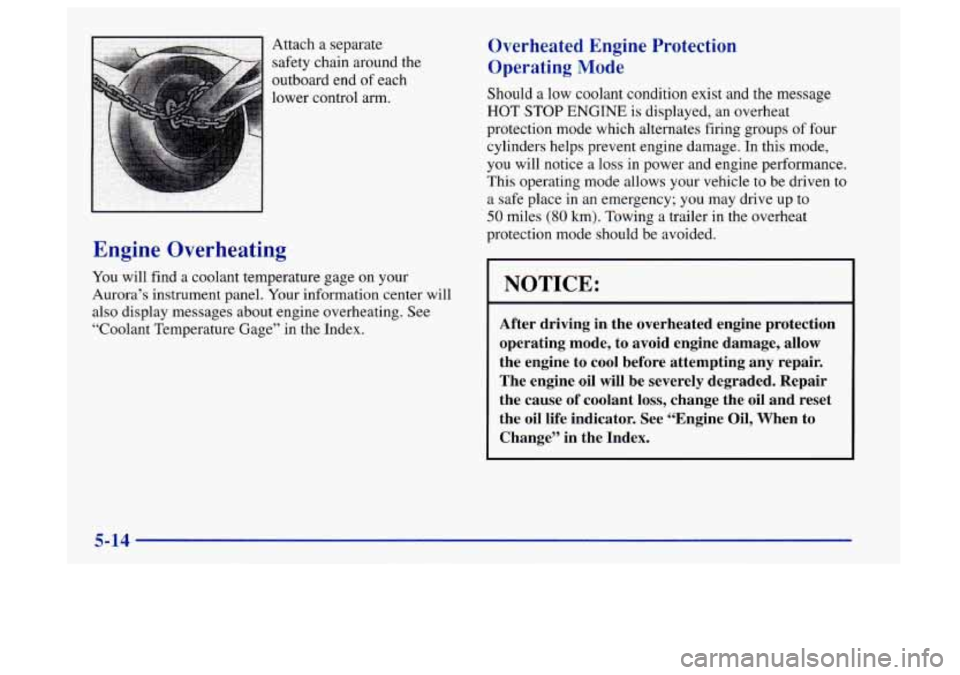
Attach a separate
safety chain around the
outboard end of each
lower control arm.
Engine Overheating
You will find a coolant temperature gage on your
Aurora’s instrument panel. Your information center will
also display messages about engine overheating. See
“Coolant Temperature Gage” in the Index.
Overheated Engine Protection
Operating Mode
Should a low coolant condition exist and the message
HOT STOP ENGINE is displayed, an overheat
protection mode which alternates firing groups of four
cylinders helps prevent engine damage. In this mode,
you will notice a
loss in power and engine performance.
This operating mode allows your vehicle to be driven to
a safe place in an emergency; you may drive up to
50 miles (80 km). Towing a trailer in the overheat
protection mode should be avoided.
I NOTICE:
~ After driving in the overheated engine protection
operating mode, to avoid engine damage, allow
the engine to cool before attempting any repair.
The engine oil will be severely degraded. Repair
the cause of coolant loss, change the oil and reset
the oil life indicator. See “Engine Oil, When to
Change” in the Index.
5-14
Page 255 of 404
Adding Equipment to the Outside of Your
Vehicle
Things you might add to the outside of your vehicle can
affect the airflow around it. This may cause wind noise
and affect windshield washer performance. Check with
your Aurora retailer before adding equipment to the
outside of your vehicle.
Fuel
Use premium unleaded gasoline rated at 91 octane or
higher. At a minimum, it should meet specifications
ASTM D4814 in the United States and CGSB 3.5-M93
in Canada. Improved gasoline specifications have been
developed by the American Automobile Manufacturers
Association (AAMA) for better vehicle performance and engine protection. Gasolines meeting the AAMA
specification could provide improved driveability and
emission control system protection compared to
other gasolines.
Be sure the posted octane for premium is at least 9 1. If
the octane is less than 9
1, you may get a heavy knocking
noise when you drive. (In an emergency, you may be
able to use a lower octane
-- as low as 87 -- if heavy
knocking does not occur.)
If you’re using 91 or higher
octane unleaded gasoline and you hear heavy knocking,
your engine needs service.
If your vehicle is certified to meet California Emission
Standards (indicated on the underhood tune-up label), it
is designed to operate on fuels that meet California
specifications. If such fuels are not available in states
adopting California emissions standards, your vehicle
will operate satisfactorily on fuels meeting federal
specifications, but emission control system performance
may be affected. The malfunction indicator lamp on
your instrument panel may turn on and/or your vehicle
may fail a smog-check test.
If this occurs, return to your
authorized Aurora retailer for diagnosis to determine the
cause of failure.
In the event it is determined that the
cause of the condition is the type of fuels used, repairs
may not be covered by your warranty.
Some gasolines that are not reformulated for low
emissions contain an octane-enhancing additive called
methylcyclopentadienyl manganese tricarbonyl (MMT);
ask your service station operator whether or not his fuel
contains MMT. General Motors does not recornend the
use of such gasolines.
If fuels containing MMT are used,
spark plug life may be reduced and your emission
control system performance may be affkcted. The
malfunction indicator lamp on your instrument panel
may turn on.
If this occurs, return to your authorized
Aurora retailer for service.
6-3
Page 260 of 404
Checking Things Under the Hood
I k!, CAUTION:
An electric fan under the hood can start up and
injure you even when the engine is not running.
Keep hands, clothing and tools
away from any
underhood electric fan.
1
I
Things that burn can get on hot engine parts and start
a fire. These include liquids like gasoline,
oil, coolant, brake fluid, windshield washer and
other fluids, and plastic
or rubber. You or others
could be burned. Be careful not to drop or spill
things that will burn onto
a hot engine.
The following sections tell you how
to check fluids,
lubricants and important parts underhood. Hood Release
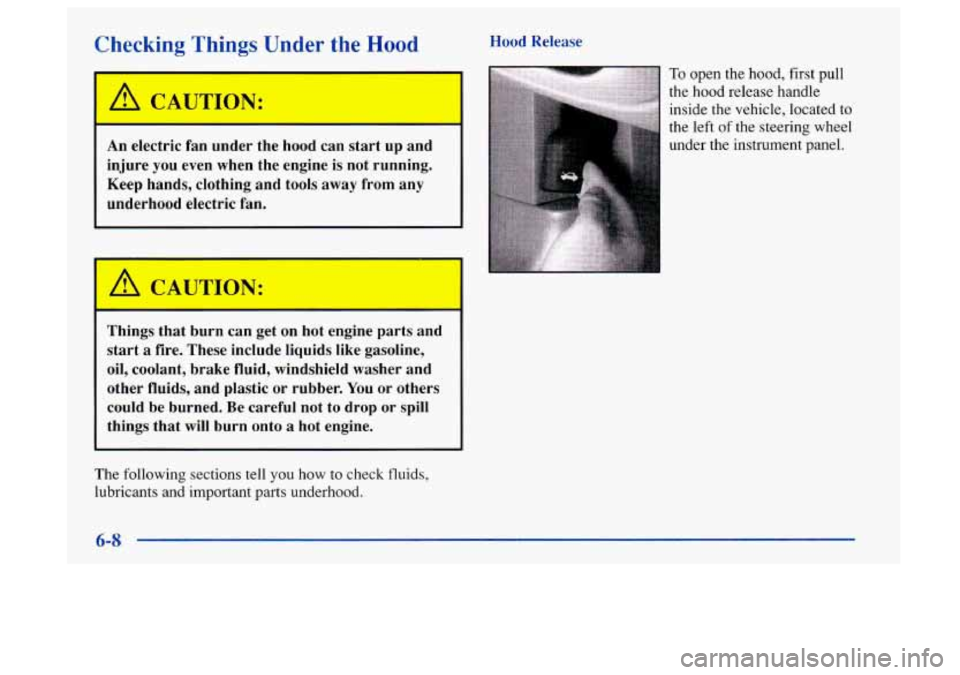
To open the hood,
first pull
the
hood release handle
inside the vehicle, located
to
the left of the steering wheel
under the instrument panel.
6-8
Page 263 of 404
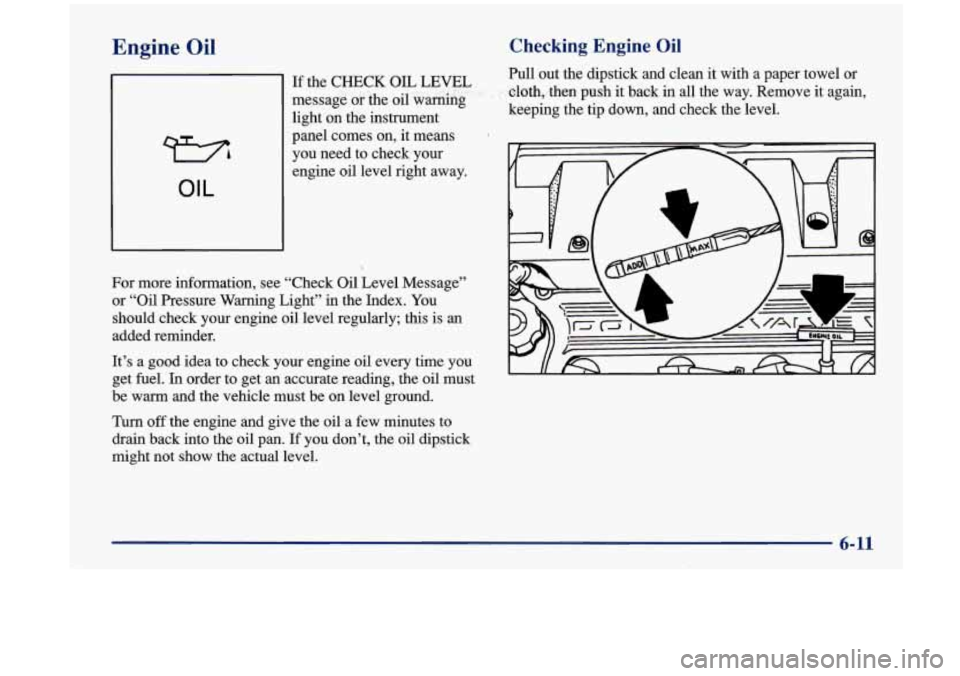
Engine Oil
73
OIL
Checking Engine Oil
Pull out the dipstick and clean it with a paper towel or
-cloth, ,then push it back in all the way. Remove it again,
keeping the tip down, and check the level. If the CHECK OIL LEVEL
message or the
oil warnkg
light on the instrument
panel comes on, it means
you need to check your
engine oil level right away.
For more information, see “Check
Oil Level Message”
or “Oil Pressure Warning Light” in the Index. You
should check your engine
oil level regularly; this is an
added reminder.
It’s a good idea to check your engine
oil every time you
get
fuel. In order to get an accurate reading, the oil must
be warm
and the vehicle must be on level ground.
Turn off the engine and give the oil a few minutes to
drain back into the oil pan. If you don’t, the oil dipstick
might not show the actual level.
6-11