instrument panel OLDSMOBILE BRAVADA 1997 User Guide
[x] Cancel search | Manufacturer: OLDSMOBILE, Model Year: 1997, Model line: BRAVADA, Model: OLDSMOBILE BRAVADA 1997Pages: 358, PDF Size: 18.02 MB
Page 102 of 358
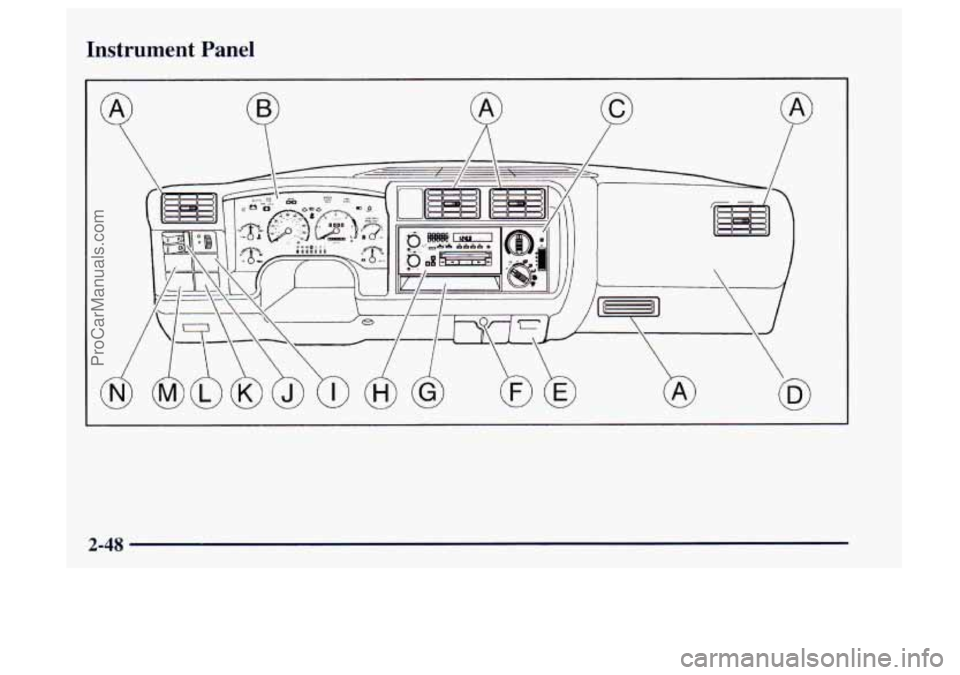
Instrument Panel
2-48
ProCarManuals.com
Page 104 of 358
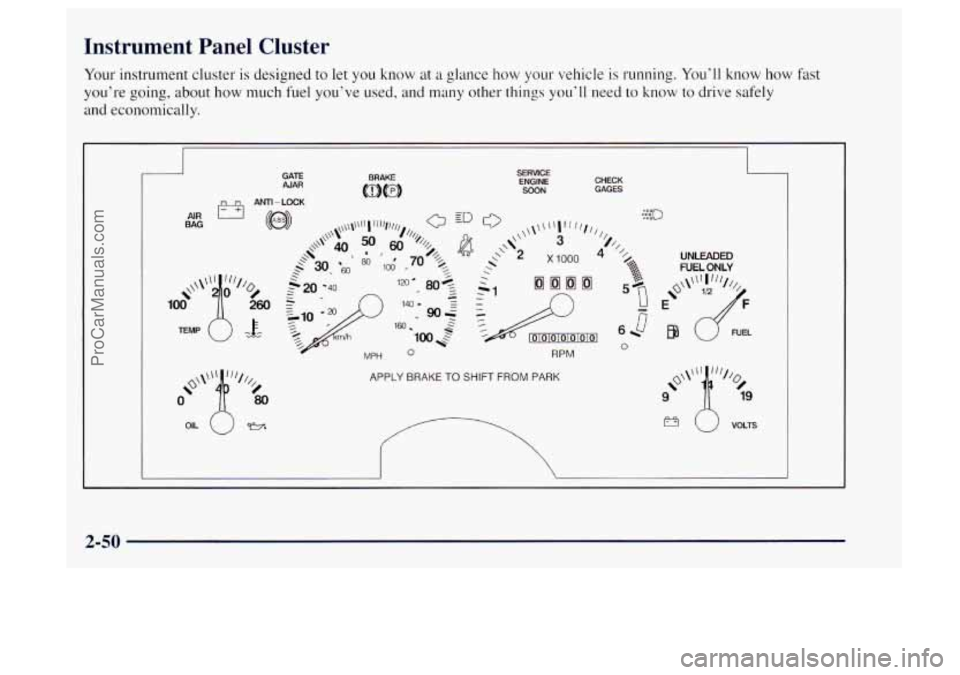
Instrument Panel Cluster
Your instrument cluster is designed to let you know at a glance how your vehicle is running. You'll know how fast
you're going, about
how much fuel you've used, and many other things you'll need to know to drive safely
and economically.
GATE AJAR
h~l ANTI-LOCK
'4 MPH 0
CHECK GAGES
RPM
APPLY BRAKE TO SHIFT FROM PARK
UNLEADED FUEL ONLY
9 '1% o\\\\' "'// 19
2-50
ProCarManuals.com
Page 107 of 358

Air Bag Readiness Light
There is an air bag readiness light on the instrument
panel, which shows
AIR BAG. The system checks the
air bag’s electrical system for malfunctions. The light
tells
you if there is an electrical problem. The system
check includes
the air bag sensors, the air bag module,
the wiring and the diagnostic module.
For more
information on the air bag system, see
“Air Bag” in
the Index.
AIR
BAG
This light will come on
when you start your engine,
and
it will flash for a few
seconds. Then the light
should go out. This means
the system is ready.
If the air bag readiness light stays on after you start the
engine or comes on when you are driving, your air bag
system may
not work properly. Have your vehicle
serviced right away. The air
bag readiness light should flash for a few
seconds when you turn the ignition key to
RUN. If the
light doesn’t come on then, have
it fixed so it will be
ready
to warn you if there is a problem.
Charging System Indicator Light
The charging system light
will come on briefly when
you turn on the ignition, but
the engine is not running,
as a check
to show you it
is working.
It should go out once the engine is running. If it stays
on, or comes
on while you are driving, you may have a
problem with the charging system.
It could indicate that
you have problems with a generator drive belt, or
another electrical problem. Have
it checked right away.
Driving while this light is on could drain your battery.
If you must drive a short distance with the light on, be
certain to turn off all your accessories, such as the radio
and air conditioner.
ProCarManuals.com
Page 114 of 358

A reading in the low pressure zone may be caused by a
dangerously low oil level or other problems causing low
oil pressure.
Don’t keep driving if the oil pressure is low. If
you do, your engine can become so hot that it
catches fire. You or others could be burned.
Check your
oil as soon as possible and have yo1
vehicle serviced.
NOTICE:
Damage to your engine from neglected oil
problems can be costly and is not covered by
your warranty.
Daytime Running Lamps Indicator Light
:::(-J 0.0
Check Gages Light
CHECK
GAGES
You may have t.his light on
the instrument panel.
It goes on whenever the
DRL are on, the ignition is
on, the headlamp switch is
off and the parking brake
is released.
The
CHECK GAGES light
will come on briefly when
you are starting the engine.
If the light comes on and
stays on while
you are
driving, check your coolant
temperature and engine oil
pressure gages to see
if they
are
in the warning zones.
2-60
ProCarManuals.com
Page 118 of 358

Comfort Controls Temperature Knob
With this system, you can control the heating, cooling
and ventilation
in your vehicle.
Climate Control System
Fan Control
The switch with the fan symbol changes the fan speed.
To increase the fan speed, move the switch upward
toward
HI. To decrease the fan speed, move the switch
downward toward
LO.
The upper knob regulates the temperature of the air
coming through the system. Turn the
knob clockwise for
warmer air. Turn the knob counterclockwise for cooler air.
Mode Knob
The lower knob allows you to choose the direction of
air delivery.
OFF: This setting turns the system off. Some outside air
will still enter the vehicle whenever the vehicle is
moving forward.
MAX A/C: This setting provides maximum cooling
with the least amount of work. MAX A/C recirculates
much of the air inside your vehicle
so it cools quickly.
A/C: This setting cools the air entering your vehicle and
directs
it through the instrument panel outlets.
+’ BI-LEVEL A/C: Air is delivered through the
heater
floor outlets as well as the instrument panel outlets.
/J VENT This setting directs airflow through the
instrument panel outlets. The air conditioning
compressor is not working when
VENT is selected.
+*
+e
3-2
ProCarManuals.com
Page 119 of 358

e
+# HEATER: This setting directs warmed air through
the heater floor outlets and windshield defroster outlets.
we
+# BLEND: Airtlow is divided equally between the
heater floor outlet and the windshield defroster outlets.
%? DEFROST This setting directs most air through
the windshield defroster outlets and some through the
heater outlets.
Air Conditioning
On hot days, open the windows long enough to let hot
inside air escape. This reduces the time
it takes for your
vehicle to cool down. Then keep your windows closed
for the air conditioner to work its best.
For quick cool-down on very hot days, use
MAX A/C
with the temperature knob turned counterclockwise.
This setting should be used to keep odors and/or dust
from entering the vehicle. For normal cooling on hot
days, use A/C with the temperature knob turned
counterclockwise.
On cool but sunny days, use BI-LEVEL A/C to deliver
warm air to the floor and cooler air to the instrument
panel outlets.
When the air conditioner is on,
you may sometimes
notice slight changes
in your vehicle‘s engine speed and
power. This is normal because the system is designed to
cycle the compressor on and off to keep the
desired temperature.
Heating
The heater works best if you keep your windows closed
while using
it. On cold days, use HEATER with the
temperature knob turned clockwise.
BLEND is useful in
cool weather when you have fog or ice on the
windshield or side windows.
If you use the optional engine coolant heater before
starting your engine, your heating system will produce
warmer
air faster to heat the passenger compartment in
cold weather. See “Engine Coolant Heater” in the Tndex.
3-3
ProCarManuals.com
Page 120 of 358
Ventilation System
For mild outside temperatures when little heating or
cooling is needed, use
VENT to direct outside air
through your vehicle. Airflow is through the instrument
panel outlets.
Your vehicle’s ventilation system supplies outside air to
the inside
of your vehicle when it is moving. When the
vehicle is not moving, you can get outside air to flow
through by selecting any mode and any
fm speed. You
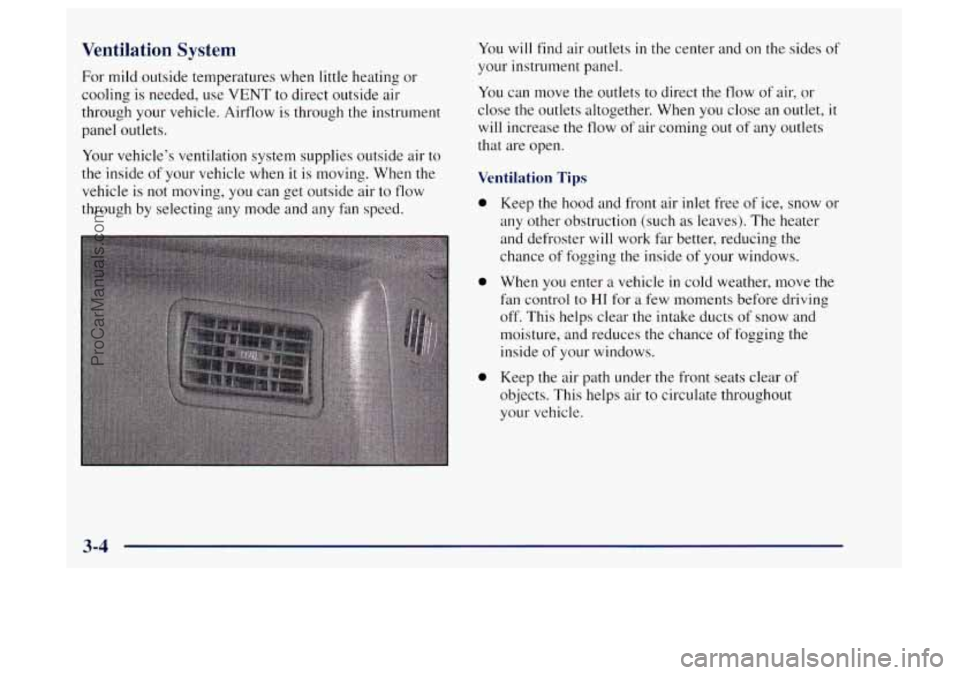
will find air outlets in the center and
on the sides of
your instrument panel.
You can move the outlets to direct the flow of air, or
close the outlets altogether. When you close an outlet,
it
will increase the flow of air coming out of any outlets
that are open.
Ventilation Tips
0
0
0
Keep the hood and front air inlet free of ice, snow or
any other obstruction (such
as leaves). The heater
and defroster will work far better, reducing the
chance of fogging the inside of your windows.
When
you enter a vehicle in cold weather, move the
fan control to
HI for a few moments before driving
off. This helps clear the intake ducts of snow and
moisture, and reduces the chance of fogging the
inside of your windows.
Keep the air path under
the front seats clear of
objects. This helps air
to circulate throughout
your vehicle.
3-4
ProCarManuals.com
Page 121 of 358

Defogging and Defrosting
On cool, humid, days use BLEND to keep the
windshield and side windows clear.
Use DEFROST to remove fog or ice from the
windshield quickly
in extreme humid or cold conditions.
Turn the temperature knob clockwise and move the fan
control toward
HI.
Rear Window Defogger
The rear window has lines that warm the glass. For best
results, clear the window of as much snow or ice as
possible before using the rear window defogger.
To turn on the rear window defogger, find the switch
marked REAR
DEFOG on your instrument panel below
the headlamp switch. Press
ON until the light in the
switch comes on, then release it.
It will only work if the
ignition switch is turned to
RUN.
The rear window defogger will stay on for five to seven
minutes, then turn off. If you need additional warming
time, turn it on again. You can turn the defogger
off at
any time by pressing OFF.
Do not attach a temporary vehicle license, tape or decals
across the defogger grid on the rear window.
NOTICE:
Don’t use a razor blade or something else sharp
on the inside
of the rear window. If you do, you
could cut
or damage the warming grid, and the
repairs wouldn’t be covered by your warranty.
3-5
ProCarManuals.com
Page 182 of 358
Passing
You’ll need more passing distance up ahead when
you’re towing a trailer. And, because you’re a good deal
longer, you’ll need to
go much farther beyond the
passed vehicle before
you can return to your lane.
Backing Up
Hold the bottom of the steering wheel with one hand.
Then, to move the trailer to the left, just move that hand
to the left.
To move the trailer to the right, move your
hand to the right. Always back
up slowly and, if
possible, have someone guide you.
Making Turns
NOTICE:
Making very sharp turns while trailering could
cause the trailer to come in contact with the
vehicle.
Your vehicle could be damaged. Avoid
making very sharp turns while trailering.
When you’re turning with a trailer, make wider turns
than normal.
Do this so your trailer won’t strike soft
shoulders, curbs, road signs, trees or other objects.
Avoid jerky or sudden maneuvers. Signal
well
in advance.
Turn Signals When Towing a Trailer
When you tow a trailer, your vehicle has to have extra
wiring and a heavy-duty turn signal flasher (included
in
the optional trailering package).
The arrows on your instrument panel will flash
whenever you signal a turn or lane change. Properly
hooked up, the trailer lamps will also flash, telling other
drivers you’re about to
turn, change lanes or stop.
When towing
a trailer, the arrows on your instrument
panel will flash for turns even
if the bulbs on the trailer
are burned out. Thus,
you may think drivers behind you
are seeing your signal when they are not. It’s important
to check occasionally to be sure the trailer bulbs are
still working.
4-50
ProCarManuals.com
Page 198 of 358

Engine Overheating
’ You will find a coolant temperature gage on your
vehicle’s instrument panel. See “Gages” in the Index.
If Steam Is Coming From Your Engine
Steam from an overheated engine can burn you
badly, even if you just open the hood. Stay away
from the engine
if you see or hear steam coming
from it. Just turn it off and get everyone away
from the vehicle until it cools down. Wait until
there is no sign
of steam or coolant before you
open the hood.
If you keep driving when your engine is
overheated, the liquids in it can catch
fire. You or
others could be badly burned. Stop your engine if
it overheats, and get out of the vehicle until the
engine is cool.
NOTICE:
If your engine catches fire because you keep
driving with
no coolant, your vehicle can be
badly damaged. The costly repairs would not be
covered by your warranty.
5-12
I
ProCarManuals.com