audio Oldsmobile Cutlass Supreme 1993 s User Guide
[x] Cancel search | Manufacturer: OLDSMOBILE, Model Year: 1993, Model line: Cutlass Supreme, Model: Oldsmobile Cutlass Supreme 1993Pages: 340, PDF Size: 16.21 MB
Page 128 of 340
Comfort Controls &Audio Systems
126
-
..^^L^ I
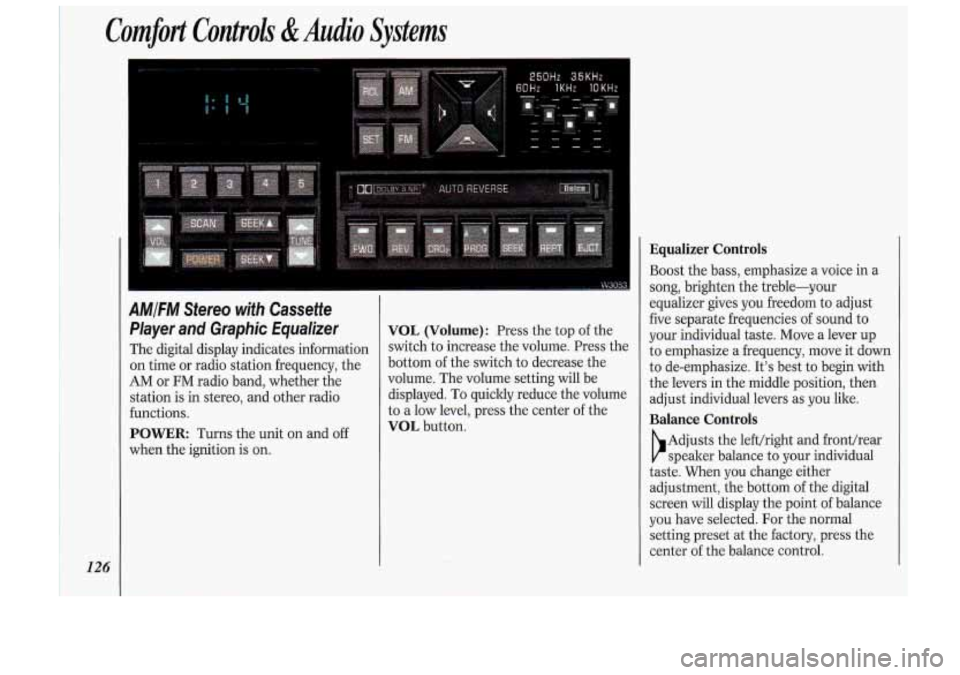
AMIFM Stereo with Cassette
Player and Graphic Equalizer
The digital display indicates information
on time or radio station frequency, the
AM or FM radio band, whether the
station is in stereo, and other radio
functions.
POWER Turns the unit on and off
when the ignition is on.
VOL (Volume): Press the top of the
switch to increase the volume. Press the
bottom of the switch to decrease the
volume. The volume setting will be
displayed. To quickly reduce the volume
to a low level, press the center of the
VOL button.
Equalizer Controls
Boost the bass, emphasize a voice in a
song, brighten the treble-your
equalizer gives you freedom to adjust
five separate frequencies
of sound to
your individual taste. Move a lever up
to emphasize a frequency, move it clown
to de-emphasize. It’s best to begin with
the levers in the middle position, then
adjust individual levers as you like.
Balance Controls
b
Adjusts the lefthight and front/rear
speaker balance to your individual
taste. When you change either
adjustment, the bottom of the digital
screen will display the point of balance
you have selected. For the normal
setting preset at the factory, press the
center of the balance control.
Page 130 of 340
Comfort Controls &Audio Systems
128
AMIFM Stereo with Cassette
Player and Graphic Equalizer
(CONT.)
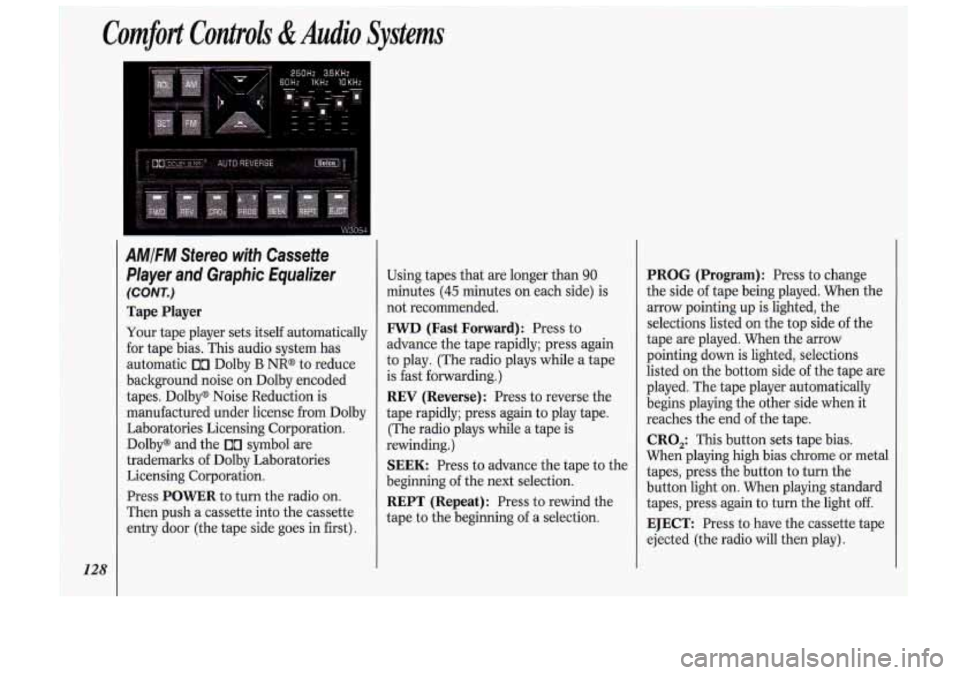
Tape Player
Your tape player sets itself automatically
for tape bias. This audio system has
automatic
00 Dolby B NR@ to reduce
background noise on Dolby encoded
tapes. Dolby@ Noise Reduction is
manufactured under license from Dolby
Laboratories Licensing Corporation. Dolby@ and the
00 symbol are
trademarks of Dolby Laboratories
Licensing Corporation.
Press
POWER to turn the radio on.
Then push a cassette into the cassette
entry door (the tape side goes in first). Using
tapes that are longer than
90
minutes (45 minutes on each side) is
not recommended.
FWD (Fast Forward): Press to
advance the tape rapidly; press again
to play. (The radio plays while a tape
is fast forwarding.)
REV (Reverse) : Press to reverse the
tape rapidly; press again
to play tape.
(The radio plays while a tape is
rewinding.)
SEEK: Press to advance the tape to the
beginning of the next selection.
REPT (Repeat) : Press to rewind the
tape to the beginning of a selection.
PROG (Program): Press to change
the side of tape being played. When the
arrow pointing up is lighted, the
selections listed on the top side of the
tape are played. When the arrow
pointing down is lighted, selections
listed on the bottom side of the tape are
played. The tape player automatically
begins playing the other side when it
reaches the end of the tape.
CRO,: This button sets tape bias.
When playing high bias chrome or metal tapes, press the button to turn the
button light on. When playing standard
tapes, press again to turn the light
off.
EJECT: Press to have the cassette tape
ejected (the radio will then play).
Page 132 of 340
Comfort Controls &Audio Systems
130
AMIFM Stereo with Compact Disc
Player
(CONT.)
To Preset Radio Stations:
The five pushbuttons in the lower right
corner can be used to preset up to ten
radio stations (five
AM and five FM) .
The buttons have other uses when you
are playing a compact disc.
1. Tune the digital display to the station
you want.
2. Press SET. The SET indicator will
appear on the digital screen for five
seconds.
3. While the SET indicator is displayed,
press one
of the five pushbuttons.
4. Repeat steps 1-3 for each of five AM
and five FM stations.
To Play a Compact Disc:
Many of the controls for the radio also
have functions for the compact disc
player, as explained here.
Don’t use mini-discs that are called
singles. They won’t eject. Use only hll-
size compact discs.
1. Press POWER to turn the unit on.
2. Insert a disc part-way into the slot,
with the label side
up. The player will
pull it in. In a few seconds, the disc
should play.
If the disc comes back out:
The disc may be upside down.
The disc may be dirty, scratched or
wet.
There may be too much moisture in
the air (wait about one hour and try
again).
The player may be too hot, or the road
may be too rough
for the disc to play.
While a disc is playing, the CD indicator
is displayed on the digital screen, as is
the clock.
RCL (Recall): Press once 10 see which
track is playing. Press again within five
seconds to see how long your selection
has been playing. The track number
also will be displayed when the volume
is changed or a new track starts to play.
PREV (Previous): Press to play a
track again. If you hold the
PREV
button, the disc will keep backing up to
previous tracks.
NEXT: Press when you want to hear
the next track.
If you hold the NEXT
button, the disc will keep advancing to
other tracks.
REV (Reverse): Press and hold to
rapidly back up to a favorite passage.
Release to resume playing.
FF (Fast Forward): Press and hold to
rapidly advance the disc. Release to
resume playing.
COMP (Compression) : Depressing
this button makes
soft and loud
Page 134 of 340
Comfort Controls &Audio Systems
132
CD Player Anti-Theft Feature
(CONT.)
To Disable the Anti-Theft System:
Enter your secret code by following
these steps (you will have only
15
seconds between each step).
1. Turn the ignition to Accessory or
Run and the radio off, then press the
PREV and FF buttons of the station
presets.
SEC will appear, showing the
radio is secure.
2. Press SET and 000 appears on the
display.
3. Press and hold SEEK until the first
digit of your secret code appears.
4. Press and hold SCAN until the
second and third digits of your code
appear.
the display).
5. Press AM-FM (000 will appear on
6. Press and hold SEEK until the fourth
digit of your code appears.
7. Press and hold SCAN until the fifth
and sixth digits of your code appear.
8. Press AM/FM. If the display shows
--- ” the radio is unsecured and
will play again. If the display shows
SEC, the steps were not successful
and the numbers did not match the
secret code.
If you lose or forget your code, see your
dealer.
If you lose battery power, when the
battery is reconnected, the system will
not turn on and
LOC will appear.
Follow steps
1-8 for disabling your
system (the time will appear if you are
successful). If
SEC appears, the
numbers did not match and your unit is
still locked.
((
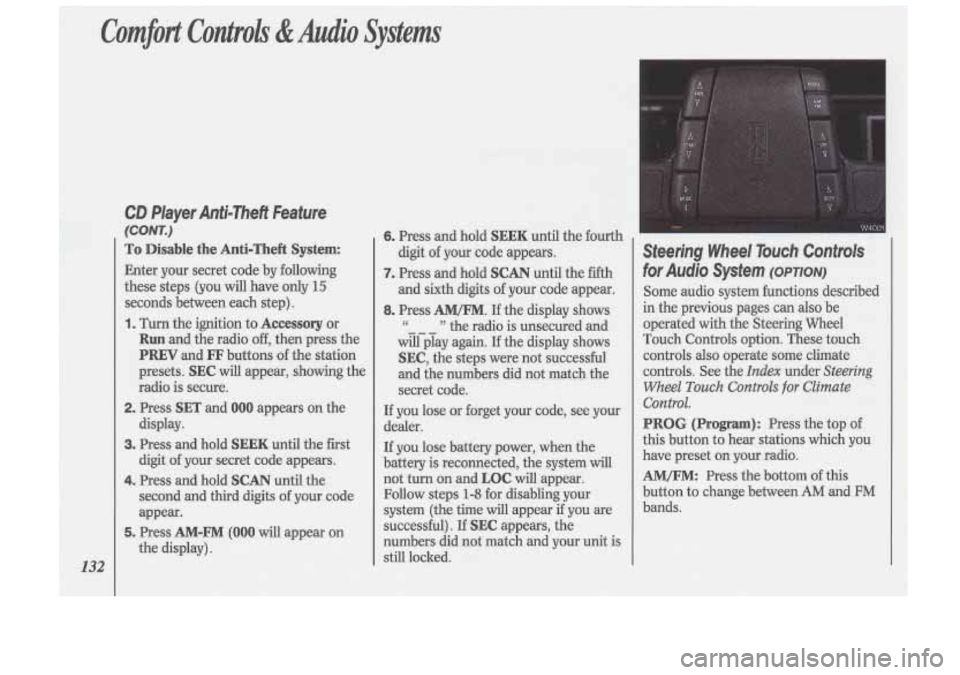
Steering Wheel Touch Controls
for Audio System (OPTION)
Some audio system functions described
in the previous pages can also be
operated with the Steering Wheel
Touch Controls option. These touch controls
also operate some climate
controls. See the
Index under Steering
Wheel
Touch Controls for Climate
Control.
PROG (Program): Press the top of
this button to hear stations which you
have preset on your radio.
AM/FM: Press the bottom of this
button to change between
AM and FM
bands.
Page 135 of 340
VOL (Volume): Press the top of the
switch to increase volume or the bottom
to decrease it. Press the middle
of the
switch to mute the audio system. Press
any switch to return to your original
volume level.
SEEK: Each time you press the top of
the switch, you will tune in a radio
station higher on the AM or FM band;
each time you press the bottom
of the
switch, you will tune in a radio station
lower on the AM or FM band.
With a
CD player, pressing SEEK will
advance the tracks forward or back.
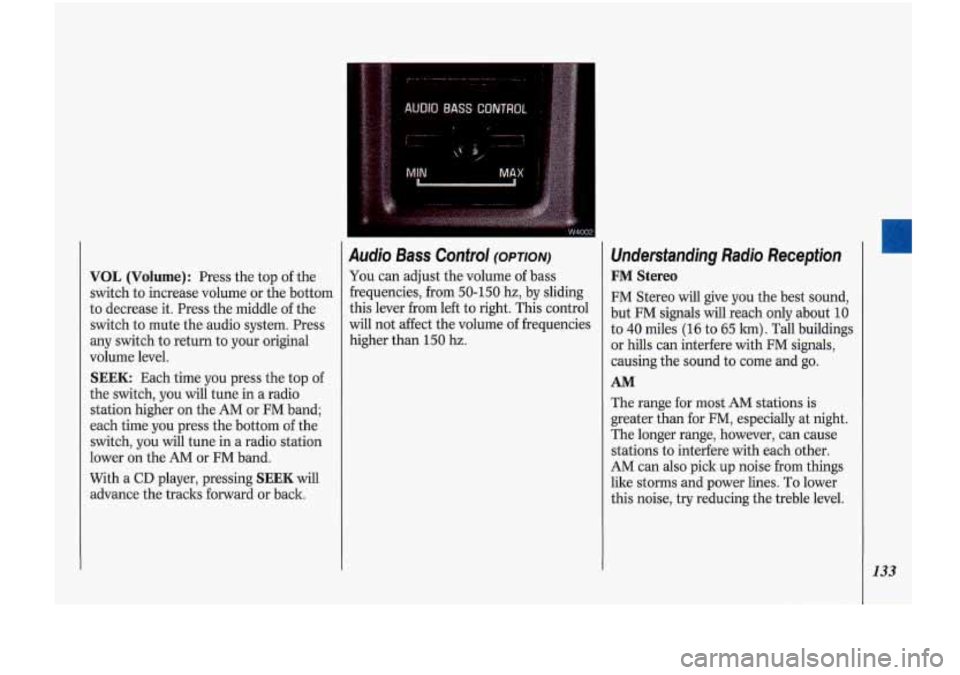
Audio Bass Control (OPTION)
You can adjust the volume of bass
frequencies, from
50-150 hz, by sliding
this lever from left to right. This control
will not affect the volume of frequencies
higher than
150 hz.
Understanding Radio Reception
FM Stereo
FM Stereo will give you the best sound,
but FM signals will reach only about
10
to 40 miles (16 to 65 lun). Tall buildings
or hills can interfere with FM signals,
causing the sound to come and
go.
AM
The range for most AM stations is
greater than for FM, especially at night.
The longer range, however, can cause
stations to interfere with each other.
AM can also pick up noise from things
like storms and power lines. To lower
this noise, try reducing the treble level.
133
Page 136 of 340
Comfort ConolIs &Audio Systems
134
Understanding Radio Reception
(CONT.)
AM Stereo
Your Delco* system maybe able to
receive C-Quamm stereo broadcasts.
Many AM stations around the country
use C-Quamm to produce stereo, though
some do not. C-Quam@ is a registered
trademark
of Motorola, Inc~. If your
Ddco@ system can get C-Quam@
signals, your stereo indicator
light will
come on when you are receiving it.
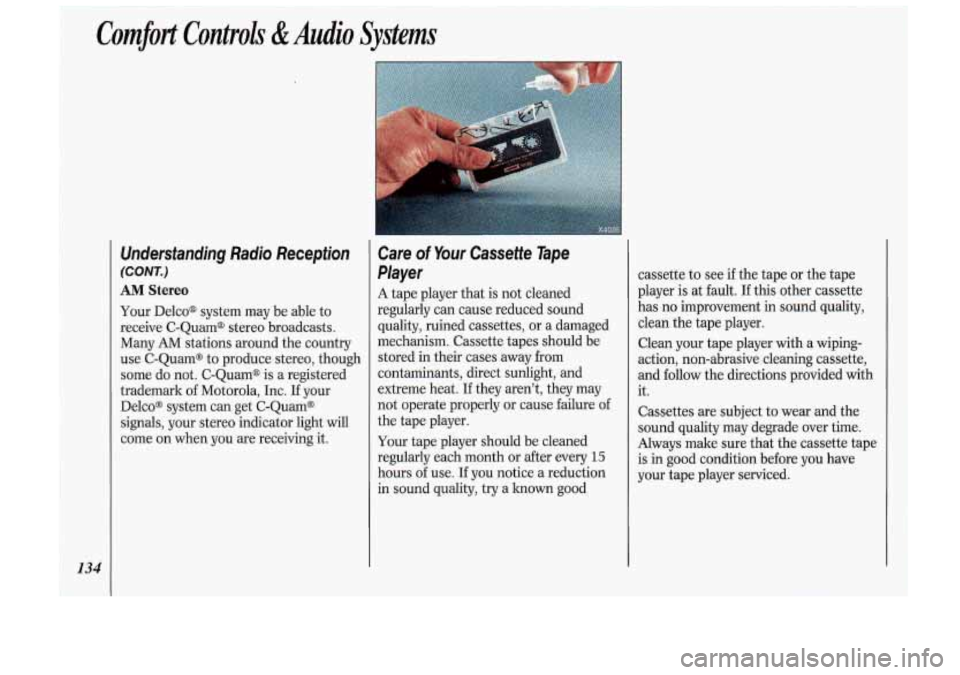
Care of Your Cassette Tape
Player
A tape player that is not cleaned
regularly can cause reduced sound
quality, ruined cassettes,
or a damaged
mechanism. Cassette tapes should be
stored in their cases away from
contaminants, direct sunlight, and
extreme heat.
If they aren’t, they may
not operate properly or cause failure
of
the tape player.
Your tape player should be cleaned
regularly each month or
after every 15
hours of use. If you notice a reduction
in sound quality, try a knomgood
Page 138 of 340
Comfort Controls &Audio Systems
136
Power Antenna Mast Care (CONT.)
4. Wipe dry with a clean cloth before
retracting.
5. Make the antenna go up and down by
turning the radio or ignition on
and
Off.
6. Then repeat if necessary.
I
Before entering an automatic car
wash, turn
off your radio to make
the power antenna go down. This
will prevent the mast
from possibly
getting damaged, If the antenna
does not go down when you turn
the radio
off, it may be damaged or
lower the antenna by hand by
carefully pressing the antenna If
the mast portion of your antenna is
damaged, you can easily replace it. See
your dealer for a replacement kit and
follow the instructions in the lit.
Page 328 of 340
Index
326
Brake System Warning Light Anti-Lock Brake System
................. 99
Standard Brakes
............................... 98
Brakes. Anti-Lock
........................... 149
Warning Light
.................................. 99
Braking
in Emergencies ................... 153
Braking Technique ........................... 148
Break.Tn. New Vehicle
Normal Driving
............................... 54
When Towing a Trailer
.................. 177
Braking
............................................. 148
Buckling Up (see
Safety Belts)
Bulb Replacement
Center High-Mounted
Stoplight
.............................. 263. 280
Fog Lights
..................................... 249
Taillight
................................. 247. 280
Headlight
............................... 243. 280
Capacities and Specifications
....... 276
Carbon Monoxide
in Exhaust ............ 66
Cassette Tape Holder
........................ 83
Cassette Tape Player
(see
Audio Systems)
Center Lap Belts (see Safety Belts)
Chains. Tire ............................. 212. 258
Changing a Flat Tire
......................... 205
Checking Aim
of the Headlights .................... 241
Automatic Transaxle Fluid
............................................. 231
Brake Fluid
.................................... 238
Engine Coolant
............................. 235
Engine Oil
..................................... 226
Power Steering Fluid
.................... 237
Safety Belt Systems
.......................... 42
Things Under the Hood
................. 222
Child Restraints
.................................. 31
Children
............................................. 30
Cigarette Lighter
................................ 84
Circuit Breakers
& Fuses ................ 270
City Driving
..................................... 165
Cleaner, Air
.............................. 230, 283
Cleaning Aluminum Wheels
........................ 265
Antenna
......................................... 135
Cassette Player and Tapes
............ 134
Compact Discs
.............................. 135
Fabric .............................................. 260 Fiberglass Springs
......................... 268
Glass
............................................... 263
HUD (Head-Up Display)
............. 104
Inside
of Your Vehicle ................... 260
Leather and Vinyl
.......................... 262
Outside
of Your Vehicle ............... 265
Safety Belts
................................... 262
Special Problems
........................... 261
Underbody Maintenance
.............. 267
Warnings
........................................ 259
Weatherstrips
................................ 266
White Sidewall Tires
..................... 266
Windshield
.................................... 264
Clock, Setting the
............................. 118
Clusters. Instrument Panel ................ 90
Coin Holder ....................................... 83
Comfort Controls
Climate Control
.............................. 110
Electronic Climate Control
............ 113
Steering Wheel Touch Controls
.... 116
Ventilation ..................................... 111
Compact Disc Player
(see
Audio Systems)
Compact Spare Tire ......................... 211
Compartments, Storage
............... 83, 84
Page 330 of 340
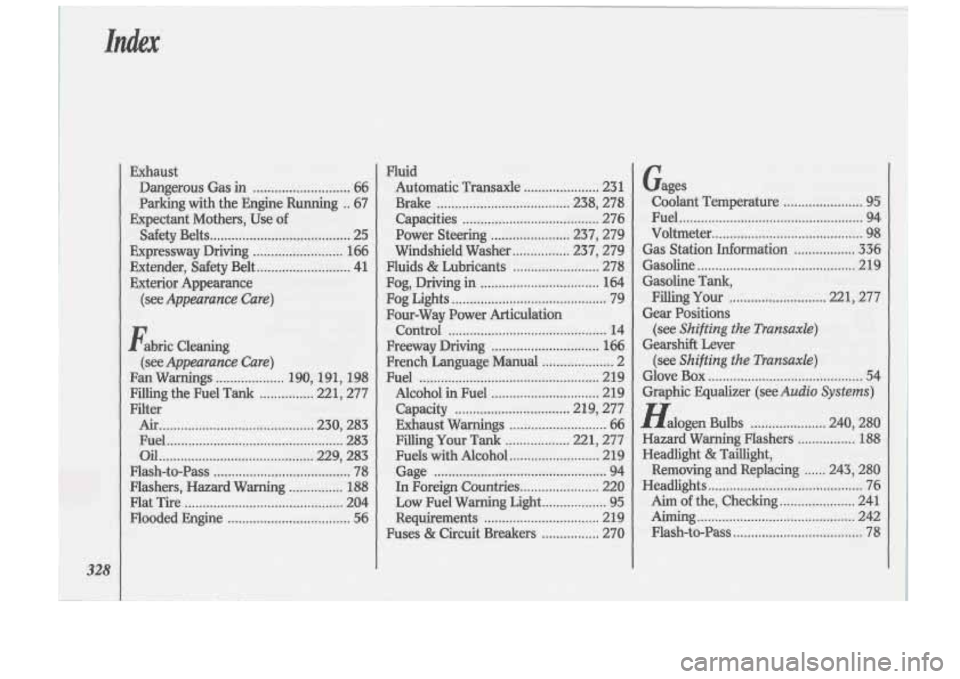
Exhaust Dangerous Gas
in ........................... 66
Parking with the Engine Running
.. 67
Expectant Mothers, Use
of
Safety Belts ....................................... 25
Expressway Driving
......................... 166
Exterior Appearance
Exteder,
Safety Belt
.......................... 41
(see
Appearance Care)
Fabric Cleaning
Fan Warnings ................... 190. 191. 198
Filling the Fuel Tank
............... 221. 277
Filter Air
........................................... 230. 283
Fuel
................................................. 283
Oil ........................................... 229. 283
Flash-to-Pass
...................................... 78
Flashers. Hazard Warning
............... 188
Flat Tire ............................................ 204
Flooded Engine
.................................. 56
(see Appearance Care)
Fluid
Automatic Transaxle
..................... 23 1
Brake ..................................... 238. 278
Capacities
...................................... 276
Power Steering
...................... 237. 279
Windshield Washer
................ 237. 279
Fluids
& Lubricants ........................ 278
Fog, Driving
in ................................. 164
Fog Lights
........................................... 79
Four-Way Power Articulation Control
............................................ 14
Freeway Driving
.............................. 166
French Language Manual
.................... 2
Fuel
.................................................. 219
Alcohol
in Fuel .............................. 219
Capacity
................................ 219, 277
Exhaust Warnings
........................... 66
Filling
Your Tank .................. 221, 277
Fuels with Alcohol
......................... 219
Gage
................................................ 94
In Foreign
Countries ...................... 220
Low Fuel Warning Light
.................. 95
Requirements
................................ 2 19
Fuses
& Circuit Breakers ................ 270 Gages
Coolant Temperature
...................... 95
Fuel
................................................... 94
Voltmeter
.......................................... 98
Gas Station Information ................. 336
Gasoline
............................................ 219
Gasoline Tank,
Filling
Your ........................... 221, 277
Gear Positions (see
Shifting the Transaxle)
Gearshift Lever
(see
Shifting the Transaxle)
Glove Box ........................................... 54
Graphic Equalizer (see
Audio Systems)
Halogen Bulbs ..................... 240. 280
Hazard-Warning Flashers
............... :188
Headlight & Taillight.
Removing and Replacing
...... 243. 280
Headlights
........................................... 76
Aim ofthe, Checking
..................... 241
Aiming
............................................ 242
Flash-to-Pass
.................................... 78
..
Page 333 of 340
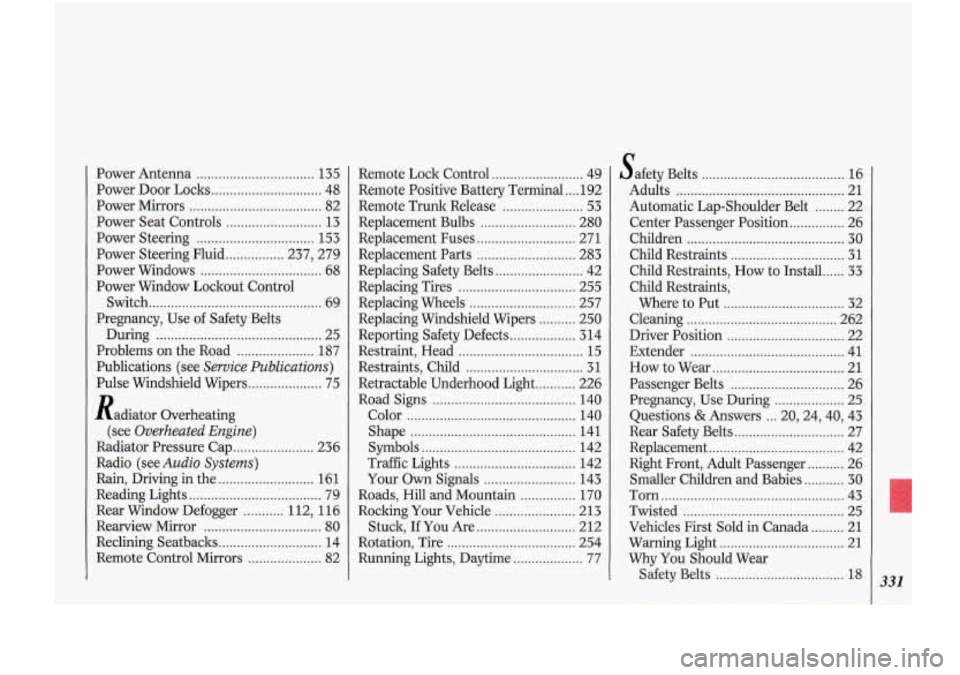
Power Antenna ................. ............ ‘135
Power Door Locks
.............................. 48
Power Mirrors
.................................... 82
Power Seat Controls
.......................... 13
Power Steering ................................ 153
Power Steering Fluid
................ 237, 279
Power Windows
................................. 68
Power Window Lockout Control
Switch
............................................... 69
Pregnancy, Use of Safety Belts
During
............................................. 25
Problems
on the Road ..................... 187
Publications (see
Service Publications)
Pulse Windshield Wipers .................... 75
Radiator Overheating
(see
Overheated Engine)
Radiator Pressure Cap ...................... 236
Radio (see
Audio Systems)
Rain. Driving in the .......................... 161
Reading Lights
.................................... 79
Rear Window Defogger
........... 112. 116
Rearview Mirror
................................ 80
Reclining Seatbacks ............................ 14
Remote Control Mirrors
.................... 82 Remote Lock
Control
......................... 49
Remote Positive Battery Terminal
.... 192
Remote Trunk Release
...................... 53
Replacement Bulbs
.......................... 280
Replacement Fuses ........................... 271
Replacement Parts
........................... 283
Replacing Safety Belts
........................ 42
Replacing Tires
................................ 255
Replacing Wheels
............................. 257
Replacing Windshield Wipers
.......... 250
Reporting Safety Defects
.................. 314
Restraint, Head
.................................. 15
Restraints. Child
................................ 31
Retractable Underhood Light ........... 226
Road Signs
....................................... 140
Color
.............................................. 140
Shape
............................................. 141
Symbols
.......................................... 142
Traffic Lights
................................. 142
Your
Own Signals ......................... 143
Roads. Hill and Mountain
............... 170
Roclung Your Vehicle
...................... 213
Stuck. If You Are
........................... 212
Rotation, Tire
................................... 254
Running Lights, Daytime
................... 77
S afety Belts ....................................... 16
Adults
.............................................. 21
Automatic Lap-Shoulder Belt
........ 22
Center Passenger Position
............... 26
Children
........................................... 30
Child Restraints
............................... 31
Child Restraints, How to Install
...... 33
Child Restraints,
Where to Put
................................. 32
Cleaning ......................................... 262
Driver Position
................................ 22
Extender
.......................................... 41
How to Wear
.................................... 21
Passenger Belts
............................... 26
Pregnancy.
Use During ................... 25
Questions
& Answers ... 20,24,40, 43
Rear Safety Belts
.............................. 27
Replacement
..................................... 42
Right Front, Adult Passenger
.......... 26
Smaller Children and Babies
........... 30
Torn
.................................................. 43
Twisted
............................................ 25
Vehicles First Sold
in Canada ......... 21
Warning Light
.................................. 21
Why You Should Wear
Safety Belts
................................... 18 331