ECU Oldsmobile Cutlass Supreme 1993 Owner's Manuals
[x] Cancel search | Manufacturer: OLDSMOBILE, Model Year: 1993, Model line: Cutlass Supreme, Model: Oldsmobile Cutlass Supreme 1993Pages: 340, PDF Size: 16.21 MB
Page 18 of 340
16
Seats & Safety Belts
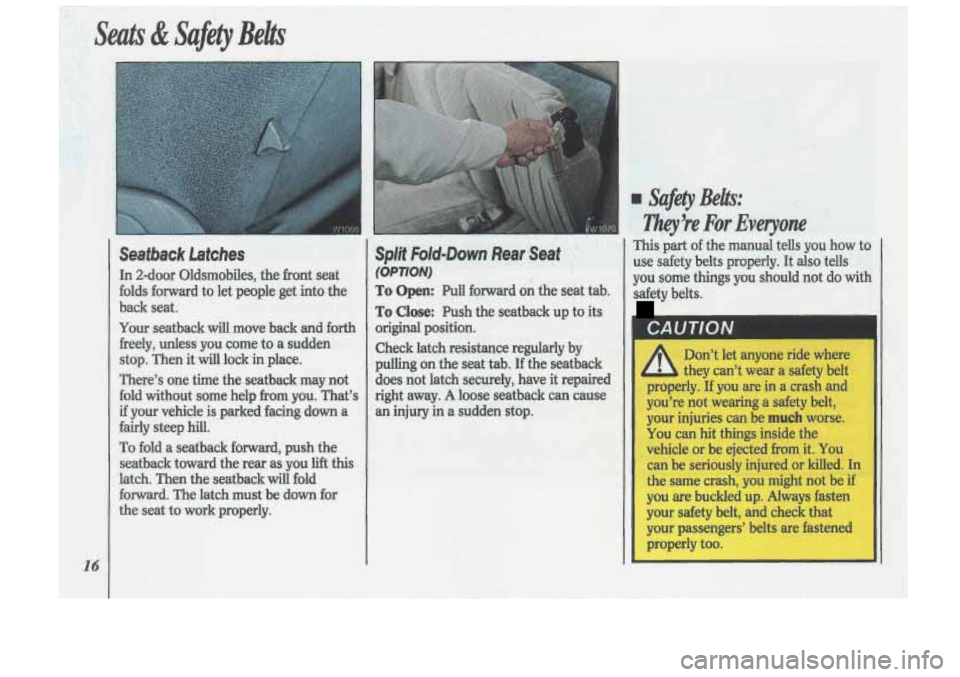
Seatback Latches
In 2-door Oldsmobiles, the front seat
folds forward
to let people get into the
back seat.
Your seatback will move back and forth
freely, unless you come to a sudden
stop. Then it
will lock in place.
There’s one time the seatback may not
fold without some help from you. That’s
if your vehicle is parked facing down a
fairly steep hill.
To fold a seatback forward, push the
seatback toward the rear as you lift this
latch. Then the seatback will fold
forward. The latch must be
down for
the seat to work properly.
Split Fold-Down Rearmseat ’ ,”
(OPTION)
To Open: Pull forward on the seat tab.
To Close: Push the seatback up to its
original position.
Check latch resistance regularly by
pulling on the seat tab. If the seatback
does not latch securely, have it repaired
right away.
A loose seatback can cause
an injury in a sudden stop.
I Safety Belts:
Ziky!re For Everyone
This part of the manual tells you how to
use safety belts properly. It
also tells
you some things you should not do
with
safety belts.
CAUTION
Don’t let anyone ride where
they can’t wear a safety belt
properly.
If you are in a crash and
you’re not wearing
a safety belt,
your injuries can be
much worse.
You can hit things inside the
vehicle or be ejected
from it. You
can be seriously injured
or killed. In
the same crash, you might not be if
you are buckled up. Always fasten
your safety belt, and check that
your passengers’ belts are fastened
properly too.
Page 33 of 340
I
CAUTION I
A
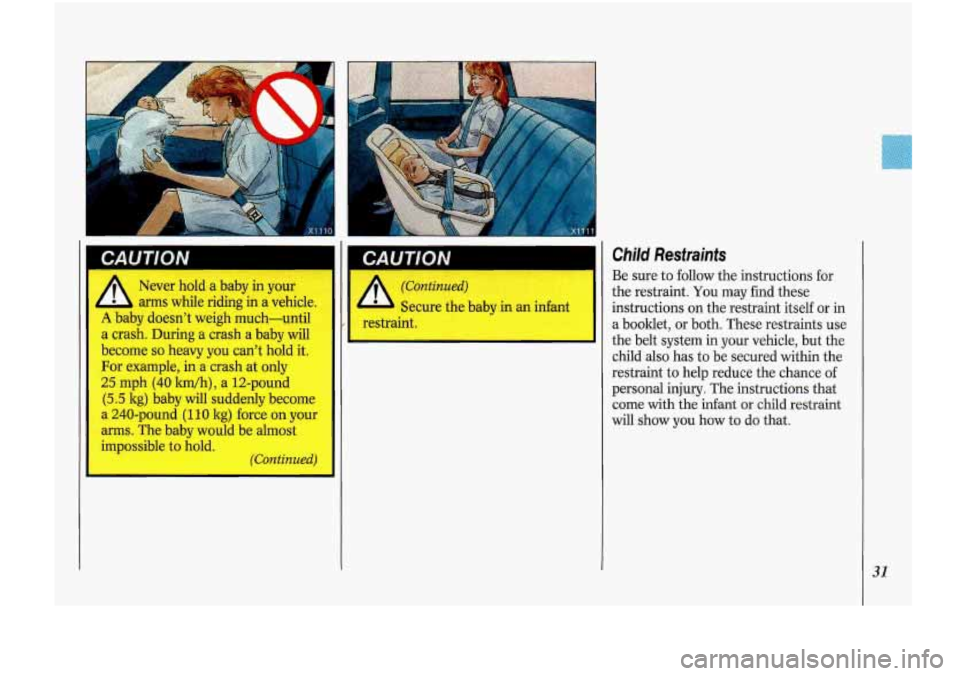
Never hold a baby in your
arms while riding in a vehicle.
A baby doesn't weigh much-until
a crash. During a crash a baby will
become
so heavy you can't hold it.
For example, in a crash at only
25 mph
(40 lun/h), a 12-pound
(5.5 kg) baby will suddenly become
a 240-pound
(1 10 kg) force on your
arms. The baby would be almost
impossible
to hold.
(Continued)
CAUTION
A
I (Continued)
Secure the baby in an infant
restraint.
Child Restraints
Be sure to follow the instructions for
the restraint. You may find these
instructions on the restraint itself or
in
a booklet, or both. These restraints use
the belt system in your vehicle, but the
child also has to be secured within the
restraint to help reduce the chance of
personal injury. The instructions that
come with the infant
or child restraint
will show you how to do that.
31
Page 34 of 340
Seats & Safety Belts
32
Where to Put the Restraint
Accident statistics show that children
are safer if they are restrained in the
rear rather than the front seat. We at
General Motors therefore recommend
that you put your child restraint in the
rear seat unless the child is an infant
and you’re the only adult in the vehicle.
In that case, you might want to secure
the restraint
in the front seat where you
can keep an eye
on the baby.
Wherever
you install it, be sure to
secure the child restraint properly.
Top Strap
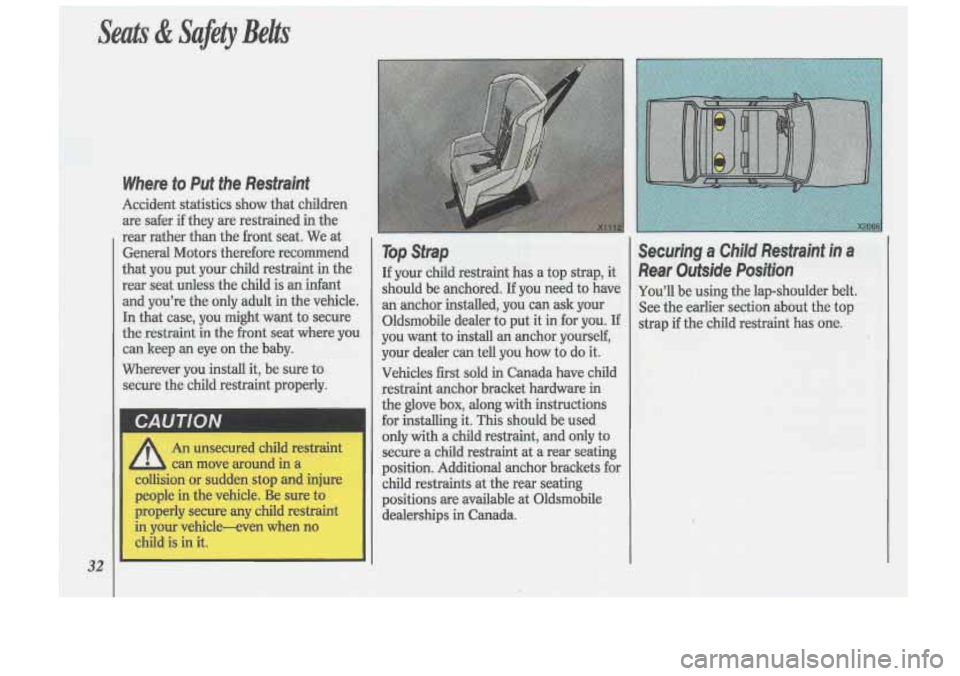
If your child restraint has a top strap, it
should be anchored. If you need to have
an anchor installed, you can ask your
Oldsmobile dealer to put it in for you. If
you want to install an anchor yourself,
your dealer can tell you how to do it.
Vehicles first sold in Canada have child
restraint anchor bracket hardware
in
the glove box, along with instructions
for installing it. This should be used
only with a child restraint, and only to
secure a child restraint at
a rear seating
position. Additional anchor brackets for child restraints at the rear seating
positions are available at Oldsmobile
dealerships in Canada.
Securing a Child Restraint in a
Rear Outside Position
You’ll be using the lap-shoulder belt.
See the earlier section about the top
strap if the child restraint has
one.
Page 35 of 340
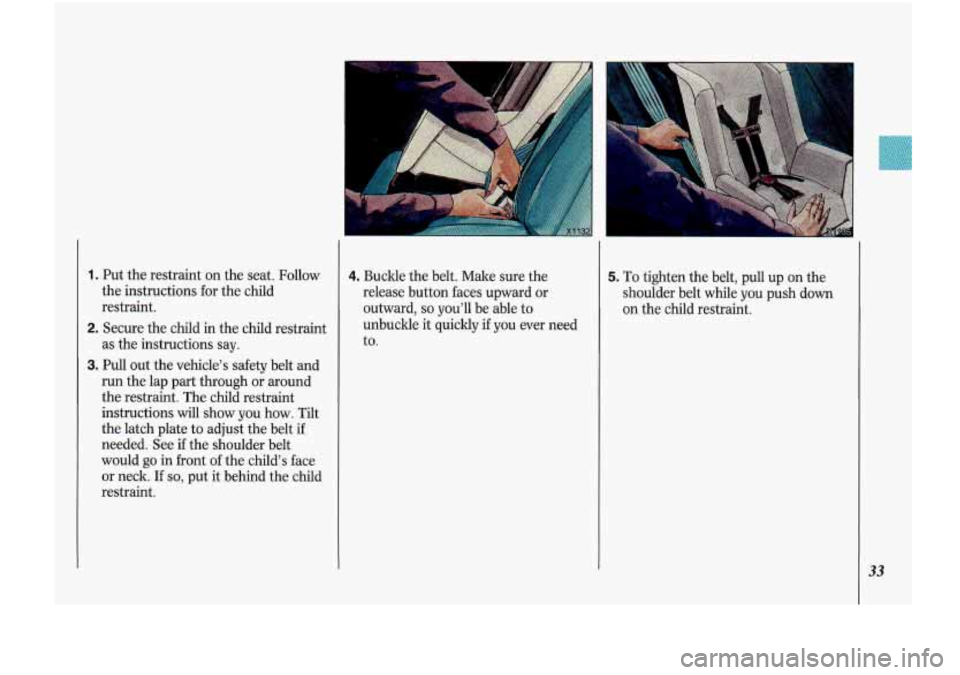
1. Put the restraint on the seat. Follow
the instructions for the child
restraint.
2. Secure the child in the child restraint
as the instructions say.
3. Pull out the vehicle's safety belt and
run the lap part through or around
the restraint. The child restraint
instructions
will show you how. Tilt
the latch plate to~adjust the belt
if
needed. See if the shoulder belt
would go in front
of the child's face
or neck.
If so, put it behind the child
restraint.
4. Buckle the belt. Make sure the
release button faces upward or
outward,
so you'll be able to
unbuckle it quicldy
if you ever need
to.
5. To tighten the belt, pull up on the
shoulder belt while you push down
on the child restraint.
33
Page 36 of 340
34
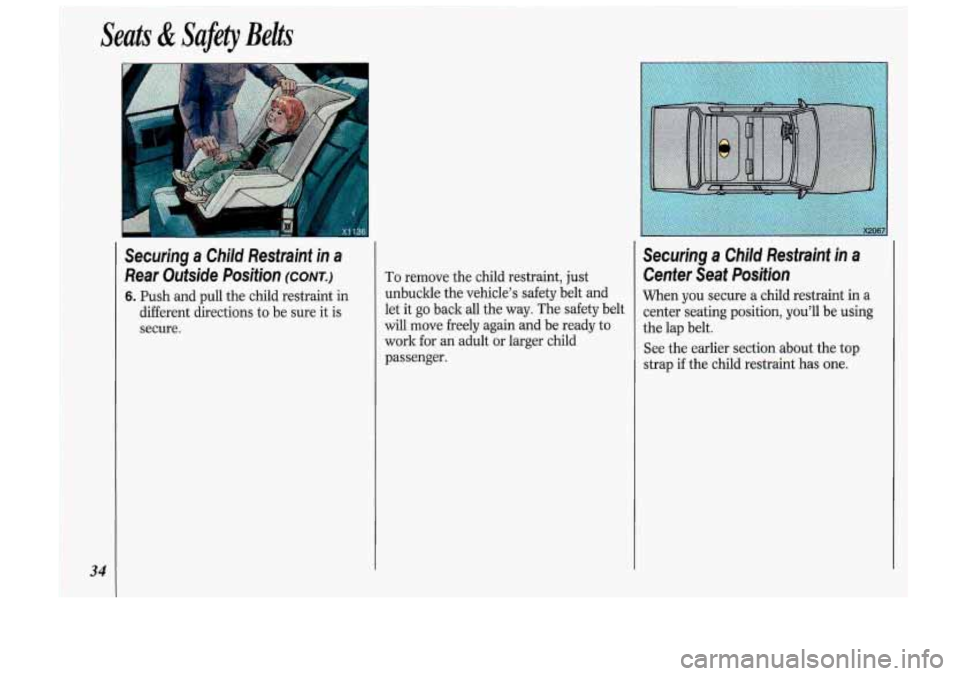
Securing a Child Restraint in a
Rear Outside Position (CONT.)
6. Push and pull the child restraint in
different directions to be sure it is
secure. To remove
the child restraint, just
unbuckle the vehicle’s safety belt and
let it
go back all the way. The safety belt
will move freely again and be ready
to
work for an adult or larger child
passenger.
Securing a Child Restraint in a
Center Seat Position
When you secure a child restraint in a
center seating position, you’ll be using
the lap belt.
See the earlier section about the top
strap
if the child restraint has one.
Page 38 of 340
Seats & Safety Belts
36
Securing a Child Restraint in the
Right Front Seat
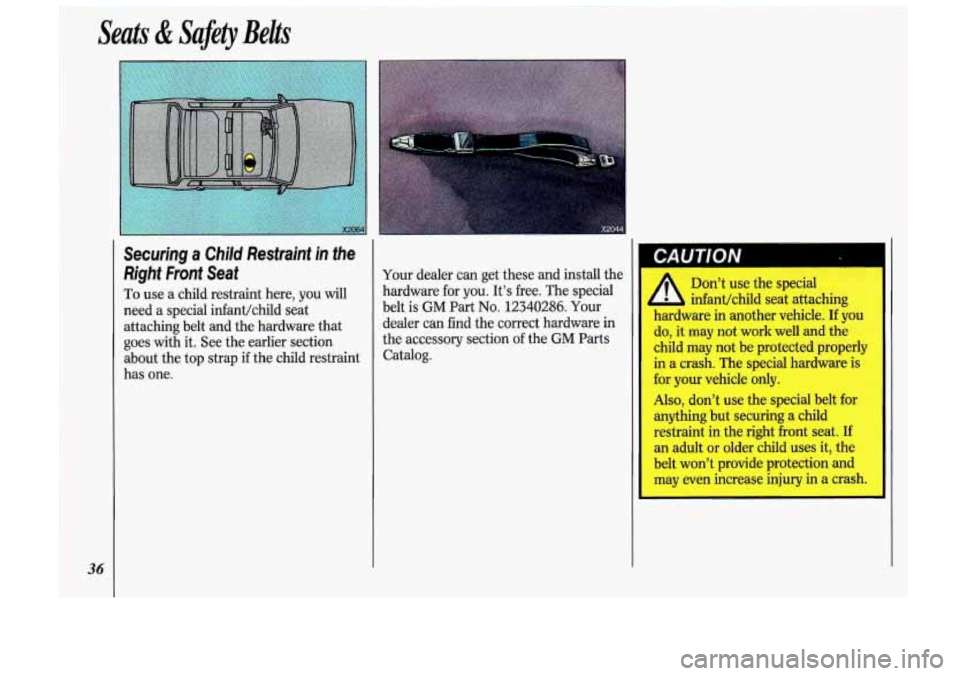
To use a child restraint here, you will
need a special infant/child seat
attaching belt and the hardware that
goes with it. See the earlier section
about the top strap
if the child restraint
has one.
I’
Your dealer can get these and install the
hardware for you. It’s free. The special
belt is
GM Part No. 12340286. Your
dealer can find the correct hardware in
the accessory section
of the GM Parts
Catalog.
I CAUTION
A
Don’t use the special
infant/child seat attaching
hardware in another vehicle.
If you
do, it may not work well
and the
child may not be protected properly
in a crash. The special hardware is
for your vehicle only.
Also, don’t use the special belt for
anything but securing a child
restraint in the right front seat. If
an adult or older child uses it, the
belt won’t provide protection and
may even increase injury in a crash.
Page 40 of 340
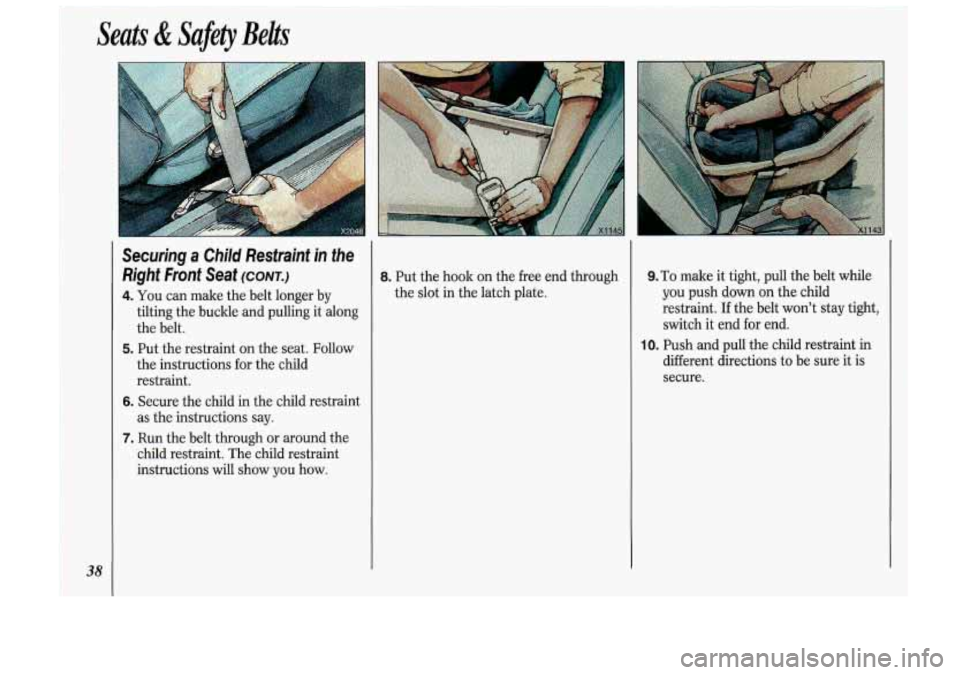
8. Put the hook on the free end through
the. slot In the latch plate.
9.To make it tight, pull the bdt while
you push don oa the child
restraint, If the belt won’t. stay tight,
switch it endfor end.
IO. Push. &id pull the chiid restrht iil
different directiofis to be SUI% it is-
secure.
Page 89 of 340
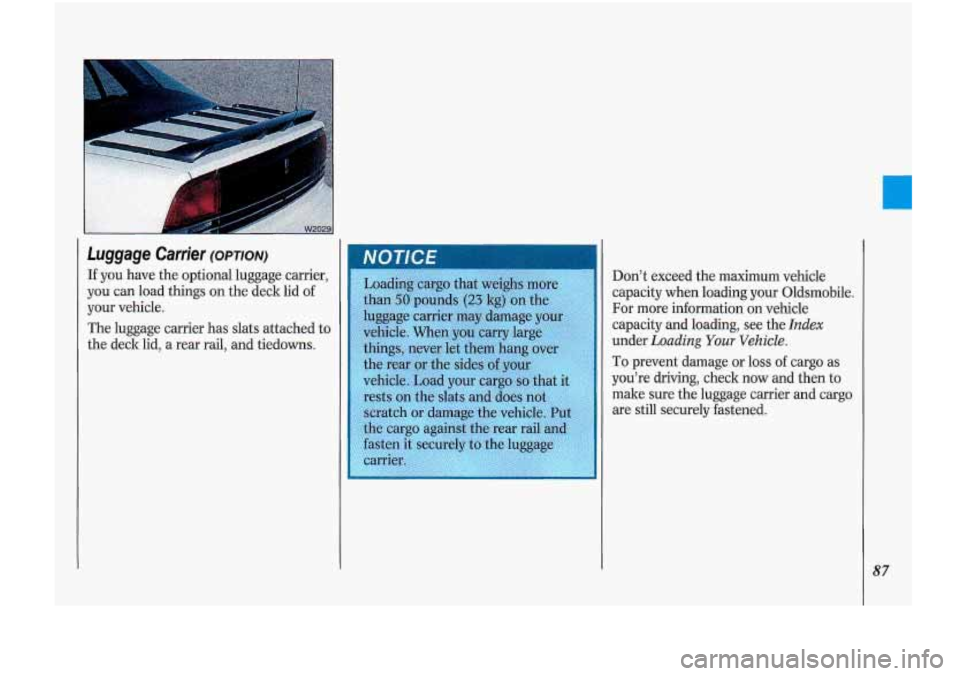
Luggage .Cartier (OPTION)
If you have the optional luggage carrier,
you
can load things on the deck lid of
your vehicle.
The luggage carrier has
slats attached to
the deck lid, a rear rail, and tiedowns. Don’t exceed
the maximum vehicle
capacity when loading your Oldsmobile.
For more information on vehicle
capacity and loading, see the
Index
under Loading Your Vehicle.
To prevent damage or loss of cargo as
you’re driving, check now and then
to
make sure the luggage carrier and cargo
are still securely fastened.
87
Page 133 of 340
When Finished with the Compact
Disc Player:
If you press POWER or turn off the
ignition, the disc will stay in the player
and start again when you turn on the
ignition or power switch. The disc will
begin playing
at the point where it had
been stopped.
ST/PL (Stop/Play): Press to stop the
disc player; the radio will play. Press
again to play the disc (the player will
start playing the disc where it was
stopped earlier).
EJCT (Eject): Press to eject the disc;
the radio will play.
CD Player Anfi-Theft Feature
Delco LOC II@ is a security feature that
can be used or ignored. If you ignore it,
your system will play normally. If you
use it, your system cannot be turned
on
if it is stolen. These instructions will tell
you how to enter a secret code into your
system. Then,
if battery power is lost for
any reason, the secret code must be
entered again before the system can be
turned on.
To Set:
1. Write down any six-digit number and
keep it in a safe place. This is your
secret code.
Run.
radio off.
the same time and hold until
--- ” shows on the display.
You now have only
15 seconds
between each of the following steps.
2. Turn the ignition to Accessory or
3. Press the POWER button to turn the
4. Press the PREV and FF buttons at
;<
5. Press SET and 000 appears on the
6. Press and hold SEEK until the first
7. Press and hold SCAN until the
display.
digit of your code appears.
second and third digits of your code
appear.
8. Press AM-FM (000 appears).
9. Press and hold SEEK until the
fourth digit of your code appears.
IO. Press and hold SCAN until the fifth
and sixth digits of your code appear.
11. Press AM/FM (rEP will appear for
five seconds, then
000).
12. Repeat steps 6 through 10. Then
press the
AM/FM button again.
SEC will appear, indicating that
Delco
LOC II@ is set, and your
radio is secure. If
‘‘ ” appears,
the steps were not successful and
you must repeat the entire
procedure.
131
Page 134 of 340
Comfort Controls &Audio Systems
132
CD Player Anti-Theft Feature
(CONT.)
To Disable the Anti-Theft System:
Enter your secret code by following
these steps (you will have only
15
seconds between each step).
1. Turn the ignition to Accessory or
Run and the radio off, then press the
PREV and FF buttons of the station
presets.
SEC will appear, showing the
radio is secure.
2. Press SET and 000 appears on the
display.
3. Press and hold SEEK until the first
digit of your secret code appears.
4. Press and hold SCAN until the
second and third digits of your code
appear.
the display).
5. Press AM-FM (000 will appear on
6. Press and hold SEEK until the fourth
digit of your code appears.
7. Press and hold SCAN until the fifth
and sixth digits of your code appear.
8. Press AM/FM. If the display shows
--- ” the radio is unsecured and
will play again. If the display shows
SEC, the steps were not successful
and the numbers did not match the
secret code.
If you lose or forget your code, see your
dealer.
If you lose battery power, when the
battery is reconnected, the system will
not turn on and
LOC will appear.
Follow steps
1-8 for disabling your
system (the time will appear if you are
successful). If
SEC appears, the
numbers did not match and your unit is
still locked.
((
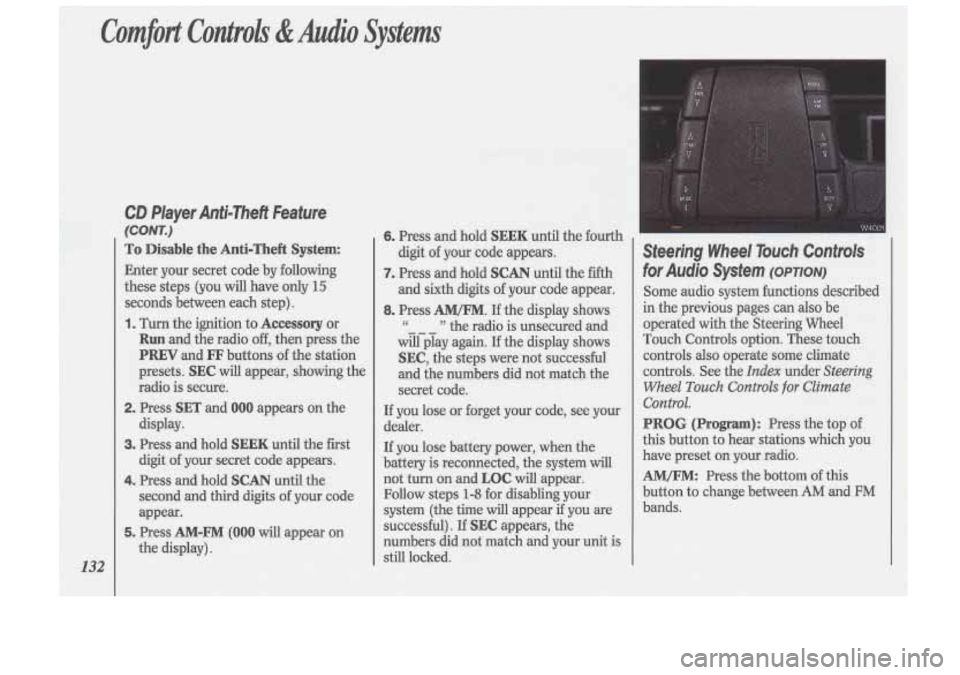
Steering Wheel Touch Controls
for Audio System (OPTION)
Some audio system functions described
in the previous pages can also be
operated with the Steering Wheel
Touch Controls option. These touch controls
also operate some climate
controls. See the
Index under Steering
Wheel
Touch Controls for Climate
Control.
PROG (Program): Press the top of
this button to hear stations which you
have preset on your radio.
AM/FM: Press the bottom of this
button to change between
AM and FM
bands.