service Oldsmobile Cutlass Supreme 1993 Owner's Manuals
[x] Cancel search | Manufacturer: OLDSMOBILE, Model Year: 1993, Model line: Cutlass Supreme, Model: Oldsmobile Cutlass Supreme 1993Pages: 340, PDF Size: 16.21 MB
Page 9 of 340
Part 6: Service & Appearance Care Part 9: Index
Here the manual tells you how to keep Here's an alphabetical listing of
your Oldsmobile running properly and almost every subject in this manual.
looking
good. You can use it to quickly find
something you want to read.
Part 7: Maintenance Schedule
This part tells you when to perform
vehicle maintenance
and what fluids
and lubricants to use.
Part 8: Customer Assistance Information
This part tells you how to contact
Oldsmobile for assistance and how to
get service publications. It also gives
you information on
Reporting Safety
Defects.
Service Station Information:
This is a quick reference of service
information. You can
find it on the
last page of this manual.
7
Page 25 of 340
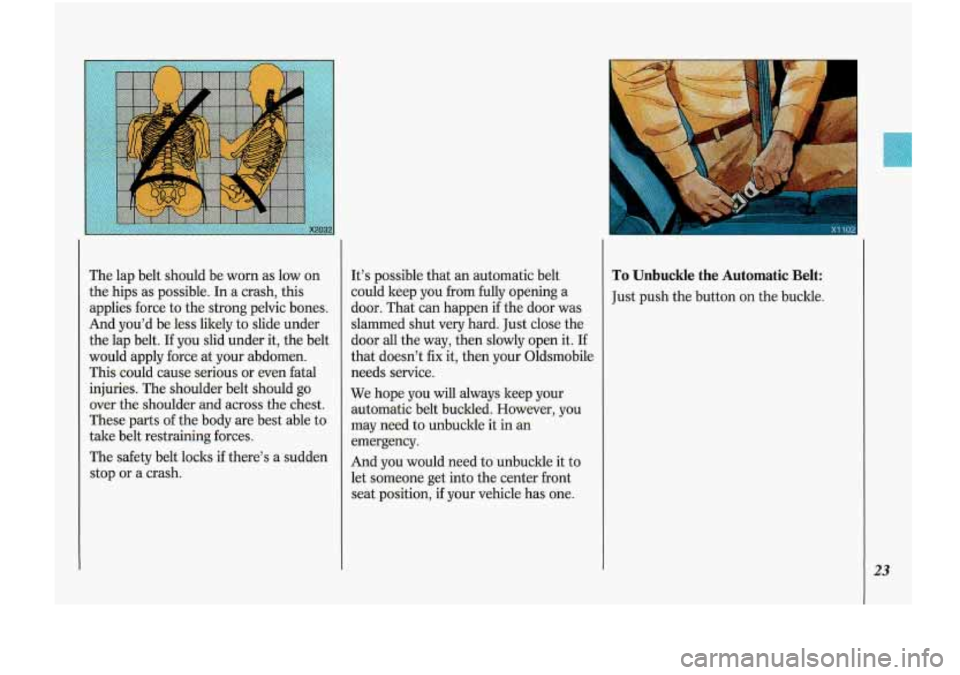
The lap belt should be worn as low on
the hips as possible. In a crash, this
applies force to the strong pelvic bones.
And you’d be less likely to slide under
the lap belt.
If you slid under it, the belt
would apply force at your abdomen.
This could cause serious or even fatal
injuries. The shoulder belt should go
over the shoulder and across the chest.
These parts of the body are best able to
take belt restraining forces.
The safety belt locks if there’s a sudden
stop or a crash. It’s
possible that an automatic belt
could keep you from fully opening a
door. That can happen
if the door was
slammed shut very hard. Just close the
door
all the way, then slowly open it. If
that doesn’t fix it, then your Oldsmobile
needs service.
We hope you will always keep your
automatic belt buclded. However, you
may need to unbuckle it
in an
emergency.
And you would need to unbuckle it to
let someone
get into the center front
seat position, if your vehicle has one.
To Unbuckle the Automatic Belt:
Just push the button on the buckle.
23
Page 52 of 340
Features & Controls
Remote Lock Control (CONTJ
Should interference to this system
occur,
try this:
Check to determine if battery
replacement is necessary. See the
instructions on battery replacement
later in this section.
Check the distance. You may be too
far
from your vehicle. This product
has a maximum range.
Check the location. Other vehicles or
objects
may be blocking the signal.
See your Oldsmobile dealer or a
qualified technician for service.
Changes or modifications to this system
by other than an authorized service
facility could void authorization to use
this equipment.
Battery Replacement
Under normal use, the batteries in your
ley chain transmitter should last about
two years.
You can tell the batteries
are weak if the
transmitter won’t work at the normal
range in any location. If you have to get
close to your vehicle before the
transmitter works, it’s probably time to
change the batteries.
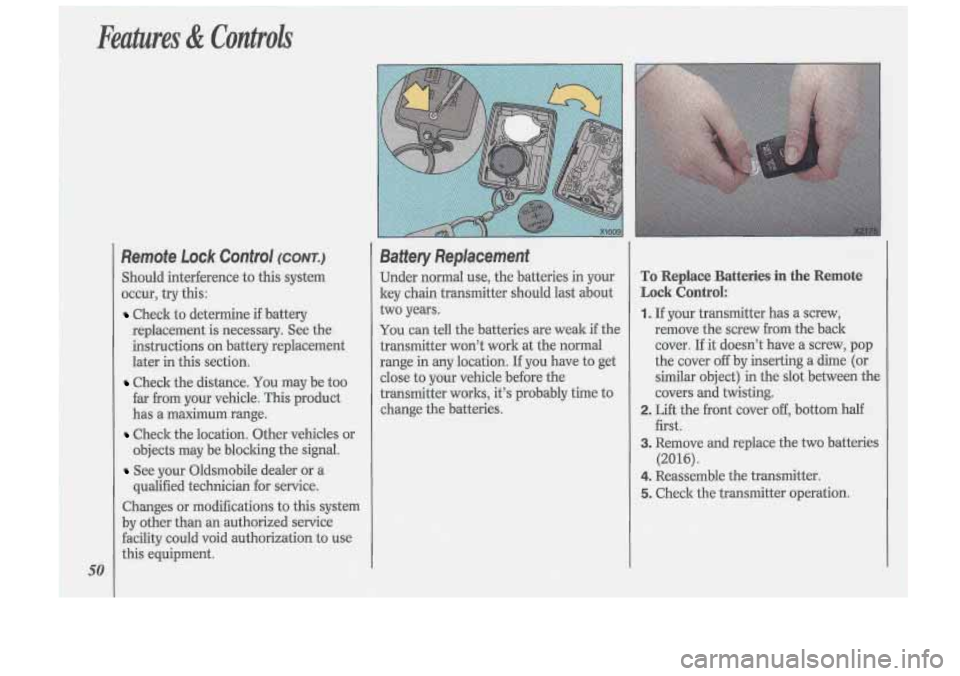
To Replace Batteries in the Remote
Lock Control:
1. If your transmitter has a screw,
remove the screw
from the back
cover. If it doesn’t have a screw, pop
the cover
off by inserting a dime (or
similar object) in the slot between the
covers and twisting.
first.
(2016).
2. Lift the front cover off, bottom half
3. Remove and replace the two batteries
4. Reassemble the transmitter.
5. Check the transmitter operation.
Page 98 of 340
i-
Features & Controls
96
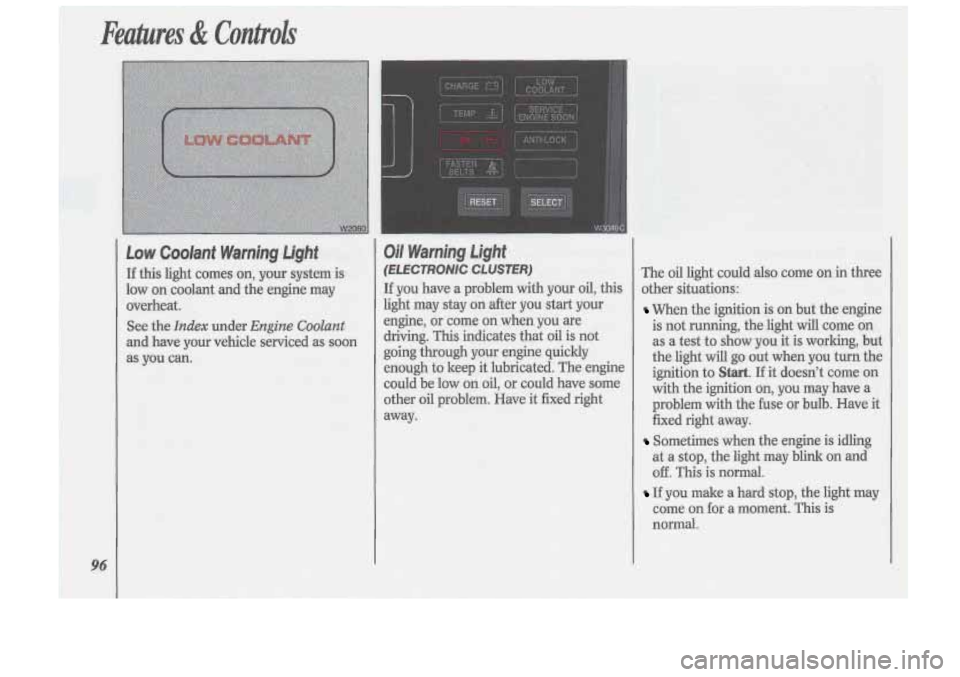
Low Coolant Warning Light
If this light comes on, your system is
low on coolant and the engine may
overheat.
See the
Index under Engine Coolant
and have your vehicle serviced as soon
as you can.
Oil Warning Light
(E LE CTRONlC CLUSTER)
If you have a problem with your oil, this
light may stay on after you start your
engine,
or come on when you are
driving. This indicates that oil is not
going through your engine quickly
enough to keep it lubricated. The engine
could be low
on oil, or could have some
other oil problem. Have it fixed right
away. The
oil light could also come
on in three
other situations:
When the ignition is on but the engine
is not running, the light will come on
as a test to show you it is working, but
the light will go out when you turn the
ignition to
Start. If it doesn’t come on
with the ignition on, you may have a
problem with the fuse or bulb. Have it
fixed right away.
Sometimes when the engine is idling
at a stop, the light may blink on and
off. This is normal.
If you make a hard stop, the light may
come on for a moment. This is
normal.
Page 99 of 340
r
CAUTION
Don’t keep driving if the oil I
pressure is low. If you do,
your engine can become
so hot that
it catches fire. You or others could
be burned. Check your oil as soon
as possible and have your vehicle
serviced.
Oil Pressure indicator
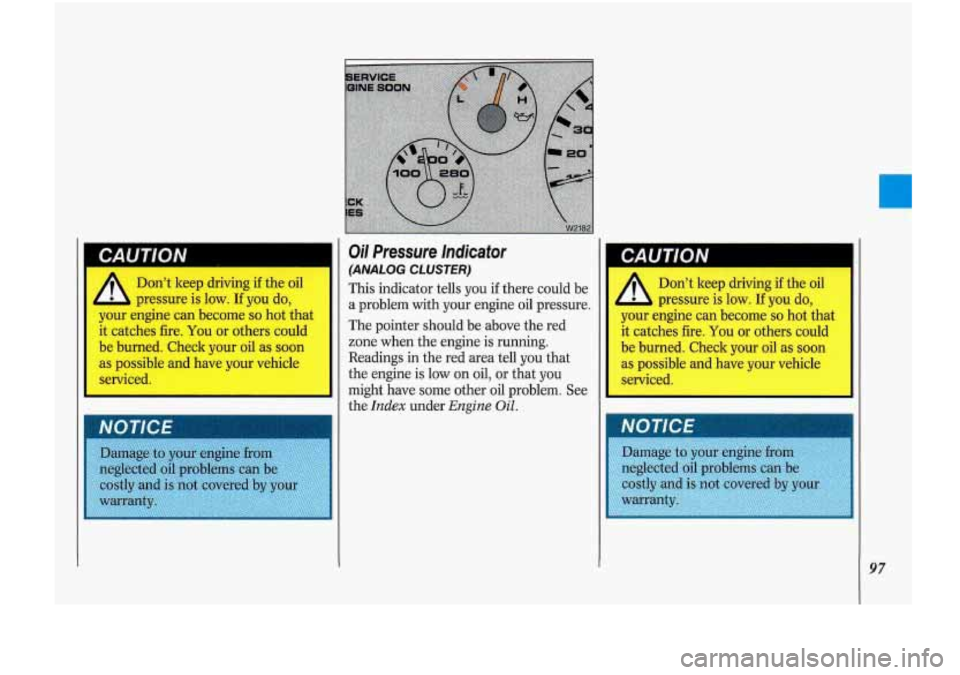
(ANALOG CLUSTER)
This indicator tells you if there could be
a problem with your engine
oil pressure.
The pointer should be above the red
zone when the engine is running.
Readings in the red area tell
you that
the engine is low on oil, or that
you
might have some other oil problem. See
the
Index under Engine Oil.
CAUTION
Don’t keep driving if the oil
pressure is low.
If you do, I
your engine can become so hot that
it catches fire. You or others could
be burned. Check your oil as soon
as possible and have your vehicle
serviced.
97
Page 100 of 340

\A1
Battery Warning Light
(EECTRONiC CLUSTER)
The charging system light will come on
briefly when you turn.
on the ignition as
a check to show you it
is working. Then
it
should go out. If it stays on, or comes
on
while you are driving, you may have
a problem with the electrical chaging
system. It could indicate that you have
a loose generator drive belt or another
eIectrical problem. Have it checked
right away. Driving while this light is
on
could drain your battery.
If you mu,st drive a short distance with
the light
on, be certain to turn off all
your accessories, such as the radio and
air conditioner.
Voltmeter (ANALOG CLOSER)
When the engine is running, the gage
shows the condition
of the charging
system. Readings between the red
warning zones indicate the
normal
operating range.
Readings in either red warning zone
indicate
a possible problem in the
electrical system. Have your vehicle
serviced immediately.
When your engine is not running, but
the ipition is on (in the
Run position),
the gage shows your battery‘s state
of
charge.
Brake System Warning Light
It
Your Oldsmobile’s hydraulic brake
system is divided .into
two parts. If one I
1
Page 101 of 340
brake is fully released, it means you
have a brake problem.
If the light comes
on while driving, pull
off the road and stop carefully. You may
notice that the pedal is harder to push.
Or, the pedal may go closer to the floor.
It may take longer to stop. If the light is
still on, have the vehicle towed for
service. (See the
Index under Towing
Your Oldsrnobile.)
CAUTION
Your brake system may not I
be working properly if the
brake warning light is on. Driving
with the brake warning light on can
lead to an accident. If the light is
still on after you’ve pulled
off the
road and stopped carefully, have
the vehicle towed for service.
Anti-Lock Brake System Warning
Light
(opTloN)
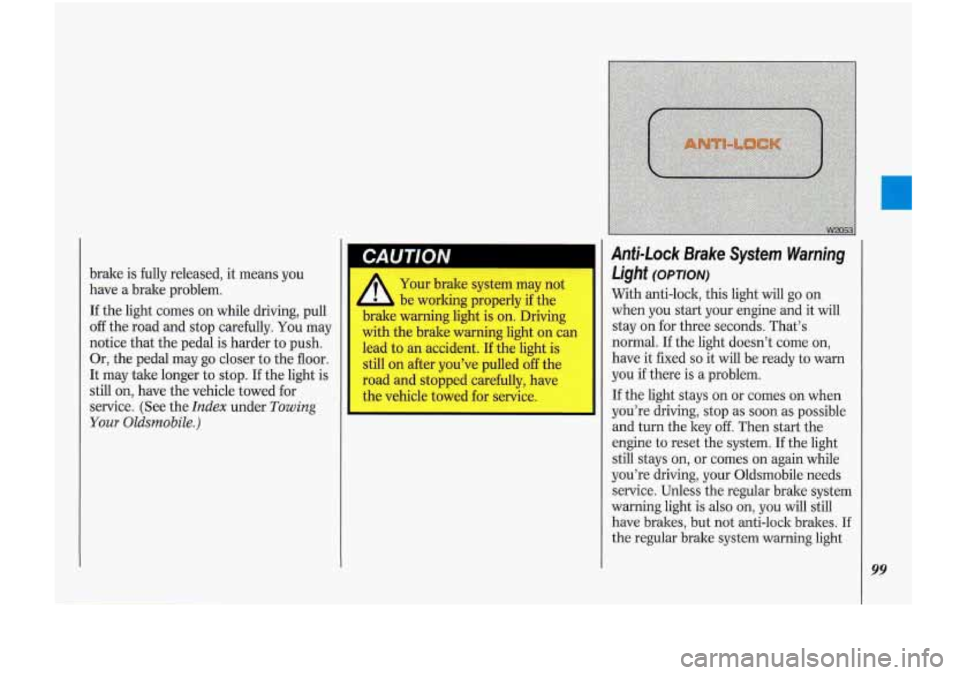
With anti-lock, this light will go on
when you start your engine and it will
stay on for three seconds. That’s
normal. If the light doesn’t come on,
have it fixed
so it will be ready to warn
you if there is a problem.
If the light stays on or comes on when
you’re driving, stop as soon as possible
and turn the key
off. Then start the
engine to reset the system.
If the light
still stays on, or comes
on again while
you’re driving, your Oldsmobile needs
service. Unless the regular brake system
warning light
is also on, you will still
have brakes, but not anti-lock brakes.
If
the regular brake system warning light
99
Page 102 of 340
100
Anti-Lock Brake System Warning Light
(CONT.)
is also on, see Brake System Warning
Light earlier in this section.
If the anti-lock brake system warning
light ever flashes, your anti-lock bralre system is still working but needs service
as soon as possible.
Malfunction lnelicator Lamp
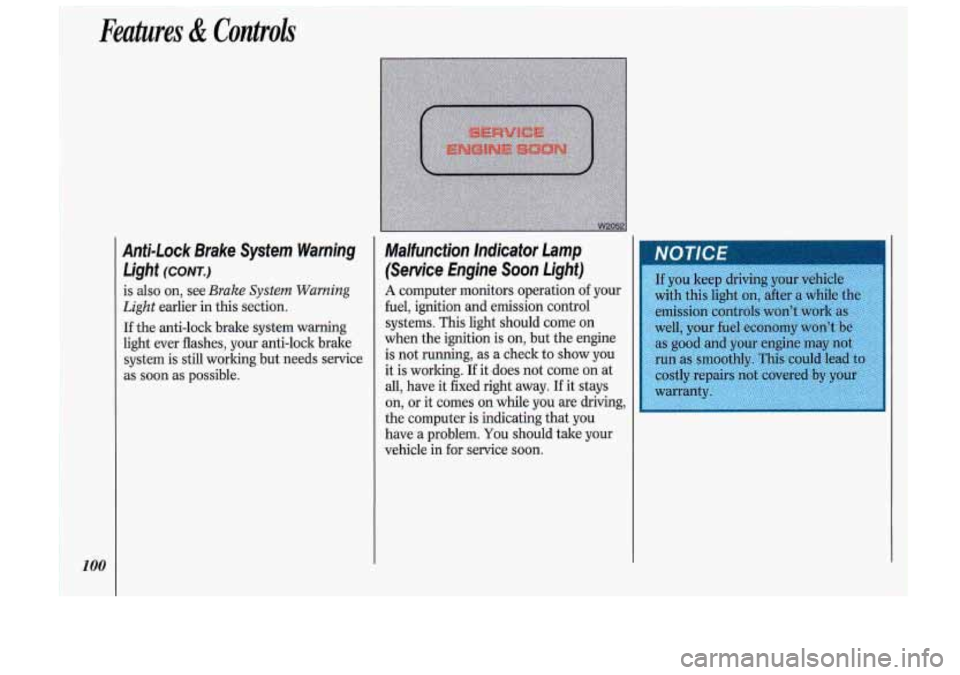
(Service Engine Soon Light)
A computer monitors operation of your
fuel, ignition and emission control
.systems.
This light should come on
when the ignition is on, but the engine
is not running, as a check
to show you-
it is working. If it does not come on at
all, have it fixed right away. If it stays
on,
or it comes on while you are driving,
the computer is indicating that you
have
a problem. You should take your
vehicle in
for service soon.
Page 116 of 340

Comfort Controls &Audio Systems
Ekctronic Climate Control
114
(Cont.)
temperature caused by sunlight. To
keep you comfortable, it reduces the
interior temperature by as much as 5°F
(3°C) below the setting
on the digital
screen.
AUTO: To allow the system to
automatically control the temperature,
air distribution and fan speed:
1. Set the temperature you want with
the
COOL/WARM switch.
2. Press the AUTO switch. The AUTO
symbol will appear on the digital
screen.
The system will approach the
temperature you select as quickly as
possible. For most efficient operation,
just set the system temperature where
you would like it and drive away.
OUTS TEMP: Press to have the
outside temperature displayed on the
digital screen. Press again to return to
the inside temperature setting.
If the system is left in the outside
temperature mode, the outside
temperature will be displayed except
when changing the inside temperature
setting using the
COOL/WARM
switch. The display will return to the
outside temperature setting in about
five seconds. Use
the following controls when the
system is not set on
AUTO:
8: Press the top of the switch to raise
the fan speed, the bottom of the switch
to lower the fan speed. The fan symbol
and bar graph will be displayed on the
digital screen.
When the
AUTO switch is pressed, the
fan symbol will go out and the fan will
return to automatic operation.
If the Fahrenheit (F") or Celsius (C")
symbol begins to flash, or flashes when
you turn on the ignition,
it indicates an
electrical problem with your air conditioning system. The flashing
will
continue for about two minutes. It
means
you should have your system
serviced.
Page 142 of 340
Your Driving and the Road
~
140
Road Signs
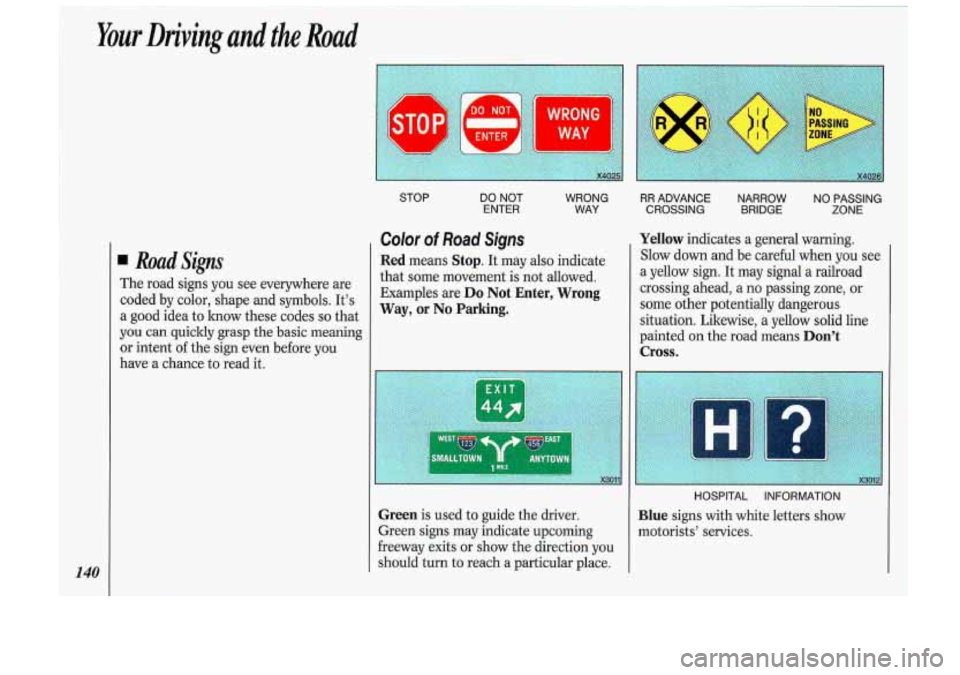
The road signs you see everywhere are
coded by color, shape and symbols. It's
a good idea to lmow these codes so that
you can quickly grasp the basic meaning
or intent of the sign even before you
have a chance to read it.
STOP
DO NOT
ENTER WRONG
WAY
Color of Road Signs
Red means Stop. It may also indicate
that some movement is not allowed.
Examples are
Do Not Enter, Wrong
Way,
or No Parking.
Green is used to guide the driver.
Green signs may indicate upcoming
freeway exits or show the direction you
should turn to reach a particular place.
RR ADVANCE NARROW NO PASSING
CROSSING BRIDGE ZONE
Yellow indicates a general warning.
Slow down and be careful when you see
a yellow sign. It may signal a railroad
crossing ahead, a no passing zone, or
some other potentially dangerous
situation. Likewise, a yellow solid line
painted on the road means
Don't
Cross.
Blue signs with white letters show
motorists' services.