light Oldsmobile Cutlass Supreme 1994 s Owner's Guide
[x] Cancel search | Manufacturer: OLDSMOBILE, Model Year: 1994, Model line: Cutlass Supreme, Model: Oldsmobile Cutlass Supreme 1994Pages: 276, PDF Size: 14.73 MB
Page 91 of 276
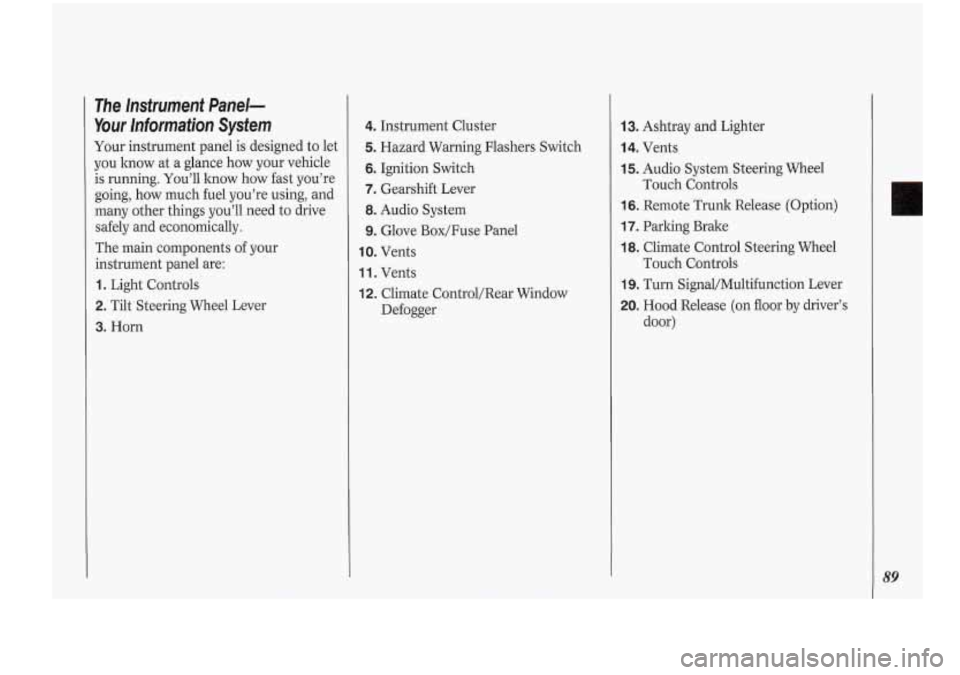
3. Horn
The Instrument Panel-
Your Information System
Your instrument panel is designed to let
you lmow at a glance how your vehicle
is running. You’ll how how fast you’re
going,
how much fuel you’re using, and
.many other things you’ll need to drive
safely and economically.
The main components
of your
instrument panel are:
1. Light Controls
2. Tilt Steering Wheel Lever
4. Instrument Cluster
5. Hazard Warning Flashers Switch
6. Ignition Switch
7. Gearshift Lever
8. Audio System
9. Glove Box/Fuse Panel
IO. Vents
1 1. Vents
12. Climate Control/Rear Window
Defogger
13. Ashtray and Lighter
14. Vents
15. Audio System Steering Wheel
16. Remote Trunk Release (Option)
17. Parking Brake
18. Climate Control Steering Wheel
19. Turn Signal/Multifunction Lever
20. Hood Release (on floor by driver’s
Touch Controls
Touch Controls
door)
Page 92 of 276
90
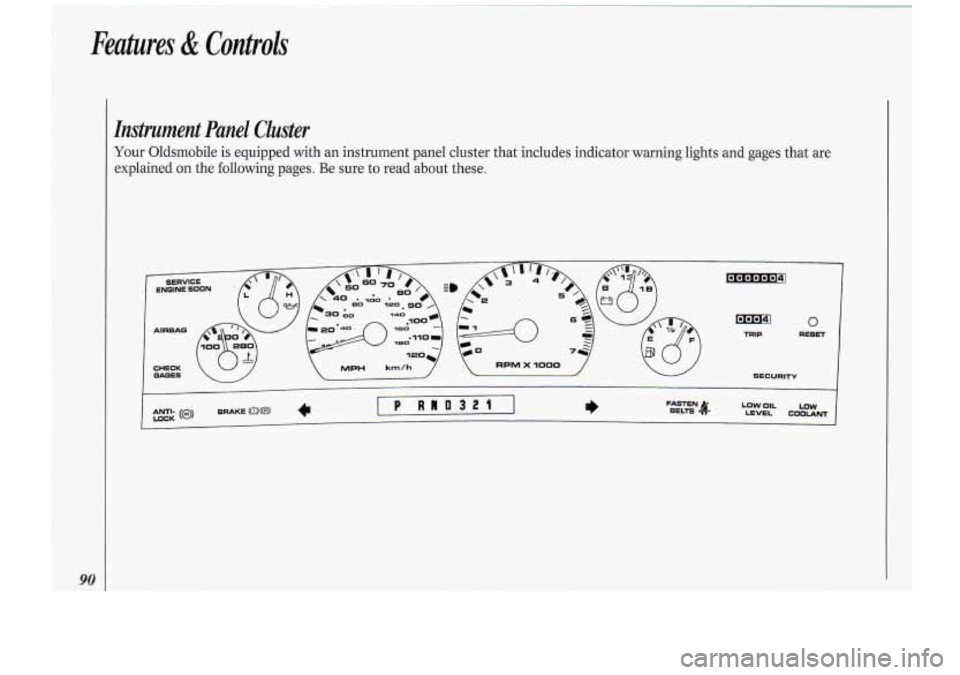
Instrument Panel Cluster
Your Oldsmobile is equipped with an instrument panel cluster that includes indicator warning lights and gages that are
explained on the following pages. Be sure to read about these.
Page 93 of 276
I. Warning Lights, Gages .and
l..icdors
This section describes the warning
lights and gages that may be on your
vehicle. The pictures will kelp you
locate them.
Warning lights and gages can signal that
something is wrong before it .becomes
serious enough to cause an expensive
repair or replacement. Paying attention
to your warning lights and- gages could
also save
you. or others,from injury.
Warning lights go on when there may
be or is
a problem with one of your
vehicle’s functions..
As you will see in
the details on the next few pages, some
warning lights come on briefly when
you turn the .ignition key just to let
you
know they’re worlting. If you are
familiar with this section, you should
not be alarmed when this happens.
Gages can indicate when there may be
or is a problem with one of your
vehicle’s functions. Often gages and
warning lights .work together to let you
know when there’s a problem with your
vehicle. When
one of the warning lights comes
on and stays on when you are driving,
or when one of the gages shows there
may be a problem, check -the section
that tells you what to
do about it. Please
follow the manual’s advice. Waiting to
do repairs can be costly
- and even
dangerous.
So please get to know. your
-warning lights and gages. They’re a big
help. MPH km/h 7
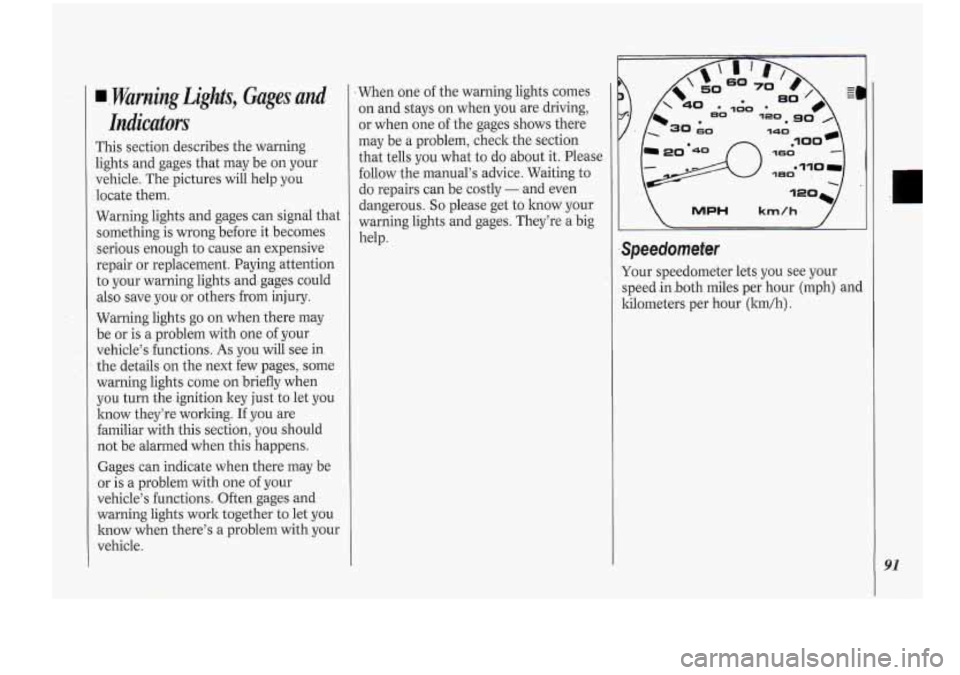
Your speedometer lets you see your
speed.in.both miles p,er hour (mph) and
kilometers per hour (lun/h)
.
91
Page 95 of 276
Fuel Gage
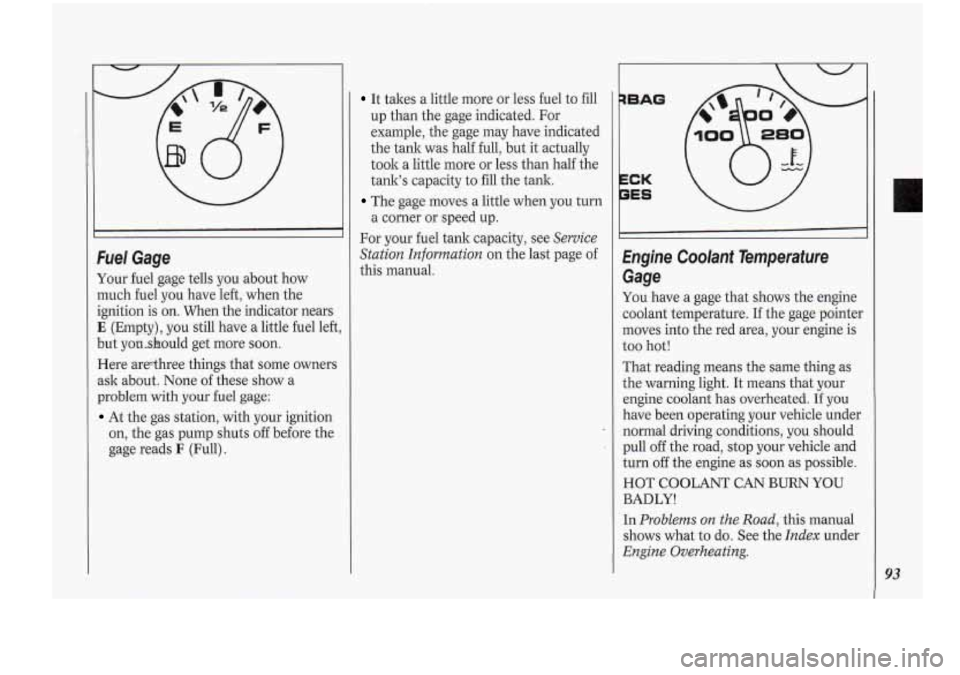
Your fuel gage tells you about how
much fuel you have left, when the
ignition is on. When the indicator nears
E (Empty), you still have a little fuel left,
but yonshould get more soon.
Here arethree things that some owners
ask about. None of these show a
problem
with your fuel gage:
At the gas station, with your ignition
on, the gas pump shuts
off before the
gage reads
F (Full).
It takes a little more or less fuel to fill
up than the gage indicated. For
example, the gage may have indicated
the tank was half full, but it actually
took a little more or less than half the
tank’s capacity to fill the tank.
The gage moves a little when you turn
a corner or speed up.
For your fuel tank capacity, see
Service
Station Information
on the last page of
this manual.
qBAG
1..
PES \/
Engine Coolant Temperafure
Gage
You have a gage that shows the engine
coolant temperature. If the gage pointer
moves into the red area, your engine is
too hot!
That reading means the same thing as
the warning light. It means that your
engine coolant has overheated. If you
have been operating your vehicle under
normal driving conditions you should
pull
off the road, stop your vehicle and
turn
off the engine as soon as possible.
HOT COOLANT CAN BURN YOU
BADLY!
In
Problems on the Road,. this manual
shows what to
do. See the Index under
Engine Overheating.
93
Page 96 of 276
94
P
,w 0I.L LOW
EVEL COOLANT I
I
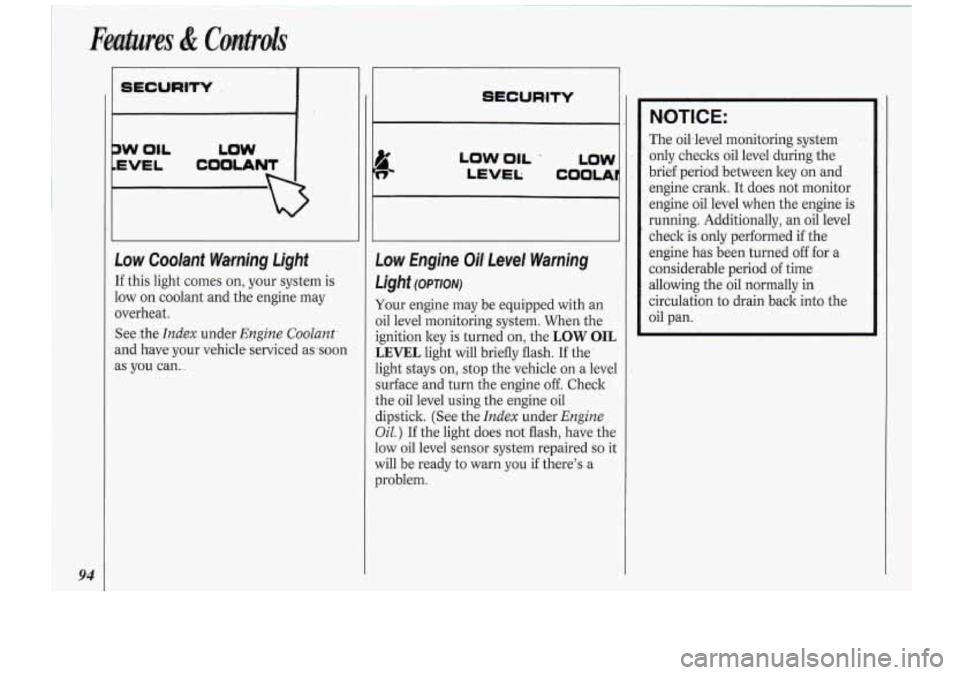
Low Coolant Wa-mjng Light
If this light comes on, your system is
low on coolant and the engine may
overheat.
See .the
Index. under Engine Coolant.
and have your vehicle serviced as.soon
as you can
...
LOW 'OIL .
LEV-E L; COOLA
Low Engine Oil- Level Warning
Light
(omorv)
Your engine may be equipped with an
oil level monitoring system. When. the
ignition key is turned on, the
LOW OIL
LEVEL light will briefly flash. If the
light stays
on, stop the vehicle on a level
surface and turn the engine off. Check
the oil level using the engine oil
dipstick. (See the
Index under Engine
Oil.) If the light does not flash, have the
low oil level sensor system repaired
so it
will be ready to warn you if there's a
problem.
NOTIC E:
The oil.leve1 monitoring system
only checks oil level during the
brief period between key on and
engine crank. It does not monitor
engine oil level when the engine is
running. Additionally, an oil level
check is only performed if the
engine has been turned off for a
considerable peri.od of time
allowing the oil normally in
circulation to drain back into the
oil pan.
Page 98 of 276
Features & Controh
96
s
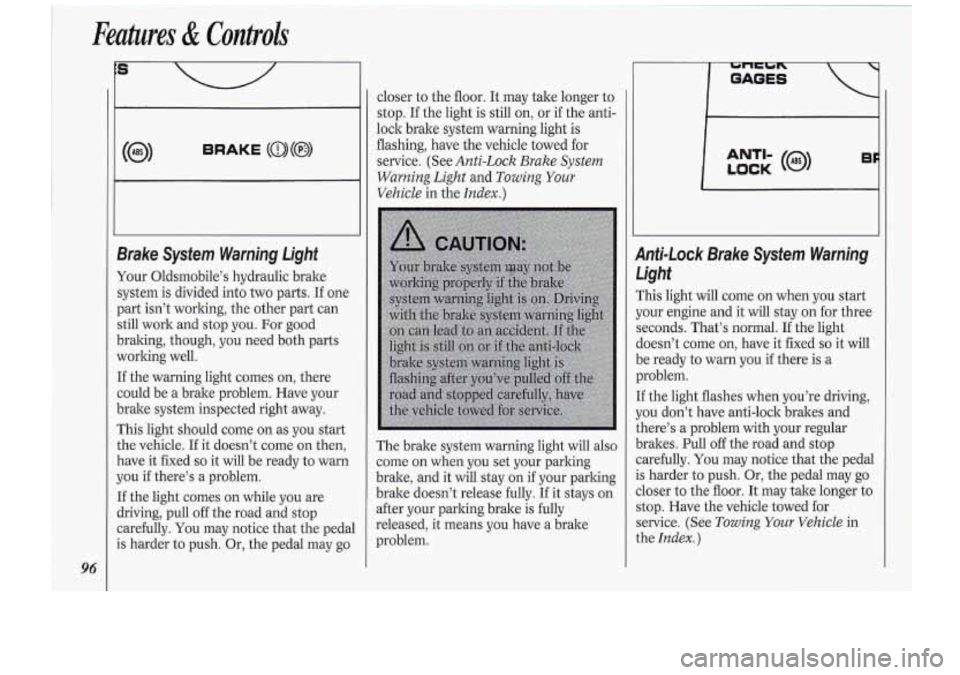
BRAKE (a)(@)
1
closer to the floor. It may take lang-er-to
stop. Ifthe light
is 'still -on, or-if.the anti-
lock brake system warning light is
flashing, have the vehicle towed .far
service. (See Anti-Lock Brake System
WarningLight
.and Towilzg .Your
Vehicle inthe Index.)
Page 99 of 276
If the anti-lock brake system warning
light stays on longer than normal after
you’ve started your engine, turn the
ignition
off. Or, if the light comes on
and stays on when you’re driving, stop
as soon as possible and turn the ignition
off. Then start the,engine again to reset
the system. If the light still stays on, or
comes on again while you’re driving,
your Oldsmobile needs service. If the
light
is on but not flashing and the
regular brake system warning light isn’t
on, you still have brakes, but you don’t
have anti-lock brakes.
SERVICE
ENGINE SOON
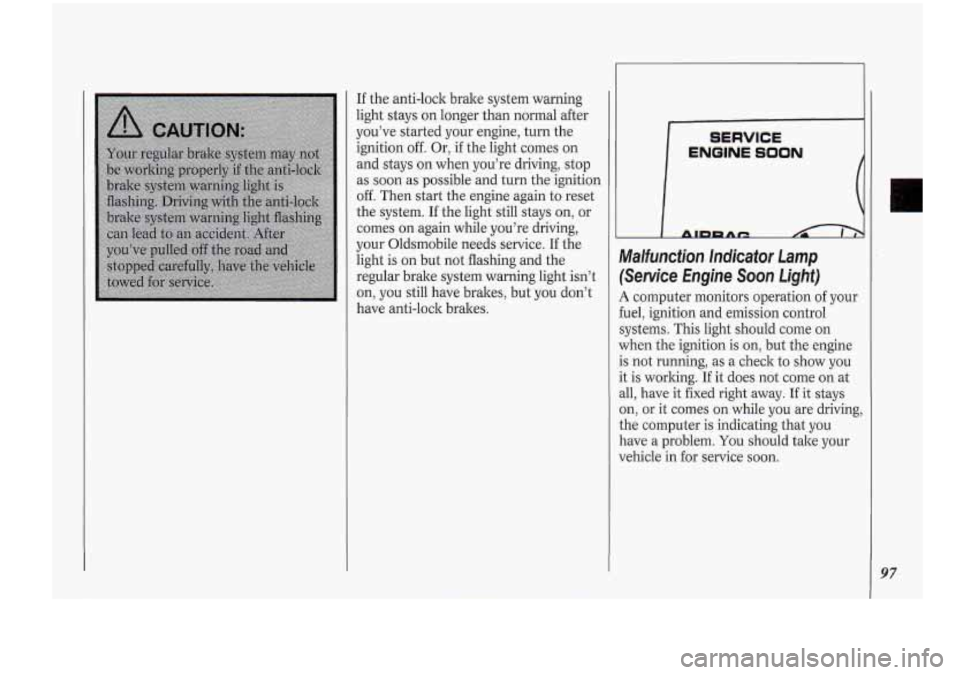
Malfunction. Indicator Lamp
(Service Engine Soon Light)
A computer monitors operation of your
fuel, ignition and emission control
systems. This light should come on
when the ignition is on, but the engine
is not running, as a check to show you
it is working.
If it does not come on at
all, have it fixed right away. If it stays
on, or it comes on while you are driving,
the computer is indicating that you
have a problem.
You should take your
vehicle in for service soon.
97
Page 100 of 276
Features & Controls
98
NOTICE:
If you keep driving your vehicle
with this light on, after
a while the
emission controls won’t work as
well, your fuel economy won’t be as
good and your engine may not run
as smoothly. This could lead to
costly repairs not covered by your
warranty. CHECK
GAGES
1 ANTI-
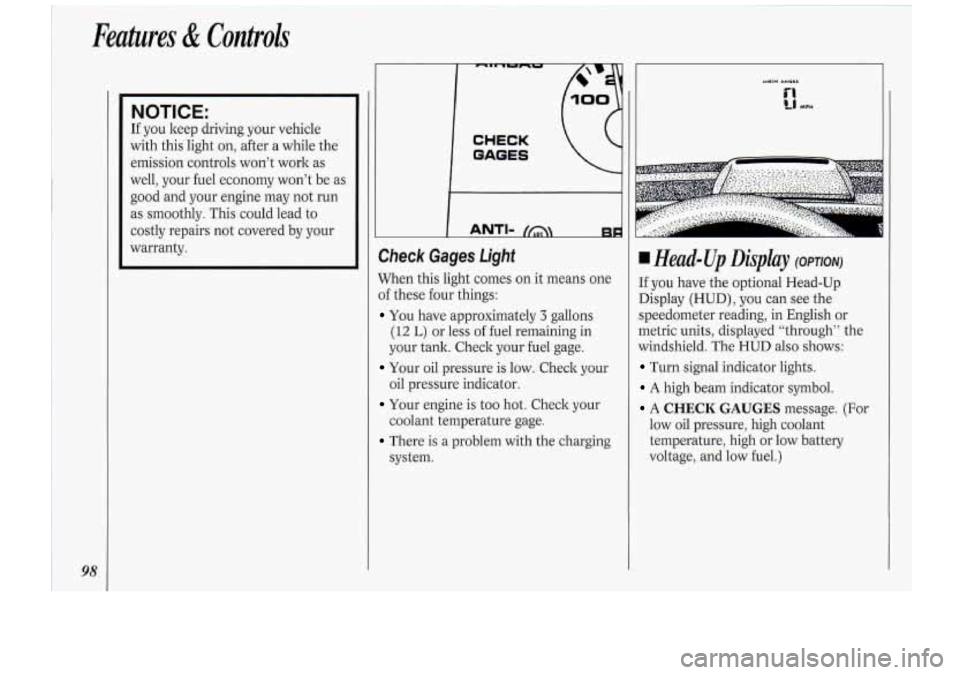
Check Gages Light
When this light comes on it means one
of these four things:
You have approximately 3 gallons
(12 L) or less of fuel remaining in
your tank. Check your fuel gage.
Your oil pressure is low. Check your
oil pressure indicator.
Your engine is too hot. Check your
coolant temperature gage.
There is a problem with the charging
system.
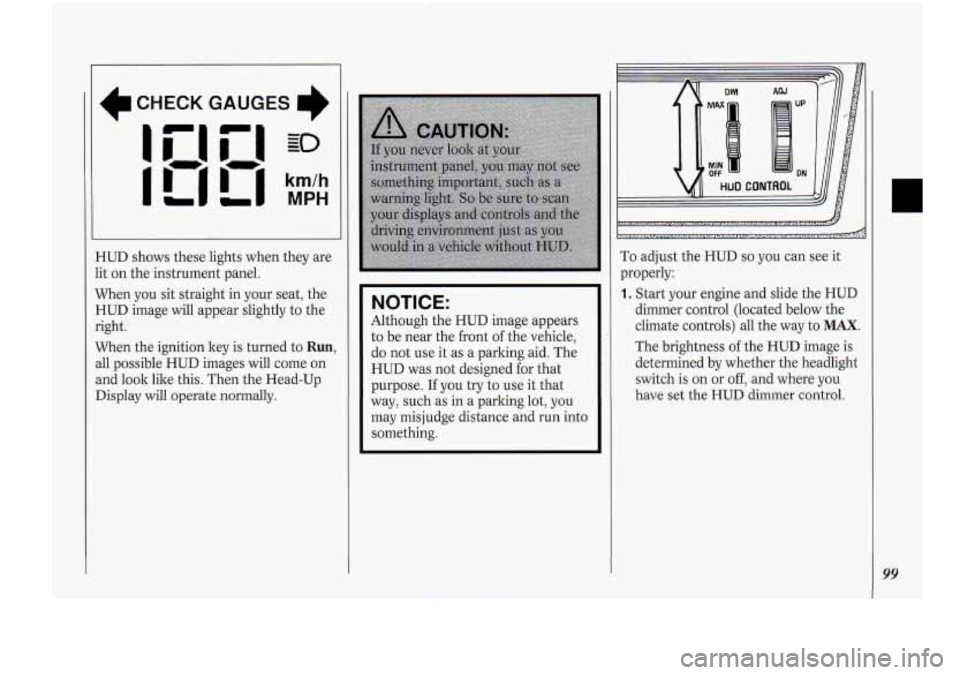
Head-Up Displcly (OP~ONJ
If you have the optional Head-Up
Display (HUD), you can see the
speedometer reading, in English or
metric units, displayed “through” the
windshield. The
HUD also shows:
Turn signal indicator lights.
A high beam indicator symbol.
A CHECK GAUGES message. (For
low oil pressure, high coolant
temperature, high or low battery
voltage, and low fuel.)
Page 101 of 276
I
CHECK GAUGES
I'
HUD shows these lights when they are
lit on the instrument panel.
When you sit straight in your seat, the
HUD image will appear slightly to the
right.
When the ignition key is turned to
Run,
all possible HUD images will come on
and look
lilce this. Then the Head-Up
Display will
operate normally.
NOITICE:
'Although the HUD image appears
to be near the front
of the vehicle,
do not use it as a parking aid. The
HUD was not designed for that
purpose.
If you try to use it that
way, such.as in a parking lot, you
may misjudge distance and
run into
something.
DIM AW
MAX UP
MIN OFF ON
HUD CONTROL
I
,:...>:.,.:.,;<.,.: ..,,,. r. .,,,..: ..n '..i..i.i .,.I
i...; .... "( ...-.. *zIL5b .,.. ~ ...,. ~ ....,......:.,,.. " ...._.._..... :.*....._.:.. ........., !I.... -&
To adjust the HUD so you can see it
properly:
1. Start your engine and slide the HUD
dimmer control (1ocate.d below the
climate controls) all the way to
MAX.
The brightness of the .HUD image is
determined by whether the headlight
switch is
on or off, and where you
have
set the HUD dimmer control.
99
Page 102 of 276

Features & Controls
100
~.*.,. :.. ~~.,,~..~.,.~. ;,~,!~~. ~~~~....,...... :.~:~........:.*,:~
.r..,..,~.~...:.1/2~~:1~.~.,~::,:.-..~~.':,lr'\..:.'..,,iC.~..;.~'...;:\
...::..:.: ...., 4; ...,., :*-&
2. Adjust the seat, if necessary, before
setting the height control.
Rotate the HUD image height control
all the way
up, raising the image as
far as possible. Then rotate the HUD
image height control downward
so
the image is as low as possible but in
full view.
3. Slide the dimmer control toward
OFF until the HUD image is no
brighter than necessary.
To turn the
HUD
off, slide the HUD dimmer
control to
OFF.
If the sun comes out, or it becomes
cloudy, or
if you turn on your
headlights. vou mav need to adiust the HUD's
brightness using the HUD
dimmer control. Polarizing sunglasses
could make the HUD image harder
to see.
Irr .
Pushing the ENG/MET rocker switch
on the center console will switch the
HUD speedometer from English
(conventional) to metric units, or back
again.
Some vehicles may not be equipped
with the
ENG/MET switch.