audio Oldsmobile Cutlass Supreme 1994 Owner's Manuals
[x] Cancel search | Manufacturer: OLDSMOBILE, Model Year: 1994, Model line: Cutlass Supreme, Model: Oldsmobile Cutlass Supreme 1994Pages: 276, PDF Size: 14.73 MB
Page 8 of 276
How to Use this Manual
MANY PEOPLE READ THEIR OWNJ3R’S
manual from beginning to end when
they first receive their new vehicle.
This
will help you learn about the
features and controls for your vehicle.
In
this manual, you’ll find that
pictures and words work together
to explainthings quickly.
There
are nine parts with thumb-
tabbed pages in
this manual.
Each part begins
with a brief list of
contents,.
so you can usually tell at a
glance if that part contains the
information you want.
You can bend the manuaI slightly to
reveal the tabs that help you
find a
part.
Part 1: Seats & Restraint Systems
This part tells you how to use your
seats and safety belts properly.
Part 2: Features & Controls
Ths part explains how to start and
operate your Oldsmobile.
Part 3: Comfort Controls & Audio Systems
This part tells you how to adjust the
ventilation and comfort controls and
how to operate your audio system.
Part 4: Your Driving and the Road
Here you’ll find helpful information
and. tips about the road and how to
drive under different conditions.
Part 5: Problems on the Road
This part tells you what to do if you
have
a problem while driving, such as
a flat tire or engine overheating.
Page 91 of 276
3. Horn
The Instrument Panel-
Your Information System
Your instrument panel is designed to let
you lmow at a glance how your vehicle
is running. You’ll how how fast you’re
going,
how much fuel you’re using, and
.many other things you’ll need to drive
safely and economically.
The main components
of your
instrument panel are:
1. Light Controls
2. Tilt Steering Wheel Lever
4. Instrument Cluster
5. Hazard Warning Flashers Switch
6. Ignition Switch
7. Gearshift Lever
8. Audio System
9. Glove Box/Fuse Panel
IO. Vents
1 1. Vents
12. Climate Control/Rear Window
Defogger
13. Ashtray and Lighter
14. Vents
15. Audio System Steering Wheel
16. Remote Trunk Release (Option)
17. Parking Brake
18. Climate Control Steering Wheel
19. Turn Signal/Multifunction Lever
20. Hood Release (on floor by driver’s
Touch Controls
Touch Controls
door)
Page 105 of 276
In this part you’ll find out how to
operate the comfort control systems
and
audio systems offered with your
Oldsmobile. Be sure to read about
the particular system supplied with
your vehicle.
Part 3
Comfort Controls & Audio Systems
103
Page 106 of 276
Comfort Controls &Audio Systems
104
I. I
I/ * /I CLIMATE CONTROL
[El
I Climate Control
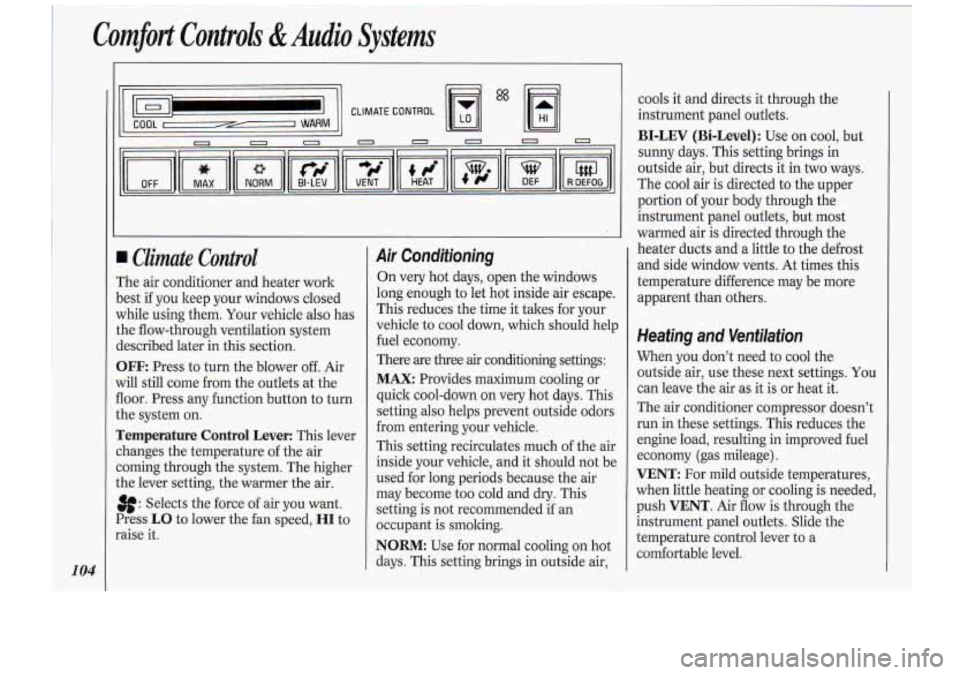
The air conditioner and heater work
)est if you keep your windows closed
vhile using them. Your vehicle also has
:he flow-through ventilation system
iescribed later in this section.
3FF: Press to turn the blower off. Air
vi11 still come from the outlets at the
loor. Press any function button to turn
.he system on.
remperature Control Lever: This lever
:hanges the temperature of the air
:oming through the system. The higher
.he lever setting, the warmer the air.
8: Selects the force of air you want.
Press
LO to lower the fan speed, HI to
raise it.
Air Conditioning
On very hot days, open the windows
long enough to let hot inside air escape.
This reduces the time it takes for your
vehicle to cool down, which should help
fuel economy.
There are three
air conditioning settings:
MAX: Provides maximum cooling or
quick cool-down on very hot days. This
setting also helps prevent outside odors
from entering your vehicle.
This setting recirculates much of the air
inside your vehicle, and it should not be
used for long periods because the air
may become too cold and dry. This
setting is not recommended if an
occupant is smoking.
NORM: Use for normal cooling on hot
days. This setting brings in outside air, cools
it and directs it through the
instrument panel outlets.
BI-LEV (Bi-Level): Use on cool, but
sunny days. This setting brings in
outside air, but directs it in two ways.
The cool air is directed to the upper
portion of your body through the
instrument panel outlets, but most
warmed air is directed through the
heater ducts and a little to the defrost
and side window vents. At times this
temperature difference may be more
apparent than others.
Heating and Ventilation
When you don’t need to cool the
outside air, use these next settings. You
can leave the air as it is or heat it.
The air conditioner compressor doesn’t
run in these settings. This reduces the
engine load, resulting in improved fuel
economy (gas mileage).
VENT: For mild outside temperatures,
when little heating or cooling is needed,
push
VENT. Air flow is through the
instrument panel outlets. Slide the
temperature control lever to a
comfortable level.
Page 108 of 276
1
Comfort Controls &Audio Svstems J
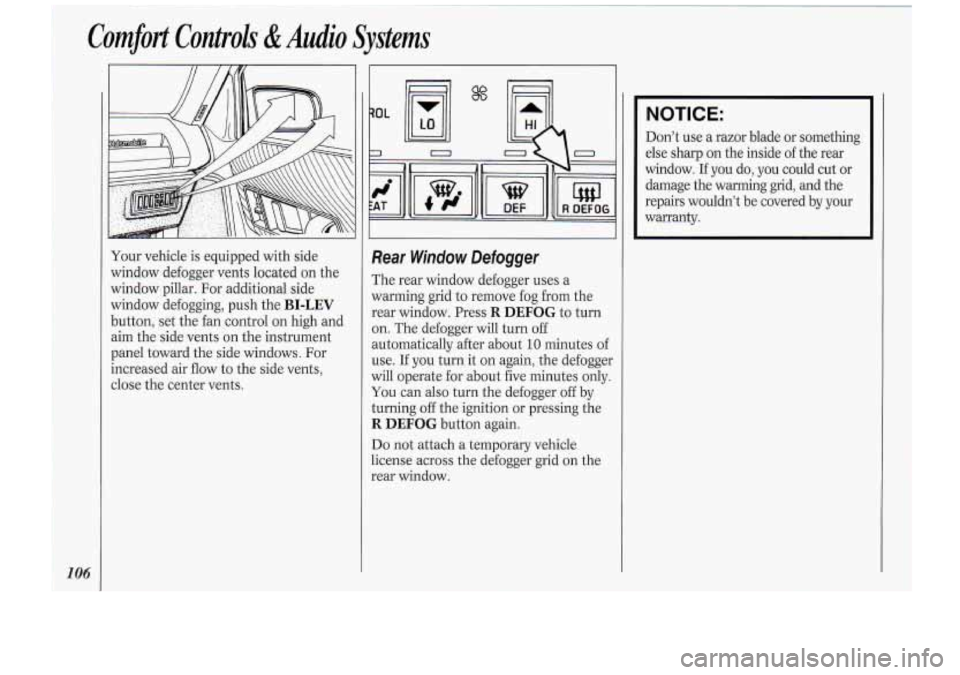
Your vehicle is equipped with side
window defogger vents located on the
window pillar. For additional side
window defogging, push the
BI-LEV
button, set the fan control on high and
aim the side vents on the instrument
panel toward the side windows. For
increased air flow to the side vents,
close the center vents.
$"'
Rear Window Defogger
The rear window defogger uses a
warming grid to remove fog from the
rear window. Press
R DEFOG to turn
on. The defogger will turn off
automatically after about
10 minutes of
use. If you turn
it on again, the defogger
will operate for about five minutes only.
You can also turn the defogger off by
turning
off the ignition or pressing the
R DEFOG button again.
Do not attach a temporary vehicle
license across the defogger grid on the
rear window.
I
NOTICE:
Don't use a razor blade or something
else sharp on the inside of the rear
window.
If you do, you could cut or
damage the warming grid, and the
repairs wouldn't be covered by your
warranty.
Page 110 of 276
Comfort Controls &Audio Systems
108
Use the following controls when the
system is not set on
AUTO:
8: Press.the top of the switch to raise
the fan speed, the bottom of the switch
to lower the fan speed. The fan symbol
and bar graph will be displayed on the
digital screen.
When the
AUTO switch is pressed, the
fan symbol will go out and the fan will
return to automatic operation.
If the Fahrenheit (F") or Celsius (C")
symbol begins to flash, or flashes when
you turn on the ignition, it indicates an
electrical problem with your air
conditioning system. The flashing will
continue for about two minutes. It
means you should have your system
serviced.
Directional Controls
When the following buttons are pressed,
an indicator light will glow above the
button.
BI-LEV (Bi-Level): Use on cool, but
sunny days. This setting brings in the
outside air, but directs it in
two ways.
The cool air is directed to the upper
portion of your body through the instrument
panel outlets, but most
warmed air is directed through the
heater ducts and a little to the defrost
and side window vents. At times this
temperature difference may be more
apparent than others.
You may notice a delay of three or four
minutes before the blower comes on.
UPPER: Press to direct air flow
through the instrument panel outlets
only.
LOWER Press to direct 90% of the air
flow through the heater ducts, and
10%
of the air flow through the windshield
defroster vents.
DEFOG: Press to direct half the air to
the windshield, and the other half
through the heater ducts.
DEF (Defrost): Press to direct 90% of
the air to the windshield and side
window vents, and
10% to the floor.
The fan will automatically go to high.
For a lower fan speed, press the fan
switch.
OFF: Press to turn off the system.
Some air will still come from the outlets
at the floor.
I
Page 111 of 276
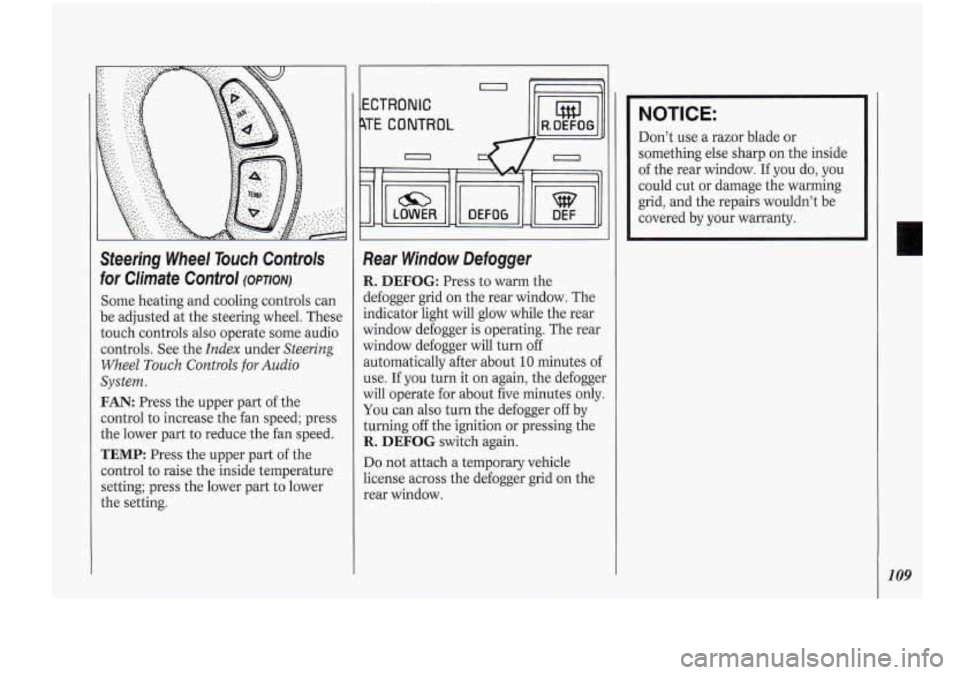
Steering Wheel Touch Controls
for Climate Control
(OPTION)
Some heating and cooling controls can
be adjusted at the steering wheel. These
touch controls also operate some audio
controls. See the
Index under Steering
Wheel
Touch Controls for Audio
System.
FAN: Press the upper part of the
control to increase the fan speed; press
the lower part to reduce the fan speed.
TEMP: Press the upper part of the
control to raise the inside temperature
setting; press the lower part to lower
the setting.
b
ECTRONIC
TE CONTROL I lW1,
Rear Window Defogger
R. DEFOG: Press to warm the
defogger grid on the rear window. The
indicator light will glow while the rear
window defogger is operating. The rear
window defogger will turn
off
automatically after about 10 minutes of
use. If you turn it on again, the defogger
will operate for about five minutes only.
You can also turn the defogger off by
turning off the ignition or pressing the
R. DEFOG switch again.
Do not attach a temporary vehicle
license across the defogger grid on the
rear window.
NOTICE:
Don’t use a razor blade or
something else sharp on the inside
of the rear window.
If you do, you
could cut or damage the warming
grid, and the repairs wouldn’t be
covered by your warranty.
109
Page 112 of 276
Comfort Controls &Audio Systems
I
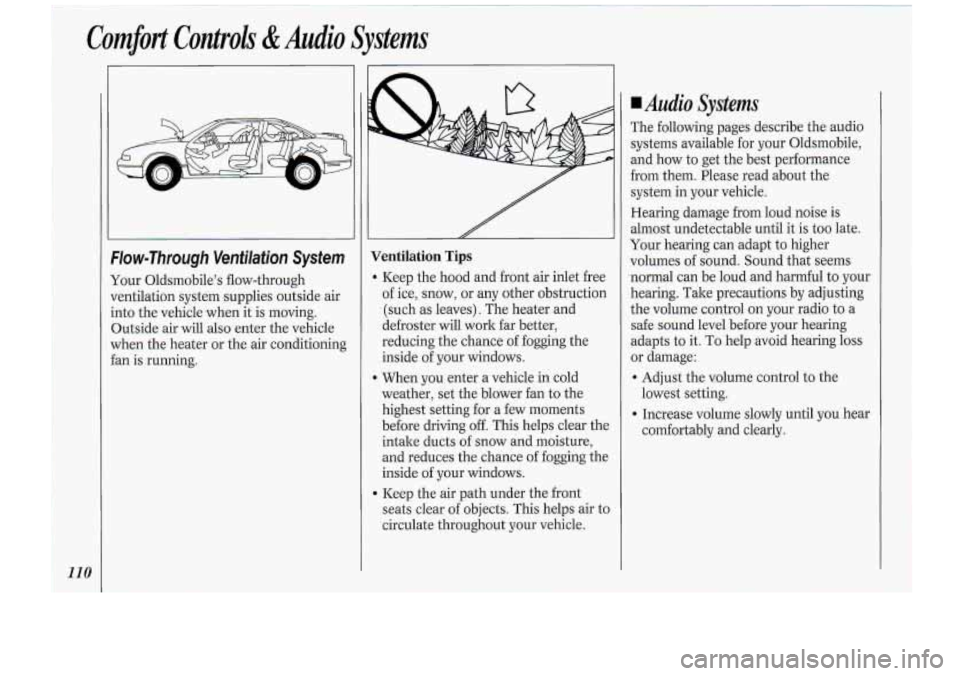
‘Flow-Through Venfilafiun System
Your 01dsmbde’:s flow-though
ventilation systemsupgfiies miside air
into. the vehicle when it is moving
Outside air will also enter the vehicle
when the heater ~OT the air conditi,oning
fan is running.
Page 113 of 276
NOTICE:
Before you add any sound
equipment
to your vehicle - like a
tape player, CB radio, mobile
telephone or two-way radio
- be
sure you can add what
you want. If
you can, it's very important to do it
properly. Added sound equipment
may interfere with the operation of
your vehicle's engine, Delco@ radio or other systems, and even damage
them. And, your vehicle's systems
may interfere with the operation of
sound equipment that has been
added improperly.
So, before
adding sound equipment, check
with your dealer and be sure to
check Federal rules covering mobile
radio and telephone units.
I I I OBlCD I
AUTO REVERSE
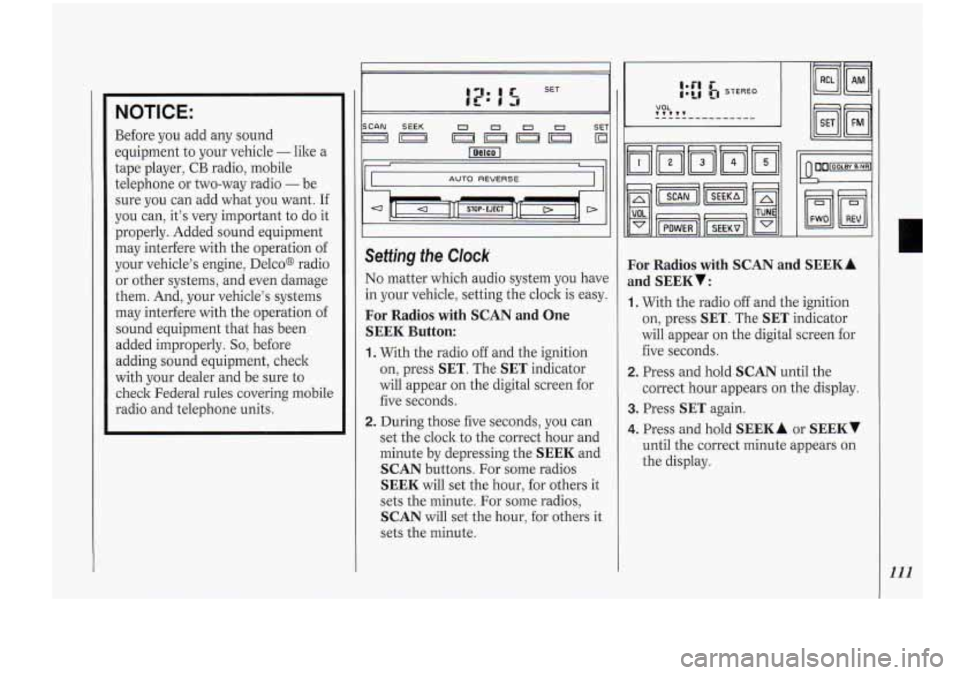
Setting the Clock
No matter which audio system you have
in your vehicle, setting the clock
is easy.
For Radios with SCAN and One
SEEK Button:
1. With the radio off and the ignition
on, press
SET. The SET indicator
will appear on the digital screen for
five seconds.
2. During those five seconds, you can
set the clock to the correct hour and
minute by depressing the
SEEK and
SCAN buttons. For some radios
SEEK will set the hour, for others it
sets the minute. For some radios,
SCAN will set the hour, for others it
sets the minute.
For Radios with SCAN and
and
SEEKY:
~
SEEKA
1. With the radio off and the ignition
on, press
SET. The SET indicator
will appear on the digital screen for
five seconds.
2. Press and hold SCAN until the
correct hour appears on the display.
3. Press SET again.
4. Press and hold SEEK A or SEEKv
until the correct minute appears on
the display.
111
Page 114 of 276
Comfort Controls &Audio Systems
112
VOLUME
TUNE
TREB
BASS
II II
SCAN SEEK 1 23 4 SET
I”) lol
II I
I/ I
I II
I ll 1 I
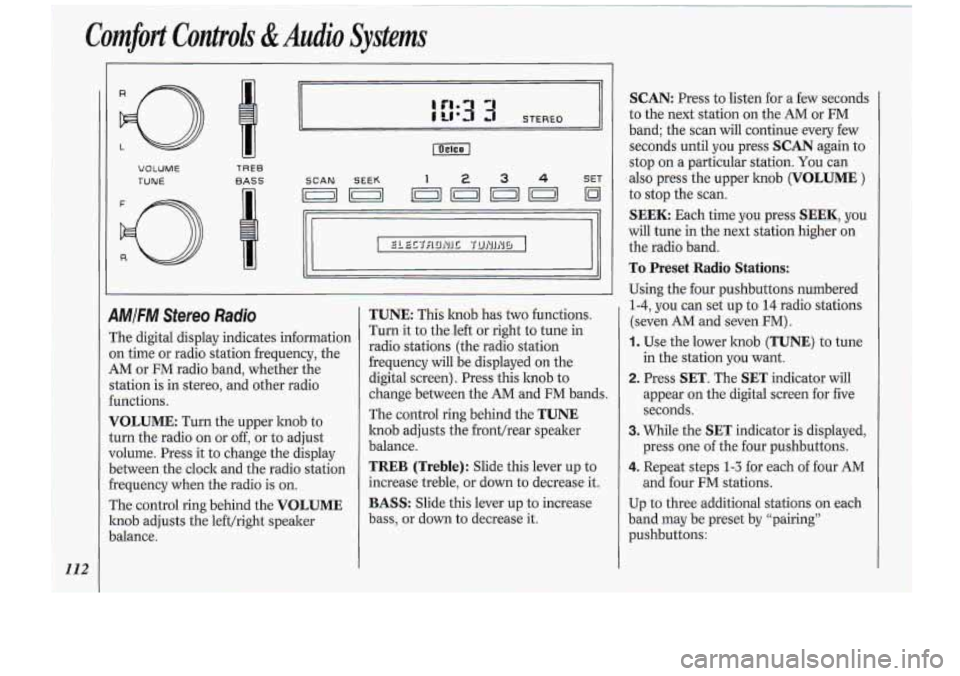
9MIFM Sfereo Radio
The digital display indicates information
on time or radio station frequency, the
AM or FM radio band, whether the
station is in stereo, and other radio
€unctions.
VOLUME: Turn the upper knob to
turn the radio on or
off, or to adjust
volume. Press it to change the display
between the clock and the radio station
frequency when the radio is on.
The control ring behind the
VOLUME
knob adjusts the left/right speaker
Jalance.
TUNE: This lmob has two functions.
Turn it to the.left or right to tune in
radio stations (the radio station
frequency will be .displayed on the
digital screen). Press this hob to
change between the
AM and FM bands.
The control ring behind the
TUNE
knob adjusts the front/rear speaker
balance.
TREB (Treble): Slide this lever up to
increase treble, or down to decrease it.
BASS: Slide this lever up to increase
bass, or down to decrease it.
SCAN: Press to listen for a few seconds
to the next station on the AM or
FM
band; the scan will continue every few
seconds until you press
SCAN again to
stop on a particular station. You can
also press the upper hob (VOLUME )
to stop the scan.
SEEK: Each time you press SEEK, you
will tune in the next station higher on
the radio band.
To Preset Radio Stations:
Using the four pushbuttons numbered
1-4, you can set up to 14 radio stations
(seven AM and seven FM)
.
1. Use the lower knob (TUNE) to tune
in the station you want.
2. Press SET. The SET indicator will
appear on the digital screen for five
seconds.
3. While the SET indicator is displayed,
press one of the four pushbuttons.
4. Repeat steps 1-3 for each of four AM
and four FM stations.
Up to three additional stations on each
band may be preset by “pairing”
pushbuttons: