radio Oldsmobile Cutlass Supreme 1995 Owner's Manuals
[x] Cancel search | Manufacturer: OLDSMOBILE, Model Year: 1995, Model line: Cutlass Supreme, Model: Oldsmobile Cutlass Supreme 1995Pages: 340, PDF Size: 16.68 MB
Page 7 of 340
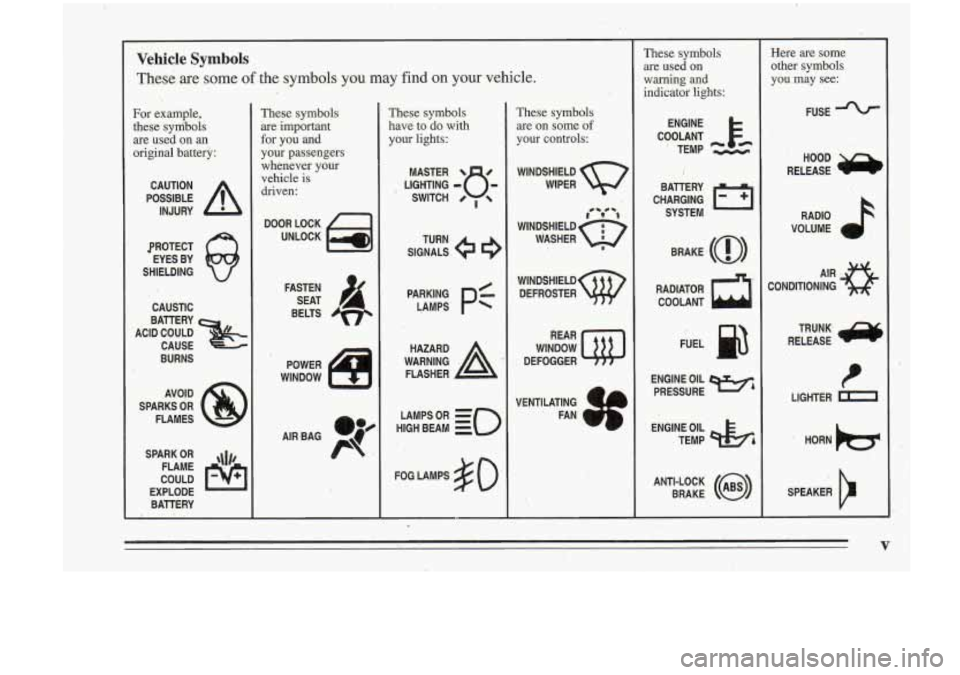
Vehicle Symbols
These are some of the symbols you may find on your vehicle.
3.
For example,
these sym%ols
are used on an
original battery:
POSSIBLE A
CAUTION
INJURY
PROTECT EYES BY
SHIELDING
CAUSTIC
BURNS
SPARKS
OR
FLAMES
SPARK
OR
FLAME ,I#$,
COULD
EXPLODE
BATTERY
These symbols are important
for you and
your passengers
whenever your vehicle is
driven:
POWER
WINDOW n-
These symbols
have to do with your lights:
SIGNALS e
TURN
pA;:z
pf
WARNING A
HAZARD
FLASHER
HIGH
LAMPSoR BEAM = =o
FOG LAMPS 3 0 '
These symbols
are on some
of
your controls:
WINDSHIELD
WIPER
'r' -4
WINDSHIELD 6$
WASHER I
WINDSHIELD
DEFROSTER
REAR
WINDOW
DEFOGGER
VENTILATING
b
. FAN
These symbols are used
on
warning and
indicator lights:
CHARGING ,I-1
BAllERY
SYSTEM
BRAKE
(a)
RADIATOR COOLANT
a
ENGINE OIL
PRESSURE Wh
. TEMP OIL
ANTI-LOCK
(@)
BRAKE
Here are some
other symbols
you may see:
FUSE
RADIO
k
VOLUME a
CONDITIONING AIR 43
LIGHTER k
SPEAKER
b
V
Page 63 of 340
Remote Lock Control (Option)
If your Oldsmobile has this option, you can lock and
unlock your doors or unlock your
truqk from up to
30 feet (9 m) away using the key chain transmitter
supplied with
your vehicle.
Your Remote Lock Control operates on a radio
frequency subject to Federal Cornmanications
Commission (FCC) Rules.
This device complies with
Part 15 of the FCC Rules.
Operation is subject to
the following two conditions:
(1) This device may not cause harmful interference, and
(2) This device must accept any interferenc'e received,,
including interference that, may cause undesired
operation. Should
interference to this system occur, try this:
Check to -determine
if battery replacement is
necessary. 'See the instructions on battery
replacement.
Check the distance.
You may be too -far from your
vehicle.
This product has a maximummnge.
Check the location. Other vehicles or objects mav be
blocking the signal.
See your Oldsmobile retailer or
a qualified
technician for service.
Changes or modifications
to this system by other than an
authorized service facility could void authorization to
use this equipment.
2-5
Page 69 of 340
New Vehicle “Break-In” Ignition Switch
NOTICE:
Your *modern Oldsmobile doesn’t need an
elaborate “break-in.” But it
will perform better
in the long run
if you follow these guidelines:
0 Don’t drive at any one speed -- fast or
slow 0- for the first 500 miles (804 km).
Don’t make full-throttle starts.
0 Avoid making hard stops for the fist
200 miles (322 km) or so. During this time
’ your new brake linings aren’t yet broken
in. Hard stops with new linings can mean
premature wear and earlier replacement.
Follow this “breaking-in” guideline every
time you get new brake linings.
0 Don’t tow a trailer during “break-in.” See
“Towing
a Trailer” in the Index for more
information.
..
C
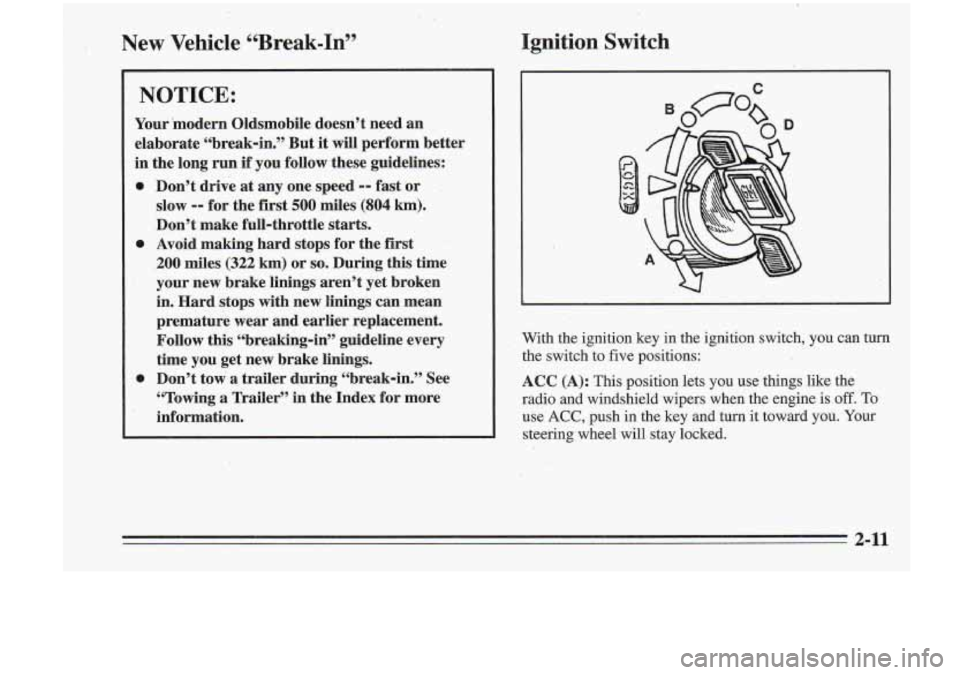
With the ignition key in the ignition switch, you can turn the switch to five positions:
ACC (A): This position lets you use things like the
radio and windshield wipers when the engine is off. To
use
ACC, push in the key and turn it toward you. Your
steering wheel will stay locked.
3-1 I
Page 125 of 340
I
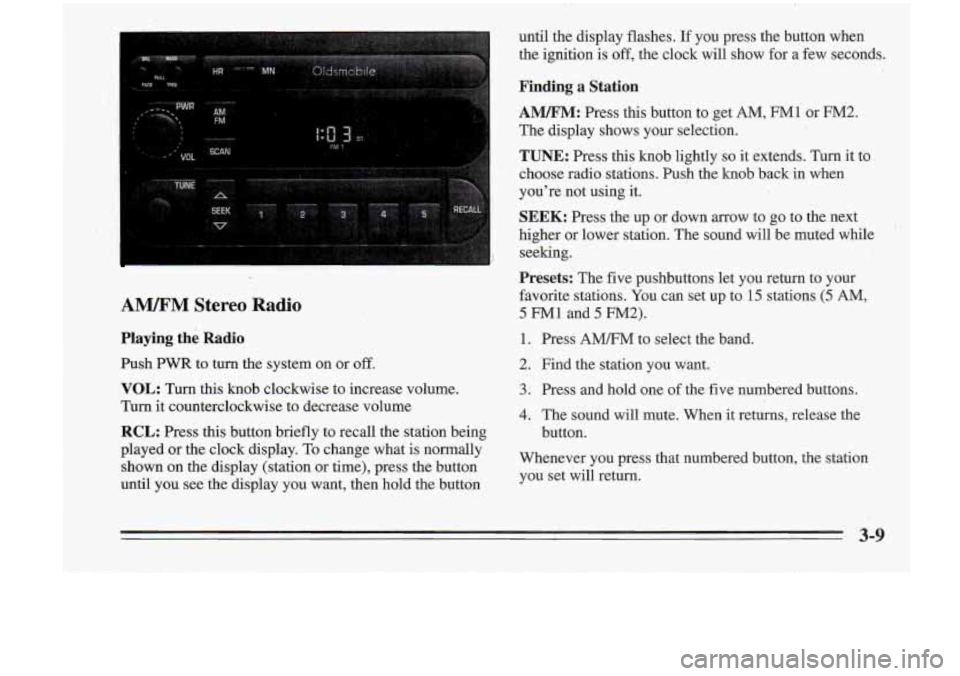
AM/I?M Stereo Radio
Playing the Radio
Push PWR to turn the system on or off.
until the display flashes. If you press the button when
the ignition
is off, the clock will show for a' few seconds.
Finding a Station
AM/FM: Press this button to get AM, FM1 or M.2.
The display shows your selection.
TUNE:'Press this knob lightly
so it extends. Turn it to
choose radio stations. Push the knob back in when
you're not using it.
VOL: Turn this knob clockwise to increase volume.
Turn it counterclockwise to decrease volume
RCL: Press this button briefly to recall the station being
SEEK: Press the up or dawn arrow to go to the next
higher or lower station. The sound will be muted while
seeking.
Presets: The five pushbuttons let you return to your
favorite stations- You can set up to
-15 stations (5 AM,
5 FM1 and 5 FM2).
1. Press AMm' to select the band.
2. Find the station you want. ..
3. Press .and hold one of the five numbered buttons.
4. The sound will mute. When it returns, release the
button.
Played
Or the 'lock To change what is nomallY Whenever you press that numbered button, the station
shown on the display (station
or time), press the button you set will return.
until you see the display you want, then hold the button
3-9
Page 126 of 340
SCAN: Press this button and release to listen to stations
a few seconds. The radio will go to a station, stop for a
few seconds, then go on to the next station. Press the
button again to stop scanning. The sound will be muted
while scanning, and SCAN will appear on the display.
If
you-
the display.
PSCAN: Press SCAN for more than two s,econds, and
PSCAN will appear on the display. The radio will go to
the first preset station, stop for-a few seconds, then go
on to the next preset station. Press SCAN again to stop
scanning.
Setting the Tone
BASS:
Press this knob lightly so it extends. Turn the
knob to increase or decrease bass. The middle position
is
a detent.
TREB: Press this knob lightly so it extends..Then pull
the knob all the way out. Turn it to increase or decrease
treble. The middle position is a detent.
Push the knob back in when you’re not using it.
Adjusting the Speakers
BAL:
Press this knob lightly so it extends. Turn the
knob to move,the sound to the left or right speakers. The
middle position is a detent and balances the speakers.
FADE: Press the knob lightly .so it extends. Then pull
the knob
all the way out. Turn it to move the sound to
the front or rear speakers.. The middle position is a
detent and balances the speakers.
Push the knob back in when you’re not using it.
3-10
Page 127 of 340
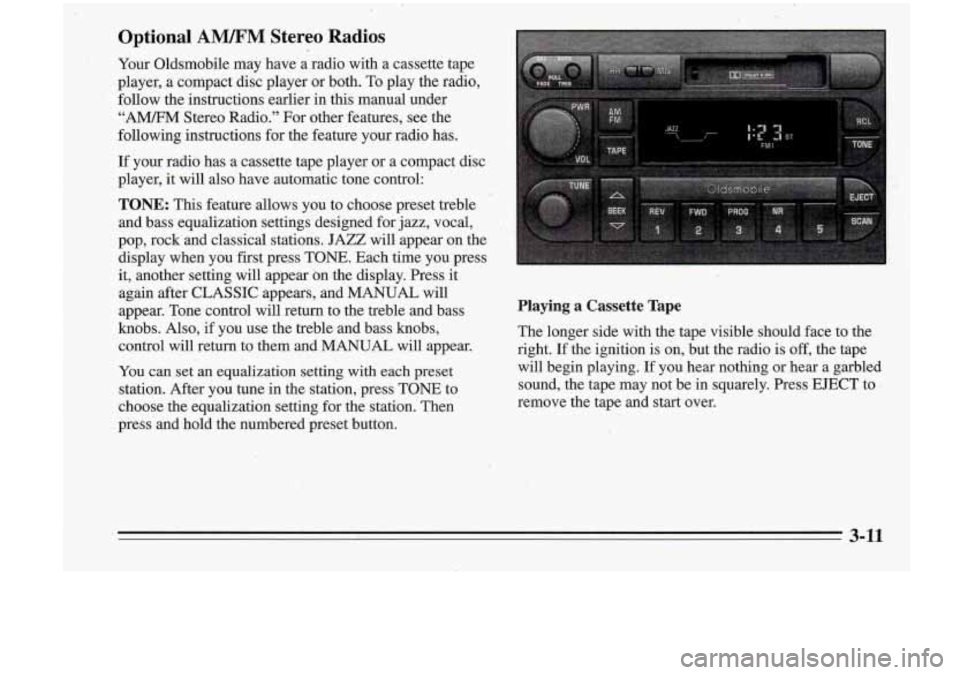
Optional AWM Stereo ‘Radios
Your Oldsmobile may have a radio with a cassette tape
player, a compact disc player or both. To play the radio,
follow the instructions earlier in this manual under
“AM/FM Stereo Radio.” For other features, see the
following instructions for the feature your radio has.
If your radio has a cassette tape player or a compact disc
player,
it will also have automatic tone control:
TONE: This feature allows you to choose preset treble
and bass equalization settings designed for jazz, vocal,
pop, rock and classical stations. JAZZ will appear on the
display when you first pre.ss TONE. Each‘time.
you press
it, another setting will appearon the display. Press it
again after CLASSIC appears, and MANUAL will
appear. Tone control will return to the treble and bass
knobs. Also, if you use the treble and bass knobs,
control will return to them and MANUAL will appear.
You can set an equalization setting with each preset
station. After you tune in the station, press TONE
to
choose the equalization setting for the station.’ Then
press and bold the numbered preset button.
Playing a Cassette Tape
The longer side with the tape visible should face to the
right.
If the ignition is on, but the radio is off, the tape
will begin playing.
If you hear oothing or heai a garbled
sound, the tape may not be in squarely. Press EJECT to
I
remove the tape and start over.
3-11
Page 128 of 340
If E and a number appear in the display, the tape won’t
play because of an error.
E10: The tape is tight, and the player can’t turn the
tape hubs. Remove the tape. Hold the tape with the
counterclockwise with’a pencil. Turn the tape over
-:;I. and try to turn the right hub. If the hubs do not turn
.I .,X easily, your tape may be damaged and should not be
, . 1 -.).:,? . .. used in the player. Try a new tape to make sure your
1 . -- a :.. player is working properly.
p --
’ . .: open end down and try to turn the right hub
.,
.. . ~
i( - :@. ’i
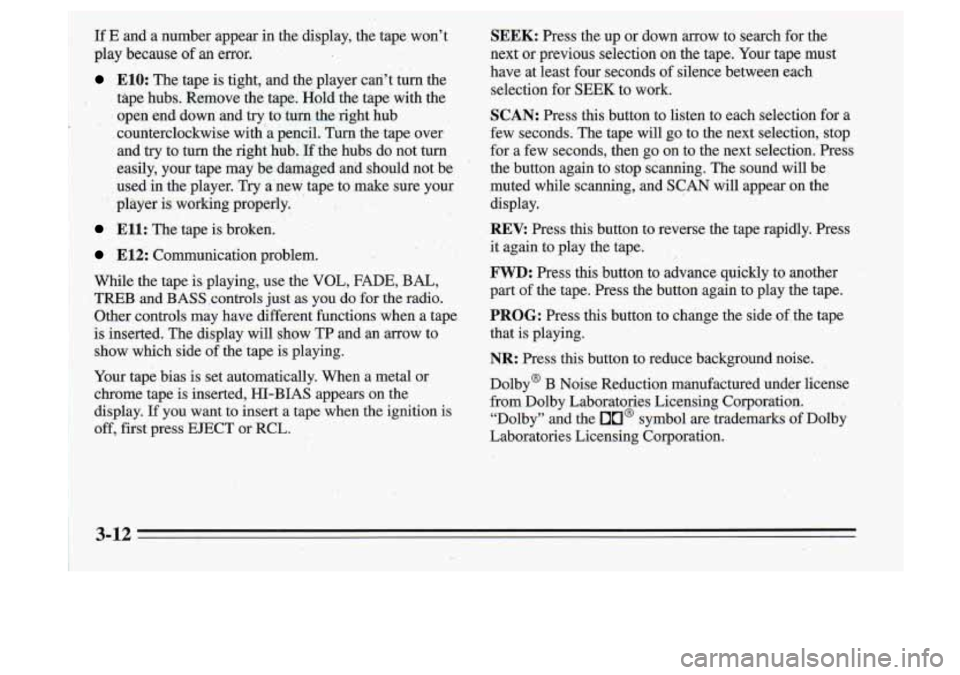
SEEK: Press the up or down arrow to search for the
next or previous selection on the tape. Your tape must
have at least four seconds of silence between each
selection for
SEEK to work.
SCAN: Press this button to listen to each selection for a
few seconds. The tape will go to the next selection, stop
for a few seconds, then go on
to the next selection. Press
the button again to stop scanning. The sound will be
muted while scanning, and SCAN will appear
on the
display.
Ell: The tape is broken.
E12 Communication problem.
While the tape is playing, use the VOL, FADE, BAL,
FWD: Press this button to advance quickly to another
TREB and BASS controls just as you do for the radio. part of the tape. Press the button again to play the tape.
Other controls may have different functions when a tape
PROG: Press this button to change the side of the tape
is inserted. The display will show TP and an arrow to that is playing.
show which side of the tape is playing.
/ ’-. .:, . , *: ,.;) ,’..’!’. . REV: Press this button to reverse the tape rapidly. Press ’ .,K . ’ I. it again to play the tape.
NR: Press this button to reduce background noise.
Your tape bias is set automatically. When
a metal or
chrome tape is inserted, HI-BIAS appears on the
display.
If you want to insert a tape when the ignition is
off, first press EJECT or RCL. Dolby@
B Noise Reduction manufactured under license
from Dolby Laboratories Licensing Corporation. “Dolby” and the
On@ symbol are trademarks of Dolby
Laboratories Licensing Corporation.
3-12
Page 129 of 340
t.
A”: Press this button to play the radio when a tape
is playing. The tape will stop but remain in the player.
TAPE: Press this button to change to the tape function
when the radio is on.
A box will appear around TP on
the display when the tape
is active.
EJECT: Press this button to remove the tape. The radio
will play.
Cln: This message may appear on the display. If it does,
your cassette tape player needs to be cleaned. It will still
play tapes, but you should clean it.as soon as possible
to
prevent damage to your tapes and player. See “Care of
Your Cassette Tap,e Player” in the Index. After you clean
the player, press and hold EJECT for five seconds to
reset the Cln indicator.
“- - -” will appear in the display
to show the indicator was reset.
k? I ‘b
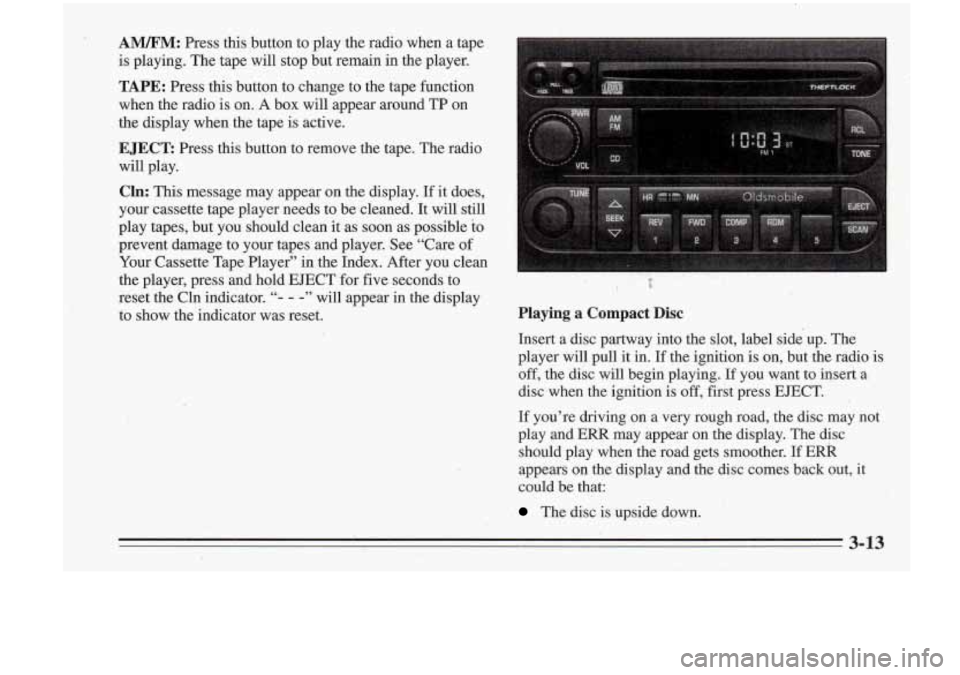
Playing a Compact Disc
Insert a disc partway into the slot, label side up. The
player will pull it in.
If the ignition is on, but .the radio is
off, the disc will begin playing. If YOU want to insert a
disc,,when ,the ignition is
off, first press EJECT.
If you’re driving on a very rough road, the disc may not
play and
ERR may appear on the display. The disc
should play when the road gets smoother.
If ERR
appears on the display and the disc comes ‘back out, it
could be that:
The disc is upside down.
3-13
Page 130 of 340
I
.. I. ,. , I
-It is dirt); scratched or Wet.
..
FWD: Press and hold,this button to advance to a
It is very humid. If so, wait about an hour and try . . passage quickly. You -will hear sound at a reduced
volume. The display will show elapsed time.
again.
RCL: Press this button to see which track is playing.
Press it again- within five seconds to see how long it has
been playing. (elapsed time). To change what
is normally
J COW: Press this button to make soft and loud
passages more nearly equal in volume. COMP will appear on the display.
shown on the display (track or elapsed time), press the
RDM: Press this button to hear the tracks in random
button .until you see the display you want, then hold the.
order. Press it again to
turn off random'play.
. button until the display flashes. ' , " AM/FM: Press this button to play the radio when.a disc
SEEK: Press the down mow to go to the start of the 3;'. is playing. The disc will stop but'remain in the player.
CD: Press this button to change.to the disc function
when the radio
is on. The disc will start playing at the
point where it
was stopped. A box will appear around
CD on the display when the disc is active.
' current track, if more than eight seconds. have,piayed: 8''
'. 8 Press the up arrow to go to the next track. If you hold-
the button or press it more than once, the player will
1 continue miwing back or forward through the disc.
-button again to stop scanning. If you turn
off the ignition or radio with a disc in the
3-14
- - -
REV: Press and hold this button to return to a passage
quickly. You will hear sound at a reduced volume. The
display will show elapsed time.
,
player, it will stay in the player. When ,you turn' on the
ignition or system, the disc will start playing where
it
was stopped.
Page 131 of 340
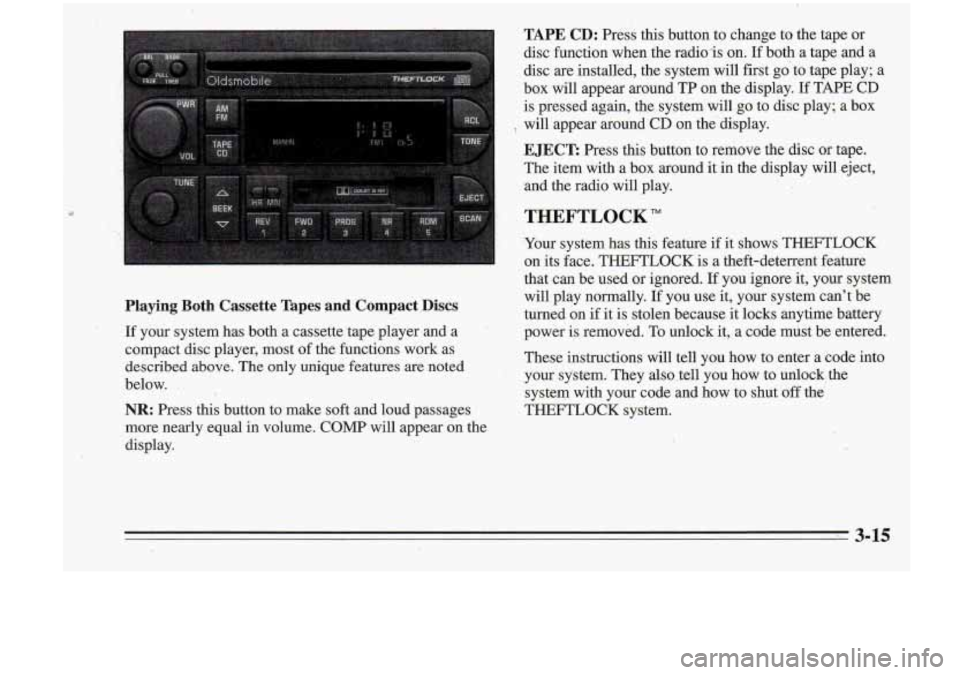
TAPE CD: Press this button to change to the taDe or
Playing Both Cassette Tapes and Compact .Discs
If your system has both a cassette tape player and a
compact disc player, most of the functions work as
described above. The only unique fezares are noted
below.
.
NR: Press this button to make soft and loud pi ages
more nearly equal
in volume. COMP will appear on the
display. disc function when the radio-is on.
Ifboth a
tap; and a
disc are installed, the system will first go to tape play; a
box will appear around TP on the display.
If TAPE CD
is pressed again, the system will go to disc play; a box
EJECT: Press this button to remove the disc or tape.
The item with a box around it in the display will eject,
'8 will appear around CD on the'display.
,, and the radio wi€l play.
THEFTLOCK"
Your system has this feature if it shows THEFTLOCK
on its face. THEFTLOCK is a theft-deterrent feature
that can be used or ignored.
If you ignore it, your system
will play normally.
I€ you use it, your system can't be
turned on if it is stolen because it locks anytime battery
power is removed. To unlock it, a code must be entered.
These instructions will tell you how to enter a code into
,your system. They also .tell you how to unlock, the
system with your code and how to shut off the
THEFTLOCK system.