light OLDSMOBILE SILHOUETTE 1993 Owner's Manual
[x] Cancel search | Manufacturer: OLDSMOBILE, Model Year: 1993, Model line: SILHOUETTE, Model: OLDSMOBILE SILHOUETTE 1993Pages: 323, PDF Size: 17.13 MB
Page 83 of 323

Fog Lights
Slide the lower control up to turn on the
fog lights, down to turn
them off.
Your parking lights or headlights must
be on for
the fog lights to go on.
When you turn on your high beams, the
fog lights will go off. The fog lights will
come back on when you switch from
high beams to low beams.
High beams are not recommended for
driving in fog. See the
Index under
Driving in Fog, Mist and Haze.
Instrument Panel htensity
Control
Slide the upper control up to increase
the brightness of the instrument panel
lights, down to decrease
the brightness.
Slide the control all the way down to
turn them off.
Interior Lights Control
Slide the upper control all the way up to
turn on the interior lights.
ProCarManuals.com
Page 84 of 323
Features di Controls
82
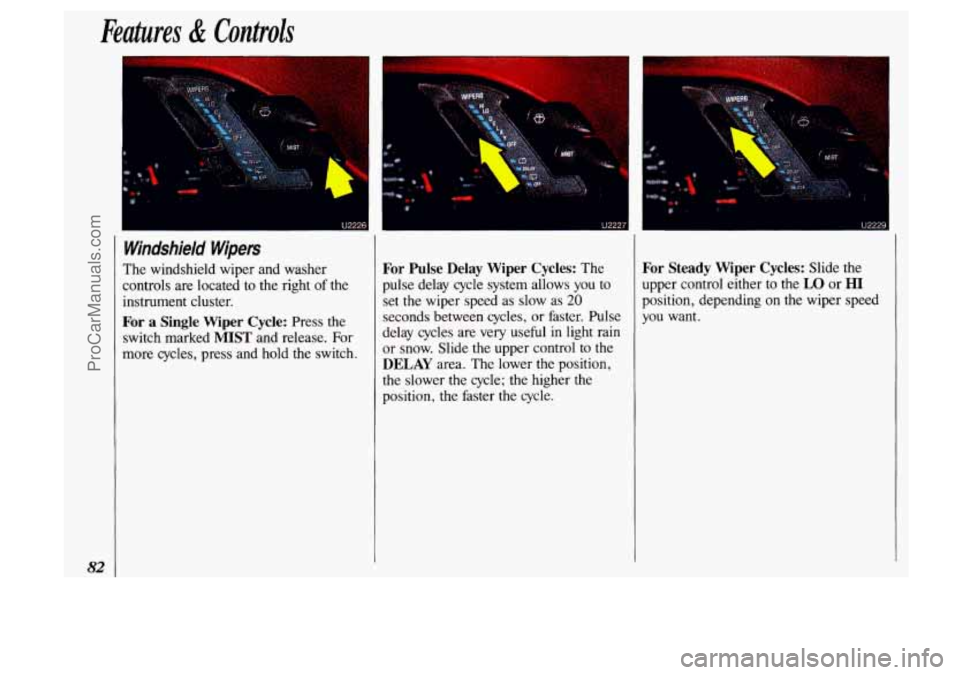
Windshield Wipers
The windshield wiper and washer
controls are located to the right
of the
instrument cluster.
For a Single Wiper Cycle: Press the
switch marked
MIST and release. For
more cycles, press and hold the switch.
For Pulse Delay Wiper Cycles: The
pulse delay cycle system allows
you to
set the wiper speed as slow as
20
seconds between cycles, or faster. Pulse
delay cycles are very useful in light rain
or snow. Slide the upper control
to the
DELAY area. The lower the position,
the slower the cycle; the higher the
position, the faster the cycle.
For Steady Wiper Cycles: Slide the
upper control either to the
LO or HI
position, depending on the wiper speed
you want.
ProCarManuals.com
Page 87 of 323
I
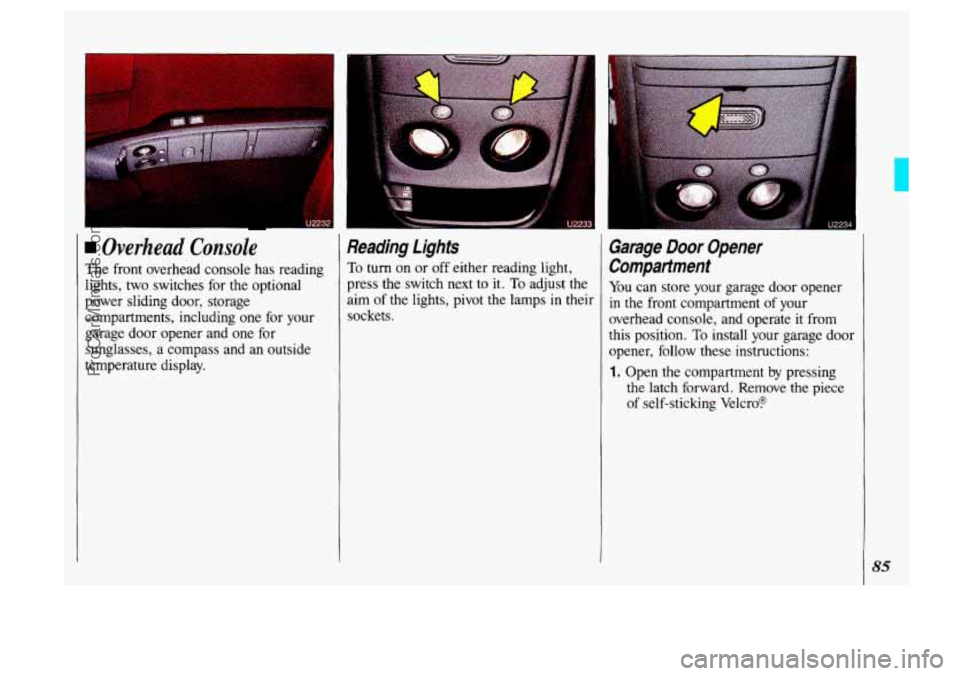
Overhead Console
The front overhead console has reading
lights, two switches for the optional
power sliding door, storage
compartments, including one for your
garage door opener and one for
sunglasses, a compass and an outside
temperature display.
Reading Lights
To turn on or off either reading light,
press the switch next to it.
To adjust the
aim of the lights, pivot the lamps
in their
sockets.
Garage Door Opener
Compartment
You can store your garage door opener
in the front compartment of your
overhead console, and operate
it from
this position.
To install your garage door
opener, follow these instructions:
1. Open the compartment by pressing
the latch forward. Remove the piece
of self-sticking Velcro?
85
ProCarManuals.com
Page 91 of 323
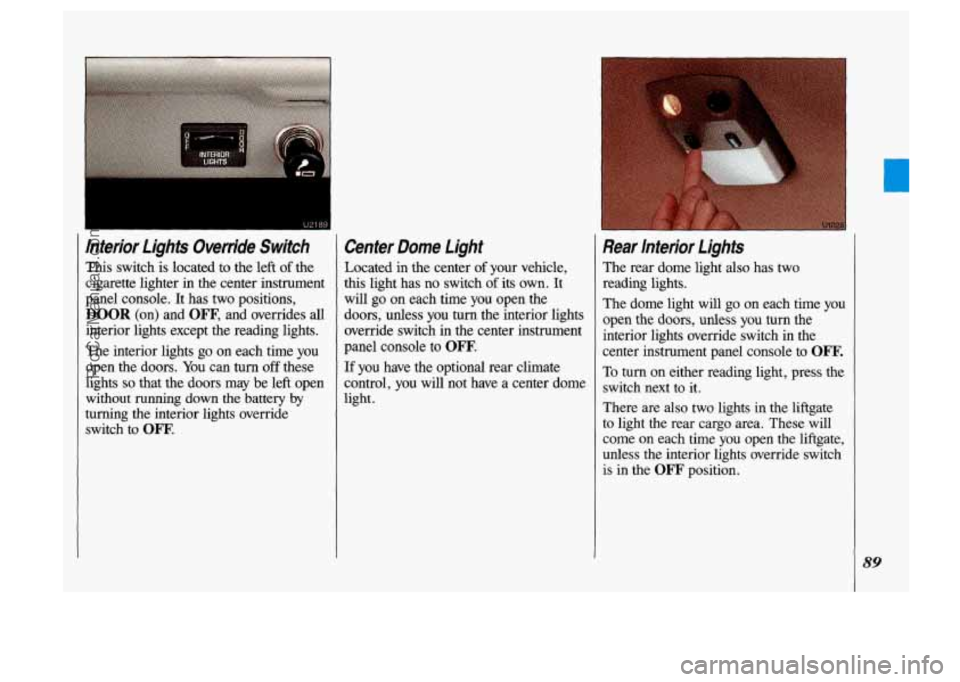
lnterior Lights Override Switch
This switch is located to the left of the
cigarette lighter in the center instrument
panel console. It has two positions,
DOOR (on) and OW, and overrides all
interior lights except the reading lights.
The interior lights
go on each time you
open the doors.
You can turn off these
lights
so that the doors may be left open
without
running down the battery by
turning the interior lights override
switch to
OW.
Center Dome Light
Located in the center of your vehicle,
this light has no switch
of its own. It
will
go on each time you open the
doors, unless you
turn the interior lights
override switch in the center instrument
panel console to
OFF.
If you have the optional rear climate
control, you
will not have a center dome
light.
Rear lnterior Lights
The rear dome light also has two
reading lights.
The dome light will
go on each time you
open the doors, unless
you turn the
interior lights override switch in the
center instrument panel console to
Om.
To turn. on either reading light, press the
switch next
to it.
There are
also two lights in the liftgate
to light the rear cargo area. These will
come
on each time you open the liftgate,
unless
the interior lights override switch
is in the
OFF' position.
89
ProCarManuals.com
Page 94 of 323
Features & Controls
92
I
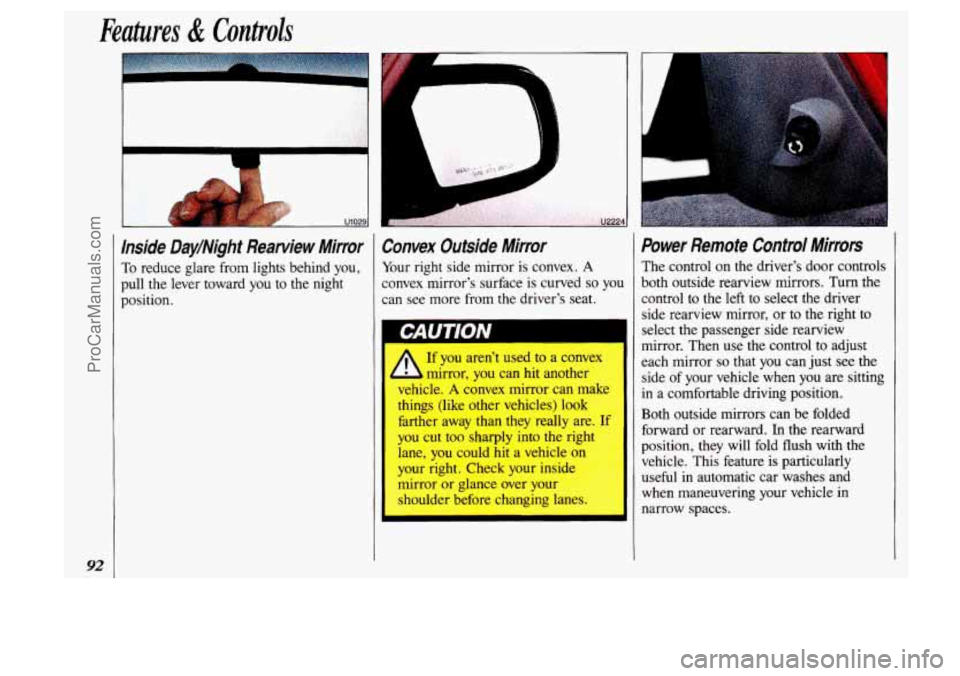
Inside Day/Night Rearview Mirror
To reduce glare from lights behind you,
pull the lever toward
you to the night
position.
Convex Outside Mirror
Your right side mirror is convex. A
convex mirror's surface is curved so you
can see more from the driver's seat.
CAUTION
A
If you aren't used to a convex
mirror, you can hit another
vehicle.
A convex mirror can makL
things (like other vehicles)
look
farther away than they really are- If
you cut too sharply into the rig1
lane, you could
hit a vehicle on
your right. Check your inside
mirror or glance over your
shoulder before changing lanes
Power Remote Control Mirrors
The control on the driver's door controls
both outside rearview mirrors. Turn the
control to the left to select the driver
side rearview mirror, or to the right
to
select the passenger side rearview
mirror. Then use the control
to adjust
each mirror
so that you can just see the
side of your vehicle when
you are sitting
in a comfortable driving position.
Both outside mirrors can be folded
forward or rearward.
In the rearward
position, they will fold flush with the
vehicle. This feature is particularly
useful in automatic car washes and
when maneuvering your vehicle in
narrow spaces.
ProCarManuals.com
Page 96 of 323

Features & Controls
94
Glove Bo&forage Compattmenf
(CONT.)
To open the glove box, pinch the latch
release.
The fuse panel is located inside the
glove box door. See the
Index under
Fuses & Circuit Breakers.
Cup Ho/ders/Ashfmy/ligh@r I I 1 NOTICE Two cup holders, an ashtray and a
lighter are located in the center
instrument panel console.
The
foam cup holder liners can be
removed for cleaning. Should the liners away
from the heating element
ever become damaged, see your dealer when it’s ready. That can make
for replacements. overheat, damaging the lighter and
To use the ashtray, lift the
lid.
To remove the ashtray for cleaning,
close the lid, then grasp the rear edge of
the ashtray with your fingertips and pull
up and out, in a rocking motion.
To use the lighter, push it in all the way
and let go. When it’s ready, it
will pop
back by itself.
ProCarManuals.com
Page 97 of 323

Locking Storage Bin
At the base of the center instrument
panel console
is a storage bin. Use the
door key to lock and unlock it. To open
the bin, pinch the latch release.
To remove the bin for cleaning, open
it ' part way, then pull out and slightly up.
1 To clean the inside of the bin, vacuum
or wipe with a slightly damp cloth.
I
To replace the bin, set the hinge pins
(one on each side of the bin, at the
bottom) into the hinge guides (one at
each side
of the console opening, at the
base), then close the
bin. If the hinge
pins
are placed properly in the guides,
the bin
will close easily.
Rear Storage Compartment and
Ashtray
The rear ashtray is located in the rear
storage compartment.
To open the ashtray, press one side and
turn it open.
To remove the ashtray for cleaning,
press the snuffer as you lift up the
bottom
of the ashtray.
95
ProCarManuals.com
Page 101 of 323
. ., .
Electronic Level Control
(OWION)
With this option, the rear of the vehicle
automatically adjusts
to changes in load
weight.
(See the Idex under Loading
Your Vehicle.)
You may hear the compressor operating
when you load or unload your vehicle,
and periodically
as the system self-
adjusts.
This is normal.
The compressor should operate for brief
periods
of time. If the sound continues
: for an extended period of time, your
vehicle
needs service. To keep your
battery
ffom being drained, you may
want to remove the 20-amp
ELC fuse in
the fuse control panel until you can get
your vehicle serviced
(see the Index
under Fuses & Circuit Breakers).
c
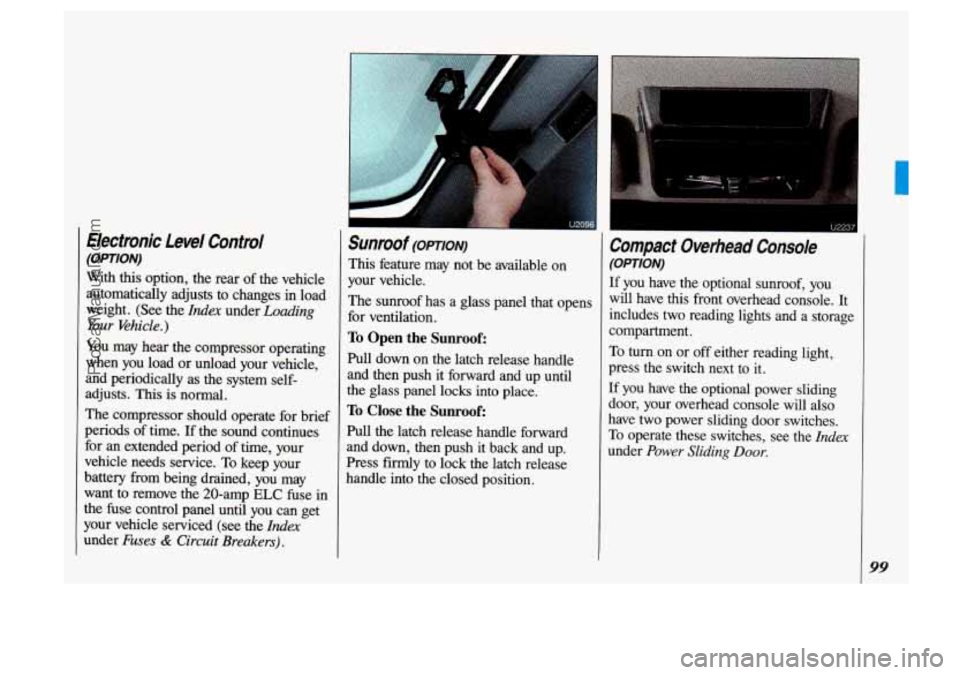
Sunroof (OPTION)
This feature may not be available on
your vehicle.
The sunroof has a glass panel that opens
for ventilation.
To Open the Sunroof:
Pull down on the latch release handle
and then push
it forward and up until
the glass panel locks into place.
To Close the Sunroof:
Pull the latch release handle forward
and down, then push it back and up.
Press firmly
to lock the latch release
handle into the closed position.
Compact Overhead Console
(OPTION)
If you have the optional sunroof, you
will have this front overhead console.
It
includes two reading lights and a storage
compartment.
To turn on or off either reading light,
press the switch next
to it.
If you have the optional power sliding
door, your overhead console will also
have two-power sliding door switches.
To operate these switches, see the Zrzdex
under Power Sliding Door.
99
ProCarManuals.com
Page 103 of 323

The Instrument Panel- Your Information System
Your instrument panel is designed to let
you know at a glance how your vehicle
is running. You’ll know how fast you’re
going, how much fuel you’re using, and
many other things you’ll need to drive
safely and economically.
Refer to the accompanying diagram of
your instrument panel
to locate the
components listed below.
1. Side Vents
2. Light Controls
3. Turn SignaVHeadlight Beam Lever
4. Tilt Steering Wheel Lever
5. Instrument Cluster
6. Gearshift Lever
7. WiperIWasher Controls
8. Center Vents
9. Storage Compartment
10. Side Vents
11. Circuit Breaker/Relay Panel
12. Glove Box/Fuse Panel
13. Audio System
14. Rear Fan Controls
15. Cup HolderdAshtray
1 6. Locking Storage Bin
17. Lighter
18. Interior Lights Override Switch
19. Climate Controls
20. Ignition Switch
21. Hazard Warning Flashers Switch
22. Horn
23. Parking Brake Release
24. Hood Release
101
ProCarManuals.com
Page 104 of 323

Features & Controls
4 Znstrument Panel Cluster
Your cluster includes indicator warning lights and gages that are ex\
plained on the
following pages.
102
mm 18
\3
-20'
ProCarManuals.com