door lock OLDSMOBILE SILHOUETTE 1993 Owners Manual
[x] Cancel search | Manufacturer: OLDSMOBILE, Model Year: 1993, Model line: SILHOUETTE, Model: OLDSMOBILE SILHOUETTE 1993Pages: 323, PDF Size: 17.13 MB
Page 11 of 323
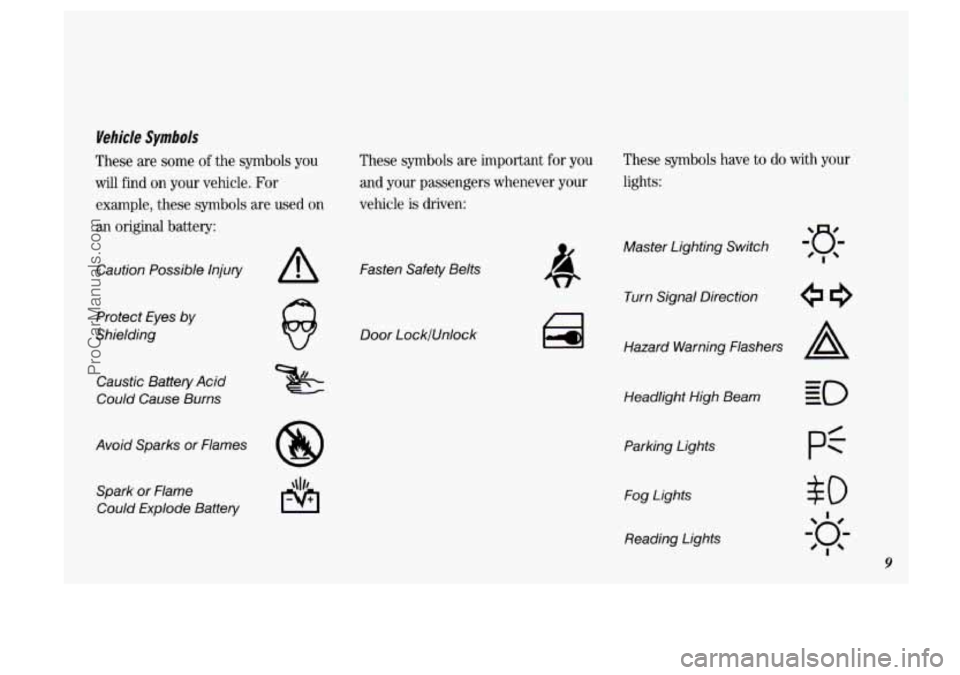
Vehicle Symbols
These are some of the symbols you
will find on your vehicle. For
example, these symbols are used
on
an original battery: These symbols
are important
for you
and your passengers whenever your
vehicle is driven:
Caution Possible Injury
Protect Eyes by
Shielding
Caustic Battery Acid
Could Cause Burns
Avoid Sparks or Flames Spark
or Flame
Could Explode Battery
A Fasten Safety Belts
Door LocklUnlock
These symbols have to do with your
lights:
Master Lighting Switch
Turn Signal Direction
Hazard Warning Flashers
A
Headlight High Beam
Parking Lights Fog Lights
Reading Lights
$0
I
20;-
'I
9
ProCarManuals.com
Page 19 of 323
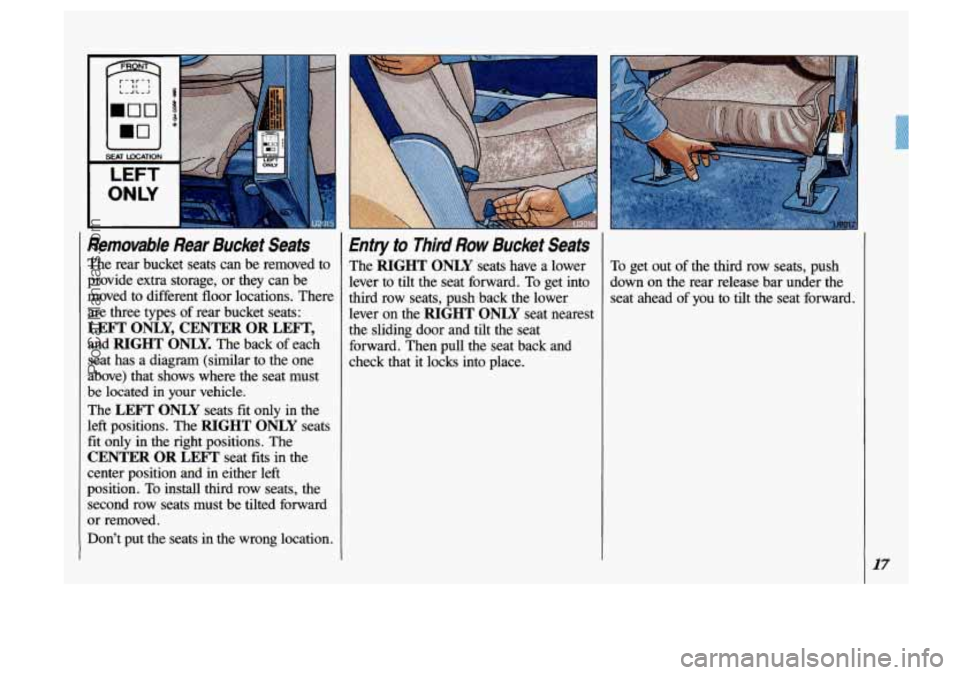
Removable Rear Bucket Seats
The rear bucket seats can be removed to
provide extra storage, or they can be
moved to diffkrent floor locations. There
are three types of rear bucket seats:
LEFT ONLY, CENTER OR LEFT,
and RIGHT ONLY. The back of each
seat has a diagram
(similar to the one
above) that shows where the seat must
be located in your vehicle.
The
LEFT ONLY seats fit only in the
left positions. The
RIGHT ONLY seats
fit only in the right positions. The
CENTER OR LEFT seat fits in the
center position and in either left
position.
To install third row seats, the
second row seats must be tilted forward
or removed.
Don’t put the seats
in the wrong location.
Entry to Third Row Bucket Seats
The RIGHT ONLY seats have a lower
lever to tilt the seat forward. To get into
third row seats, push back the lower
lever on the
RIGHT ONLY seat nearest
the sliding door and tilt the seat
forward. Then pull the seat back and
check that it locks into place. To
get out of the third row seats, push
down on the rear release bar under the
seat ahead of you to tilt the seat forward.
I7
ProCarManuals.com
Page 28 of 323
Seats & Safety Belts
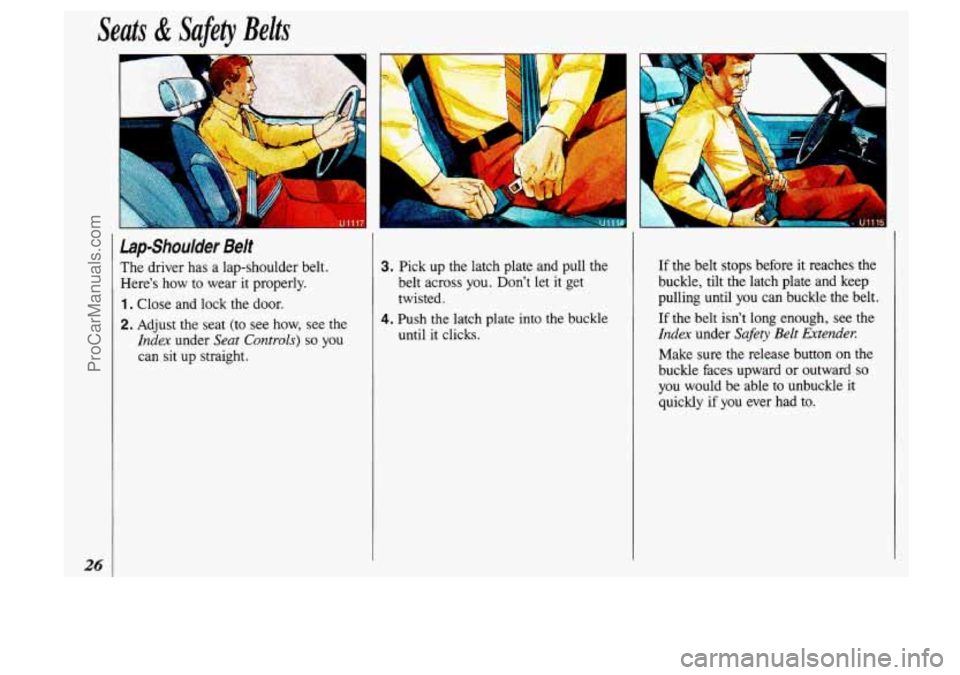
lap-Shoulder Belt
The driver has a lap-shoulder belt.
Here's how to wear it properly.
1. Close and lock the door.
2. Adjust the seat (to see how, see the
Index under Seat Controls) so you
can sit up straight.
3. Pick up the latch plate and pull the
belt across you. Don't let
it get
twisted.
4. Push the latch plate into the buckle
until it clicks.
If the belt stops before it reaches the
buckle, tilt the latch plate and keep
pulling until you can buckle the belt.
If the belt isn't long enough, see the
Index under Safety Belt Extender.
Make sure the release button on the
buckle faces upward or outward
so
you would be able to unbuckle it
quickly if you ever had to.
ProCarManuals.com
Page 47 of 323
v..
.
Here you can learn about the many
standard and optional features on
your Oldsmobile. and information on starting. shifting and braking
. Also
explained are the instrument panel and the warning systems that tell you
if everything is working properly-
and what
to do if you have a problem .
Part 2
Features & Controls
Keys 46
FrontDoors
...................................................... 47
Remote Keyless Entry
.............................................. 49
Sliding Door 53
Liftgate
......................................................... 59
Ignition
......................................................... 60
Starting Your Engine
............................................... 61
Shifting the Transaxle
.............................................. 65
..........................................................
Locks ........................................................... 47
.....................................................
EngineBlockHeater ............................................... 63
ParkingBrake
.................................................... 68
Shiftingintopark
.................................................. 69
Horn ........................................................... 72
Windows
........................................................ 73
TiltSteeringWheel
................................................ 73
Turn Signal
and Lane Change Indicator ................................ 74
CruiseControl .................................................... 75
Headlights
....................................................... 79
Windshield Wipers
................................................ 82
Windshield Washer
................................................ 83
Mirrors
......................................................... 92
Glove
Box and Storage Compartments ............................. .93, 95
Luggagecarrier
....................................................
Instrument Panel .................................................. 101
Warning Lights, Gages and Indicators
................................. 104
InteriorLights
.................................................... 81
I'
45
L
ProCarManuals.com
Page 48 of 323
![OLDSMOBILE SILHOUETTE 1993 Owners Manual Features & Controls
]
46
r
CAllTlON
I
L
A Leaving young children in a
:hicle with the ignition key
ib uallgerous for many reasons. A
child or others could be badly
injured or even](/img/31/58209/w960_58209-47.png "OLDSMOBILE SILHOUETTE 1993 Owners Manual Features & Controls
]
46
r
CAllTlON
I
L
A Leaving young children in a
:hicle with the ignition key
ib uallgerous for many reasons. A
child or others could be badly
injured or even")
Features & Controls
]
46
r
CAllTlON
I
L
A Leaving young children in a
:hicle with the ignition key
ib uallgerous for many reasons. A
child or others could be badly
injured or even killed.
They could operate power
windows or other controls or even
make the vehicle move. Don’t leave
the
keys in a vehicle with young I
children. The
ignition keys
are for the ignition
only.
The door keys
are for the doors and all
other locks.
When a new Oldsmobile is delivered,
the dealer removes the plugs from the
keys and gives them
to the first owner.
Each plug has a code on
it that tells your
dealer
or a qualified locksmith how to
make extra keys. Keep the plugs in a
safe place. I€ you lose your keys, you’ll
be able to have new ones made easily
using these plugs.
.. . . . . . .
NOTICE
ProCarManuals.com
Page 49 of 323
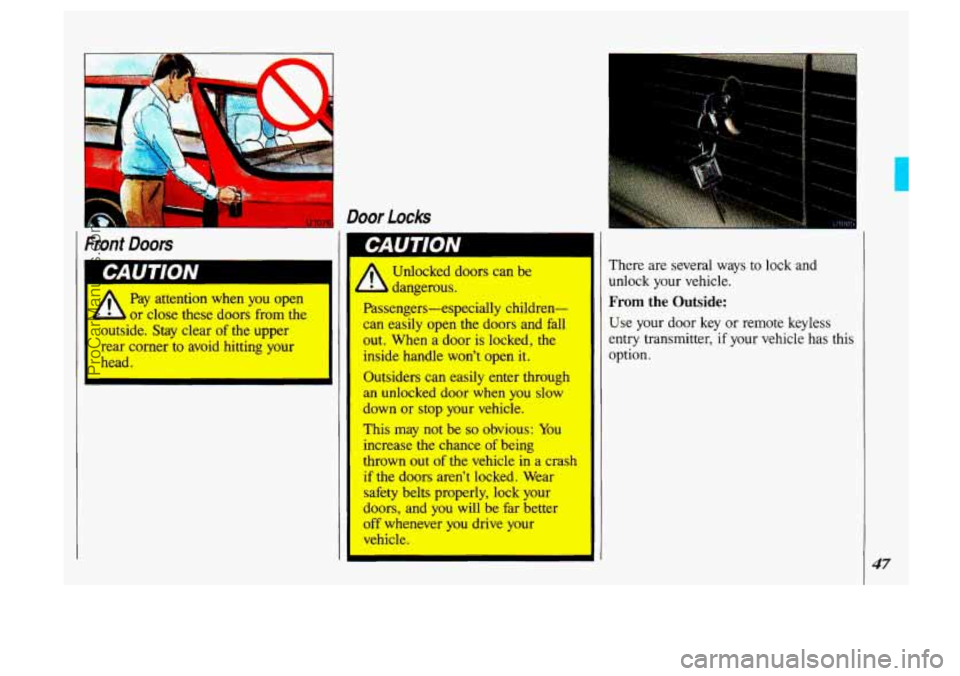
Front Doors
k
Pay attention when you open
or close these doors from the
c ;ide. Stay clear of the upper
rear corner to avoid hitting your
head.
‘ Door Locks
I
dangerous. I
Passengers-especially children-
can easily open the doors and fall
out. When a door is locked, the
inside handle won’t open it.
Outsiders can easily enter throl 1
an unlocked door when you slow
down or stop pur vehicle.
This may not be so obvious: You
increase
the chance of being
thrown out of the vehicle in a crash
if the doors aren’t locked. Wear
safety belts properly, lock your
doors, and you will be far better
off whenever you drive yuur
vehicle. I
I
I
There are several ways to lock and
unlock your vehicle.
From the Outside:
Use your door key or remote keyless
entry transmitter, if your vehicle has this
option.
47
ProCarManuals.com
Page 50 of 323
Features & Controls
I.
48
Door Locks (CONT.)
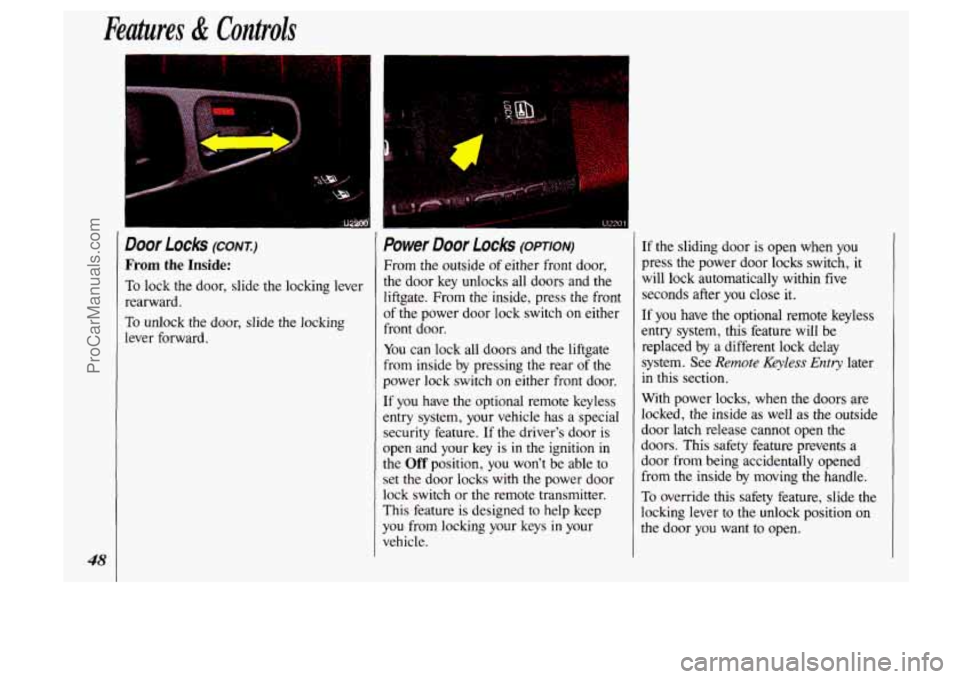
From the Inside:
To lock the door, slide the locking lever
rearward,
To unlock the door, slide the locking
lever forward.
Power Door Locks (OPTION)
From the outside of either front door,
the door key unlocks all doors and the
liftgate.
From the inside, press the front
of the power door lock switch on either
front door.
You can lock all doors and the liftgate
from inside by pressing the rear of the
power lock switch on either front door.
If you have the optional remote keyless
entry system, your vehicle has a special
security feature. If the driver's door
is
open and your key is in the ignition in
the Off position, you won't be able to
set the door locks
with the power door
lock switch or the remote transmitter.
This feature is designed to help keep
you from locking your keys in your
vehicle.
If the sliding door is open when you
press the power door locks switch,
it
will lock automatically within five
seconds after
you close it.
If you have the optional remote keyless
entry system, this feature will be
replaced
by a different lock delay
system. See
Remote Keyless Entry later
in this section.
With power locks, when the doors are
locked, the inside
as well as the outside
door latch release cannot open the
doors. This safety feature prevents a
door from being accidentally opened
from
the inside by moving the handle.
To override this safety feature, slide the
locking lever to the unlock position on
the door you want to open.
ProCarManuals.com
Page 51 of 323
1
When the liftgate has been unlocked
with the power door locks, you won’t
need the key to open it. Simply turn
the
lock clockwise until the latch releases.
This is also true if you use the optional
remote keyless entry transmitter. See
Remote Keyless Entry later in this section.
To lock the liftgate, use either the power
door lock switch or the optional remote
keyless entry transmitter, or lock
it
manually by turning the lock
counterclockwise.
Leaving Your Vehicle
If you are leaving the vehicle, open your
door and set the locks from inside. Then
get out and close the door.
Remote Keyless Enfry (OPTION)
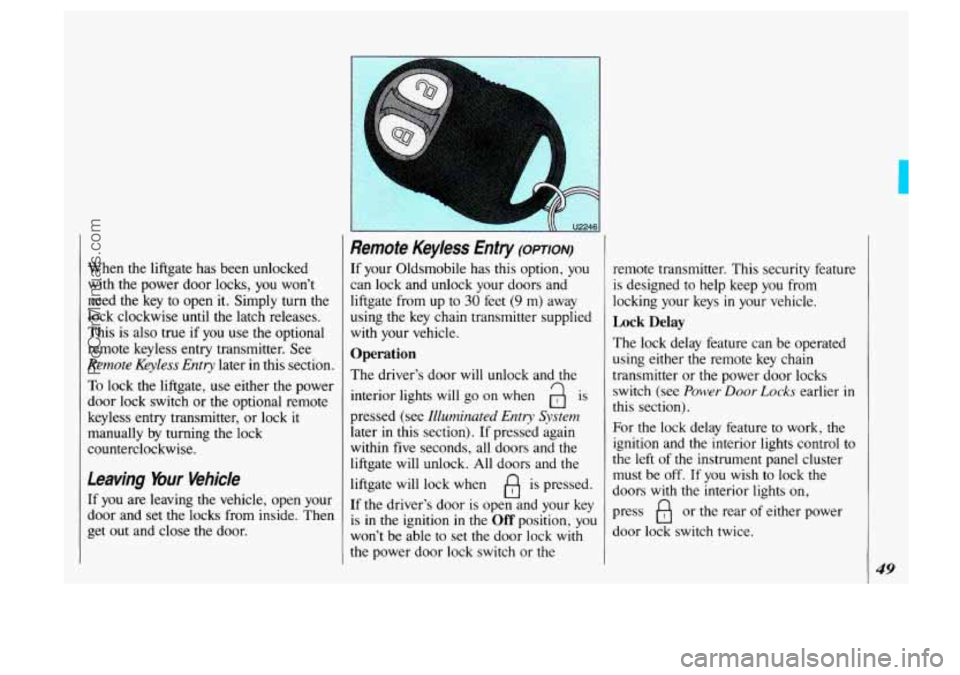
If your Oldsmobile has this option, you
can lock and unlock your doors and
liftgate from up to
30 feet (9 m) away
using
the key chain transmitter supplied
with your vehicle.
Operation
The driver’s door will unlock and the
interior lights will
go on when a is
pressed (see Illuminated Entry System
later in this section). If pressed again
within five seconds, all doors and the
liftgate will unlock. All doors and the
liftgate will lock when
fl is pressed.
If the driver’s door
is open and your key
is
in the ignition in the Off position, you
won’t be able to set the door lock
with
the power door lock switch or the remote transmitter.
This security feature
is designed to help keep you from
locking your keys
in your vehicle.
Lock Delay
The lock delay feature can be operated
using either the remote key chain
transmitter or the power door locks
switch (see
Power Door Lucks earlier in
this section).
For the lock delay feature to work, the
ignition and the interior lights control to
the left of the instrument panel cluster
must be off. If you wish to lock the
doors
with the interior lights on,
press
B or the rear of either power
door lock switch twice.
49
ProCarManuals.com
Page 52 of 323
Features & Controls
50
Remote Keyless Entry (CONX)
If any door is open when you press B
or the rear of either power door lock
switch, a chime will sound three times.
This indicates that all doors and the
Migate will lock about five seconds after the last door has been closed.
To override the lock delay feature, press
the lock symbol or the rear
of either
power door lock switch again, and the doors and liftgate will lock immediately.
If the sliding door is open, it will lock
automatically within five seconds after it is closed, and the doors and liftgate will
lock again.
To cancel the lock delay feature, press
the unlock symbol or the front
of either
power door lock switch.
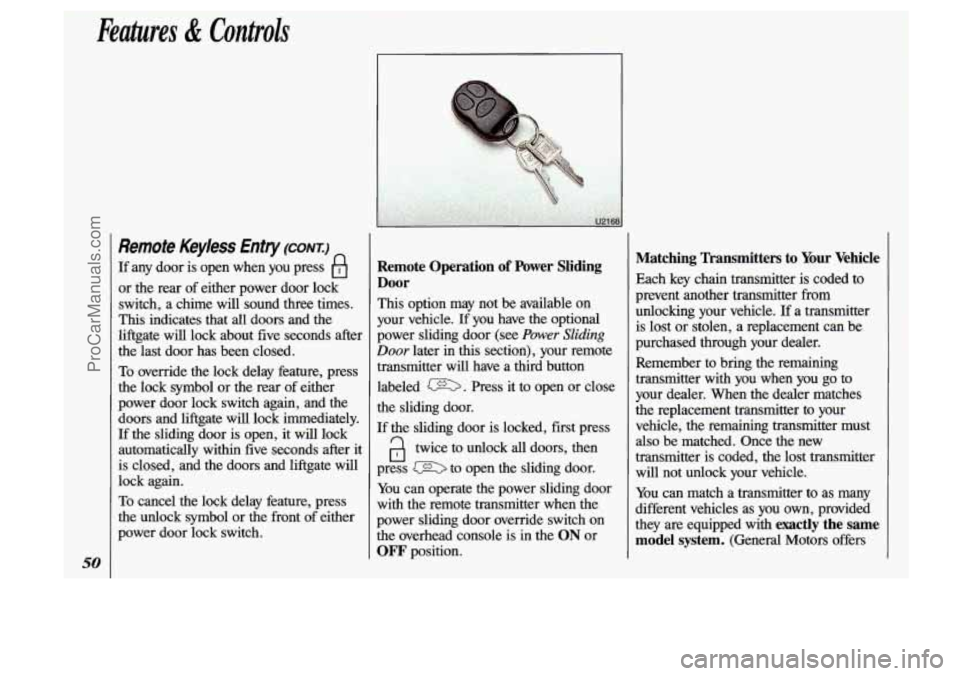
Remote Operation of Power Sliding
Door
This option may not be available on
your vehicle.
If you have the optional
power sliding door (see
Power Sliding
Door later in this section), your remote
transmitter will have a third button
labeled
m. Press it to open or close
the sliding door.
If the sliding door is locked, first press
a twice to unlock all doors, then
press to open the sliding door.
You can operate the power sliding door
with
the remote transmitter when the
power sliding door override switch on
the overhead console is
in the ON or
OFF position.
Matching Transmitters to Your Vehicle
Each key chain transmitter is coded to
prevent another transmitter from
unlocking your vehicle.
If a transmitter
is lost or stolen, a replacement can be
purchased through your dealer.
Remember to bring the remaining
transmitter with you when you go
to
your dealer. When the dealer matches
the replacement transmitter to your
vehicle, the remaining transmitter must
also be matched. Once the new
transmitter is coded, the lost transmitter will not unlock your vehicle.
You can match a transmitter to as many
different vehicles as you own, provided
they
are equipped with exactly the same
model system.
(General Motors offers
ProCarManuals.com
Page 54 of 323

Features & Controls
52
Battery Replacement (CONT)
If the back of your transmitter has a slot
instead
of a screw, follow these battery
replacement instructions:
1. Insert a coin into the slot in the back
of the transmitter, and turn
counterclockwise to open the cover.
2. Remove the cover.
3. Remove and replace the two 3-volt
batteries
(DL 2016).
Illuminated Entry System (OPTION)
This option comes with the optional
remote keyless entry system.
When you open the driver’s door, by
itself or
in combination with any
passenger door or the liftgate, the
interior lights will come on and then
gradually dim
to off 10 seconds after the
last door is closed.
(If the driver’s door
has not been opened, the interior lights
will immediately dim to
off.)
When you press a on your remote
transmitter, the lights inside your vehicle
will go on, then gradually dim to
off
after about 40 seconds, unless a door or
the liftgate is opened.
When you
turn on the ignition, the
interior lights will immediately dim to
off.
4. Reassemble the transmitter.
5. Check the transmitter operation.
ProCarManuals.com