lights OLDSMOBILE SILHOUETTE 1994 User Guide
[x] Cancel search | Manufacturer: OLDSMOBILE, Model Year: 1994, Model line: SILHOUETTE, Model: OLDSMOBILE SILHOUETTE 1994Pages: 276, PDF Size: 15.82 MB
Page 60 of 276

Features & Con&oli
58
U
I Ignition Switch
With the ignition key in the ignition
switch, you can turn the switch to five
positions:
Accessory: An “on” position in which
you can operate your electrical power
accessories. Press in the ignition switch
as you turn the top
of it toward you.
Lock: The only position in which you
can remove the ltey. This loclts your
steering wheel, ignition and transaxle.
Off Unlocks the steering wheel,
ignition, and transaxle, but does not
send electrical power to any accessories
Use this position
if your vehicle must be
pushed or towed, but never try to push-
start your vehicle.
A warning chime will
sound
if you open the driver’s door the
ignition.
Run: An “on” position to which the
switch returns after you start your
engine and release the switch. The
switch stays in the
Run position when
the engine is running. But even when
the engine is not running, you can use
Run to operate your electrical power
accessories, and to display some
instrument panel warning lights.
Start: Starts the engine. When the
engine starts, release the ltey. The
ignition switch will return to
Run for
normal driving.
Note that even if the engine is not
running, the positions
Accessory and
Run are “on” positions that allow you
to operate your electrical accessories,
such as the radio.
NOTICE:
If your key seems stuck in Lock
and you can’t turn it, be sure it is
all the way in. If it is, then turn the
steering wheel left and right while
you turn the key hard. But turn the
key only with your hand. Using a
tool
to force it could break the key
or the ignition switch. If none of
this works, then your vehicle needs
service.
I Starting Your Engine
Engines start differently. The 8th digit
of your Vehicle Identification Number
(VIN) shows the code letter or number
for your engine.
You will find the VIN
at the top left of your instrument panel.
(See
Vehicle Identification Number in
the
Index.) Follow the proper steps to
start the engine.
Move your shift lever
to P (Park) or N
(Neutral). Your engine won’t start in
any other position
- that’s a safety
feature.
To restart when you’re already
moving, use
N (Neutral) only.
ProCarManuals.com
Page 72 of 276
Features & Conkoh
70
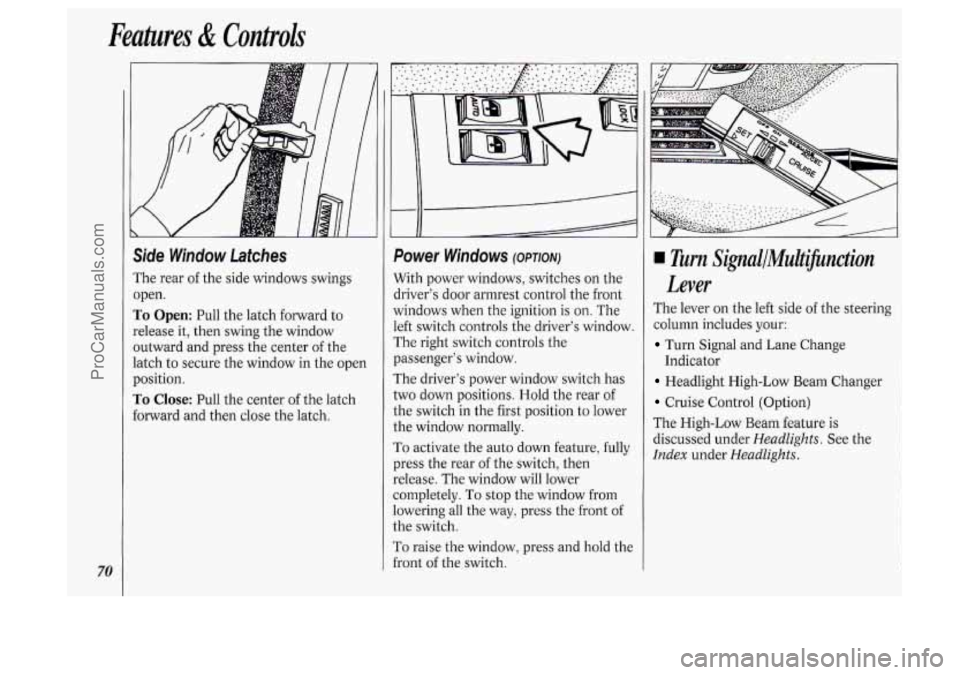
Side Window Latches
The rear of the side windows swings
open.
To Open: Pull the latch forward to
release it, then swing the window
outward and press the center
of the
latch to secure the window in the open
position.
To Close: Pull the center of the latch
forward and then close the latch.
I
f
Power Windows (OPTION)
With power windows, switches on the
driver's door armrest control the front
vindows when the ignition is
on. The
.eft switch controls the driver's window.
The right switch controls the
?assenger's window.
The driver's power window switch has
:wo down positions. Hold the rear
of
:he switch in the first position to lower
:he window normally.
To activate the auto down feature, fully
?res the rear
of the switch, then
:elease. The window will lower
:ompletely.
To stop the window from
owering all the way, press the front of
:he switch.
r'o raise the window, press and hold the
i-ont
of the switch.
Turn SignallMultifinction
Lever
The lever on the left side of the steering
column includes your:
Turn Signal and Lane Change
Headlight High-Low Beam Changer
Cruise Control (Option)
The High-Low Beam feature is
discussed under
Headlights. See the
Index under HeadZights.
Indicator
ProCarManuals.com
Page 73 of 276
0
Turn Signal and Lane Change
lndicafor
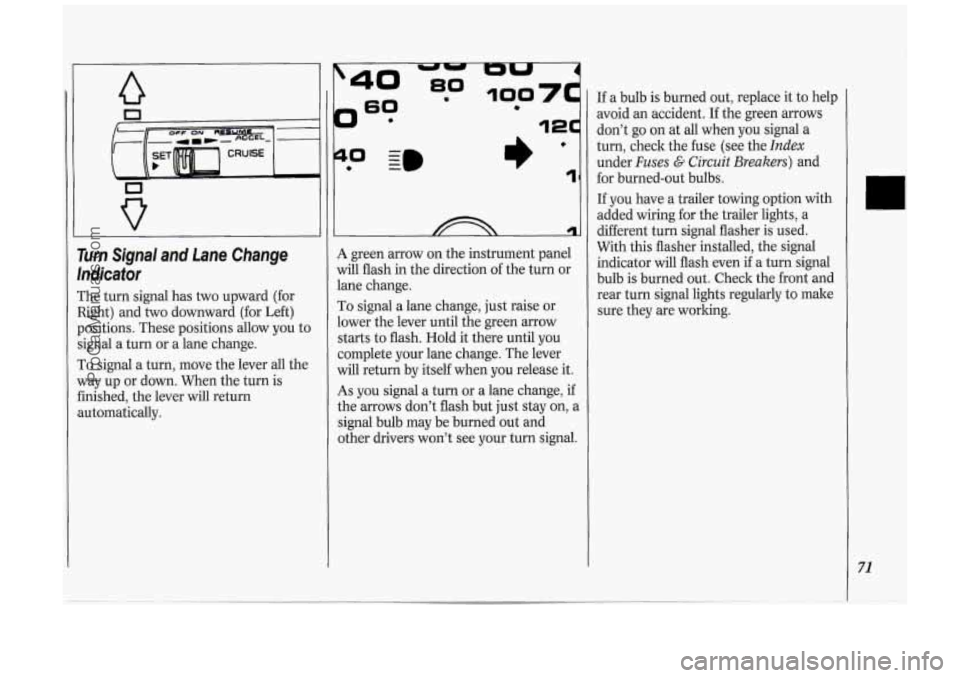
The turn signal has two upward (for
Right) and two downward (for Left)
positions. These positions allow you to
signal a turn or a lane change.
To signal a turn, move the lever all the
way up or down. When the turn is
finished, the lever will return
automatically.
?
0 - I)’ 1
A green arrow on the instrument panel
will flash in the direction of the turn or
lane change.
To signal a lane change, just raise or
lower the lever until the green arrow
starts to flash. Hold it there until you
complete your lane change. The lever
will return by itself when you release it.
As you signal a turn or a lane change, if
the arrows don’t flash but just stay on, a
signal bulb may be burned out and
other drivers won’t see your turn signal. If
a bulb is burned out, replace it to help
avoid an accident. If the green arrows
don’t go on at all when you signal a
turn, check the fuse (see the
Index
under Fuses G Circuit Breakers) and
for burned-out bulbs.
If you have a trailer towing option with
added wiring for the trailer lights, a
different turn signal flasher is used.
With this flasher installed, the signal
indicator will flash even
if a turn signal
bulb is burned out. Check the front and
rear turn signal lights regularly to make
sure they are working.
71
ProCarManuals.com
Page 76 of 276
74
Features & Controls
To slow down in very small amounts,
push the button for less than half
a
second. Each time you do this, you'll
go
1 mph (1.6 ltm/h) slower.
Passing Another Vehicle While
Using Cruise Control
Use the accelerator pedal to increase
your speed. When you take your foot off
the pedal, your vehicle will slow down
to the cruise control speed you set
earlier.
Using Cruise Control on Hills
How well your cruise control will work
on hills depends upon your speed, load,
and the steepness of the hills. When
going up steep hills, you may have to
step on the accelerator pedal to
maintain your speed. When going
downhill,
you may have to brake or
shift to a lower gear to keep your speed
down. Of course, applying the brake
takes
you out of cruise control. Many
drivers find this to be too much trouble
and don't use cruise control on steep
hills.
To Get Out of Cruise Control
There are two ways to turn off the
cruise control:
Step lightly on the brake pedal; OR
Move the cruise switch to OFF.
If your vehicle has the optional traction
control system
(TCS), the cruise
control will shut
off when TCS is
actively controlling wheel spin. See the
Index under Traction Control System.
To Erase Cruise Speed Memory
When you turn off the cruise control or
the ignition, your cruise control set
speed memory is erased. If you have the
3800 V6 engine, cruise control memory
will also be erased when you place the
transaxle in
P (Park).
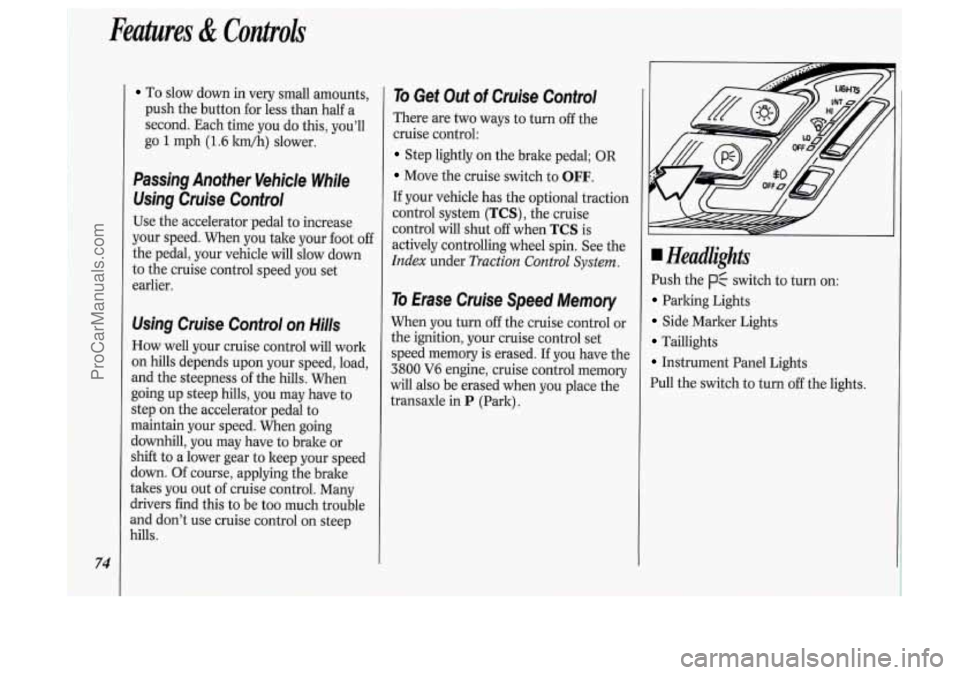
Headlights
Push the p$ switch to turn on:
Parking Lights
Side Marker Lights
Taillights
Instrument Panel Lights
Pull the switch to turn
off the lights.
ProCarManuals.com
Page 77 of 276

Push the -:a- switch to turn on the
headlights, kogether with:
Parking Lights
Side Marker Lights
Taillights
Instrument Panel Lights
Pull the switch to turn off the lights.
Operation of Lights
Although your vehicle’s lighting system
(headlights, parking lights, fog lamps,
side marker lights and taillights) meets
all applicable federal lighting
requirements, certain states and
provinces may apply their own lighting
regulations that may require special
attention before you operate these
lights.
For example, some jurisdictions may
require that you operate your fog lamps
only when your lower beam headlights
are also on, or that headlights be turned
on whenever you must use your
windshield wipers.
In addition, most
jurisdictions prohibit driving solely with
parking lights, especially at dawn or
dusk. It is recommended that you check
with your
own state or provincial
highway authority for applicable
lighting regulations.
Lights On Reminder
If you turn the ignition key to the Off or
Lock position while leaving the lights
on, you will hear
a warning chime.
Headlight High-Low Beam
Changer
To change the headlights from high to
low beam, or low to high, simply pull
the turn signal lever all the way toward
you. Then release it.
When the high beams are
on, a blue
light on the instrument cluster also will
be on.
75
ProCarManuals.com
Page 78 of 276
Features & Controls
76
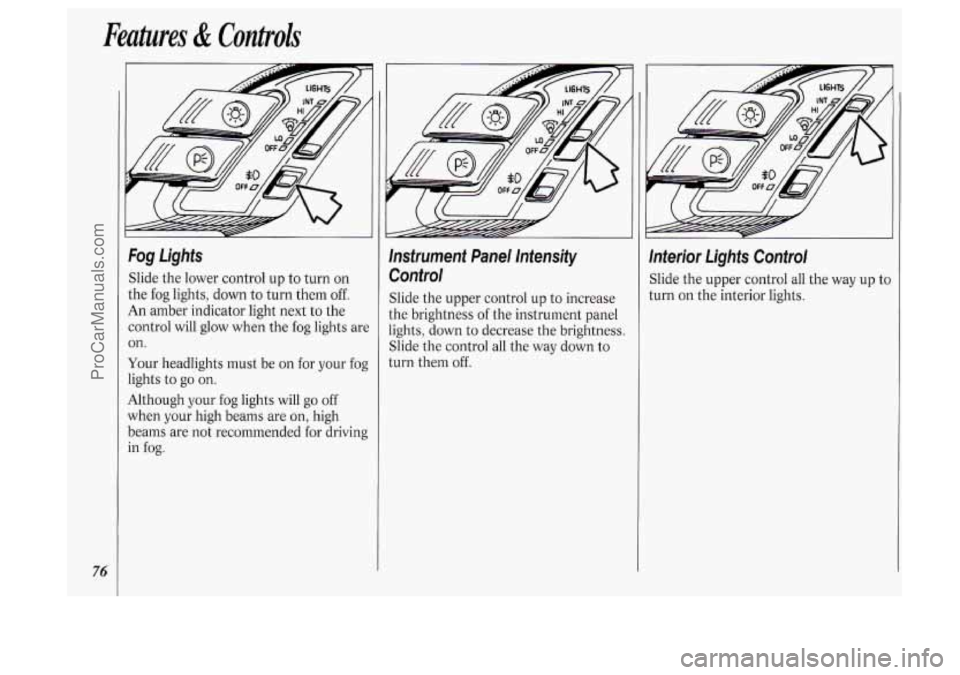
Fog Lights
Slide the lower control up to turn on
the fog lights, down to turn them
off.
An amber indicator light next to the
control will glow when the fog lights are
on.
Your headlights must be on for your fog
lights to
go on.
Although your fog lights will go off
when your high beams are on, high
beams are not recommended for driving
in
fog.
lnsfrument Panel lntensify
Control
Slide the upper control up to increase
the brightness of the instrument panel
lights, down to decrease the brightness.
Slide the control all the way down to
turn them off.
lnterior Lights Control
Slide the upper control all the way up tc
turn on the interior lights.
ProCarManuals.com
Page 81 of 276
NOTICE:
When using concentrated washer
fluid, follow the manufacturer’s
instructions for adding water.
Don’t mix water with ready-to-
use washer fluid. Water can cause
the solution to freeze and damage
your washer fluid tank and other
parts of the washer system. Also,
water doesn’t clean as well as
washer fluid.
Fill your washer fluid tank only
3/4 full when it’s very cold. This
allows for expansion, which could
damage the tank
if it is
completely full.
Don’t use radiator antifreeze in
your windshield washer. It can
damage your paint.
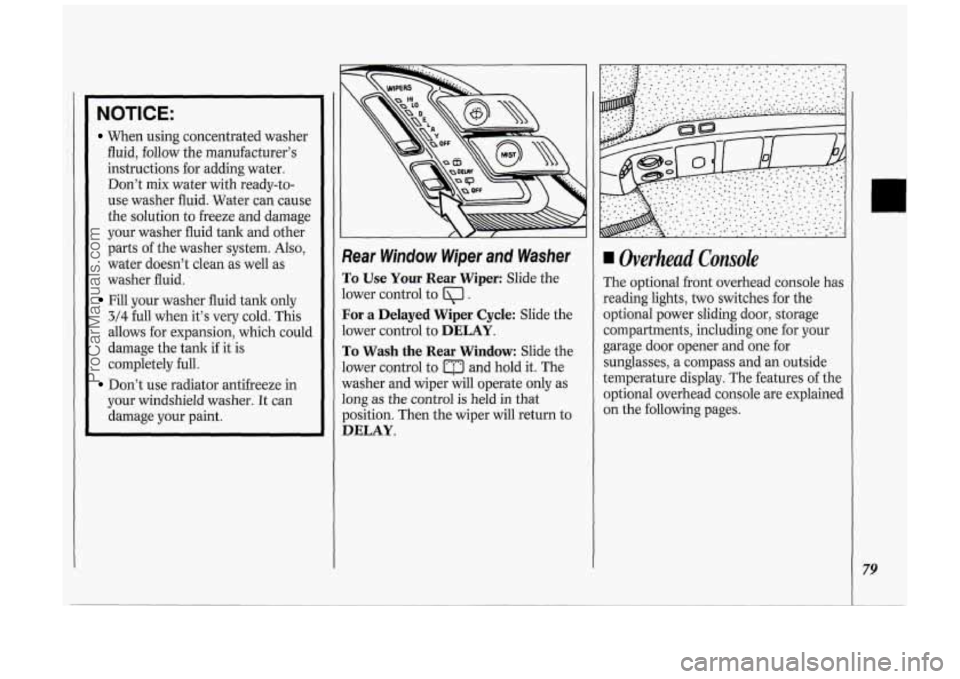
Rear Window Wiper and Washer
To Use Your Rear Wiper: Slide the
lower control to
Ql .
For a Delayed Wiper Cycle: Slide the
lower control to
DELAY.
To Wash the Rear Window: Slide the
lower control to
a and hold it. The
washer and wiper will operate only as
long as the control is held in that
position. Then the wiper will return to
DELAY.
4 Overhead Console
The optional front overhead console has
reading lights,
two switches for the
optional power sliding door, storage
compartments, including one for your
garage door opener and one for
sunglasses, a compass and an outside
temperature display. The features of the
optional overhead console are explained
on the following pages.
79
ProCarManuals.com
Page 82 of 276
Features & Controls
80
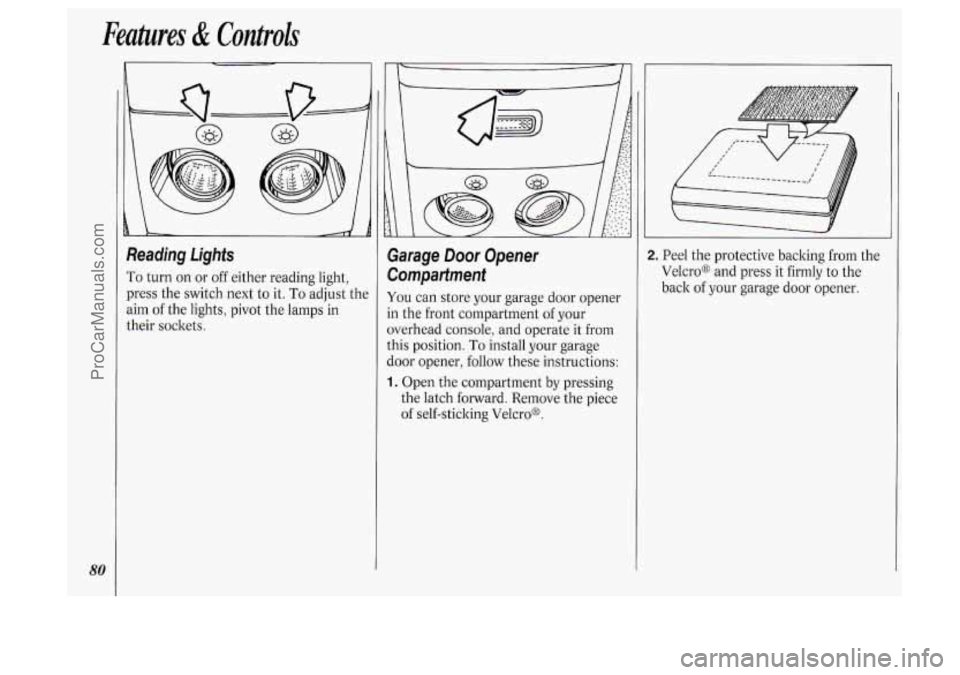
Reading Lights
To turn on or off either reading light,
press the switch next to it.
To adjust the
aim of the lights, pivot the lamps in
their sockets.
Garage Door Opener
Compartment
You can store your garage door opener
in the front compartment of your
overhead console, and operate it from
this position.
To install your garage
door opener, follow these instructions:
1. Open the compartment by pressing
the latch forward. Remove the piece
of self-sticking Velcro@.
2. Peel the protective backing from the
Velcro@ and press it firmly to the
back of your garage door opener.
ProCarManuals.com
Page 85 of 276

Storage Compartment
To open the rear storage compartment
in the overhead console, press the
release button.
Sunglasses Storage Compartment
To open the sunglasses storage
compartment in the overhead console,
press the release button. Then pull the
compartment down to the full open
position, as shown.
Inferior Lights Override Switch
rhis switch is located to the left of the
zigarette lighter in the center
instrument panel console. It has two
positions,
DOOR (on) and OFF, and
overrides all interior lights except the
reading lights.
The interior lights go
on each time you
open the doors. You can turn off these
lights
so that the doors may be left open
without running down the battery by
turning the interior lights override
switch
to OFF.
83
ProCarManuals.com
Page 86 of 276

Features & Controls
84
Center Dome Light
Located in the center of your vehicle,
this light has no switch of its
own. It
will go on each time you open the
doors, unless you turn the interior lights
override switch in the center instrument
panel console to
OFF.
If you have the optional rear climate
control, you will not have a center dome
light.
Rear lnterior Lights
The rear dome light also has two
reading lights.
The dome light will go
on each time you
open the doors, unless you turn the
interior lights override switch in the
center instrument panel console to
OFF.
To turn on either reading light, press
the switch next to it.
There are also
two lights in the liftgate
to light the rear cargo area. These will
come
on each time you open the
liftgate, unless the interior lights
override switch is in the
OFF position.
Accessory Power Outlet
The power outlet is located in the rear
compartment on the driver’s side. To
open, slide the latch down and remove
the cover.
The power outlet can be used to plug in
electrical equipment such as a cellular
telephone,
CB radio, etc. Follow the
proper installation instructions that are
included with any electrical equipment
you install.
ProCarManuals.com