lock OLDSMOBILE SILHOUETTE 1995 Service Manual
[x] Cancel search | Manufacturer: OLDSMOBILE, Model Year: 1995, Model line: SILHOUETTE, Model: OLDSMOBILE SILHOUETTE 1995Pages: 390, PDF Size: 20.27 MB
Page 141 of 390
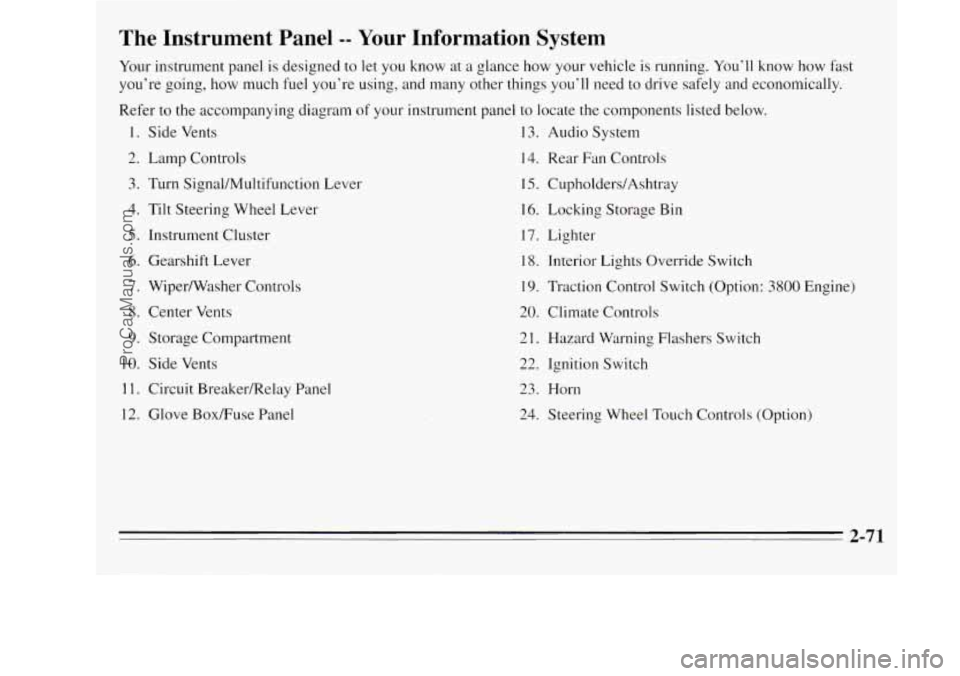
The Instrument Panel -- Your Information System
Your instrument panel is designed to let you know at a glance how your vehicle is running. You’ll know how fast
you’re going, how much fuel you’re using, and many other things you’ll need to drive safely and economically.
Refer to the accompanying diagram
of your instrument panel to locate the components listed below.
1. Side Vents 13. Audio System
2. Lamp Controls
14. Rear Fan Controls
3. Turn Signal/Multifunction Lever 15. CupholderdAshtray
4. Tilt Steering Wheel Lever 16. Locking
Storage Bin
5. Instrument Cluster 17. Lighter
6. Gearshift Lever
18. Interior Lights Override Switch
7. Wiper/Washer Controls 19. Traction Control Switch (Option: 3800 Engine)
8. Center Vents
20. Climate Controls
9. Storage Compartment 21. Hazard Warning Flashers Switch
10. Side Vents
22. Ignition Switch
1 1. Circuit BreakedRelay Panel 23. Horn
12. Glove BoxRuse Panel
24. Steering Wheel Touch Controls (Option)
-
2-71
ProCarManuals.com
Page 143 of 390
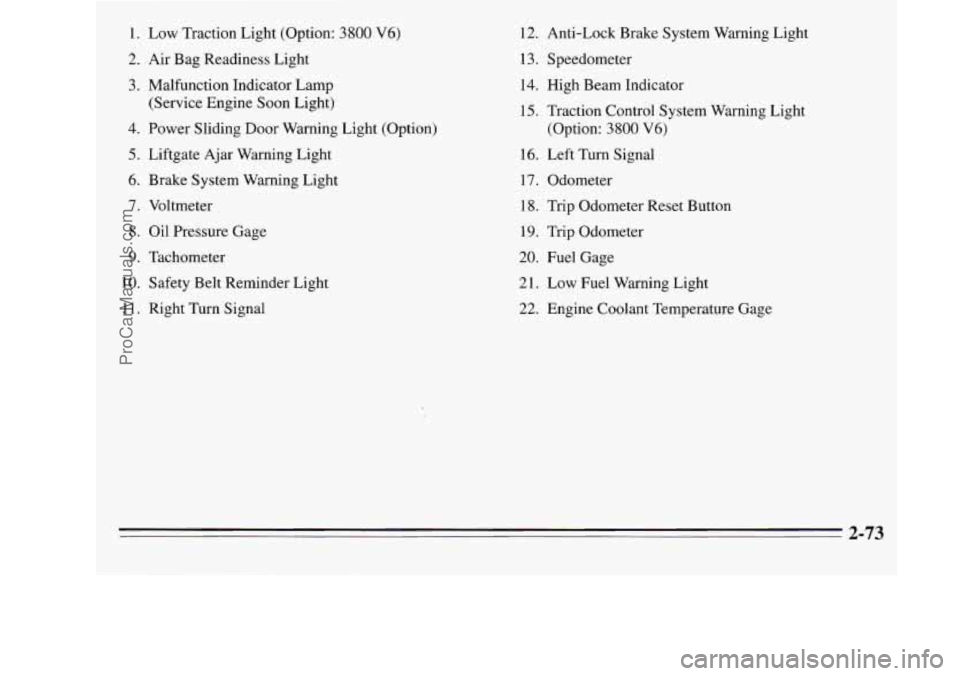
1. Low Traction Light (Option: 3800 V6)
2. Air Bag Readiness Light
3. Malfunction Indicator Lamp
(Service Engine Soon Light)
4. Power Sliding Door Warning Light (Option)
5. Liftgate Ajar Warning Light
6. Brake System Warning Light
7. Voltmeter
8. Oil Pressure Gage
9. Tachometer
10. Safety Belt Reminder Light
11. Right Turn Signal 12.
Anti-Lock Brake System Warning Light
1 3. Speedometer 14. High Beam Indicator
15. Traction Control System Warning Light
(Option: 3800
V6)
16. Left Turn Signal
17. Odometer
18. Trip Odometer Reset Button
19. Trip Odometer
20. Fuel Gage
21. Low Fuel Warning Light
22. Engine Coolant Temperature Gage
2-73
ProCarManuals.com
Page 148 of 390
If the light comes on while you are driving, pull off the
road and stop carefully. You may notice that the pedal is
harder to push. Or, the pedal may go closer to the floor.
It may take longer
to stop. If the light is still on, or if the
anti-lock brake system warning light is flashing, have
the vehicle towed for service. (See “Anti-Lock Brake
System Warning Light” and “Towing Your Vehicle”
in
the Index.)
The brake system warning light will also come
on when
you set your parking brake, and it will stay on if your
parking brake doesn’t release fully. If it stays on after
your parking brake is fully released, it means you have a
brake problem.
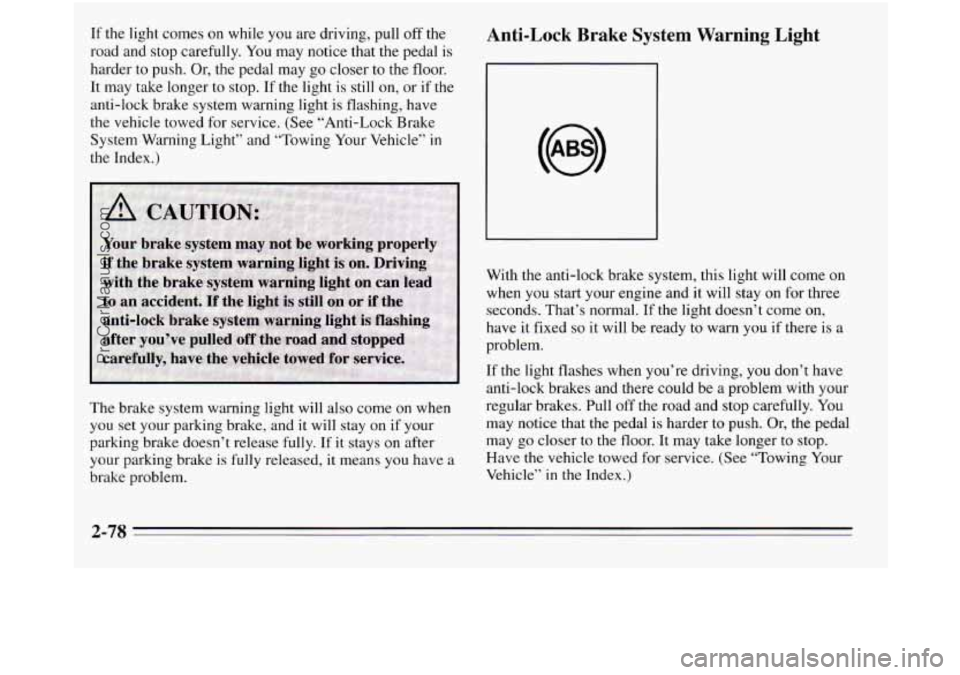
Anti-Lock Brake System Warning Light
With the anti-lock brake system, this light will come on
when you start your engine and it will
stay on for three
seconds. That’s normal. If the light doesn’t come on,
have it fixed
so it will be ready to warn you if there is a
problem.
If the light flashes when you’re driving, you don’t have
anti-lock brakes and there could be
a problem with your
regular brakes. Pull
off the road and stop carefully. You
may notice that the pedal is harder to push. Or, the pedal
may go closer to the floor. It may take longer
to stop.
Have the vehicle towed for service. (See “Towing Your
Vehicle” in
the Index.)
2-78
ProCarManuals.com
Page 149 of 390
If the anti-lock brake system warning light stays on
longer than normal after you’ve started your engine,
turn
the ignition off. Or, if the light comes on and stays on
when you’re driving, stop as soon as possible and turn
the ignition
off. Then start the engine again to reset the
system. If the light still stays on, or comes on again
while you’re driving, your Oldsmobile needs service.
If
the light is on but not flashing and the regular brake
system warning light isn’t on, you still have brakes, but
you don’t have ahti-lock brakes.
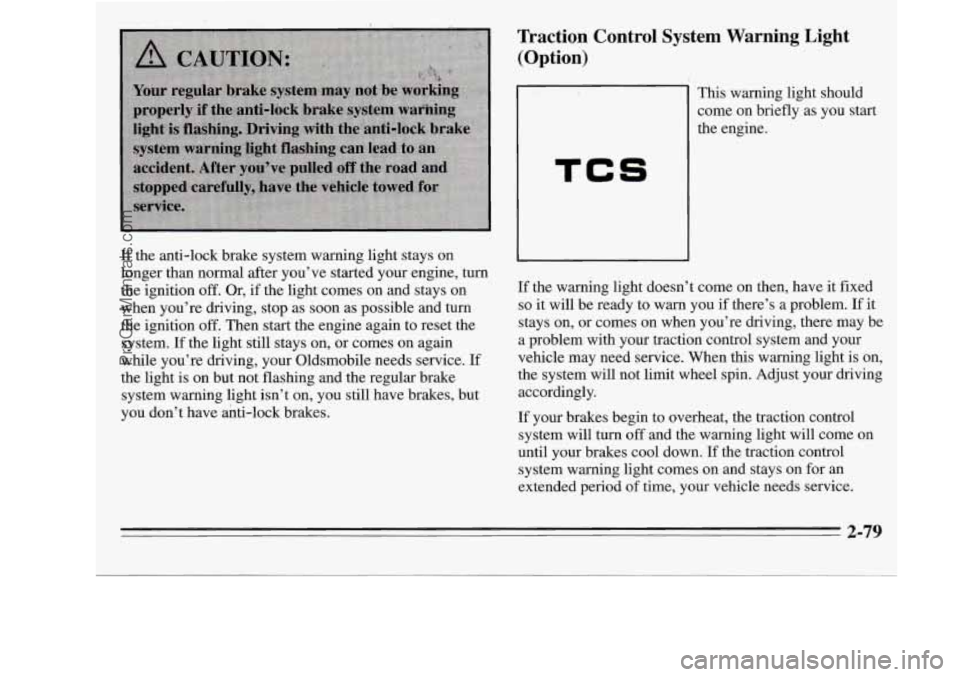
Traction Control System Warning Light
(Option)
TCS
This warning light should
come on briefly as you start
the engine.
If the warning light doesn’t come on then, have it fixed
so it will be ready to warn you if there’s a problem. If it
stays on, or comes on when you’re driving, there may be
a problem with your traction control system and your
vehicle may need service. When this warning light
is on,
the system will not limit wheel spin. Adjust your driving
accordingly.
If your brakes begin to overheat, the traction control
system will
turn off and the warning light will come on
until your brakes cool down. If the traction control
system warning light comes on and stays on for an
extended period
of time, your vehicle needs service.
2-79
ProCarManuals.com
Page 150 of 390
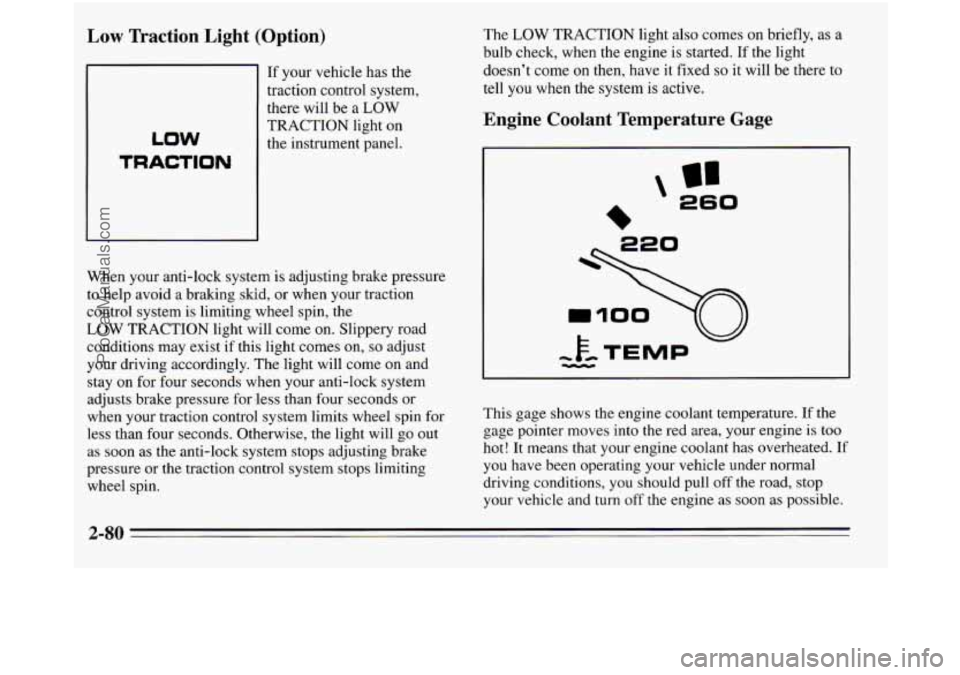
Low Traction Light (Option)
If your vehicle has the
traction control system,
there will be a
LOW
TRACTION light on
the instrument panel.
LOW
TRACTION
When your anti-lock system is adjusting brake pressure
to help avoid a braking
skid, or when your traction
control system is limiting wheel spin, the
LOW TRACTION light will come on. Slippery road
conditions may exist if this light comes on,
so adjust
your driving accordingly. The light will come
on and
stay on for four seconds when your anti-lock system
adjusts brake pressure for 'less than four seconds or
when your traction control system limits wheel spin
for
less than four seconds. Otherwise, the light will go out
as soon as the anti-lock system stops adjusting brake
pressure or the traction control system stops limiting
wheel spin. The
LOW TRACTION
light also comes on briefly, as a
bulb check, when the engine is started. If the light
doesn't come on then, have it fixed
so it will be there to
tell you when the system is active.
Engine Coolant Temperature Gage
In
260
This gage shows the engine coolant temperature. If the
gage pointer moves into the red area, your engine is too
hot! It means that your engine coolant has overheated. If
you have been operating your vehicle under normal
driving conditions, you should pull
off the road, stop
your vehicle and turn
off the engine as soon as possible.
2-80
ProCarManuals.com
Page 166 of 390
Audio Systems
The following pages describe the audio systems
available for your Oldsmobile, and how
to get the best
performance from them. Please read about the
system in
your vehicle.
Setting the Clock
For radios with SEEK A
1. With the radio on or off, press SET. The SET
indicator will appear on the digital display for
five
seconds. You must begin to set the clock to the
correct hour and minute during those
five seconds.
2. Press and hold the down SEEK arrow until the
correct hour appears on the display.
3. Press and hold the up SEEK arrow until the correct
minute appears
on the display. For radios
with SEEK and
SCAN buttons:
1. With the radio on or off, press SET. The SET
indicator will appear on the digital display for five
seconds.
You must begin to set the clock to the
correct hour and minute during those five seconds.
2. Press and hold SEEK until the correct hour appears
on the display.
3. Press and hold SCAN until the correct minute
appears on the display.
For radios
with 4 SEEK and SCAN:
1. With the radio on or off, press SET. The SET
indicator will appear on the digital display for five
seconds. You must begin to set the clock to
the
correct hour and minute during those five seconds.
2. Press and hold SCAN until the correct hour appears
on the display.
3. Press and hold the left or right SEEK arrow until the
correct minute appears on
the display.
3-8
ProCarManuals.com
Page 167 of 390
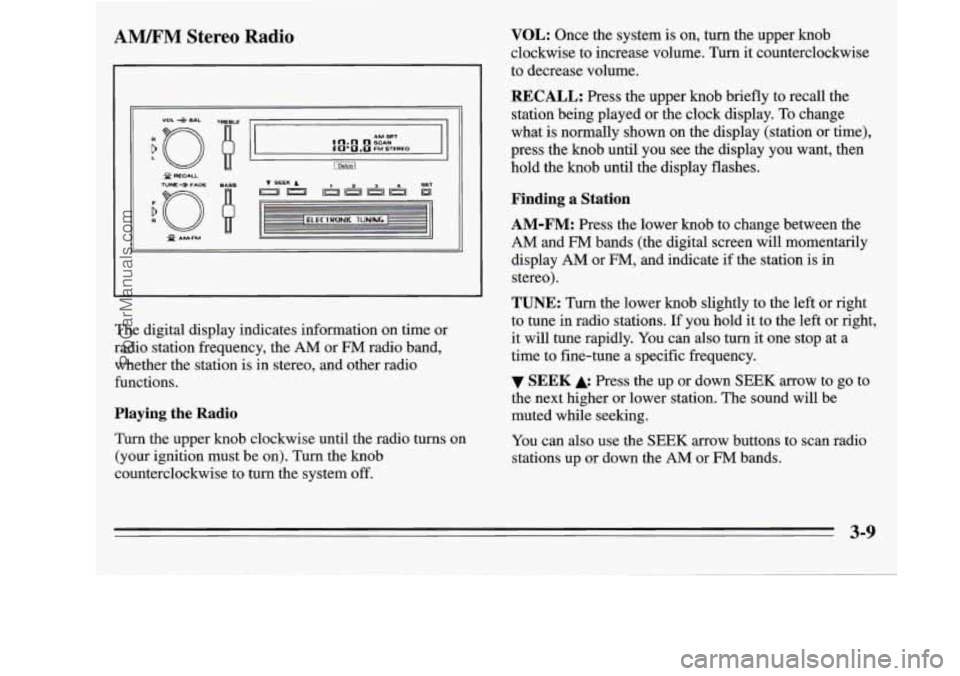
AM%FM Stereo Radio
I
XJ f AMFM Q
The digital display indicates information on time or
radio station frequency, the
AM or FM radio band,
whether the station is in stereo, and other radio
functions.
Playing the Radio
Turn the upper knob clockwise until the radio turns on
(your ignition must be
on). Turn the knob
counterclockwise to turn the system off.
VOL: Once the system is on, turn the upper knob
clockwise to increase volume. Turn it counterclockwise
to decrease volume.
RECALL: Press the upper knob briefly to recall the
station being played or the clock display. To change
what
is normally shown on the display (station or time),
press the knob until you see the display you want, then
hold the knob until the display flashes.
Finding a Station
AM-FM:
Press the lower knob to change between the
AM and FM bands (the digital screen will momentarily
display
AM or FM, and indicate if the station is in
stereo).
TUNE: Turn the lower knob slightly to the left or right
to tune in radio stations. If you hold it to the left or right,
it will tune rapidly. You can also turn it one stop at a
time to fine-tune a specific frequency.
the next higher or lower station. The sound will be
muted while seeking.
You can also use the
SEEK arrow buttons to scan radio
stations up or down the
AM or FM bands.
SEEK Press the up or down SEEK arrow to go to
3-9
ProCarManuals.com
Page 170 of 390
![OLDSMOBILE SILHOUETTE 1995 Service Manual AMEM Stereo with Cassette Player with
Dolby@ (Option)
9
n AM 1 u - FM TUNE
r 1
(IJ (2) [T) [TI [y) [L] [=]
PROG Cr02 REV FWD PREV NEXT
L /
Playing the Radio
Push the PWR button to turn](/img/31/58210/w960_58210-169.png "OLDSMOBILE SILHOUETTE 1995 Service Manual AMEM Stereo with Cassette Player with
Dolby@ (Option)
9
n AM 1 u - FM TUNE
r 1
(IJ (2) [T) [TI [y) [L] [=]
PROG Cr02 REV FWD PREV NEXT
L /
Playing the Radio
Push the PWR button to turn")
AMEM Stereo with Cassette Player with
Dolby@ (Option)
9
n AM 1 u - FM TUNE
r 1
(IJ (2) [T) [TI [y) [L] [=]
PROG Cr02 REV FWD PREV NEXT
L /
Playing the Radio
Push the PWR button to turn the system on or off.
VOL: Turn the upper knob clockwise to increase
volume. Turn it counterclockwise to decrease volume.
MUTE: Press the upper knob to mute the radio or tape
player. Press it again to listen.
RCL: When the ignition is off, press this button to
display the clock. When the radio is on, press it to
change between the clock and radio station frequency
shown on the digital display.
Finding a Station
AM-FM:
Press the lower knob to change between the
AM and
FM bands. The band you select will appear
momentarily on the digital display.
TUNE: Turn the lower knob slightly to the left or right
to tune in radio stations. If you hold it to the left or right,
it will tune rapidly. You can also turn it one stop at a
time to fine-tune a specific frequency.
4 SEEK b: Press to seek and stop on the next station
higher or lower on the radio band.
SCAN: When you press SCAN, the radio will go to the
next station and pause there for a few seconds. SCAN
will be shown on the digital display. Press SCAN again
to stop on a station.
3-12
5
ProCarManuals.com
Page 173 of 390
RCL: When the ignition is off, press to display the
clock. When the radio is
on, press to change between the
clock and the radio station frequency displayed on the
digital screen.
Finding a Station
AM FM: Press to select either the AM or FM radio
band. The band
you select will be displayed on the
digital screen. The frequency
of the station will be
displayed, and if the station is in stereo, the
ST (Stereo)
indicator will also be displayed.
Your radio has AMAX. With an AMAX-certified
receiver, your radio can produce quality AM sound
comparable to FM stereo. AMAX reduces noise without
reducing the high frequencies you need for the best
sound. In addition to improved sound quality, AMAX
includes more stations
on the AM band. You don’t have
to do anything to your Delco@/GM radio because
AMAX is automatic.
TUNE: Press the top of the switch to tune in radio
stations higher
on the AM or FM band. Press the bottom
to tune in stations lower on the band.
SEEK: Press SEEK to tune in and stop on the next
station
on the AM or FM radio band.
SCAN: When you press SCAN, the radio will go to the
next station and pause there for a few seconds. SCAN
will display
on the digital screen. Press SCAN again to
stop on a station.
To Preset Radio Stations
The five pushbuttons in the lower right corner can be
used to preset up to
10 radio stations (five AM and five
FM stations). These buttons have other uses when
you
are playing a compact disc (see “To Play a Compact
Disc” later in this section).
1. Tune in the digital display to the station you want.
2. Press SET. The SET indicator will appear on the
digital screen for
five seconds.
3. While the SET indicator is displayed, press one of
the five pushbuttons.
4. Repeat steps 1-3 for each of five AM and five FM
stations.
3-15
ProCarManuals.com
Page 174 of 390

Setting the Tone
BASS: This switch adjusts the bass level up or down.
The bottom of the digital screen will display the level
you have selected. For a normal listening level preset at
the factory, press the center of the switch.
TREB: This switch adjusts the treble level up or down.
The bottom
of the digital screen will display the level
you have selected. For a normal listening level preset at
the factory, press
the center of the switch.
Adjusting the Speakers
BAL:
This four-way control adjusts the lefthight and
fronthear speaker balance to your individual taste.
When you change either adjustment, the bottom of the
digital screen will display the point of balance you have
selected. For the normal setting preset at the factory,
press the
left and right or front and rear buttons at the
same time.
To Play a Compact Disc
Don’t use mini-discs that are called singles. They won’t
eject. Use only full-size compact discs.
1. Press POWER to turn the radio on.
2. Insert a disc part-way into the slot, with the label
side
up. The player will pull it in. In a few seconds,
the disc should play.
If the disc comes back out:
0 The disc may be upside down.
0 The disc may be dirty, scratched or wet.
There may be too much moisture in the air (wait
The player may be too hot, or the road may be too
rough for the disc to play. If the word HOT appears
on the display, the player is too hot. Press
RCL to
remove HOT from the display. As soon as things get
back to normal, the disc should play.
about one
hour and try again).
While a disc
is playing, the CD indicator is displayed on
the digital screen, as is the clock.
Many of the controls for the radio also have functions
for the compact disc player, as explained here.
3-16
ProCarManuals.com