climate control OLDSMOBILE SILHOUETTE 2003 User Guide
[x] Cancel search | Manufacturer: OLDSMOBILE, Model Year: 2003, Model line: SILHOUETTE, Model: OLDSMOBILE SILHOUETTE 2003Pages: 466, PDF Size: 21.55 MB
Page 190 of 466
Directing the Airflow
To direct the airflow to the rear-seating area, use the
right knob located on the main climate-control panel.
Select vent or bi-level mode to direct air to the
rear of the vehicle through the overhead outlets.
Select floor, defog or defrost mode to direct air to
the rear of the vehicle through the floor outlets.
Generally the upper outlets are used for air cor
and the floor outlets are used for heating.
Selecting the Fan Speed
8@ (Fan): Turn the fan knob on either rear far 1
ditioning
control
to numeral
1, 2, or 3 to increase or decrease airflow
to the rear-seating area. Turn the fan knob on either rear
fan control to
0 or OFF to turn off the fan.
Setting the Temperature
If the driver is adjusting the temperature, do the
following:
To increase or decrease the temperature for the entire
vehicle, use the temperature controls located on the
main climate-control panel.
If using the main climate-control panel, then the
air-conditioning system must be on to direct cooled air
to the rear of the vehicle. If it is not on, then the
temperature in the rear of the vehicle will remain at
cabin temperature.
If a rear-seat passenger is adjusting the temperature,
do the following:
Turn the right knob, located on the overhead
rear-control panel, behind the driver’s seat, clockwise or
counterclockwise to raise or lower the temperature in
the rear-seating area only.
3-33
Page 191 of 466
Rear Air Outlets
To increase airflow through the rear floor outlets, place
the left bucket seat in the second row in the forward
position. For more information, see “Seats” in the Index.
The outlet behind the left rear seat is the cold air
return outlet. Be sure to keep it free from obstructions.
Also, keep the area around the base of the center
instrument panel console, between and under the front
seats, free of objects that could also obstruct airflow
to the rear-seating area.
For more information on how to use the main climate
control system, see “Climate Controls” listed previously
in this section. For information on ventilation, see
“Outlet Adjustment” also listed previously in this section.
Rear Climate Control System
(With Entertainment System)
Your vehicle may have a rear climate-control system
that allows the driver to adjust the fan speed or a
rear-seat passenger to set a separate temperature
and adjust the fan speed, for the rear-seating area.
This system works with the main climate-control system
in your vehicle.
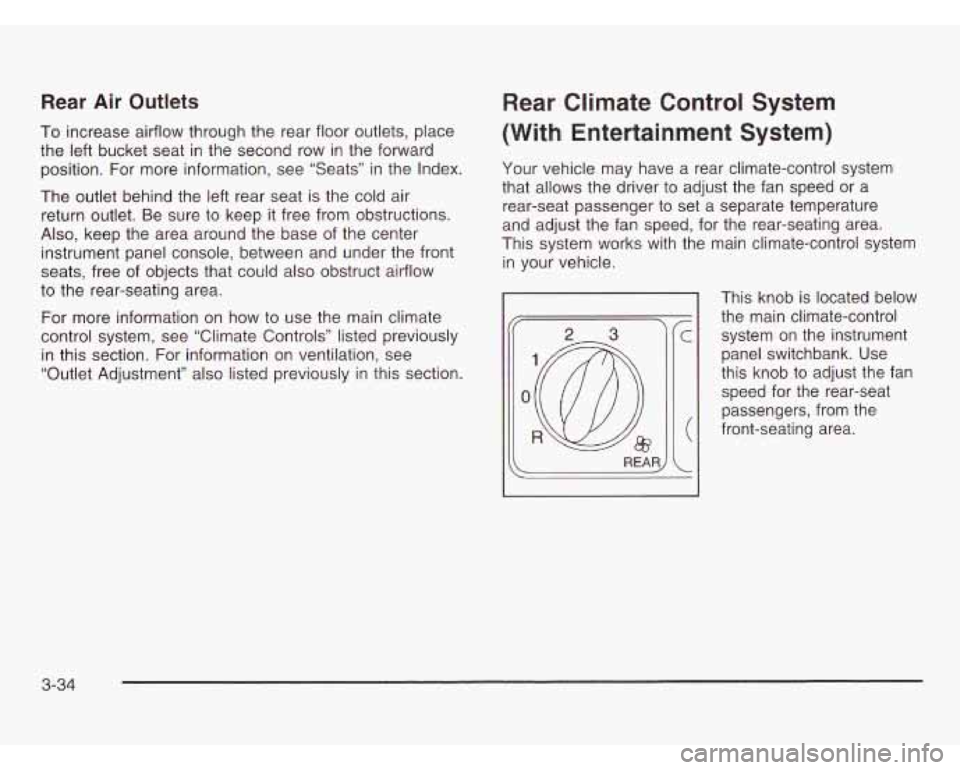
This knob is located below
the main climate-control system on the instrument
panel switchbank. Use
this knob to adjust the fan
speed for the rear-seat
passengers, from the
front-seating area.
3-34
Page 192 of 466
Directing the Airflow
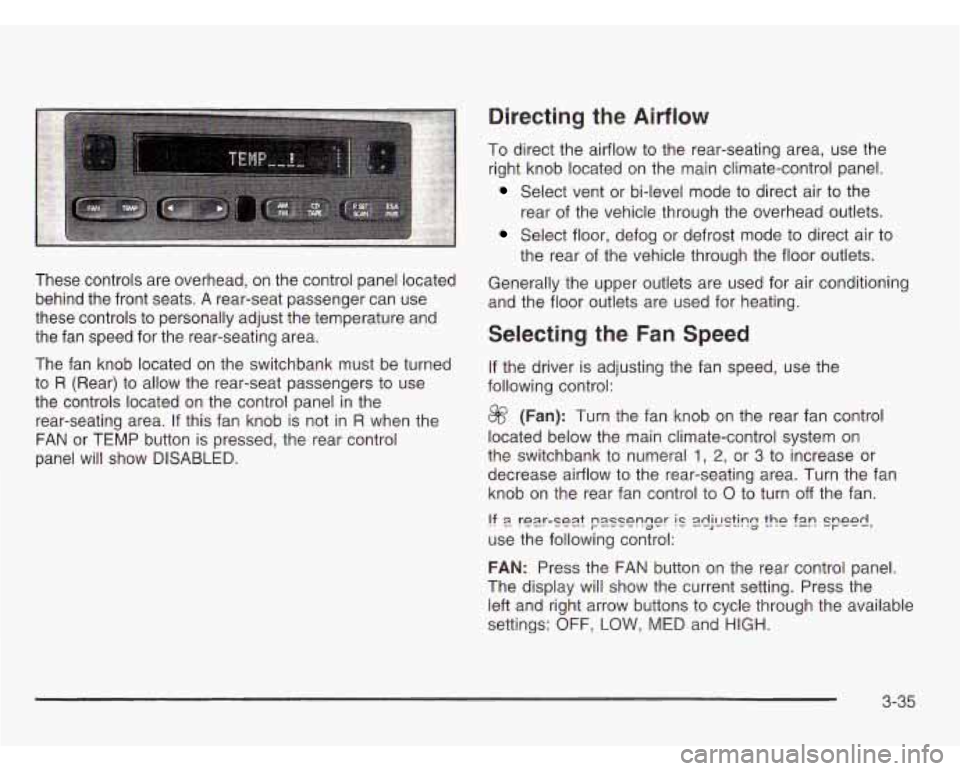
These controls are overhead, on the control panel located
behind the front seats.
A rear-seat passenger can use
these controls to personally adjust the temperature and
the fan speed for the rear-seating area.
The fan knob located on the switchbank must be turned
to
R (Rear) to allow the rear-seat passengers to use
the controls located on the control panel in the
rear-seating area.
If this fan knob is not in R when the
FAN or TEMP button is pressed, the rear control
panel will show
DISABLED.
To direct the airflow to the rear-seating area, use the
right knob located on the main climate-control panel.
Select vent or bi-level mode to direct air to the
rear of the vehicle through the overhead outlets.
Select floor, defog or defrost mode to direct air to
the rear of the vehicle through the floor outlets.
Generally the upper outlets are used for air conditioning
and the floor outlets are used for heating.
Selecting the Fan Speed
If the driver is adjusting the fan speed, use the
following control:
@ (Fan): Turn the fan knob on the rear fan control
located below the main climate-control system on
the switchbank to numeral
1, 2, or 3 to increase or
decrease airflow to the rear-seating area. Turn the fan
knob on the rear fan control to
0 to turn off the fan.
!? 9 rear-se2.t passenger IC 2dj!E?k?g the f2n speed,
use the following control:
FAN: Press the FAN button on the rear control panel.
The display will show the current setting. Press the
left and right arrow buttons to cycle through the available
settings:
OFF, LOW, MED and HIGH.
3-35
Page 193 of 466
Setting the Temperature
If the driver is adjusting the temperature, do the
following:
To increase or decrease the temperature for the entire
vehicle, use the temperature controls located on the
main climate-control panel.
If using the main climate-control panel, then the
air-conditioning system must be on to direct cooled air
to the rear of the vehicle.
If it is not on, then the
temperature in the rear of the vehicle will remain at
cabin temperature.
If a rear-seat passenger is adjusting the temperature,
do the following:
Press the TEMP button on the rear control panel.
Use the left arrow button to make the air cooler.
Use the right arrow button to make the air warmer.
Rear Air Outlets
To increase airflow through the rear floor outlets, place
the left bucket seat in the second row in the forward
position. For more information, see “Seats” in the Index.
The outlet behind the left rear seat is the cold air
return outlet. Be sure to keep it free from obstructions.
Also, keep the area around the base of the center
instrument panel console, between and under the front
seats, free of objects that could
also obstruct airflow
to the rear-seating area.
For more information on how to use the main climate
control system, see “Climate Controls” listed previously
in this section. For information on ventilation, see
“Outlet Adjustment” also listed previously in this section.
3-36
Page 248 of 466
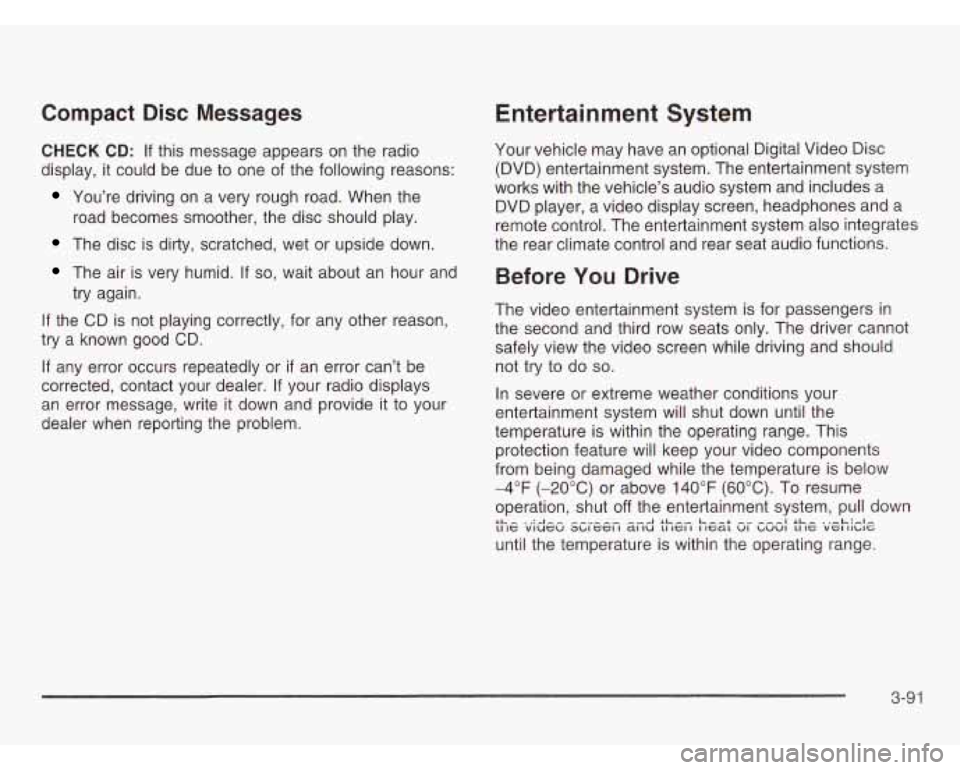
Compact Disc Messages
CHECK CD: If this message appears on the radio
display, it could be due to one of the following reasons:
You’re driving on a very rough road. When the
road becomes smoother, the disc should play.
The disc is dirty, scratched, wet or upside down.
The air is very humid. If so, wait about an hour and
try again.
If the CD is not playing correctly, for any other reason,
try a known good CD.
If any error occurs repeatedly or if an error can’t be
corrected, contact your dealer. If your radio displays
an error message, write
it down and provide it to your
dealer when reporting the problem.
Entertainment System
Your vehicle may have an optional Digital Video Disc
(DVD) entertainment system. The entertainment system
works with the vehicle’s audio system and includes a
DVD player, a video display screen, headphones and a
remote control. The entertainment system also integrates
the rear climate control and rear seat audio functions.
Before You Drive
The video entertainment system is for passengers in
the second and third row seats only. The driver cannot
safely view the video screen while driving and should
not try to do
so.
In severe or extreme weather conditions your
entertainment system will shut down until the
temperature is within the operating range. This
protection feature will keep your video components
from being damaged while the temperature is below
-4°F (-20°C) or above 140°F (60°C). To resume
operation, shut
off the entertainment system, pull down
until the temperature is within the operating range. LL- ‘A-- --A SL-, Leer ---I SL- .,-L:#.l- 11 IC viucu ~~IGCI I a1 IU LI IGI I I IcaL VI ~UVI LI IC VGI II~IG
3-91
Page 372 of 466
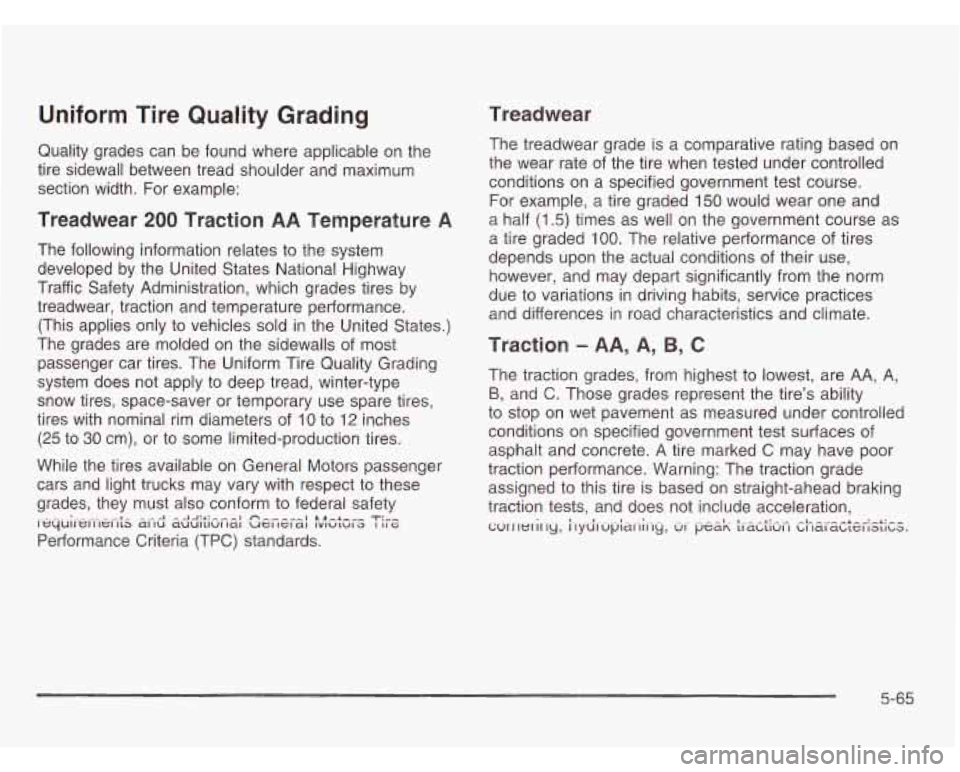
Uniform Tire Quality Grading
Quality grades can be found where applicable on the
tire sidewall between tread shoulder and maximum
section width. For example:
Treadwear 200 Traction AA Temperature A
The following information relates to the system
developed by the United States National Highway
Traffic Safety Administration, which grades tires by
treadwear, traction and temperature performance.
(This applies only to vehicles sold in the United States.)
The grades are molded on the sidewalls of most
passenger car tires. The Uniform Tire Quality Grading
system does not apply to deep tread, winter-type
snow tires, space-saver or temporary use spare tires,
tires with nominal rim diameters of 10 to
12 inches
(25 to 30 cm), or to some limited-production tires.
While the tires available on General Motors passenger
cars and light trucks may vary with respect to these
grades, they must also conform to federal safety
Performance Criteria (TPC) standards.
-.-A -A-l:*:---l fi,,,,,I ill^+-”, T:”- It=~Ullt=lllelltb allu ~UUI~IUIIQI UCIICI~~ lvlulula I IIG
Treadwear
The treadwear grade is a comparative rating based on
the wear rate of the tire when tested under controlled
conditions on a specified government test course.
For example, a tire graded 150 would wear one and
a half (1
5) times as well on the government course as
a tire graded 100. The relative performance of tires
depends upon the actual conditions of their use,
however, and may depart significantly from the norm
due to variations in driving habits, service practices and differences in road characteristics and climate.
Traction - AA, A, 9, C
The traction grades, from highest to lowest, are AA, A,
B, and C. Those grades represent the tire’s ability
to stop on wet pavement as measured under controlled
conditions on specified government test surfaces of
asphalt and concrete. A tire marked C may have poor
traction performance. Warning: The traction grade
assigned to this tire is based on straight-ahead braking
traction tests, and does not include acceleration,
wrrlerir~ly, ilydlupih1Gl^ly, wr pea“ tIdwuI I cII la1 c~wz;I 1aL1t-a. ._ - - 1. A..- -A: - .- -L. -+--:-+:--
5-65
Page 410 of 466
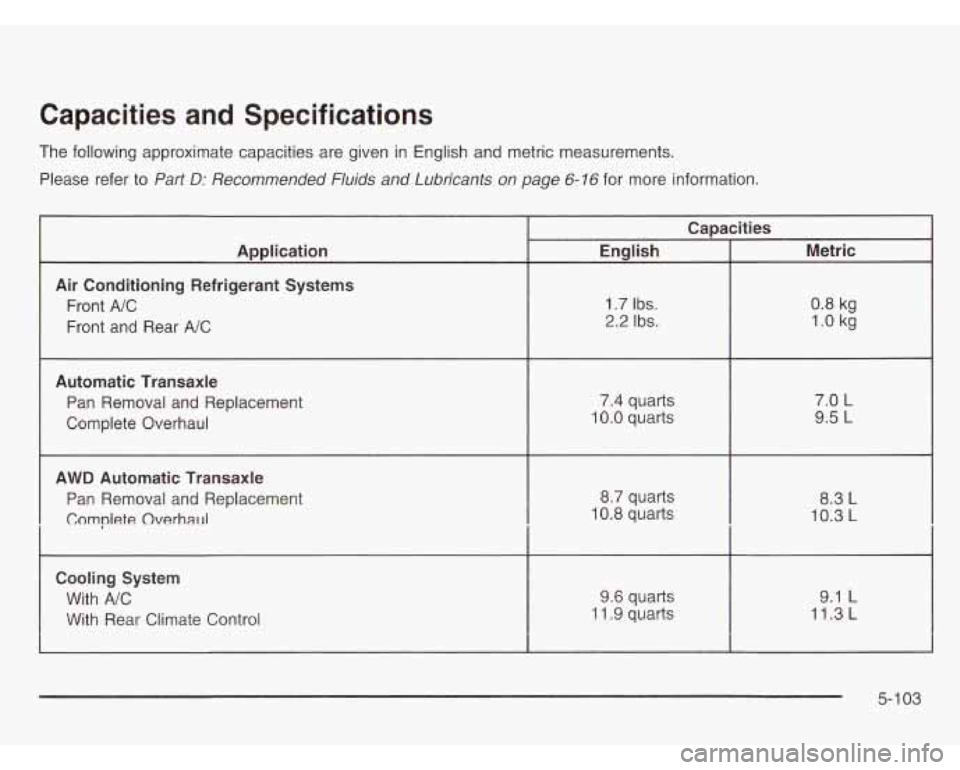
Capacities and Specifications
The following approximate capacities are given in English and metric measurements.
Please refer to
Part D: Recommended Fluids and Lubricants on page 6-16 for more information.
I Capacities
Application Metric
English
Air Conditioning Refrigerant Systems
Front
A/C
1.0 kg 2.2 Ibs. Front and Rear A/C
0.8 kg
1.7 Ibs.
Automatic Transaxle
Pan Removal and Replacement
Complete Overhaul 7.4
quarts
10.0 quarts 7.0
L
9.5 L
AWD Automatic Transaxle
Pan Removal and Replacement
Complete Overhaul
8.7 quarts
10.8 quarts 8.3 L
10.3 L
Cooling System
With
A/C
With Rear Climate Control
9.1 L 9.6 quarts
~ ~~~~~ 11.3 L- ~ ~ 11.9 ~~ quarts
5-1 03
Page 448 of 466
Capacities and Specifications .......................... 5-1 03
Captain Chairs. Rear
....................................... 1-13
Carbon Monoxide
................... 4-26, 4-36, 2-22, 2-43
Care of
Safety Belts
................................................ 5-90
Care of Your
Cassette Tape Player
................................. 3-103
CD and DVD Player
................................... 3-104
CDs and DVDs ......................................... 3-104
Cargo Lamp
................................................... 3-20
Carrier Assembly-Differential
(Rear Drive Module)
.................................... 5-51
Cassette Tape Messages
................................. 3-77
Cassette Tape Player Service
........................... 6-10
CD Adapter Kits
............................................. 3-78
Chains, Tires
.................................................. 5-67
Change Engine Oil Message
............................ 3-56
Charging System Indicator Message
.................. 3-54
Check
Checking Coolant
............................................ 5-24
Checking or Replacing the Engine Air CleanedFilter
......................................... 5-1 9
Checking Things Under the Hood
...................... 5-10
Center Passenger Position, Safety Belts ............. 1-37
Engine Light
............................................... 3-47
PhneLinm Enm;nn A:I VI l~ur\iIly Li lyll IG VI1 4- I y. 4A ........................................
Checking Your Restraint Systems ...................... 1-77
Chemical Paint Spotting
................................... 5-93 Child Restraints
Child Restraint Systems
............................... 1-51
Infants and Young Children
........................... 1-48
Lower Anchorages and Top Tethers for
Children (LATCH System)
.......................... 1-58
Older Children
.......................................... 1-45
Securing a Child Restraint Designed for
the LATCH System
................................ 1-60
Securing a Child Restraint in a Center
Seat Position
........................................... 1-64
Securing a Child Restraint in a Rear
Outside Seat Position
............................... 1-60
Securing a Child Restraint in the Right
Front Seat Position
................................... 1-66
Top Strap
................................................... 1-55
Where to Put the Restraint
........................... 1-54
Inside of Your Vehicle
.................................. 5-87
Outside of Your Vehicle
................................ 5-90
Underbody Maintenance
............................... 5-93
Video Screen
............................................ 3-105
VVedll IelsLI Ips 5-YU
Your DVD Player ....................................... 3-105
Cleaning Exterior LampsILenses
....................... 5-91
Air Filter, Passenger Compartment
................. 3-37
Dual
.......................................................... 3-28
-I--- iup S+m clap Anchor L~atio~~ 1-56 ............................
Cleaning
I A r- -11- - .._I .. I .. 1- ..............................................
Climate Control System ................................... 3-25
3
Page 449 of 466
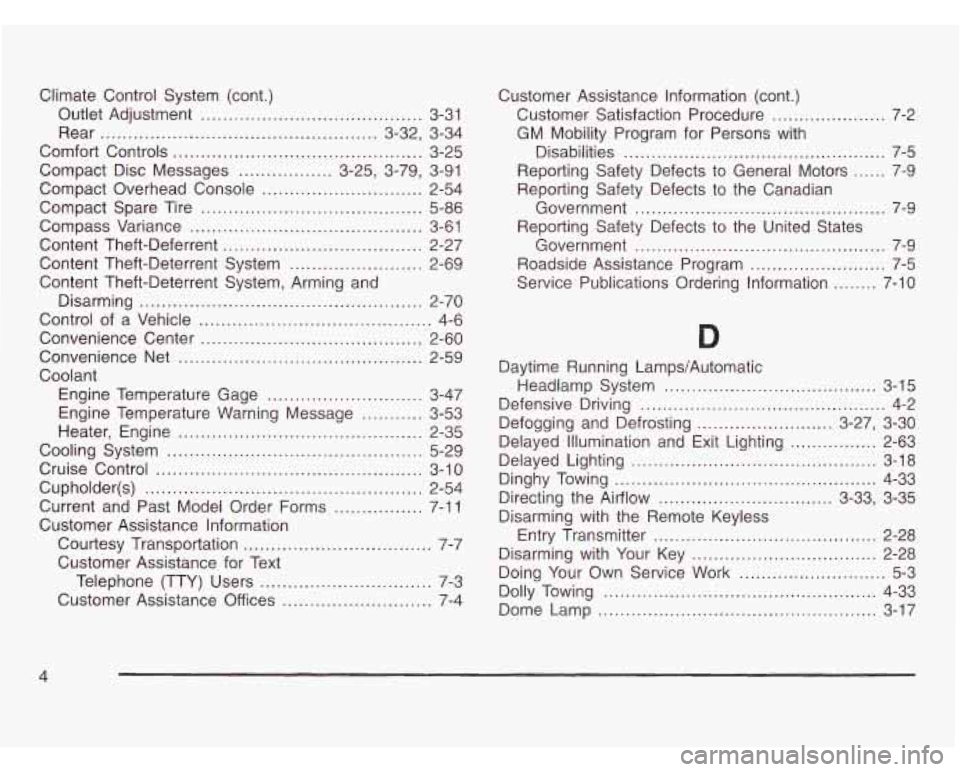
Climate Control System (cont.)
Outlet Adjustment
.................................... 3-31
Rear
.................................................. 3-32, 3-34
Comfort Controls
............................................. 3-25
Compact Disc Messages
................. 3-25, 3-79, 3-91
Compact Overhead Console
............................. 2-54
Compact Spare Tire
........................................ 5-86
Compass Variance
.......................................... 3-61
Content Theft-Deferrent
.................................... 2-27
Content Theft-Deterrent System
........................ 2-69
Content Theft-Deterrent System, Arming and
Disarming
................................................... 2-70
Control of a Vehicle
.......................................... 4-6
Convenience Center
........................................ 2-60
Convenience Net
............................................ 2-59
Coolant Engine Temperature Gage
............................ 3-47
Engine Temperature Warning Message
........... 3-53
Heater, Engine
............................................ 2-35
Cooling System
.............................................. 5-29
Cruise Control
................................................ 3-1 0
Cupholder(s) .................................................. 2-54
Current and Past Model Order Forms
................ 7-1 1
Customer Assistance Information
Courtesy Transportation
.................................. 7-7
Customer Assistance for Text
Telephone (TTY) Users
............................... 7-3
Customer Assistance Offices
........................... 7-4 Customer
Assistance Information (cont.)
Customer Satisfaction Procedure
..................... 7-2
GM Mobility Program for Persons with
Disabilities
................................................ 7-5
Reporting Safety Defects to General Motors
...... 7-9
Reporting Safety Defects to the Canadian
Government
.............................................. 7-9
Reporting Safety Defects to the United States
Government
.............................................. 7-9
Roadside Assistance Program
......................... 7-5
Service Publications Ordering Information ........ 7-10
Daytime Running Lamps/Automatic
Headlamp System
....................................... 3-15
Defensive Driving
............................................. 4-2
Defogging and Defrosting
......................... 3-27, 3-30
Delayed Lighting
............................................. 3-18
Delayed
Illumination and Exit Lighting
................ 2-63
Dinghy Towing
................................................ 4-33
Directing the Airflow
................................ 3-33, 3-35
Disarming with the Remote Keyless
Disarming with Your Key
.................................. 2-28
Doing Your Own Service Work
........................... 5-3
Dolly Towing
.................................................. 4-33
Dome Lamp
................................................... 3-17
Entry Transmitter
..................................... 2-28
4
Page 450 of 466
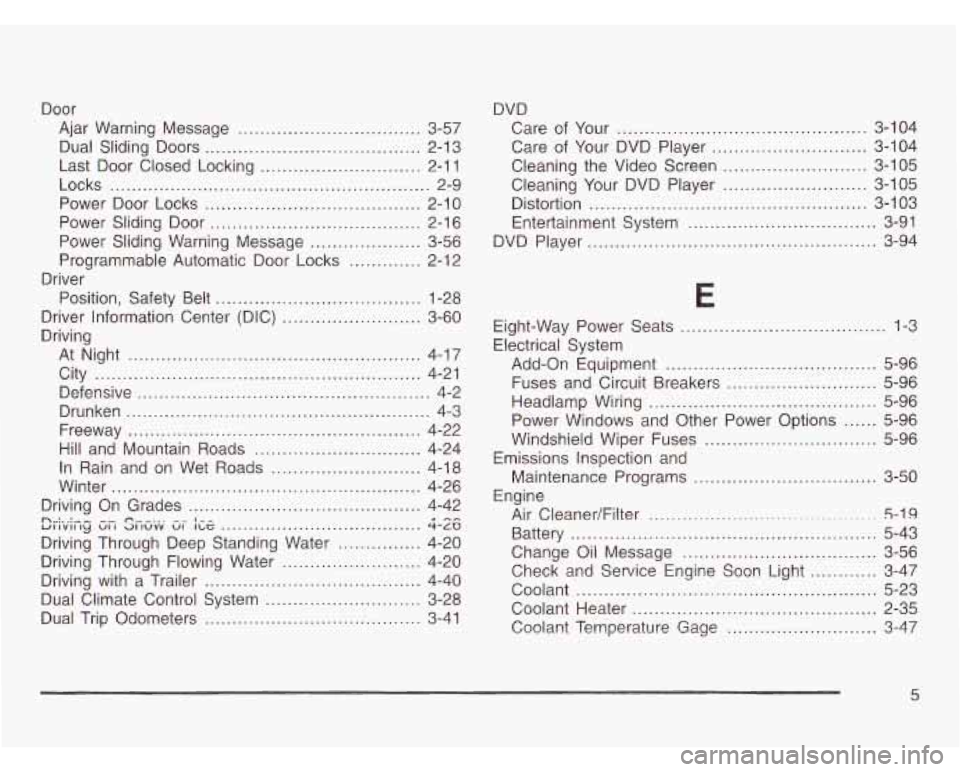
Door Ajar Warning Message
................................. 3-57
Last Door Closed Locking
............................. 2-1 1
Power Door Locks ....................................... 2-10
Power Sliding Door
...................................... 2-1 6
Power Sliding Warning Message
.................... 3-56
Programmable Automatic Door Locks
............. 2-1 2
Position, Safety Belt
..................................... 1-28
Dual Sliding
Doors
....................................... 2-13
Locks
.......................................................... 2-9
Driver
Driver Information Center (DIC)
......................... 3-60
Driving
At Night
.................................................. 4-17
City
........................................................ 4-21
Defensive ..................................................... 4-2
Drunken ....................................................... 4-3
Freeway
..................................................... 4-22
Hill and Mountain Roads
.............................. 4-24
In Rain and on Wet Roads
........................... 4-1 8
Winter
........................................................ 4-26
Driving On Grades
.......................................... 4-42
Driving Through Deep Standing Water
............... 4-20
Driving with a Trailer
....................................... 4-40
Dual Trip Odometers
....................................... 3-41
ZrkiGCJ Gfi Sncjiiv Gi- kl3 4-a
Driving Through Flowing Water ......................... 4-20
Dual Climate Control System
............................ 3-28
n ,. ....................................
DVD
Care of Your
.......................................... 3-104
Care
of Your DVD Player ............................ 3-104
Cleaning the Video Screen
.......................... 3-105
Cleaning Your DVD Player .......................... 3-105
Distortion
.................................................. 3-1 03
Entertainment System
.................................. 3-91
DVD Player
.................................................... 3-94
E
Eight-Way Power Seats ..................................... 1-3
Electrical System
Add-on Equipment
...................................... 5-96
Fuses and Circuit Breakers
........................... 5-96
Headlamp Wiring
......................................... 5-96
Power Windows and Other Power Options
...... 5-96
Windshield Wiper Fuses
............................... 5-96
Maintenance Programs
............................. 3-50
Air CleanedFilter
...................... ........ 5-19
Battery ....................................................... 5-43
Change Oil Message
................................... 3-56
Coolant
...................................................... 5-23
Coolant Heater
............................................ 2-35
Emissions Inspection and
Engine
Check and Service Engine Soon Light
............ 3-47
Cnn!ant Temperature G2ge ........................... 3-47
5