seats OLDSMOBILE SILHOUETTE 2003 Owner's Manual
[x] Cancel search | Manufacturer: OLDSMOBILE, Model Year: 2003, Model line: SILHOUETTE, Model: OLDSMOBILE SILHOUETTE 2003Pages: 466, PDF Size: 21.55 MB
Page 178 of 466
Switchbanks
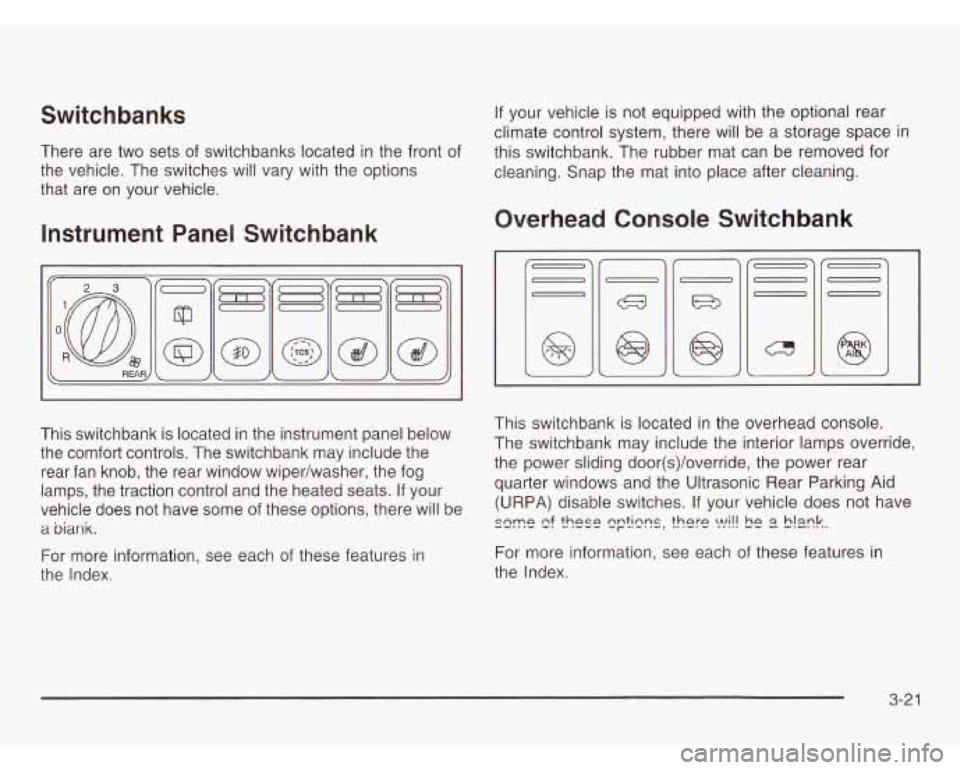
There are two sets of switchbanks located in the front of
the vehicle. The switches will vary with the options
that are
on your vehicle.
Instrument Panel Switchbank
This switchbank is located in the instrument panel below
the comfort controls. The switchbank may include the
rear fan knob, the rear window wiper/washer, the fog
lamps, the traction control and the heated seats. If your
vehicle does not have some of these options, there will be
a biank.
For more information, see each of these features in
the Index. If
your vehicle is not equipped with the optional rear
climate control system, there will be a storage space in
this switchbank. The rubber mat can be removed for
cleaning. Snap the mat into place after cleaning.
Overhead Console Switchbank
This switchbank is located in the overhead console.
The switchbank may include the interior lamps override,
the power sliding door(s)/override, the power rear
quarter windows and the Ultrasonic Rear Parking Aid
(URPA) disable switches. If your vehicle does not have
szme e! ?hese q??lzns, there !vi!! !E E? S!mk.
For more information, see each of these features in
the Index.
3-21
Page 182 of 466
Climate Controls
Climate Control System
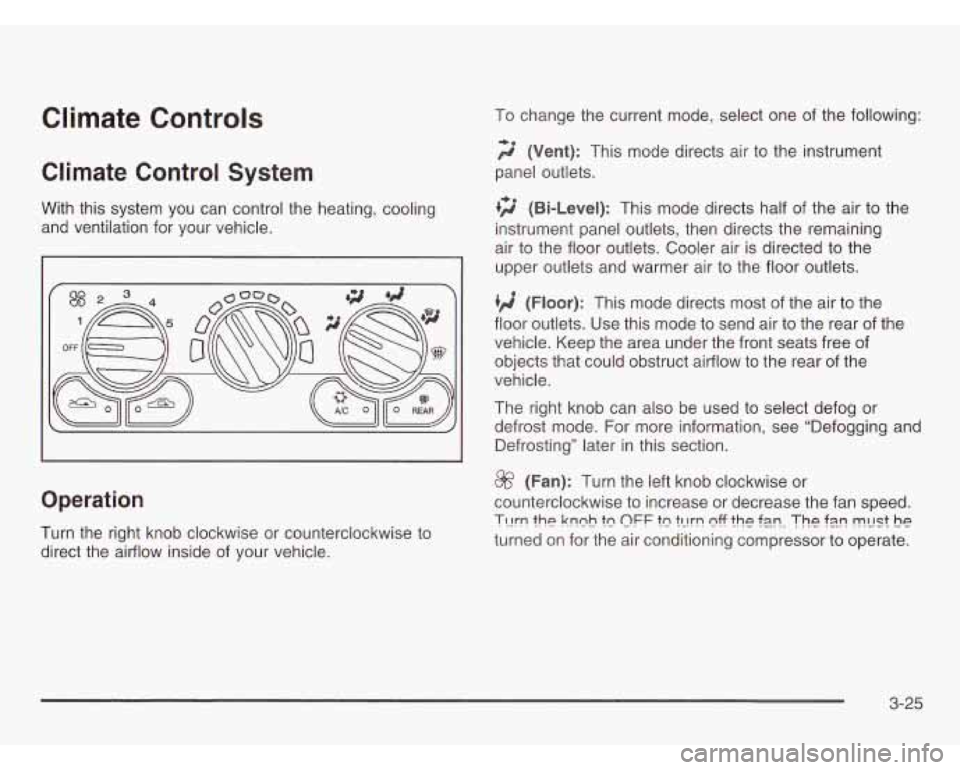
With this system you can control the heating, cooling
and ventilation for your vehicle.
Operation
Turn the right knob clockwise or counterclockwise to
direct the airflow inside of your vehicle. To
change the current mode, select one of the following:
2 (Vent): This mode directs air to the instrument
panel outlets.
+2 (Bi-Level): This mode directs half of the air to the
instrument panel outlets, then directs the remaining
air to the floor outlets. Cooler air is directed to the
upper outlets and warmer air to the floor outlets.
tg (Floor): This mode directs most of the air to the
floor outlets. Use this mode to send air to the rear of the
vehicle. Keep the area under the front seats free of
objects that could obstruct airflow to the rear of the
vehicle.
The right knob can also be used to select defog or
defrost mode. For more information, see “Defogging and
Defrosting” later in this section.
8f? (Fan): Turn the left knob clockwise or
counterclockwise to increase or decrease the fan speed.
?-c!rn the knnh tn OFF tn tL!!-!-! nfF the f3.n. The ?E!!? FLlSt he
turned on for the air conditioning compressor to operate.
3-25
Page 185 of 466
Dual Climate Control System
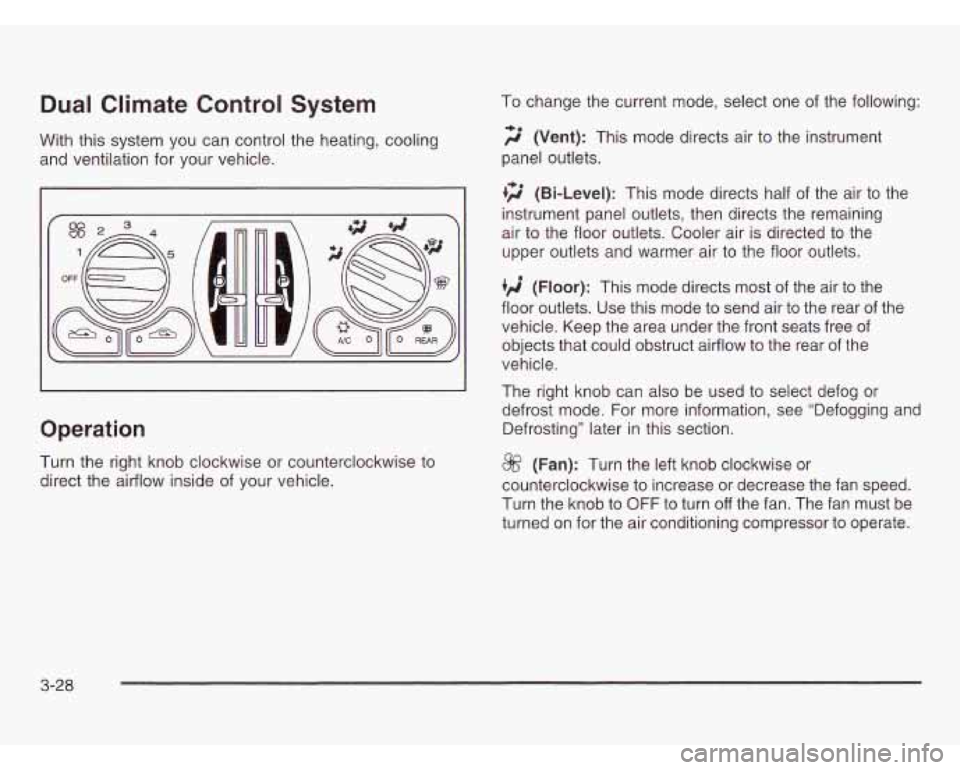
With this system you can control the heating, cooling
and ventilation for your vehicle.
Operation
Turn the right knob clockwise or counterclockwise to
direct the airflow inside of your vehicle. To
change the current mode, select one of the following:
f;’ (Vent): This mode directs air to the instrument
panel outlets.
+2 (Bi-Level): This mode directs half of the air to the
instrument panel outlets, then directs the remaining
air to the floor outlets. Cooler air is directed
to the
upper outlets and warmer air to the floor outlets.
‘/i (Floor): This mode directs most of the air to the
floor outlets. Use this mode to send air to the rear of the
vehicle. Keep the area under the front seats free of
objects that could obstruct airflow to the rear of the
vehicle.
The right knob can also be used
to select defog or
defrost mode. For more information, see “Defogging and
Defrosting” later in this section.
@ (Fan): Turn the left knob clockwise or
counterclockwise to increase or decrease the fan speed.
Turn the knob to OFF to turn
off the fan. The fan must be
turned on for the air conditioning compressor to operate.
3-28
Page 188 of 466
Outlet Adjustment Operation Tips
Clear away any ice, snow or leaves from the air
inlets on the hood that may block the flow of air
into your vehicle.
Use of non-GM approved hood deflectors may
adversely affect the performance of the system.
Keep the path under the front seats clear of objects
to help circulate the air inside your vehicle more
effectively.
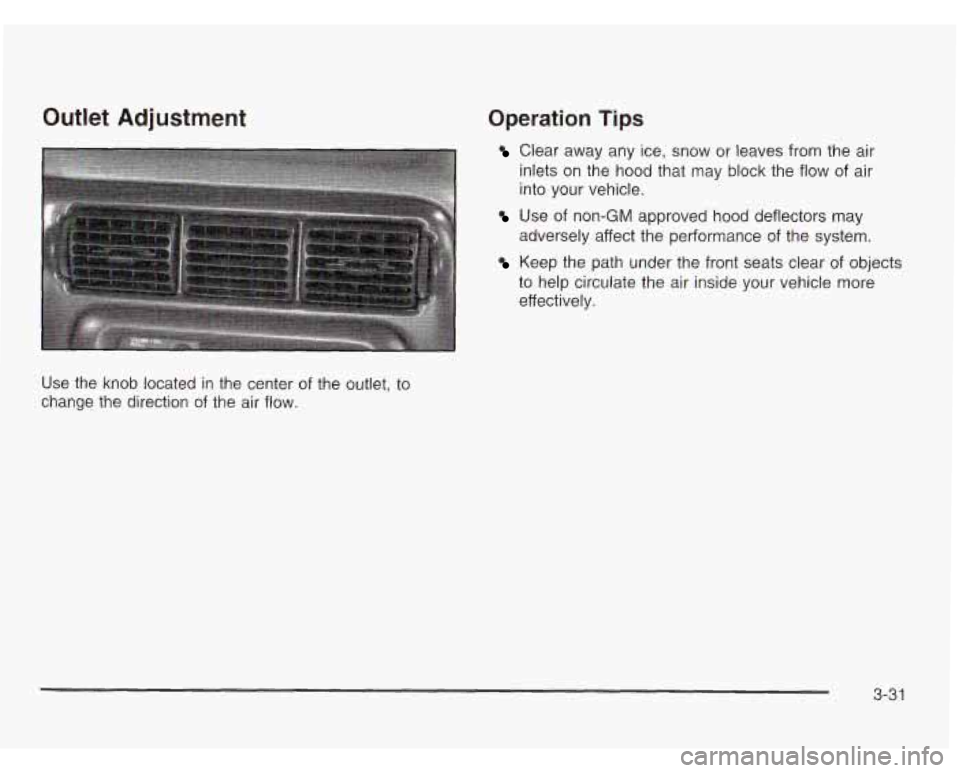
Use the knob located in the center of the outlet, to
change the direction of the air flow.
3-31
Page 191 of 466
Rear Air Outlets
To increase airflow through the rear floor outlets, place
the left bucket seat in the second row in the forward
position. For more information, see “Seats” in the Index.
The outlet behind the left rear seat is the cold air
return outlet. Be sure to keep it free from obstructions.
Also, keep the area around the base of the center
instrument panel console, between and under the front
seats, free of objects that could also obstruct airflow
to the rear-seating area.
For more information on how to use the main climate
control system, see “Climate Controls” listed previously
in this section. For information on ventilation, see
“Outlet Adjustment” also listed previously in this section.
Rear Climate Control System
(With Entertainment System)
Your vehicle may have a rear climate-control system
that allows the driver to adjust the fan speed or a
rear-seat passenger to set a separate temperature
and adjust the fan speed, for the rear-seating area.
This system works with the main climate-control system
in your vehicle.
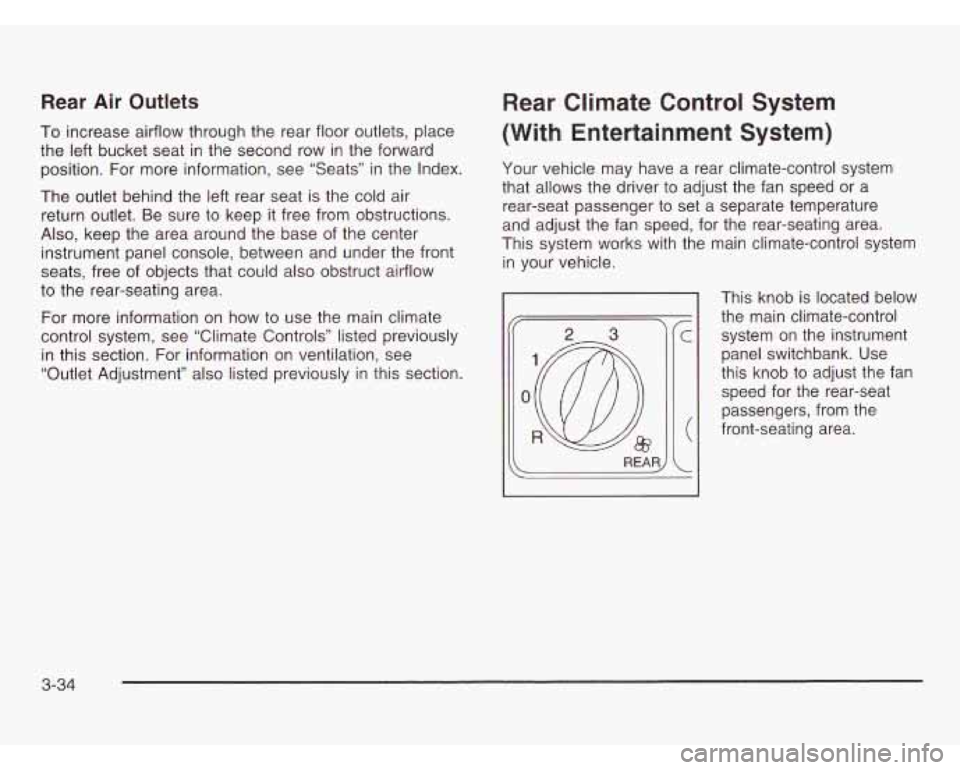
This knob is located below
the main climate-control system on the instrument
panel switchbank. Use
this knob to adjust the fan
speed for the rear-seat
passengers, from the
front-seating area.
3-34
Page 192 of 466
Directing the Airflow
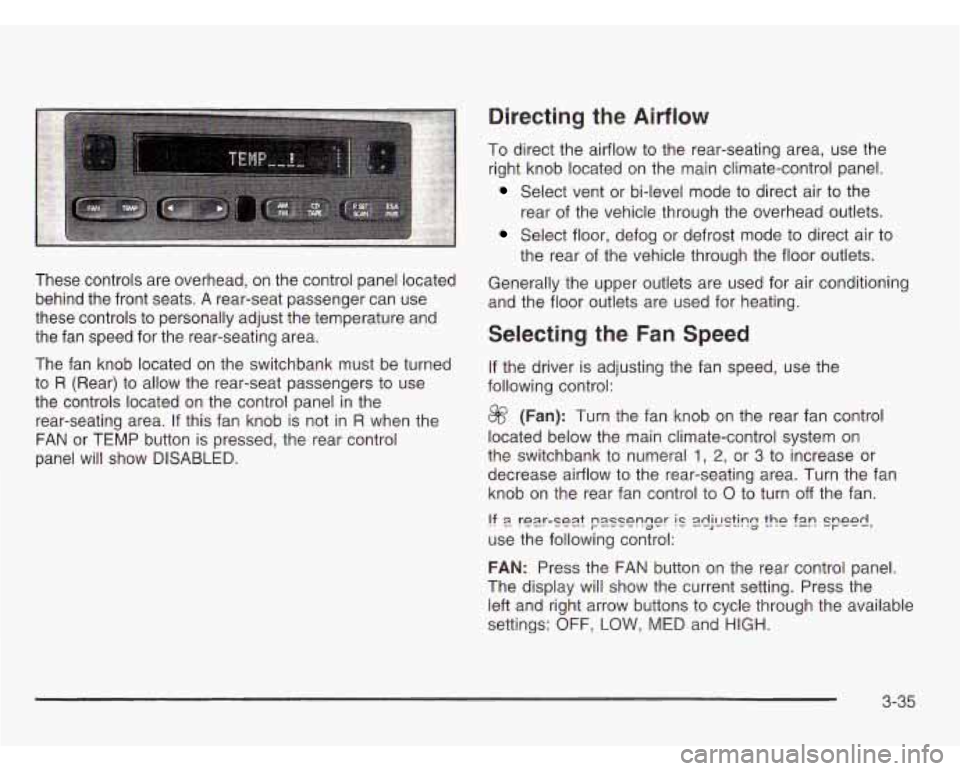
These controls are overhead, on the control panel located
behind the front seats.
A rear-seat passenger can use
these controls to personally adjust the temperature and
the fan speed for the rear-seating area.
The fan knob located on the switchbank must be turned
to
R (Rear) to allow the rear-seat passengers to use
the controls located on the control panel in the
rear-seating area.
If this fan knob is not in R when the
FAN or TEMP button is pressed, the rear control
panel will show
DISABLED.
To direct the airflow to the rear-seating area, use the
right knob located on the main climate-control panel.
Select vent or bi-level mode to direct air to the
rear of the vehicle through the overhead outlets.
Select floor, defog or defrost mode to direct air to
the rear of the vehicle through the floor outlets.
Generally the upper outlets are used for air conditioning
and the floor outlets are used for heating.
Selecting the Fan Speed
If the driver is adjusting the fan speed, use the
following control:
@ (Fan): Turn the fan knob on the rear fan control
located below the main climate-control system on
the switchbank to numeral
1, 2, or 3 to increase or
decrease airflow to the rear-seating area. Turn the fan
knob on the rear fan control to
0 to turn off the fan.
!? 9 rear-se2.t passenger IC 2dj!E?k?g the f2n speed,
use the following control:
FAN: Press the FAN button on the rear control panel.
The display will show the current setting. Press the
left and right arrow buttons to cycle through the available
settings:
OFF, LOW, MED and HIGH.
3-35
Page 193 of 466
Setting the Temperature
If the driver is adjusting the temperature, do the
following:
To increase or decrease the temperature for the entire
vehicle, use the temperature controls located on the
main climate-control panel.
If using the main climate-control panel, then the
air-conditioning system must be on to direct cooled air
to the rear of the vehicle.
If it is not on, then the
temperature in the rear of the vehicle will remain at
cabin temperature.
If a rear-seat passenger is adjusting the temperature,
do the following:
Press the TEMP button on the rear control panel.
Use the left arrow button to make the air cooler.
Use the right arrow button to make the air warmer.
Rear Air Outlets
To increase airflow through the rear floor outlets, place
the left bucket seat in the second row in the forward
position. For more information, see “Seats” in the Index.
The outlet behind the left rear seat is the cold air
return outlet. Be sure to keep it free from obstructions.
Also, keep the area around the base of the center
instrument panel console, between and under the front
seats, free of objects that could
also obstruct airflow
to the rear-seating area.
For more information on how to use the main climate
control system, see “Climate Controls” listed previously
in this section. For information on ventilation, see
“Outlet Adjustment” also listed previously in this section.
3-36
Page 248 of 466
Compact Disc Messages
CHECK CD: If this message appears on the radio
display, it could be due to one of the following reasons:
You’re driving on a very rough road. When the
road becomes smoother, the disc should play.
The disc is dirty, scratched, wet or upside down.
The air is very humid. If so, wait about an hour and
try again.
If the CD is not playing correctly, for any other reason,
try a known good CD.
If any error occurs repeatedly or if an error can’t be
corrected, contact your dealer. If your radio displays
an error message, write
it down and provide it to your
dealer when reporting the problem.
Entertainment System
Your vehicle may have an optional Digital Video Disc
(DVD) entertainment system. The entertainment system
works with the vehicle’s audio system and includes a
DVD player, a video display screen, headphones and a
remote control. The entertainment system also integrates
the rear climate control and rear seat audio functions.
Before You Drive
The video entertainment system is for passengers in
the second and third row seats only. The driver cannot
safely view the video screen while driving and should
not try to do
so.
In severe or extreme weather conditions your
entertainment system will shut down until the
temperature is within the operating range. This
protection feature will keep your video components
from being damaged while the temperature is below
-4°F (-20°C) or above 140°F (60°C). To resume
operation, shut
off the entertainment system, pull down
until the temperature is within the operating range. LL- ‘A-- --A SL-, Leer ---I SL- .,-L:#.l- 11 IC viucu ~~IGCI I a1 IU LI IGI I I IcaL VI ~UVI LI IC VGI II~IG
3-91
Page 298 of 466
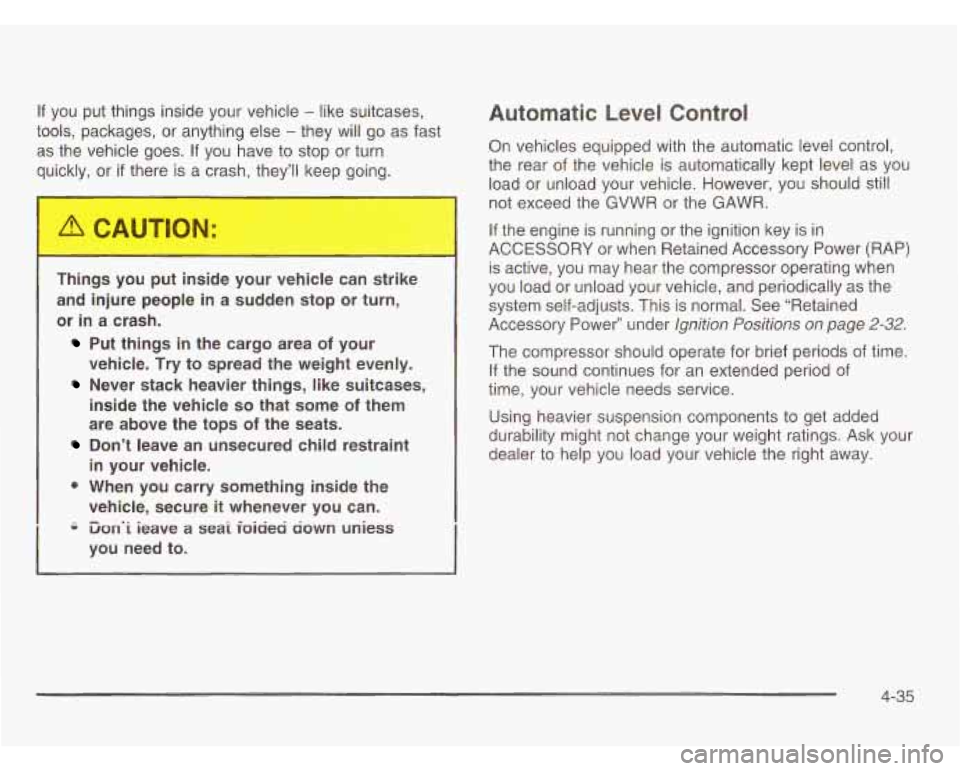
If you put things inside your vehicle - like suitcases,
tools, packages, or anything else
- they will go as fast
as the vehicle goes.
If you have to stop or turn
quickly, or
if there is a crash, they'll keep going.
Things you put inside your vehicle can strike
and injure people in a sudden stop or turn,
or
in a crash.
Put things in the cargo area of your
vehicle.
Try to spread the weight evenly.
Never stack heavier things, like suitcases,
inside the vehicle
so that some of them
are above the tops
of the seats.
Don't leave an unsecured child restraint
in your vehicle.
0 When you carry something inside the
vehicle, secure
it whenever you can.
i3on.i ieave a seai ioiciea ciown uniess
you need to.
Automatic Level Control
On vehicles equipped with the automatic level control,
the rear of the vehicle is automatically kept level as you
load or unload your vehicle. However, you should still
not exceed the GVWR or the GAWR.
If the engine is running or the ignition key is in
ACCESSORY or when Retained Accessory Power (RAP)
is active, you may hear the compressor operating when
you load or unload your vehicle, and periodically as the
system self-adjusts. This is normal. See "Retained
Accessory Power" under
Ignition Positions on page 2-32.
The compressor should operate for brief periods of time.
If the sound continues for an extended period of
time, your vehicle needs service.
Using heavier suspension components to get added
durability might not change your weight ratings. Ask your
dealer to help you load your vehicle the right away.
4-35
Page 406 of 466
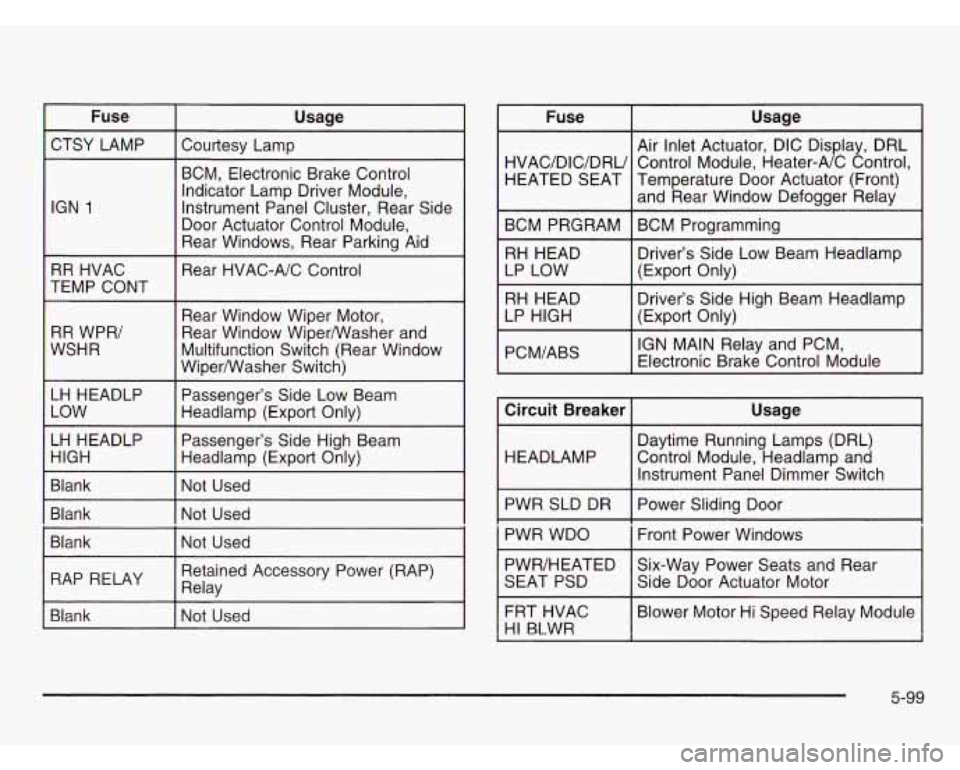
Fuse Usage
CTSY LAMP Courtesy Lamp
IGN
1
~~ ~ ~~____
BCM, Electronic Brake Control
Indicator Lamp Driver Module,
Instrument Panel Cluster, Rear Side
Door Actuator Control Module,
Rear Windows, Rear Parking Aid
~~
RR HVAC
TEMP CONT
RR WPR/
WSHR Rear
HVAC-A/C Control
Rear Window Wiper Motor,
Rear Window WiperNVasher and
Multifunction Switch (Rear Window
Wiper/Washer Switch)
LH HEADLP Passenger’s Side Low Beam
I Headlamp (Export Only)
Passenger’s Side High Beam
Headlamp (Export Only)
I Blank I Not Used
I Blank I Not Used
Blank Not Used
I
I RAP RELAY I Relay Retained Accessory Power (RAP) I
Blank l-Nat Used Fuse
Usage
Air Inlet Actuator, DIC Display, DRL
HVAC/DIC/DRU Temperature Door Actuator (Front) HEATED SEAT
Control
Module, Heater-A/C Control,
and Rear Window Defogger Relay
BCM PRGRAM BCM Programming
RH HEAD Driver’s Side Low Beam Headlamp
LP LOW (Export Only)
RH HEAD
(Export Only)
I LP HIGH Driver’s
Side High Beam Headlamp
PCM/ABS
I IGN MAIN Relay and PCM,
Electronic Brake Control Module
Circuit Breaker
I Usage
I 1
Daytime Running Lamps (DRL)
HEADLAMP Control Module, Headlamp and
Instrument Panel Dimmer Switch
PWR SLD DR
I Power Sliding Door
PWR WDO
i Front Power Windows i
PWR/HEATED Six-Way Power Seats and Rear
SEAT PSD
I Side Door Actuator Motor
FRT HVAC
I Blower Motor Hi Speed Relay Module
HI B4WR I
5-99