lights Oldsmobile Silhouette 2004 Owner's Manuals
[x] Cancel search | Manufacturer: OLDSMOBILE, Model Year: 2004, Model line: Silhouette, Model: Oldsmobile Silhouette 2004Pages: 462, PDF Size: 3.1 MB
Page 1 of 462

Seats and Restraint Systems........................... 1-1
Front Seats
............................................... 1-3
Rear Seats
............................................... 1-8
Safety Belts
.............................................1-22
Child Restraints
.......................................1-46
Air Bag Systems
......................................1-70
Restraint System Check
............................1-78
Features and Controls..................................... 2-1
Keys
........................................................ 2-3
Doors and Locks
....................................... 2-9
Windows
.................................................2-23
Theft-Deterrent Systems
............................2-26
Starting and Operating
Your Vehicle
........................................2-30
Mirrors
....................................................2-44
OnStar
žSystem
......................................2-45
HomeLinkžTransmitter
.............................2-47
Storage Areas
.........................................2-51
Vehicle Personalization
.............................2-60
Instrument Panel............................................. 3-1
Instrument Panel Overview
.......................... 3-4
Climate Controls
......................................3-28
Warning Lights, Gages and Indicators
.........3-41
Message Center
.......................................3-53Driver Information Center (DIC)
..................3-60
Audio System(s)
.......................................3-63
Driving Your Vehicle....................................... 4-1
Your Driving, the Road, and Your Vehicle
........ 4-2
Towing
...................................................4-31
Service and Appearance Care.......................... 5-1
Service
..................................................... 5-3
Fuel
......................................................... 5-4
Checking Things Under the Hood
...............5-10
All-Wheel Drive
........................................5-48
Bulb Replacement
....................................5-50
Windshield Wiper Blade Replacement
.........5-56
Tires
......................................................5-58
Appearance Care
.....................................5-92
Vehicle Identi®cation
...............................5-100
Electrical System
....................................5-100
Capacities and Speci®cations
...................5-108
Maintenance Schedule..................................... 6-1
Maintenance Schedule
................................ 6-2
Customer Assistance and Information.............. 7-1
Customer Assistance and Information
........... 7-2
Reporting Safety Defects
...........................7-11
Index................................................................ 1
2004 Oldsmobile Silhouette Owner ManualM
Page 4 of 462

Vehicle Damage Warnings
Also, in this book you will ®nd these notices:
Notice:These mean there is something that could
damage your vehicle.
A notice will tell you about something that can damage
your vehicle. Many times, this damage would not be
covered by your warranty, and it could be costly. But the
notice will tell you what to do to help avoid the
damage.
When you read other manuals, you might see CAUTION
and NOTICE warnings in different colors or in different
words.
You'll also see warning labels on your vehicle. They use
the same words, CAUTION or NOTICE.
Vehicle Symbols
Your vehicle has components and labels that use
symbols instead of text. Symbols, used on your vehicle,
are shown along with the text describing the operation
or information relating to a speci®c component, control,
message, gage or indicator.
If you need help ®guring out a speci®c name of a
component, gage or indicator, reference the following
topics:
·Seats and Restraint Systems in Section 1
·Features and Controls in Section 2
·Instrument Panel Overview in Section 3
·Climate Controls in Section 3
·Warning Lights, Gages and Indicators in Section 3
·Audio System(s) in Section 3
·Engine Compartment Overview in Section 5
iv
Page 117 of 462

Ignition Positions
With the key in the ignition, you can turn it to ®ve different
positions.
A (ACCESSORY):This is the position in which you can
operate your electrical accessories. Press in the ignition
switch as you turn the top of the key toward you.
B (LOCK):This is the only position from which you
can remove the key. This position locks your ignition
and transaxle.
Notice:If your key seems stuck in LOCK and you
can not turn it, be sure you are using the correct
key; if so, is it all the way in? Turn the key only with
your hand. Using a tool to force it could break the
key or the ignition switch. If none of these works,
then your vehicle needs service.
C (OFF):This position unlocks the ignition and
transaxle, but does not send power to any accessories.
Use this position if your vehicle must be pushed or towed,
but never try to push-start your vehicle.
D (RUN):This is the position to which the switch
returns after you start your engine and release the
ignition key. This is the position for driving. Even when
the engine is not running, you can use RUN to
operate your electrical accessories and to display
some instrument panel warning lights.
E (START):This position starts the engine. When the
engine starts, release the ignition key. The switch
will return to RUN for normal driving.
If the engine is not running, ACCESSORY and RUN
are positions that allow you to operate your electrical
accessories, such as the radio.
2-31
Page 130 of 462
Mirrors
Manual Rearview Mirror
To reduce glare from lights behind you, pull the lever
toward you to the night position. To return the mirror to
the day position, push the lever away from you.
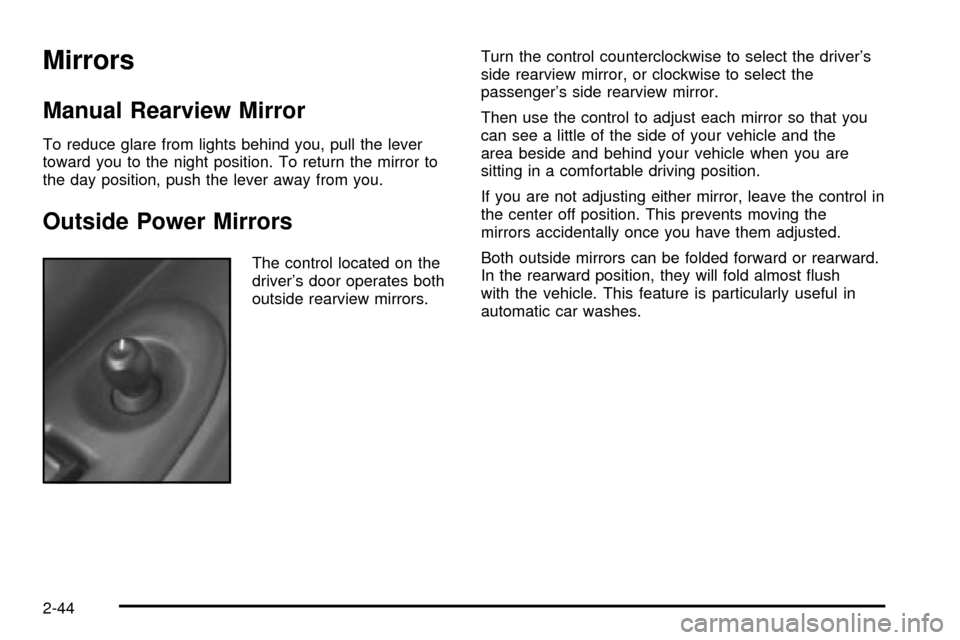
Outside Power Mirrors
The control located on the
driver's door operates both
outside rearview mirrors.Turn the control counterclockwise to select the driver's
side rearview mirror, or clockwise to select the
passenger's side rearview mirror.
Then use the control to adjust each mirror so that you
can see a little of the side of your vehicle and the
area beside and behind your vehicle when you are
sitting in a comfortable driving position.
If you are not adjusting either mirror, leave the control in
the center off position. This prevents moving the
mirrors accidentally once you have them adjusted.
Both outside mirrors can be folded forward or rearward.
In the rearward position, they will fold almost ¯ush
with the vehicle. This feature is particularly useful in
automatic car washes.
2-44
Page 157 of 462

Instrument Panel Overview...............................3-4
Hazard Warning Flashers................................3-6
Other Warning Devices...................................3-7
Horn.............................................................3-7
Tilt Wheel.....................................................3-7
Turn Signal/Multifunction Lever.........................3-8
Exterior Lamps.............................................3-16
Interior Lamps..............................................3-18
Switchbanks.................................................3-23
Instrument Panel Switchbank..........................3-23
Overhead Console Switchbank.......................3-24
Ultrasonic Rear Parking Assist (URPA)............3-24
Accessory Power Outlets...............................3-27
Climate Controls............................................3-28
Climate Control System.................................3-28
Dual Climate Control System..........................3-31
Outlet Adjustment.........................................3-34
Rear Climate Control System
(Without Entertainment System)...................3-34
Rear Climate Control System
(With Entertainment System).......................3-36
Passenger Compartment Air Filter...................3-39
Warning Lights, Gages and Indicators.............3-41
Instrument Panel Cluster................................3-42
Speedometer and Odometer...........................3-43Safety Belt Reminder Light.............................3-44
Air Bag Readiness Light................................3-45
Brake System Warning Light..........................3-46
Anti-Lock Brake System Warning Light.............3-47
Traction Control System (TCS)
Warning Light...........................................3-47
Engine Coolant Temperature Gage..................3-48
Malfunction Indicator Lamp.............................3-49
Fuel Gage...................................................3-52
Message Center.............................................3-53
Service Traction System
Warning Message......................................3-53
Traction Active Message................................3-54
Engine Coolant Temperature
Warning Message......................................3-54
Charging System Indicator Message................3-55
Low Oil Pressure Message............................3-55
Change Engine Oil Message..........................3-56
Power Sliding Door Warning Message.............3-57
Door Ajar Warning Message...........................3-57
Rear Hatch Ajar Warning Message..................3-58
PASS-Key
žIII Security Message....................3-58
All-Wheel Drive Disable
Warning Message......................................3-59
Low Fuel Warning Message...........................3-59
Section 3 Instrument Panel
3-1
Page 172 of 462

Exterior Lamps
The control to the left of the steering column operates
the exterior lamps.
9(Off/Auto):Turning the control to this setting will
activate the automatic headlamp control when it is
dark enough outside and turn off all of the lamps and
lights during the day, except the Daytime Running
Lamps (DRL).
;(Parking Lamps):Turning the control to this
setting turns on the parking lamps together with the
following:
·Sidemarker Lamps
·Taillamps
·Instrument Panel Lights
2(Headlamps):Turning the control to this setting
turns on the headlamps, together with the previously
listed lamps and lights.
Lamps on Reminder
If the driver's door is opened and you turn the ignition to
OFF or LOCK while leaving the lamps on, you will
hear a warning chime.
3-16
Page 174 of 462

Fog Lamps
Your vehicle may have
fog lamps. If it does, the
fog lamps switch is located
in the instrument panel
switchbank. Press the
fog lamp symbol on
the switch to turn on
the lamps.
The indicator light will be lit while the fog lamps are on.
Press the top part of the switch to turn them off.
When your DRL are on, the exterior lamps control must
®rst be turned from the off position before the fog
lamps can be turned on.
Your parking lamps or headlamps must be on for your
fog lamps to turn on.At night, when the light sensor automatically turns on
your headlamps, the fog lamps can be turned on
while the exterior lamps control is in any position.
Your fog lamps will go off when you switch to high
beams. Using your high beams in fog is not
recommended.
Interior Lamps
Instrument Panel Brightness
The thumbwheel for this feature is located below the
exterior lamps control. Turn the thumbwheel to the right
to brighten the lights, or to the left to dim them.
Interior Lamps Control
Turn the thumbwheel all the way to the right to turn on
the interior lamps, if the interior lamps override
switch is off. Turn the thumbwheel to the left to turn the
lamps off.
3-18
Page 180 of 462

Overhead Console Switchbank
The overhead console switchbank is located in the
overhead console. This switchbank may include
the following:
·Interior Lamps Override. See ªInterior Lamps
Overrideº under
Interior Lamps on page 3-18.
·Power Sliding Door(s)/Override Switch(es).
See
Power Sliding Door (PSD) on page 2-17.
·Power Rear Quarter Windows. SeePower Rear
Quarter Windows on page 2-25
.
·Ultrasonic Rear Parking Aid (URPA) Disable
Switch. See
Ultrasonic Rear Parking Assist (URPA)
on page 3-24.
If your vehicle does not have some of these options,
there will be a blank.
Ultrasonic Rear Parking
Assist (URPA)
The Ultrasonic Rear Parking Assist (URPA) system is
designed to help you park, while the vehicle is in
REVERSE (R). It operates only at very low speeds, less
than 3 mph (5 km/h). URPA can help make parking
easier and to help you avoid colliding with objects such as
parked vehicles. The URPA system can detect objects up
to 5 feet (1.5 m) behind the vehicle, and tell you how
close these objects are from your rear bumper.
Your vehicle's URPA operates when the shift lever is
moved into REVERSE (R) and the vehicle speed is less
than 3 mph (5 km/h). Four ultrasonic sensors located at
the rear bumper are used to detect the distance to the
object. The URPA display is located inside the vehicle,
near the rear window. It has three color-coded lights used
to provide distance and system information to the driver.
3-24
Page 181 of 462
{CAUTION:
Even with the Ultrasonic Rear Park Assist
system, the driver must check carefully before
backing up. The system does not operate above
typical backing speeds of 3 mph (5 km/h) while
parking. And, the system does not detect
objects that are more than 5 feet (1.5 meters)
behind the vehicle.
So, unless you check carefully behind you
before and when you back up, you could strike
children, pedestrians, bicyclists or pets behind
you, and they could be injured or killed.
Whether or not you are using Rear Park Assist,
always check carefully behind your vehicle
before you back up and then watch closely
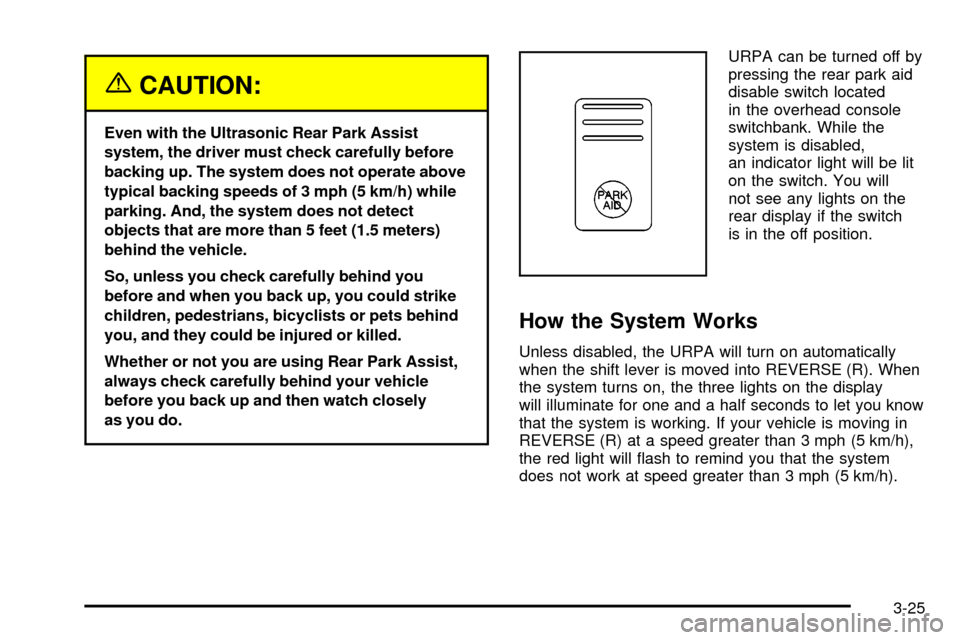
as you do.URPA can be turned off by
pressing the rear park aid
disable switch located
in the overhead console
switchbank. While the
system is disabled,
an indicator light will be lit
on the switch. You will
not see any lights on the
rear display if the switch
is in the off position.
How the System Works
Unless disabled, the URPA will turn on automatically
when the shift lever is moved into REVERSE (R). When
the system turns on, the three lights on the display
will illuminate for one and a half seconds to let you know
that the system is working. If your vehicle is moving in
REVERSE (R) at a speed greater than 3 mph (5 km/h),
the red light will ¯ash to remind you that the system
does not work at speed greater than 3 mph (5 km/h).
3-25
Page 182 of 462
If an object is detected at a REVERSE (R) speed of
less than 3 mph (5 km/h), one of the following will occur:
Description English Metric
amber light 5 ft. 1.5 m
amber/amber lights 40 in. 1.0 m
amber/amber/red lights
& continuous chime20 in. 0.5 m
amber/amber/red
lights ¯ashing &
continuous chime1 ft 0.3 m
A chime will sound the ®rst time an object is detected
between 20 inches (0.5 m) and 5 feet (1.5 m) away.
URPA cannot detect objects that are above liftgate level.
In order for the rear sensors to recognize an object, it
must be within detection range behind the vehicle.
When the System Does Not Seem to Work
Properly
The light may ¯ash red when the vehicle is in
REVERSE (R) if the ultrasonic sensors are not kept
clean. So be sure to keep your rear bumper free of mud,
dirt, snow, ice and slush. Other conditions that may affect
system performance include things like the vibrations
from a jackhammer or the compression of air brakes on a
very large truck. If after cleaning the rear bumper and
then driving forward at least 15 mph (25 km/h), the
display continues to ¯ash red, see your dealer.
If a trailer was attached to your vehicle, or a bicycle or
an object was on the back of, or hanging out of your
liftgate during your last drive cycle, the light may
also ¯ash red. The light will continue to ¯ash whenever
in REVERSE (R) until your vehicle is driven forward
at least 15 mph (25 km/h) without any obstructions
behind the vehicle.
For cleaning instructions, see
Cleaning the Outside
of Your Vehicle on page 5-95.
3-26