door lock OPEL AMPERA E 2018 User Guide
[x] Cancel search | Manufacturer: OPEL, Model Year: 2018, Model line: AMPERA E, Model: OPEL AMPERA E 2018Pages: 267, PDF Size: 6.45 MB
Page 28 of 267
26Keys, doors and windowsPassive door lockThis feature locks the vehicle
automatically after several seconds if
an electronic key has been
recognised previously inside the
vehicle, all doors have then been
closed and the electronic key does
not remain within the vehicle.
If the electronic key remains in the
vehicle or the vehicle is not off,
passive door lock will not be
permitted.
If there have been two or more
electronic keys in the vehicle and the
vehicle was on once, the feature locks the vehicle if just one electronic key is
taken out of the vehicle.
To prevent locking of the vehicle e.g.
when passengers remain in the
vehicle, the system must be disabled.
To disable the system, press the
central locking button for a few
seconds while one door is open. The
function remains disabled until the
central locking button is pressed or
the vehicle is switched on.Activation or deactivation of passive
locking can be set in the menu
Settings I Vehicle settings I Remote
lock / unlock / start in the Info display.
Info display 3 85.
Vehicle personalisation 3 91.
The setting can be saved for the
electronic key being used 3 20.
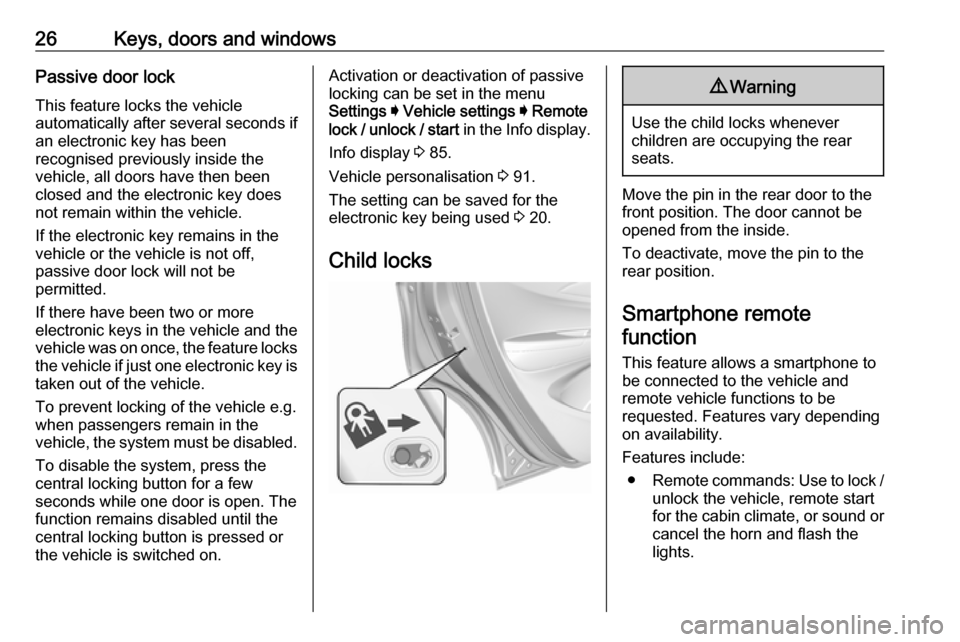
Child locks9 Warning
Use the child locks whenever
children are occupying the rear
seats.
Move the pin in the rear door to the front position. The door cannot be
opened from the inside.
To deactivate, move the pin to the
rear position.
Smartphone remote
function
This feature allows a smartphone to
be connected to the vehicle and
remote vehicle functions to be
requested. Features vary depending
on availability.
Features include: ● Remote commands: Use to lock /
unlock the vehicle, remote start
for the cabin climate, or sound or cancel the horn and flash the
lights.
Page 29 of 267

Keys, doors and windows27●Vehicle status: View the vehicle’s
range and high voltage battery
level, charging status, and tyre
pressure.
● Welcome lighting: Request light when approaching the vehicle.
● Location services: Save the parked location or start
navigation at the vehicle’s GPS
coordinates.Setup function ● KeyPass setup
● Managing priority setting ● Modifying priority setting
● RevocationActive remote function ● Door lock / unlock
● Remote start / stop
● Panic alarm activation / termination
● Remote charge termination
● High voltage charge functions ● Temporary charging override
update
● Change the charging mode permanently● Update departure timeschedule
● High voltage priority charging
activation and deactivation
● Select charge level / limit preference screen
● Vehicle locator
● Routing / available mileagePassive function
Approach detection / welcome
lightingVisual display for vehicle information ● Low high voltage battery indication
● Tyre pressure
● Remote engine start status
● Odometer reading
● Rear closure ajar switch status
● Electric parking brake status
● Bonnet status
● High voltage battery state of charge status● GPS signal for end of trip
● Charge mode status ● Available mileage
● Charge start and end times status
● Full week of time based delayed charging status
● Disable rate based and delayed charging status
● High voltage charging system fault (unable to
charge)
● High voltage charger power level
● High voltage battery charge cord connected indication
● Charge complete
● Usable state of charge
● High voltage depletion mode range
● High voltage battery state of charge status
Page 30 of 267
28Keys, doors and windowsPairing
A smartphone must be paired to the
KeyPass module and then it must be
connected to the vehicle before it can be used.
Setup information ● Up to three smartphones can be set up and connected to the
vehicle.
● Setup is disabled when the vehicle is moving.
● Pairing only needs to be completed once per smartphone,unless the pairing information on
the smartphone changes or the
smartphone is deleted.
Setup process 1. The vehicle must be switched on and the selector lever in P (Park).
2. Enable the KeyPass function through vehicle personalisation.
3. Download the myOpel app to the smartphone from the appropriate
app store.4. Open the app and search for new
vehicles.
5. Choose your vehicle and confirm.
6. Aim the smartphone camera at the QR code on the Info display to
scan the security key. If the
camera is not working, the QR
code can be entered manually.
7. The Infotainment display provides
confirmation that the pairing
process was completed
successfully.
● Select Settings from the Home
page on the Infotainment display.
● Select KeyPass.
● Select Manage KeyPass
devices .
Deleting a paired smartphone 1. Select Settings from the Home
page on the Infotainment display.
2. Select KeyPass.
3. Select Manage KeyPass devices .
4. Touch Delete next to the
smartphone to be deleted, and
follow the prompts.Doors
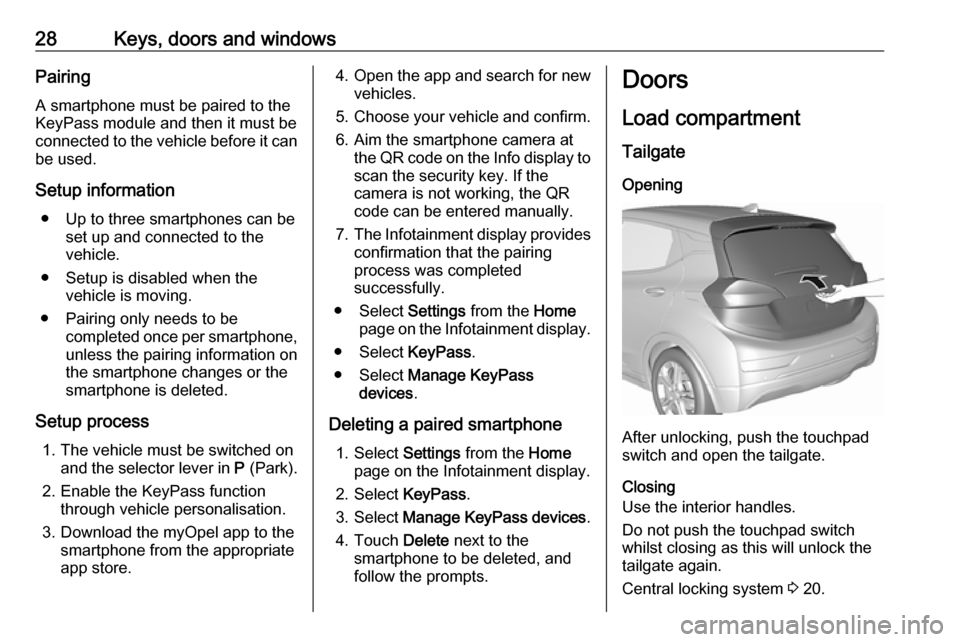
Load compartment TailgateOpening
After unlocking, push the touchpad
switch and open the tailgate.
Closing
Use the interior handles.
Do not push the touchpad switch whilst closing as this will unlock the
tailgate again.
Central locking system 3 20.
Page 31 of 267
Keys, doors and windows29General hints for operating
tailgateCaution
Before opening the tailgate, check overhead obstructions, e.g. a
garage door, to avoid damage to
the tailgate. Always check the
moving area above and behind the
tailgate.
Note
The installation of certain heavy
accessories onto the tailgate may
affect its ability to remain open.
Vehicle security
Anti-theft locking system9 Warning
Do not use the system if there are
people in the vehicle! The doorscannot be unlocked from the
inside.
The system deadlocks all the doors. All doors must be closed otherwise
the system cannot be activated.
Unlocking the vehicle disables the
mechanical anti-theft locking system.
This is not possible with the central
locking button.
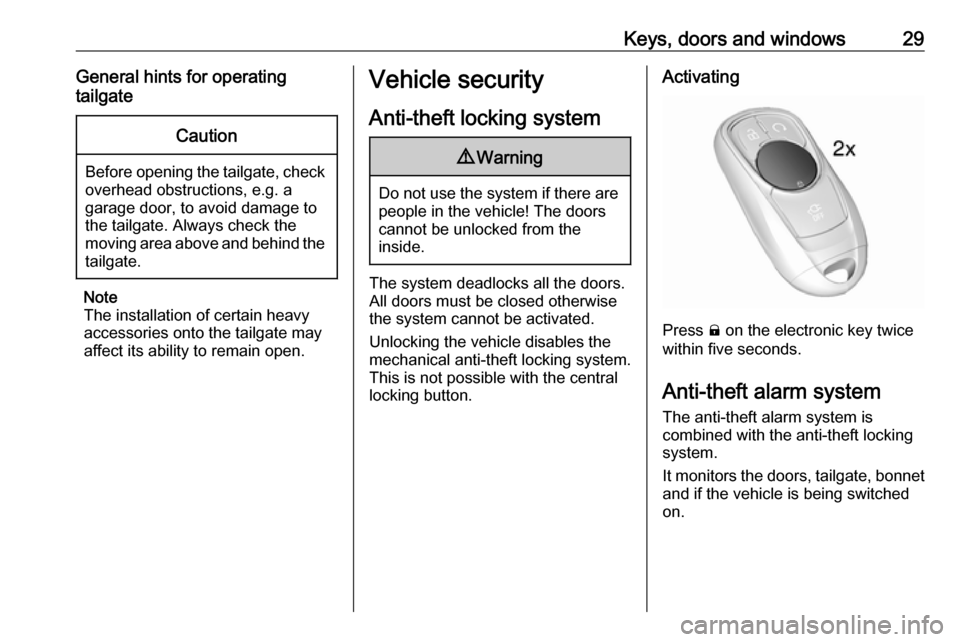
Activating
Press ) on the electronic key twice
within five seconds.
Anti-theft alarm system
The anti-theft alarm system is
combined with the anti-theft locking
system.
It monitors the doors, tailgate, bonnet and if the vehicle is being switched
on.
Page 32 of 267
30Keys, doors and windowsActivationAll doors must be closed and the
electronic key of the electronic key
system must not remain in the
vehicle. Otherwise the system cannot
be activated.
● Radio remote control: self- activated 30 seconds after
locking the vehicle by
pressing ) once.
● Electronic key system: self- activated 30 seconds after
locking the vehicle by pressing the button on any exterior door
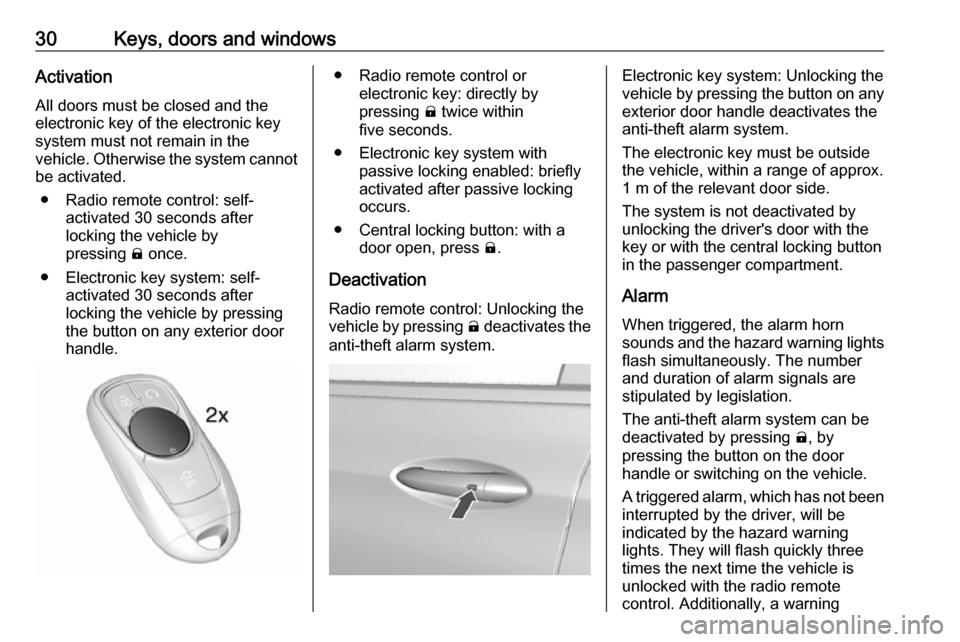
handle.● Radio remote control or electronic key: directly by
pressing ) twice within
five seconds.
● Electronic key system with passive locking enabled: briefly
activated after passive locking
occurs.
● Central locking button: with a door open, press ).
Deactivation Radio remote control: Unlocking the
vehicle by pressing ( deactivates the
anti-theft alarm system.Electronic key system: Unlocking the
vehicle by pressing the button on any exterior door handle deactivates the
anti-theft alarm system.
The electronic key must be outside
the vehicle, within a range of approx. 1 m of the relevant door side.
The system is not deactivated by
unlocking the driver's door with the
key or with the central locking button
in the passenger compartment.
Alarm When triggered, the alarm horn
sounds and the hazard warning lights flash simultaneously. The number
and duration of alarm signals are
stipulated by legislation.
The anti-theft alarm system can be
deactivated by pressing (, by
pressing the button on the door
handle or switching on the vehicle.
A triggered alarm, which has not been
interrupted by the driver, will be
indicated by the hazard warning
lights. They will flash quickly three
times the next time the vehicle is
unlocked with the radio remote
control. Additionally, a warning
Page 33 of 267

Keys, doors and windows31message is displayed in the Driver
Information Centre after switching on
the vehicle.
Vehicle messages 3 89.
Immobiliser The system is part of the ignition
switch and checks whether the
vehicle is allowed to be started with the key being used.
The immobiliser is activated
automatically after the electronic key
has been removed from the vehicle.
If control indicator d flashes when the
vehicle is on, there is a fault in the
system; the propulsion system cannot
be started. Switch off the vehicle and
repeat the start attempt.
If control indicator d continues
flashing, attempt to start the
propulsion system using the spare
key and seek the assistance of a
workshop.Note
Radio Frequency Identification
(RFID) tags may cause interference with the key. Do not have it placednear the key when starting the
vehicle.
Note
The immobiliser does not lock the doors. You should always lock the
vehicle after leaving it and switch on the anti-theft alarm system 3 20,
3 29.
Control indicator d 3 80.Exterior mirrors
Convex shape
The shape of the mirror makes
objects appear smaller, which will affect the ability to estimate
distances.
Side blind zone alert 3 181.
Page 44 of 267
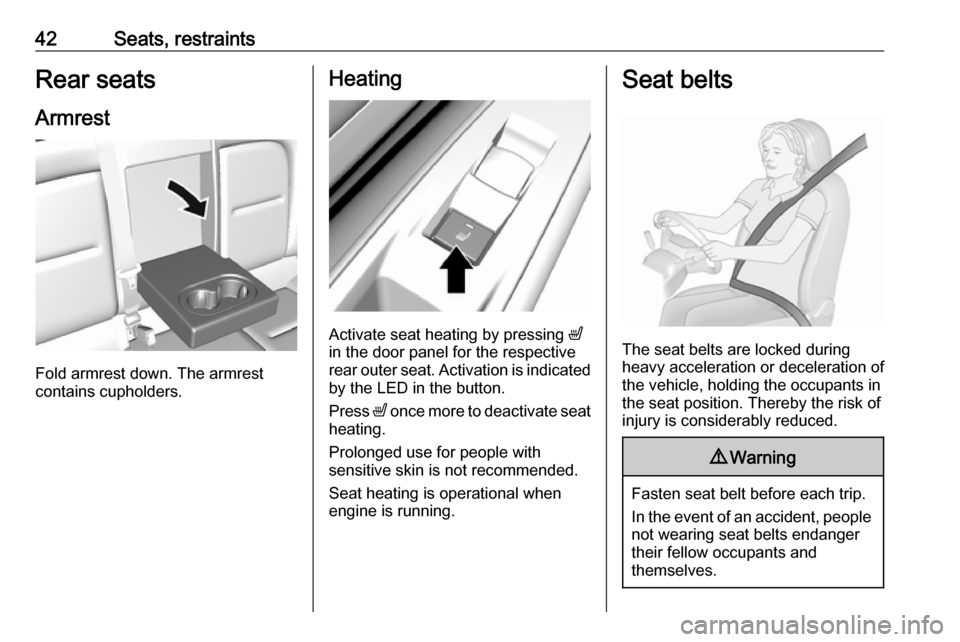
42Seats, restraintsRear seats
Armrest
Fold armrest down. The armrest
contains cupholders.
Heating
Activate seat heating by pressing ß
in the door panel for the respective
rear outer seat. Activation is indicated
by the LED in the button.
Press ß once more to deactivate seat
heating.
Prolonged use for people with
sensitive skin is not recommended.
Seat heating is operational when
engine is running.
Seat belts
The seat belts are locked during
heavy acceleration or deceleration of
the vehicle, holding the occupants in
the seat position. Thereby the risk of
injury is considerably reduced.
9 Warning
Fasten seat belt before each trip.
In the event of an accident, people
not wearing seat belts endanger their fellow occupants and
themselves.
Page 66 of 267

64Instruments and controlsInstruments and
controlsControls ....................................... 65
Steering wheel adjustment ........65
Steering wheel controls .............65
Heated steering wheel ...............65
Horn ........................................... 66
Pedestrian safety alert ...............66
Windscreen wiper/washer .........66
Rear window wiper/washer .......67
Outside temperature ..................68
Clock ......................................... 68
Power outlets ............................. 69
Inductive charging .....................70
Warning lights, gauges and indi‐ cators ........................................... 72
Instrument cluster ......................72
Speedometer ............................. 74
Odometer .................................. 74
Battery gauge ............................ 74
Driving efficiency gauge ............74
Power indicator gauge ...............76
Regenerative braking ................76
Total vehicle range ....................77
Service display .......................... 77
Control indicators ......................77Turn signal................................. 77
Seat belt reminder .....................77
Airbag and belt tensioners .........78
Airbag deactivation ....................78
Charging system .......................78
Service vehicle soon .................79
Brake system ............................. 79
Electric parking brake ................79
Electric parking brake fault ........79
Antilock brake system (ABS) .....79
Sport mode ................................ 80
Lane keep assist .......................80
Electronic Stability Control off ...80
Electronic Stability Control and Traction Control system ...........80
Traction Control system off .......80
Tyre pressure monitoring system ...................................... 80
Immobiliser ................................ 80
Vehicle ready ............................. 81
Exterior light .............................. 81
High beam ................................. 81
High beam assist .......................81
Rear fog light ............................. 81
Cruise control ............................ 81
Vehicle detected ahead .............81
Pedestrian detection ..................81
Speed limiter ............................. 81
Traffic sign assistant ..................81
Door open .................................. 82Information displays.....................82
Driver Information Centre ..........82
Info display ................................ 85
Vehicle messages ........................89
Warning chimes .........................90
Battery voltage .......................... 90
Vehicle personalisation ................91
Telematics service .......................94
OnStar ....................................... 94
Page 75 of 267

Instruments and controls73OverviewOTurn signal 3 77XSeat belt reminder 3 77vAirbag and belt tensioners
3 78VAirbag deactivation 3 78pCharging system 3 786Service vehicle soonRBrake system 3 79mElectric parking brake
3 79jElectric parking brake fault
3 79uAntilock brake system
(ABS) 3 793Sport mode 3 153aLane keep assist 3 80aElectronic Stability Control
off 3 80bElectronic Stability Control
and Traction Control
system 3 80kTraction Control system off
3 80wTyre pressure monitoring
system 3 80dImmobiliser 3 804Vehicle ready 3 818Exterior light 3 81CHigh beam 3 81fHigh beam assist 3 81øRear fog light 3 81mCruise control 3 81AVehicle detected ahead
3 817Pedestrian detected aheadLSpeed limiter 3 81LTraffic sign assistant
3 81hDoor open 3 82
Reconfigurable instrument cluster
The cluster layout can be changed.
Use the steering wheel control to
move between the different display
zones and scroll through the different displays.
There are three display
configurations to choose from:
● Basic configuration displays the
speedometer with a simplified
high voltage battery gauge and
efficiency light.
● Standard configuration displays
the speedometer with a high
voltage battery gauge and
efficiency gauge.
● Enhanced configuration displays
the speedometer with high
voltage battery gauge, efficiency
ring, and power gauge.
Driver Information Centre 3 82.
Page 94 of 267

92Instruments and controlsautomatic switching on of the
rear window wiper when reverse
gear is engaged.
● Collision / detection systems
Pedestrian safety signal :
Activates or deactivates
pedestrian safety alert. Even if
pedestrian safety signal is
deactivated, it is automatically
activated while this menu is not
accessible such as OnStar
calling, camera projection, Apple
CarPlay and Android Auto, non-
auto dismiss pop-up, etc.
Forward Collision System : This
allows the feature’s notification to
be customised. This feature will
turn on or off the Forward
Collision Alert and Active
Emergency Braking. The Off
setting disables all Forward
Collision Alert and Active
Emergency Braking functions.
With the Alert and Brake setting,
both Forward Collision Alert and
Active Emergency Braking are
available. The Alert setting
disables Active EmergencyBraking. Select Off, Alert , or Alert
and Brake .
Front pedestrian detection : This
allows the feature’s notification to be customised. This feature may
help avoid or reduce the harm
caused by front-end crashes with
nearby pedestrians. Select Off,
Alert , or Alert and Brake .
Rear Cross Traffic Alert :
Activates or deactivates rear
cross traffic alert.
Lane Change Alert : Activates or
deactivates lane change alert.
● Lighting
Vehicle locator lights : Activates
or deactivates the entry lighting.
Exit lighting : Activates or
deactivates and changes the duration of exit lighting.
● Power door locks
Auto door lock : Activates or
deactivates the automatic door
locking function after switching on the vehicle.
Unlocked door anti lockout :
Activates or deactivates the doorlocking function while a door is
open.
Delayed door lock : Activates or
deactivates the delayed door locking function. This feature
delays the actual locking of the
doors until all doors are closed. It just can be toggled when Auto
door lock is deactivated.
● Remote lock / unlock / start
Remote unlock light feedback :
Activates or deactivates the
hazard warning flasher feedback
whilst unlocking.
Remote lock feedback : Changes
what kind of feedback is given
when locking the vehicle.
Remote door unlock : Changes
the configuration to unlock only
the driver's door or the whole
vehicle whilst unlocking.
Relock remotely unlocked doors :
Activates or deactivates the
automatic relock function after
unlocking without opening the vehicle.
Remote start auto heat seats :
Activates or deactivates