Vehicle personalisation OPEL AMPERA E 2019 User Guide
[x] Cancel search | Manufacturer: OPEL, Model Year: 2019, Model line: AMPERA E, Model: OPEL AMPERA E 2019Pages: 271, PDF Size: 6.7 MB
Page 66 of 271

64Instruments and controlsInstruments and
controlsControls ....................................... 65
Steering wheel adjustment ........65
Steering wheel controls .............65
Heated steering wheel ...............65
Horn ........................................... 66
Pedestrian safety alert ...............66
Windscreen wiper and washer ..66
Rear window wiper and washer ...................................... 68
Outside temperature ..................68
Clock ......................................... 69
Power outlets ............................. 69
Inductive charging .....................70
Warning lights, gauges and indi‐ cators ........................................... 72
Instrument cluster ......................72
Speedometer ............................. 74
Odometer .................................. 74
Battery gauge ............................ 74
Driving efficiency gauge ............74
Power indicator gauge ...............76
Regenerative braking ................76
Total vehicle range ....................77
Service display .......................... 77Control indicators ......................77
Turn lights .................................. 77
Seat belt reminder .....................77
Airbag and belt tensioners .........78
Airbag deactivation ....................78
Charging system .......................78
Service vehicle soon .................79
Brake system ............................. 79
Electric parking brake ................79
Electric parking brake fault ........79
Antilock brake system (ABS) .....79
Sport mode ................................ 80
Lane keep assist .......................80
Electronic Stability Control off ...80
Electronic Stability Control and Traction Control system ...........80
Traction Control system off .......80
Tyre pressure monitoring system ...................................... 80
Immobiliser ................................ 81
Vehicle ready ............................. 81
Exterior light .............................. 81
High beam ................................. 81
High beam assist .......................81
Rear fog light ............................. 81
Cruise control ............................ 81
Vehicle detected ahead .............81
Pedestrian detection ..................81
Speed limiter ............................. 81Traffic sign assistant ..................82
Door open .................................. 82
Displays ....................................... 82
Driver Information Centre ..........82
Info Display ................................ 85
Vehicle messages ........................89
Warning chimes .........................90
Battery voltage .......................... 90
Vehicle personalisation ................90
Telematics service .......................93
OnStar ....................................... 93
Page 68 of 271
66Instruments and controlsThe recommended grip areas of the
steering wheel are heated quicker
and to a higher temperature than the
other areas.
Heating is operational after the
vehicle has been started.
Auto heated steering wheel
The heated steering wheel will turn on
automatically in remote start along
with the heated seats when it is cold
outside. The heated steering wheel
indicator light may not come on.
The heated steering wheel will not
switch on during a remote start unless the heated seat feature is enabled in
the vehicle settings.
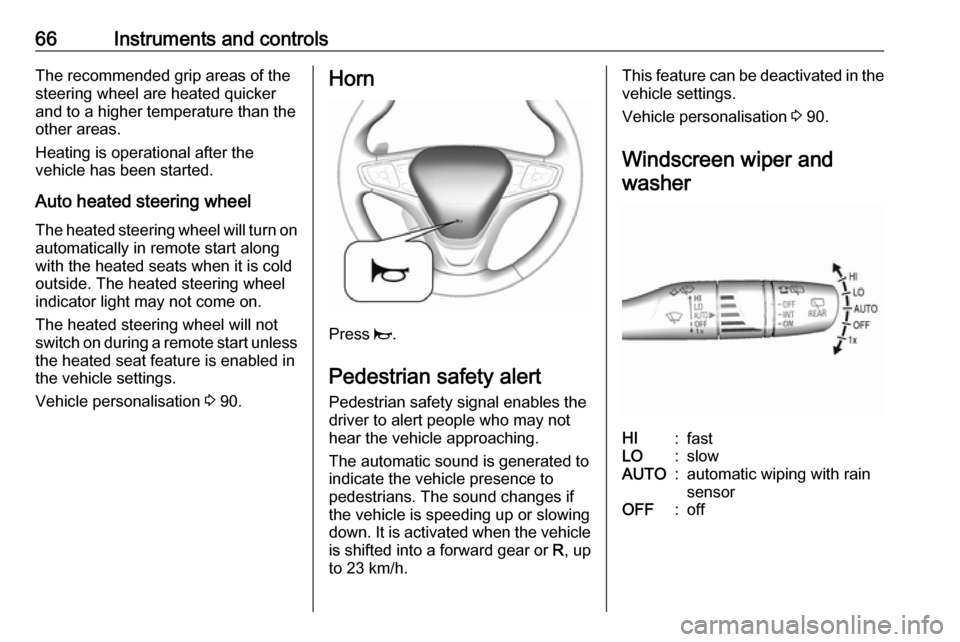
Vehicle personalisation 3 90.Horn
Press j.
Pedestrian safety alert Pedestrian safety signal enables thedriver to alert people who may not
hear the vehicle approaching.
The automatic sound is generated to
indicate the vehicle presence to
pedestrians. The sound changes if the vehicle is speeding up or slowing
down. It is activated when the vehicle
is shifted into a forward gear or R, up
to 23 km/h.
This feature can be deactivated in the vehicle settings.
Vehicle personalisation 3 90.
Windscreen wiper and washerHI:fastLO:slowAUTO:automatic wiping with rain
sensorOFF:off
Page 70 of 271
68Instruments and controlsRear window wiper andwasher
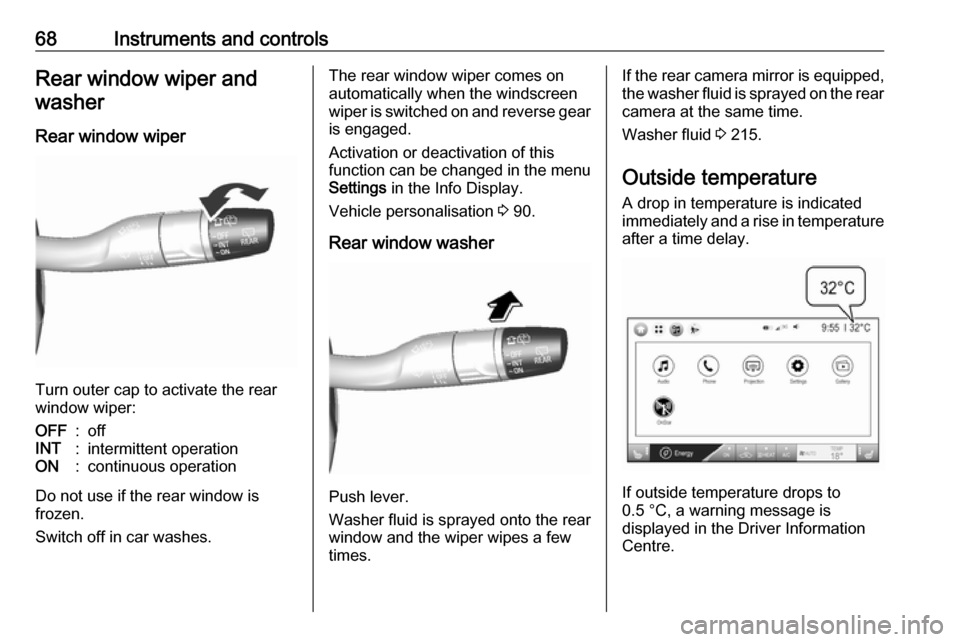
Rear window wiper
Turn outer cap to activate the rear
window wiper:
OFF:offINT:intermittent operationON:continuous operation
Do not use if the rear window is
frozen.
Switch off in car washes.
The rear window wiper comes on
automatically when the windscreen
wiper is switched on and reverse gear
is engaged.
Activation or deactivation of this
function can be changed in the menu Settings in the Info Display.
Vehicle personalisation 3 90.
Rear window washer
Push lever.
Washer fluid is sprayed onto the rear
window and the wiper wipes a few
times.
If the rear camera mirror is equipped,
the washer fluid is sprayed on the rear camera at the same time.
Washer fluid 3 215.
Outside temperature A drop in temperature is indicated
immediately and a rise in temperature
after a time delay.
If outside temperature drops to
0.5 °C, a warning message is
displayed in the Driver Information
Centre.
Page 87 of 271
Instruments and controls85Info DisplayThe Info Display can indicate: ● climate control 3 141
● Infotainment system 3 107
● settings for vehicle personalisation 3 90
● power flow information
● programmable charging settings
● energy information
● indication of rear view camera 3 184
● outside temperature 3 68
● indication of parking assist instructions 3 173
Selecting menus and settings
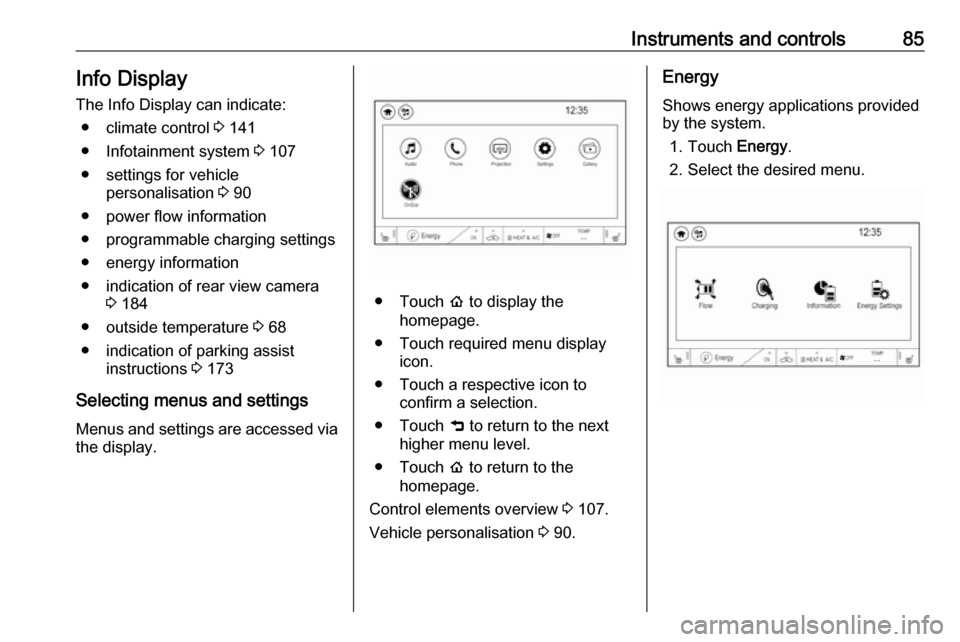
Menus and settings are accessed via the display.
● Touch p to display the
homepage.
● Touch required menu display icon.
● Touch a respective icon to confirm a selection.
● Touch 9 to return to the next
higher menu level.
● Touch p to return to the
homepage.
Control elements overview 3 107.
Vehicle personalisation 3 90.
Energy
Shows energy applications provided
by the system.
1. Touch Energy.
2. Select the desired menu.
Page 92 of 271
90Instruments and controlsWarning chimesIf several warnings appear at the
same time, only one warning chime
will sound.
When starting the propulsion
system or whilst driving
The warning chime regarding not
fastened seat belts has priority over any other warning chime.
● If seat belt is not fastened.
● If a door or the tailgate is not fully
closed when starting off.
● If a certain speed is exceeded with parking brake applied.
● If approaching a vehicle ahead too rapidly.
● If a programmed speed or speed
limit is exceeded.
● If a warning message appears in the Driver Information Centre.
● If the electronic key is not in the passenger compartment.
● If the parking assist detects an object.● If an unintended lane changeoccurs.
● If safety function of the power tailgate detects obstacles in the
moving area.
When the vehicle is parked and / or the driver's door is opened
● With exterior lights on.
Battery voltage When the voltage of the 12 V vehicle
battery is running low, a warning
message will appear in the Driver
Information Centre.
1. Switch off any electrical consumers which are not requiredfor a safe drive, e.g. seat heating, heated rear window or other main
consumers.
2. Charge the 12 V vehicle battery by
driving continuously for a while or
by using a charging device.
If the 12 V vehicle battery cannot be
recharged, have the cause of the fault
remedied by a workshop.Vehicle personalisation
The vehicle's behaviour can be
personalised by changing the settings in the Info Display.
Depending on vehicle equipment and
country-specific regulations some of
the functions described below may
not be available.
Some functions are only displayed or
active when the vehicle is on.
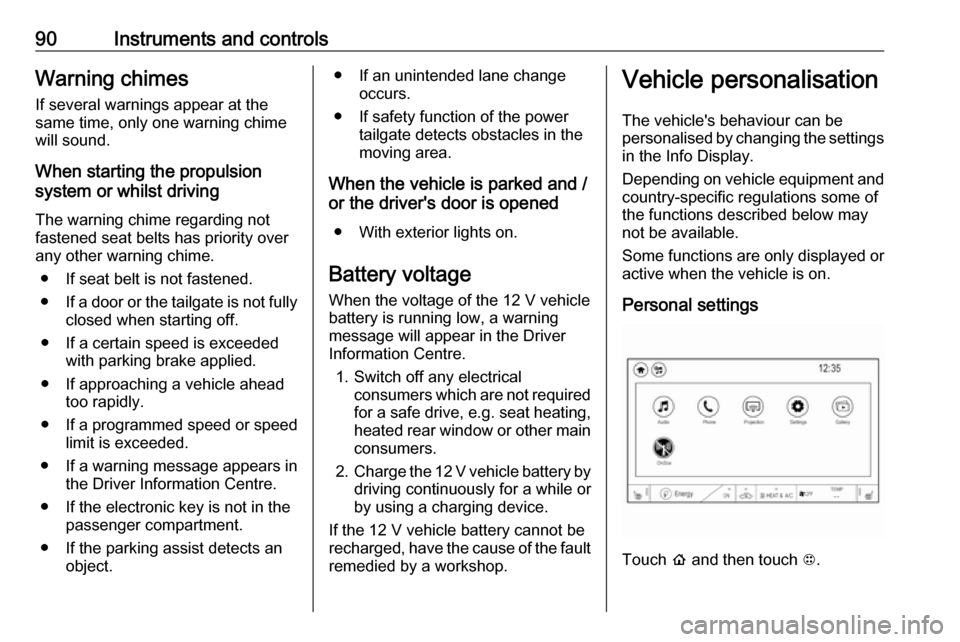
Personal settings
Touch p and then touch 1.
Page 93 of 271

Instruments and controls91The following settings can be
selected by touching the icon or the
button on the touch screen:
● Time and date
● Language
● Radio settings
● Vehicle settings
● Devices
● Device Remote Access
● Apple CarPlay
● Android Auto
● KeyPass
● USB Auto Launch
● Wi-Fi
● Display Settings
● Rear camera
● Return to factory settings
● Audible touch feedback
● Text scroll
● Software information
In the corresponding submenus, the
following settings can be changed:
Time and date
Clock 3 69.Language
Selection of the desired language.
System settings 3 116.
Radio settings
Volume settings 3 115.
Vehicle settings ● Climate and air quality
Auto fan speed : Modifies the
level of the cabin airflow of the
climate control in automatic
mode.
Auto heated seats : Automatically
activates the seat and steering
wheel heating.
Auto demist : Supports
windscreen dehumidification by
automatically selecting the
necessary settings and
automatic air conditioning mode.
● Comfort and convenience
Chime volume : Changes the
volume of warning chimes.
Personalisation by driver :
Activates or deactivates the
personalisation function.Auto wipe in reverse gear :
Activates or deactivates
automatic switching on of the
rear window wiper when reverse gear is engaged.
● Collision / detection systems
Pedestrian safety signal :
Activates or deactivates
pedestrian safety alert. Even if
pedestrian safety signal is
deactivated, it is automatically
activated while this menu is not
accessible such as OnStar
calling, camera projection, Apple
CarPlay and Android Auto, non-
auto dismiss pop-up, etc.
Forward Collision System : This
allows the feature’s notification to
be customised. This feature will
turn on or off the Forward
Collision Alert and Active
Emergency Braking. The Off
setting disables all Forward
Collision Alert and Active
Emergency Braking functions.
With the Alert and Brake setting,
both Forward Collision Alert and
Active Emergency Braking are
available. The Alert setting
Page 106 of 271

104LightingReading lights
Operated by pressing the buttons at
the front.
Sunvisor lights
Illuminates when the cover is opened.
Lighting features
Entry lighting Low beam and the interior lights turn
on briefly by pressing ( on the
electronic key. The lights turn off
immediately when POWERm is
pressed or automatically after a brief period.
Exit lighting The low beam and the reversing light
come on by doing the following:
1. Switch off the vehicle.
2. Open the driver's door.
3. Pull the stalk briefly and release.
Some interior lights come on when
the vehicle is switched off. The
exterior and the interior lights remain
on after the door is closed for a brief
period and then turn off.
Activation, deactivation and duration
of this function can be changed in the
Info Display.
Vehicle personalisation 3 90.Battery discharge protection
Vehicle battery state of charge
function
The vehicle battery saver feature is
designed to protect the 12 V vehicle
battery. If any interior light is left on
and the vehicle is switched off, the vehicle battery discharge protection
system automatically turns the lights
off after approx. 10 minutes.
If the exterior lights are left on, they
turn off when the vehicle is switched
off. If the sidelights are switched on
when the vehicle is switched off, the
sidelights remain on until they are
manually switched off.
Page 120 of 271
118Infotainment systemPress p and then select 1 in the top
left corner of the screen to display the application overview screen.
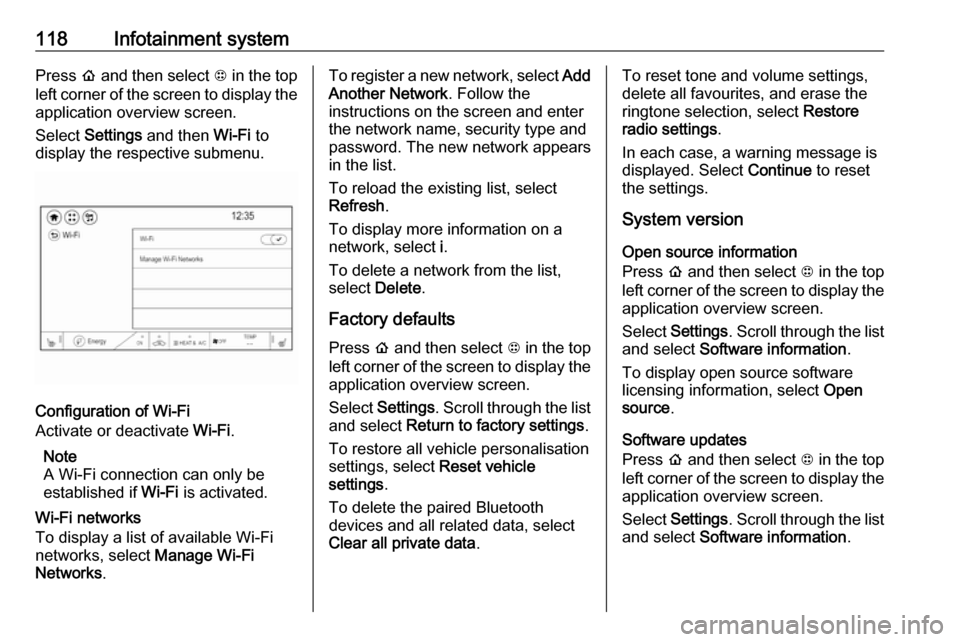
Select Settings and then Wi-Fi to
display the respective submenu.
Configuration of Wi-Fi
Activate or deactivate Wi-Fi.
Note
A Wi-Fi connection can only be
established if Wi-Fi is activated.
Wi-Fi networks
To display a list of available Wi-Fi
networks, select Manage Wi-Fi
Networks .
To register a new network, select Add
Another Network . Follow the
instructions on the screen and enter
the network name, security type and
password. The new network appears
in the list.
To reload the existing list, select
Refresh .
To display more information on a
network, select i.
To delete a network from the list,
select Delete .
Factory defaults Press p and then select 1 in the top
left corner of the screen to display the application overview screen.
Select Settings . Scroll through the list
and select Return to factory settings .
To restore all vehicle personalisation
settings, select Reset vehicle
settings .
To delete the paired Bluetooth
devices and all related data, select
Clear all private data .To reset tone and volume settings,
delete all favourites, and erase the
ringtone selection, select Restore
radio settings .
In each case, a warning message is
displayed. Select Continue to reset
the settings.
System version
Open source information
Press p and then select 1 in the top
left corner of the screen to display the application overview screen.
Select Settings . Scroll through the list
and select Software information .
To display open source software
licensing information, select Open
source .
Software updates
Press p and then select 1 in the top
left corner of the screen to display the application overview screen.
Select Settings . Scroll through the list
and select Software information .
Page 121 of 271
Infotainment system119To start a software update, select
Software Update . For a detailed
description on software updates
3 257.
To display a menu with further
settings, select Update Preferences .
If Download New Updates in
Background is activated, software
updates are downloaded
automatically by the system without
specific notification. If Download New
Updates in Background is
deactivated, a message might be
displayed before an update is carried out. Activate or deactivate the
function as desired.
Vehicle settings Vehicle personalisation 3 90.Radio
Usage
Activation of the radio function Press p and then select 1 in the top
left corner of the screen to display the application overview screen.
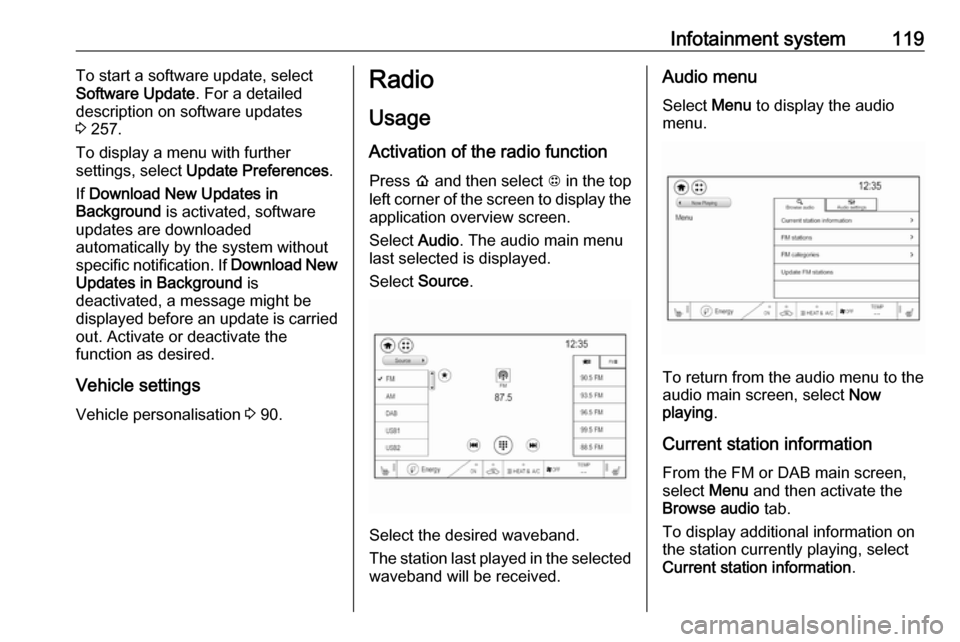
Select Audio. The audio main menu
last selected is displayed.
Select Source .
Select the desired waveband.
The station last played in the selected waveband will be received.
Audio menu
Select Menu to display the audio
menu.
To return from the audio menu to the
audio main screen, select Now
playing .
Current station information From the FM or DAB main screen,
select Menu and then activate the
Browse audio tab.
To display additional information on
the station currently playing, select
Current station information .
Page 144 of 271
142Climate control●manual air recirculation 4
● Heated seats +/q 3 41
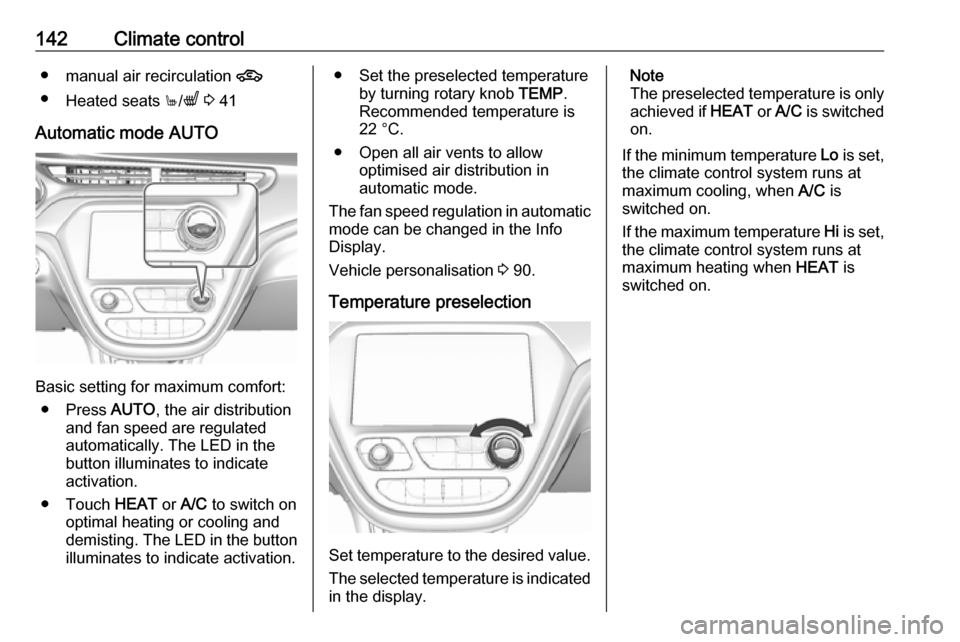
Automatic mode AUTO
Basic setting for maximum comfort: ● Press AUTO, the air distribution
and fan speed are regulated
automatically. The LED in the
button illuminates to indicate
activation.
● Touch HEAT or A/C to switch on
optimal heating or cooling and demisting. The LED in the button illuminates to indicate activation.
● Set the preselected temperature by turning rotary knob TEMP.
Recommended temperature is
22 °C.
● Open all air vents to allow optimised air distribution in
automatic mode.
The fan speed regulation in automatic mode can be changed in the Info
Display.
Vehicle personalisation 3 90.
Temperature preselection
Set temperature to the desired value.
The selected temperature is indicated in the display.
Note
The preselected temperature is only achieved if HEAT or A/C is switched
on.
If the minimum temperature Lo is set,
the climate control system runs at
maximum cooling, when A/C is
switched on.
If the maximum temperature Hi is set,
the climate control system runs at
maximum heating when HEAT is
switched on.