reset OPEL ANTARA 2009 Owners Manual
[x] Cancel search | Manufacturer: OPEL, Model Year: 2009, Model line: ANTARA, Model: OPEL ANTARA 2009Pages: 234, PDF Size: 3.01 MB
Page 73 of 234

Instruments, controls73
>
Front fog lamps
Illuminates in green when front fog lamps
are switched on - see page 96.
rFog tail lamp
Illuminates in yellow when the fog tail lamp
is switched on - see page 96.
PHeadlamp main beam
Illuminates in blue when main beam is on
and when headlamp flash is operated -
see pages 14, 95.
GLow windscreen washer fluid
Illuminates in yellow when ignition is
switched on, then extinguishes.
If it illuminates: wi ndscreen washer fluid
level low, add washer fluid as soon as
possible - see page 199.
NWater in diesel fuel filter 3
Illuminates in yellow when water level in
diesel fuel filter exc eeds a specified level.
Residual water in the diesel fuel filter will
need to be drained - see page 194 . Consult
a workshop as soon as possible.
CChange engine oil 3
Illuminates in yellow when ignition is
switched on, then extinguishes.
Illuminates to indica te that engine oil
needs changing within approx. 1000 km
(600 miles). Engine power may be
decreased.
Once the engine oil has been changed, the
engine oil life monitor needs to be reset -
see page 194.
NPreheating for diesel engines 3
Illuminated in yellow during preheating.
Preheating system switches on only if
outside temperature is low.
If it comes on during driving or if the engine
cannot be started, consult a workshop as
soon as possible.
Starting the engine - see page 19.
IDPF (Diesel particle filter) 3
Illuminates in yellow when diesel particle
filter requires cleaning.
As soon as the road and traffic situation
permits it, increase speed to more than
50 km/h (30 mph) for approx. 15 minutes.
The control indicator extinguishes as soon
as cleaning is complete.
Further information - see page 135.
mCruise control 3
see page 140.
SEngine oil level 3
Illuminates in yellow when ignition is
switched on, then extinguishes.
If it illuminates during driving;
oil level low: top up oil to specified level -
see page 192.
2Power steering
Illuminates in yellow when ignition is
switched on, then extinguishes.
If it does not illuminate when the ignition is
switched on, stay s illuminated or
illuminates during driving, there is a fault in
the system. Consult a workshop as soon as
possible.
Page 75 of 234

Instruments, controls75
Instrument display
Tachometer
Making use of the tachometer helps to
save fuel; it indicates the engine speed in
revolutions per minute (rpm).
Red warning zone on right; maximum
permissible engine speed exceeded,
danger to engine.
If possible, drive in each gear in the low
engine speed range (between approx.
2000 and 3000 rpm) and maintain an even
vehicle speed to maximise fuel efficiency. Speedometer
Indicates the vehicle speed.
Odometer
The odometer indicates how far the vehicle
has been driven.
Trip odometer
There are two independent trip odometers
which indicate how far the vehicle has been
driven since the last reset.
Press the trip odometer button once to
toggle between
Trip A and Trip B .
To reset a trip odometer, press and hold
the trip odometer button.
Page 82 of 234
Instruments, controls82
Average consumptionDisplay of average consumption.
The measurement can be restarted at any
time – see "Resetting trip computer
information".
Effective consumption
Displays amount of fuel consumed.
The measurement can be restarted at any
time – see "Resetting trip computer
information".
Average speed
Display of average speed.
The measurement can be restarted at any
time - see "Resetting trip computer
information".
Stoppages in the journey with the ignition
off are not included in the calculations.
Distance travelled
Displays number of kilometres (miles)
driven. The measurement can be restarted
at any time – see "Resetting trip computer
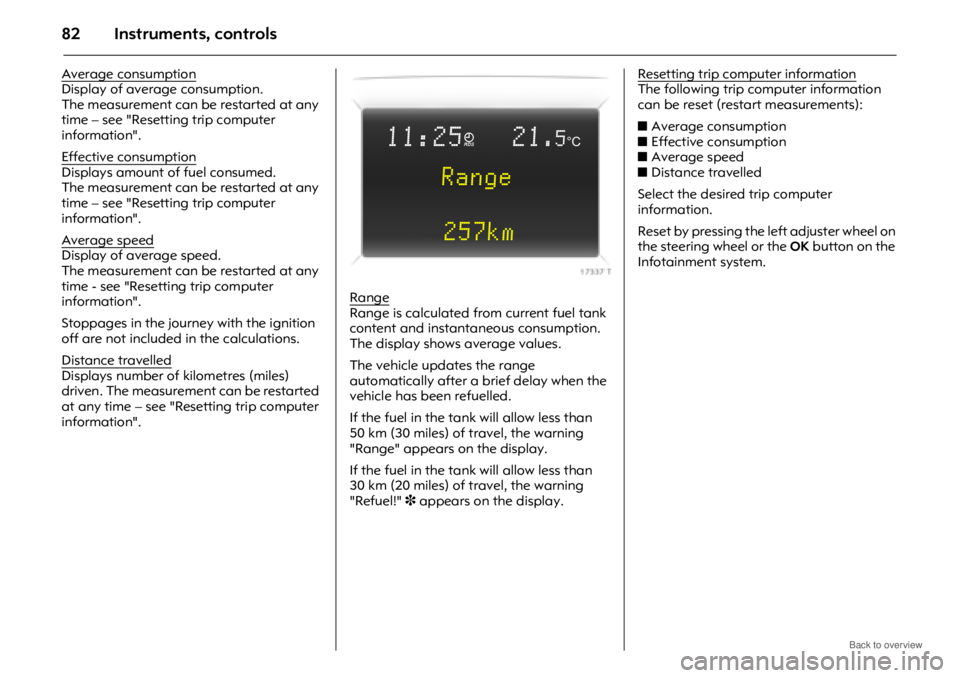
information".Range
Range is calculated fr
om current fuel tank
content and instantaneous consumption.
The display shows average values.
The vehicle updates the range
automatically after a brief delay when the
vehicle has been refuelled.
If the fuel in the tank will allow less than
50 km (30 miles) of travel, the warning
"Range" appears on the display.
If the fuel in the tank will allow less than
30 km (20 miles) of travel, the warning
"Refuel!" 3 appears on the display. Resetting trip computer information
The following trip computer information
can be reset (restart measurements):
z
Average consumption
z Effective consumption
z Average speed
z Distance travelled
Select the desired trip computer
information.
Reset by pressing the left adjuster wheel on
the steering wheel or the OK button on the
Infotainment system.
11:25}21.5°C
Range
257km
Page 83 of 234
Instruments, controls83
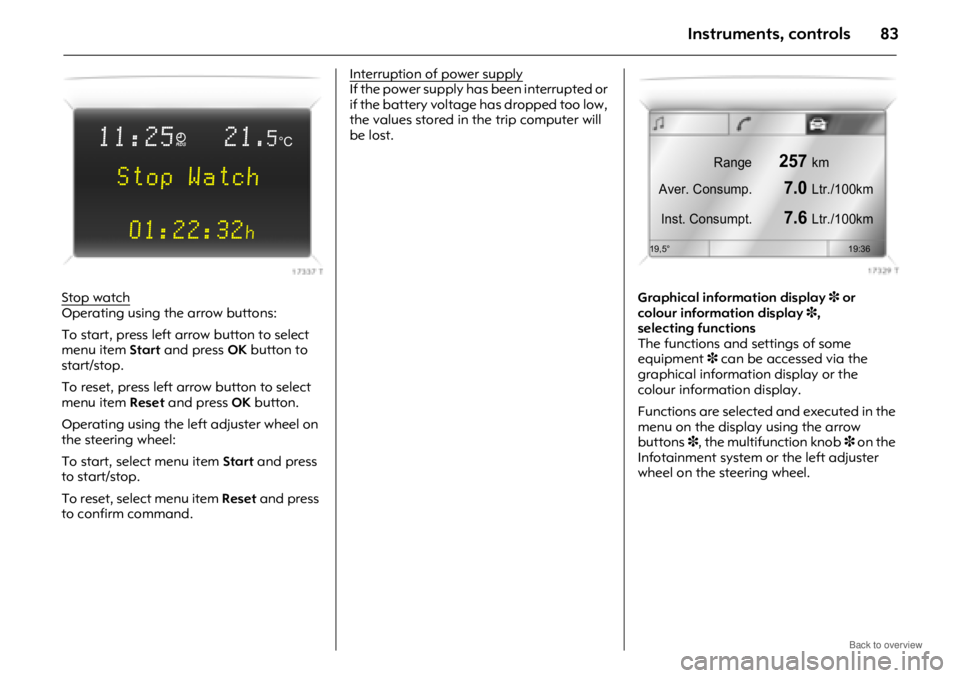
Stop watchOperating using the arrow buttons:
To start, press left arrow button to select
menu item Start and press OK button to
start/stop.
To reset, press left arrow button to select
menu item Reset and press OK button.
Operating using the left adjuster wheel on
the steering wheel:
To start, select menu item Start and press
to start/stop.
To reset, select menu item Reset and press
to confirm command. Interruption of power supply
If the power supply has been interrupted or
if the battery voltage
has dropped too low,
the values stored in the trip computer will
be lost.
Graphical information display3 or
colour information display 3,
selecting functions
The functions and settings of some
equipment 3 can be accessed via the
graphical information display or the
colour information display.
Functions are selected and executed in the
menu on the display using the arrow
buttons 3, the multifunction knob 3 on the
Infotainment system or the left adjuster
wheel on the steering wheel.
11:25}21.5°C
Stop Watch
01:22:32
h
Range257km
Aver. Consump.
7.0Ltr./100km
Inst. Consumpt.
7.6Ltr./100km
19,5° 19:36
Page 89 of 234
Instruments, controls89
Distance travelledDisplays number of kilometres (miles)
driven. The measurement can be restarted
at any time - see "Resetting trip computer
information".
Average speed
Display of average speed.
The measurement can be restarted at any
time - see "Resetting trip computer
information".
Stoppages in the journey with the ignition
off are not included in the calculations.
Effective consumption
Displays amount of fuel consumed.
The measurement can be restarted at any
time - see "Resetting trip computer
information".
Average consumption
Display of average consumption.
The measurement can be restarted at any
time - see "Resetting trip computer
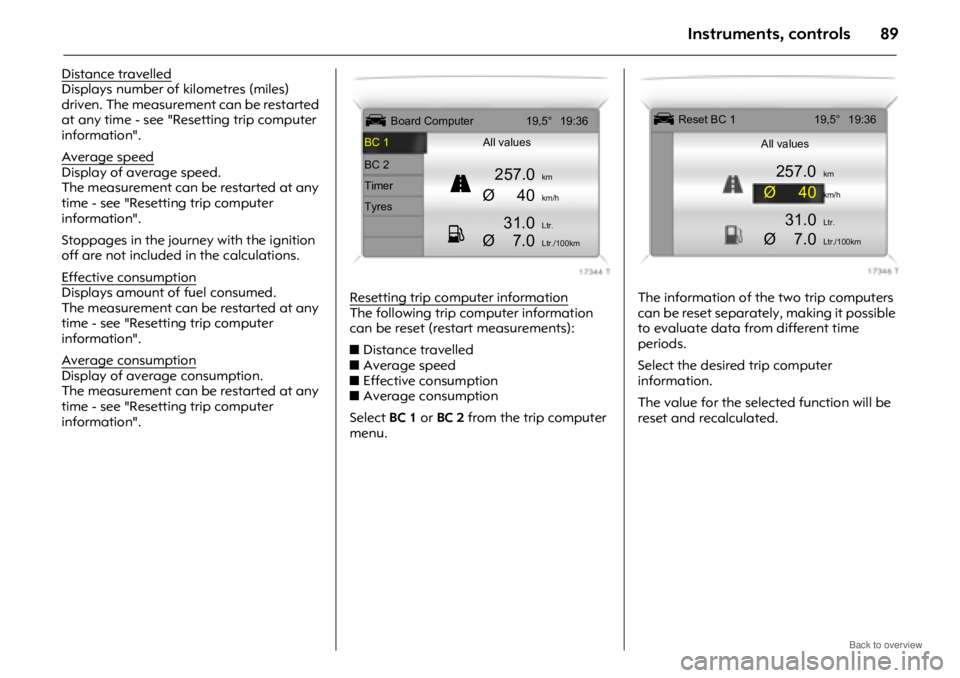
information". Resetting trip computer information
The following trip computer information
can be reset (restart measurements):
z
Distance travelled
z Average speed
z Effective consumption
z Average consumption
Select BC 1 or BC 2 from the trip computer
menu. The information of the two trip computers
can be reset separately, making it possible
to evaluate data from different time
periods.
Select the desired trip computer
information.
The value for the selected function will be
reset and recalculated.
ÜBoard Computer 19,5° 19:36
BC 1 All values
BC 2
257.0kmTimerØ40km/hTyres
31.0Ltr.
Ø 7.0Ltr./100km
1
11 1
8
88
8
Ü Reset BC 1 19,5° 19:36
All values
257.0km
Ø40km/h
31.0Ltr.
Ø 7.0Ltr./100km
Page 90 of 234
Instruments, controls90
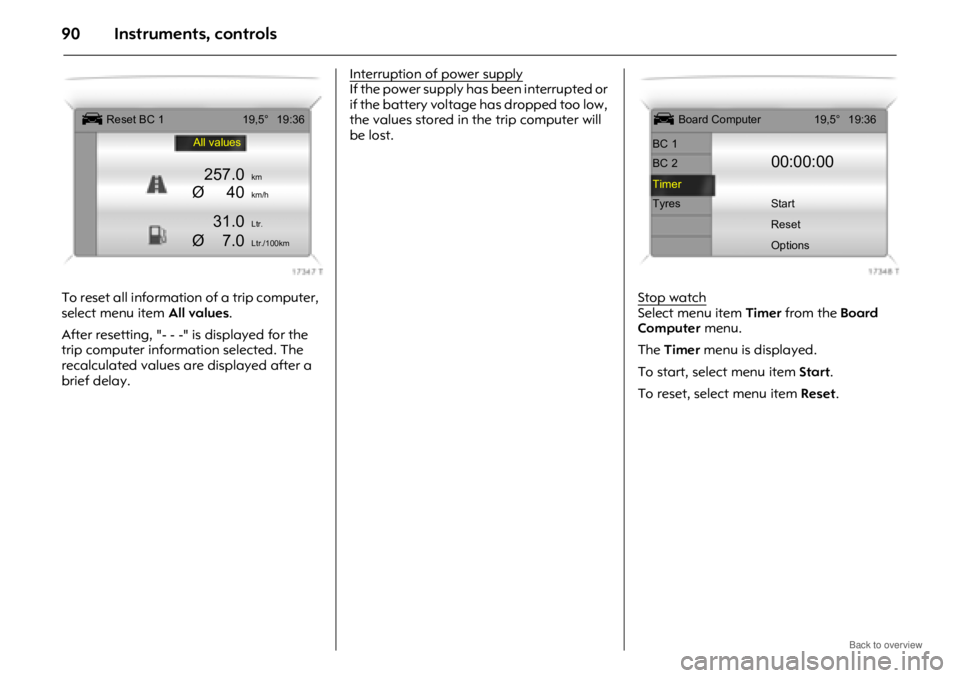
To reset all information of a trip computer,
select menu item All values.
After resetting, "- - -" is displayed for the
trip computer information selected. The
recalculated values are displayed after a
brief delay. Interruption of power supply
If the power supply has been interrupted or
if the battery voltage
has dropped too low,
the values stored in the trip computer will
be lost.
Stop watch
Select menu item Timer from the Board
Computer menu.
The Timer menu is displayed.
To start, select menu item Start.
To reset, select menu item Reset .
Ü Reset BC 119,5° 19:36
All values
257.0km
Ø40km/h
31.0Ltr.
Ø 7.0Ltr./100km
Ü Board Computer 19,5° 19:36
BC 1
BC 2
00:00:00
Timer
Tyres Start Reset
Options
Page 91 of 234
Instruments, controls91
The desired stop watch display can be
selected from the Optionsmenu3:
Driving Time excl. Stops
The time the vehicle is in motion is
recorded. Stationary ti me is not included.
Driving Time incl. Stops
The time the vehicle is in motion is
recorded. The time the vehicle is stationary
with the key in the ignition switch is
included.
Travel Time
Measurement of the time from manual
activation via Start to manual deactivation
via Reset .
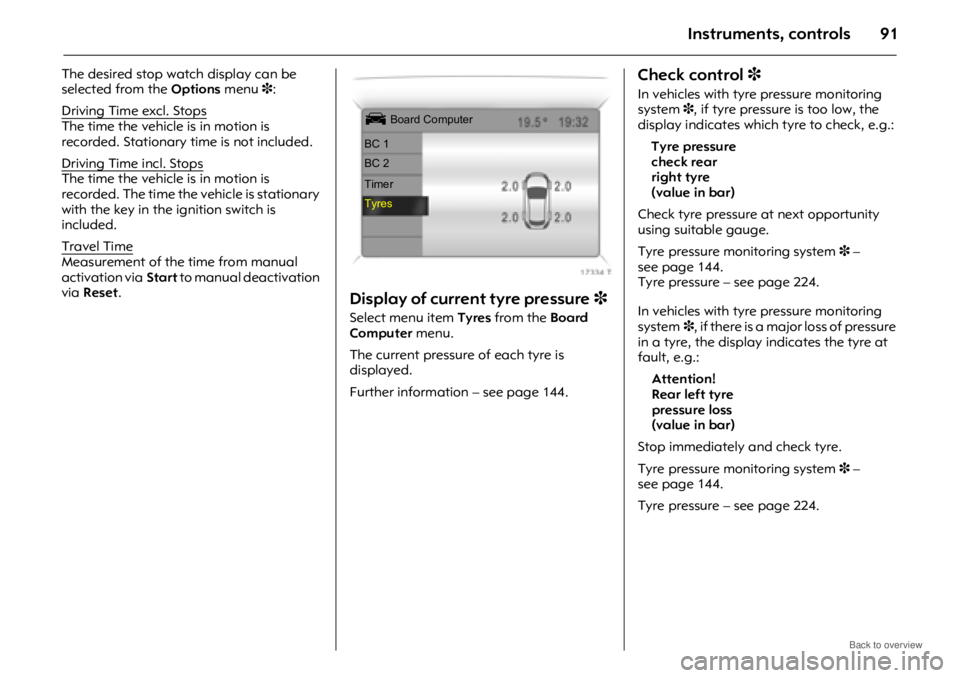
Display of current tyre pressure 3
Select menu item Tyres from the Board
Computer menu.
The current pressure of each tyre is
displayed.
Further information – see page 144.
Check control 3
In vehicles with tyre pressure monitoring
system 3, if tyre pressure is too low, the
display indicates which tyre to check, e.g.:
Tyre pressure
check rear
right tyre
(value in bar)
Check tyre pressure at next opportunity
using suitable gauge.
Tyre pressure monitoring system 3 –
see page 144.
Tyre pressure – see page 224.
In vehicles with tyre pressure monitoring
system 3, if there is a major loss of pressure
in a tyre, the display indicates the tyre at
fault, e.g.:
Attention!
Rear left tyre
pressure loss
(value in bar)
Stop immediately and check tyre.
Tyre pressure monitoring system 3 –
see page 144.
Tyre pressure – see page 224.
Ü Board Computer
BC 1
BC 2
Timer
Tyres
Page 112 of 234

Climate control112
Automatic air recirculation
The automatic air recirculation system has
an air quality sensor to detect harmful
ambient gases, in which case it will switch
automatically to air recirculation mode.
Press automatic air recirculation button t;
the system provides the optimum settings
for almost all conditions. Control indicator
in the button illuminates when automatic
air recirculation is enabled.
Press button t again to turn automatic air
recirculation system off; control indicator in
the button extinguishes and outside air is
drawn into the vehicle.
The system is only operational when the
engine is running. Automatic mode
Basic setting for maximum comfort:
z
Press AUTO button.
z Open all air vents.
z Set temperature using central rotary
knob.
All air vents are actuated automatically in
automatic mode. The air vents should
therefore always be open - see page 104.
The control indicator in the AUTO button
illuminates when automatic mode has
been selected.
To switch the system off, set fan to x .Temperature preset
The central rotary knob can be used to set
the temperature; 22 °C, 24 °C and 26 °C
appear on the rotary
knob. Intermediate
settings are possible.
The selected temperature is maintained.
At the lowest or highest temperature
setting, the system works at maximum
cooling or heating.
Page 161 of 234
Driving and operation161
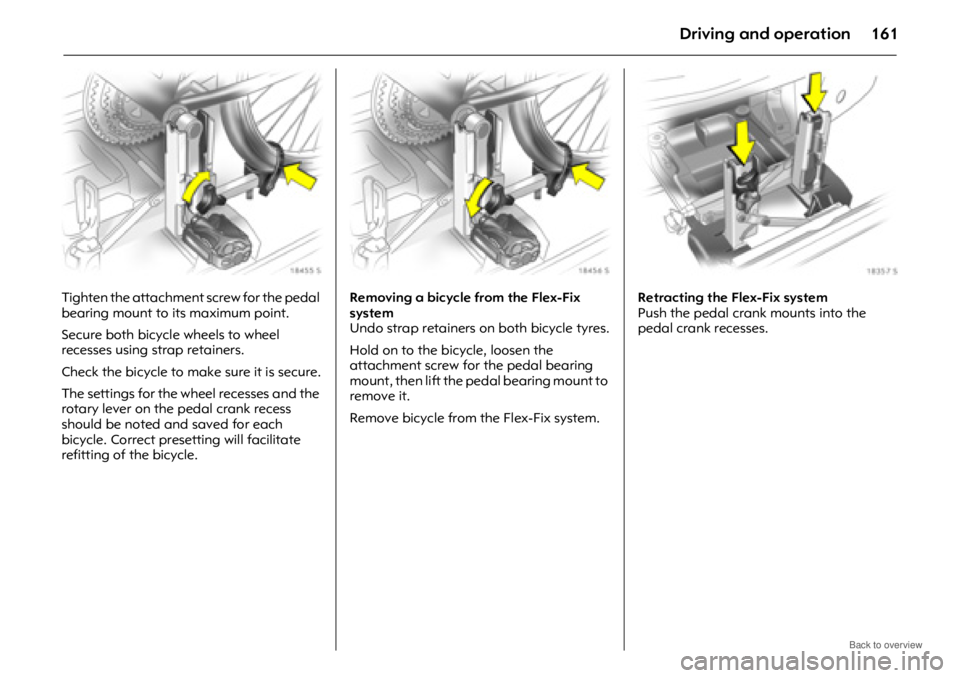
Tighten the attachment screw for the pedal
bearing mount to its maximum point.
Secure both bicycle wheels to wheel
recesses using strap retainers.
Check the bicycle to make sure it is secure.
The settings for the wheel recesses and the
rotary lever on the pedal crank recess
should be noted and saved for each
bicycle. Correct presetting will facilitate
refitting of the bicycle. Removing a bicycle from the Flex-Fix
system
Undo strap retainers on both bicycle tyres.
Hold on to the bicycle, loosen the
attachment screw for the pedal bearing
mount, then lift the pedal bearing mount to
remove it.
Remove bicycle from the Flex-Fix system.
Retracting the Flex-Fix system
Push the pedal crank mounts into the
pedal crank recesses.
Page 194 of 234
Self-help, vehicle care194
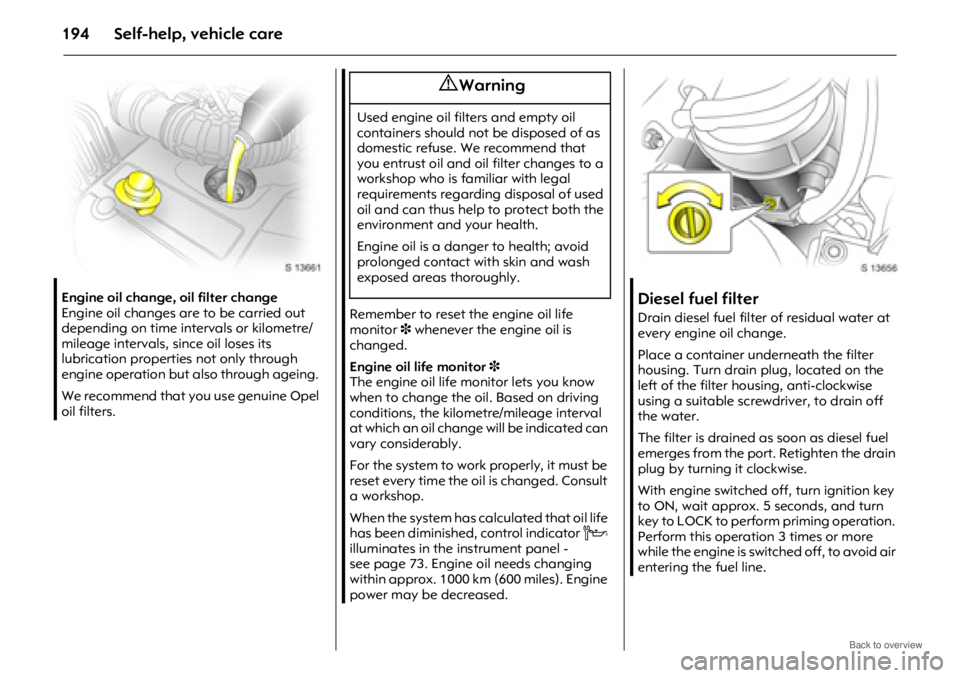
Engine oil change, oil filter change
Engine oil changes are to be carried out
depending on time intervals or kilometre/
mileage intervals, since oil loses its
lubrication properties not only through
engine operation but also through ageing.
We recommend that you use genuine Opel
oil filters.
Remember to reset the engine oil life
monitor 3 whenever the engine oil is
changed.
Engine oil life monitor 3
The engine oil life monitor lets you know
when to change the oil. Based on driving
conditions, the kilometre/mileage interval
at which an oil change will be indicated can
vary considerably.
For the system to work properly, it must be
reset every time the oil is changed. Consult
a workshop.
When the system has calculated that oil life
has been diminished, control indicator C
illuminates in the instrument panel -
see page 73. Engine oil needs changing
within approx. 1000 km (600 miles). Engine
power may be decreased.Diesel fuel filter
Drain diesel fuel filter of residual water at
every engine oil change.
Place a container underneath the filter
housing. Turn drain plug, located on the
left of the filter housing, anti-clockwise
using a suitable screwdriver, to drain off
the water.
The filter is drained as soon as diesel fuel
emerges from the port. Retighten the drain
plug by turning it clockwise.
With engine switched off, turn ignition key
to ON, wait approx. 5 seconds, and turn
key to LOCK to perform priming operation.
Perform this operation 3 times or more
while the engine is switched off, to avoid air
entering the fuel line.
9 Warning
Used engine oil filters and empty oil
containers should not be disposed of as
domestic refuse. We recommend that
you entrust oil and oil filter changes to a
workshop who is familiar with legal
requirements regarding disposal of used
oil and can thus help to protect both the
environment and your health.
Engine oil is a danger to health; avoid
prolonged contact with skin and wash
exposed areas thoroughly.