parking brake OPEL ANTARA 2017.5 Manual user
[x] Cancel search | Manufacturer: OPEL, Model Year: 2017.5, Model line: ANTARA, Model: OPEL ANTARA 2017.5Pages: 225, PDF Size: 6.2 MB
Page 111 of 225

Lighting109Rear fog lights
Operated by pressing ø.
Control indicator ø 3 91 illuminates
in the instrument cluster when the rear fog light is switched on.
The rear fog light can only be
switched on when the ignition is on
and the light switch is in position 9,
or the front fog lights are on and the
light switch is in position 8.
Light switch in position AUTO:
switching on rear fog light will switch
on low beam and sidelights
automatically.
The vehicle rear fog light is
deactivated when towing.
Parking lights
When the vehicle is parked, the
parking lights on one side can be
activated:
1. Set light switch to 7 or AUTO .
2. Switch off ignition.
3. Move turn signal lever all the way up (right parking lights) or down
(left parking lights).
Confirmed by a signal tone and the
corresponding turn signal control
indicator.
To deactivate, switch on the ignition or move the turn signal lever in the
opposite direction.
Reversing lights
The reversing lights come on when
the ignition is on and reverse gear is
selected.
Centre high-mounted brake light Illuminates when the brakes are
applied, acting as a third stop light, to
supplement the brake lights.
Misted light covers
The inside of the light housing may
mist up briefly in poor, wet and cold weather conditions, in heavy rain or
after washing. The mist disappears
quickly by itself; to help switch on the
headlights.
Page 124 of 225
122Driving and operatingDriving and
operatingDriving hints ............................... 122
Driving economically ...............122
Control of the vehicle ...............123
Steering ................................... 124
Starting and operating ...............124
New vehicle running-in ............124
Ignition switch positions ...........125
Starting the engine ..................125
Overrun cut-off ........................ 126
Stop-start system ....................126
Parking .................................... 128
Engine exhaust .......................... 129
Diesel particle filter ..................129
Catalytic converter ...................130
AdBlue ..................................... 131
Automatic transmission ..............136
Transmission display ...............136
Selector lever .......................... 136
Sport mode .............................. 137
Manual mode ........................... 138
Electronic driving programmes 138
Fault ........................................ 138
Interruption of power supply ....139Manual transmission ..................139
Drive systems ............................ 140
All-wheel drive ......................... 140
Brakes ........................................ 142
Antilock brake system .............142
Parking brake .......................... 143
Brake assist ............................. 144
Hill start assist ......................... 144
Ride control systems .................145
Electronic Stability Control ......145
Descent control system ...........146
Automatic level control ............147
Driver assistance systems .........147
Cruise control .......................... 147
Parking assist .......................... 148
Fuel ............................................ 150
Fuel for diesel engines ............150
Refuelling ................................ 150
Fuel consumption - CO 2-
Emissions ............................... 151
Trailer hitch ................................ 152
General information .................152
Driving characteristics and
towing tips .............................. 152
Trailer towing ........................... 153
Towing equipment ...................153
Trailer stability assist ...............155Driving hints
Driving economically Fuel economy mode
Fuel economy mode is a function that optimises fuel consumption. It affects,
e.g., engine power and torque,
acceleration and gear shift indication.
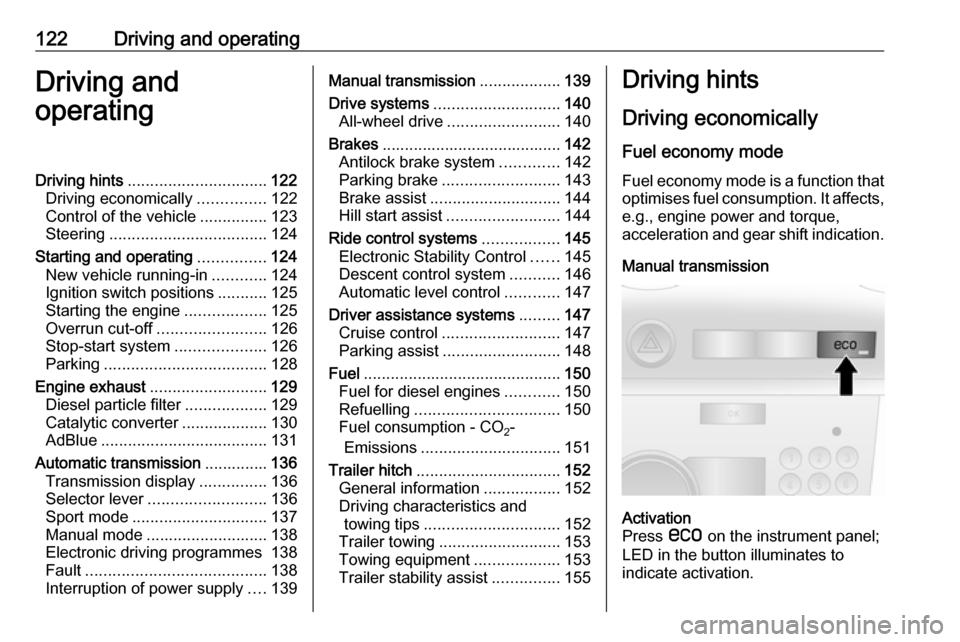
Manual transmissionActivation
Press s on the instrument panel;
LED in the button illuminates to
indicate activation.
Page 130 of 225

128Driving and operatingIf the selector lever is shifted out of
neutral before depressing the clutch
first, control indicator - illuminates.
Control indicator - 3 90.
Restart of the engine by the stop- start system
The selector lever must be in neutral to enable an automatic restart.
If one of the following conditions occurs during an Autostop, the
engine will be restarted automatically
by the stop-start system.
● The stop-start system is manually deactivated
● the bonnet is opened
● the driver's seat belt is unfastened and the driver's door
is opened
● the engine temperature is too low
● the charging level of the vehicle battery is below a defined level
● the brake vacuum is not sufficient
● the vehicle is driven at least at walking speed
● the defrosting function is activated● the climate control systemrequests an engine start
● the air conditioning is manually switched on
If an electrical accessory, e.g. a
portable CD player, is connected to
the power outlet, a brief power drop
during restart might be noticeable.
Parking9 Warning
● Do not park the vehicle on an
easily ignitable surface. The
high temperature of the
exhaust system could ignite the
surface.
● Always apply the electrical parking brake.
Pull switch m.
The electric parking brake is
applied when control indicator
m illuminates 3 85.
For maximum force, e.g.
parking with a trailer or on
inclines, pull switch m twice.
● Switch off the engine.
● If the vehicle is on a level surface or uphill slope, engage
first gear or move the selector
lever to P before removing the
ignition key. On an uphill slope, turn the front wheels away from
the kerb.
If the vehicle is on a downhill
slope, engage reverse gear or
move the selector lever to P
before removing the ignition
key. Turn the front wheels
towards the kerb.
● Close windows and sunroof.
● Turn the ignition key to position
LOCK , push key into ignition
switch and remove.
For vehicles with automatic
transmission, depress foot
brake and shift into P before
pushing key into ignition switch and removing.
Turn the steering wheel until
the steering wheel lock is felt to
engage.
Page 138 of 225
136Driving and operatingAutomatic transmission
The automatic transmission permits
automatic gearshifting (automatic
mode) or manual gearshifting
(manual mode).
Transmission display
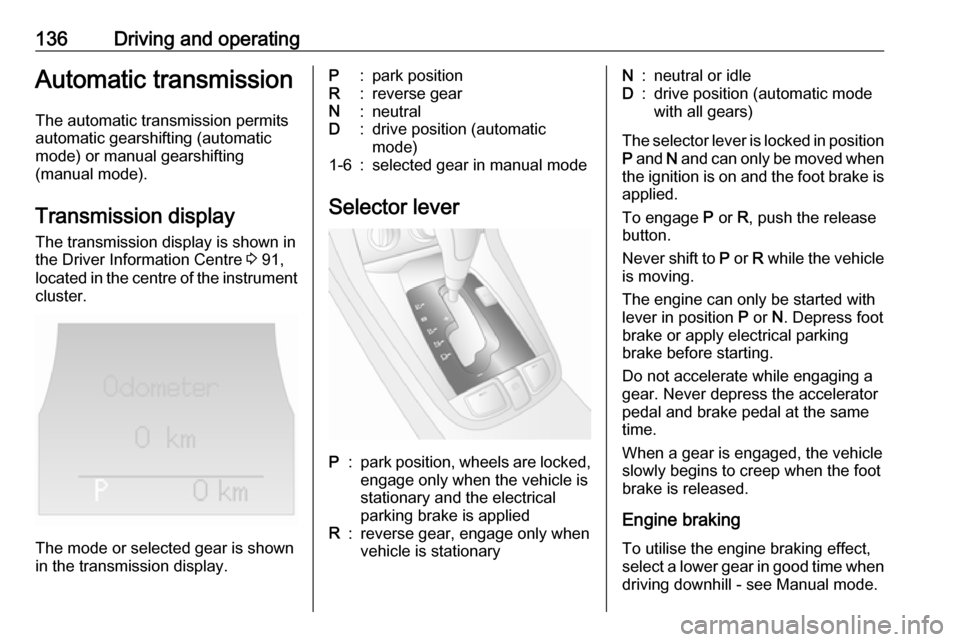
The transmission display is shown in
the Driver Information Centre 3 91,
located in the centre of the instrument
cluster.
The mode or selected gear is shown
in the transmission display.
P:park positionR:reverse gearN:neutralD:drive position (automatic
mode)1-6:selected gear in manual mode
Selector lever
P:park position, wheels are locked, engage only when the vehicle is
stationary and the electrical
parking brake is appliedR:reverse gear, engage only when
vehicle is stationaryN:neutral or idleD:drive position (automatic mode
with all gears)
The selector lever is locked in position
P and N and can only be moved when
the ignition is on and the foot brake is applied.
To engage P or R, push the release
button.
Never shift to P or R while the vehicle
is moving.
The engine can only be started with
lever in position P or N. Depress foot
brake or apply electrical parking
brake before starting.
Do not accelerate while engaging a
gear. Never depress the accelerator
pedal and brake pedal at the same
time.
When a gear is engaged, the vehicle
slowly begins to creep when the foot
brake is released.
Engine braking To utilise the engine braking effect,
select a lower gear in good time when
driving downhill - see Manual mode.
Page 139 of 225
Driving and operating137Use of the engine braking effect, as
opposed to the use of the foot brake
when driving downhill, can extend the
life of the brakes.
Rocking the vehicle
Rocking the vehicle is only
permissible if the vehicle is stuck in
water, ice, sand, mud, snow or a dip.
Move the selector lever between D
and R in a repeat pattern while
applying light pressure to the
accelerator pedal when the vehicle is in gear. Do not race the engine and
avoid sudden acceleration.
If the vehicle cannot be released after
rocking the vehicle several times,
your vehicle may need to be towed
3 196.
Parking Apply the electrical parking brake and
engage P.
The ignition key can only be removed
when the selector lever is in position
P .Sport mode
Suspension and steering become
more direct and provide better
contact with the road surface. The
engine reacts more quickly to
accelerator pedal movements.
Automatic gear changing is also more
responsive.
Sport mode can reduce the vehicle's
fuel economy. Use normal mode whenever possible.
Note
Sport mode may be unavailable if the charging level of the vehicle
battery is too low.
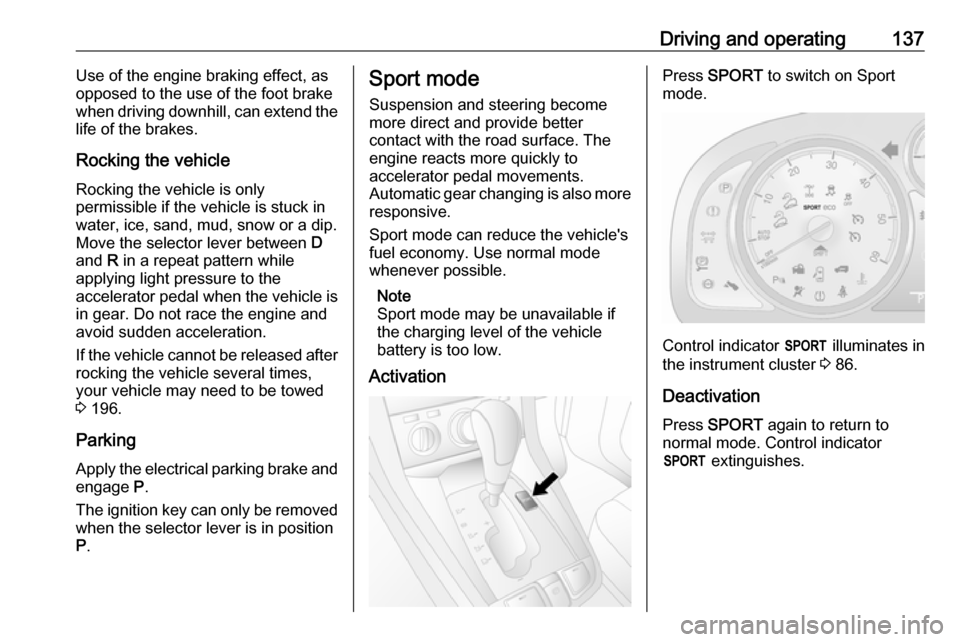
ActivationPress SPORT to switch on Sport
mode.
Control indicator S illuminates in
the instrument cluster 3 86.
Deactivation
Press SPORT again to return to
normal mode. Control indicator S extinguishes.
Page 145 of 225

Driving and operating143ABS starts to regulate brake pressure
as soon as a wheel shows a tendency to lock. The vehicle remains
steerable, even during hard braking.
ABS control is made apparent
through a pulse in the brake pedal
and the noise of the regulation
process.
For optimum braking, keep the brake
pedal fully depressed throughout the
braking process, despite the fact that
the pedal is pulsating. Do not reduce
the pressure on the pedal.
After starting off, the system performs a self-test which may be audible.
Control indicator u 3 85.
Fault9 Warning
If there is a fault in the ABS, the
wheels may be liable to lock due
to braking that is heavier than
normal. The advantages of ABS
are no longer available. During
hard braking, the vehicle can nolonger be steered and may
swerve.
You can continue driving, provided
you drive with care and anticipation.
Have the cause of the fault remedied
by a workshop.
Parking brake
Electrical parking brake
Applying when vehicle is stationary
Pull switch m, the electrical parking
brake operates automatically with
adequate force. For maximum force,
e.g. parking with a trailer or on
inclines, pull switch m twice.
The electrical parking brake can
always be activated, even if the
ignition is off.
Do not operate electrical parking
brake system too often without
engine running as this will discharge
the battery.
Before leaving the vehicle, check the
electrical parking brake status.
Control indicator m 3 85.
Releasing
Switch on ignition. Keep foot brake
depressed and then push switch m.
If the foot brake is not depressed
when attempting to release electrical
parking brake, a warning chime will
sound and control indicator -
illuminates in the instrument cluster
3 90.
Page 146 of 225

144Driving and operatingDrive away function
With the engine running, selecting a
forward gear (manual transmission)
or engaging D (automatic
transmission) and then depressing
the accelerator pedal automatically
releases the electrical parking brake.
This is not possible when the switch
m is pulled at the same time.
This function also helps driving away
on inclines.
Aggressive drive away may reduce
life time of wear parts.
Dynamic braking when vehicle is
moving
When the vehicle is moving and the
switch m is kept pulled, a warning
chime will sound and the electrical
parking brake system will decelerate
the vehicle, but will not apply
statically.
As soon as the switch m is released,
dynamic braking will be stopped.
Fault
Failure mode of electrical parking
brake is indicated by control indicator
j 3 85.In the event of a fault, to apply
electrical parking brake: pull and hold the switch m for a few seconds. If
control indicator m illuminates,
electrical parking brake has been applied successfully.
To release electrical parking brake:
push and hold the switch m for a few
seconds. If control indicator m
extinguishes, electrical parking brake
has been released successfully.
If control indicator m flashes:
electrical parking brake is not fully applied or released. When m is
continuously flashing, with ignition
switched on depress brake pedal,
release electrical parking brake and
retry applying.
If m continues to flash, do not drive
the vehicle. If necessary, place
wedge blocks or equivalent in front of and behind wheels to prevent vehicle movement. Seek the assistance of a
workshop to have the cause of the
fault remedied.Brake assist
If the brake pedal is depressed
quickly and forcefully, maximum
brake force is automatically applied
(full braking).
Maintain steady pressure on the brake pedal for as long as full braking
is required. Maximum brake force is
automatically reduced when the
brake pedal is released.
Hill start assist The system helps prevent unintendedmovement when driving away on
inclines.
When releasing the foot brake after
stopping on an incline, the brakes
remain on for a further 2 seconds. The
brakes release automatically as soon as the vehicle begins to accelerate.
Page 150 of 225

148Driving and operatingActivation
Accelerate to the desired speed,
press - SET and release it. The
current speed is stored and
maintained. Control indicator m
illuminates green. Accelerator pedal
can be released.
Vehicle speed can be increased by
depressing the accelerator pedal.
When the accelerator pedal is
released, the previously stored speed
is resumed.
Increase speed
With cruise control active, press and
hold + RES or tap + RES repeatedly:
speed increases continuously or in
small increments.
Alternatively accelerate to the desired speed and store by pressing - SET.
Reduce speed
With cruise control active, press and
hold - SET or tap - SET repeatedly:
speed decreases continuously or in
small increments.Switching off
Press e ; control indicator m
extinguishes and the vehicle slowly
decelerates.
Automatic deactivation: ● vehicle speed below approx. 45 km/h,
● the brake pedal is depressed,
● the clutch pedal is depressed,
● selector lever in N,
● the Electronic Stability Control is operating.
Resume stored speed
Press + RES at a speed above
45 km/h. The stored speed will be
obtained.
Deleting the stored speed The stored speed will be deleted by
pressing e or switching off
the ignition.Parking assist9 Warning
It is the driver who bears full
responsibility for the parking
manoeuvre.
Always check the surrounding
area while reversing and using the rear parking assist system.
The parking assist system makes
parking easier by measuring the
distance between the vehicle and
obstacles to the front and rear, and
giving acoustic signals.
Page 151 of 225
Driving and operating149The system consists of four ultrasonic
parking sensors in both the front and
rear bumpers.
Control indicator r 3 87.
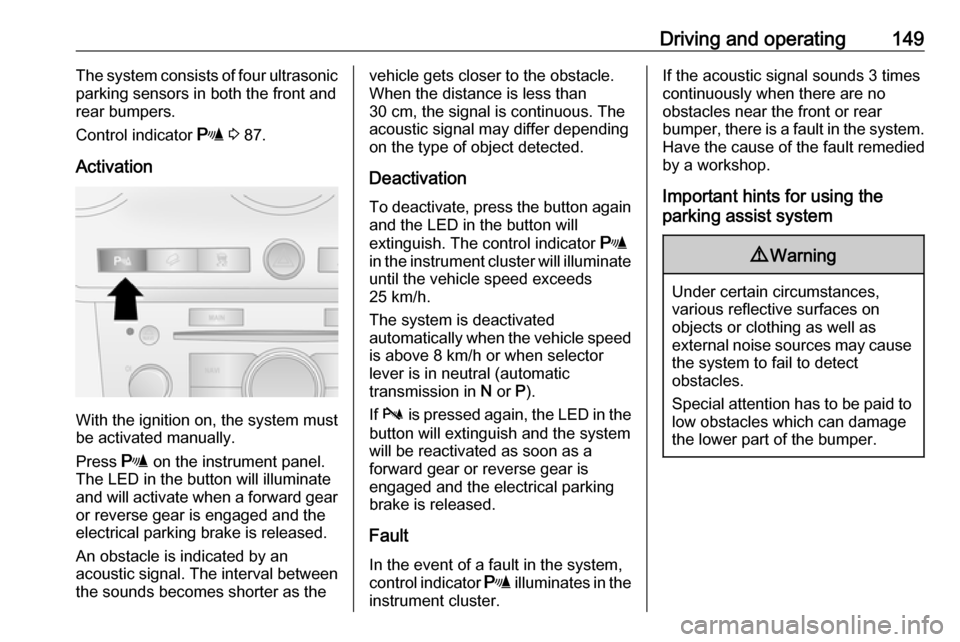
Activation
With the ignition on, the system must
be activated manually.
Press r on the instrument panel.
The LED in the button will illuminate
and will activate when a forward gear
or reverse gear is engaged and the
electrical parking brake is released.
An obstacle is indicated by an
acoustic signal. The interval between
the sounds becomes shorter as the
vehicle gets closer to the obstacle.
When the distance is less than
30 cm, the signal is continuous. The
acoustic signal may differ depending
on the type of object detected.
Deactivation To deactivate, press the button again
and the LED in the button will
extinguish. The control indicator r
in the instrument cluster will illuminate
until the vehicle speed exceeds
25 km/h.
The system is deactivated
automatically when the vehicle speed is above 8 km/h or when selector
lever is in neutral (automatic
transmission in N or P).
If b is pressed again, the LED in the
button will extinguish and the system
will be reactivated as soon as a
forward gear or reverse gear is
engaged and the electrical parking brake is released.
Fault
In the event of a fault in the system,
control indicator r illuminates in the
instrument cluster.If the acoustic signal sounds 3 times
continuously when there are no
obstacles near the front or rear
bumper, there is a fault in the system. Have the cause of the fault remedied
by a workshop.
Important hints for using the
parking assist system9 Warning
Under certain circumstances,
various reflective surfaces on
objects or clothing as well as
external noise sources may cause the system to fail to detect
obstacles.
Special attention has to be paid to
low obstacles which can damage
the lower part of the bumper.
Page 159 of 225

Vehicle care157General Information
Accessories and vehicle modifications
We recommend the use of genuine
parts and accessories and factory
approved parts specific for your
vehicle type. We cannot assess or guarantee reliability of other products
- even if they have a regulatory or
otherwise granted approval.
Do not make any modifications to the
electrical system, e.g. changes of
electronic control units (chip tuning).Caution
When transporting the vehicle on
a train or on a recovery vehicle, the
mud flaps might be damaged.
Vehicle storage
Storage for a long period of time
If the vehicle is to be stored for several months:
● Wash and wax the vehicle.
● Have the wax in the engine compartment and underbody
checked.
● Clean and preserve the rubber seals.
● Change the engine oil.
● Drain the washer fluid reservoir.
● Check the coolant antifreeze and
corrosion protection.
● Adjust tyre pressure to the value specified for full load.
● Park the vehicle in a dry, well ventilated place. Engage first or
reverse gear or move selector
lever to P. Prevent the vehicle
from rolling.
● Do not apply the electrical parking brake.● Open the bonnet, close all doorsand lock the vehicle.
● Disconnect the clamp from the negative terminal of the vehicle
battery. Beware that all systems
are not functional, e.g. anti-theft
alarm system.
Putting back into operation
When the vehicle is to be put back into
operation:
● Connect the clamp to the negative terminal of the vehicle
battery. Activate the electronics
of the power windows.
● Check tyre pressure.
● Fill up the washer fluid reservoir.
● Check the engine oil level.
● Check the coolant level.
● Fit the number plate if necessary.