eco OPEL ASTRA J 2015 Owner's Guide
[x] Cancel search | Manufacturer: OPEL, Model Year: 2015, Model line: ASTRA J, Model: OPEL ASTRA J 2015Pages: 343, PDF Size: 10.27 MB
Page 107 of 343
Instruments and controls105
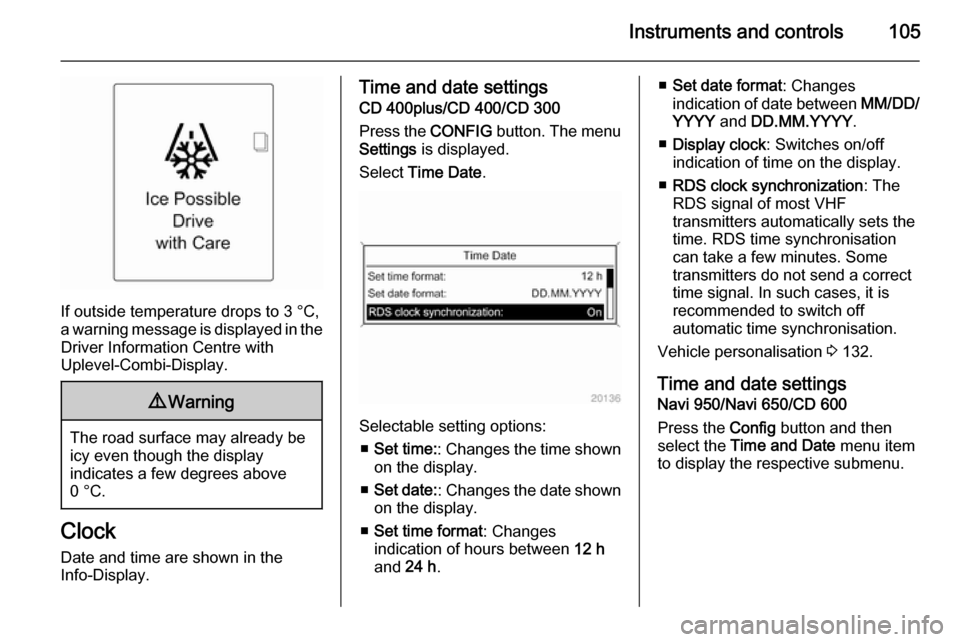
If outside temperature drops to 3 °C,
a warning message is displayed in the Driver Information Centre with
Uplevel-Combi-Display.
9 Warning
The road surface may already be
icy even though the display
indicates a few degrees above
0 °C.
Clock
Date and time are shown in the
Info-Display.
Time and date settings
CD 400plus/CD 400/CD 300
Press the CONFIG button. The menu
Settings is displayed.
Select Time Date .
Selectable setting options:
■ Set time: : Changes the time shown
on the display.
■ Set date: : Changes the date shown
on the display.
■ Set time format : Changes
indication of hours between 12 h
and 24 h.
■Set date format : Changes
indication of date between MM/DD/
YYYY and DD.MM.YYYY .
■ Display clock : Switches on/off
indication of time on the display.
■ RDS clock synchronization : The
RDS signal of most VHF
transmitters automatically sets the
time. RDS time synchronisation
can take a few minutes. Some
transmitters do not send a correct
time signal. In such cases, it is
recommended to switch off
automatic time synchronisation.
Vehicle personalisation 3 132.
Time and date settings
Navi 950/Navi 650/CD 600
Press the Config button and then
select the Time and Date menu item
to display the respective submenu.
Page 110 of 343
108Instruments and controlsWarning lights, gauges
and indicators
Instrument cluster In some versions, the needles of the
instruments briefly rotate to the end
position when the ignition is switched
on.
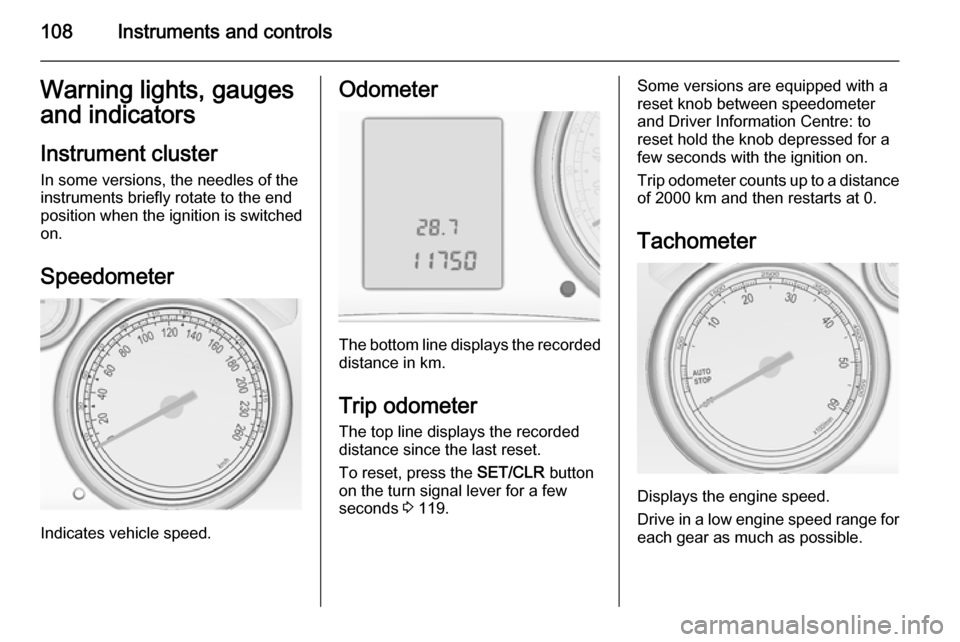
Speedometer
Indicates vehicle speed.
Odometer
The bottom line displays the recorded distance in km.
Trip odometer The top line displays the recorded
distance since the last reset.
To reset, press the SET/CLR button
on the turn signal lever for a few
seconds 3 119.
Some versions are equipped with a
reset knob between speedometer
and Driver Information Centre: to
reset hold the knob depressed for a
few seconds with the ignition on.
Trip odometer counts up to a distance
of 2000 km and then restarts at 0.
Tachometer
Displays the engine speed.
Drive in a low engine speed range for each gear as much as possible.
Page 115 of 343
Instruments and controls113
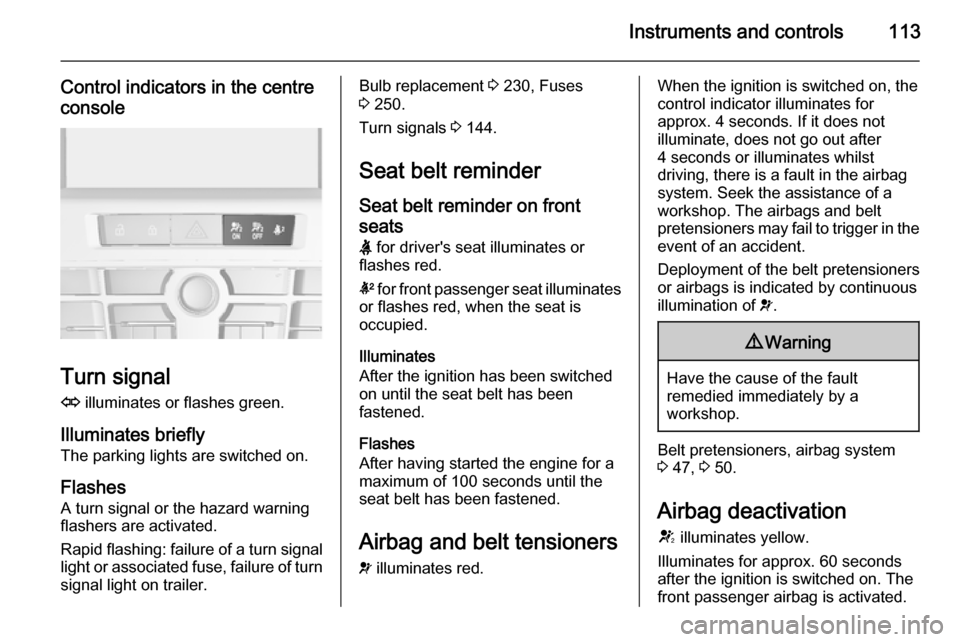
Control indicators in the centreconsole
Turn signal
O illuminates or flashes green.
Illuminates briefly The parking lights are switched on.
Flashes A turn signal or the hazard warning
flashers are activated.
Rapid flashing: failure of a turn signal
light or associated fuse, failure of turn
signal light on trailer.
Bulb replacement 3 230, Fuses
3 250.
Turn signals 3 144.
Seat belt reminder Seat belt reminder on frontseats X for driver's seat illuminates or
flashes red.
k for front passenger seat illuminates
or flashes red, when the seat is
occupied.
Illuminates
After the ignition has been switched
on until the seat belt has been
fastened.
Flashes
After having started the engine for a
maximum of 100 seconds until the
seat belt has been fastened.
Airbag and belt tensioners
v illuminates red.When the ignition is switched on, the
control indicator illuminates for
approx. 4 seconds. If it does not
illuminate, does not go out after
4 seconds or illuminates whilst
driving, there is a fault in the airbag
system. Seek the assistance of a
workshop. The airbags and belt
pretensioners may fail to trigger in the event of an accident.
Deployment of the belt pretensioners
or airbags is indicated by continuous
illumination of v.9 Warning
Have the cause of the fault
remedied immediately by a
workshop.
Belt pretensioners, airbag system
3 47, 3 50.
Airbag deactivation
V illuminates yellow.
Illuminates for approx. 60 seconds
after the ignition is switched on. The
front passenger airbag is activated.
Page 117 of 343
Instruments and controls1159Warning
Stop. Do not continue your
journey. Consult a workshop.
Illuminates after the ignition is
switched on if the manual parking
brake is applied 3 172.
Operate pedal - illuminates or flashes yellow.
Illuminates
Brake pedal needs to be depressed
to release the electric parking brake
3 172.
Clutch pedal needs to be depressed
to start the engine in Autostop mode.
Stop-start system 3 163.
Flashes
Clutch pedal needs to be depressed
for a main start of the engine 3 18,
3 161.
On some versions the operate pedal
message is indicated in the Driver
Information Display 3 126.
Electric parking brake
m illuminates or flashes red.
Illuminates Electric parking brake is applied
3 172.
Flashes Electric parking brake is not fullyapplied or released. Switch on
ignition, depress brake pedal and attempt to reset the system by first
releasing and then applying the
electric parking brake. If m remains
flashing, do not drive and seek the
assistance of a workshop.
Electric parking brake fault
j illuminates or flashes yellow.
Illuminates Electric parking brake is operating
with degraded performance 3 172.Flashes
Electric parking brake is in servicemode. Stop vehicle, apply and
release the electric parking brake to
reset.9 Warning
Have the cause of the fault
remedied immediately by a
workshop.
Antilock brake system
(ABS) u illuminates yellow.
Illuminates for a few seconds after the ignition is switched on. The system is
ready for operation when the control
indicator extinguishes.
If the control indicator does not go out after a few seconds, or if it illuminates while driving, there is a fault in the
ABS. The brake system remains
operational but without ABS
regulation.
Antilock brake system 3 171.
Page 118 of 343

116Instruments and controlsUpshift[ illuminates green as a control
indicator, or is shown as a symbol in
the Driver Information Centre with
Uplevel-Combi-Display, when
upshifting is recommended for fuel
saving reasons.
On some versions, gearshift
indication is popped-up as full page in the Driver Information Centre.
EcoFlex drive assistant 3 129.
Power steering c illuminates yellow.
Illuminates with power steering reduced Power steering is reduced due to
overheating of the system. Control
indicator extinguishes when the
system has cooled down.
Stop-start system 3 163.Illuminates with power steering
disabled
Failure in the power steering system.
Consult a workshop.
Lane departure warning ) illuminates green or flashes yellow.
Illuminates green
System is switched on and ready to operate.
Flashes yellow
System recognises an unintended
lane change.
Ultrasonic parking assist
r illuminates yellow.
Fault in system
or
Fault due to sensors that are dirty or
covered by ice or snow
orInterference due to external sources of ultrasound. Once the source ofinterference is removed, the system
will operate normally.
Have the cause of the fault in the
system remedied by a workshop.
Ultrasonic parking assist 3 195.
Electronic Stability Control
off n illuminates yellow.
The system is deactivated.
Electronic Stability Control
and Traction Control
system
b illuminates or flashes yellow.
Illuminates
A fault in the system is present.
Continued driving is possible. Driving
stability, however, may deteriorate
depending on road surface
conditions.
Page 119 of 343

Instruments and controls117
Have the cause of the fault remedied
by a workshop.
Flashes
The system is actively engaged.
Engine output may be reduced and
the vehicle may be braked
automatically to a small degree.
Electronic Stability Control 3 175,
Traction Control system 3 174.
Traction Control system off
k illuminates yellow.
The system is deactivated.
Preheating ! illuminates yellow.
Preheating is activated. Only
activates when outside temperature
is low.
Diesel particle filter
% illuminates or flashes yellow.
The diesel particle filter requires
cleaning.Continue driving until %
extinguishes. If possible, do not allow engine speed to drop below
2000 rpm.
Illuminates The diesel particle filter is full. Start
cleaning process as soon as
possible.
Flashes
The maximum filling level of the filter
is reached. Start cleaning process
immediately to avoid damage to the
engine.
Diesel particle filter 3 166, Stop-start
system 3 163.
Tyre pressure monitoring system
w illuminates or flashes yellow.
Illuminates
Tyre pressure loss. Stop immediately
and check tyre pressure.Flashes
Fault in system or tyre without
pressure sensor mounted (e.g. spare wheel). After 60-90 seconds the
control indicator illuminates
continuously. Consult a workshop.
Engine oil pressure I illuminates red.
Illuminates when the ignition is
switched on and extinguishes shortly
after the engine starts.
Illuminates when the engine is runningCaution
Engine lubrication may be
interrupted. This may result in
damage to the engine and/or
locking of the drive wheels.
1. Depress clutch.
2. Select neutral gear, set selector lever to N.
Page 120 of 343

118Instruments and controls
3. Move out of the flow of traffic asquickly as possible without
impeding other vehicles.
4. Switch off ignition.9 Warning
When the engine is off,
considerably more force is needed
to brake and steer. During an
Autostop the brake servo unit will still be operational.
Do not remove key until vehicle is stationary, otherwise the steeringwheel lock could engage
unexpectedly.
Check oil level before seeking the
assistance of a workshop 3 224.
Low fuel
i illuminates or flashes yellow.
Illuminates Level in fuel tank is too low.
Flashes
Fuel used up. Refuel immediately.
Never run the tank dry.
Catalytic converter 3 167.
Bleeding the diesel fuel system
3 229.
Immobiliser
d flashes yellow.
Fault in the immobiliser system. The
engine cannot be started.
Reduced engine power
# illuminates yellow.
The engine power is limited. Consult
a workshop.
Exterior light
8 illuminates green.
The exterior lights are on 3 137.
High beam
C illuminates blue.Illuminates when high beam is on or
during headlight flash 3 138 , or when
high beam is on with high beam assist
or intelligent light range 3 140.
High beam assist
l illuminates green.
The high beam assist or intelligent light range is activated 3 138,
3 140.
Adaptive forward lighting
f illuminates or flashes yellow.
Illuminates Fault in system.
Seek the assistance of a workshop.
Flashes
System switched to symmetrical low
beam.
Control indicator f flashes for approx.
4 seconds after the ignition is
switched on as a reminder that the
system has been activated 3 140.
Automatic light control 3 138.
Page 122 of 343
120Instruments and controls
■ trip/fuel information
■ vehicle messages, displayed as code numbers 3 126.
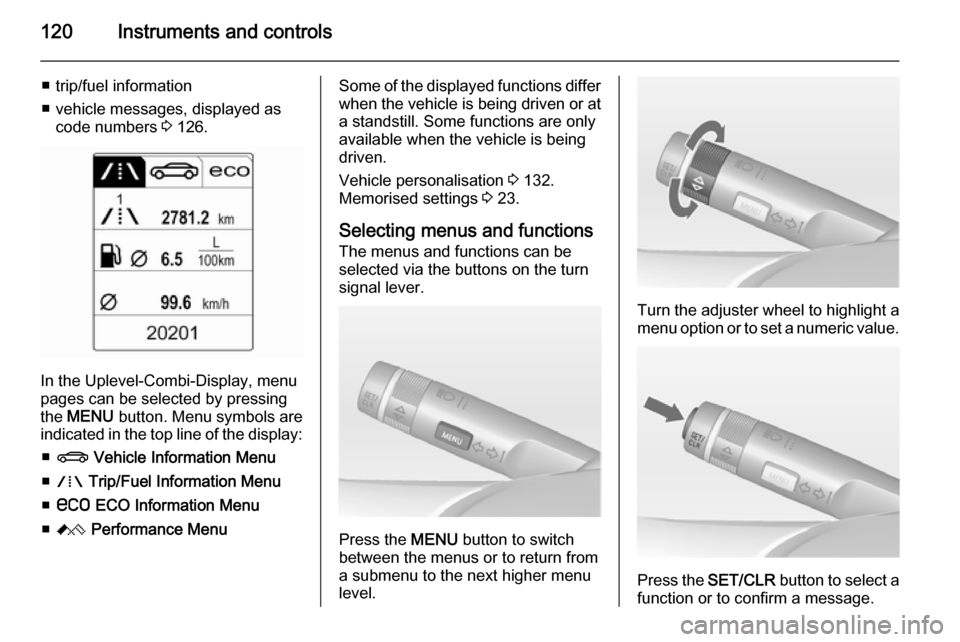
In the Uplevel-Combi-Display, menu
pages can be selected by pressing
the MENU button. Menu symbols are
indicated in the top line of the display:
■ X Vehicle Information Menu
■ W Trip/Fuel Information Menu
■ s ECO Information Menu
■ C Performance Menu
Some of the displayed functions differ
when the vehicle is being driven or at
a standstill. Some functions are only
available when the vehicle is being
driven.
Vehicle personalisation 3 132.
Memorised settings 3 23.
Selecting menus and functions The menus and functions can be
selected via the buttons on the turn signal lever.
Press the MENU button to switch
between the menus or to return from
a submenu to the next higher menu
level.
Turn the adjuster wheel to highlight a
menu option or to set a numeric value.
Press the SET/CLR button to select a
function or to confirm a message.
Page 124 of 343
122Instruments and controls
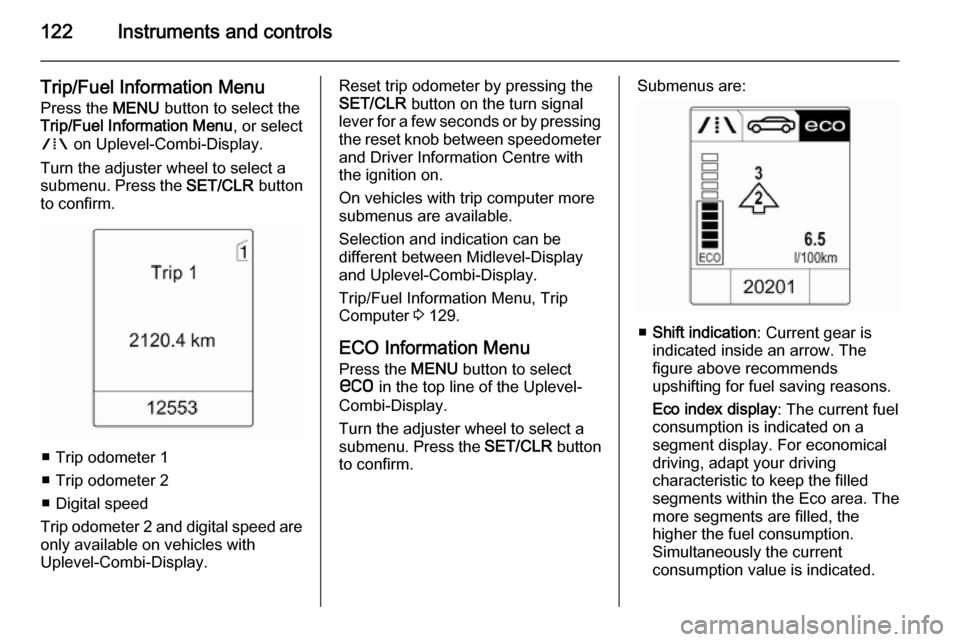
Trip/Fuel Information Menu
Press the MENU button to select the
Trip/Fuel Information Menu , or select
W on Uplevel-Combi-Display.
Turn the adjuster wheel to select a
submenu. Press the SET/CLR button
to confirm.
■ Trip odometer 1
■ Trip odometer 2
■ Digital speed
Trip odometer 2 and digital speed are
only available on vehicles with
Uplevel-Combi-Display.
Reset trip odometer by pressing the
SET/CLR button on the turn signal
lever for a few seconds or by pressing the reset knob between speedometer
and Driver Information Centre with
the ignition on.
On vehicles with trip computer more
submenus are available.
Selection and indication can be
different between Midlevel-Display
and Uplevel-Combi-Display.
Trip/Fuel Information Menu, Trip
Computer 3 129.
ECO Information Menu
Press the MENU button to select
s in the top line of the Uplevel-
Combi-Display.
Turn the adjuster wheel to select a
submenu. Press the SET/CLR button
to confirm.Submenus are:
■ Shift indication : Current gear is
indicated inside an arrow. The
figure above recommends
upshifting for fuel saving reasons.
Eco index display : The current fuel
consumption is indicated on a segment display. For economical
driving, adapt your driving
characteristic to keep the filled
segments within the Eco area. The
more segments are filled, the
higher the fuel consumption.
Simultaneously the current
consumption value is indicated.
Page 125 of 343
Instruments and controls123
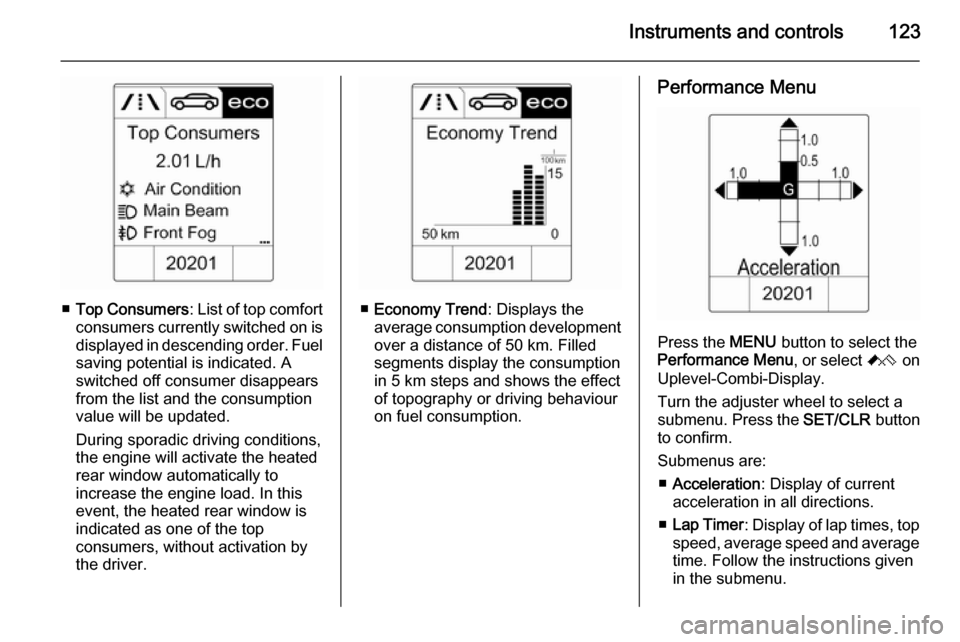
■Top Consumers : List of top comfort
consumers currently switched on is displayed in descending order. Fuel
saving potential is indicated. A
switched off consumer disappears
from the list and the consumption
value will be updated.
During sporadic driving conditions,
the engine will activate the heated
rear window automatically to
increase the engine load. In this
event, the heated rear window is
indicated as one of the top
consumers, without activation by
the driver.■ Economy Trend : Displays the
average consumption development
over a distance of 50 km. Filled
segments display the consumption
in 5 km steps and shows the effect
of topography or driving behaviour
on fuel consumption.
Performance Menu
Press the MENU button to select the
Performance Menu , or select C on
Uplevel-Combi-Display.
Turn the adjuster wheel to select a
submenu. Press the SET/CLR button
to confirm.
Submenus are: ■ Acceleration : Display of current
acceleration in all directions.
■ Lap Timer : Display of lap times, top
speed, average speed and average
time. Follow the instructions given
in the submenu.