eco OPEL ASTRA J 2015 Repair Manual
[x] Cancel search | Manufacturer: OPEL, Model Year: 2015, Model line: ASTRA J, Model: OPEL ASTRA J 2015Pages: 343, PDF Size: 10.27 MB
Page 180 of 343

178Driving and operating
automatically changes the settings
within the selected driving mode or, when recognising greater variations,
the driving mode is changed for the
length of variation.
If, for example, NORMAL mode is
selected and DMC detects a sporty
driving behaviour, DMC changes
several settings of the Normal mode
into sporty settings. The DMC
changes to SPORT mode in case of
very sporty driving behaviour.
If, for example, TOUR mode is
selected and whilst driving on a
winding road a sudden hard brake is
necessary, DMC will detect the
dynamic vehicle condition and
changes the settings for suspension
to SPORT mode to increase vehicle
stability.
When the driving characteristic or the
dynamic vehicle state returns to
former state, DMC will change the
settings to the preselected driving
mode.Personalised settings in the
Sport mode The driver can select the functions of
the SPORT mode when SPORT
button is pressed. These settings can
be changed in the Settings menu in
the Info-Display. Vehicle
personalisation 3 132.
Flex Ride - OPC Version
The OPC Version of Flex Ride system works in the same way as the
standard Flex Ride system with the
difference that the modes have a
more sporty characteristic.OPC Flex Ride driving system allows
the driver to select between three
driving modes:
■ OPC mode: press button OPC,
LED illuminates.
■ SPORT mode: press button SPORT , LED illuminates.
■ NORMAL mode: neither button SPORT nor OPC is pressed, no
LED illuminates.
Deactivate SPORT mode and OPC mode by pressing corresponding
button once more.
In each driving mode OPC Flex Ride
networks the following electronic systems:
■ Continuous Damping Control.
■ Accelerator Pedal Control.
■ Steering Control.
■ Electronic Stability Control (ESC).
■ Antilock brake system (ABS) with cornering brake control (CBC).
Page 182 of 343

180Driving and operating
ActivationAccelerate to the desired speed and
turn thumb wheel to SET/-, the
current speed is stored and
maintained. Control indicator m in
instrument cluster illuminates green.
Accelerator pedal can be released.
Vehicle speed can be increased by depressing the accelerator pedal.
When the accelerator pedal is
released, the previously stored speed
is resumed.
Cruise control remains activated
while gearshifting.
Increase speed With cruise control active, hold thumb
wheel turned to RES/+ or briefly turn
to RES/+ repeatedly: speed
increases continuously or in small
increments.
Alternatively accelerate to the desired speed and store by turning to SET/-.
Reduce speed
With cruise control active, hold thumb wheel turned to SET/- or briefly turn to
SET/- repeatedly: speed decreases
continuously or in small increments.
Deactivation
Press button y, control indicator m in
instrument cluster illuminates white.
Cruise control is deactivated. Last
used set speed is stored in memory
for later speed resume.
Automatic deactivation:
■ vehicle speed below approx. 30 km/h,
■ vehicle speed above approx. 200 km/h,
■ the brake pedal is depressed,
■ the clutch pedal is depressed for a few seconds,
■ selector lever in N,
■ engine speed in a very low range,
■ the Traction Control system or Electronic Stability Control is
operating.
Resume stored speed Turn thumb wheel to RES/+ at a
speed above 30 km/h. The stored
speed will be obtained.
Switching off
Press button m, control indicator m in
instrument cluster extinguishes. The
stored speed is deleted.
Pressing button L for activating
speed limiter or switching off the
ignition also switches off cruise
control and deletes the stored speed.
Page 187 of 343

Driving and operating185
The selected following distance is
indicated by filled distance bars in the
adaptive cruise control page.
Note that the following distance
setting is shared with the sensitivity
setting of forward collision alert.
Example: If setting 3 (far) is selected,
then the driver is warned sooner
before a possible collision, also if
adaptive cruise control is inactive or
switched off.
9 Warning
The driver accepts full
responsibility for the appropriate
following distance based on traffic, weather and visibility conditions.
Following distance must be
adjusted or the system switched
off when required by the prevailing
conditions.
Detecting the vehicle ahead
The green illuminated vehicle ahead
control indicator A is displayed in the
speedometer when the system
detects a vehicle in the driving path.
If this symbol does not display, or
displays briefly, adaptive cruise
control will not respond to vehicles
ahead.
Deactivation Adaptive cruise control is deactivated
by the driver when:
■ button y is pressed,
■ brake pedal is applied,
■ clutch pedal is depressed for more than four seconds,
■ gear selector lever of automatic transmission is moved to N.
The system is also automatically
deactivated when:
■ vehicle speed slows down below 45 km/h or accelerates above
190 km/h,
■ Traction Control system is operating for more than
20 seconds,
Page 190 of 343

188Driving and operating
Hill and trailer considerations
System performance on hills and
when towing a trailer depends on your
vehicle speed, vehicle load, traffic
conditions and the road gradient. It
may not detect a vehicle in your path
while driving on hills. On steep hills,
you may have to use the accelerator
pedal to maintain your vehicle speed. When going downhill, especially
when towing a trailer, you may have
to brake to maintain or reduce your
speed.
Note that applying the brake
deactivates the system. It is not
recommended to use adaptive cruise
control on steep hills especially when towing a trailer.
Radar unit
The radar unit is mounted behind the
radiator grille below the brand
emblem.
9 Warning
The radar unit was aligned
carefully during manufacture.
Therefore, after a frontal accident, do not use the system. The front
bumper may appear to be intact,
however the sensor behind can be
out of position and react
incorrectly. After an accident,
consult a workshop to verify and
correct the adaptive cruise control
sensor position.
Settings
Settings can be changed in the Auto
collision preparation menu in the
vehicle personalisation, 3 132.
Fault If the adaptive cruise control does not
work due to temporary conditions
(e.g. blockage by ice) or if there is a
permanent system error, then a
message is displayed in the Driver
Information Centre.
Page 191 of 343

Driving and operating189
Vehicle messages 3 126.
Forward collision alert The forward collision alert can help to
avoid or reduce the harm caused by
front-end crashes.
A vehicle ahead is indicated by a
control indicator A.
If a vehicle directly ahead is
approached too quickly, a warning
chime and alert in the Driver
Information Centre is provided.
A precondition is that forward collision
alert is activated in the vehicle
personalisation menu 3 132 or that it
is not deactivated by the button V
(depending on the system, see
following).
Depending on the vehicle's
equipment, there are two variants of
the forward collision alert available:
■ Forward collision alert based on
radar system
on vehicles equipped with adaptive cruise control 3 182.
■ Forward collision alert based on
front camera system
on vehicles with traditional cruise
control or none 3 179.
Forward collision alert based on radar system
The system uses the radar sensor
behind the radiator grille to detect a
vehicle directly ahead, in your path,
within a maximum distance of
150 metres.
Activation
Forward collision alert operates
automatically above walking speed,
provided that Auto collision
preparation setting is not deactivated
in the vehicle personalisation menu
3 132.
Selecting the alert sensitivity
The alert sensitivity can be set to
near, medium or far.
Page 194 of 343

192Driving and operating
Deactivation
The system can be deactivated.
Press button V repeatedly until the
following message appears in the
Driver Information Centre.
General information for both
variants of forward collision alert
9 Warning
Forward collision alert is just a
warning system and does not
apply the brakes. When
approaching a vehicle ahead too
rapidly, it may not provide you
enough time to avoid a collision.
The driver accepts full
responsibility for the appropriate
following distance based on traffic, weather and visibility conditions.
The complete attention of the
driver is always required while
driving. The driver must always be
ready to take action and apply the
brakes.
System limitations
The system is designed to warn only for vehicles, but may react also to
other metallic objects.
In the following cases, forward
collision alert may not detect a vehicle ahead or sensor performance is
limited:
■ on winding roads,
■ when weather limits visibility, e.g. fog, rain, or snow,
■ when the sensor is blocked by snow, ice, slush, mud, dirt, or
windscreen damage.
Following distance
indication
The following distance indication
displays the distance to a preceding
moving vehicle. The system uses,
depending on the vehicle equipment,
either the radar behind the radiator
grille or the front camera in the
windscreen to detect the distance of
a vehicle directly ahead in your path.
It is active at speeds above 40 km/h.
When a preceding vehicle is detected
ahead, the distance is indicated in
seconds, displayed on a page in the
Driver Information Centre 3 119.
Press the MENU button on the turn
signal lever to select Vehicle
Information Menu X and turn the
adjuster wheel to choose following
distance indication page.
Page 197 of 343

Driving and operating195Parking assistRear parking assist9 Warning
The driver bears full responsibility
for the parking manoeuvre.
Always check the surrounding
area while reversing and using the rear parking assist system.
The rear parking assist makes
parking easier by measuring the
distance between the vehicle and
rear obstacles. It informs and warns
the driver by giving acoustic signals.The system has four ultrasonic
parking sensors in the rear bumper.
Activation
When reverse gear is engaged, the
system is ready to operate
automatically.
An illuminated LED in the parking
assist button r indicates that the
system is ready to operate.
Indication
The system warns the driver with
acoustic signals against potentially
hazardous obstacles behind the
vehicle. The interval between the
sounds becomes shorter as the
vehicle gets closer to that obstacle.
When the distance is less than
approx. 30 cm, the sound is
continuous.
Additionally, the distance to obstacles may be shown in the Driver
Information Centre.
Deactivation
The system automatically switches
off when reverse gear is disengaged.
To switch on the system again,
engage reverse gear.
Page 199 of 343

Driving and operating197
Long press of button D (approx.
one second) activates or deactivates the advanced parking assist.
Button logic operates the systems by
pressing as following:
■ front-rear parking assist is active: short press deactivates front-rear
parking assist.
■ front-rear parking assist is active: long press activates advanced
parking assist if a forward gear is engaged.
■ advanced parking assist is active: short press activates front-rearparking assist.
■ advanced parking assist is active: long press deactivates advanced
parking assist.
■ advanced parking assist and front- rear parking assist are active: shortpress deactivates both systems.
Activation
When reverse gear is engaged, the
front and rear parking assist is ready
to operate.The front parking assist is also
activated automatically at a speed up to 11 km/h.
An illuminated LED in the parking
assist button r or D indicates that
the system is ready to operate.
If the vehicle exceeds a speed of
11 km/h, the front parking assist is
deactivated. The front parking assist
is always reactivated when vehicle
speed drops below 11 km/h.
Indication
The system warns the driver with
acoustic signals against potentially
hazardous obstacles behind and in
front of the vehicle. Depending on
which side of the vehicle is closer to
an obstacle, you will hear acoustic
warning signals on the respective
side of the vehicle. The interval
between the sounds becomes shorter as the vehicle gets closer to that
obstacle. When the distance is less
than approx. 30 cm, the sound is
continuous.Additionally, the distance to obstacles
may be shown in the Driver
Information Centre 3 119.
The distance to a front and rear
obstacle is indicated by changing
distance lines around the vehicle.
Rear obstacles are indicated
acoustically and visually at the same
time.
Front obstacles are indicated visually
first. At distances less than 80 cm an
acoustic signal also sounds.
Page 201 of 343

Driving and operating199
acoustic signals. The driver must
control acceleration, braking, steering
and gear shifting.
The system uses the sensors of the
front-rear parking assist in
combination with two additional
sensors on both sides of the front and rear bumper.
Button D and operation logic
Advanced parking assist and front-
rear parking assist (see previous
description) are both operated by
button D.
Short press of button D deactivates
or activates the front parking assist.
Long press of button D (approx.
one second) activates or deactivates
the advanced parking assist.Button logic operates the systems by
pressing as following:
■ front-rear parking assist is active: short press deactivates front-rear
parking assist.
■ front-rear parking assist is active: long press activates advanced
parking assist if a forward gear is engaged.
■ advanced parking assist is active: short press activates front-rear
parking assist.
■ advanced parking assist is active: long press deactivates advanced
parking assist.
■ advanced parking assist and front- rear parking assist are active: shortpress deactivates both systems.Activation
When searching for a parking slot, the
system must be activated by pressing the button D for approx.
one second.
The system can only be activated at
a speed up to 30 km/h and the system searches for a parking slot at a speed
up to 30 km/h.
The maximum allowed parallel
distance between the vehicle and a
row of parked cars is 1.8 metres.
Page 203 of 343
Driving and operating201
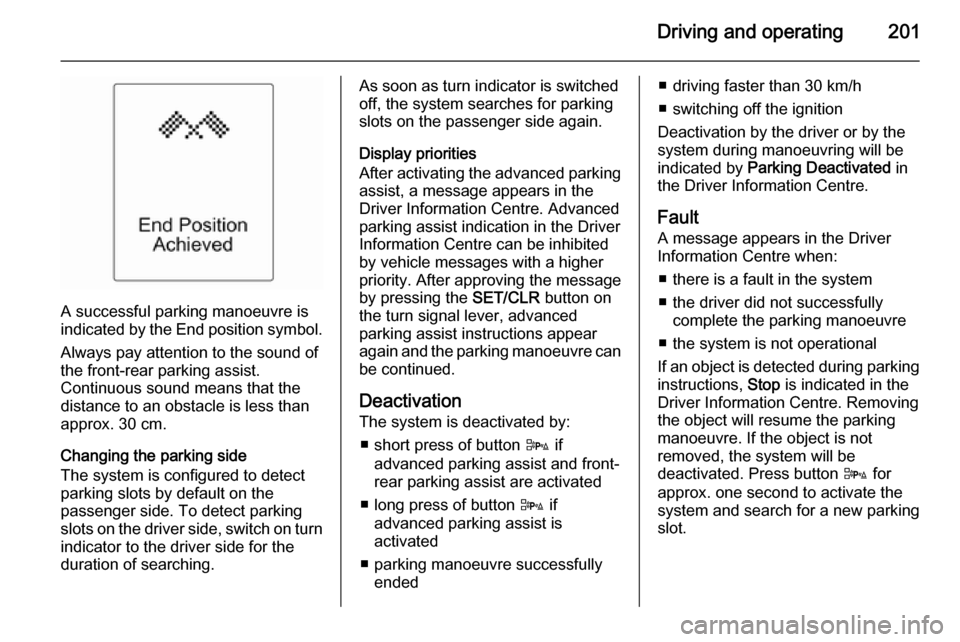
A successful parking manoeuvre is
indicated by the End position symbol.
Always pay attention to the sound of
the front-rear parking assist.
Continuous sound means that the
distance to an obstacle is less than
approx. 30 cm.
Changing the parking side
The system is configured to detect
parking slots by default on the
passenger side. To detect parking
slots on the driver side, switch on turn
indicator to the driver side for the
duration of searching.
As soon as turn indicator is switched
off, the system searches for parking
slots on the passenger side again.
Display priorities
After activating the advanced parking assist, a message appears in the
Driver Information Centre. Advanced
parking assist indication in the Driver
Information Centre can be inhibited
by vehicle messages with a higher
priority. After approving the message
by pressing the SET/CLR button on
the turn signal lever, advanced
parking assist instructions appear
again and the parking manoeuvre can
be continued.
Deactivation
The system is deactivated by:
■ short press of button D if
advanced parking assist and front-
rear parking assist are activated
■ long press of button D if
advanced parking assist is
activated
■ parking manoeuvre successfully ended■ driving faster than 30 km/h
■ switching off the ignition
Deactivation by the driver or by the
system during manoeuvring will be indicated by Parking Deactivated in
the Driver Information Centre.
Fault A message appears in the Driver
Information Centre when:
■ there is a fault in the system
■ the driver did not successfully complete the parking manoeuvre
■ the system is not operational
If an object is detected during parking instructions, Stop is indicated in the
Driver Information Centre. Removing
the object will resume the parking
manoeuvre. If the object is not
removed, the system will be
deactivated. Press button D for
approx. one second to activate the
system and search for a new parking
slot.