radio OPEL ASTRA J 2017 User Guide
[x] Cancel search | Manufacturer: OPEL, Model Year: 2017, Model line: ASTRA J, Model: OPEL ASTRA J 2017Pages: 295, PDF Size: 8.23 MB
Page 102 of 295

100Instruments and controlsVehicle messages on the
Midlevel-Display
The vehicle messages are displayed
as code numbers.
No.Vehicle message2No radio remote control
detected, depress clutch pedal
to restart4Air conditioning off5Steering wheel is locked6Depress brake pedal to release
electric parking brakeNo.Vehicle message7Turn steering wheel, switch ignition off then on9Turn steering wheel, restart
engine12Vehicle overloaded13Compressor overheated15Centre high-mounted brake
light failure16Brake light failure17Headlight levelling malfunction18Left low beam failure19Rear fog light failure20Right low beam failure21Left sidelight failure22Right sidelight failure23Reversing light failure24Number plate light failure25Left front turn signal failureNo.Vehicle message26Left rear turn signal failure27Right front turn signal failure28Right rear turn signal failure29Check trailer brake light30Check trailer reversing light31Check left trailer turn signal32Check right trailer turn signal33Check trailer rear fog light34Check trailer rear light35Replace battery in radio remote
control48Clean side blind spot alert
system49Lane departure warning
unavailable53Tighten fuel filler cap54Water in diesel fuel filter55Diesel particle filter is full
3 145
Page 108 of 295
106Instruments and controlsThe following settings can be
selected by turning and pressing the
multifunction knob:
● Sport mode settings
● Languages
● Time Date
● Radio settings
● Phone settings
● Vehicle settings
In the corresponding submenus the
following settings can be changed:
Sport mode settings
The driver can select the functions which will be activated in Sport mode
3 156.
● Sport suspension : Damping
becomes harder.
● Sport powertrain performance :
Accelerator pedal and gear
change characteristics become
more responsive.
● Sport steering : Steering support
is reduced.
● Swap backlight colour main
instr. : Changes the instrument
illumination colour.Languages
Selection of the desired language.
Time Date
See Clock 3 78.
Radio settings
See description in the Infotainment
manual for further information.
Phone settings
See description in the Infotainment
manual for further information.
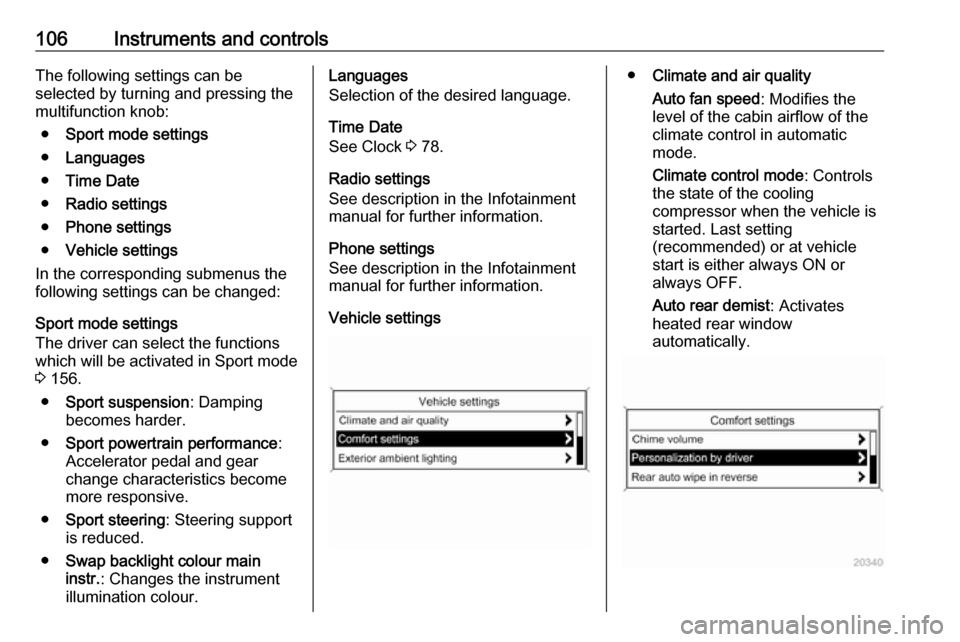
Vehicle settings● Climate and air quality
Auto fan speed : Modifies the
level of the cabin airflow of the
climate control in automatic
mode.
Climate control mode : Controls
the state of the cooling
compressor when the vehicle is
started. Last setting
(recommended) or at vehicle
start is either always ON or
always OFF.
Auto rear demist : Activates
heated rear window
automatically.
Page 110 of 295

108Instruments and controls
●Sport Mode Profile
● Languages
● Time and Date
● Radio Settings
● Phone Settings
● Navigation Settings
● Display Settings
● Vehicle Settings
In the corresponding submenus the
following settings can be changed:
Sport Mode Profile
● Engine Sport Performance :
Accelerator pedal and gear
change characteristics become
more responsive.
● Sport Mode Back Lighting :
Changes the instrument
illumination colour.
● Sport Suspension : Damping
becomes harder.
● Sport Steering : Steering support
is reduced.
Languages
Selection of the desired language.
Time and Date
See Infotainment manual for further
information.
Radio Settings
See Infotainment manual for further
information.
Phone Settings
See Infotainment manual for further
information.Navigation Settings
See Infotainment manual for further
information.
Display Settings ● Home Page Menu :
See Infotainment manual for
further information.
● Display Off :
See Infotainment manual for
further information.
● Map Settings :
See Infotainment manual for
further information.
Vehicle Settings ● Climate and Air Quality
Auto Fan Speed : Modifies the fan
regulation. Changed setting will
be active after switching the
ignition off and on again.
Air Conditioning Mode : Activates
or deactivates cooling when
switching on the ignition or uses
the last chosen setting.
Auto Demist : Activates or
deactivates auto demist.
Page 129 of 295

Lighting127Lighting features
Centre console lighting Spotlight incorporated in the interior
lighting comes on when headlights
are switched on.
Entry lighting
Welcome lighting The following lights are switched on
for a short time by unlocking the
vehicle with the radio remote control:
● headlights
● tail lights
● number plate lights
● instrument panel light
● interior lights
● door and console lights
● puddle lights
Some functions work only in the dark
and facilitates locating the vehicle.
The lighting switches off immediately
when the ignition key is turned to
position 1 3 141.Activation or deactivation of this
function can be changed in the
Settings menu in the Info-Display.
Vehicle personalisation 3 105.
The settings can be saved for the key
being used 3 24.
The following lights will additionally
switch on when the driver's door is
opened:
● illumination of some switches
● Driver Information Centre
● door pocket lights
● console lights
Exit lighting The following lights switch on if the
key is removed from the ignition
switch:
● interior lights
● instrument panel light (only when
it is dark)
● door lights
● puddle lights
They will switch off automatically after
a delay and will be activated again if
the driver's door is opened.Path lighting
Headlights, tail lights and number
plate lights illuminate the surrounding area for an adjustable time after
leaving the vehicle.
Activating
1. Switch off ignition.
2. Remove ignition key.
3. Open driver's door.
4. Pull turn signal lever.
5. Close driver's door.
If the driver's door is not closed the
lights switch off after two minutes.
Page 282 of 295

280Customer informationCustomer
informationCustomer information ................280
Declaration of conformity .........280
Collision damage repair ...........283
Software acknowledgement ....283
Registered trademarks ............285
Vehicle data recording and pri‐
vacy ........................................... 285
Event data recorders ...............285
Radio Frequency Identification (RFID) ..................................... 286Customer information
Declaration of conformity
Radio transmission systems
This vehicle has systems that
transmit and/or receive radio waves subject to Directive 1999/5/EC or
2014/53/EU. These systems are in compliance with the essential
requirements and other relevant
provisions of Directive 1999/5/EC or 2014/53/EU. Copies of the original
Declarations of Conformity can be
obtained on our website.
Radar systems
Country-specific Declarations of
Conformity for radar systems are
shown on the following page:
Page 288 of 295

286Customer information● vehicle reactions in particulardriving situations ( e.g. inflation of
an airbag, activation of the
stability regulation system)
● environmental conditions (e.g. temperature)
These data are exclusively technical
and help identifying and correcting
errors as well as optimising vehicle
functions.
Motion profiles indicating travelled
routes cannot be created with these
data.
If services are used (e.g. repair
works, service processes, warranty
cases, quality assurance),
employees of the service network
(manufacturer included) are able to
read out this technical information
from the event and error data storage
modules applying special diagnostic
devices. If required, you will receive
further information at these
workshops. After an error has been
corrected, the data are deleted from
the error storage module or they are
constantly overwritten.When using the vehicle, situations
may occur in which these technical
data related to other information
(accident report, damages on the
vehicle, witness statements etc.) may be associated with a specific person -possibly, with the assistance of an
expert.
Additional functions contractually
agreed upon with the client (e.g.
vehicle location in emergency cases)
allow the transmission of particular
vehicle data from the vehicle.
Radio Frequency
Identification (RFID)
RFID technology is used in some
vehicles for functions such as tyre
pressure monitoring and ignition
system security. It is also used in
connection with conveniences such
as radio remote controls for door
locking/unlocking and starting, and in-
vehicle transmitters for garage door
openers. RFID technology in Opel
vehicles does not use or record
personal information or link with any
other Opel system containing
personal information.
Page 293 of 295

291PParking ................................ 20, 144
Parking assist ............................ 175
Parking brake ............................ 152
Parking lights ............................. 124
Particulate filter ........................... 145
Performance .............................. 265
Performing work ........................202
Pollen filter ................................. 137
Power outlets ............................... 79
Power seat adjustment ................45
Power steering.............................. 89
Power steering fluid ....................205
Power windows ............................ 34
Preheating ................................... 90
Puncture ..................................... 239
Q
Quickheat ................................... 136
R Radio Frequency Identification (RFID) ..................................... 286
Radio remote control ...................23
Reading lights ............................ 126
Rear floor storage cover ..............68
Rear fog light ............................... 92
Rear fog lights ........................... 124
Rear seats .................................... 48
Rear storage ................................. 67
Rear window wiper/washer .......... 77Recommended fluids and lubricants ........................ 255, 259
Reduced engine power ................92
Refuelling ................................... 191
Registered trademarks ...............285
Retained power off .....................141
Reversing lights .........................125
Ride control systems ..................154
Roof .............................................. 36
Roof load ...................................... 71
Roof rack ..................................... 71
S Safety belts ................................... 48
Seat adjustment ............................. 7 Seat belt ........................................ 9
Seat belt reminder .......................87
Seat belts ..................................... 48
Seat folding .................................. 44
Seat heating ................................. 47
Seat position ................................ 41
Selector lever ............................. 148
Service ............................... 138, 254
Service display ............................ 83
Service information ....................254
Service vehicle soon .................... 88
Side airbag system ......................52
Side blind spot alert ....................182
Sidelights .................................... 116
Side turn signal lights ................220Smartphone controller ..................99
Software acknowledgement .......283
Spare wheel ............................... 243
Speed limiter............................... 161
Speedometer ............................... 81
Starting and operating ................140
Starting off ................................... 19
Starting the engine ....................141
Steering ...................................... 140
Steering wheel adjustment ....10, 74
Steering wheel controls ...............74
Stop-start system........................ 142
Storage ......................................... 61
Storage compartments .................61
Sunroof ........................................ 36
Sunvisor lights ........................... 126
Sun visors .................................... 36
Symbols ......................................... 4
T
Tachometer ................................. 81
Tail lights ................................... 217
Three-point seat belt .................... 49
Tools .......................................... 228
Top-tether fastening eyes ............60
Tow bar....................................... 195
Towing ................................ 195, 248
Towing another vehicle .............249
Towing equipment .....................196
Towing the vehicle .....................248