change OPEL ASTRA J 2018 User Guide
[x] Cancel search | Manufacturer: OPEL, Model Year: 2018, Model line: ASTRA J, Model: OPEL ASTRA J 2018Pages: 295, PDF Size: 8.41 MB
Page 78 of 295
76Instruments and controlsPull lever. Washer fluid is sprayed
onto the windscreen and the wiper wipes a few times.
If the headlights are on, washer fluid
is also sprayed onto the headlights,
provided that the lever is pulled
sufficiently long. Afterwards, the
headlight washer system is
inoperable for 5 wash cycles or until
engine or headlights have been
switched off and on again.
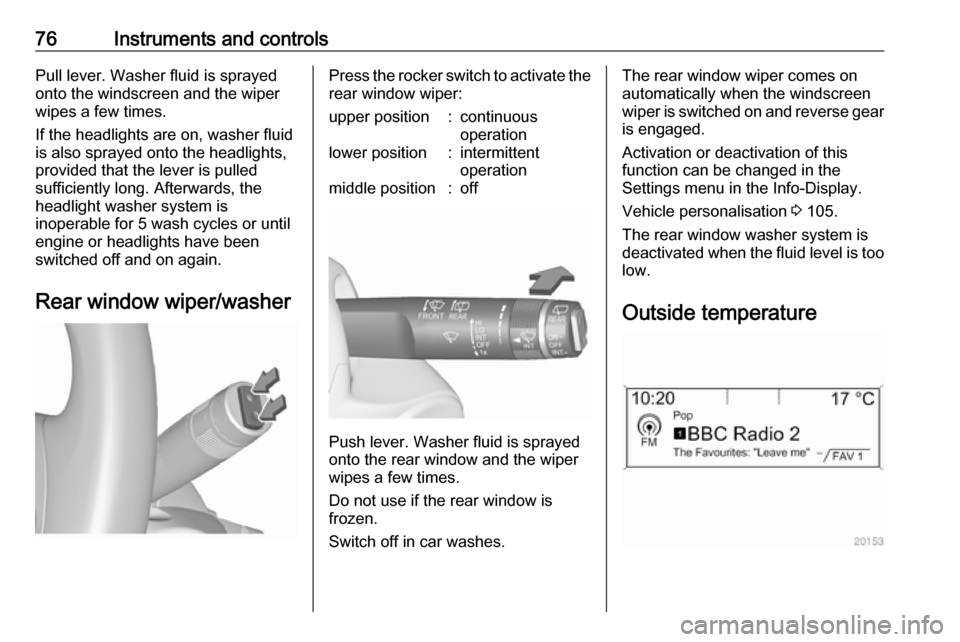
Rear window wiper/washerPress the rocker switch to activate the
rear window wiper:upper position:continuous
operationlower position:intermittent
operationmiddle position:off
Push lever. Washer fluid is sprayed
onto the rear window and the wiper
wipes a few times.
Do not use if the rear window is
frozen.
Switch off in car washes.
The rear window wiper comes on
automatically when the windscreen
wiper is switched on and reverse gear
is engaged.
Activation or deactivation of this
function can be changed in the
Settings menu in the Info-Display.
Vehicle personalisation 3 105.
The rear window washer system is deactivated when the fluid level is too
low.
Outside temperature
Page 79 of 295
Instruments and controls77A drop in temperature is indicated
immediately and a rise in temperature
after a time delay.
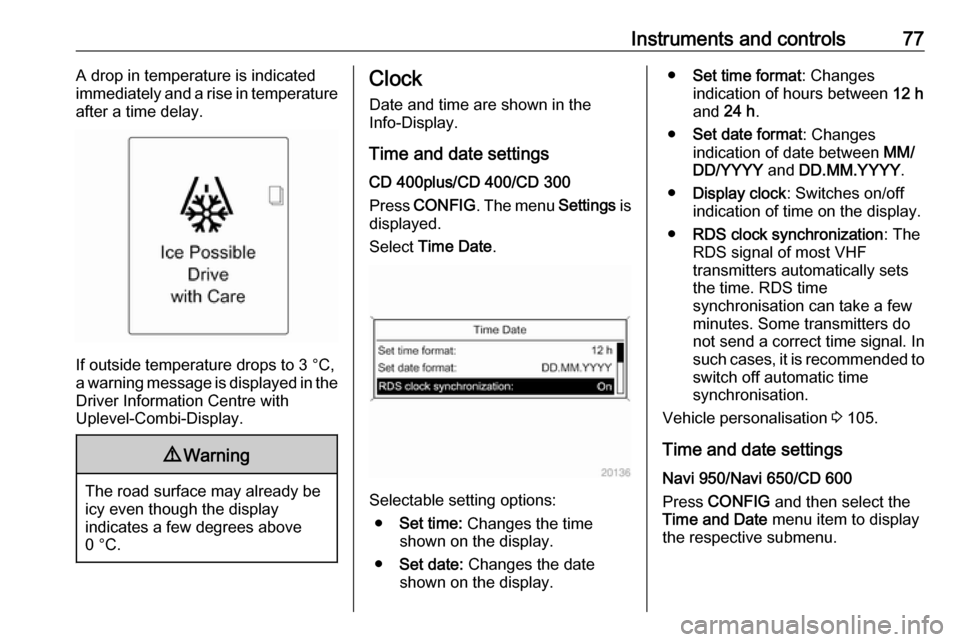
If outside temperature drops to 3 °C,
a warning message is displayed in the Driver Information Centre with
Uplevel-Combi-Display.
9 Warning
The road surface may already be
icy even though the display
indicates a few degrees above
0 °C.
Clock
Date and time are shown in the
Info-Display.
Time and date settings
CD 400plus/CD 400/CD 300
Press CONFIG . The menu Settings is
displayed.
Select Time Date .
Selectable setting options:
● Set time: Changes the time
shown on the display.
● Set date: Changes the date
shown on the display.
● Set time format : Changes
indication of hours between 12 h
and 24 h.
● Set date format : Changes
indication of date between MM/
DD/YYYY and DD.MM.YYYY .
● Display clock : Switches on/off
indication of time on the display.
● RDS clock synchronization : The
RDS signal of most VHF
transmitters automatically sets
the time. RDS time
synchronisation can take a few
minutes. Some transmitters do
not send a correct time signal. In
such cases, it is recommended to
switch off automatic time
synchronisation.
Vehicle personalisation 3 105.
Time and date settings
Navi 950/Navi 650/CD 600
Press CONFIG and then select the
Time and Date menu item to display
the respective submenu.
Page 85 of 295
Instruments and controls83Engine coolant temperaturegauge
Displays the coolant temperature.
left area:engine operating
temperature not yet
reachedcentral
area:normal operating
temperatureright area:temperature too highCaution
If engine coolant temperature is
too high, stop vehicle, switch off
engine. Danger to engine. Check
coolant level.
Service display
The engine oil life system lets you
know when to change the engine oil
and filter. Based on driving
conditions, the interval at which an
engine oil and filter change will be
indicated can vary considerably.
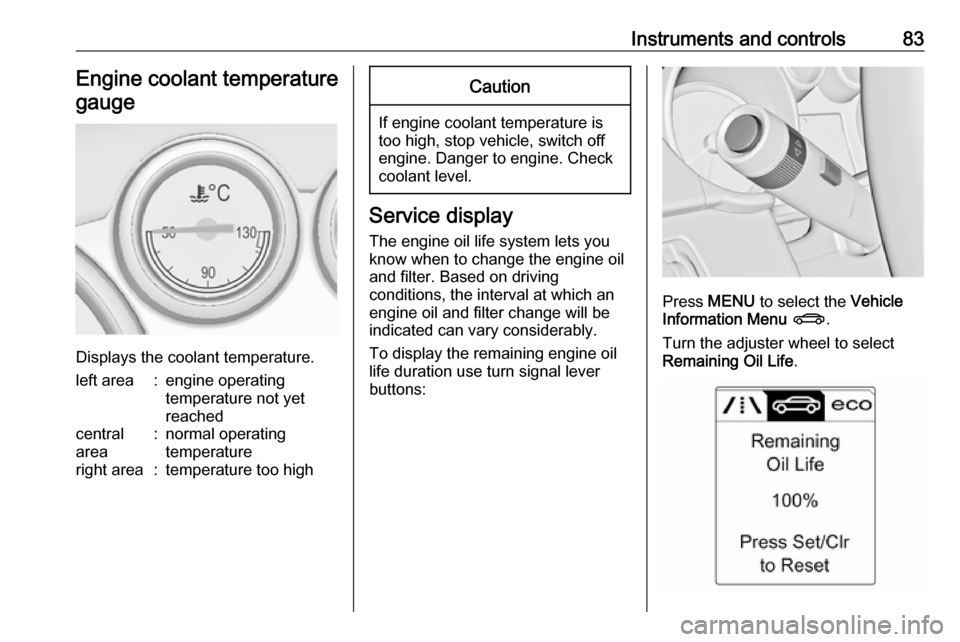
To display the remaining engine oil
life duration use turn signal lever
buttons:
Press MENU to select the Vehicle
Information Menu X .
Turn the adjuster wheel to select
Remaining Oil Life .
Page 86 of 295

84Instruments and controlsThe remaining engine oil life duration
is displayed in percent in the Driver
Information Centre.
Reset Press SET/CLR on turn signal lever
for several seconds to reset. The
remaining engine oil life duration
page must be active. Switch on
ignition, but not the engine.
The system must be reset every time
the engine oil is changed, to ensure
proper functionality. Seek the
assistance of a workshop.
Next service When the system has calculated that
engine oil life has diminished, a
warning message appears in the
Driver Information Centre. Have
engine oil and filter changed by a
workshop within one week or
500 km (whichever occurs first).
Driver Information Centre 3 93.
Service information 3 253.Control indicators
The control indicators described are
not present in all vehicles. The
description applies to all instrument
versions. Depending on the
equipment, the position of the control indicators may vary. When the
ignition is switched on, most control
indicators will illuminate briefly as a
functionality test.
The control indicator colours mean:red:danger, important reminderyellow:warning, information, faultgreen:confirmation of activationblue:confirmation of activationwhite:confirmation of activation
Page 92 of 295

90Instruments and controlsIlluminates green
System is switched on and ready to
operate.
Flashes yellow
System recognises an unintended
lane change.
Ultrasonic parking assist
r illuminates yellow.
Fault in system
or
Fault due to sensors that are dirty or covered by ice or snow
or
Interference due to external sources of ultrasound. Once the source of
interference is removed, the system
will operate normally.
Have the cause of the fault in the
system remedied by a workshop.
Ultrasonic parking assist 3 175.Electronic Stability Control
off
n illuminates yellow.
The system is deactivated.
Electronic Stability Controland Traction Control system
b illuminates or flashes yellow.
Illuminates
A fault in the system is present.
Continued driving is possible. Driving
stability, however, may deteriorate depending on road surface
conditions.
Have the cause of the fault remedied
by a workshop.
Flashes
The system is actively engaged.
Engine output may be reduced and the vehicle may be braked
automatically to a small degree.
Electronic Stability Control (ESC)
3 155, Traction Control system (TC)
3 155.Traction Control system off
k illuminates yellow.
The system is deactivated.
Preheating
! illuminates yellow.
Preheating is activated. Only
activates when outside temperature
is low.
Diesel particle filter
% illuminates or flashes yellow.
The diesel particle filter requires
cleaning.
Continue driving until %
extinguishes. If possible, do not allow engine speed to drop below
2000 rpm.
Illuminates
The diesel particle filter is full. Start
cleaning process as soon as
possible.
Page 96 of 295
94Instruments and controlsSome of the displayed functions differ
when the vehicle is being driven or at
a standstill. Some functions are only
available when the vehicle is being
driven.
Vehicle personalisation 3 105.
Memorised settings 3 24.
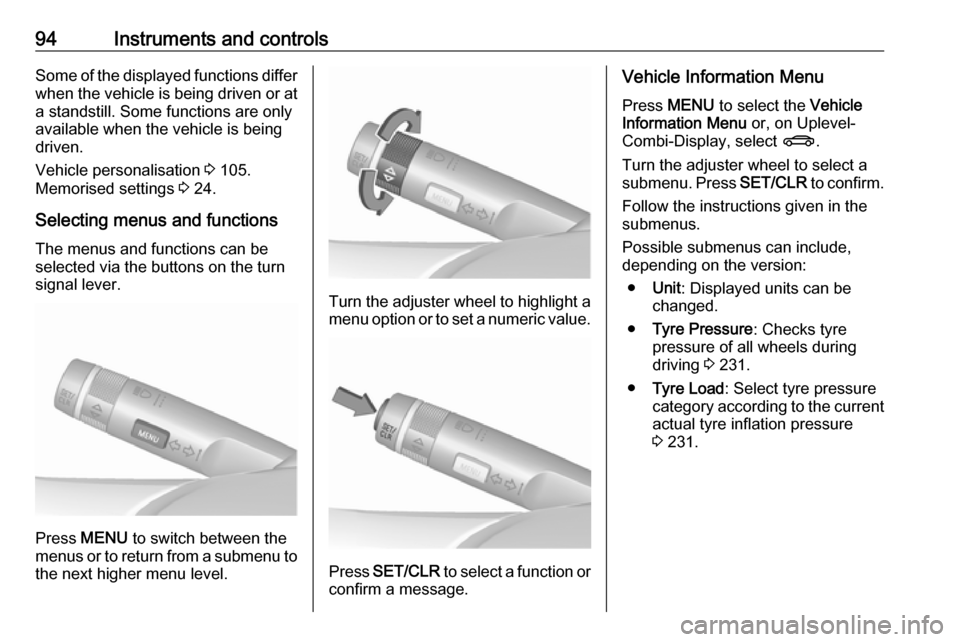
Selecting menus and functions The menus and functions can be
selected via the buttons on the turn signal lever.
Press MENU to switch between the
menus or to return from a submenu to the next higher menu level.
Turn the adjuster wheel to highlight a
menu option or to set a numeric value.
Press SET/CLR to select a function or
confirm a message.
Vehicle Information Menu
Press MENU to select the Vehicle
Information Menu or, on Uplevel-
Combi-Display, select X.
Turn the adjuster wheel to select a submenu. Press SET/CLR to confirm.
Follow the instructions given in the
submenus.
Possible submenus can include,
depending on the version:
● Unit : Displayed units can be
changed.
● Tyre Pressure : Checks tyre
pressure of all wheels during
driving 3 231.
● Tyre Load : Select tyre pressure
category according to the current actual tyre inflation pressure
3 231.
Page 97 of 295
Instruments and controls95
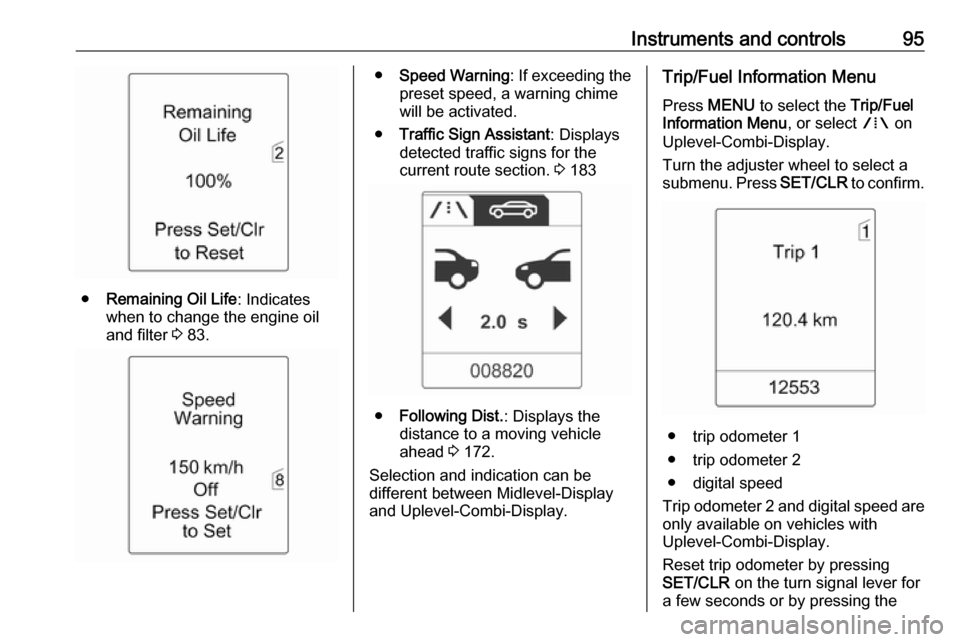
●Remaining Oil Life : Indicates
when to change the engine oil and filter 3 83.
● Speed Warning : If exceeding the
preset speed, a warning chime will be activated.
● Traffic Sign Assistant : Displays
detected traffic signs for the
current route section. 3 183
● Following Dist. : Displays the
distance to a moving vehicle ahead 3 172.
Selection and indication can be
different between Midlevel-Display
and Uplevel-Combi-Display.
Trip/Fuel Information Menu
Press MENU to select the Trip/Fuel
Information Menu , or select W on
Uplevel-Combi-Display.
Turn the adjuster wheel to select a
submenu. Press SET/CLR to confirm.
● trip odometer 1
● trip odometer 2
● digital speed
Trip odometer 2 and digital speed are
only available on vehicles with
Uplevel-Combi-Display.
Reset trip odometer by pressing
SET/CLR on the turn signal lever for
a few seconds or by pressing the
Page 103 of 295

Instruments and controls101No.Vehicle message56Tyre pressure imbalance on
front axle57Tyre pressure imbalance on
rear axle58Tyres without TPMS sensors
detected59Open then close driver window60Open then close front
passenger window61Open then close rear left
window62Open then close rear right
window65Theft attempted66Service anti-theft alarm system67Service steering wheel lock68Service power steering69Service suspension system70Service level control systemNo.Vehicle message71Service rear axle74Service AFL75Service air conditioning76Service side blind spot alert
system77Service lane departure warning79Top up engine oil81Service transmission82Change engine oil soon83Service adaptive cruise control84Engine power is reduced89Service vehicle soon94Shift to park position before
exiting95Service airbag128Bonnet open134Park assist fault, clean bumper136Service parking assistNo.Vehicle message145Check washer fluid level174Low vehicle battery258Parking assist off
Vehicle messages on the
Uplevel-Combi-Display
The vehicle messages are displayed
as text. Follow the instructions given
in the messages.
Page 104 of 295

102Instruments and controlsVehicle messages on the Colour-
Info-Display
Some important messages appear
additionally in the Colour-Info-
Display. Press the multifunction knob
to confirm a message. Some
messages only pop-up for a few
seconds.
Warning chimes
When starting the engine or whilst driving
Only one warning chime will sound at a time.
The warning chime regarding
unfastened seat belts has priority
over any other warning chime.
● If seat belt is not fastened.
● If a door or the tailgate is not fully
closed when starting off.
● If a certain speed is exceeded with parking brake applied.
● If a programmed speed is exceeded.● If a warning message or awarning code appears in the
Driver Information Centre.
● If the parking assist detects an object.
● If an unintended lane change occurs.
● If the diesel particle filter has reached the maximum filling
level.
When the vehicle is parked and/or the driver's door is opened
● With exterior lights on.
During an Autostop ● If the driver's door is opened.
Battery voltage
When the vehicle battery voltage is
running low, a warning message or
warning code 174 will appear in the
Driver Information Centre.1. Switch off immediately any electric consumers which are not
required for a safe ride, e.g. seat
heating, heated rear window or
other main consumers.
2. Charge the vehicle battery by driving continuously for a while or
by using a charging device.
The warning message or warning
code will disappear after the engine
has been started twice consecutively
without a voltage drop.
If the vehicle battery cannot be
recharged, have the cause of the fault remedied by a workshop.
Page 108 of 295
106Instruments and controlsThe following settings can be
selected by turning and pressing the
multifunction knob:
● Sport mode settings
● Languages
● Time Date
● Radio settings
● Phone settings
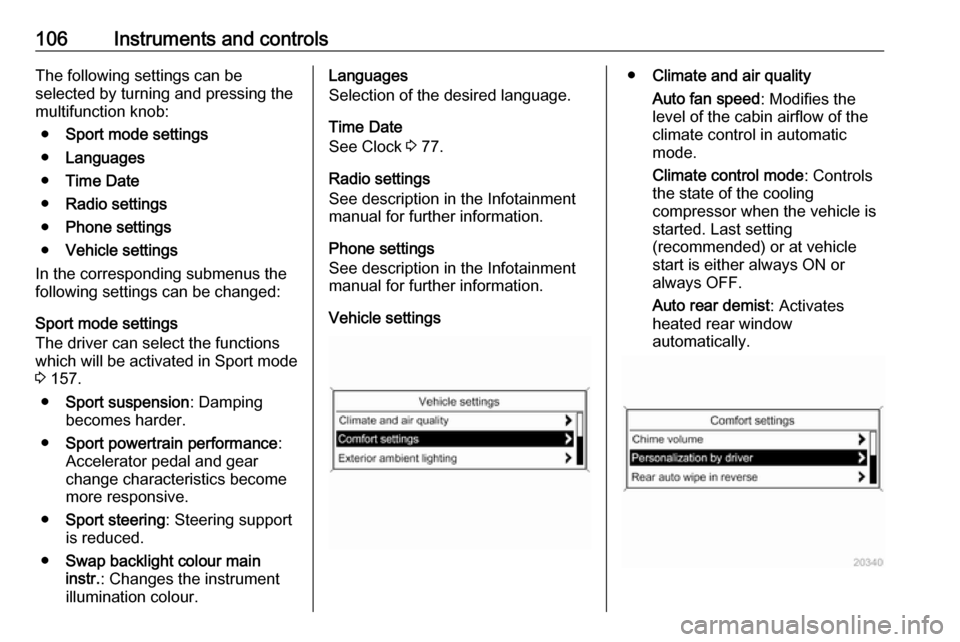
● Vehicle settings
In the corresponding submenus the
following settings can be changed:
Sport mode settings
The driver can select the functions which will be activated in Sport mode
3 157.
● Sport suspension : Damping
becomes harder.
● Sport powertrain performance :
Accelerator pedal and gear
change characteristics become
more responsive.
● Sport steering : Steering support
is reduced.
● Swap backlight colour main
instr. : Changes the instrument
illumination colour.Languages
Selection of the desired language.
Time Date
See Clock 3 77.
Radio settings
See description in the Infotainment
manual for further information.
Phone settings
See description in the Infotainment
manual for further information.
Vehicle settings● Climate and air quality
Auto fan speed : Modifies the
level of the cabin airflow of the
climate control in automatic
mode.
Climate control mode : Controls
the state of the cooling
compressor when the vehicle is
started. Last setting
(recommended) or at vehicle
start is either always ON or
always OFF.
Auto rear demist : Activates
heated rear window
automatically.