lock OPEL ASTRA J 2019 Manual user
[x] Cancel search | Manufacturer: OPEL, Model Year: 2019, Model line: ASTRA J, Model: OPEL ASTRA J 2019Pages: 205, PDF Size: 6.25 MB
Page 62 of 205
60Instruments and controlsPull lever. Washer fluid is sprayed
onto the windscreen and the wiper wipes a few times.
If the headlights are on, washer fluid
is also sprayed onto the headlights,
provided that the lever is pulled
sufficiently long. Afterwards, the
headlight washer system is
inoperable for 5 wash cycles or until
engine or headlights have been
switched off and on again.
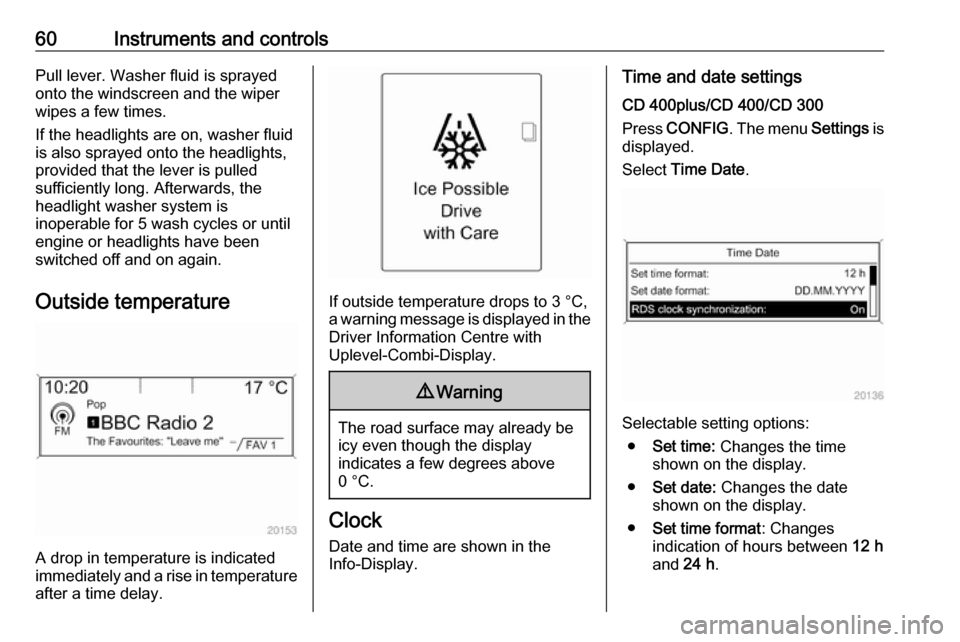
Outside temperature
A drop in temperature is indicated
immediately and a rise in temperature
after a time delay.
If outside temperature drops to 3 °C, a warning message is displayed in the Driver Information Centre with
Uplevel-Combi-Display.
9 Warning
The road surface may already be
icy even though the display
indicates a few degrees above
0 °C.
Clock
Date and time are shown in the
Info-Display.
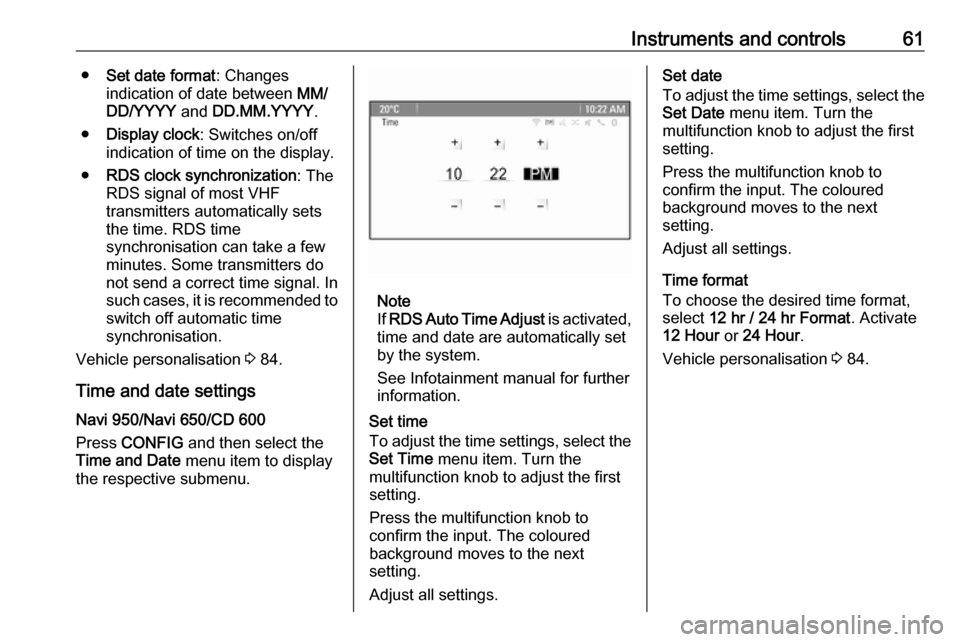
Time and date settings
CD 400plus/CD 400/CD 300
Press CONFIG . The menu Settings is
displayed.
Select Time Date .
Selectable setting options:
● Set time: Changes the time
shown on the display.
● Set date: Changes the date
shown on the display.
● Set time format : Changes
indication of hours between 12 h
and 24 h.
Page 63 of 205
Instruments and controls61●Set date format : Changes
indication of date between MM/
DD/YYYY and DD.MM.YYYY .
● Display clock : Switches on/off
indication of time on the display.
● RDS clock synchronization : The
RDS signal of most VHF
transmitters automatically sets
the time. RDS time
synchronisation can take a few
minutes. Some transmitters do not send a correct time signal. In
such cases, it is recommended to switch off automatic time
synchronisation.
Vehicle personalisation 3 84.
Time and date settings
Navi 950/Navi 650/CD 600
Press CONFIG and then select the
Time and Date menu item to display
the respective submenu.
Note
If RDS Auto Time Adjust is activated,
time and date are automatically set
by the system.
See Infotainment manual for further information.
Set time
To adjust the time settings, select the Set Time menu item. Turn the
multifunction knob to adjust the first
setting.
Press the multifunction knob to
confirm the input. The coloured
background moves to the next
setting.
Adjust all settings.
Set date
To adjust the time settings, select the
Set Date menu item. Turn the
multifunction knob to adjust the first
setting.
Press the multifunction knob to
confirm the input. The coloured
background moves to the next
setting.
Adjust all settings.
Time format
To choose the desired time format,
select 12 hr / 24 hr Format . Activate
12 Hour or 24 Hour .
Vehicle personalisation 3 84.
Page 69 of 205
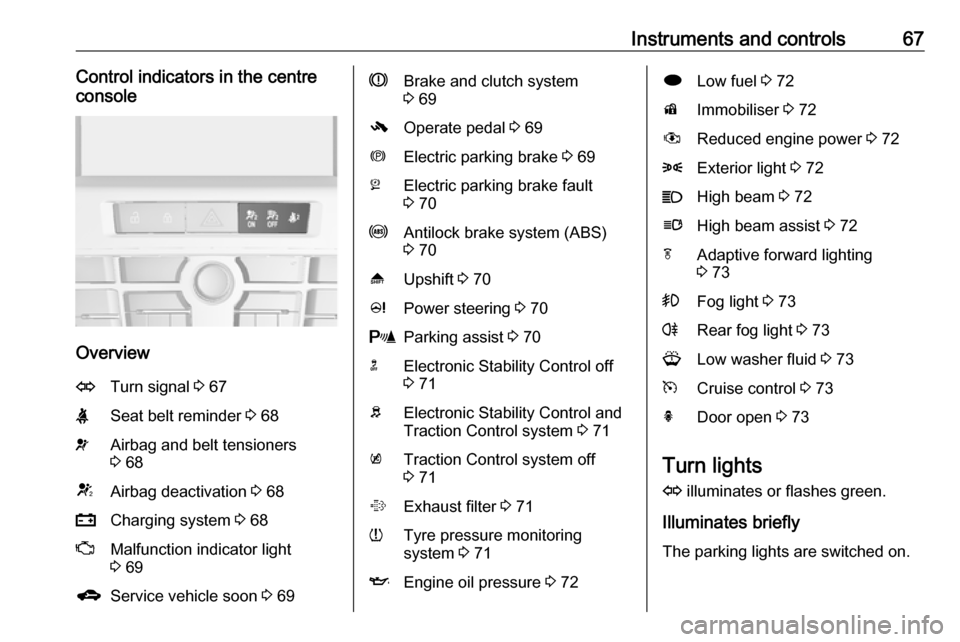
Instruments and controls67Control indicators in the centre
console
Overview
OTurn signal 3 67XSeat belt reminder 3 68vAirbag and belt tensioners
3 68VAirbag deactivation 3 68pCharging system 3 68ZMalfunction indicator light
3 69gService vehicle soon 3 69RBrake and clutch system
3 69-Operate pedal 3 69mElectric parking brake 3 69jElectric parking brake fault
3 70uAntilock brake system (ABS)
3 70[Upshift 3 70cPower steering 3 70rParking assist 3 70nElectronic Stability Control off
3 71bElectronic Stability Control and
Traction Control system 3 71kTraction Control system off
3 71%Exhaust filter 3 71wTyre pressure monitoring
system 3 71IEngine oil pressure 3 72iLow fuel 3 72dImmobiliser 3 72#Reduced engine power 3 728Exterior light 3 72CHigh beam 3 72lHigh beam assist 3 72fAdaptive forward lighting
3 73>Fog light 3 73rRear fog light 3 73GLow washer fluid 3 73mCruise control 3 73hDoor open 3 73
Turn lights
O illuminates or flashes green.
Illuminates briefly The parking lights are switched on.
Page 72 of 205

70Instruments and controlsFlashes
Electric parking brake is not fully applied or released. Switch on
ignition, depress brake pedal and
attempt to reset the system by first
releasing and then applying the
electric parking brake. If m remains
flashing, do not drive and seek the
assistance of a workshop.
Electric parking brake fault j illuminates or flashes yellow.
Illuminates Electric parking brake is operating
with reduced performance 3 126.
Flashes
Electric parking brake is in service mode. Stop vehicle, apply and
release the electric parking brake to
reset.9 Warning
Have the cause of the fault
remedied immediately by a
workshop.
Antilock brake system
(ABS)
u illuminates yellow.
Illuminates for a few seconds after the ignition is switched on. The system is
ready for operation when the control
indicator extinguishes.
If the control indicator does not go out after a few seconds, or if it illuminates while driving, there is a fault in the
ABS. The brake system remains
operational but without ABS
regulation.
Antilock brake system 3 125.
Upshift [ illuminates green as a control
indicator, or is shown as a symbol R
with the number of a higher gear in the
Driver Information Centre, when
upshifting is recommended for fuel
saving reasons.
On some versions, gearshift
indication is popped-up as full page in the Driver Information Centre.
Driver Information Centre 3 73.
Power steering
c illuminates yellow.
Illuminates with power steering
reduced
Power steering is reduced due to
overheating of the system. Control
indicator extinguishes when the
system has cooled down.
Illuminates with power steering
disabled
Failure in the power steering system.
Consult a workshop.
Parking assist r illuminates yellow.
Fault in system
Page 74 of 205
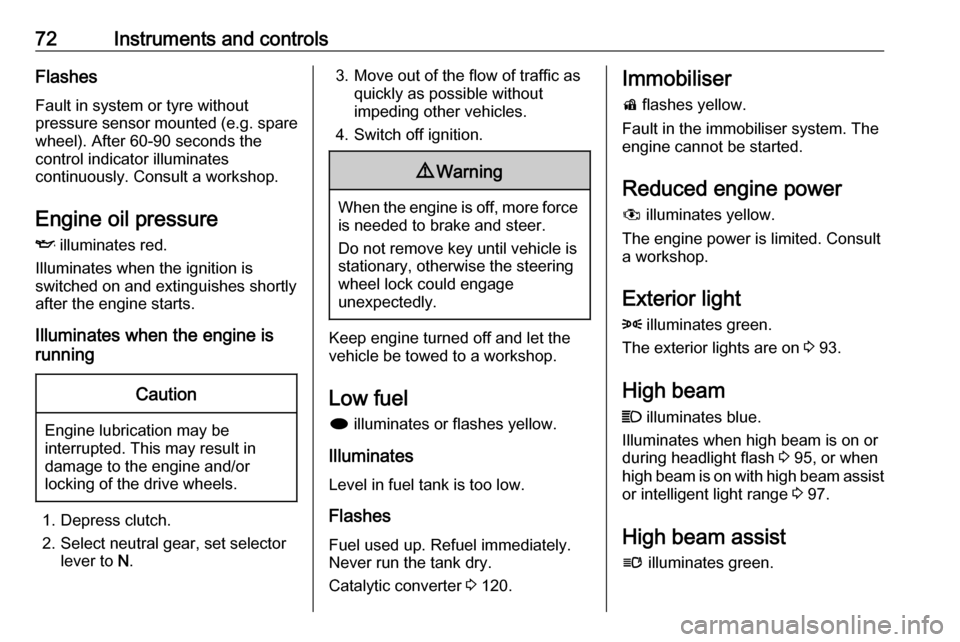
72Instruments and controlsFlashes
Fault in system or tyre without pressure sensor mounted ( e.g. spare
wheel). After 60-90 seconds the
control indicator illuminates
continuously. Consult a workshop.
Engine oil pressure
I illuminates red.
Illuminates when the ignition is
switched on and extinguishes shortly
after the engine starts.
Illuminates when the engine is
runningCaution
Engine lubrication may be
interrupted. This may result in
damage to the engine and/or
locking of the drive wheels.
1. Depress clutch.
2. Select neutral gear, set selector lever to N.
3. Move out of the flow of traffic as
quickly as possible without
impeding other vehicles.
4. Switch off ignition.9 Warning
When the engine is off, more force
is needed to brake and steer.
Do not remove key until vehicle is
stationary, otherwise the steering wheel lock could engage
unexpectedly.
Keep engine turned off and let the
vehicle be towed to a workshop.
Low fuel i illuminates or flashes yellow.
Illuminates
Level in fuel tank is too low.
Flashes
Fuel used up. Refuel immediately.
Never run the tank dry.
Catalytic converter 3 120.
Immobiliser
d flashes yellow.
Fault in the immobiliser system. The
engine cannot be started.
Reduced engine power
# illuminates yellow.
The engine power is limited. Consult
a workshop.
Exterior light8 illuminates green.
The exterior lights are on 3 93.
High beam
C illuminates blue.
Illuminates when high beam is on or during headlight flash 3 95, or when
high beam is on with high beam assist
or intelligent light range 3 97.
High beam assist
l illuminates green.
Page 81 of 205
Instruments and controls79Press (the outer ring)● to select or activate the highlighted option
● to confirm a set value
● to switch a system function on/off
BACK
Press BACK to:
● exit a menu without changing settings
● return from a submenu to a higher menu level
● delete the last character in a character sequence
Press and hold the BACK for a few
seconds to delete the entire entry.
Vehicle personalisation 3 84.
Memorised settings 3 20.Vehicle messages
Messages are indicated mainly in the
Driver Information Centre, in some
cases together with a warning chime.
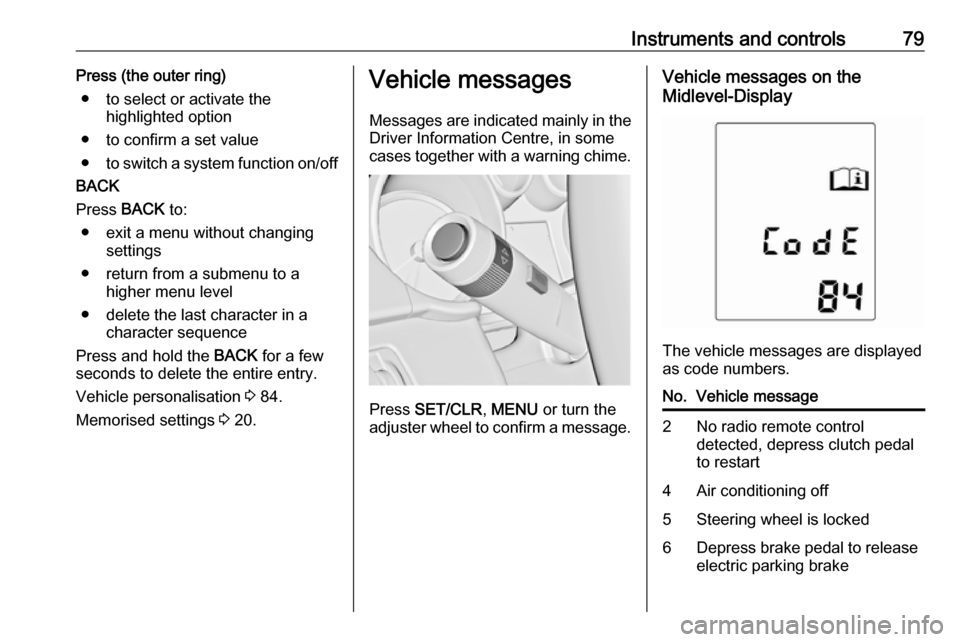
Press SET/CLR , MENU or turn the
adjuster wheel to confirm a message.
Vehicle messages on the
Midlevel-Display
The vehicle messages are displayed
as code numbers.
No.Vehicle message2No radio remote control
detected, depress clutch pedal
to restart4Air conditioning off5Steering wheel is locked6Depress brake pedal to release
electric parking brake
Page 82 of 205

80Instruments and controlsNo.Vehicle message7Turn steering wheel, switch
ignition off then on9Turn steering wheel, restart
engine12Vehicle overloaded13Compressor overheated15Centre high-mounted brake
light failure16Brake light failure17Headlight levelling malfunction18Left low beam failure19Rear fog light failure20Right low beam failure21Left sidelight failure22Right sidelight failure23Reversing light failure24Number plate light failure25Left front turn signal failureNo.Vehicle message26Left rear turn signal failure27Right front turn signal failure28Right rear turn signal failure35Replace battery in radio remote
control53Tighten fuel filler cap55Exhaust filter is full 3 11956Tyre pressure imbalance on
front axle57Tyre pressure imbalance on
rear axle58Tyres without TPMS sensors
detected59Open then close driver window60Open then close front
passenger window61Open then close rear left
window62Open then close rear right
windowNo.Vehicle message65Theft attempted67Service steering wheel lock68Service power steering69Service suspension system70Service level control system71Service rear axle74Service AFL75Service air conditioning79Top up engine oil81Service transmission82Change engine oil soon84Engine power is reduced89Service vehicle soon94Shift to park position before
exiting95Service airbag128Bonnet open
Page 87 of 205
Instruments and controls85
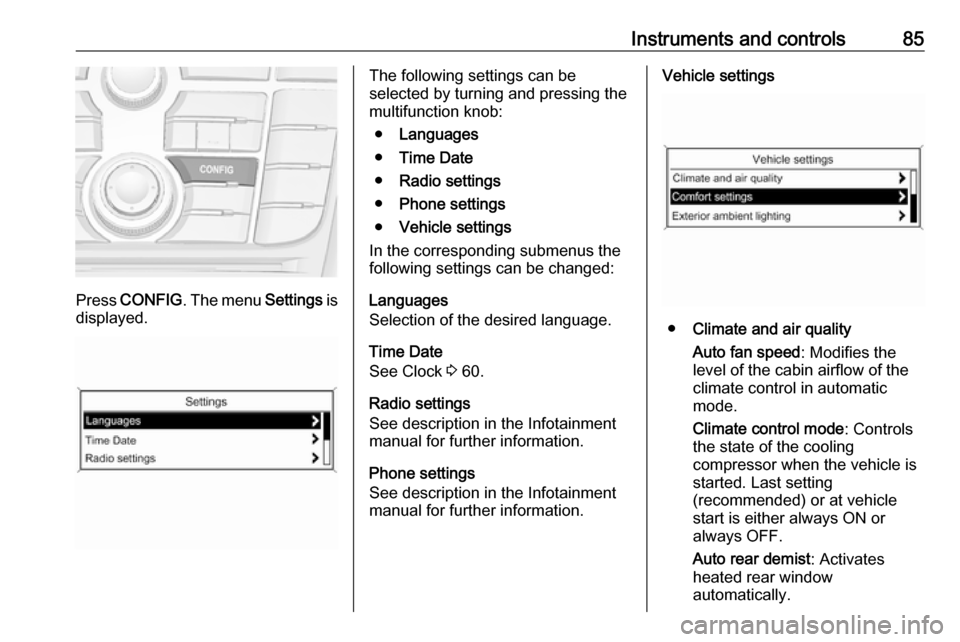
Press CONFIG . The menu Settings is
displayed.
The following settings can be
selected by turning and pressing the
multifunction knob:
● Languages
● Time Date
● Radio settings
● Phone settings
● Vehicle settings
In the corresponding submenus the
following settings can be changed:
Languages
Selection of the desired language.
Time Date
See Clock 3 60.
Radio settings
See description in the Infotainment
manual for further information.
Phone settings
See description in the Infotainment
manual for further information.Vehicle settings
● Climate and air quality
Auto fan speed : Modifies the
level of the cabin airflow of the
climate control in automatic
mode.
Climate control mode : Controls
the state of the cooling
compressor when the vehicle is
started. Last setting
(recommended) or at vehicle
start is either always ON or
always OFF.
Auto rear demist : Activates
heated rear window
automatically.
Page 88 of 205
86Instruments and controls
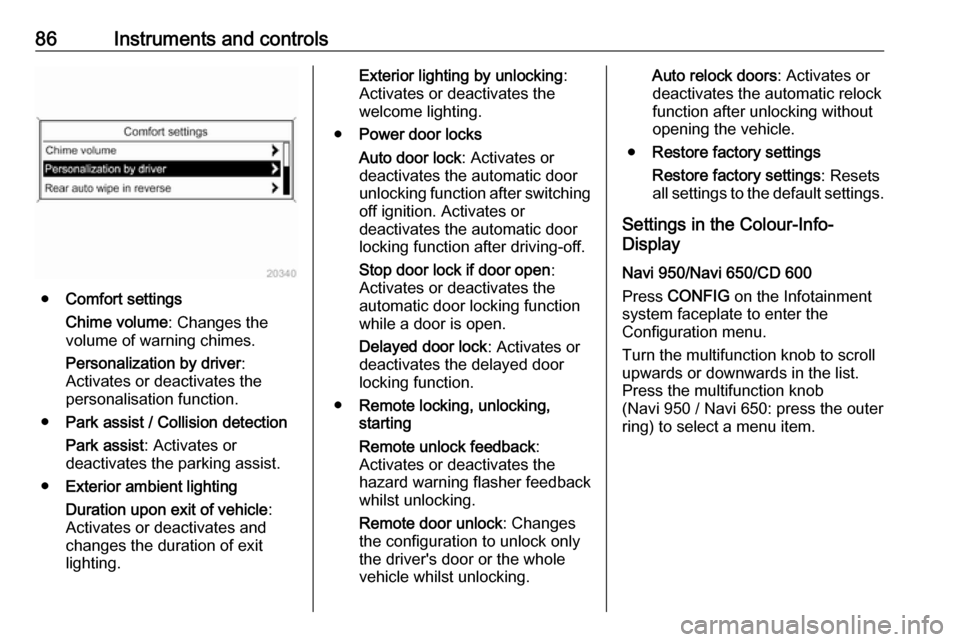
●Comfort settings
Chime volume : Changes the
volume of warning chimes.
Personalization by driver :
Activates or deactivates the
personalisation function.
● Park assist / Collision detection
Park assist : Activates or
deactivates the parking assist.
● Exterior ambient lighting
Duration upon exit of vehicle :
Activates or deactivates and
changes the duration of exit
lighting.
Exterior lighting by unlocking :
Activates or deactivates the
welcome lighting.
● Power door locks
Auto door lock : Activates or
deactivates the automatic door
unlocking function after switching
off ignition. Activates or
deactivates the automatic door
locking function after driving-off.
Stop door lock if door open :
Activates or deactivates the
automatic door locking function
while a door is open.
Delayed door lock : Activates or
deactivates the delayed door
locking function.
● Remote locking, unlocking,
starting
Remote unlock feedback :
Activates or deactivates the
hazard warning flasher feedback
whilst unlocking.
Remote door unlock : Changes
the configuration to unlock only
the driver's door or the whole
vehicle whilst unlocking.Auto relock doors : Activates or
deactivates the automatic relock
function after unlocking without
opening the vehicle.
● Restore factory settings
Restore factory settings : Resets
all settings to the default settings.
Settings in the Colour-Info-
Display
Navi 950/Navi 650/CD 600
Press CONFIG on the Infotainment
system faceplate to enter the
Configuration menu.
Turn the multifunction knob to scroll
upwards or downwards in the list.
Press the multifunction knob
(Navi 950 / Navi 650: press the outer
ring) to select a menu item.
Page 90 of 205

88Instruments and controlsExit Lighting: Activates or
deactivates and changes the
duration of exit lighting.
● Power Door Locks
Open Door Anti Lock Out :
Activates or deactivates the
automatic door locking function
while a door is open.
Auto Door Lock : Activates or
deactivates the automatic door
unlocking function after switching
off ignition. Activates or
deactivates the automatic door
locking function after driving-off.
Delay Door Lock : Activates or
deactivates the delayed door
locking function.
● Remote Lock/Unlock/Start
Remote Lock Feedback :
Activates or deactivates the
hazard warning flasher feedback whilst locking.
Remote Unlock Feedback :
Activates or deactivates the
hazard warning flasher feedback
whilst unlocking.
Remote Door Unlock : Changes
the configuration to unlock onlythe driver's door or the whole
vehicle whilst unlocking.
Relock Remotely Unlocked
Doors : Activates or deactivates
the automatic relock function
after unlocking without opening
the vehicle.
● Return to Factory Settings? :
Resets all settings to the default
settings.Telematics service
OnStar
OnStar is a personal connectivity and service assistant with integrated
Wi-Fi hotspot. The OnStar service is available 24 hours a day, seven days
a week.
Note
OnStar is not available for all
markets. For further information,
contact your workshop.
Note
In order to be available and
operational, OnStar needs a valid
OnStar subscription, functioning
vehicle electrics, mobile service and
GPS satellite link.
To activate the OnStar services and
set up an account, press Z and speak
with an advisor.