ignition OPEL ASTRA K 2019.5 Manual user
[x] Cancel search | Manufacturer: OPEL, Model Year: 2019.5, Model line: ASTRA K, Model: OPEL ASTRA K 2019.5Pages: 311, PDF Size: 9.52 MB
Page 66 of 311
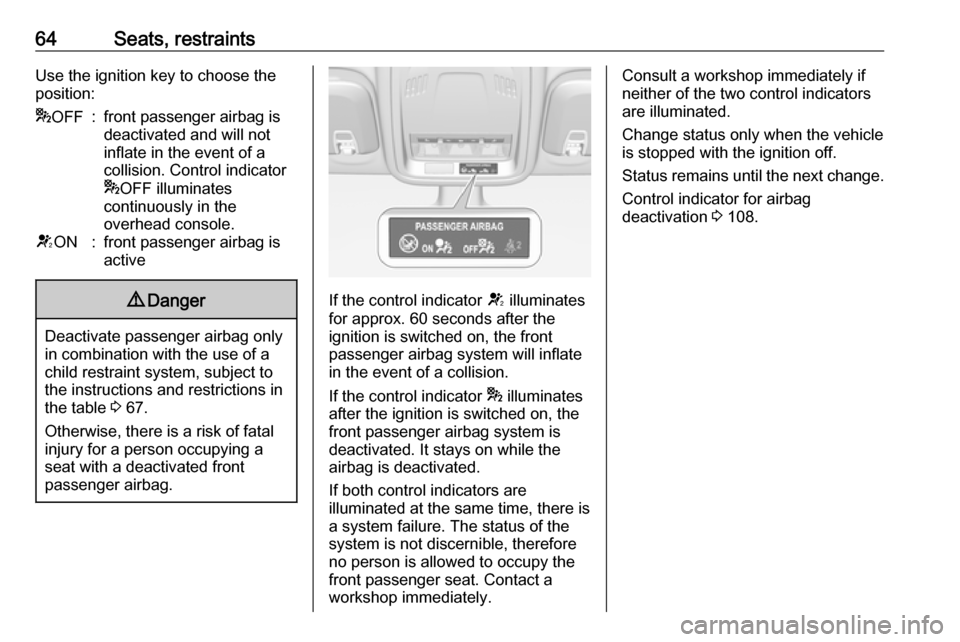
64Seats, restraintsUse the ignition key to choose the
position:* OFF:front passenger airbag is
deactivated and will not
inflate in the event of a
collision. Control indicator
* OFF illuminates
continuously in the
overhead console.V ON:front passenger airbag is
active9 Danger
Deactivate passenger airbag only
in combination with the use of a
child restraint system, subject to
the instructions and restrictions in
the table 3 67.
Otherwise, there is a risk of fatal
injury for a person occupying a
seat with a deactivated front
passenger airbag.
If the control indicator V illuminates
for approx. 60 seconds after the
ignition is switched on, the front
passenger airbag system will inflate
in the event of a collision.
If the control indicator * illuminates
after the ignition is switched on, the front passenger airbag system is
deactivated. It stays on while the
airbag is deactivated.
If both control indicators are
illuminated at the same time, there is
a system failure. The status of the
system is not discernible, therefore
no person is allowed to occupy the
front passenger seat. Contact a
workshop immediately.
Consult a workshop immediately if
neither of the two control indicators
are illuminated.
Change status only when the vehicle is stopped with the ignition off.
Status remains until the next change.
Control indicator for airbag
deactivation 3 108.
Page 99 of 311
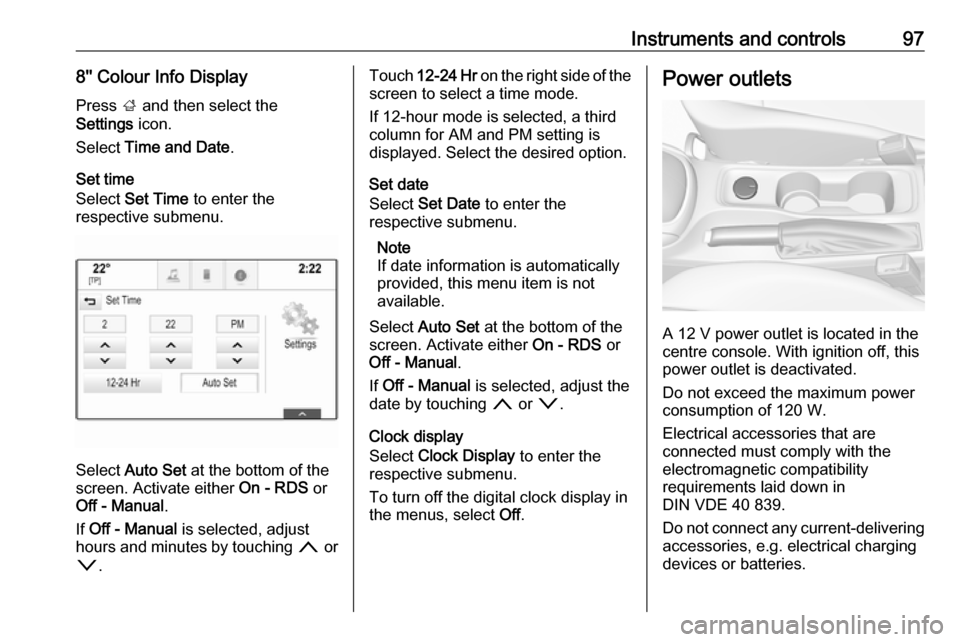
Instruments and controls978'' Colour Info DisplayPress ; and then select the
Settings icon.
Select Time and Date .
Set time
Select Set Time to enter the
respective submenu.
Select Auto Set at the bottom of the
screen. Activate either On - RDS or
Off - Manual .
If Off - Manual is selected, adjust
hours and minutes by touching n or
o .
Touch 12-24 Hr on the right side of the
screen to select a time mode.
If 12-hour mode is selected, a third
column for AM and PM setting is
displayed. Select the desired option.
Set date
Select Set Date to enter the
respective submenu.
Note
If date information is automatically
provided, this menu item is not
available.
Select Auto Set at the bottom of the
screen. Activate either On - RDS or
Off - Manual .
If Off - Manual is selected, adjust the
date by touching n or o.
Clock display
Select Clock Display to enter the
respective submenu.
To turn off the digital clock display in
the menus, select Off.Power outlets
A 12 V power outlet is located in the
centre console. With ignition off, this
power outlet is deactivated.
Do not exceed the maximum power
consumption of 120 W.
Electrical accessories that are
connected must comply with the
electromagnetic compatibility
requirements laid down in
DIN VDE 40 839.
Do not connect any current-delivering
accessories, e.g. electrical charging
devices or batteries.
Page 105 of 311
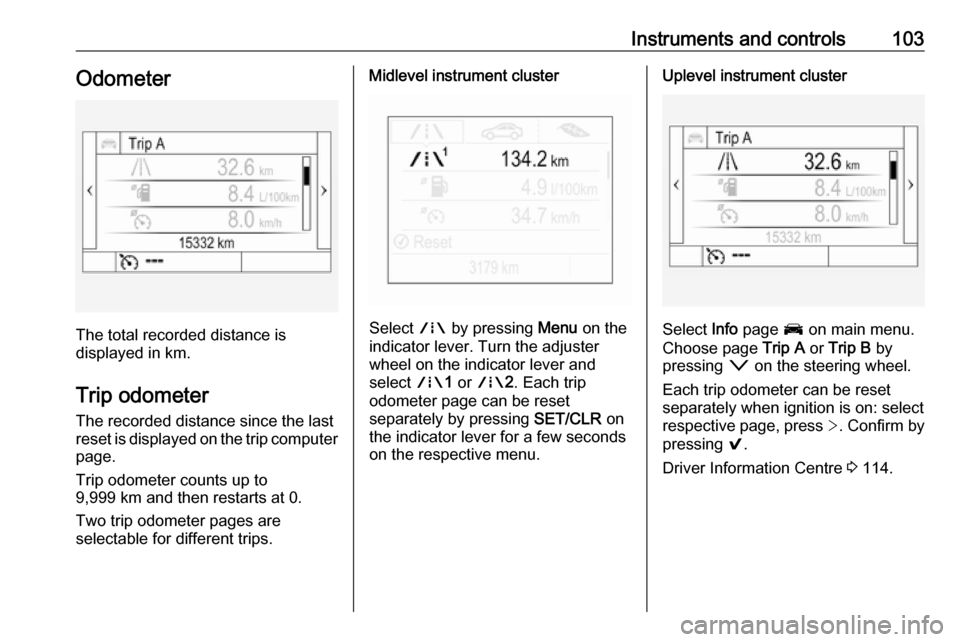
Instruments and controls103Odometer
The total recorded distance is
displayed in km.
Trip odometer The recorded distance since the last
reset is displayed on the trip computer
page.
Trip odometer counts up to
9,999 km and then restarts at 0.
Two trip odometer pages are
selectable for different trips.
Midlevel instrument cluster
Select ; by pressing Menu on the
indicator lever. Turn the adjuster
wheel on the indicator lever and
select ;1 or ; 2. Each trip
odometer page can be reset
separately by pressing SET/CLR on
the indicator lever for a few seconds
on the respective menu.
Uplevel instrument cluster
Select Info page J on main menu.
Choose page Trip A or Trip B by
pressing o on the steering wheel.
Each trip odometer can be reset separately when ignition is on: select
respective page, press >. Confirm by
pressing 9.
Driver Information Centre 3 114.
Page 107 of 311
Instruments and controls105The LED status shows the current
operating mode.LED off:petrol operationLED illu‐
minates:natural gas operationLED
flashes for
approx.
five
seconds:fuel mode transition is
selected but switching
is not possibleLED
flashes:fuel mode transition in
process, flashing stops
if transition is completed
Switching is not possible at high loads (e.g. powerful acceleration, driving at
full throttle).
If the selector switch is operated
several times within a short time, a
switchover inhibitor is activated. The
engine remains in the current
operating mode. The inhibitor
remains active until the ignition is
switched off.
A slight loss of power and torque can
be expected during petrol operation.
You must therefore adapt your driving style, e.g. during overtaking
manoeuvres and high vehicle loads
(e.g. towing loads) accordingly.
The vehicle consumes petrol when
starting the engine and even when in
certain natural gas operating modes. The petrol consumption in natural gas
operating mode can vary depending
on driving behaviour (e.g. high load or
towing). In case of a low fuel level, a
corresponding message is displayed
as a reminder to refuel.
Note
Always ensure that there is enough
petrol in the tank.
Fuel for natural gas operation 3 218.
Forced fuel mode transitionNatural gas tank is running low
As soon as the natural gas tank is
empty, petrol operation is
automatically engaged. Manually
engaging natural gas operation mode is not possible until natural gas
refuelling is detected.
Before the petrol fuel system runs empty, a warning message will be
displayed and cannot be dismissed.Petrol tank is running low while
natural gas is available
If the remaining petrol level in the tank falls below a certain level, natural gas
operation is automatically engaged
provided there is a sufficient natural
gas level in the tank. Manually
engaging petrol operation mode is not
possible.
Before both fuel systems run empty,
a warning message will be displayed
and cannot be dismissed.
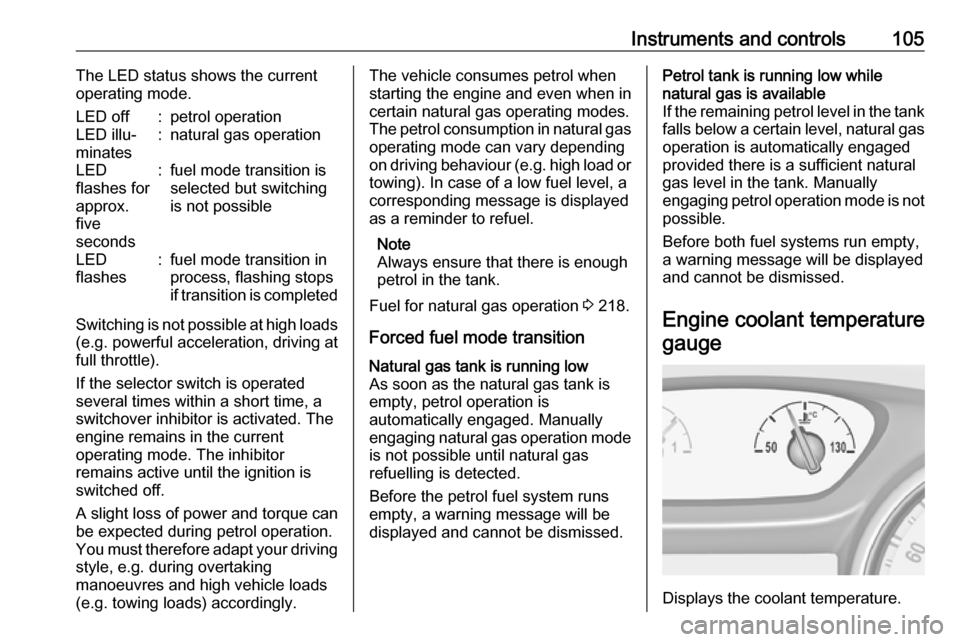
Engine coolant temperaturegauge
Displays the coolant temperature.
Page 109 of 311

Instruments and controls107On Uplevel display select Info Menu
by pressing p on steering wheel.
Press P to select Remaining Oil
Life page.
Remaining oil life duration is indicated
in percentage.
Reset On Midlevel display press SET/CLR
on the indicator lever for several seconds to reset. The ignition must be
switched on but engine not running.
On Uplevel display press > on
steering wheel to open the subfolder. Select Reset and confirm by pressing
9 for several seconds. The ignition
must be switched on but engine not
running.
The system must be reset every time
the engine oil is changed to allow
proper functionality. Seek the
assistance of a workshop.
Next service A message appears in the Driver
Information Centre, when
maintenance of the vehicle is
required. Have maintenance workcarried out by a workshop within one week or 500 km, whichever occursfirst.
Service information 3 277.
Control indicators The control indicators described are
not present in all vehicles. The
description applies to all instrument
versions. Depending on the
equipment, the position of the control
indicators may vary. When the
ignition is switched on, most control
indicators will illuminate briefly as a functionality test.
The control indicator colours mean:red:danger, important reminderyellow:warning, information, faultgreen:confirmation of activationblue:confirmation of activationwhite:confirmation of activation
See all control indicators on different
instrument clusters 3 99.
Turn lights
O illuminates or flashes green.
Illuminates briefly
The parking lights are switched on.
Flashes
The turn lights or the hazard warning flashers are activated.
Rapid flashing: failure of the turn
lights or associated fuse, failure of the turn lights on the trailer.
Bulb replacement 3 235.
Fuses 3 245.
Turn lights 3 141.
Seat belt reminder Seat belt reminder on front seats
X for driver's seat illuminates or
flashes red in the instrument cluster.
Page 110 of 311
108Instruments and controlsk for front passenger seat illuminates
or flashes red in the roof console,
when seat is occupied.
Illuminates
After the ignition has been switched
on until the seat belt has been
fastened.
Flashes
After having started the engine for a
maximum of 100 seconds until the
seat belt has been fastened.
Seat belt status on rear seats
(vehicles with Midlevel display)
X illuminates or flashes white or grey
in the Driver Information Centre, after having started the engine.
Illuminates white
Seat belt is unfastened.
Illuminates grey
Seat belt has been fastened.
Flashes white or grey
Fastened seat belt has been
unfastened.
Fastening the seat belt 3 57.Seat belt status on rear seats
(vehicles with Uplevel display)
X illuminates green or grey or flashes
yellow in the Driver Information
Centre, after having started the
engine.
Illuminates grey
Seat belt is unfastened.
Illuminates green
Seat belt has been fastened.
Flashes yellow
Fastened seat belt has been
unfastened.
Fastening the seat belt 3 57.
Airbag and belt tensioners v illuminates red.
When the ignition is switched on, the control indicator illuminates for
approx. 4 seconds. If it does not
illuminate, does not go out after
four seconds or illuminates whilst
driving, there is a fault in the airbag
system. Seek the assistance of aworkshop. The airbags and belt
pretensioners may fail to trigger in the
event of an accident.
Deployment of the belt pretensioners
or airbags is indicated by continuous
illumination of v.9 Warning
Have the cause of the fault
remedied immediately by a
workshop.
Belt pretensioners 3 56.
Airbag system 3 58.
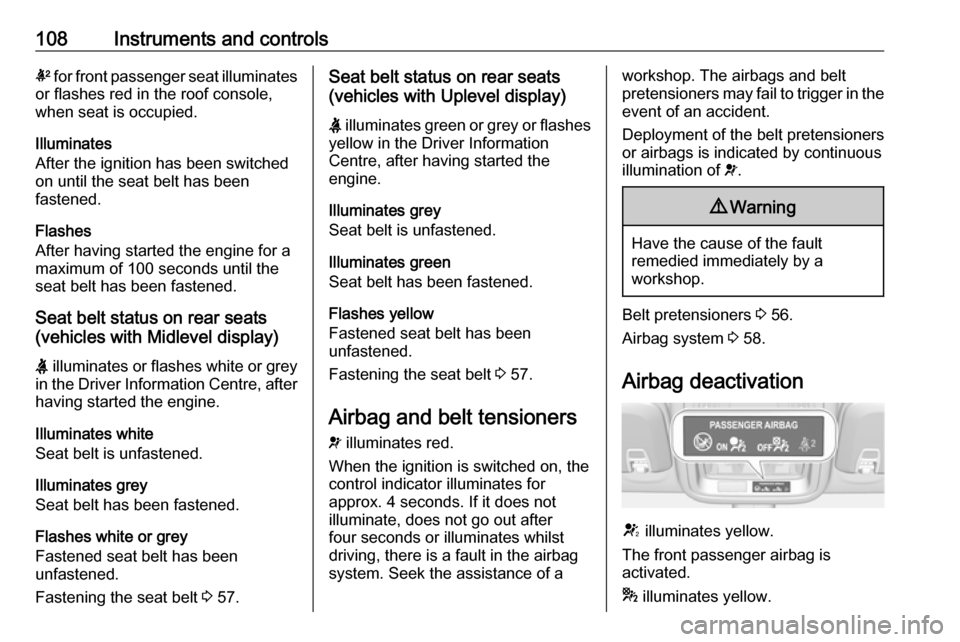
Airbag deactivation
V illuminates yellow.
The front passenger airbag is
activated.
* illuminates yellow.
Page 111 of 311

Instruments and controls109The front passenger airbag is
deactivated.
Airbag deactivation 3 63.
Charging system
p illuminates red.
Illuminates when the ignition is
switched on and extinguishes shortly
after the engine starts.
Illuminates when the engine is
running
Stop, switch off engine. Vehicle
battery is not charging. Engine
cooling may be interrupted. The
brake servo unit may cease to be
effective. Seek the assistance of a
workshop.
Malfunction indicator light Z illuminates or flashes yellow.
Illuminates when the ignition is
switched on and extinguishes shortly
after the engine starts.Illuminates when the engine is
running
Fault in the emission control system. The permitted emission limits may be exceeded.
The cleaning process of the exhaust
filter is potentially not possible.
Seek the assistance of a workshop
immediately.
Flashes when the engine is
running
Fault that could lead to catalytic
converter damage. Ease up on the
accelerator until the flashing stops.
Seek the assistance of a workshop
immediately.
Brake and clutch system
R illuminates red.
The brake and clutch fluid level is too
low, when manual parking brake is
not applied 3 232.9 Warning
Stop. Do not continue your
journey. Consult a workshop.
Illuminates when the manual parking
brake is applied and ignition is
switched on 3 176.
Electric parking brake
m illuminates or flashes red.
Illuminates
Electric parking brake is applied
3 176.
Flashes
Electric parking brake is not fully applied or released. Depress the brake pedal and attempt to reset the
system by first releasing then
applying the electric parking brake. If
m remains flashing, do not drive and
seek the assistance of a workshop.
Electric parking brake fault j illuminates or flashes yellow.
Page 112 of 311

110Instruments and controlsIlluminates
Electric parking brake is operating
with degraded performance 3 176.
Flashes
Electric parking brake is in service mode. Stop vehicle, apply and
release the electric parking brake to
reset.9 Warning
Have the cause of the fault
remedied immediately by a
workshop. Avoid parking on
inclines until the cause of the fault has been remedied.
Antilock brake system
(ABS)
u illuminates yellow.
Illuminates for a few seconds after the
ignition is switched on. The system is ready for operation when the control
indicator extinguishes.
If the control indicator does not go out after a few seconds, or if it illuminates while driving, there is a fault in the
ABS. The brake system remains
operational but without ABS
regulation.
Antilock brake system 3 175.
Gear shifting
R or S with the number of a higher or
lower gear is indicated, when up- or
downshifting is recommended for fuel
saving reasons.
Following distance
E indicates the following distance
setting of the alert timing sensitivity
for the forward collision alert using
filled distance bars.
Forward collision alert 3 192.
Lane keep assist a illuminates green or yellow, or
flashes yellow.Illuminates green
The system is switched on and ready
to operate.
Illuminates yellow
The system approaches a detected
lane marking without using the turn
lights in that direction.
Flashes yellow
The system recognizes that the lane
is departed significantly.
Lane keep assist 3 214.
Electronic Stability Control off
n illuminates yellow.
The system is deactivated.
Electronic Stability Control and Traction Control system
b illuminates or flashes yellow.
Page 113 of 311

Instruments and controls111Illuminates
A fault in the system is present.
Continued driving is possible. Driving
stability, however, may deteriorate
depending on road surface
conditions.
Have the cause of the fault remedied
by a workshop.
Flashes
The system is actively engaged.
Engine output may be reduced and
the vehicle may be braked
automatically to a small degree.
Electronic Stability Control 3 179.
Traction Control system 3 178.
Traction Control system off k illuminates yellow.
The system is deactivated.
Preheating
! illuminates yellow.Preheating of Diesel engine is
activated. Only activates when
outside temperature is low. Start the engine when control indicator
extinguishes.
AdBlue Y flashes yellow.
AdBlue level is low. Refill AdBlue soon to avoid prevention of the
engine start.
AdBlue 3 169.
Tyre pressure monitoring system
w illuminates or flashes yellow.
Illuminates
Tyre pressure loss. Stop immediately
and check tyre pressure.
Flashes
Fault in system or tyre without
pressure sensor mounted (e.g. spare wheel). After 60 to 90 seconds the
control indicator illuminates
continuously. Consult a workshop.Engine oil pressure
I illuminates red.
Illuminates when the ignition is
switched on and extinguishes shortly
after the engine starts.
Illuminates when the engine is
runningCaution
Engine lubrication may be
interrupted. This may result in
damage to the engine and/or
locking of the drive wheels.
1. Depress clutch.
2. Select neutral gear.
3. Move out of the flow of traffic as quickly as possible without
impeding other vehicles.
4. Switch off ignition.
Page 114 of 311

112Instruments and controls9Warning
When the engine is off,
considerably more force is needed
to brake and steer.
During an Autostop, the brake
servo unit will still be operational.
Do not remove key until vehicle is stationary, otherwise the steeringwheel lock could engage
unexpectedly.
Keep engine turned off and let the
vehicle be towed to a workshop
3 230.
Low fuel Y illuminates or flashes yellow.
Illuminates
Level in fuel tank is too low.
Flashes
Fuel used up. Refuel immediately.
Never run the tank dry.
Refuelling 3 219.
Catalytic converter 3 168.
Bleeding the diesel fuel system
3 234.
Immobiliser
d flashes yellow.
Fault in the immobiliser system. The
engine cannot be started.
Exterior light 8 illuminates green.
The exterior lights are on 3 135.
High beam C illuminates blue.
Illuminated when high beam is on or
during headlight flash 3 138.
High beam assist f illuminates green.
The high beam assist is activated
3 136.
LED headlights f illuminates or flashes yellow.Illuminates
Fault in the system.
Seek the assistance of a workshop.
Flashes
System is switched to symmetrical
low beam.
Control indicator f flashes for approx.
4 seconds after the ignition is
switched on as a reminder for
symmetrical headlight 3 139.
Front fog lights
> illuminates green.
The front fog lights are on 3 142.
Rear fog light
ø illuminates yellow.
The rear fog light is on 3 142.
Cruise control m illuminates white or green.
Illuminates white The system is on.