ignition OPEL ASTRA K 2019.5 Manual user
[x] Cancel search | Manufacturer: OPEL, Model Year: 2019.5, Model line: ASTRA K, Model: OPEL ASTRA K 2019.5Pages: 311, PDF Size: 9.52 MB
Page 183 of 311
Driving and operating181Have the cause of the fault remedied
by a workshop.
Sport mode
Sport mode adapts the settings of
some vehicle systems to a sportier
driving style.
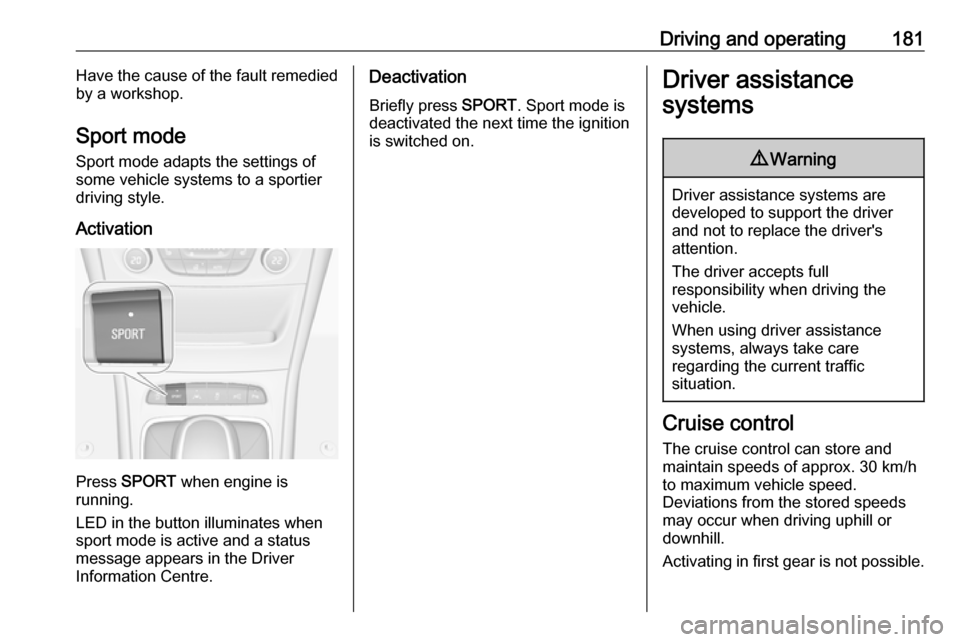
Activation
Press SPORT when engine is
running.
LED in the button illuminates when
sport mode is active and a status
message appears in the Driver
Information Centre.
Deactivation
Briefly press SPORT. Sport mode is
deactivated the next time the ignition
is switched on.Driver assistance
systems9 Warning
Driver assistance systems are
developed to support the driver
and not to replace the driver's
attention.
The driver accepts full
responsibility when driving the
vehicle.
When using driver assistance
systems, always take care
regarding the current traffic
situation.
Cruise control
The cruise control can store and
maintain speeds of approx. 30 km/h
to maximum vehicle speed.
Deviations from the stored speeds
may occur when driving uphill or
downhill.
Activating in first gear is not possible.
Page 185 of 311

Driving and operating183Reduce speedWith cruise control active, hold thumb
wheel turned to SET/- or briefly turn to
SET/- repeatedly: speed decreases
continuously or in small increments.
Deactivation of the functionality
Press y; control indicator m in
instrument cluster illuminates white.
On Uplevel display m changes to
white.
Cruise control is deactivated, but not
switched off. Last stored speed
remains in memory for later speed
resume.
Automatic deactivation: ● Vehicle speed is below approx. 30 km/h.
● Vehicle speed drops more than 25 km/h below the set speed.
● The brake pedal is depressed.
● The clutch pedal is depressed for
a few seconds.
● The selector lever is in N.
● Engine speed is in a very low range.● The Traction Control system orElectronic Stability Control is
operating.
● Parking brake is applied.
● Simultaneous pressing RES/+
and brake pedal deactivates
cruise control and will delete
stored speed.
Resume stored speed
Turn thumb wheel to RES/+ at a
speed above 30 km/h. The stored
speed will be obtained.
Switching off the system
Press m, control indicator m in
instrument cluster extinguishes. The
stored speed is deleted.
Pressing L to activate the speed
limiter or switching off the ignition also switches off cruise control and
deletes the stored speed.
Speed limiter
The speed limiter prevents the
vehicle exceeding a preset maximum speed.The maximum speed can be set at
speeds above 25 km/h up to
200 km/h.
The driver can only accelerate up to
the preset speed. Deviations from the
limited speed may occur when driving
downhill.
The preset speed limit is displayed in
the Driver Information Centre when
the system is active.
Activation of the functionality
Illustrations show different versions.
Page 187 of 311
Driving and operating185Resume limit speedTurn thumb wheel to RES/+. The
stored speed limit will be obtained
and is indicated without brackets in
the Driver Information Centre.
Switching off the system
Press L, the speed limit indication
extinguishes in the Driver Information Centre. The stored speed is deleted.
By pressing m to activate cruise
control or adaptive cruise control,
speed limiter is also deactivated and
the stored speed is deleted.
By switching off the ignition, speed
limiter is also deactivated, but the
speed limit will be stored for next
speed limiter activation.
Adaptive cruise control
Adaptive cruise control is an
enhancement to conventional cruise
control with the additional feature of maintaining a certain distance behind the vehicle ahead.Adaptive cruise control automatically
decelerates the vehicle when
approaching a slower moving vehicle. It then adjusts the vehicle speed to
follow the vehicle ahead at the
selected following distance. The
vehicle speed increases or decreases
to follow the vehicle in front, but will
not exceed the set speed. It may
apply limited braking with activated
brake lights.
The adaptive cruise control can store set speed over 30 km/h for manual
transmission. On vehicles with
automatic transmissions the system
can brake until a full stop and drive off
from a stop.
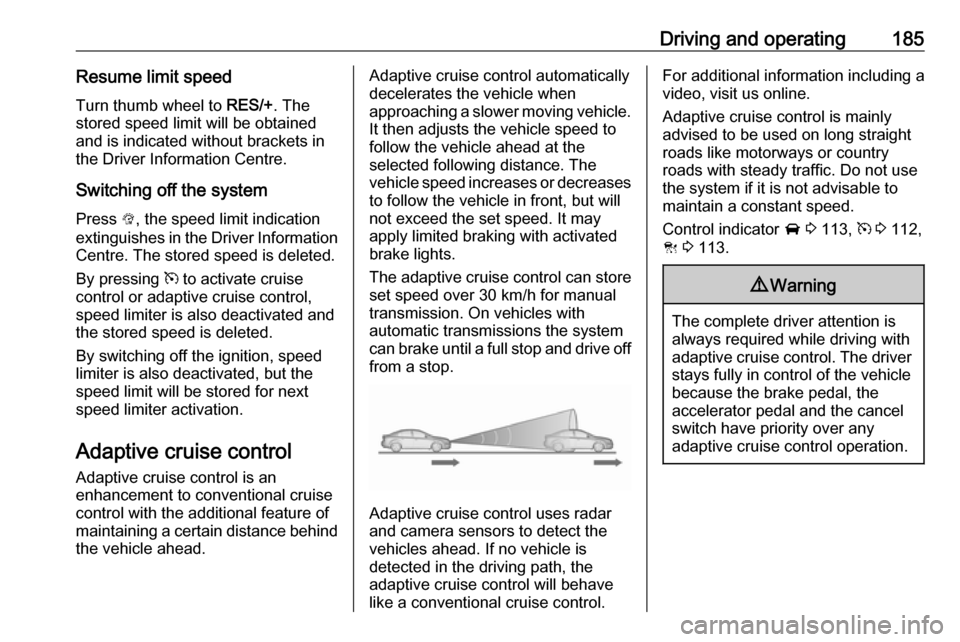
Adaptive cruise control uses radar
and camera sensors to detect the
vehicles ahead. If no vehicle is
detected in the driving path, the
adaptive cruise control will behave
like a conventional cruise control.
For additional information including a
video, visit us online.
Adaptive cruise control is mainly
advised to be used on long straight
roads like motorways or country
roads with steady traffic. Do not use
the system if it is not advisable to
maintain a constant speed.
Control indicator A 3 113, m 3 112,
C 3 113.9 Warning
The complete driver attention is
always required while driving with adaptive cruise control. The driver stays fully in control of the vehicle
because the brake pedal, the
accelerator pedal and the cancel
switch have priority over any
adaptive cruise control operation.
Page 189 of 311
Driving and operating187Increase or reduce speed
The preset speed can be changed by moving thumb wheel to RES/+ to
increase or SET/- to decrease the
speed. Move thumb wheel repeatedly
to change speed in small steps, move and hold to change speed in largesteps.
Resume stored speed
If the system is switched on but
inactive and a speed was stored
before, turn thumb wheel to RES/+ at
a speed above 5 km/h (with automatic
transmission) or above 30 km/h (with
manual transmission) to resume the stored speed.
Full speed range adaptive cruise
control on vehicles with automatic transmission
Full speed range adaptive cruise
control will maintain a following
distance behind a detected vehicle and slow your vehicle to a stop behind
that vehicle.When the vehicle ahead accelerates
after a brief stop, the adaptive cruise
control will drive off automatically
without driver action. If necessary,
press RES/+ or the accelerator pedal
to resume adaptive cruise control.
Pressing the accelerator pedal allows more control over the acceleration
after driving off. Note that automatic
braking is disabled during usage of
the accelerator pedal.
If the stopped vehicle ahead was
stopped for a longer time and then
begins to move forward, the green
illuminated vehicle ahead control
indicator A will flash and a warning
chime will sound as a reminder to
check traffic before proceeding.9 Warning
When full speed range adaptive
cruise control is deactivated or
cancelled, the vehicle will no
longer be held at a stop and can
start moving. Always be prepared
to manually apply the brake pedal
to hold the vehicle stationary.
Do not leave the vehicle while it is being held at a stop by the full
speed range adaptive cruise
control. Always move selector
lever to park position P and switch
off the ignition before leaving the
vehicle.
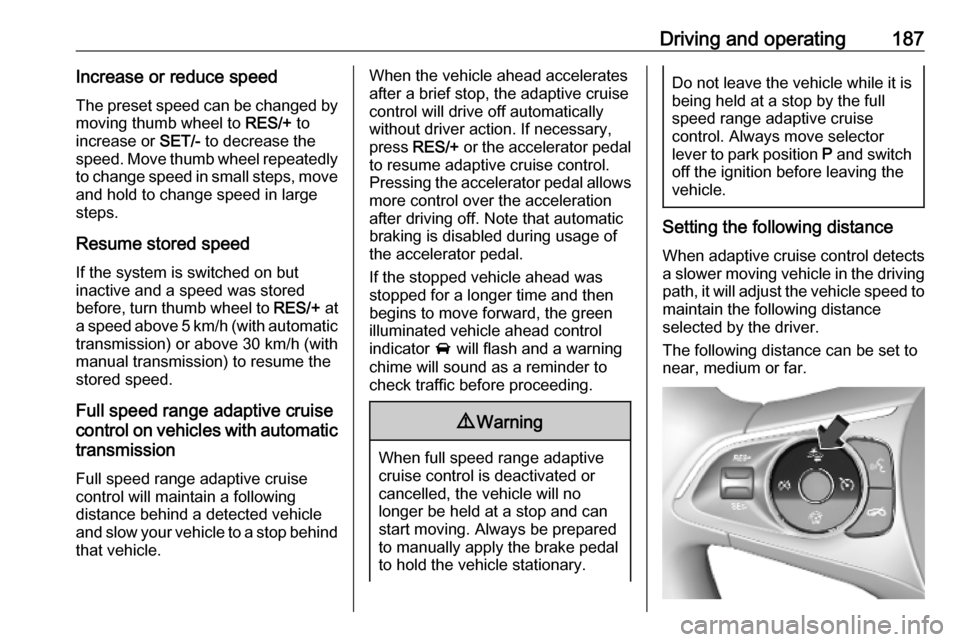
Setting the following distance
When adaptive cruise control detects a slower moving vehicle in the drivingpath, it will adjust the vehicle speed to
maintain the following distance
selected by the driver.
The following distance can be set to
near, medium or far.
Page 191 of 311
Driving and operating189● The Traction Control system isdeactivated or operating.
● The Electronic Stability Control is
deactivated or operating.
● There is no traffic and nothing detected on the road sides forapprox. 1 minute. In this case
there are no radar echoes and
the sensor may report that it is
blocked.
● The active emergency braking system is applying the brakes.
● Driving on steep inclines.
● The radar sensor is blocked by an ice or water film.
● A fault is detected in the radar, camera, engine or brake system.
● The brakes need to cool down.
Additionally, the system is
automatically deactivated on vehicles
with automatic transmission (full
speed range adaptive cruise control)
when:
● The incline uphill or downhill is greater than 20%.
● The electric parking brake is applied.●The vehicle is being held to a stop
by the system for more than
5 minutes.
● The vehicle stops, the driver's seat belt is unbuckled and the
driver's door is opened.
When adaptive cruise control is
deactivated, the control indicator C
changes from green to white and a
pop-up message is displayed in the
Driver Information Centre.
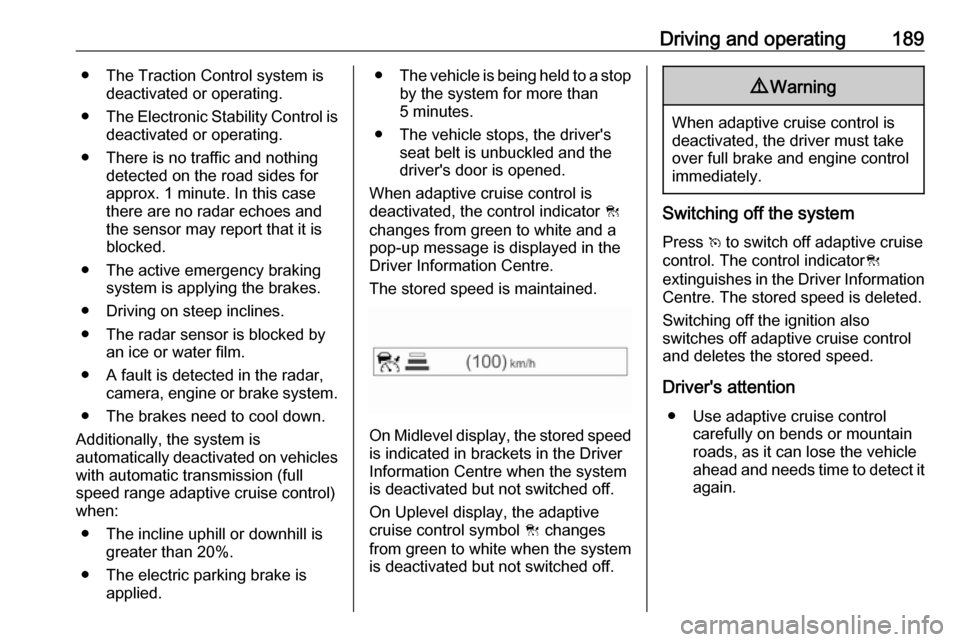
The stored speed is maintained.
On Midlevel display, the stored speed is indicated in brackets in the Driver
Information Centre when the system
is deactivated but not switched off.
On Uplevel display, the adaptive
cruise control symbol C changes
from green to white when the system
is deactivated but not switched off.
9 Warning
When adaptive cruise control is
deactivated, the driver must take
over full brake and engine control
immediately.
Switching off the system
Press v to switch off adaptive cruise
control. The control indicator C
extinguishes in the Driver Information Centre. The stored speed is deleted.
Switching off the ignition also
switches off adaptive cruise control
and deletes the stored speed.
Driver's attention ● Use adaptive cruise control carefully on bends or mountainroads, as it can lose the vehicle
ahead and needs time to detect it again.
Page 196 of 311
194Driving and operating
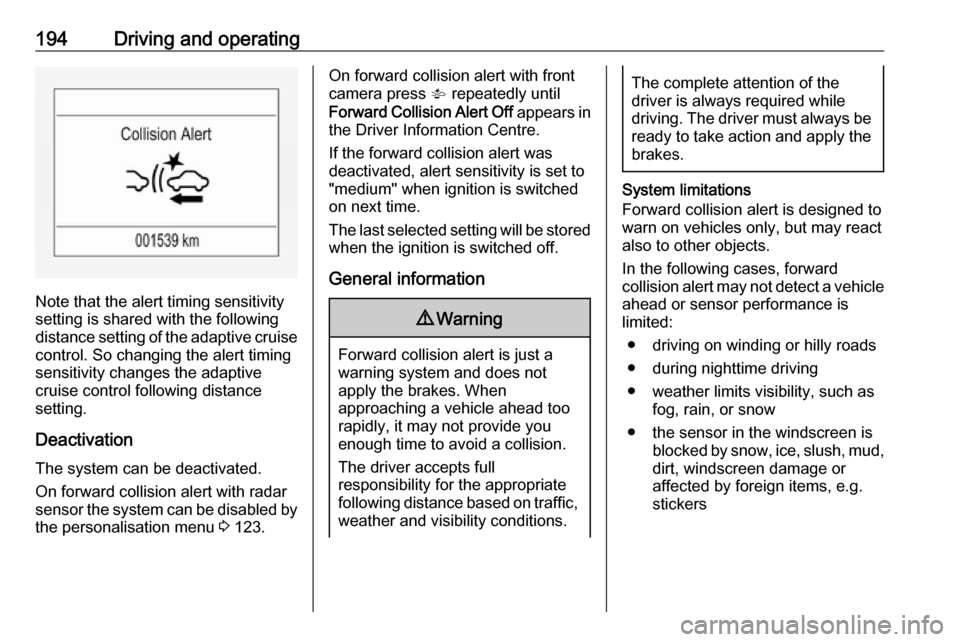
Note that the alert timing sensitivity
setting is shared with the following distance setting of the adaptive cruise control. So changing the alert timing
sensitivity changes the adaptive
cruise control following distance
setting.
Deactivation The system can be deactivated.
On forward collision alert with radar
sensor the system can be disabled by
the personalisation menu 3 123.
On forward collision alert with front
camera press V repeatedly until
Forward Collision Alert Off appears in
the Driver Information Centre.
If the forward collision alert was
deactivated, alert sensitivity is set to "medium" when ignition is switchedon next time.
The last selected setting will be stored
when the ignition is switched off.
General information9 Warning
Forward collision alert is just a
warning system and does not
apply the brakes. When
approaching a vehicle ahead too
rapidly, it may not provide you
enough time to avoid a collision.
The driver accepts full
responsibility for the appropriate
following distance based on traffic, weather and visibility conditions.
The complete attention of the
driver is always required while
driving. The driver must always be
ready to take action and apply the
brakes.
System limitations
Forward collision alert is designed to warn on vehicles only, but may reactalso to other objects.
In the following cases, forward
collision alert may not detect a vehicle ahead or sensor performance is
limited:
● driving on winding or hilly roads● during nighttime driving
● weather limits visibility, such as fog, rain, or snow
● the sensor in the windscreen is blocked by snow, ice, slush, mud,dirt, windscreen damage or
affected by foreign items, e.g.
stickers
Page 200 of 311

198Driving and operatingDeactivation
On vehicles with front camera active
emergency braking can be
deactivated by repeatedly pressing
the gap switch V to Off setting,
3 192. If deactivated a message is
displayed in the Driver Information
Centre.
On vehicles with radar sensor the
system can be disabled in the
personalisation menu in the Info
Display 3 123.
We recommend to deactivate the
system in the vehicle personalisation
in the following cases:
● when the vehicle is being towed
● before using an automatic car wash with ignition switched on
● if the windscreen has been damaged close to the camera
● if the front bumper has been damaged
System limitations In some cases, the active emergencybraking system may provide an
automatic braking in situations that
seem to be unnecessary, for instance
in parking garages, due to traffic signs
in a curve or due to vehicles in
another lane. This is normal
operation, the vehicle does not need
service. Firmly apply the accelerator
pedal to override the automatic
braking if the situation and the
surroundings permit.In the following cases, Active
emergency braking performance is
limited:
● Driving on winding or hilly roads.
● Detecting all vehicles, especially vehicles with a trailer, tractors,
muddy vehicles, etc.
● Detecting a vehicle when weather limits visibility, such as in
fog, rain, or snow.
● During nighttime driving.
● Weather limits visibility, such as fog, rain, or snow.
● The sensor in the windscreen is blocked by snow, ice, slush, mud,dirt, windscreen damage or
affected by foreign items, e.g.
stickers.
To avoid malfunction keep the areas
of the camera sensor in the
windscreen and the radar sensor in
the radiator grille always clean from
dirt, dust, ice and snow.
Complete attention is always required
while driving, and you should be ready to take action and apply the
brakes and / or steer the vehicle to
avoid crashes.
Page 201 of 311
Driving and operating199Fault
In case the system requires a service, a message is displayed in the Driver
Information Centre.
If the system does not work as it
should do, vehicle messages are
displayed in the Driver Information
Centre.
Vehicle messages 3 122.
Parking assist
General information
When the trailer hitch is attached,
change the configuration settings in
the vehicle personalisation menu in
the Info Display.
Vehicle personalisation 3 123.
When attaching a trailer or bike carrier to the trailer hitch, the parking
assist is deactivated.Rear parking assist9 Warning
It is the driver who bears full
responsibility for the parking
manoeuvre.
Always check the surrounding
area while reversing and using the rear parking assist system.
The rear parking assist makes
parking easier by measuring the
distance between the vehicle and
rear obstacles. It informs and warns
the driver by giving acoustic signals
and display indication.
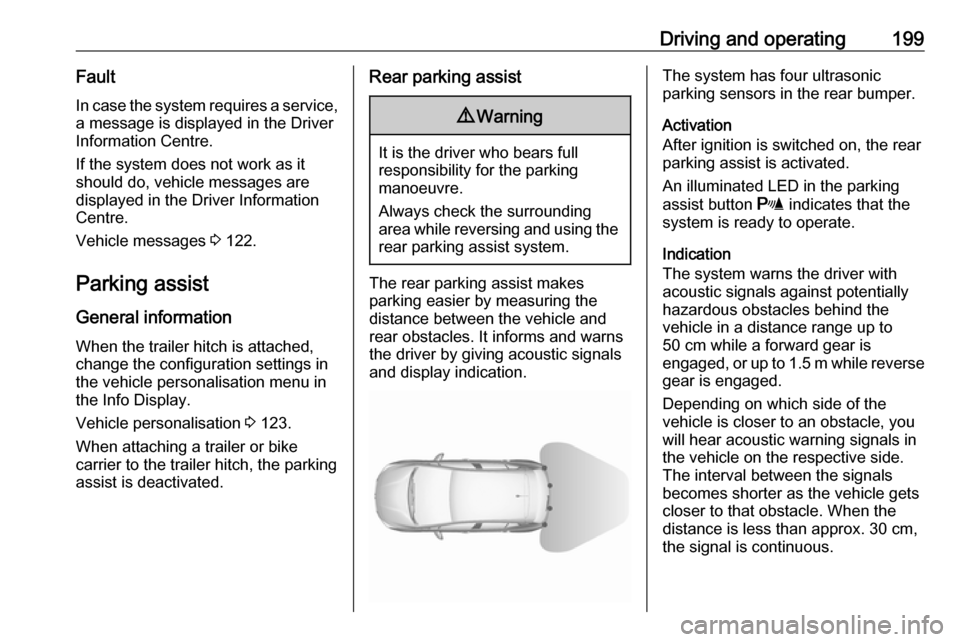
The system has four ultrasonic
parking sensors in the rear bumper.
Activation
After ignition is switched on, the rear
parking assist is activated.
An illuminated LED in the parking
assist button r indicates that the
system is ready to operate.
Indication
The system warns the driver with acoustic signals against potentially
hazardous obstacles behind the
vehicle in a distance range up to
50 cm while a forward gear is
engaged, or up to 1.5 m while reverse gear is engaged.
Depending on which side of the
vehicle is closer to an obstacle, you
will hear acoustic warning signals in the vehicle on the respective side.
The interval between the signals
becomes shorter as the vehicle gets
closer to that obstacle. When the
distance is less than approx. 30 cm,
the signal is continuous.
Page 203 of 311
Driving and operating201
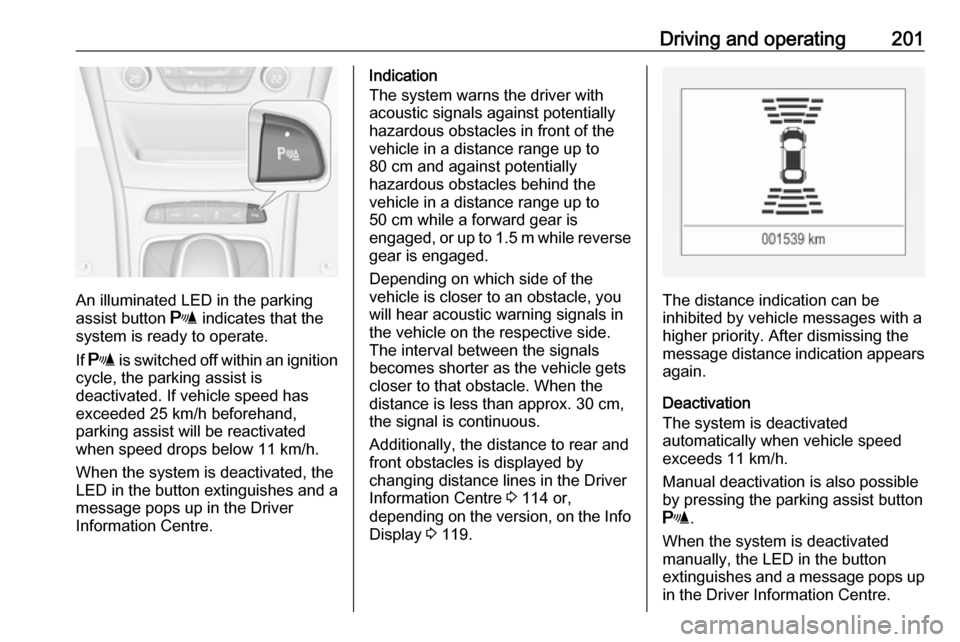
An illuminated LED in the parking
assist button r indicates that the
system is ready to operate.
If r is switched off within an ignition
cycle, the parking assist is
deactivated. If vehicle speed has exceeded 25 km/h beforehand,
parking assist will be reactivated when speed drops below 11 km/h.
When the system is deactivated, the
LED in the button extinguishes and a
message pops up in the Driver
Information Centre.
Indication
The system warns the driver with
acoustic signals against potentially
hazardous obstacles in front of the
vehicle in a distance range up to
80 cm and against potentially
hazardous obstacles behind the
vehicle in a distance range up to
50 cm while a forward gear is
engaged, or up to 1.5 m while reverse gear is engaged.
Depending on which side of the
vehicle is closer to an obstacle, you
will hear acoustic warning signals in the vehicle on the respective side.
The interval between the signals
becomes shorter as the vehicle gets
closer to that obstacle. When the
distance is less than approx. 30 cm,
the signal is continuous.
Additionally, the distance to rear and
front obstacles is displayed by
changing distance lines in the Driver
Information Centre 3 114 or,
depending on the version, on the Info Display 3 119.
The distance indication can be
inhibited by vehicle messages with a
higher priority. After dismissing the
message distance indication appears
again.
Deactivation
The system is deactivated
automatically when vehicle speed
exceeds 11 km/h.
Manual deactivation is also possible by pressing the parking assist button
r .
When the system is deactivated
manually, the LED in the button
extinguishes and a message pops up
in the Driver Information Centre.
Page 204 of 311
202Driving and operatingAfter a manual deactivation, the front-rear parking assist is activated again
if r is pressed or if reverse gear is
engaged.
The complete system can be
manually deactivated in the vehicle
personalisation menu in the
Info Display. It remains deactivated
during the ignition cycle or until
activation in personalisation menu
again.
Vehicle personalisation 3 123.
Fault
In the event of a fault or if the system
does not work temporarily, e.g.
because of high external noise level
or other interference factors, a
message pops-up in the Driver
Information Centre.
Vehicle messages 3 122.Advanced parking assist9 Warning
The driver bears full responsibility
for accepting the parking slot
suggested by the system and the
parking manoeuvre.
Always check the surrounding
area in all directions when using
the advanced parking assist.
The advanced parking assist
measures a suitable parking slot
while passing, calculates the
trajectory and automatically steers
the vehicle into a parallel or
perpendicular parking slot.
Instructions are given in the Driver
Information Centre 3 114 or,
depending on the version, on the Info Display 3 119 , supported by acoustic
signals.
The driver must control acceleration,
braking and gear shifting, while
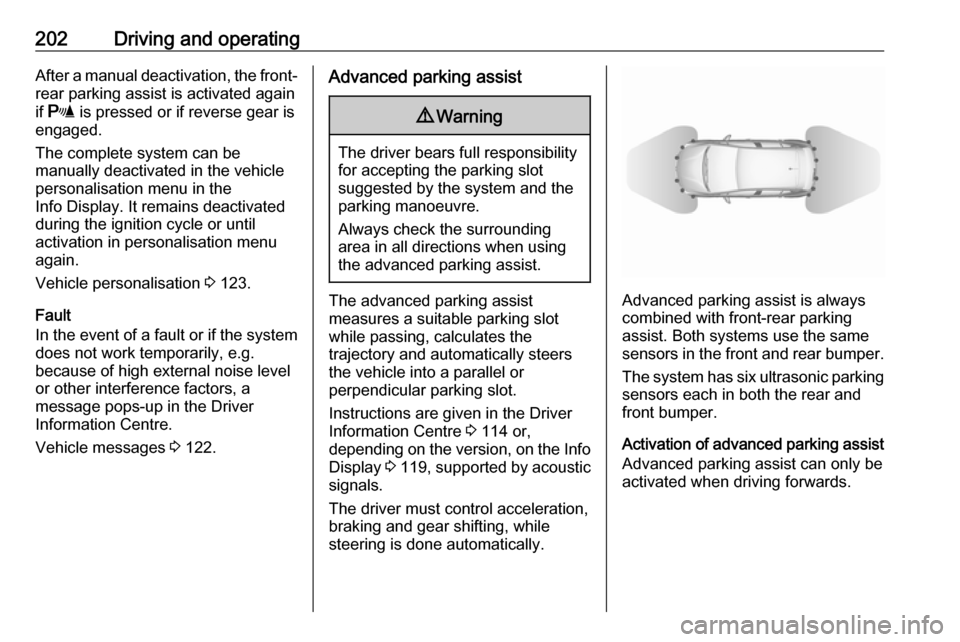
steering is done automatically.Advanced parking assist is always
combined with front-rear parking assist. Both systems use the same
sensors in the front and rear bumper.
The system has six ultrasonic parking
sensors each in both the rear and
front bumper.
Activation of advanced parking assist Advanced parking assist can only beactivated when driving forwards.