Personalisation OPEL ASTRA K 2019.5 User Guide
[x] Cancel search | Manufacturer: OPEL, Model Year: 2019.5, Model line: ASTRA K, Model: OPEL ASTRA K 2019.5Pages: 311, PDF Size: 9.52 MB
Page 92 of 311

90Instruments and controlsInstruments and
controlsControls ....................................... 91
Steering wheel adjustment ........91
Steering wheel controls .............91
Heated steering wheel ...............92
Horn ........................................... 92
Windscreen wiper and washer ..92
Rear window wiper and washer ...................................... 94
Outside temperature ..................95
Clock ......................................... 95
Power outlets ............................. 97
Ashtrays .................................... 98
Warning lights, gauges and indi‐ cators ........................................... 99
Instrument cluster ......................99
Speedometer ........................... 102
Odometer ................................ 103
Trip odometer .......................... 103
Tachometer ............................. 104
Fuel gauge .............................. 104
Fuel selector ............................ 104
Engine coolant temperature gauge ..................................... 105
Service display ........................ 106Control indicators ....................107
Turn lights ................................ 107
Seat belt reminder ...................107
Airbag and belt tensioners .......108
Airbag deactivation ..................108
Charging system .....................109
Malfunction indicator light ........109
Brake and clutch system .........109
Electric parking brake ..............109
Electric parking brake fault ......109
Antilock brake system (ABS) ...110
Gear shifting ............................ 110
Following distance ...................110
Lane keep assist .....................110
Electronic Stability Control off . 110
Electronic Stability Control and Traction Control system .........110
Traction Control system off .....111
Preheating ............................... 111
AdBlue ..................................... 111
Tyre pressure monitoring system .................................... 111
Engine oil pressure ..................111
Low fuel ................................... 112
Immobiliser .............................. 112
Exterior light ............................ 112
High beam ............................... 112
High beam assist .....................112
LED headlights ........................ 112
Front fog lights ......................... 112Rear fog light........................... 112
Cruise control .......................... 112
Adaptive cruise control ............113
Vehicle detected ahead ...........113
Speed limiter ........................... 113
Traffic sign assistant ................113
Door open ................................ 113
Displays ..................................... 114
Driver Information Centre ........114
Info Display .............................. 119
Vehicle messages ......................122
Warning chimes .......................122
Battery voltage ........................ 123
Vehicle personalisation ..............123
Telematics service .....................130
OnStar ..................................... 130
Page 96 of 311
94Instruments and controls
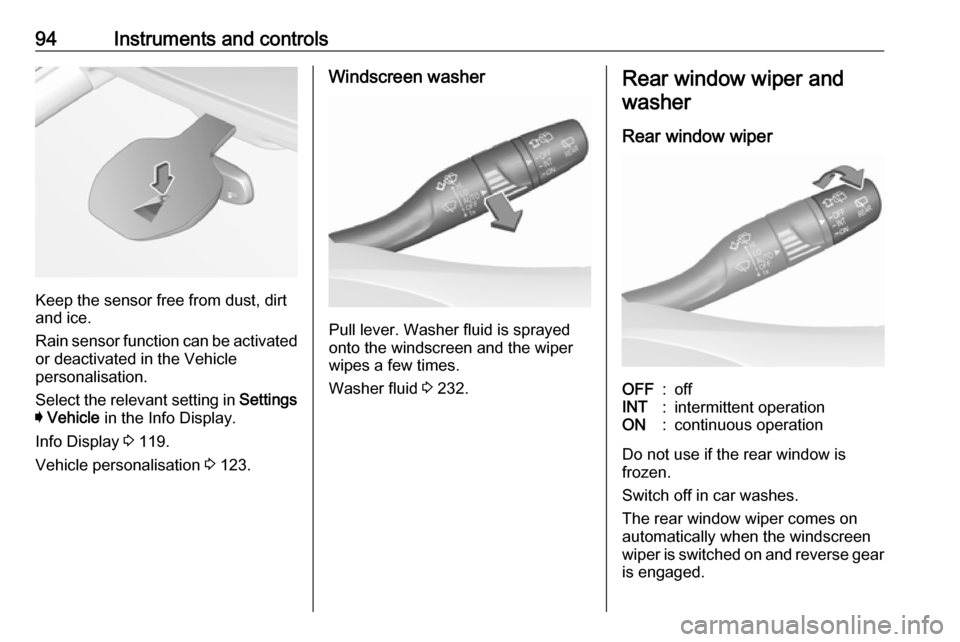
Keep the sensor free from dust, dirt
and ice.
Rain sensor function can be activated or deactivated in the Vehicle
personalisation.
Select the relevant setting in Settings
I Vehicle in the Info Display.
Info Display 3 119.
Vehicle personalisation 3 123.
Windscreen washer
Pull lever. Washer fluid is sprayed
onto the windscreen and the wiper
wipes a few times.
Washer fluid 3 232.
Rear window wiper and
washer
Rear window wiperOFF:offINT:intermittent operationON:continuous operation
Do not use if the rear window is
frozen.
Switch off in car washes.
The rear window wiper comes on
automatically when the windscreen
wiper is switched on and reverse gear
is engaged.
Page 97 of 311
Instruments and controls95Activation or deactivation of this
function can be changed in the menu Settings in the Info Display.
Vehicle personalisation 3 123.
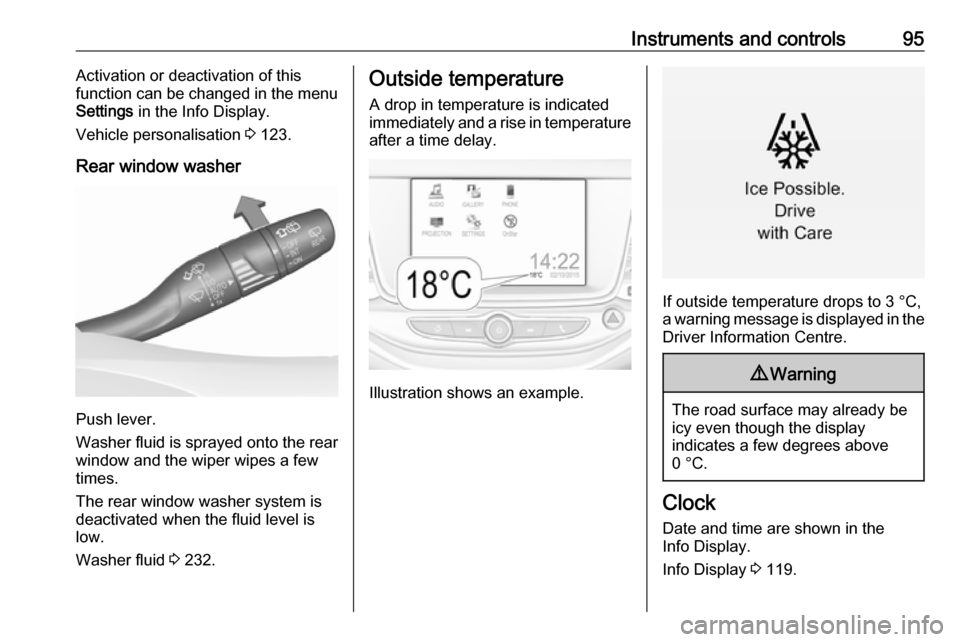
Rear window washer
Push lever.
Washer fluid is sprayed onto the rear
window and the wiper wipes a few
times.
The rear window washer system is
deactivated when the fluid level is
low.
Washer fluid 3 232.
Outside temperature
A drop in temperature is indicated
immediately and a rise in temperature
after a time delay.
Illustration shows an example.
If outside temperature drops to 3 °C,
a warning message is displayed in the Driver Information Centre.
9 Warning
The road surface may already be
icy even though the display
indicates a few degrees above
0 °C.
Clock
Date and time are shown in the
Info Display.
Info Display 3 119.
Page 122 of 311
120Instruments and controlsThe Info display can indicate:● time 3 95
● outside temperature 3 95
● date 3 95
● Infotainment system, see description in the Infotainment
manual
● rear view camera 3 208
● parking assist instructions 3 199
● navigation, see description in the
Infotainment manual
● system messages
● settings for vehicle personalisation 3 123Graphic Info Display
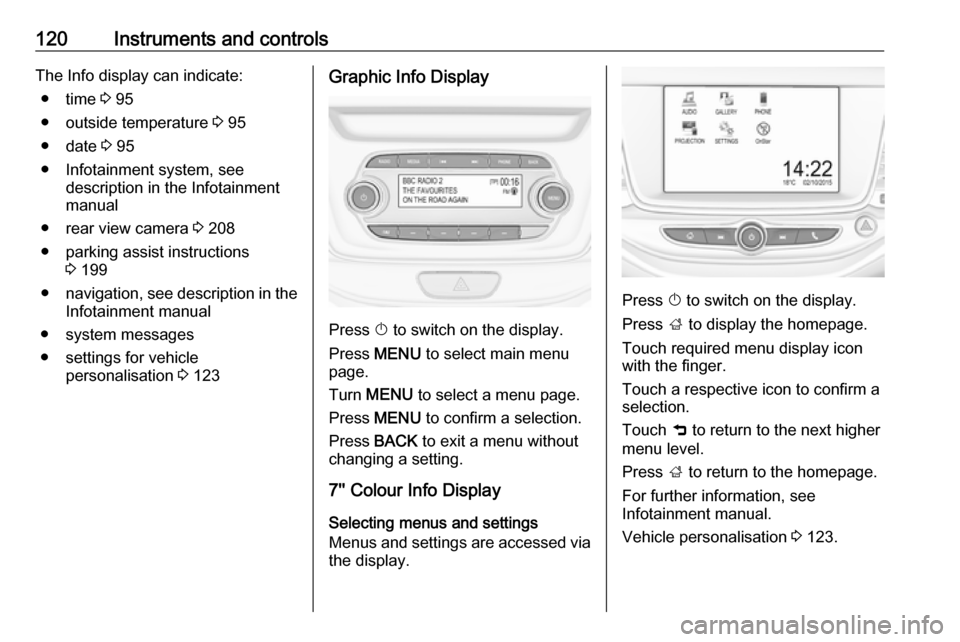
Press X to switch on the display.
Press MENU to select main menu
page.
Turn MENU to select a menu page.
Press MENU to confirm a selection.
Press BACK to exit a menu without
changing a setting.
7'' Colour Info Display
Selecting menus and settings
Menus and settings are accessed via
the display.
Press X to switch on the display.
Press ; to display the homepage.
Touch required menu display icon
with the finger.
Touch a respective icon to confirm a selection.
Touch 9 to return to the next higher
menu level.
Press ; to return to the homepage.
For further information, see
Infotainment manual.
Vehicle personalisation 3 123.
Page 123 of 311
Instruments and controls1218'' Colour Info DisplaySelecting menus and settings
There are three options to operate the
display:
● via buttons below the display
● by touching the touchscreen with
the finger
● via speech recognitionButton operation
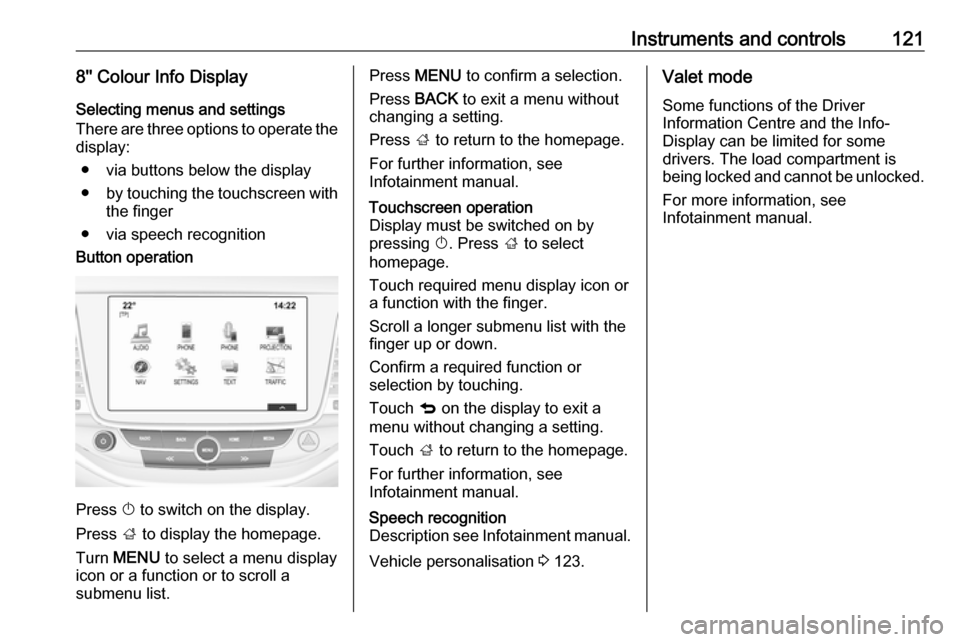
Press X to switch on the display.
Press ; to display the homepage.
Turn MENU to select a menu display
icon or a function or to scroll a
submenu list.
Press MENU to confirm a selection.
Press BACK to exit a menu without
changing a setting.
Press ; to return to the homepage.
For further information, see
Infotainment manual.Touchscreen operation
Display must be switched on by
pressing X. Press ; to select
homepage.
Touch required menu display icon or a function with the finger.
Scroll a longer submenu list with the
finger up or down.
Confirm a required function or
selection by touching.
Touch q on the display to exit a
menu without changing a setting.
Touch ; to return to the homepage.
For further information, see
Infotainment manual.Speech recognition
Description see Infotainment manual.
Vehicle personalisation 3 123.
Valet mode
Some functions of the Driver
Information Centre and the Info-
Display can be limited for some
drivers. The load compartment is
being locked and cannot be unlocked.
For more information, see
Infotainment manual.
Page 125 of 311

Instruments and controls123● If the parking assist detects anobject.
● If an unintended lane change occurs.
● If the exhaust filter has reached the maximum filling level.
● If safety function of the power tailgate detects obstacles in the
moving area.
When the vehicle is parked and /
or the driver's door is opened
● With exterior lights on.
During an Autostop ● If the driver's door is opened.
● If any condition for an Autostop is
not fulfilled.
Battery voltage
When the vehicle battery voltage is
running low, a warning message will
appear in the Driver Information
Centre.1. Switch off any electrical consumers which are not requiredfor a safe drive, e.g. seat heating,
heated rear window or other main consumers.
2. Charge the vehicle battery by driving continuously for a while or
by using a charging device.
The warning message will disappear
after the engine has been started
twice without a voltage drop.
If the vehicle battery cannot be
recharged, have the cause of the fault
remedied by a workshop.Vehicle personalisation
The vehicle's behaviour can be
personalised by changing the settings in the Info Display.
Some of the personal settings for
different drivers can be memorised
individually for each vehicle key.
Memorised settings 3 24.
Depending on vehicle equipment and
country-specific regulations some of
the functions described below may
not be available.
Some functions are only displayed or
active when the engine is running.
Personal settings Graphic Info Display
Press MENU to open the respective
menu.
Select Settings , scroll through the list
and select Vehicle Settings .
Page 126 of 311
124Instruments and controls
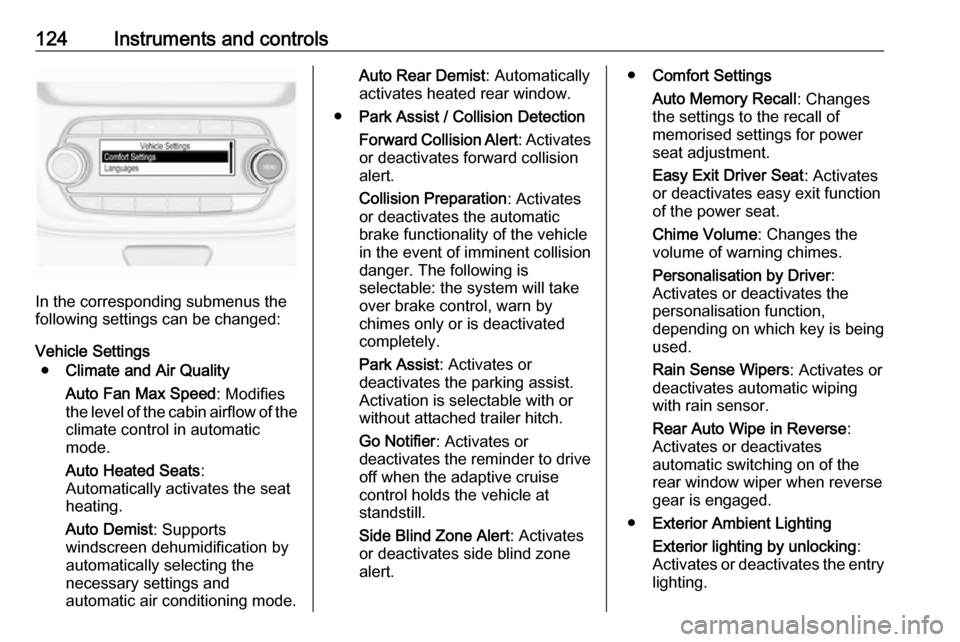
In the corresponding submenus the
following settings can be changed:
Vehicle Settings ● Climate and Air Quality
Auto Fan Max Speed : Modifies
the level of the cabin airflow of the climate control in automatic
mode.
Auto Heated Seats :
Automatically activates the seat
heating.
Auto Demist : Supports
windscreen dehumidification by
automatically selecting the
necessary settings and
automatic air conditioning mode.
Auto Rear Demist : Automatically
activates heated rear window.
● Park Assist / Collision Detection
Forward Collision Alert : Activates
or deactivates forward collision
alert.
Collision Preparation : Activates
or deactivates the automatic
brake functionality of the vehicle in the event of imminent collision
danger. The following is
selectable: the system will take
over brake control, warn by
chimes only or is deactivated
completely.
Park Assist : Activates or
deactivates the parking assist.
Activation is selectable with or
without attached trailer hitch.
Go Notifier : Activates or
deactivates the reminder to drive
off when the adaptive cruise
control holds the vehicle at
standstill.
Side Blind Zone Alert : Activates
or deactivates side blind zone
alert.● Comfort Settings
Auto Memory Recall : Changes
the settings to the recall of
memorised settings for power
seat adjustment.
Easy Exit Driver Seat : Activates
or deactivates easy exit function of the power seat.
Chime Volume : Changes the
volume of warning chimes.
Personalisation by Driver :
Activates or deactivates the
personalisation function,
depending on which key is being
used.
Rain Sense Wipers : Activates or
deactivates automatic wiping
with rain sensor.
Rear Auto Wipe in Reverse :
Activates or deactivates
automatic switching on of the
rear window wiper when reverse gear is engaged.
● Exterior Ambient Lighting
Exterior lighting by unlocking :
Activates or deactivates the entry
lighting.
Page 128 of 311
126Instruments and controls
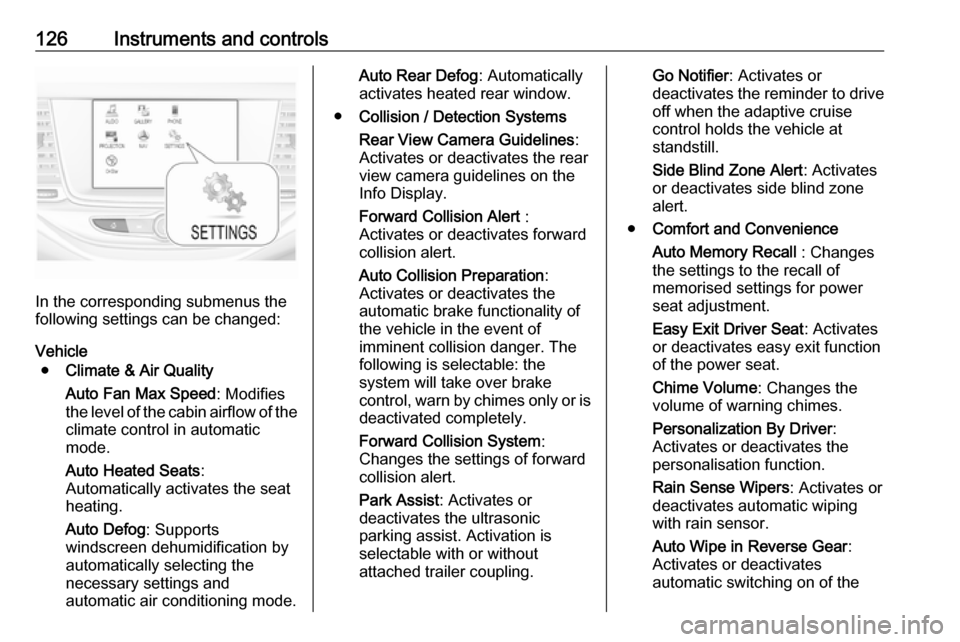
In the corresponding submenus the
following settings can be changed:
Vehicle ● Climate & Air Quality
Auto Fan Max Speed : Modifies
the level of the cabin airflow of the climate control in automatic
mode.
Auto Heated Seats :
Automatically activates the seat
heating.
Auto Defog : Supports
windscreen dehumidification by
automatically selecting the
necessary settings and
automatic air conditioning mode.
Auto Rear Defog : Automatically
activates heated rear window.
● Collision / Detection Systems
Rear View Camera Guidelines :
Activates or deactivates the rear
view camera guidelines on the
Info Display.
Forward Collision Alert :
Activates or deactivates forward
collision alert.
Auto Collision Preparation :
Activates or deactivates the
automatic brake functionality of
the vehicle in the event of
imminent collision danger. The
following is selectable: the
system will take over brake
control, warn by chimes only or is
deactivated completely.
Forward Collision System :
Changes the settings of forward
collision alert.
Park Assist : Activates or
deactivates the ultrasonic
parking assist. Activation is
selectable with or without
attached trailer coupling.Go Notifier : Activates or
deactivates the reminder to drive
off when the adaptive cruise
control holds the vehicle at
standstill.
Side Blind Zone Alert : Activates
or deactivates side blind zone alert.
● Comfort and Convenience
Auto Memory Recall : Changes
the settings to the recall of
memorised settings for power
seat adjustment.
Easy Exit Driver Seat : Activates
or deactivates easy exit function
of the power seat.
Chime Volume : Changes the
volume of warning chimes.
Personalization By Driver :
Activates or deactivates the
personalisation function.
Rain Sense Wipers : Activates or
deactivates automatic wiping
with rain sensor.
Auto Wipe in Reverse Gear :
Activates or deactivates
automatic switching on of the
Page 130 of 311
128Instruments and controls
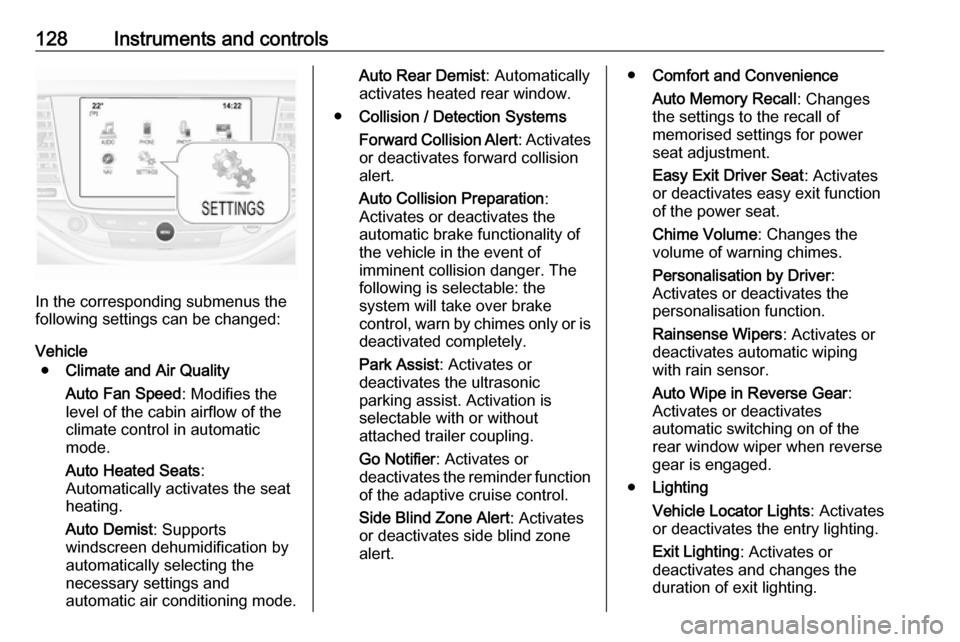
In the corresponding submenus the
following settings can be changed:
Vehicle ● Climate and Air Quality
Auto Fan Speed : Modifies the
level of the cabin airflow of the
climate control in automatic
mode.
Auto Heated Seats :
Automatically activates the seat
heating.
Auto Demist : Supports
windscreen dehumidification by
automatically selecting the
necessary settings and
automatic air conditioning mode.
Auto Rear Demist : Automatically
activates heated rear window.
● Collision / Detection Systems
Forward Collision Alert : Activates
or deactivates forward collision
alert.
Auto Collision Preparation :
Activates or deactivates the
automatic brake functionality of
the vehicle in the event of
imminent collision danger. The
following is selectable: the
system will take over brake
control, warn by chimes only or is
deactivated completely.
Park Assist : Activates or
deactivates the ultrasonic
parking assist. Activation is
selectable with or without
attached trailer coupling.
Go Notifier : Activates or
deactivates the reminder function
of the adaptive cruise control.
Side Blind Zone Alert : Activates
or deactivates side blind zone alert.● Comfort and Convenience
Auto Memory Recall : Changes
the settings to the recall of
memorised settings for power
seat adjustment.
Easy Exit Driver Seat : Activates
or deactivates easy exit function of the power seat.
Chime Volume : Changes the
volume of warning chimes.
Personalisation by Driver :
Activates or deactivates the
personalisation function.
Rainsense Wipers : Activates or
deactivates automatic wiping with rain sensor.
Auto Wipe in Reverse Gear :
Activates or deactivates automatic switching on of the
rear window wiper when reverse
gear is engaged.
● Lighting
Vehicle Locator Lights : Activates
or deactivates the entry lighting.
Exit Lighting : Activates or
deactivates and changes the
duration of exit lighting.
Page 141 of 311

Lighting1390:front seats occupied1:all seats occupied2:all seats occupied and load
compartment laden3:driver's seat occupied and load
compartment laden
Headlights when driving
abroad
The asymmetrical headlight beam
extends visibility at the edge of the
road at the passenger side.
However, when driving in countries
where traffic drives on the opposite
side of the road, adjust the headlights to prevent dazzling of oncoming
traffic.
Vehicles with halogen headlight
system
The headlights do not have to be adjusted.
Vehicles with LED headlightHeadlights can be set for driving on
the opposite side of the road in the
vehicle personalisation menu via the
Info Display.
Select the relevant setting in Settings
I Vehicle .
Info Display 3 119.
Vehicle personalisation 3 123.
Every time the ignition is switched on,
f flashes for approx. 4 seconds as a
reminder.
To deactivate, use the same
procedure as described above. f will
not flash when function is
deactivated.
Control indicator f 3 112.
Daytime running lights Daytime running lights increases
visibility of the vehicle during daylight.
They are switched on automatically
during daytime when engine is
running.
The system switches between
daytime running lights and headlights
automatically, depending on the
lighting conditions.
Automatic light control 3 136.LED headlights
LED headlight system contains a
variety of particular LEDs in each
headlight which enables the control of different lighting programmes.
Light distribution and intensity of light
are variably triggered depending on
the lighting conditions, road type and
driving situation. The vehicle adapts
the headlights automatically to the
situation to enable optimal light
performance for the driver.
Some functions of the LED headlights
can be deactivated or activated in the vehicle personalisation menu. Select
the relevant setting in Settings I
Vehicle in the Info Display.
Vehicle personalisation 3 123.
The following lighting functions are
available with light switch in position
AUTO or 9.