Personalisation OPEL ASTRA K 2019.5 Owner's Guide
[x] Cancel search | Manufacturer: OPEL, Model Year: 2019.5, Model line: ASTRA K, Model: OPEL ASTRA K 2019.5Pages: 311, PDF Size: 9.52 MB
Page 209 of 311
Driving and operating2079Warning
Side blind spot alert does not
replace driver vision.
The system does not detect:
● vehicles outside the side blind zones which may be rapidly
approaching
● pedestrians, cyclists or animals
Before changing a lane, always
check all mirrors, look over the
shoulder and use the turn lights.
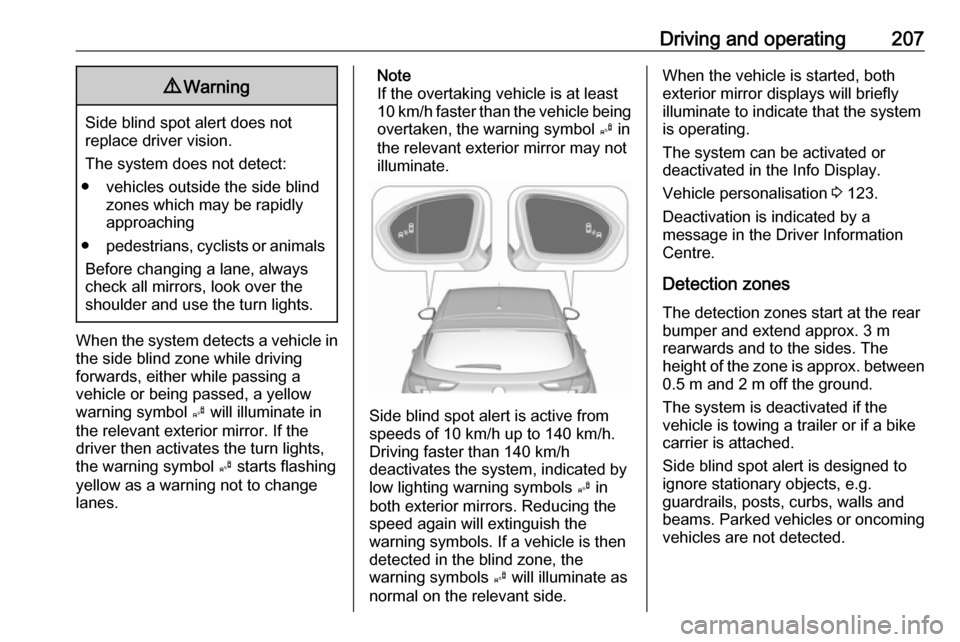
When the system detects a vehicle in the side blind zone while driving
forwards, either while passing a
vehicle or being passed, a yellow
warning symbol B will illuminate in
the relevant exterior mirror. If the
driver then activates the turn lights,
the warning symbol B starts flashing
yellow as a warning not to change
lanes.
Note
If the overtaking vehicle is at least
10 km/h faster than the vehicle being
overtaken, the warning symbol B in
the relevant exterior mirror may not
illuminate.
Side blind spot alert is active from
speeds of 10 km/h up to 140 km/h.
Driving faster than 140 km/h
deactivates the system, indicated by
low lighting warning symbols B in
both exterior mirrors. Reducing the speed again will extinguish the
warning symbols. If a vehicle is then
detected in the blind zone, the
warning symbols B will illuminate as
normal on the relevant side.
When the vehicle is started, both exterior mirror displays will briefly
illuminate to indicate that the system
is operating.
The system can be activated or
deactivated in the Info Display.
Vehicle personalisation 3 123.
Deactivation is indicated by a
message in the Driver Information
Centre.
Detection zones
The detection zones start at the rear bumper and extend approx. 3 m
rearwards and to the sides. The
height of the zone is approx. between 0.5 m and 2 m off the ground.
The system is deactivated if the
vehicle is towing a trailer or if a bike
carrier is attached.
Side blind spot alert is designed to
ignore stationary objects, e.g.
guardrails, posts, curbs, walls and
beams. Parked vehicles or oncoming
vehicles are not detected.
Page 212 of 311
210Driving and operatingchanged in the Settings menu in the
Info Display. Select the relevant
setting in Settings I Rear Camera .
Info Display 3 119.
Vehicle personalisation 3 123.
System limitations The rear view camera may not
operate properly when:
● The surrounding is dark.
● The sun or the beam of headlights is shining directly into
the camera lenses.
● During nighttime driving.
● Weather limits visibility, such as fog, rain, or snow.
● The camera lenses are blocked by snow, ice, slush, mud, dirt.
Clean the lense, rinse with water,
and wipe with a soft cloth.
● The vehicle is towing a trailer.
● The vehicle had a rear end accident.
● There are extreme temperature changes.Fault messages are displayed with a
9 on the top line of the Info Display.
Traffic sign assistant
Functionality
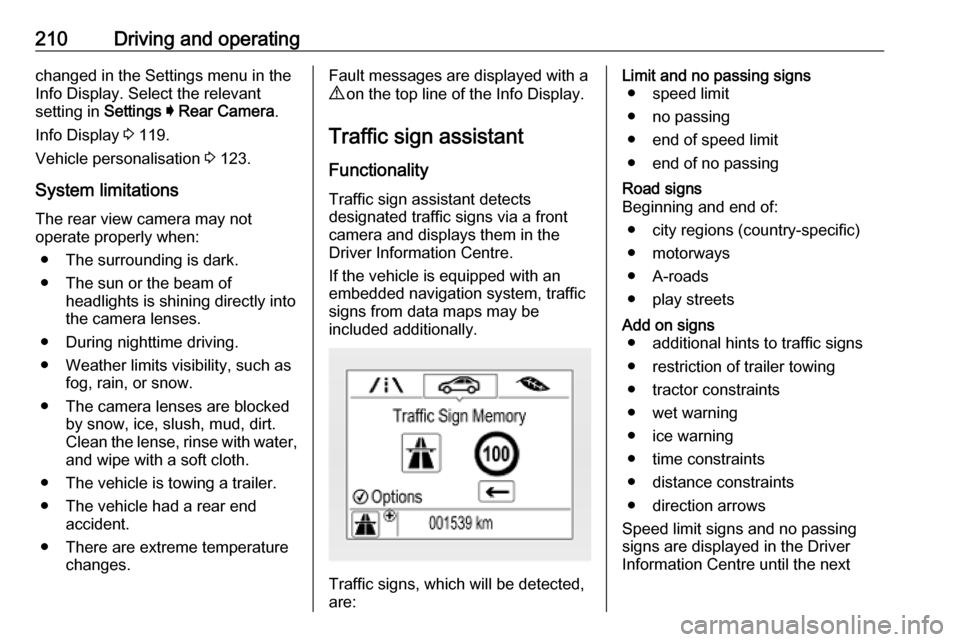
Traffic sign assistant detects
designated traffic signs via a front
camera and displays them in the
Driver Information Centre.
If the vehicle is equipped with an
embedded navigation system, traffic
signs from data maps may be
included additionally.
Traffic signs, which will be detected,
are:
Limit and no passing signs ● speed limit
● no passing
● end of speed limit
● end of no passingRoad signs
Beginning and end of:
● city regions (country-specific)● motorways
● A-roads
● play streetsAdd on signs ● additional hints to traffic signs
● restriction of trailer towing
● tractor constraints
● wet warning
● ice warning
● time constraints
● distance constraints
● direction arrows
Speed limit signs and no passing
signs are displayed in the Driver
Information Centre until the next
Page 310 of 311

308Tyre pressure monitoringsystem ............................. 111, 255
Tyre pressures ........................... 290
Tyre repair kit ............................. 261
U Ultrasonic parking assist............. 199
Upholstery .................................. 275
Uplevel display ........................... 114
USB port ....................................... 97
Using this manual ..........................3
V Valet mode ................................. 119
Vehicle battery ........................... 233
Vehicle checks............................ 229
Vehicle data ................................ 282
Vehicle data recording and privacy ..................................... 300
Vehicle detected ahead ..............113
Vehicle dimensions .................... 288
Vehicle identification number ....280
Vehicle jack ................................ 252
Vehicle messages .....................122
Vehicle personalisation .............123
Vehicle security ............................ 36
Vehicle specific data ......................3
Vehicle storage ........................... 228
Vehicle tools ............................... 252
Vehicle unlocking ........................... 6Ventilating ..................................... 54
Ventilation ................................... 147
W
Warning chimes .........................122
Warning lights ............................. 102
Warning triangle .......................... 86
Washer and wiper systems .........14
Washer fluid ............................... 232
Wheel changing .........................264
Wheel covers ............................. 260
Wheels and tyres .......................253
Windows ....................................... 41
Windscreen................................... 41
Windscreen wiper and washer ....92
Winter tyres ............................... 253
Wiper blade replacement ..........234