steering OPEL ASTRA SALOON 2014 User Guide
[x] Cancel search | Manufacturer: OPEL, Model Year: 2014, Model line: ASTRA SALOON, Model: OPEL ASTRA SALOON 2014Pages: 245, PDF Size: 7.12 MB
Page 60 of 245
58Seats, restraintsFront airbag system
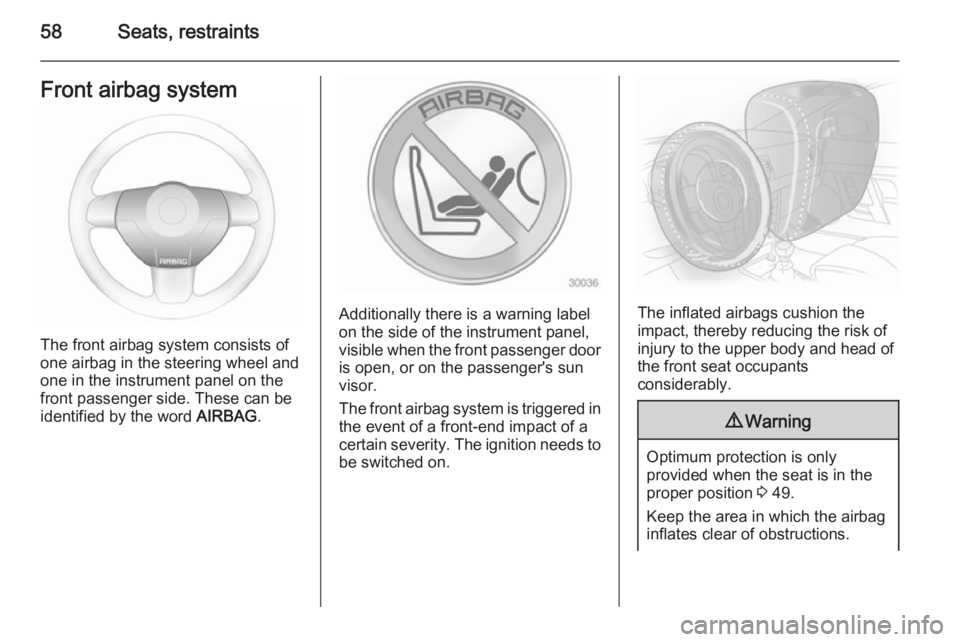
The front airbag system consists of
one airbag in the steering wheel and
one in the instrument panel on the
front passenger side. These can be
identified by the word AIRBAG.
Additionally there is a warning label
on the side of the instrument panel,
visible when the front passenger door
is open, or on the passenger's sun
visor.
The front airbag system is triggered in
the event of a front-end impact of a
certain severity. The ignition needs to be switched on.The inflated airbags cushion the
impact, thereby reducing the risk of
injury to the upper body and head of
the front seat occupants
considerably.
9 Warning
Optimum protection is only
provided when the seat is in the
proper position 3 49.
Keep the area in which the airbag
inflates clear of obstructions.
Page 88 of 245
86Instruments and controlsInstruments and
controlsControls ....................................... 86
Warning lights, gauges and indi‐
cators ........................................... 93
Information displays ...................102
Vehicle messages ...................... 109
Trip computer ............................. 112Controls
Steering wheel adjustment
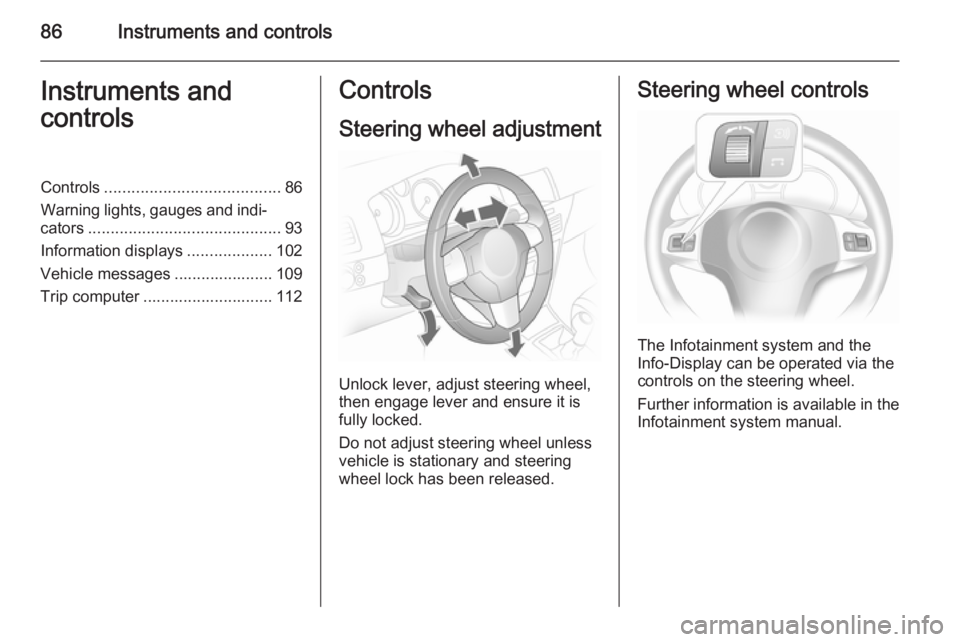
Unlock lever, adjust steering wheel,
then engage lever and ensure it is fully locked.
Do not adjust steering wheel unless
vehicle is stationary and steering
wheel lock has been released.
Steering wheel controls
The Infotainment system and the
Info-Display can be operated via the
controls on the steering wheel.
Further information is available in the
Infotainment system manual.
Page 102 of 245
100Instruments and controls
Control indicator illuminatesyellow
Fault in system or tyre without
pressure sensor mounted (e.g. spare
wheel). Consult a workshop.
Flashes Flashes three times to indicatesystem initialisation.
Deflation detection system 3 191,
tyre pressure monitoring system 3 191.
Interactive driving system,
continuous damping
control, sport mode
IDS+ illuminates yellow.
Illuminates when the ignition is
switched on and goes out shortly after the engine starts. Illumination whilst
driving indicates a fault in the system.
Have the cause of the fault remedied
by a workshop.
IDS Plus
3 148, CDC 3 149, Sport
mode 3 148.Engine oil pressure
I illuminates red.
Illuminates when the ignition is
switched on and goes out shortly after
the engine starts.
Illuminates when the engine isrunningCaution
Engine lubrication may be
interrupted. This may result in
damage to the engine and/or
locking of the drive wheels.
1. Depress clutch.
2. Select neutral gear, set selector lever to N.
3. Move out of the flow of traffic as quickly as possible without
impeding other vehicles.
4. Switch off ignition.
9 Warning
When the engine is off,
considerably more force is needed
to brake and steer.
Do not remove key until vehicle is stationary, otherwise the steeringwheel lock could engage
unexpectedly.
Check oil level before seeking the
assistance of a workshop 3 161.
Low engine oil level
S illuminates yellow.
Engine oil level is checked
automatically.
Illuminates when the engine isrunning
Low engine oil level. Check engine oil
level and top up as necessary
3 161.
Low fuel Y illuminates or flashes yellow.
Page 103 of 245
Instruments and controls101
IlluminatesLevel in fuel tank too low.
Flashes
Fuel used up. Refuel immediately.
Never run the tank dry.
Catalytic converter 3 136.
Bleeding the diesel fuel system
3 165.
Open&Start system
0 illuminates or flashes yellow.
Flashes The electronic key is no more withinthe reception range of the vehicle interior. The engine cannot be
started. Hold the Start/Stop button
depressed a bit longer to switch off
the ignition.
or
Failure of the electronic key.
Operation is yet only possible via
emergency operation.Illuminates
Fault in system. Try to operate with
the spare key, the remote control or
through emergency operation. Hold
the Start/Stop button depressed a bit
longer to switch off the ignition. Seek
the assistance of a workshop.
or
The steering wheel lock is still
engaged. Move the steering wheel
slightly and press the Start/Stop
button.
Open&Start System 3 22.
Apply footbrake
j illuminates yellow.
The engine with manual transmission automated can only be started if the
foot brake is depressed. If the foot
brake is not depressed, the control
indicator illuminates 3 142.
Exterior light 8 illuminates green.
Illuminates when the exterior lights
are on 3 117.High beam
C illuminates blue.
Illuminates when high beam is on and during headlamp flash 3 118.
Adaptive forward lighting
B illuminates or flashes yellow.
Illuminates Fault in system.
If the swivelling device for curve
lighting fails, the corresponding low
beam lamp is deactivated and the fog lamp is switched on.
Seek the assistance of a workshop.
Flashes
Fault in system. Consult a workshop
immediately.
Control indicator B flashes for
approx. 4 seconds after the ignition is switched on as a reminder that the
system has been switched 3 118.
Adaptive Forward Lighting (AFL) 3 119.
Page 105 of 245
Instruments and controls103
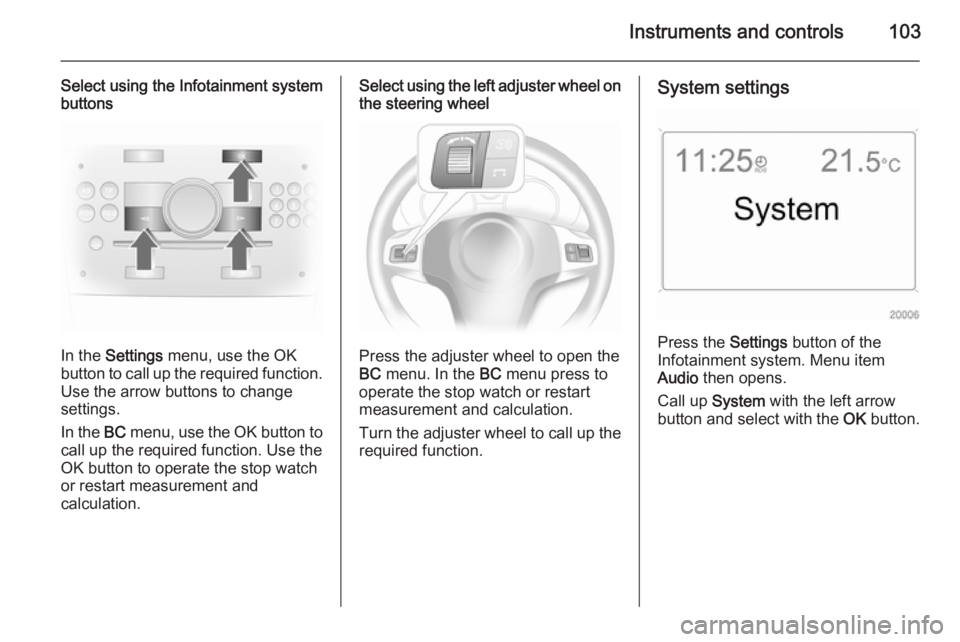
Select using the Infotainment system
buttons
In the Settings menu, use the OK
button to call up the required function.
Use the arrow buttons to change
settings.
In the BC menu, use the OK button to
call up the required function. Use the
OK button to operate the stop watch
or restart measurement and
calculation.
Select using the left adjuster wheel on the steering wheel
Press the adjuster wheel to open the
BC menu. In the BC menu press to
operate the stop watch or restart
measurement and calculation.
Turn the adjuster wheel to call up the required function.
System settings
Press the Settings button of the
Infotainment system. Menu item
Audio then opens.
Call up System with the left arrow
button and select with the OK button.
Page 107 of 245
Instruments and controls105
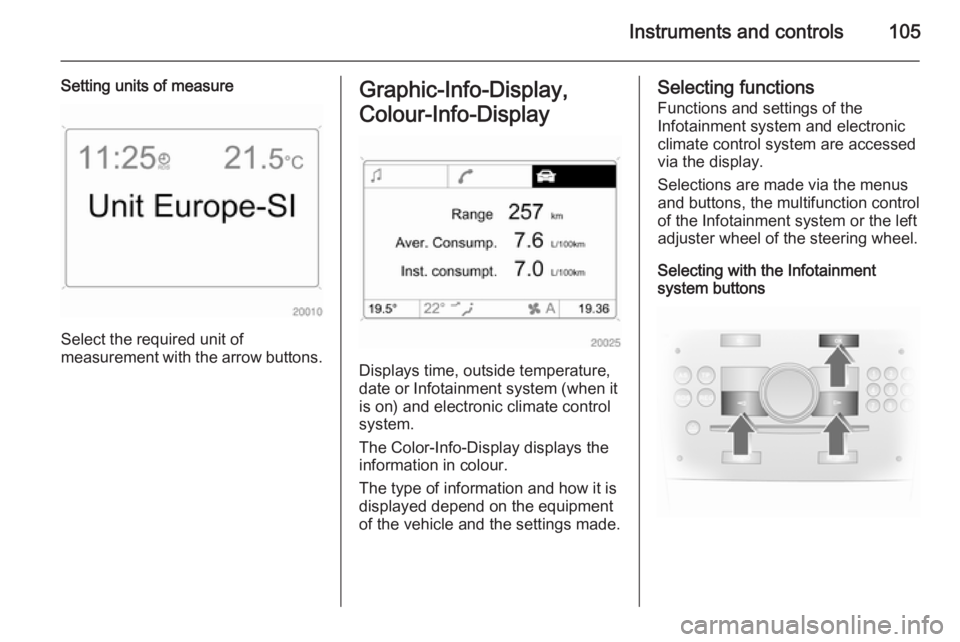
Setting units of measure
Select the required unit of
measurement with the arrow buttons.
Graphic-Info-Display,
Colour-Info-Display
Displays time, outside temperature,
date or Infotainment system (when it
is on) and electronic climate control
system.
The Color-Info-Display displays the
information in colour.
The type of information and how it is
displayed depend on the equipment
of the vehicle and the settings made.
Selecting functions
Functions and settings of the
Infotainment system and electronic
climate control system are accessed via the display.
Selections are made via the menus
and buttons, the multifunction control
of the Infotainment system or the left
adjuster wheel of the steering wheel.
Selecting with the Infotainment
system buttons
Page 108 of 245
106Instruments and controls
Select menu items via the menus and
using the Infotainment system
buttons. The OK button is used to
select the highlighted item or confirm
a command.
To exit a menu, press the right or left
arrow button until Return or Main
appear and select.
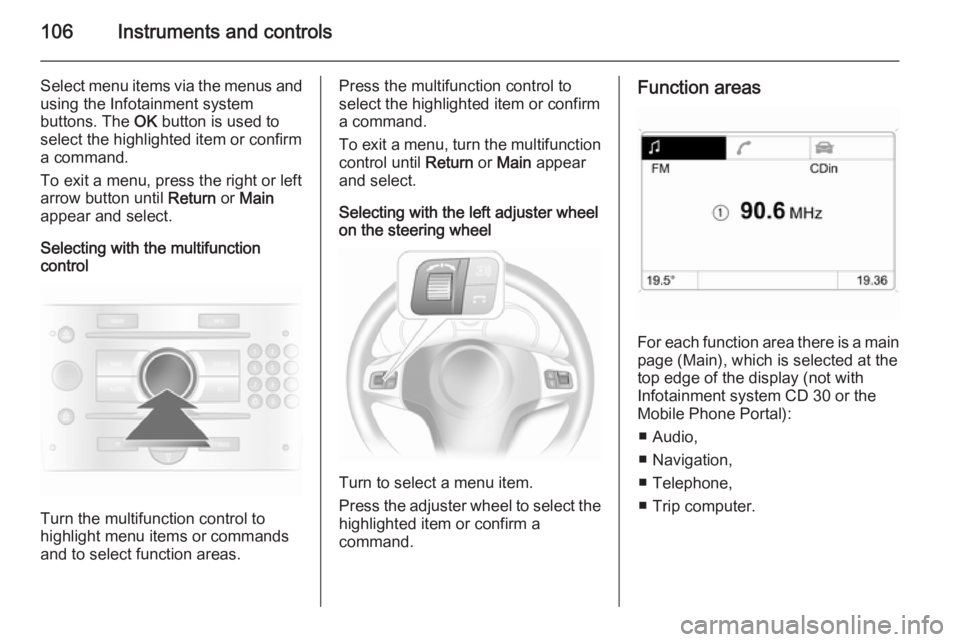
Selecting with the multifunction
control
Turn the multifunction control to
highlight menu items or commands
and to select function areas.
Press the multifunction control to
select the highlighted item or confirm
a command.
To exit a menu, turn the multifunction control until Return or Main appear
and select.
Selecting with the left adjuster wheel
on the steering wheel
Turn to select a menu item.
Press the adjuster wheel to select the
highlighted item or confirm a
command.
Function areas
For each function area there is a main
page (Main), which is selected at the
top edge of the display (not with
Infotainment system CD 30 or the
Mobile Phone Portal):
■ Audio,
■ Navigation,
■ Telephone,
■ Trip computer.
Page 114 of 245
112Instruments and controlsTrip computerTrip computer in Board-
Info-Display
Access the data by pressing the BC
button on the Infotainment system or
the left adjuster wheel on the steering wheel.
Some information appears in the
display in an abbreviated form.
Once an audio function has been
selected, the lower row of the trip computer function is displayed
furthermore.Instantaneous consumption
Displays the instantaneous
consumption. At low speeds,
consumption per hour is displayed.
Average consumption
Displays average consumption. The
measurement can be reset at any
time.
Absolute consumption
Displays fuel consumed. The
measurement can be reset at any
time.
Average speed
Displays average speed. The
measurement can be reset at any
time.
Stoppages in the journey with the
ignition off are not included in the
calculations.
Distance
Displays distance travelled. The
measurement can be reset at any
time.
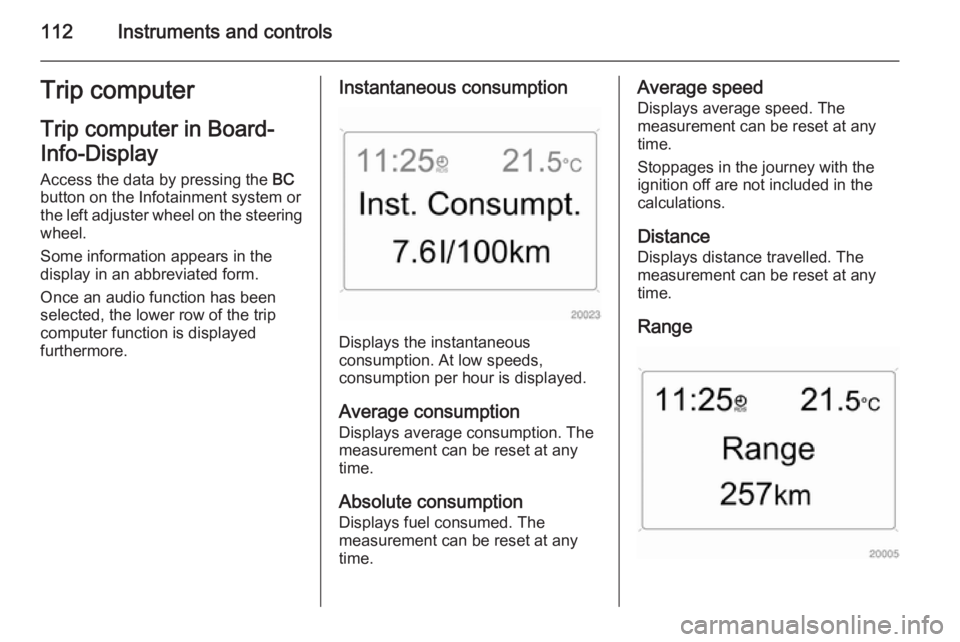
Range
Page 115 of 245

Instruments and controls113
Range is calculated from current fuel
tank content and current
consumption. The display shows
average values.
After refuelling, the range updates
automatically after a brief delay.
When the fuel level in the tank is low,
the message Range appears in the
display.
When the fuel tank is nearly empty,
the message Refuel! appears in the
display.
Stop watchSelect the function. Press the OK
button or the left adjuster wheel on the
steering wheel to start or stop the stop watch.
Restart trip computer
The measurement or calculation of
the following trip computer
information can be restarted:
■ Average consumption,
■ Absolute consumption,
■ Average speed,
■ Distance,
■ Stop watch.
Select the desired trip computer
information 3 102. To restart, press
the OK button or the left adjuster
wheel on the steering wheel for
approx. 2 seconds.Trip computer in Graphic-
Info-Display or Colour-
Info-Display
The main page of the trip computer
provides information on range,
current consumption and average
consumption of BC 1.
To display other trip computer data,
press the BC button on the
infotainment system, select the trip
computer menu from the display or
press the left adjuster wheel on the
steering wheel.
Select BC 1 or BC 2 from the trip
computer menu.
Page 121 of 245
Lighting119
However, when driving in countries
where traffic drives on the opposite
side of the road, adjust the headlights to prevent dazzling of oncoming
traffic.
Vehicles with halogen headlight
system
Have the headlights adjusted by a
workshop.
Vehicles with adaptive forward
lighting
Adapting the aim of the headlight
beam:
1. Pull lever and hold.
2. Switch on ignition.
3. An acoustic signal sounds after approx. 3 seconds.
Control indicator B 3 101.
Daytime running lights
With the ignition on and the light
switch set to 7 or AUTO , the sidelights
are switched on. When the engine is
running, headlights illuminate.On vehicle without automatic light
control, 9 must be switched on when
it gets dark for illumination of the
instrument panel.
The daytime running lights switch off
when the ignition is switched off.
Adaptive forward lighting
Adaptive forward lighting with Bi-
Xenon headlights improves lighting in
curves and increases headlight
range.
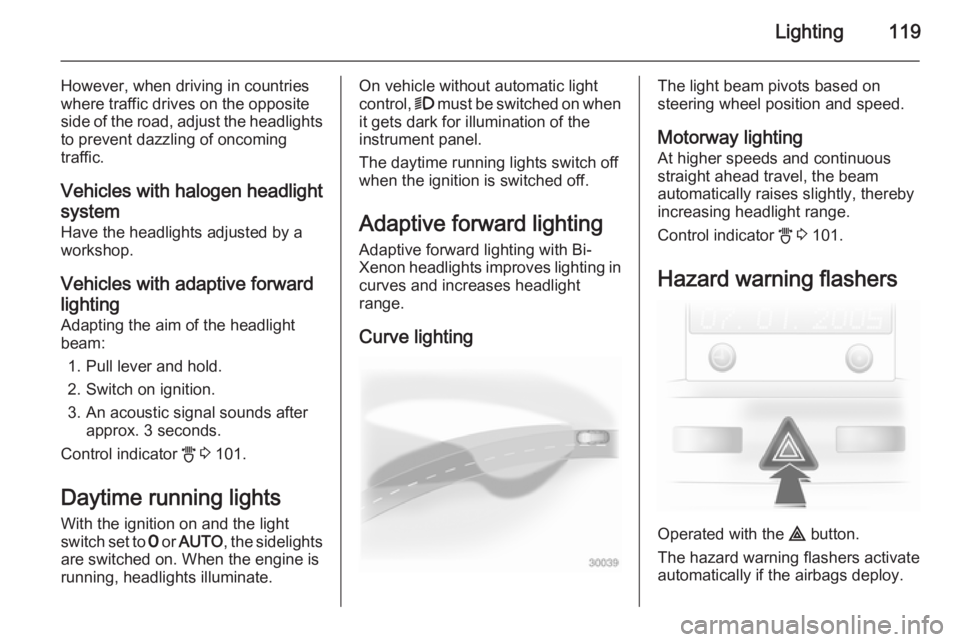
Curve lightingThe light beam pivots based on
steering wheel position and speed.
Motorway lighting
At higher speeds and continuous
straight ahead travel, the beam
automatically raises slightly, thereby
increasing headlight range.
Control indicator B 3 101.
Hazard warning flashers
Operated with the ¨ button.
The hazard warning flashers activate
automatically if the airbags deploy.