display OPEL ASTRA SALOON 2014 Owner's Manual
[x] Cancel search | Manufacturer: OPEL, Model Year: 2014, Model line: ASTRA SALOON, Model: OPEL ASTRA SALOON 2014Pages: 245, PDF Size: 7.12 MB
Page 112 of 245
110Instruments and controls
When operating the retractable
hardtop ■ Indicator buzzer upon completed opening or closing of the
convertible hardtop.
■ Indicator buzzer upon completed raising or lowering of the electricload compartment loading aid.
■ Gong tone if the tailgate is not closed during roof operation.
■ Gong tone if the tailgate is not fully open during operation of the load
compartment loading aid.
■ Gong tone during roof operation if vehicle speed exceeds 30 km/h.
■ Gong tone when vehicle speed exceeds 30 km/h if the roof is not
fully open or closed.
■ Three gong tones during roof or loading aid operation if the load
compartment blind is not attached.
■ Three gong tones during roof operation if outside temperature is
below -20 °C, vehicle battery
voltage is too low or the system is
overloaded.■ Continuous warning buzzer during roof operation if the anti-roll bars
have been triggered.
■ Continuous warning buzzer starting
one minute before the end of the
9-minute standby time with the roof
in an intermediate position or the loading aid in a raised position.
■ Persistent warning buzzer when closing the tailgate, if the lowering
process of the electric load aid is
not complete or has been
interrupted.
Battery voltage
Low battery voltage in radio remote
control or electronic key. On vehicles
without check control, the message
InSP3 appears in the instrument
panel display. Replace the battery
3 20, 3 22.
Brake light switch
Brake light does not come on during
braking. Have the cause of the fault
remedied immediately by a
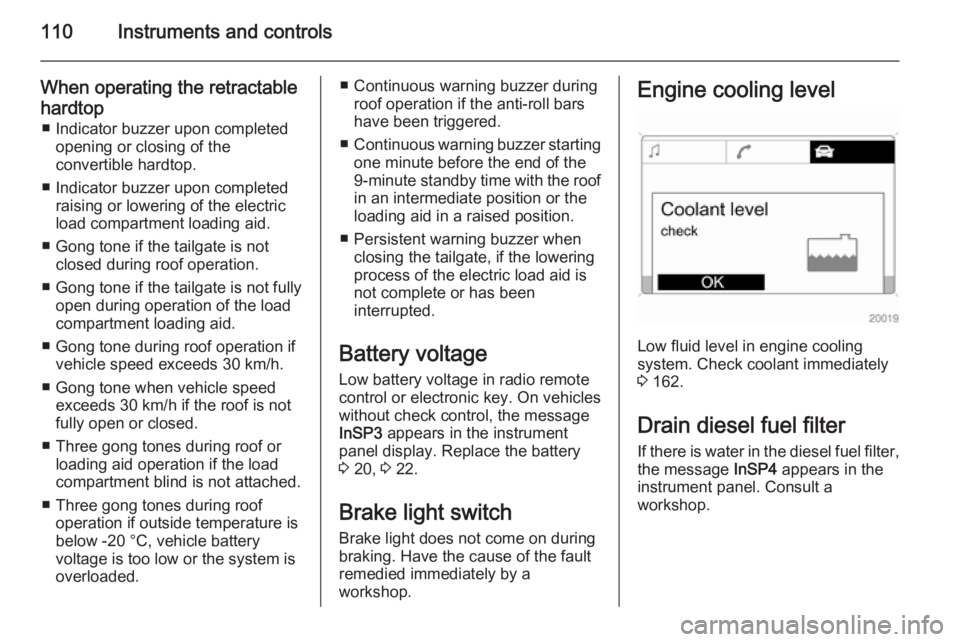
workshop.Engine cooling level
Low fluid level in engine cooling
system. Check coolant immediately
3 162.
Drain diesel fuel filter
If there is water in the diesel fuel filter, the message InSP4 appears in the
instrument panel. Consult a
workshop.
Page 113 of 245
Instruments and controls111Lighting
Important exterior lights, including
cables and fuses, are monitored. In
trailer mode, trailer lighting is also
monitored. Trailers with LED lighting
must have an adapter that enables
light monitoring as with conventional
bulbs.
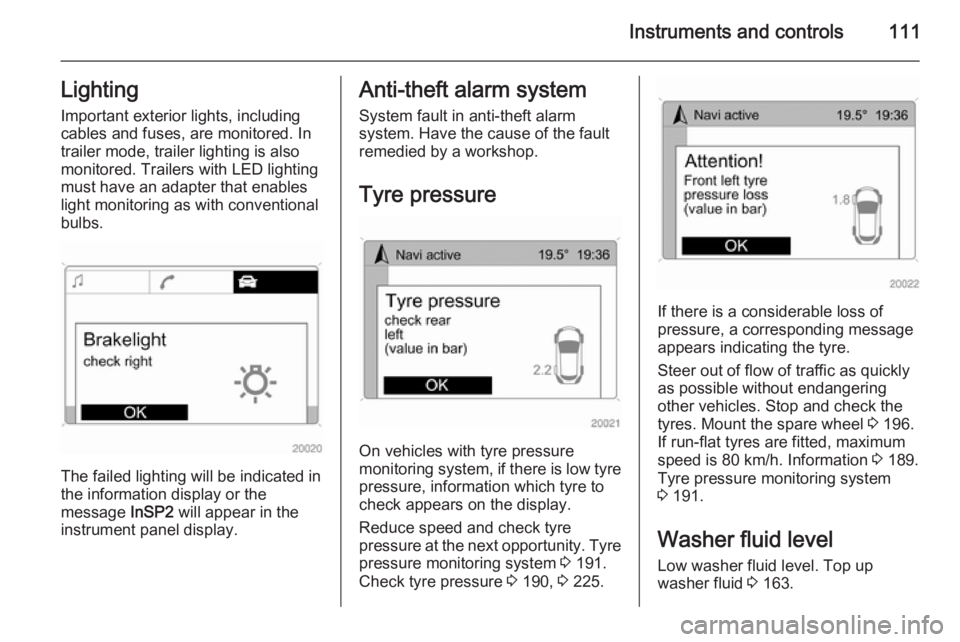
The failed lighting will be indicated in
the information display or the
message InSP2 will appear in the
instrument panel display.
Anti-theft alarm system
System fault in anti-theft alarm
system. Have the cause of the fault
remedied by a workshop.
Tyre pressure
On vehicles with tyre pressure
monitoring system, if there is low tyre pressure, information which tyre to
check appears on the display.
Reduce speed and check tyre
pressure at the next opportunity. Tyre
pressure monitoring system 3 191.
Check tyre pressure 3 190, 3 225.
If there is a considerable loss of
pressure, a corresponding message
appears indicating the tyre.
Steer out of flow of traffic as quickly as possible without endangering
other vehicles. Stop and check the
tyres. Mount the spare wheel 3 196.
If run-flat tyres are fitted, maximum
speed is 80 km/h. Information 3 189.
Tyre pressure monitoring system
3 191.
Washer fluid level
Low washer fluid level. Top up
washer fluid 3 163.
Page 114 of 245
112Instruments and controlsTrip computerTrip computer in Board-
Info-Display
Access the data by pressing the BC
button on the Infotainment system or
the left adjuster wheel on the steering wheel.
Some information appears in the
display in an abbreviated form.
Once an audio function has been
selected, the lower row of the trip computer function is displayed
furthermore.Instantaneous consumption
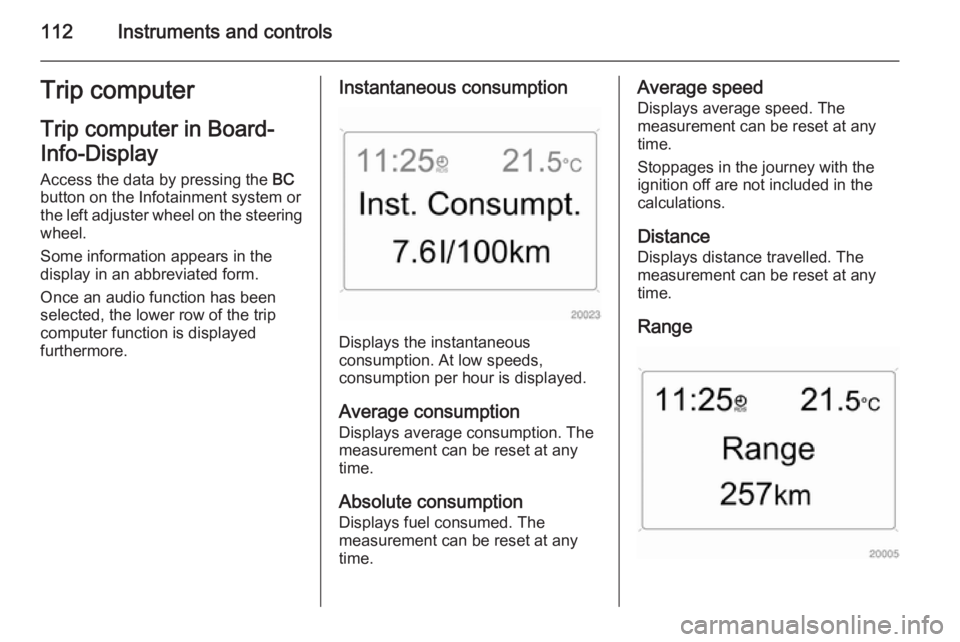
Displays the instantaneous
consumption. At low speeds,
consumption per hour is displayed.
Average consumption
Displays average consumption. The
measurement can be reset at any
time.
Absolute consumption
Displays fuel consumed. The
measurement can be reset at any
time.
Average speed
Displays average speed. The
measurement can be reset at any
time.
Stoppages in the journey with the
ignition off are not included in the
calculations.
Distance
Displays distance travelled. The
measurement can be reset at any
time.
Range
Page 115 of 245

Instruments and controls113
Range is calculated from current fuel
tank content and current
consumption. The display shows
average values.
After refuelling, the range updates
automatically after a brief delay.
When the fuel level in the tank is low,
the message Range appears in the
display.
When the fuel tank is nearly empty,
the message Refuel! appears in the
display.
Stop watchSelect the function. Press the OK
button or the left adjuster wheel on the
steering wheel to start or stop the stop watch.
Restart trip computer
The measurement or calculation of
the following trip computer
information can be restarted:
■ Average consumption,
■ Absolute consumption,
■ Average speed,
■ Distance,
■ Stop watch.
Select the desired trip computer
information 3 102. To restart, press
the OK button or the left adjuster
wheel on the steering wheel for
approx. 2 seconds.Trip computer in Graphic-
Info-Display or Colour-
Info-Display
The main page of the trip computer
provides information on range,
current consumption and average
consumption of BC 1.
To display other trip computer data,
press the BC button on the
infotainment system, select the trip
computer menu from the display or
press the left adjuster wheel on the
steering wheel.
Select BC 1 or BC 2 from the trip
computer menu.
Page 116 of 245
114Instruments and controls
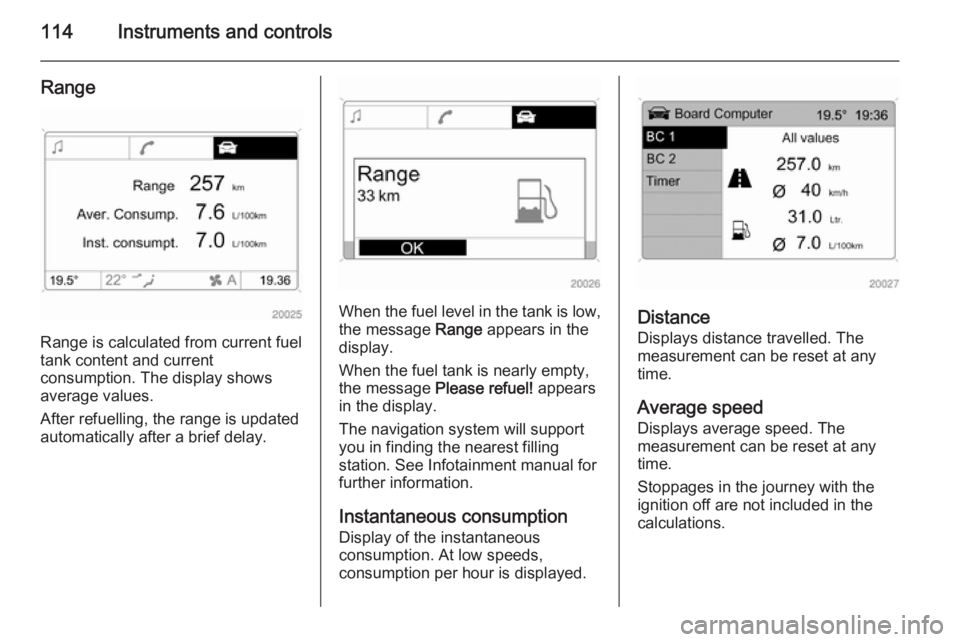
Range
Range is calculated from current fuel
tank content and current
consumption. The display shows
average values.
After refuelling, the range is updated
automatically after a brief delay.
When the fuel level in the tank is low,
the message Range appears in the
display.
When the fuel tank is nearly empty,
the message Please refuel! appears
in the display.
The navigation system will support
you in finding the nearest filling
station. See Infotainment manual for
further information.
Instantaneous consumptionDisplay of the instantaneous
consumption. At low speeds,
consumption per hour is displayed.Distance
Displays distance travelled. The
measurement can be reset at any
time.
Average speed Displays average speed. The
measurement can be reset at any
time.
Stoppages in the journey with the
ignition off are not included in the
calculations.
Page 117 of 245
Instruments and controls115
Absolute consumptionDisplays fuel consumed. The
measurement can be reset at any
time.
Average consumption Displays average consumption. The
measurement can be reset at any
time.
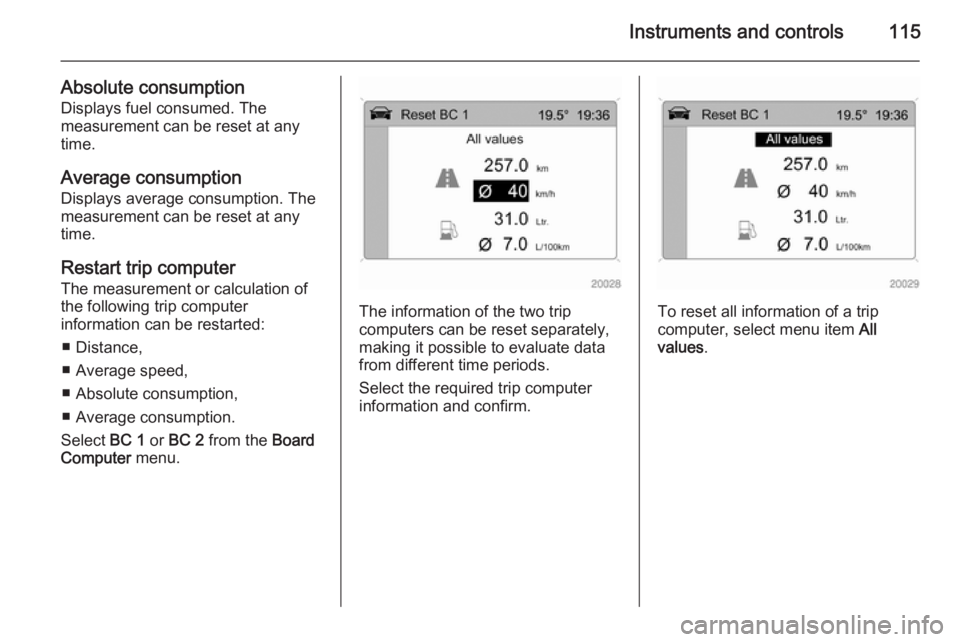
Restart trip computer
The measurement or calculation of
the following trip computer
information can be restarted:
■ Distance,
■ Average speed,
■ Absolute consumption,
■ Average consumption.
Select BC 1 or BC 2 from the Board
Computer menu.
The information of the two trip
computers can be reset separately,
making it possible to evaluate data
from different time periods.
Select the required trip computer
information and confirm.To reset all information of a trip
computer, select menu item All
values .
Page 118 of 245
116Instruments and controlsStop watch
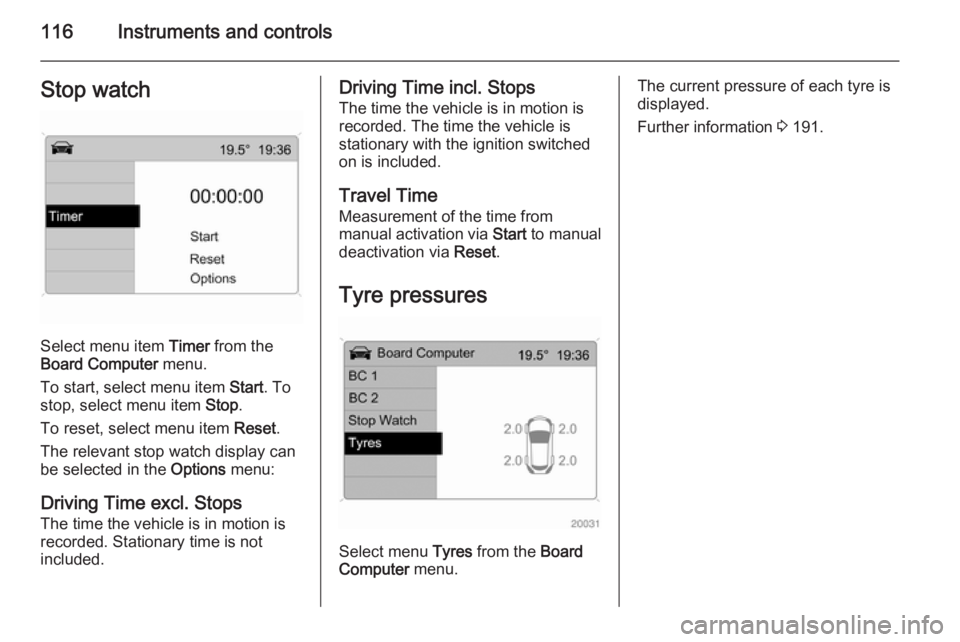
Select menu item Timer from the
Board Computer menu.
To start, select menu item Start. To
stop, select menu item Stop.
To reset, select menu item Reset.
The relevant stop watch display can
be selected in the Options menu:
Driving Time excl. Stops
The time the vehicle is in motion is
recorded. Stationary time is not
included.
Driving Time incl. Stops
The time the vehicle is in motion is
recorded. The time the vehicle is
stationary with the ignition switched
on is included.
Travel Time Measurement of the time from
manual activation via Start to manual
deactivation via Reset.
Tyre pressures
Select menu Tyres from the Board
Computer menu.
The current pressure of each tyre is
displayed.
Further information 3 191.
Page 130 of 245
128Climate control
Heated rear window Ü 3 38.
The preselected temperature is
automatically regulated. In the
automatic mode the fan speed and air distribution automatically regulate the
air flow.
The system can be manually adapted by use of air distribution and air flow
controls.
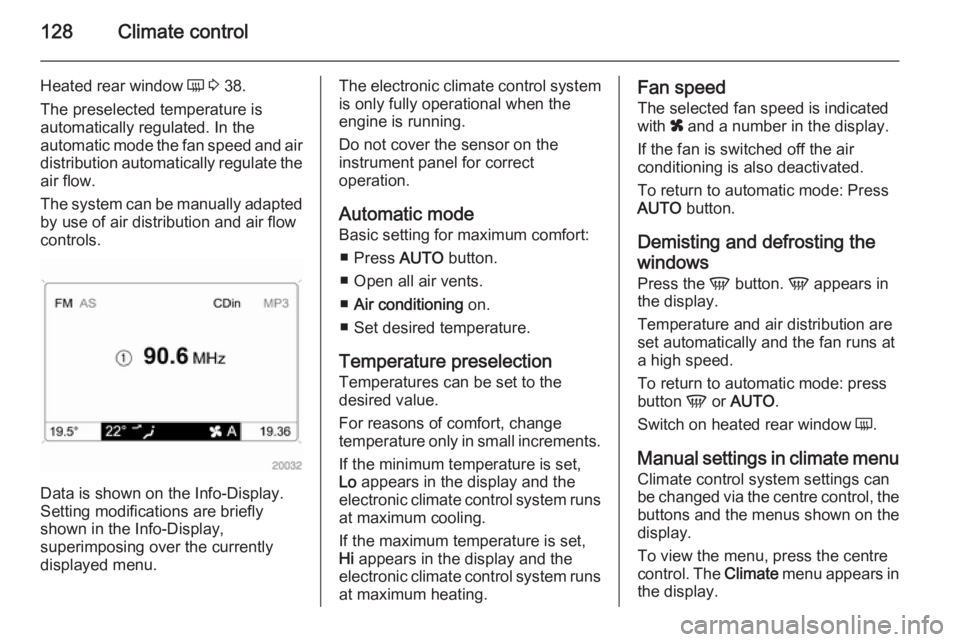
Data is shown on the Info-Display.
Setting modifications are briefly
shown in the Info-Display,
superimposing over the currently
displayed menu.
The electronic climate control system
is only fully operational when the
engine is running.
Do not cover the sensor on the
instrument panel for correct
operation.
Automatic mode
Basic setting for maximum comfort:
■ Press AUTO button.
■ Open all air vents.
■ Air conditioning on.
■ Set desired temperature.
Temperature preselection Temperatures can be set to the
desired value.
For reasons of comfort, change
temperature only in small increments.
If the minimum temperature is set,
Lo appears in the display and the
electronic climate control system runs at maximum cooling.
If the maximum temperature is set,
Hi appears in the display and the
electronic climate control system runs
at maximum heating.Fan speed
The selected fan speed is indicated
with x and a number in the display.
If the fan is switched off the air
conditioning is also deactivated.
To return to automatic mode: Press
AUTO button.
Demisting and defrosting the
windows
Press the V button. V appears in
the display.
Temperature and air distribution are
set automatically and the fan runs at
a high speed.
To return to automatic mode: press
button V or AUTO .
Switch on heated rear window Ü.
Manual settings in climate menu
Climate control system settings can
be changed via the centre control, the
buttons and the menus shown on the display.
To view the menu, press the centre
control. The Climate menu appears in
the display.
Page 131 of 245
Climate control129
Individual menu items are marked by
turning the centre control and
selected by pressing it.
To exit a menu, turn the centre control until Return or Main appear and
select.
Air distribution Turn the centre control. The Air
distribut. menu is activated, showing
the possible air distribution settings:Top=to windscreen and front
door windows.Centre=to vehicle occupants.Bottom=to foot well.
The Air distribut. menu can also be
called up via the Climate menu.
Return to automatic air distribution:
Deactivate corresponding setting or
press button AUTO.
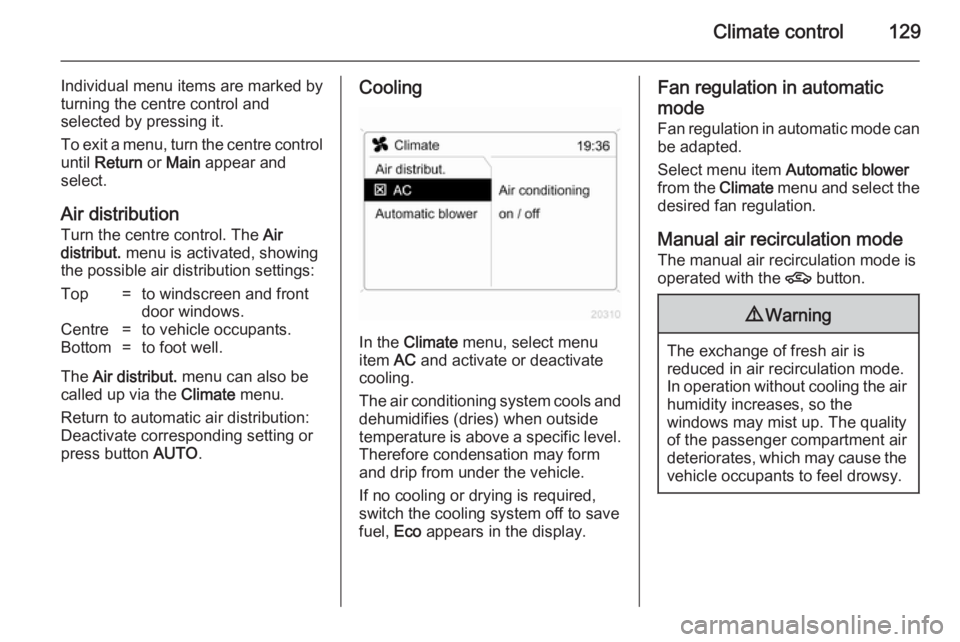
Cooling
In the Climate menu, select menu
item AC and activate or deactivate
cooling.
The air conditioning system cools and
dehumidifies (dries) when outside
temperature is above a specific level. Therefore condensation may form
and drip from under the vehicle.
If no cooling or drying is required,
switch the cooling system off to save
fuel, Eco appears in the display.
Fan regulation in automatic
mode
Fan regulation in automatic mode can
be adapted.
Select menu item Automatic blower
from the Climate menu and select the
desired fan regulation.
Manual air recirculation mode The manual air recirculation mode is
operated with the 4 button.9Warning
The exchange of fresh air is
reduced in air recirculation mode.
In operation without cooling the air humidity increases, so the
windows may mist up. The quality
of the passenger compartment air
deteriorates, which may cause the vehicle occupants to feel drowsy.
Page 132 of 245
130Climate control
Air conditioning with the engine
not running When ignition is off, the residual heat
or cooling in the system can be used
for climate control in passenger
compartment.
Press the AUTO button with the
ignition off. Residual air conditioning
on will appear briefly in the display.
Residual climate control can only
operate for a limited period of time. To
cancel, press the AUTO button.
Auxiliary heater
Air heater Quickheat is an electric auxiliary air
heater which warms up the
passenger compartment more
quickly.
Coolant heater Diesel-engined vehicles have a fuel-
powered auxiliary heater.Air vents
Adjustable air vents
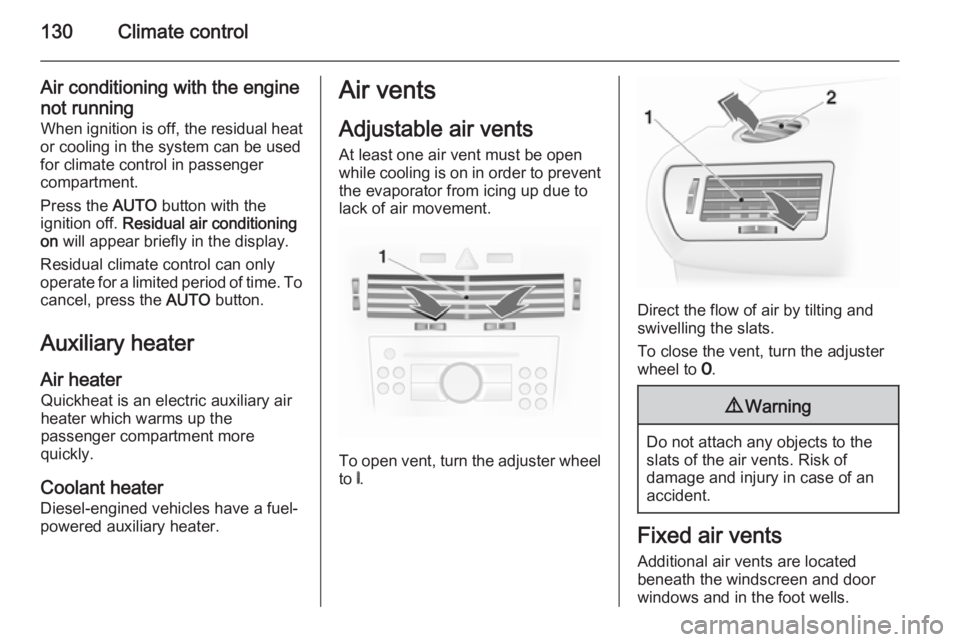
At least one air vent must be open
while cooling is on in order to prevent
the evaporator from icing up due to lack of air movement.
To open vent, turn the adjuster wheel
to B.
Direct the flow of air by tilting and
swivelling the slats.
To close the vent, turn the adjuster
wheel to 7.
9 Warning
Do not attach any objects to the
slats of the air vents. Risk of
damage and injury in case of an
accident.
Fixed air vents
Additional air vents are located
beneath the windscreen and door windows and in the foot wells.