ignition OPEL ASTRA SALOON 2014 Owner's Guide
[x] Cancel search | Manufacturer: OPEL, Model Year: 2014, Model line: ASTRA SALOON, Model: OPEL ASTRA SALOON 2014Pages: 245, PDF Size: 7.12 MB
Page 104 of 245
102Instruments and controlsFog light
> illuminates green.
Illuminates when the front fog lights
are on 3 120.
Rear fog light r illuminates yellow.
Illuminates when the rear fog light is
on 3 120.
Cruise control
m illuminates green.
Illuminates when the system is on
3 149.
Door open
Q illuminates red.
Illuminates when a door or the tailgate
is open.Information displays
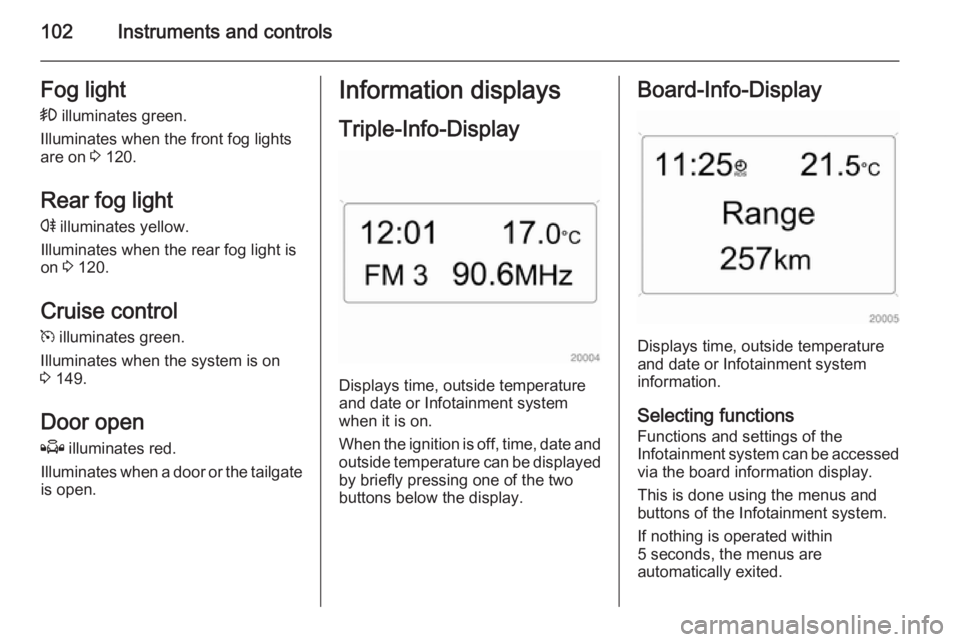
Triple-Info-Display
Displays time, outside temperature
and date or Infotainment system
when it is on.
When the ignition is off, time, date and outside temperature can be displayed
by briefly pressing one of the two
buttons below the display.
Board-Info-Display
Displays time, outside temperature
and date or Infotainment system
information.
Selecting functions
Functions and settings of the
Infotainment system can be accessed via the board information display.
This is done using the menus and
buttons of the Infotainment system.
If nothing is operated within
5 seconds, the menus are
automatically exited.
Page 106 of 245
104Instruments and controls
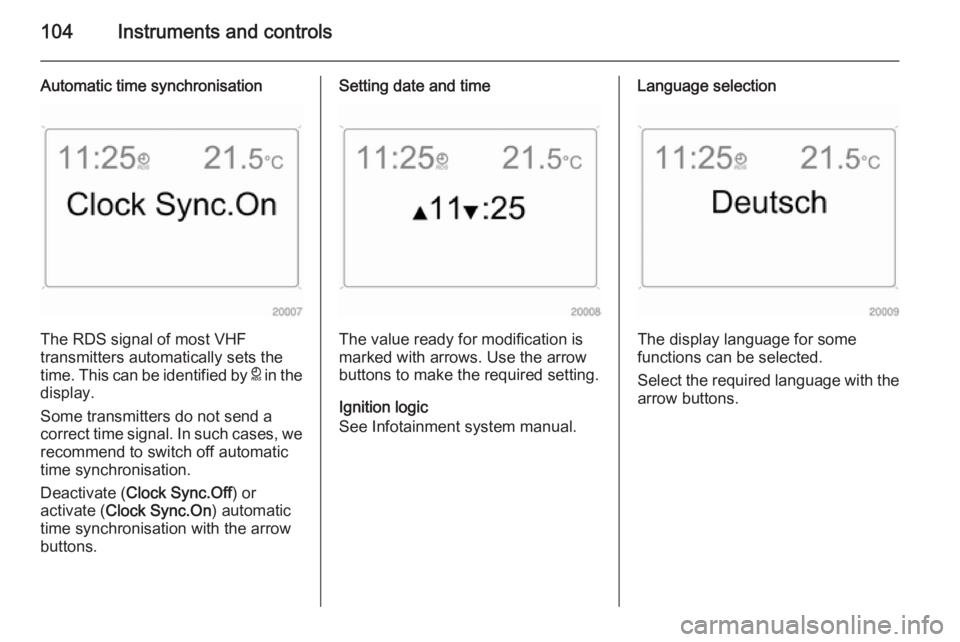
Automatic time synchronisation
The RDS signal of most VHF
transmitters automatically sets the
time. This can be identified by } in the
display.
Some transmitters do not send a
correct time signal. In such cases, we recommend to switch off automatic
time synchronisation.
Deactivate ( Clock Sync.Off ) or
activate ( Clock Sync.On ) automatic
time synchronisation with the arrow
buttons.
Setting date and time
The value ready for modification is
marked with arrows. Use the arrow
buttons to make the required setting.
Ignition logic
See Infotainment system manual.
Language selection
The display language for some
functions can be selected.
Select the required language with the
arrow buttons.
Page 111 of 245
Instruments and controls109
Always day design black or coloured
text on light background.
Always night design white or coloured
text on dark background.
Selection is indicated by a o in front
of the menu item.
Ignition logic
See Infotainment system manual.Vehicle messages
Messages are given via the
instrument panel display or as
warning and signal buzzers. Check
control messages appear on the
Info-Display. Some appear in an
abbreviated form. Confirm warning
messages with the multifunction knob
3 102, 3 105.
Warning chimes
When starting the engine or
whilst driving ■ If the electronic key is not present or is not recognised.
■ If seat belt is not fastened.
■ If a door or the tailgate is not fully closed when starting off.
■ If a certain speed is exceeded with the parking brake applied.■ If the speed programmed at thefactory is exceeded.
■ If the vehicle has automated manual transmission and the
driver's door is opened when the
engine is running, a gear is
engaged and the foot brake is not
depressed.
When the vehicle is parked and the driver's door is opened ■ When the key is in the ignition switch.
■ With exterior lights on.
■ With Open&Start system and automatic transmission, if the
selector lever is not in P.
■ For automated manual transmission, if the parking brake is
not applied and no gear is engaged when the engine is switched off.
Page 114 of 245
112Instruments and controlsTrip computerTrip computer in Board-
Info-Display
Access the data by pressing the BC
button on the Infotainment system or
the left adjuster wheel on the steering wheel.
Some information appears in the
display in an abbreviated form.
Once an audio function has been
selected, the lower row of the trip computer function is displayed
furthermore.Instantaneous consumption
Displays the instantaneous
consumption. At low speeds,
consumption per hour is displayed.
Average consumption
Displays average consumption. The
measurement can be reset at any
time.
Absolute consumption
Displays fuel consumed. The
measurement can be reset at any
time.
Average speed
Displays average speed. The
measurement can be reset at any
time.
Stoppages in the journey with the
ignition off are not included in the
calculations.
Distance
Displays distance travelled. The
measurement can be reset at any
time.
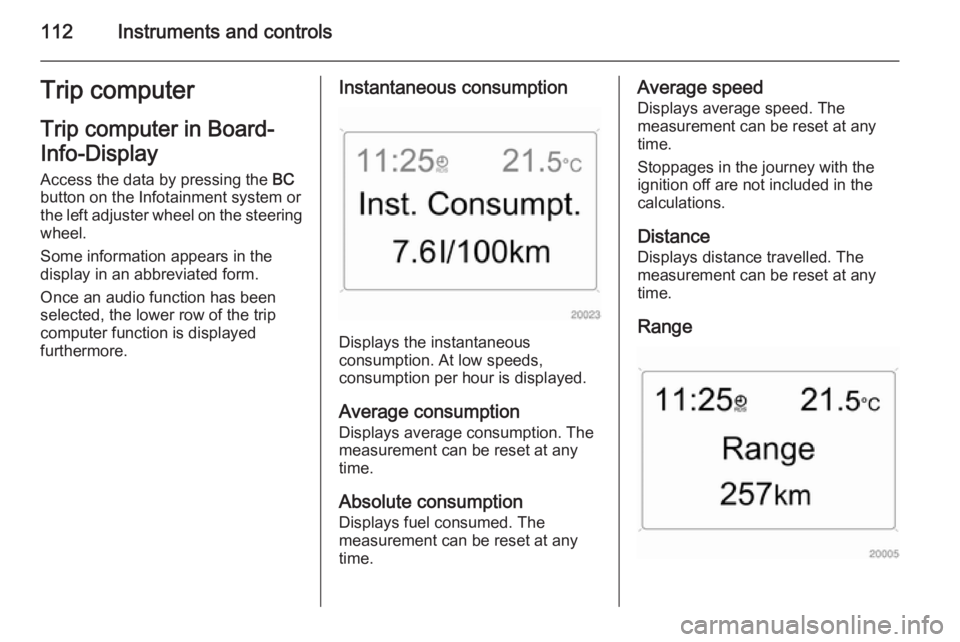
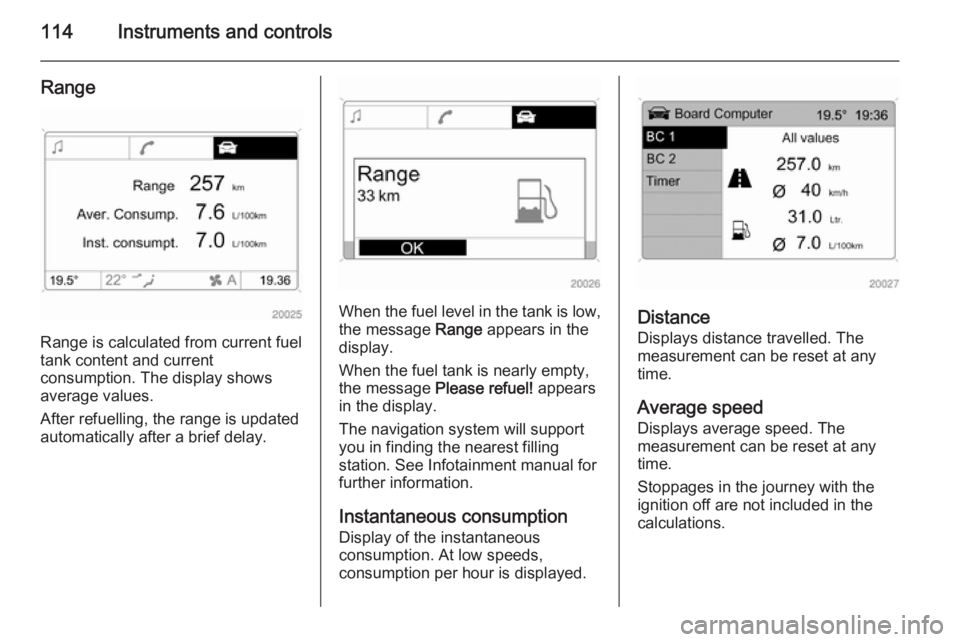
Range
Page 116 of 245
114Instruments and controls
Range
Range is calculated from current fuel
tank content and current
consumption. The display shows
average values.
After refuelling, the range is updated
automatically after a brief delay.
When the fuel level in the tank is low,
the message Range appears in the
display.
When the fuel tank is nearly empty,
the message Please refuel! appears
in the display.
The navigation system will support
you in finding the nearest filling
station. See Infotainment manual for
further information.
Instantaneous consumptionDisplay of the instantaneous
consumption. At low speeds,
consumption per hour is displayed.Distance
Displays distance travelled. The
measurement can be reset at any
time.
Average speed Displays average speed. The
measurement can be reset at any
time.
Stoppages in the journey with the
ignition off are not included in the
calculations.
Page 118 of 245
116Instruments and controlsStop watch
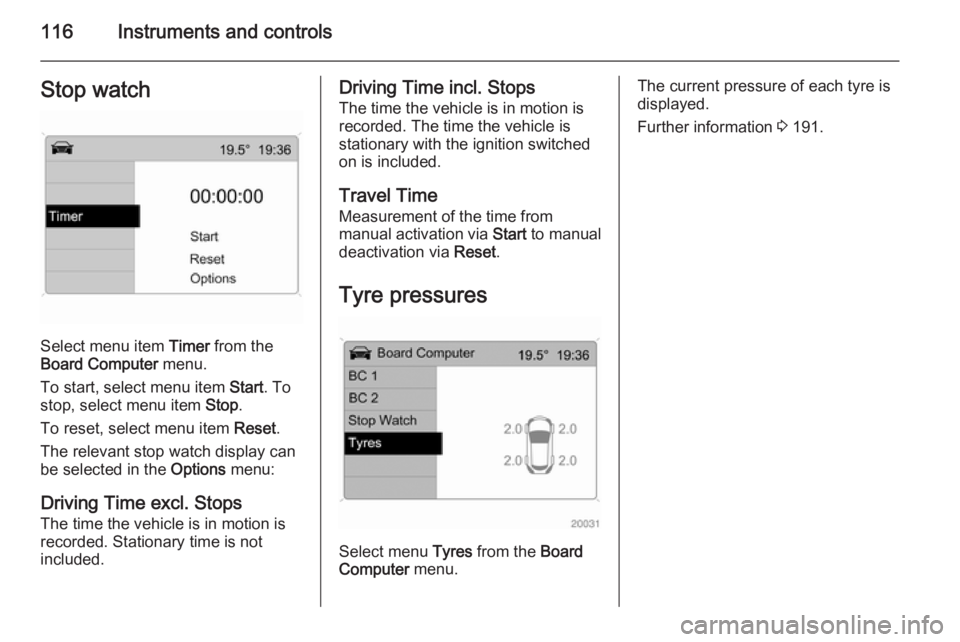
Select menu item Timer from the
Board Computer menu.
To start, select menu item Start. To
stop, select menu item Stop.
To reset, select menu item Reset.
The relevant stop watch display can
be selected in the Options menu:
Driving Time excl. Stops
The time the vehicle is in motion is
recorded. Stationary time is not
included.
Driving Time incl. Stops
The time the vehicle is in motion is
recorded. The time the vehicle is
stationary with the ignition switched
on is included.
Travel Time Measurement of the time from
manual activation via Start to manual
deactivation via Reset.
Tyre pressures
Select menu Tyres from the Board
Computer menu.
The current pressure of each tyre is
displayed.
Further information 3 191.
Page 119 of 245
Lighting117LightingExterior lighting.......................... 117
Interior lighting ........................... 121
Lighting features ........................122Exterior lighting
Light switch
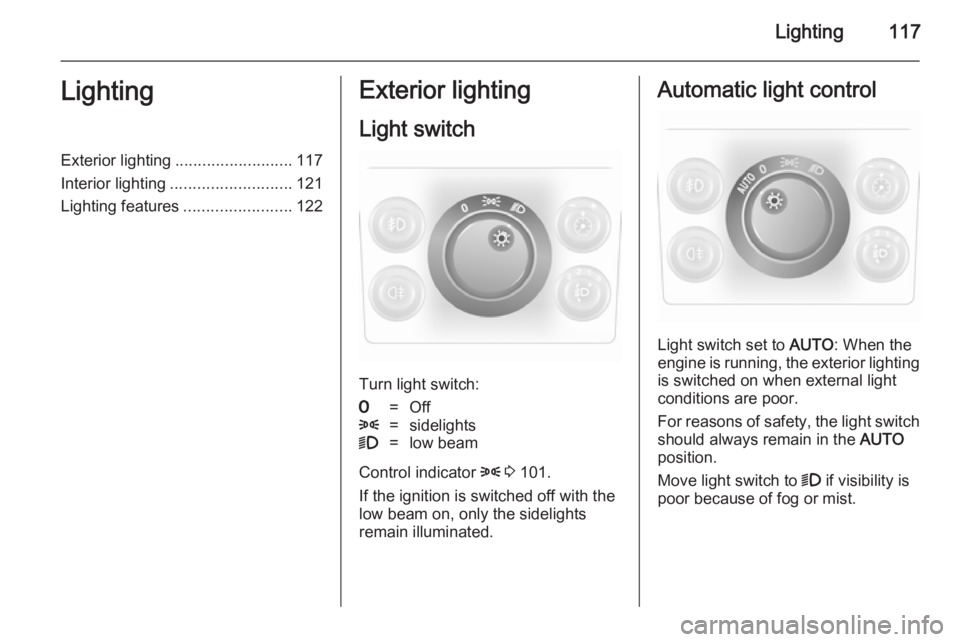
Turn light switch:
7=Off8=sidelights9=low beam
Control indicator 8 3 101.
If the ignition is switched off with the
low beam on, only the sidelights
remain illuminated.
Automatic light control
Light switch set to AUTO: When the
engine is running, the exterior lighting is switched on when external light
conditions are poor.
For reasons of safety, the light switch
should always remain in the AUTO
position.
Move light switch to 9 if visibility is
poor because of fog or mist.
Page 121 of 245
Lighting119
However, when driving in countries
where traffic drives on the opposite
side of the road, adjust the headlights to prevent dazzling of oncoming
traffic.
Vehicles with halogen headlight
system
Have the headlights adjusted by a
workshop.
Vehicles with adaptive forward
lighting
Adapting the aim of the headlight
beam:
1. Pull lever and hold.
2. Switch on ignition.
3. An acoustic signal sounds after approx. 3 seconds.
Control indicator B 3 101.
Daytime running lights
With the ignition on and the light
switch set to 7 or AUTO , the sidelights
are switched on. When the engine is
running, headlights illuminate.On vehicle without automatic light
control, 9 must be switched on when
it gets dark for illumination of the
instrument panel.
The daytime running lights switch off
when the ignition is switched off.
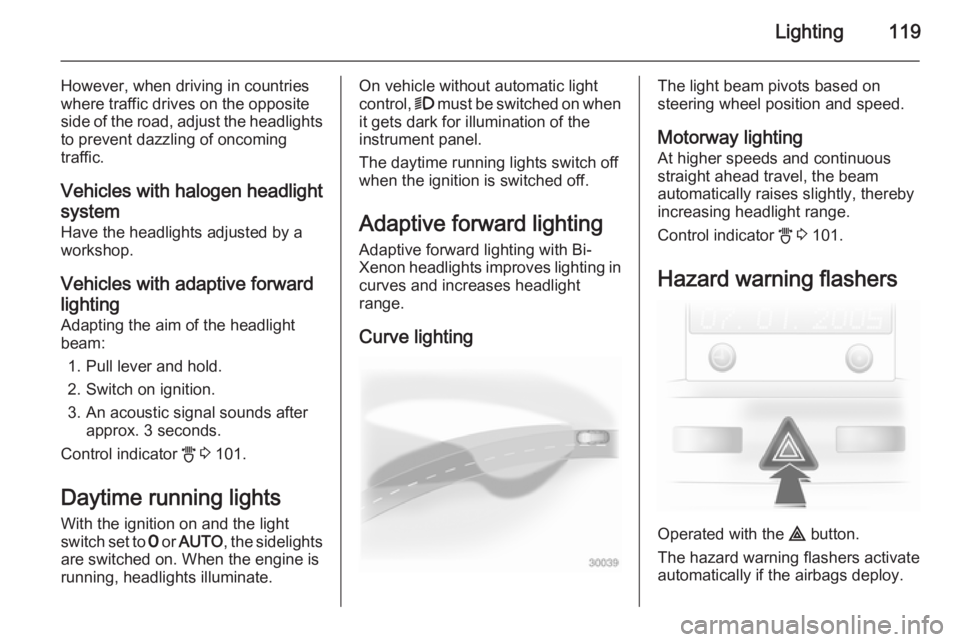
Adaptive forward lighting
Adaptive forward lighting with Bi-
Xenon headlights improves lighting in
curves and increases headlight
range.
Curve lightingThe light beam pivots based on
steering wheel position and speed.
Motorway lighting
At higher speeds and continuous
straight ahead travel, the beam
automatically raises slightly, thereby
increasing headlight range.
Control indicator B 3 101.
Hazard warning flashers
Operated with the ¨ button.
The hazard warning flashers activate
automatically if the airbags deploy.
Page 122 of 245
120LightingTurn and lane-change
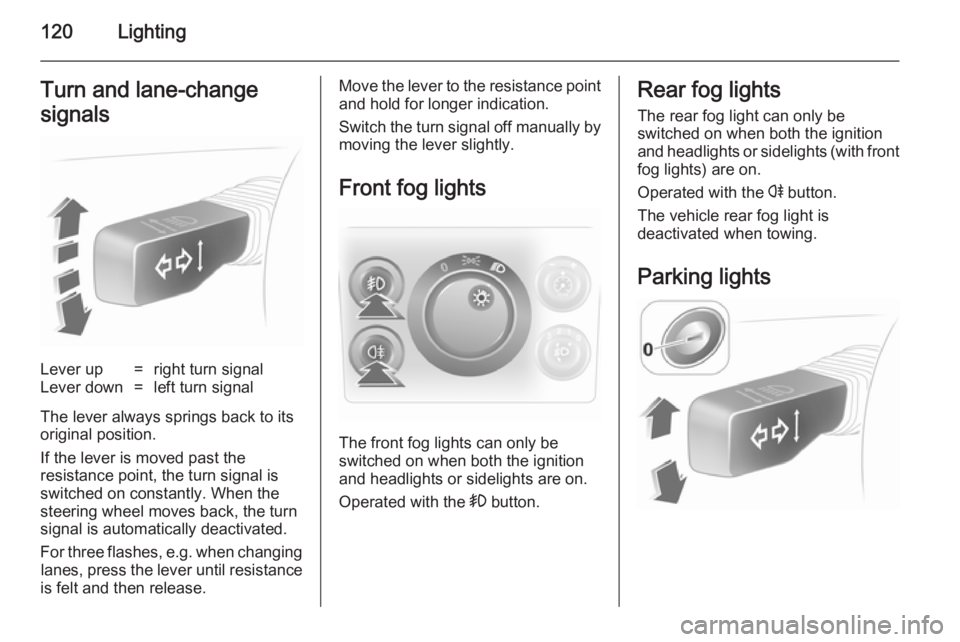
signalsLever up=right turn signalLever down=left turn signal
The lever always springs back to its
original position.
If the lever is moved past the
resistance point, the turn signal is
switched on constantly. When the
steering wheel moves back, the turn
signal is automatically deactivated.
For three flashes, e.g. when changing lanes, press the lever until resistance
is felt and then release.
Move the lever to the resistance point
and hold for longer indication.
Switch the turn signal off manually by moving the lever slightly.
Front fog lights
The front fog lights can only be
switched on when both the ignition and headlights or sidelights are on.
Operated with the > button.
Rear fog lights
The rear fog light can only be
switched on when both the ignition
and headlights or sidelights (with front fog lights) are on.
Operated with the r button.
The vehicle rear fog light is
deactivated when towing.
Parking lights
Page 123 of 245
Lighting121
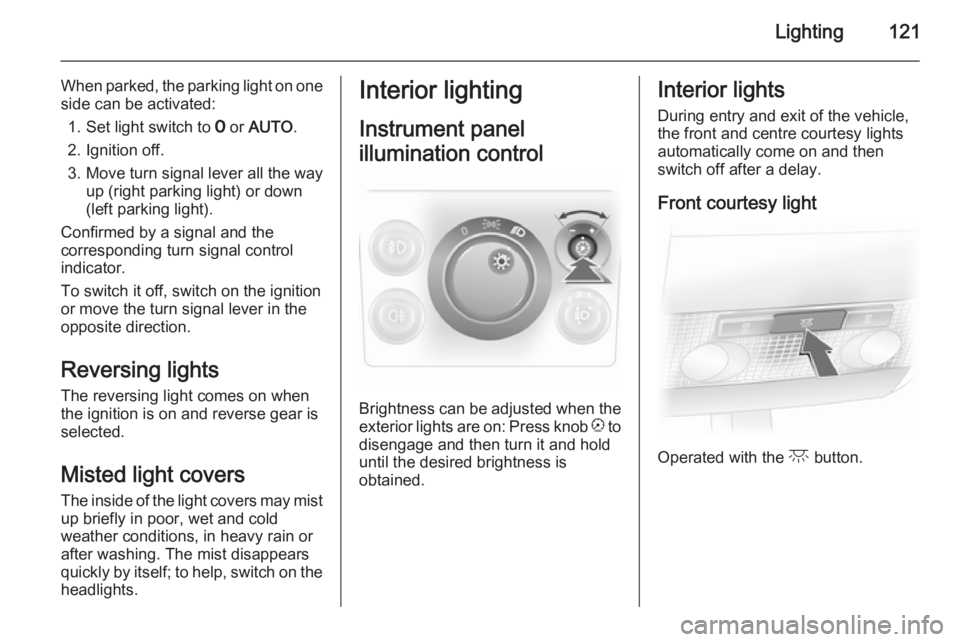
When parked, the parking light on oneside can be activated:
1. Set light switch to 7 or AUTO .
2. Ignition off.
3. Move turn signal lever all the way up (right parking light) or down
(left parking light).
Confirmed by a signal and the
corresponding turn signal control
indicator.
To switch it off, switch on the ignition
or move the turn signal lever in the
opposite direction.
Reversing lights The reversing light comes on when
the ignition is on and reverse gear is
selected.
Misted light covers
The inside of the light covers may mist up briefly in poor, wet and cold
weather conditions, in heavy rain or
after washing. The mist disappears
quickly by itself; to help, switch on the headlights.Interior lighting
Instrument panel
illumination control
Brightness can be adjusted when the exterior lights are on: Press knob k to
disengage and then turn it and hold
until the desired brightness is
obtained.
Interior lights
During entry and exit of the vehicle,
the front and centre courtesy lights
automatically come on and then
switch off after a delay.
Front courtesy light
Operated with the c button.