lock OPEL ASTRA SALOON 2014 Owner's Guide
[x] Cancel search | Manufacturer: OPEL, Model Year: 2014, Model line: ASTRA SALOON, Model: OPEL ASTRA SALOON 2014Pages: 245, PDF Size: 7.12 MB
Page 80 of 245
78Storage
Note■ Do not place objects on or near the
load compartment blind
■ The folded roof can only be lowered
when the blind is closed.
Otherwise, a warning buzzer will
sound three times
■ The movement of the tilted roof can
be stopped by pressing the loading aid button and another longer press
reverses the direction of the
movement
■ A confirmation buzzer is heard in the upper and lower roof end
positions when the roof is tilted
■ Only close the tailgate once the confirmation signal has sounded to
indicate that the loading aid is in its
lower end position
■ If the loading aid is not in its lower end position when the boot lid is
closed, a warning tone sounds or
the tailgate is blocked mechanically 3 41
■ Do not touch moving parts■ One minute before the end of the hold time for the raised loading aid,a warning buzzer will sound to
remind you to lower the roof
■ The loading aid is only operable when the vehicle is unlocked
■ Frequent operation of the loading aid with the engine off discharges
the battery
■ Repeated operation of the loading aid can cause malfunctions
Safety net The safety net is available on the
Station wagon and can be installed
behind the rear seats or, if the rear
seat backrests are folded and the
seat cushions raised, behind the front seats.
Passengers must not be transported
behind the safety net.Installation
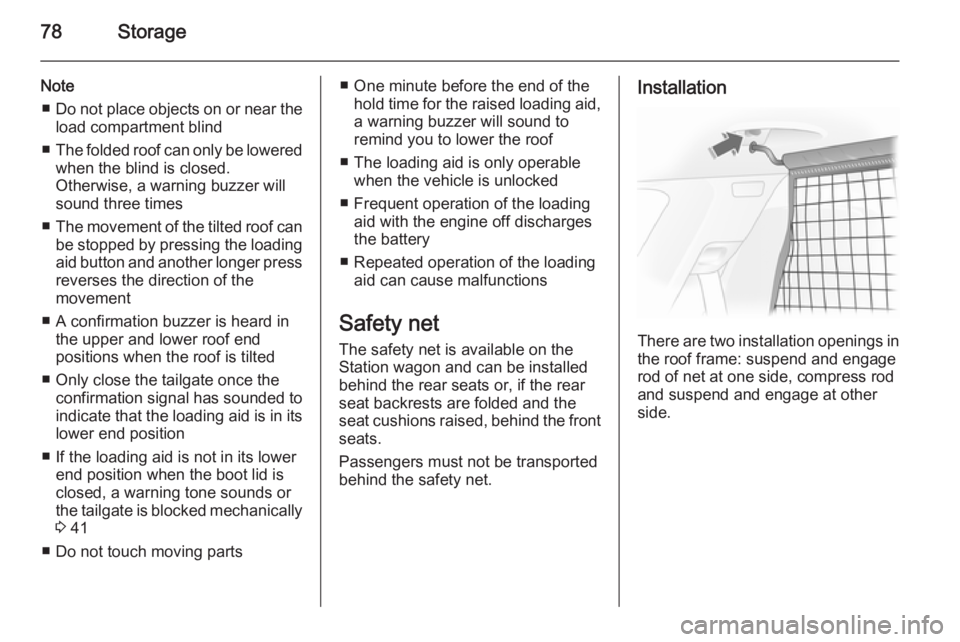
There are two installation openings in the roof frame: suspend and engage
rod of net at one side, compress rod and suspend and engage at other
side.
Page 82 of 245
80StorageLoad compartment grille
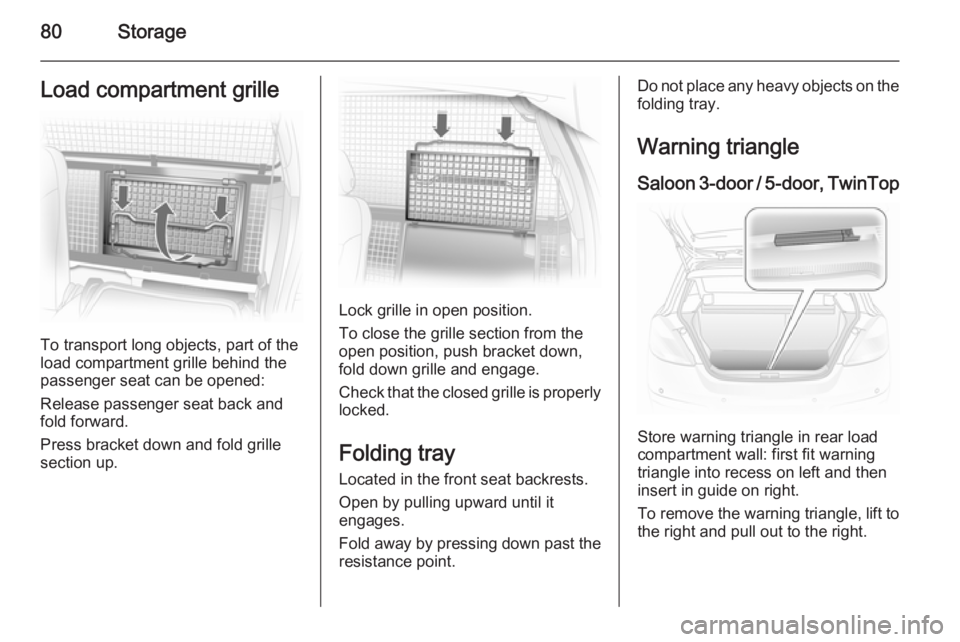
To transport long objects, part of the
load compartment grille behind the
passenger seat can be opened:
Release passenger seat back and
fold forward.
Press bracket down and fold grille
section up.
Lock grille in open position.
To close the grille section from the
open position, push bracket down,
fold down grille and engage.
Check that the closed grille is properly
locked.
Folding tray Located in the front seat backrests.
Open by pulling upward until it
engages.
Fold away by pressing down past the
resistance point.
Do not place any heavy objects on the folding tray.
Warning triangle Saloon 3-door / 5-door, TwinTop
Store warning triangle in rear load
compartment wall: first fit warning triangle into recess on left and then
insert in guide on right.
To remove the warning triangle, lift to
the right and pull out to the right.
Page 84 of 245
82Storage
Saloon 4-door
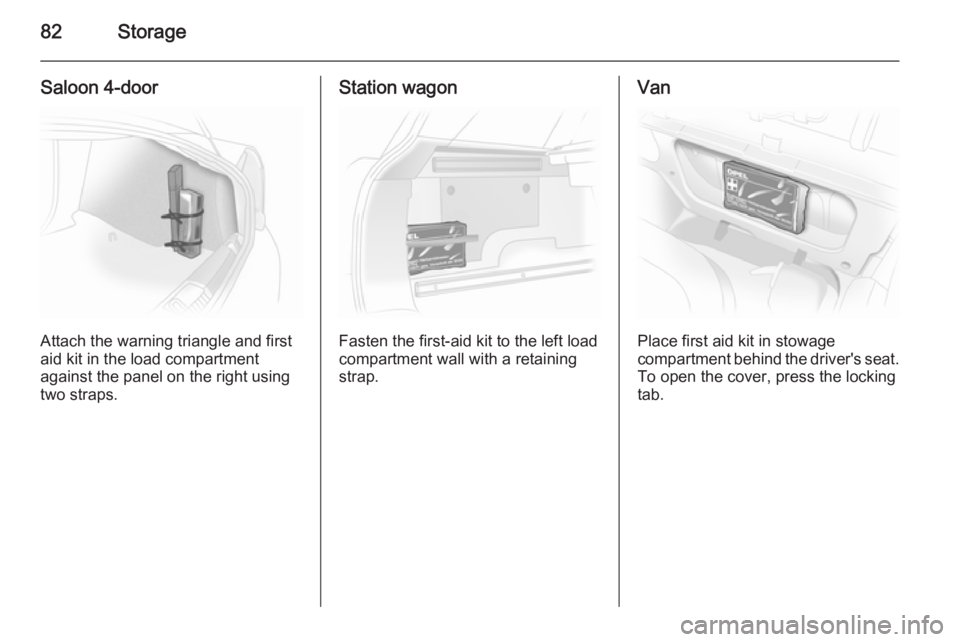
Attach the warning triangle and first
aid kit in the load compartment
against the panel on the right using two straps.
Station wagon
Fasten the first-aid kit to the left load
compartment wall with a retaining
strap.
Van
Place first aid kit in stowage
compartment behind the driver's seat.
To open the cover, press the locking
tab.
Page 88 of 245
86Instruments and controlsInstruments and
controlsControls ....................................... 86
Warning lights, gauges and indi‐
cators ........................................... 93
Information displays ...................102
Vehicle messages ...................... 109
Trip computer ............................. 112Controls
Steering wheel adjustment
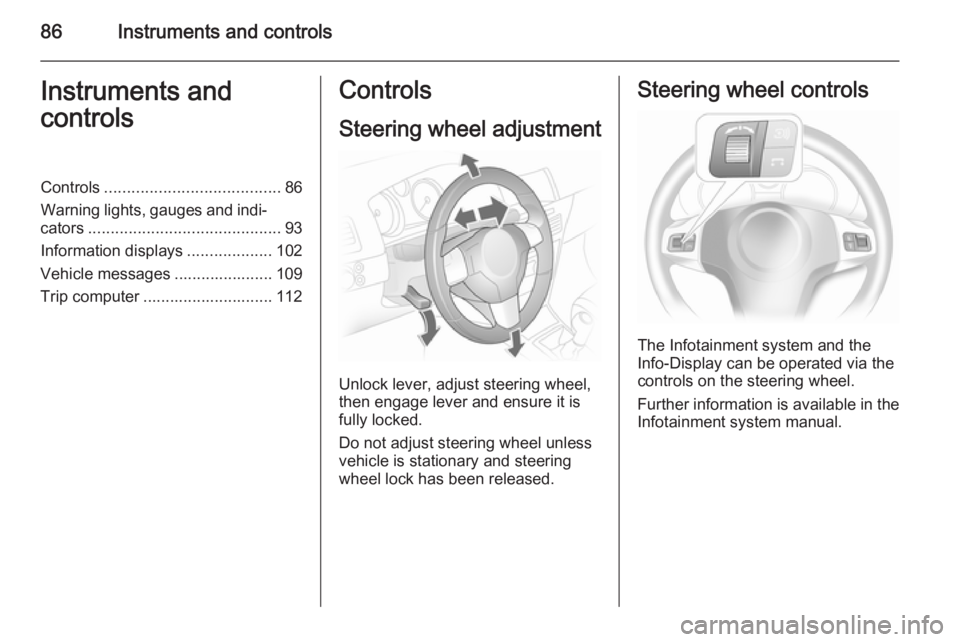
Unlock lever, adjust steering wheel,
then engage lever and ensure it is fully locked.
Do not adjust steering wheel unless
vehicle is stationary and steering
wheel lock has been released.
Steering wheel controls
The Infotainment system and the
Info-Display can be operated via the
controls on the steering wheel.
Further information is available in the
Infotainment system manual.
Page 91 of 245
Instruments and controls89
Do not use if the rear window is
frozen.
Switch off in car washes.
The rear screen wiper comes on
automatically when the windscreen
wiper is switched on and reverse gear
is engaged.
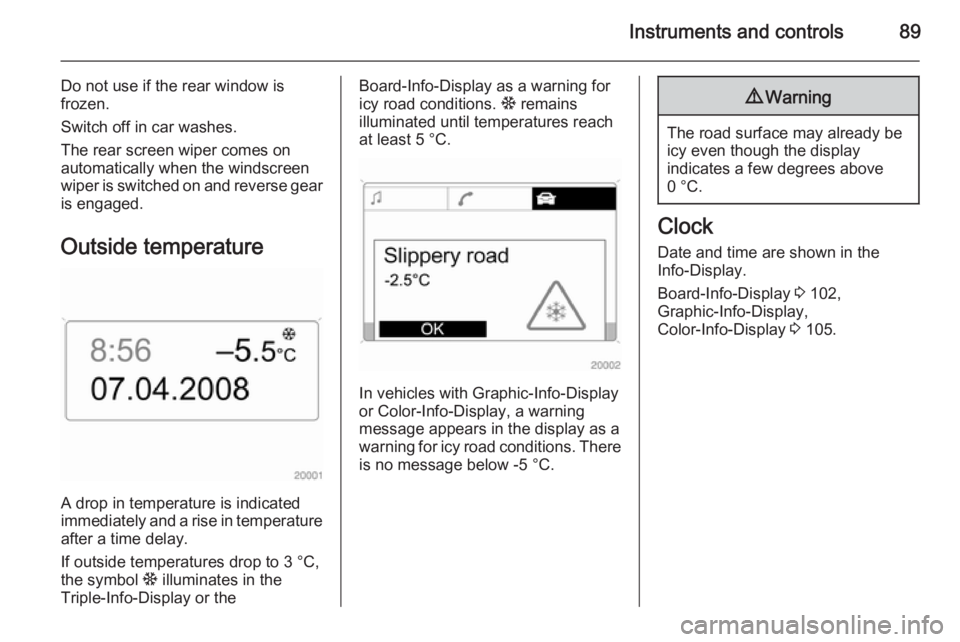
Outside temperature
A drop in temperature is indicated
immediately and a rise in temperature
after a time delay.
If outside temperatures drop to 3 °C, the symbol : illuminates in the
Triple-Info-Display or the
Board-Info-Display as a warning for
icy road conditions. : remains
illuminated until temperatures reach
at least 5 °C.
In vehicles with Graphic-Info-Display
or Color-Info-Display, a warning
message appears in the display as a warning for icy road conditions. There is no message below -5 °C.
9 Warning
The road surface may already be
icy even though the display
indicates a few degrees above
0 °C.
Clock
Date and time are shown in the
Info-Display.
Board-Info-Display 3 102,
Graphic-Info-Display,
Color-Info-Display 3 105.
Page 100 of 245
98Instruments and controls
Flashes with switched on
ignition
Fault in the immobiliser system. The
engine cannot be started 3 32.
Switch off the ignition and repeat the
start attempt.
If the control indicator continues
flashing, attempt to start the engine
using the spare key and seek the
assistance of a workshop.
Brake and clutch system R illuminates or flashes red.
Illuminated
Illuminates after the ignition is
switched on if the parking brake is
applied 3 147.
Illuminates when the parking brake is
released if the brake and clutch fluid
level is too low 3 164.9 Warning
Stop. Do not continue your
journey. Consult a workshop.
Flashes
On vehicle with automated manual
transmission, flashes for a few
seconds when the ignition is switched
off if the parking brake is not applied.
On vehicles with automated manual
transmission, flashes when the
driver's door is opened if no gear is
engaged and the parking brake is not
applied.
Antilock brake system
(ABS) u illuminates red.
Illuminates for a few seconds after the ignition is turned on. The system is
ready for operation when the control indicator goes out.
If the control indicator does not go out after a few seconds, or if it illuminates
while driving, there is a fault in the
ABS. The brake system remains
operational but without ABS
regulation.
Antilock Brake System 3 146.Sport mode
1 illuminates yellow.
The symbol is illuminated when Sport
mode is on 3 139, 3 143.
Winter mode
T illuminates yellow.
The symbol is illuminated when
Winter mode is on 3 139, 3 143.
Ultrasonic parking assist
r illuminates or flashes yellow.
Illuminates
Fault in system. Have the cause of the fault remedied by a workshop.
Flashes Fault due to sensors that are dirty or
covered by ice or snow.
or
Interference due to external sources of ultrasound. Once the source of
interference is removed, the system
will operate normally.
Page 102 of 245
100Instruments and controls
Control indicator illuminatesyellow
Fault in system or tyre without
pressure sensor mounted (e.g. spare
wheel). Consult a workshop.
Flashes Flashes three times to indicatesystem initialisation.
Deflation detection system 3 191,
tyre pressure monitoring system 3 191.
Interactive driving system,
continuous damping
control, sport mode
IDS+ illuminates yellow.
Illuminates when the ignition is
switched on and goes out shortly after the engine starts. Illumination whilst
driving indicates a fault in the system.
Have the cause of the fault remedied
by a workshop.
IDS Plus
3 148, CDC 3 149, Sport
mode 3 148.Engine oil pressure
I illuminates red.
Illuminates when the ignition is
switched on and goes out shortly after
the engine starts.
Illuminates when the engine isrunningCaution
Engine lubrication may be
interrupted. This may result in
damage to the engine and/or
locking of the drive wheels.
1. Depress clutch.
2. Select neutral gear, set selector lever to N.
3. Move out of the flow of traffic as quickly as possible without
impeding other vehicles.
4. Switch off ignition.
9 Warning
When the engine is off,
considerably more force is needed
to brake and steer.
Do not remove key until vehicle is stationary, otherwise the steeringwheel lock could engage
unexpectedly.
Check oil level before seeking the
assistance of a workshop 3 161.
Low engine oil level
S illuminates yellow.
Engine oil level is checked
automatically.
Illuminates when the engine isrunning
Low engine oil level. Check engine oil
level and top up as necessary
3 161.
Low fuel Y illuminates or flashes yellow.
Page 103 of 245
Instruments and controls101
IlluminatesLevel in fuel tank too low.
Flashes
Fuel used up. Refuel immediately.
Never run the tank dry.
Catalytic converter 3 136.
Bleeding the diesel fuel system
3 165.
Open&Start system
0 illuminates or flashes yellow.
Flashes The electronic key is no more withinthe reception range of the vehicle interior. The engine cannot be
started. Hold the Start/Stop button
depressed a bit longer to switch off
the ignition.
or
Failure of the electronic key.
Operation is yet only possible via
emergency operation.Illuminates
Fault in system. Try to operate with
the spare key, the remote control or
through emergency operation. Hold
the Start/Stop button depressed a bit
longer to switch off the ignition. Seek
the assistance of a workshop.
or
The steering wheel lock is still
engaged. Move the steering wheel
slightly and press the Start/Stop
button.
Open&Start System 3 22.
Apply footbrake
j illuminates yellow.
The engine with manual transmission automated can only be started if the
foot brake is depressed. If the foot
brake is not depressed, the control
indicator illuminates 3 142.
Exterior light 8 illuminates green.
Illuminates when the exterior lights
are on 3 117.High beam
C illuminates blue.
Illuminates when high beam is on and during headlamp flash 3 118.
Adaptive forward lighting
B illuminates or flashes yellow.
Illuminates Fault in system.
If the swivelling device for curve
lighting fails, the corresponding low
beam lamp is deactivated and the fog lamp is switched on.
Seek the assistance of a workshop.
Flashes
Fault in system. Consult a workshop
immediately.
Control indicator B flashes for
approx. 4 seconds after the ignition is switched on as a reminder that the
system has been switched 3 118.
Adaptive Forward Lighting (AFL) 3 119.
Page 106 of 245
104Instruments and controls
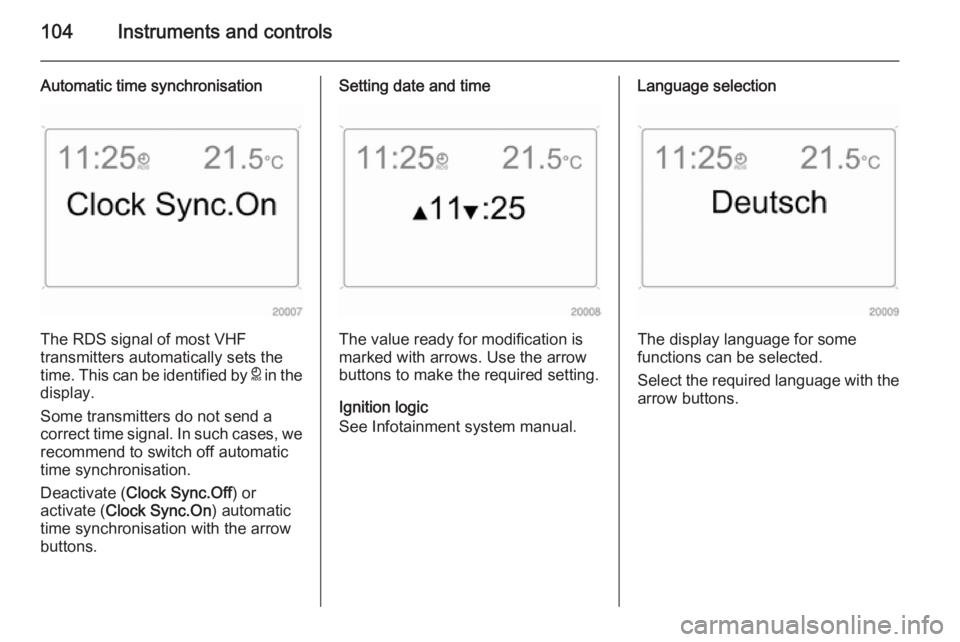
Automatic time synchronisation
The RDS signal of most VHF
transmitters automatically sets the
time. This can be identified by } in the
display.
Some transmitters do not send a
correct time signal. In such cases, we recommend to switch off automatic
time synchronisation.
Deactivate ( Clock Sync.Off ) or
activate ( Clock Sync.On ) automatic
time synchronisation with the arrow
buttons.
Setting date and time
The value ready for modification is
marked with arrows. Use the arrow
buttons to make the required setting.
Ignition logic
See Infotainment system manual.
Language selection
The display language for some
functions can be selected.
Select the required language with the
arrow buttons.
Page 109 of 245
Instruments and controls107
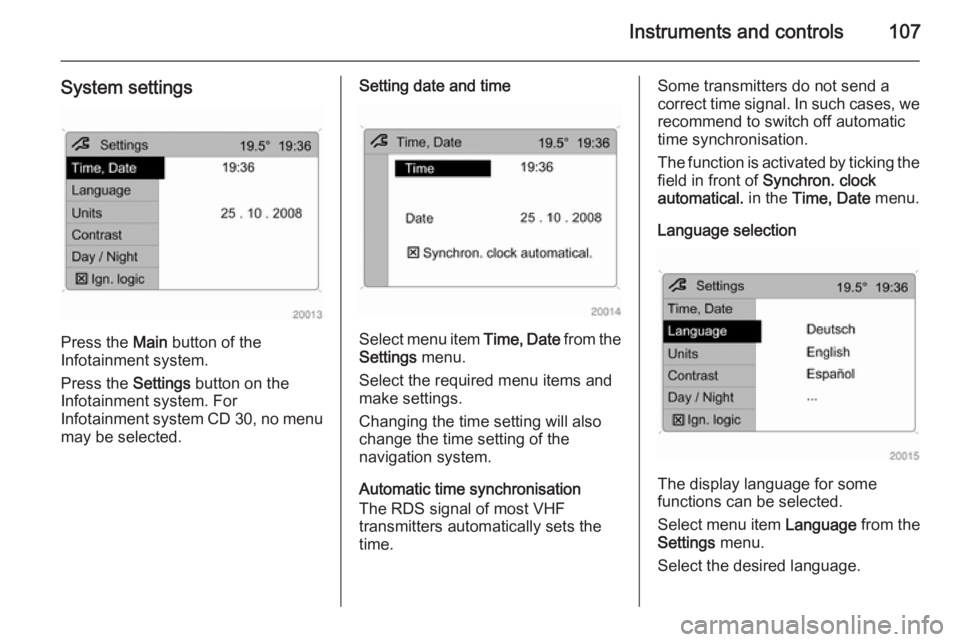
System settings
Press the Main button of the
Infotainment system.
Press the Settings button on the
Infotainment system. For
Infotainment system CD 30, no menu may be selected.
Setting date and time
Select menu item Time, Date from the
Settings menu.
Select the required menu items and
make settings.
Changing the time setting will also
change the time setting of the
navigation system.
Automatic time synchronisation
The RDS signal of most VHF
transmitters automatically sets the time.
Some transmitters do not send a
correct time signal. In such cases, we recommend to switch off automatic
time synchronisation.
The function is activated by ticking the
field in front of Synchron. clock
automatical. in the Time, Date menu.
Language selection
The display language for some
functions can be selected.
Select menu item Language from the
Settings menu.
Select the desired language.