lock OPEL CASCADA 2015 Manual user
[x] Cancel search | Manufacturer: OPEL, Model Year: 2015, Model line: CASCADA, Model: OPEL CASCADA 2015Pages: 253, PDF Size: 7.58 MB
Page 54 of 253
52Seats, restraints
To restore, lift backrest to upright
position and engage. The seat slides
automatically backwards to the
original position.
In case the head restraint of the
folded backrest is blocked by the
upper windscreen frame, allow the
seat to move backwards or
downwards slightly 3 52, or set
head restraint to lowest position
3 46.
Safety function
If the power seat encounters
resistance while sliding forwards or
rearwards, it is immediately stopped
and moved in the opposite direction.
Note
Do not sit on the seat while seat is
moving.
Power disconnection
If seat remains in forward position
with opened door for more than
10 minutes, power adjustment is
disconnected. In this event, close and open the door or switch on ignition
and operate power adjustment again.Overload
If the folding function is electrically
overloaded, the power supply is
automatically cut-off for a short time.
Power seat adjustment9 Warning
Care must be taken when
operating the power seats. There
is a risk of injury, particularly for
children. Objects could become
trapped.
Keep a close watch on the seats
when adjusting them. Vehicle
passengers should be informed
accordingly.
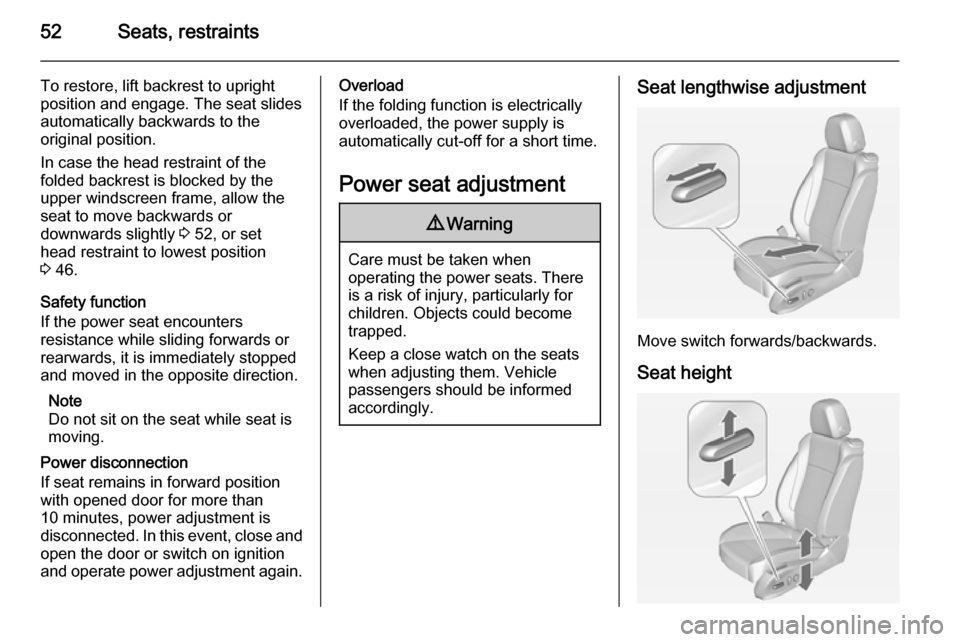
Seat lengthwise adjustment
Move switch forwards/backwards.
Seat height
Page 57 of 253
Seats, restraints55Seat belts
The seat belts are locked during
heavy acceleration or deceleration of
the vehicle holding the occupants in
the sitting position. Therefore the risk
of injury is considerably reduced.
9 Warning
Fasten seat belt before each trip.
In the event of an accident, people
not wearing seat belts endanger their fellow occupants and
themselves.
Seat belts are designed to be used by only one person at a time. Child
restraint system 3 64.
Periodically check all parts of the belt
system for damage, pollution and
proper functionality.
Have damaged components
replaced. After an accident, have the
belts and triggered belt pretensioners replaced by a workshop.
Note
Make sure that the belts are not
damaged by shoes or sharp-edged
objects or trapped. Prevent dirt from
getting into the belt retractors.
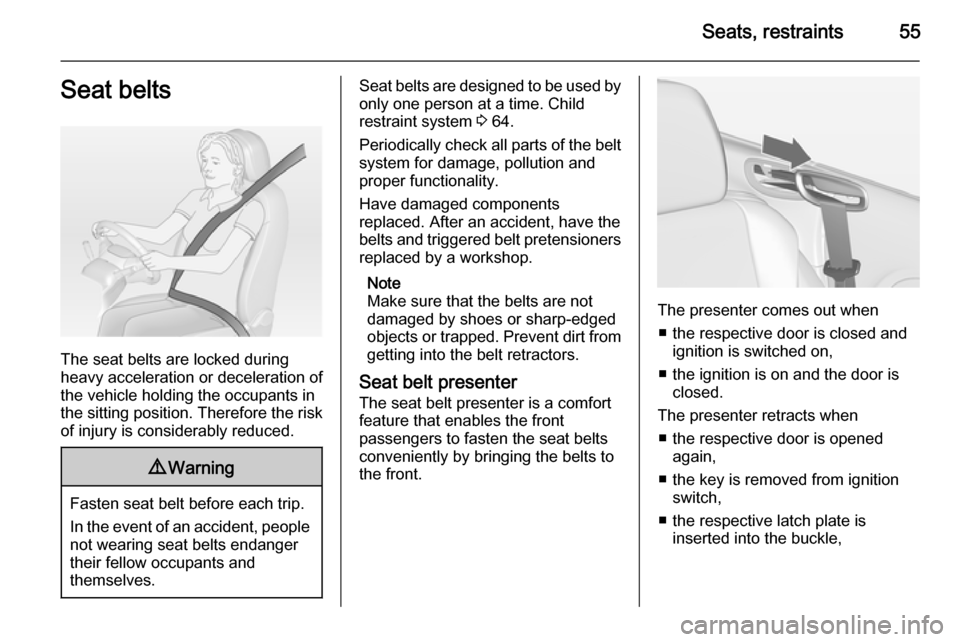
Seat belt presenter
The seat belt presenter is a comfort
feature that enables the front
passengers to fasten the seat belts
conveniently by bringing the belts to
the front.
The presenter comes out when
■ the respective door is closed and ignition is switched on,
■ the ignition is on and the door is closed.
The presenter retracts when ■ the respective door is opened again,
■ the key is removed from ignition switch,
■ the respective latch plate is inserted into the buckle,
Page 72 of 253

70StorageStorageStorage compartments................70
Load compartment .......................73
Loading information .....................77Storage compartments9Warning
Do not store heavy or sharp
objects in the storage
compartments. Otherwise, the
storage compartment lid could
open and vehicle occupants could be injured by objects being thrown
around in the event of hard
braking, a sudden change in
direction or an accident.
Glovebox
The glovebox features a pen holder,
a credit card holder, a coin holder and
an adapter for the locking wheel nuts.
Close glovebox whilst driving. It can
be locked with the vehicle key.
Page 76 of 253

74Storage9Warning
Take care when operating the
electric foldable rear seats. The seat backrest is folded with
considerable power. Risk of injury, particularly to children.
Ensure that nothing is attached to
the rear seats or located on the
seat cushion.
■ Remove big wind deflector if installed, 3 42.
■ Press the catches and push down the head restraints 3 46.
■ Pull the release switch p on one or
both sides of the load
compartment, to fold down the
backrests onto the seat cushion.
■ To fold up, raise the backrest and guide it into an upright position until
it engages audibly.9 Warning
When folding up, ensure that
backrests are securely locked in
position before driving. Failure to
do so may result in personal injury or damage to the load or vehicle in the event of hard braking or a
collision.
Pass-through flap behind rear seats
For transporting long objects in the
load compartment, a pass-through
flap between load compartment and
vehicle interior can be opened:
■ Remove the installed big wind deflector or the bag with the stowed
wind deflectors behind the rear seats 3 42.
■ Close soft top 3 35.
■ Push the load compartment partition at the loop area upwards
to the inside 3 73.
Page 80 of 253
78Instruments and controlsInstruments and
controlsControls ....................................... 78
Warning lights, gauges and indi‐
cators ........................................... 85
Information displays .....................96
Vehicle messages ...................... 102
Vehicle personalisation ..............104Controls
Steering wheel adjustment
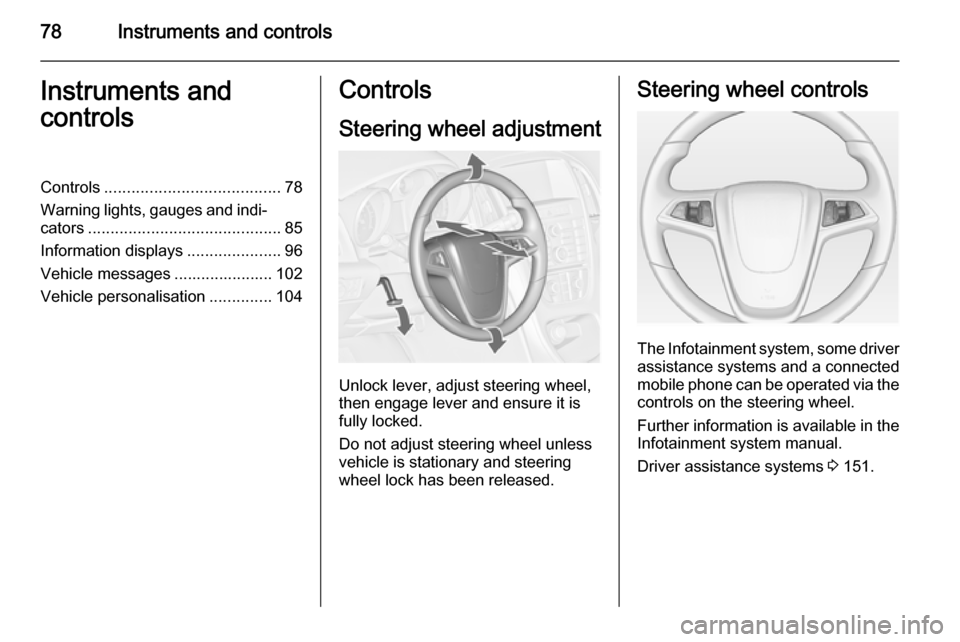
Unlock lever, adjust steering wheel,
then engage lever and ensure it is fully locked.
Do not adjust steering wheel unless
vehicle is stationary and steering
wheel lock has been released.
Steering wheel controls
The Infotainment system, some driver assistance systems and a connected
mobile phone can be operated via the
controls on the steering wheel.
Further information is available in the
Infotainment system manual.
Driver assistance systems 3 151.
Page 84 of 253

82Instruments and controlsOutside temperature
A drop in temperature is indicated
immediately and a rise in temperature
after a time delay.
Graphic shows Graphic-Info-Display
Graphic shows Colour-Info-Display
If outside temperature drops to 3 °C,
a warning message is displayed in the Driver Information Centre.9 Warning
The road surface may already be
icy even though the display
indicates a few degrees above
0 °C.
Clock
Date and time are shown in the
Info-Display.
Time and date settings
CD 400plus/CD 400/CD 300
Press the CONFIG button. The menu
Settings is displayed.
Select Time Date .
Page 85 of 253
Instruments and controls83
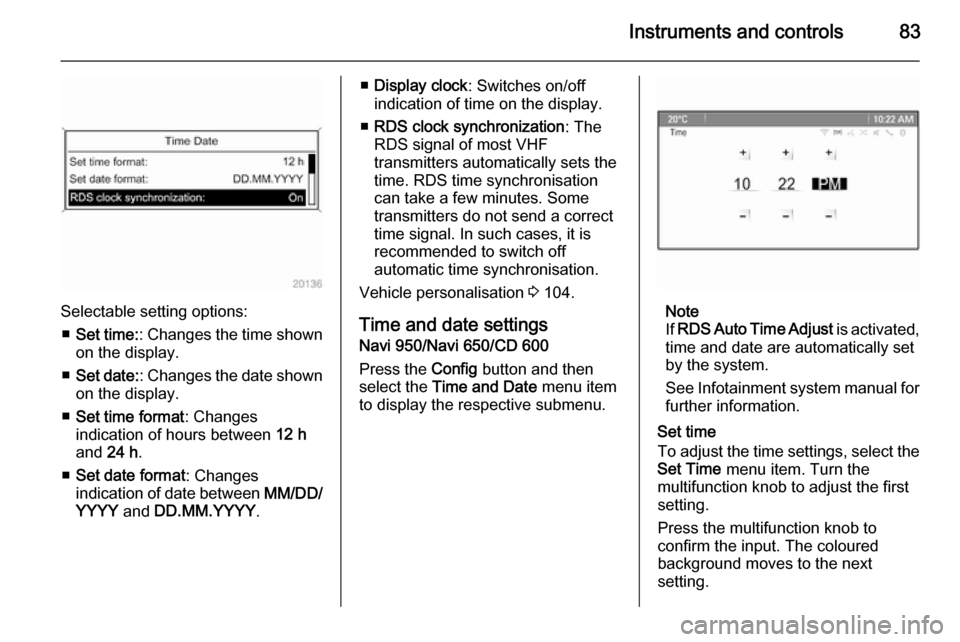
Selectable setting options:■ Set time: : Changes the time shown
on the display.
■ Set date: : Changes the date shown
on the display.
■ Set time format : Changes
indication of hours between 12 h
and 24 h.
■ Set date format : Changes
indication of date between MM/DD/
YYYY and DD.MM.YYYY .
■Display clock : Switches on/off
indication of time on the display.
■ RDS clock synchronization : The
RDS signal of most VHF
transmitters automatically sets the
time. RDS time synchronisation
can take a few minutes. Some
transmitters do not send a correct
time signal. In such cases, it is
recommended to switch off
automatic time synchronisation.
Vehicle personalisation 3 104.
Time and date settings
Navi 950/Navi 650/CD 600
Press the Config button and then
select the Time and Date menu item
to display the respective submenu.
Note
If RDS Auto Time Adjust is activated,
time and date are automatically set
by the system.
See Infotainment system manual for further information.
Set time
To adjust the time settings, select the
Set Time menu item. Turn the
multifunction knob to adjust the first
setting.
Press the multifunction knob to
confirm the input. The coloured
background moves to the next
setting.
Page 94 of 253

92Instruments and controls
Illuminates
Brake pedal must be depressed to release the electric parking brake
3 145.
Clutch pedal must be depressed to
start the engine in Autostop mode.
Stop-start system 3 136.
Flashes Clutch pedal must be depressed for amain start of the engine 3 17, 3 135.
On some versions, the operate pedal
message is indicated in the Driver
Information Display 3 102.
Electric parking brake
m illuminates or flashes red.
Illuminates Electric parking brake is applied
3 145.Flashes
Electric parking brake is not fullyapplied or released. Switch on
ignition, depress brake pedal and
attempt to reset the system by first
releasing and then applying the
electric parking brake. If m remains
flashing, do not drive and seek the
assistance of a workshop.
Electric parking brake fault
j illuminates or flashes yellow.
Illuminates
Electric parking brake is operating
with degraded performance 3 145.
Flashes Electric parking brake is in service
mode. Stop vehicle, apply and
release the electric parking brake to
reset.9 Warning
Have the cause of the fault
remedied immediately by a
workshop.
Antilock brake system
(ABS) u illuminates yellow.
Illuminates for a few seconds after the ignition is switched on. The system is
ready for operation when the control
indicator extinguishes.
If the control indicator does not
extinguish after a few seconds, or if it illuminates while driving, there is a
fault in the ABS. The brake system
remains operational but without ABS
regulation.
Antilock brake system 3 144.
Page 96 of 253
94Instruments and controls
The diesel particle filter requires
cleaning.
Continue driving until %
extinguishes. If possible, do not allow engine speed to drop below
2000 rpm.
Illuminates
The diesel particle filter is full. Start cleaning process as soon as
possible.
Flashes The maximum filling level of the filter
is reached. Start cleaning process
immediately to avoid damage to the
engine.
Diesel particle filter 3 139, Stop-start
system 3 136.
Tyre pressure monitoring system
w illuminates or flashes yellow.
Illuminates
Tyre pressure loss. Stop immediately
and check tyre pressure.Flashes
Fault in system or tyre withoutpressure sensor mounted (e.g. spare
wheel). After 60-90 seconds the
control indicator illuminates
continuously. Consult a workshop.
Tyre pressure monitoring system
3 205.
Engine oil pressure
I illuminates red.
Illuminates when the ignition is
switched on and extinguishes shortly
after the engine starts.
Illuminates when the engine is runningCaution
Engine lubrication may be
interrupted. This may result in
damage to the engine and/or
locking of the drive wheels.
1. Depress clutch.
2. Select neutral gear, set selector lever to N.
3. Move out of the flow of traffic as quickly as possible without
impeding other vehicles.
4. Switch off ignition.9 Warning
When the engine is off,
considerably more force is needed
to brake and steer. During an
Autostop the brake servo unit will still be operational.
Do not remove key until vehicle is stationary, otherwise the steeringwheel lock could engage
unexpectedly.
Check oil level before seeking the
assistance of a workshop 3 183.
Low fuel
i illuminates or flashes yellow.
Page 107 of 253
Instruments and controls105
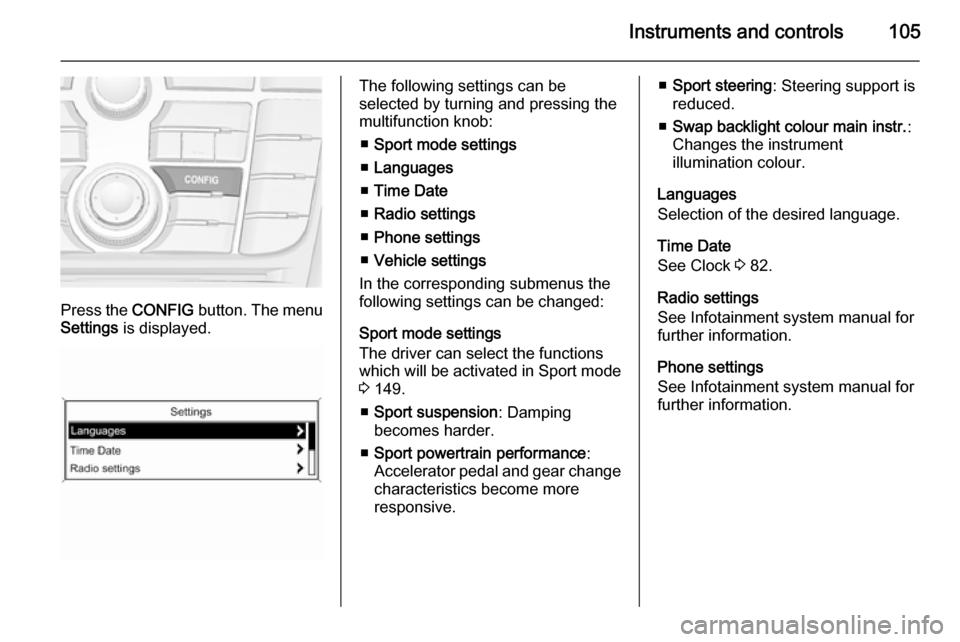
Press the CONFIG button. The menu
Settings is displayed.
The following settings can be
selected by turning and pressing the
multifunction knob:
■ Sport mode settings
■ Languages
■ Time Date
■ Radio settings
■ Phone settings
■ Vehicle settings
In the corresponding submenus the
following settings can be changed:
Sport mode settings
The driver can select the functions
which will be activated in Sport mode
3 149.
■ Sport suspension : Damping
becomes harder.
■ Sport powertrain performance :
Accelerator pedal and gear change
characteristics become more
responsive.■ Sport steering : Steering support is
reduced.
■ Swap backlight colour main instr. :
Changes the instrument
illumination colour.
Languages
Selection of the desired language.
Time Date
See Clock 3 82.
Radio settings
See Infotainment system manual for further information.
Phone settings
See Infotainment system manual for
further information.